Table of Contents
Some links on JAK Digital Hub are affiliate links, meaning we may earn a small commission at no extra cost to you. Read full disclaimer.
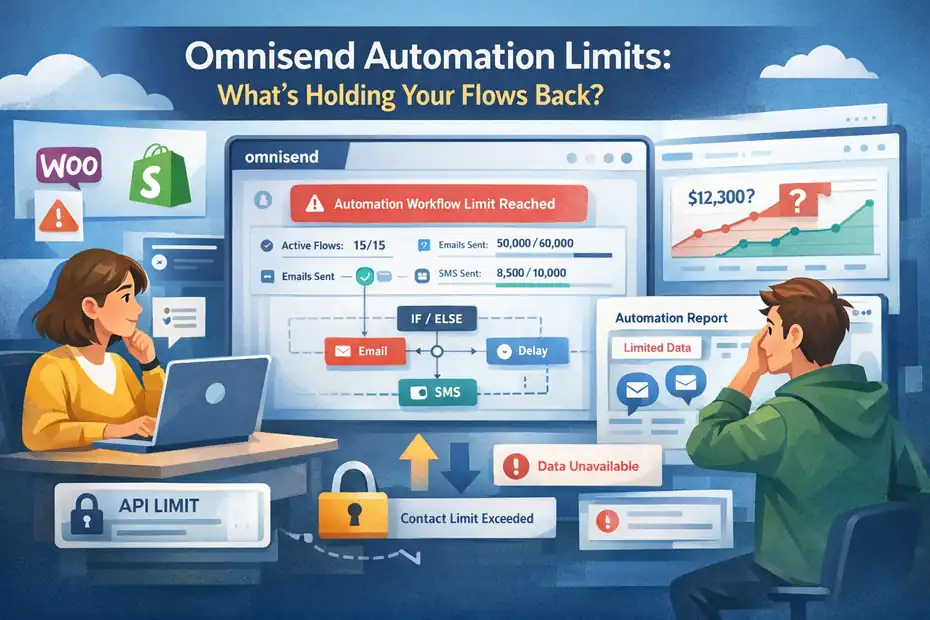
If you’ve started scaling your email or SMS flows, you’ve probably run into Omnisend automation limits sooner than expected. What looks powerful at first can quietly cap how far your automations go — especially once your list grows, your segmentation becomes complex, or your store starts generating real traffic.
Many ecommerce brands don’t notice these limits until something breaks: abandoned cart flows stop triggering properly, segmentation becomes restrictive, or automation logic feels too rigid.
From what I’ve seen, the frustration usually comes from realizing the platform works well for basic automation — but starts pushing back when you try to build advanced lifecycle systems.
In this guide, we’ll break down the real Omnisend automation limits that can slow down your email and SMS marketing performance, so you can understand exactly what’s restricting your flows and what to watch for as your business grows.
Automation Workflow Limits Inside Omnisend Platform
When people start using Omnisend, automation feels simple and powerful. But as your ecommerce store grows, the Omnisend automation limits inside the workflow system become more noticeable.
These limits don’t necessarily stop automation entirely, but they can restrict how many flows you run, how large your audience becomes, and how complex your lifecycle marketing can get.
Let’s break down the specific constraints most users encounter once they move beyond basic email sequences.
Maximum Number Of Active Automation Workflows Allowed
Omnisend doesn’t publicly advertise a strict hard cap on workflows, but in practice the platform is designed for manageable automation ecosystems rather than extremely large ones.
Most ecommerce stores run somewhere between 5–20 active automations, including:
- Welcome series
- Abandoned cart recovery
- Browse abandonment
- Order confirmation
- Post-purchase follow-ups
- Win-back campaigns
For smaller stores, this is usually enough. But once you start building advanced lifecycle marketing, things get tighter.
For example, imagine an ecommerce store running:
- 3 welcome funnels based on acquisition source
- 4 product category abandonments
- 5 post-purchase cross-sell sequences
- 3 retention or loyalty automations
- 2 re-engagement flows
That’s already 17 workflows, and you’re just getting started.
From what I’ve seen working with email systems, the real constraint is not the number itself — it’s the workflow management complexity inside the Omnisend automation builder. When your automation library grows:
- Managing triggers becomes harder
- Workflow overlap increases
- Contact enrollment conflicts appear
Platforms like Klaviyo or ActiveCampaign typically support much deeper workflow ecosystems with better automation management tools.
So while Omnisend technically allows multiple automations, the platform is clearly optimized for small-to-mid ecommerce lifecycle automation, not enterprise-level orchestration.
Automation Limits Based On Omnisend Pricing Plans
Another major factor affecting Omnisend automation limits is the pricing plan you’re using.
Omnisend uses a tiered model where automation capabilities expand as your subscriber count increases.
Here’s a simplified comparison of how plan levels influence automation flexibility:
| Plan | Automation Access | Key Limitations |
|---|---|---|
| Free | Basic automation flows | Limited email sends, branding included |
| Standard | Full automation builder | Email limits tied to subscriber count |
| Pro | Email + SMS automation | Higher sending limits, advanced reporting |
The big constraint isn’t just automation creation, it’s the sending volume allowed inside those automations.
For example:
- Free plan → limited monthly email sends
- Standard plan → send limits tied to list size
- Pro plan → higher thresholds but still capped
If a store grows quickly and traffic spikes, automations like abandoned cart sequences can hit those limits faster than expected.
In my experience, many ecommerce brands realize this when:
- abandoned cart flows stop sending
- welcome sequences pause
- campaign sends get throttled
This happens because automation messages count toward your total email sending quota.
So while the automation builder itself may allow many flows, the plan-based sending limits quietly restrict how effective those automations can be.
Subscriber Thresholds That Restrict Automation Scaling
One of the most important Omnisend automation limits appears when your subscriber list starts growing quickly.
Omnisend pricing is directly tied to contact database size, which means your automation system scales alongside your list.
Here’s what usually happens:
| Subscriber Count | Typical Monthly Cost Range | Impact On Automation |
|---|---|---|
| 1,000 | Low | Automations run normally |
| 10,000 | Moderate | Higher sending costs |
| 50,000+ | High | Automation scaling becomes expensive |
This creates an interesting challenge.
Automation itself doesn’t break — but the cost of running automated messaging increases significantly.
For example:
Imagine a Shopify store with:
- 40,000 subscribers
- 8 active automation flows
- abandoned cart + browse abandonment triggers
If each flow sends 2–3 emails per subscriber event, automation traffic alone can generate tens of thousands of automated sends per month.
From what I’ve seen with ecommerce brands, automation can easily produce 30–50% of total email volume.
So the limitation becomes financial rather than technical.
Many growing brands start asking questions like:
- Should we suppress inactive contacts?
- Should we limit automation entry rules?
- Should we move to a platform with unlimited sending tiers?
Understanding this subscriber-based scaling is critical when evaluating Omnisend long-term.
Automation Volume Restrictions For High Traffic Stores
High-traffic ecommerce stores often discover Omnisend automation limits when automation events trigger too frequently.
Let me give you a real scenario.
Imagine your store receives 15,000 visitors per day. Even if only 3–5% abandon carts, that still produces:
- 450–750 abandoned carts daily
Now consider a standard abandoned cart automation:
- Email reminder after 1 hour
- Discount reminder after 24 hours
- Final recovery message after 48 hours
That means each abandonment could trigger 3 automated emails.
Daily automation output:
| Event | Estimated Volume |
|---|---|
| Cart abandonment events | 600 |
| Emails per automation | 3 |
| Daily automation sends | 1,800 |
Multiply that by multiple automations, and your automation volume increases quickly.
Omnisend does handle this scale reasonably well, but there are some constraints:
- send throttling during high activity
- queue delays for automation triggers
- deliverability protection filters
These systems protect email reputation, but they can create delays in automation execution.
In some cases, a cart reminder that should send in 1 hour may send in 1.5–2 hours during peak load.
For high-growth ecommerce brands, these timing shifts can reduce automation conversion performance.
Automation Trigger Limitations Affecting Flow Logic
Automation triggers are the starting point of every workflow. They tell the system when to begin sending messages based on customer behavior.
But one of the most overlooked Omnisend automation limits is how restricted the trigger system becomes when you try to build advanced behavioral flows.
Let’s look at the specific trigger constraints that affect automation logic.
Limited Behavioral Trigger Options Compared To Advanced Tools
Omnisend offers several useful behavioral triggers, including:
- product viewed
- cart abandoned
- order placed
- email subscribed
- specific product purchased
For many ecommerce stores, these cover the basics.
But compared to more advanced automation platforms, the behavioral trigger system is relatively limited.
For example, advanced marketing automation systems often allow triggers based on:
- scroll depth
- session duration
- page visit frequency
- product category interactions
- predictive purchase behavior
These triggers allow marketers to build behavior-driven lifecycle marketing.
Let’s say someone visits a product page three times within 48 hours but doesn’t purchase. In advanced systems, that behavior can trigger a targeted automation.
In Omnisend, these deeper behavioral signals are harder to track directly without custom integrations.
This means your automation often relies on simpler signals like cart abandonment or product views, which limits personalization.
From what I’ve seen, most brands overcome this limitation by combining Omnisend with analytics tools like:
- Google Analytics
- Shopify event tracking
- custom event scripts
But out of the box, behavioral automation remains relatively basic.
Restrictions On Custom Event Triggering In Automations
Custom events are powerful because they allow you to trigger automations based on unique business actions.
Examples might include:
- subscription box renewal
- loyalty program milestones
- membership upgrades
- product restock alerts
- webinar registrations
Omnisend does support custom events through API integrations, but there are limitations.
First, custom events require technical setup, which usually means:
- developer support
- API configuration
- webhook integration
Second, not all custom events integrate seamlessly with the automation builder.
In practice, some businesses discover that events created outside their ecommerce platform don’t always trigger automations reliably without careful configuration.
For example:
A subscription brand might want an automation triggered when a customer pauses their subscription.
If that action happens in a third-party subscription tool, Omnisend may not automatically detect it unless the event is passed through the API.
This adds friction for stores that rely on multiple SaaS tools.
In my experience, businesses running complex ecommerce ecosystems often need middleware tools or custom event tracking to extend Omnisend automation triggers.
Delayed Trigger Execution During High Store Activity
Another subtle Omnisend automation limit appears during periods of high event activity.
Automation triggers usually run in near real time, but they still rely on processing queues behind the scenes.
When a store experiences spikes in events — such as:
- Black Friday traffic
- flash sales
- influencer campaigns
- product launches
The automation system may process triggers with slight delays. These delays typically range from a few seconds to several minutes, depending on event volume.
For some automations, this isn’t a problem.
But for time-sensitive sequences, delays can reduce effectiveness.
Example:
An abandoned cart email sent 30 minutes after abandonment performs significantly better than one sent 2 hours later.
Email marketing research consistently shows that earlier cart recovery emails drive higher conversions.
So while Omnisend processes triggers reliably, very high traffic environments can introduce timing shifts that affect automation performance.
Trigger Logic Constraints For Multi-Condition Automations
One of the most common frustrations with Omnisend automation limits is the simplified trigger logic system.
Automation triggers often rely on single events rather than layered conditions.
For example, many automation builders allow triggers like: IF user views product, AND is returning visitor, AND has not purchased, AND has opened last email, THEN start automation.
These multi-condition triggers allow extremely precise targeting.
Omnisend supports some conditional filtering, but the logic tree is simpler compared to more advanced systems.
You’ll often need to use:
- pre-built segments
- multiple workflows
- conditional splits
to recreate the same behavior.
While this works, it increases workflow complexity. Instead of one intelligent automation, you might need three or four smaller workflows.
From what I’ve seen, this is one of the key scaling challenges for growing ecommerce brands using Omnisend.
Segmentation Restrictions Impacting Automation Precision
Segmentation is the engine behind personalized automation. The better your segments, the smarter your flows become. However, some Omnisend automation limits appear when you start building advanced segmentation strategies.
These limits affect how precisely you can target subscribers inside automation workflows.
Limits On Advanced Segmentation Conditions In Automations
Omnisend allows segmentation based on several useful data points:
- purchase history
- campaign engagement
- product interactions
- geographic location
- signup source
This is enough for most basic ecommerce targeting.
But segmentation becomes more challenging when you try to combine multiple behavioral layers.
For example, an advanced segment might look like this:
Customers who:
- viewed a product category
- purchased twice in the past 60 days
- have not opened the last three emails
- spent more than $200 lifetime
Platforms built specifically for advanced lifecycle marketing usually allow very complex nested logic rules.
Omnisend segmentation tends to remain flatter and simpler, which means some advanced audience targeting requires workarounds.
Often marketers solve this by creating multiple intermediate segments, then using those segments inside automations.
This approach works, but it requires more setup and ongoing management.
Dynamic Segment Refresh Delays Affecting Flow Timing
Dynamic segments in Omnisend update automatically when subscriber behavior changes.
However, these updates don’t always happen instantly.
Segment refresh timing depends on several factors:
- event processing speed
- database updates
- contact activity volume
In most cases, updates occur within minutes, but under heavy load it may take longer.
Why does this matter?
Because many automations depend on real-time segmentation changes.
For example:
Imagine a re-engagement flow designed to trigger when someone hasn’t opened emails for 60 days.
If the segment refresh lags slightly, a subscriber might:
- open a campaign
- still remain in the inactive segment temporarily
- enter a win-back automation unnecessarily
This isn’t a major issue for most stores, but it’s something advanced marketers keep in mind when designing automation entry rules.
Restrictions When Combining Behavioral And Purchase Data
A powerful automation strategy combines behavioral data with purchase history.
For example:
- customers who viewed product category A
- AND previously bought product B
- BUT have not purchased in 90 days
This type of targeting is extremely effective for cross-selling and retention marketing.
Omnisend does support combining behavior and purchase filters, but the complexity of those combinations is somewhat limited compared to enterprise automation systems.
For instance, building segments based on:
- lifetime value tiers
- predictive purchasing patterns
- product affinity models
may require external analytics tools.
Many ecommerce brands export purchase data into platforms like:
- Google Analytics
- Shopify analytics dashboards
- data warehouses
Then use those insights to manually refine automation segments.
It’s not impossible to build advanced segments in Omnisend — it just requires more manual data interpretation.
Segment Size Limits That Affect Automation Entry Rules
The final limitation affecting automation precision is segment size management.
Large segments can sometimes cause challenges for automation flows, particularly when:
- thousands of contacts enter simultaneously
- large lists trigger batch processing
- campaigns and automations compete for sending resources
For example:
A store might create a segment like: “All customers who purchased in the last 365 days.”
If that segment contains 100,000 contacts, an automation tied to it may enroll contacts in large batches.
This can create issues such as:
- send throttling
- delayed automation entry
- queue processing delays
From what I’ve seen, experienced marketers avoid this by designing smaller behavioral entry triggers rather than large batch segments.
Instead of enrolling thousands at once, they trigger automations using specific behavioral events, which distributes automation traffic more evenly.
This approach keeps automation flows running smoothly and avoids hitting operational limits inside the Omnisend platform.
Conditional Logic Limits Inside Omnisend Automation Builder
As your automation strategy grows, conditional logic becomes the backbone of intelligent marketing. This is where another layer of Omnisend automation limits appears.
The automation builder is intentionally simple, which makes it beginner-friendly, but that simplicity can create constraints when you try to build sophisticated customer journeys.
Let’s unpack what that actually means in practice.
Branching Logic Restrictions In Complex Workflows
In automation platforms, branching logic determines how subscribers move through different paths depending on their behavior. Omnisend allows basic branching with “Yes/No” splits, which is useful for simple scenarios.
For example, a typical branch might look like this:
- Did the customer purchase after receiving the first email?
- Yes: Exit workflow
- No: Send follow-up email
This works perfectly for straightforward flows like abandoned cart recovery. However, when workflows become more complex, the branching system begins to feel limited.
Imagine you want to build a post-purchase automation that behaves differently depending on:
- product category purchased
- customer lifetime value
- geographic region
- previous purchase frequency
In theory, you could build this in Omnisend, but you would often need multiple workflows instead of one unified flow.
In my experience, this leads to automation structures that look something like this:
| Automation Goal | Workflow Count Needed |
|---|---|
| Simple welcome flow | 1 |
| Category-specific onboarding | 3–4 |
| VIP customer onboarding | Separate workflow |
| Repeat buyer cross-sell | Separate workflow |
So instead of one intelligent branching system, you end up maintaining several parallel automations.
It works — but managing them over time can become messy.
Limited Conditional Paths Compared To Advanced Platforms
Another constraint within the Omnisend automation limits is the number of conditional paths you can realistically maintain inside one workflow.
Advanced automation platforms allow very deep branching trees. For example:
Customer enters workflow → Check purchase history → Check product category → Check engagement score → Check predicted lifetime value → Then trigger highly specific messages.
Omnisend focuses more on linear workflows with occasional splits.
That design philosophy works well for many ecommerce stores because it reduces complexity. But if you’re trying to build deeply personalized marketing journeys, you may feel constrained.
Let me give you a quick comparison.
| Automation Feature | Omnisend | Advanced Automation Platforms |
|---|---|---|
| Basic yes/no split | Yes | Yes |
| Multi-condition branching | Limited | Advanced |
| Predictive targeting | No | Often included |
| Nested decision trees | Limited | Extensive |
In practical terms, Omnisend works best when automations remain focused and modular, rather than deeply layered.
Personally, I often suggest designing shorter, behavior-triggered flows rather than massive decision trees when using Omnisend.
Restrictions On Multi-Layer If/Else Automation Decisions
If/Else logic is the mechanism that allows automation to behave intelligently.
For example: IF customer purchased → exit, ELSE IF customer opened email → send reminder, ELSE IF customer ignored email → send stronger incentive
Omnisend supports this type of conditional logic, but there are limitations once the decision layers grow deeper.
Here’s where the challenge appears: Many advanced automation systems allow multi-layered decision stacks inside one workflow. Omnisend typically works best with one or two decision layers at a time.
When marketers attempt to stack too many conditions, workflows can become:
- difficult to visualize
- harder to debug
- more prone to logic conflicts
Let me show you a practical example.
Imagine an abandoned cart automation that checks:
- Did the customer purchase?
- Did they open the first email?
- Did they click the product link?
- Are they a repeat buyer?
- Is the order value above $100?
That’s five decision layers.
In Omnisend, implementing all of these inside one flow becomes complicated. Instead, marketers often split the logic into multiple automations triggered by different conditions.
It works — but it requires more planning.
From what I’ve seen, the key is designing automation logic before building workflows, not after.
Difficulty Building Lifecycle Funnels With Deep Logic
Lifecycle funnels are the holy grail of email marketing. They guide customers through stages like:
- subscriber acquisition
- first purchase
- repeat purchase
- loyalty
- win-back
But building a fully automated lifecycle funnel inside Omnisend can be challenging because of the conditional logic limitations.
A fully developed lifecycle system might include:
- onboarding education
- product recommendation engines
- VIP customer paths
- churn prevention triggers
- loyalty upgrades
In advanced automation systems, all of this might exist inside one master workflow.
With Omnisend, lifecycle marketing typically looks more like a network of separate automations.
Example structure:
| Lifecycle Stage | Typical Automation |
|---|---|
| New subscriber | Welcome series |
| First purchase | Post-purchase onboarding |
| Repeat purchase | Product recommendation flow |
| High-value customer | VIP promotion flow |
| Inactive customer | Win-back automation |
This modular approach works well, but it requires careful planning so that subscribers don’t enter conflicting workflows simultaneously.
In my experience, the best approach is to map your lifecycle strategy first, then build separate but coordinated automations inside Omnisend.
Email And SMS Automation Sending Limits Explained
Another critical area where Omnisend automation limits show up is sending capacity. Automations don’t just rely on triggers and logic — they rely on the platform’s ability to deliver emails and SMS messages at scale.
If sending limits are reached, automations can slow down or pause entirely.
Let’s break down the most important sending constraints.
Email Send Limits Based On Omnisend Plan Tier
Omnisend pricing plans directly affect how many emails your automations can send each month.
The platform generally ties sending limits to subscriber count, meaning the bigger your list becomes, the more your sending capacity expands — but also the more expensive it becomes.
Here’s a simplified overview.
| Plan | Email Sending Capacity | Automation Impact |
|---|---|---|
| Free | Limited monthly sends | Automations restricted |
| Standard | Higher limits tied to list size | Suitable for small stores |
| Pro | Higher thresholds + SMS automation | Better for scaling brands |
For many small ecommerce stores, this works perfectly fine.
But imagine a store with:
- 50,000 subscribers
- 8 automation flows
- frequent campaigns
Automations like:
- welcome series
- abandoned cart recovery
- browse abandonment
- product recommendations
can easily generate thousands of automated emails per week.
Once your sending quota is reached, some automation emails may pause until the next billing cycle.
From what I’ve seen, growing ecommerce brands often need to monitor:
- automation send volume
- campaign send volume
- subscriber growth
Otherwise automation performance can quietly drop.
SMS Automation Sending Restrictions By Region
Omnisend also supports SMS automation, which is incredibly powerful for ecommerce recovery flows.
SMS marketing often produces very high engagement rates:
- average open rates above 90%
- response times under 3 minutes
However, SMS sending comes with regional restrictions.
Different countries have telecommunications regulations that affect:
- message frequency
- consent requirements
- sending hours
- content rules
For example:
| Region | Key SMS Restrictions |
|---|---|
| United States | TCPA consent rules |
| European Union | GDPR data requirements |
| Australia | Strict opt-in compliance |
| Canada | CASL messaging laws |
Omnisend automatically enforces many of these rules to protect sender compliance.
While this protects your brand legally, it can also limit how aggressively SMS automations can run.
For example:
- multiple SMS messages in short timeframes may be blocked
- sending outside permitted hours may be delayed
So when building SMS automations, it’s important to design respectful frequency schedules.
Message Frequency Limits Inside Automation Flows
Automation isn’t just about sending messages — it’s about sending them at the right frequency.
If customers receive too many messages too quickly, several problems can happen:
- unsubscribes increase
- spam complaints rise
- deliverability drops
Omnisend helps protect sender reputation by applying message frequency safeguards.
For example, some automation flows may include built-in timing delays such as:
- wait 1 hour
- wait 24 hours
- wait 48 hours
This spacing ensures that customers are not bombarded with messages.
In my experience, the most effective ecommerce automations usually follow a rhythm like this:
| Automation Type | Recommended Timing |
|---|---|
| Welcome flow | 3–5 emails over 7 days |
| Abandoned cart | 3 emails within 48 hours |
| Post-purchase | 2–4 emails over 14 days |
| Win-back campaign | 3 emails over 30 days |
Trying to compress these sequences too aggressively often triggers deliverability protection mechanisms.
Compliance Filters That Pause High Volume Automation Sends
Another subtle piece of the Omnisend automation limits puzzle is compliance filtering.
Email service providers monitor sending behavior closely. If they detect suspicious patterns, they may temporarily slow or pause message delivery.
Omnisend includes built-in protections that analyze factors like:
- sudden spikes in send volume
- high bounce rates
- spam complaint rates
- inactive subscriber targeting
If these signals appear risky, automation sends may be temporarily throttled.
Here’s a simplified view of common deliverability triggers.
| Risk Signal | Potential System Response |
|---|---|
| High bounce rate | Temporary sending slowdown |
| Sudden email volume spike | Send throttling |
| High complaint rate | Reputation warning |
| Sending to inactive contacts | Deliverability drop |
These safeguards protect your sender reputation, but they can also cause automation timing to shift slightly.
The best solution is maintaining healthy list hygiene, meaning:
- removing inactive contacts
- confirming subscriber consent
- warming up new domains gradually
Automation Analytics And Reporting Limitations
Automation without analytics is like flying blind. You might be sending messages, but you don’t fully know what’s working. This is another area where Omnisend automation limits can affect marketing performance.
The platform provides useful reporting, but advanced automation analysis can sometimes require additional tools.
Limited Visibility Into Automation Revenue Attribution
One of the most common questions marketers ask is: “How much revenue did this automation generate?”
Omnisend does provide automation revenue tracking, but attribution is often limited to direct conversions.
For example:
If someone receives an automation email and clicks a product link, the purchase may be attributed to that email.
But what if the journey looks like this?
- Customer receives abandoned cart email
- Opens but doesn’t click
- Searches brand on Google later
- Returns and purchases
In this scenario, the automation influenced the purchase, but the attribution model may not fully capture that influence.
Advanced analytics platforms often provide:
- multi-touch attribution
- cross-channel tracking
- predictive revenue modeling
Omnisend focuses primarily on direct attribution metrics, which can underrepresent automation impact.
Lack Of Deep Funnel Tracking For Automation Sequences
Automation funnels often involve multiple messages and behavioral checkpoints.
For example, a welcome automation might include:
- brand introduction
- product education
- first purchase incentive
Ideally, marketers want to track how subscribers move through each stage of that funnel.
Omnisend provides metrics such as:
- open rate
- click rate
- conversion rate
But deeper funnel analysis — like identifying where subscribers drop off inside the sequence — can be harder to visualize.
Some marketers export data into external analytics tools to analyze funnel performance more deeply.
Reporting Gaps Between Email And SMS Automation Data
When brands run both email and SMS automations, analyzing cross-channel performance becomes important.
Omnisend provides reporting for both channels, but the data often exists in separate reporting views.
This makes it harder to answer questions like:
- Did SMS reminders increase email conversion rates?
- Which channel drove the first purchase?
- How do email and SMS sequences interact?
In advanced marketing systems, cross-channel attribution dashboards help connect these dots.
With Omnisend, marketers sometimes rely on external dashboards or spreadsheets to analyze this combined data.
Difficulty Measuring Multi-Step Automation Performance
Finally, many marketers want to understand the overall performance of an entire automation workflow rather than individual messages.
For example:
- total revenue from the welcome series
- conversion rate of the abandoned cart funnel
- lifetime value impact of retention flows
Omnisend does provide automation-level metrics, but analyzing multi-step customer journeys across multiple workflows can become complex.
Here’s an example scenario.
Imagine a customer goes through:
- Welcome automation
- Post-purchase automation
- Cross-sell automation
Each workflow generates revenue — but connecting them into a complete customer lifecycle performance report requires deeper analysis.
From what I’ve seen, many ecommerce teams solve this by combining Omnisend data with tools like:
- Shopify analytics
- Google Analytics
- ecommerce data dashboards
This allows them to evaluate lifecycle marketing performance as a whole, rather than just individual automations.
Integration Limits That Affect Automation Capabilities
Automation rarely works in isolation. Most ecommerce stores rely on multiple tools—shopping platforms, analytics dashboards, loyalty apps, subscription systems, and customer support tools.
When these systems don’t integrate perfectly, some Omnisend automation limits start to appear because the platform can only automate based on the data it receives.
Let’s look at the integration gaps that can restrict automation power.
Ecommerce Platform Integration Constraints With Shopify
If you’re using Shopify, you’re actually in the best possible scenario for Omnisend integrations. The platform was built heavily around ecommerce, and Shopify is its strongest ecosystem connection.
However, even this integration has some limitations.
Omnisend pulls core Shopify data such as:
- order events
- product views
- cart abandonment
- purchase history
- customer profiles
These are great for building automations like:
- abandoned cart recovery
- browse abandonment emails
- post-purchase flows
But more advanced Shopify data isn’t always automatically available.
For example, some Shopify stores rely heavily on:
- loyalty programs
- subscription apps
- bundle apps
- product configurators
If these tools create custom events inside Shopify apps, Omnisend may not always detect them without additional configuration.
Imagine this scenario.
You run a subscription coffee brand. A customer upgrades their subscription from monthly to weekly inside a subscription app. Ideally, this event would trigger a customer appreciation automation or a loyalty upgrade email.
But unless that subscription app sends the event directly to Omnisend, the automation trigger may never fire.
In practice, many Shopify stores solve this by:
- using middleware tools
- configuring webhooks
- passing custom events via API
So while Shopify integration is strong, automation power still depends on how well your entire ecommerce stack shares data.
Limited Automation Triggers From WooCommerce Events
If you’re using WooCommerce instead of Shopify, some additional Omnisend automation limits can appear because WooCommerce is more customizable.
That flexibility is great—but it also means integrations are less standardized.
Omnisend connects to WooCommerce through a plugin that sends key events such as:
- product viewed
- cart abandoned
- order completed
- account created
These events allow you to run the standard ecommerce automation flows.
However, WooCommerce stores often run many additional plugins such as:
- membership plugins
- booking systems
- subscription plugins
- learning platforms
These plugins create events that Omnisend may not automatically recognize.
For example:
A WooCommerce store selling online courses might want an automation triggered when someone completes a course module.
That event exists in the learning platform plugin—but Omnisend won’t see it unless the data is passed manually.
From what I’ve seen, WooCommerce users sometimes need a developer to connect these events through:
- REST APIs
- webhooks
- integration plugins
This isn’t a deal-breaker, but it adds extra setup work if you want deeper automation triggers.
Third-Party App Data Not Always Available For Automation
Modern ecommerce stores rarely use just one platform.
Most brands run multiple apps for things like:
- reviews
- loyalty rewards
- referral programs
- customer support
- subscriptions
- personalization
The challenge is that Omnisend automation limits sometimes appear when these third-party tools don’t send their data into the automation system.
Let me give you a realistic scenario.
Imagine you run a skincare brand and use:
- Shopify for ecommerce
- a loyalty rewards app
- a subscription management tool
- a product review platform
Ideally, you’d want automations triggered by actions like:
- leaving a product review
- earning loyalty points
- reaching VIP status
But unless those apps send events into Omnisend, your automations can’t react to those actions.
This creates what I like to call automation blind spots—moments where customer behavior happens, but your automation system doesn’t see it.
One workaround many marketers use is creating bridge automations through tools like:
- Zapier
- Make (formerly Integromat)
- custom API connections
These tools act as translators between apps so Omnisend can receive the events it needs.
API Event Limitations For Custom Automation Triggers
Omnisend does support custom events through its API, which opens the door to more advanced automation triggers.
But there are still some practical limitations to keep in mind.
API-triggered automations require:
- event tracking configuration
- developer implementation
- reliable data delivery
This means custom automation triggers are not always beginner-friendly.
Let’s say your SaaS product tracks a user event like: “User upgraded account plan.”
If you want this event to trigger an email inside Omnisend, you need to:
- send the event to Omnisend via API
- define the event inside the platform
- build an automation triggered by that event
This works well for tech-savvy teams, but for many small ecommerce businesses it adds technical complexity.
From what I’ve seen, this is where some brands eventually look at more developer-centric automation platforms when their tech stack becomes more advanced.
Contact And Data Storage Limits Impacting Automations
Automation depends on customer data. The more data you collect, the more personalized your messaging can become. But some Omnisend automation limits appear when you start pushing deeper into personalization and data-driven targeting.
Let’s walk through the main data limitations that can affect automation performance.
Contact List Limits Affecting Automation Enrollment
One of the biggest factors affecting automation scale is how large your contact database becomes.
Omnisend pricing tiers are based on subscriber count, which means your contact list directly impacts:
- monthly costs
- sending limits
- automation volume
For example:
| Subscriber Count | Typical Automation Load |
|---|---|
| 1,000 | Basic flows only |
| 10,000 | Multiple automation sequences |
| 50,000+ | Large lifecycle systems |
As your list grows, automation traffic grows too.
Imagine a store with:
- 60,000 subscribers
- 6 automation flows
- frequent campaign sends
Every new subscriber might enter:
- welcome series
- product recommendation flows
- engagement tracking
At that scale, thousands of contacts can enter automation workflows simultaneously.
Omnisend can handle this volume, but list size also impacts cost efficiency and automation planning.
That’s why experienced marketers often maintain clean subscriber lists by removing inactive contacts regularly.
Data Field Restrictions For Personalization Tokens
Personalization tokens are dynamic pieces of data inserted into emails, like:
- customer name
- last purchased product
- loyalty status
- location
Omnisend supports many of these personalization fields, but there are still some limits to how flexible they can be.
For example, some advanced marketing systems allow dynamic data like:
- predicted purchase probability
- engagement scores
- AI-driven product recommendations
Omnisend primarily relies on stored contact fields and ecommerce data.
Here’s a quick comparison.
| Personalization Feature | Omnisend Capability |
|---|---|
| Basic contact fields | Supported |
| Purchase history tokens | Supported |
| Dynamic product recommendations | Limited |
| Predictive personalization | Limited |
For most ecommerce campaigns, this level of personalization works well. But highly advanced targeting may require additional data tools.
Limited Custom Properties For Deep Personalization
Custom properties allow businesses to attach unique attributes to contacts.
For example:
- loyalty tier
- membership level
- preferred product category
- average order value
These properties can then be used to personalize automations.
Omnisend does allow custom properties, but managing a very large number of them can become complicated.
Imagine a fashion brand tracking attributes such as:
- preferred clothing size
- style preference
- seasonal purchasing habits
If each attribute becomes a custom property, the contact database can grow extremely complex.
Some advanced customer data platforms (CDPs) specialize in managing large behavioral datasets. Omnisend focuses primarily on marketing-ready customer data, not massive behavioral data warehouses.
So when brands need very deep personalization, they sometimes combine Omnisend with external analytics tools.
Contact Activity History Limits Affecting Trigger Accuracy
Automation triggers often rely on customer activity history.
Examples include:
- last email opened
- last purchase date
- product browsing behavior
Omnisend stores these events, but the historical depth of activity tracking can vary depending on data retention policies.
This means extremely old behavioral data may not always be available for automation triggers.
For example:
Imagine you want to trigger a win-back campaign for customers who:
- purchased more than twice
- but haven’t purchased in two years
If activity data from early purchases isn’t fully available, building extremely long historical segments becomes harder.
For most ecommerce marketing strategies this isn’t a major issue—but it’s something to keep in mind when designing long-term lifecycle campaigns.
Flow Design Limitations That Restrict Advanced Strategies
The automation builder inside Omnisend is designed to be visual and easy to use. For beginners, this is fantastic. But when automation systems become large, certain Omnisend automation limits appear inside the workflow design environment itself.
Let’s look at the structural limitations marketers sometimes encounter.
Visual Automation Builder Constraints For Large Workflows
The visual builder allows you to create automation flows by connecting blocks such as:
- triggers
- delays
- emails
- conditions
- splits
For most workflows, this interface works beautifully.
But large workflows can become visually complex very quickly.
Imagine building an automation that includes:
- 8 emails
- 5 conditional branches
- multiple behavioral splits
Soon the visual map becomes quite large.
Some marketers describe this as automation map fatigue, where the workflow becomes harder to read and maintain.
Here’s what happens as flows grow.
| Workflow Size | Visual Complexity |
|---|---|
| Small flows | Easy to manage |
| Medium flows | Slightly complex |
| Large flows | Harder to visualize |
In my experience, the best solution is keeping automation workflows shorter and more focused, rather than building massive sequences.
Limited Reusable Automation Components Or Templates
Another challenge is the limited ability to reuse automation logic.
Many advanced automation platforms allow marketers to create:
- reusable message blocks
- shared logic modules
- template workflows
Omnisend does provide some automation templates, such as:
- welcome series
- abandoned cart recovery
- browse abandonment
However, reusable automation components inside custom workflows are somewhat limited.
For example, if you want to reuse the same loyalty reward message block across multiple automations, you may need to manually copy and paste the email design into each flow.
This isn’t difficult, but it can slow down large automation systems.
Difficulty Managing Large Automation Ecosystems
As your automation system grows, organization becomes increasingly important.
A small store might run:
- 3–4 automations
But larger ecommerce businesses often operate:
- welcome flows
- retention sequences
- product education flows
- loyalty automations
- win-back campaigns
Before long, you could be managing 15–20 workflows simultaneously.
Without strong naming conventions and documentation, this ecosystem can become confusing.
From what I’ve seen, experienced marketers solve this by:
- using structured naming systems
- documenting automation triggers
- mapping lifecycle journeys outside the platform
This keeps the automation system manageable even as it grows.
Lack Of Global Automation Variables And Shared Logic
Some advanced automation platforms include global variables—data values that can be reused across multiple workflows.
Examples might include:
- global discount codes
- seasonal promotion rules
- VIP customer thresholds
Omnisend doesn’t rely heavily on this type of centralized automation logic.
Instead, many automation settings exist inside individual workflows.
This means if you update something like a promotion code, you may need to adjust it in multiple automations.
It’s not a major limitation for smaller systems, but for very large automation ecosystems it can increase maintenance effort.
Deliverability And Compliance Limits Affecting Automations
Finally, one of the most important areas where Omnisend automation limits appear is deliverability and compliance. Email and SMS marketing are heavily regulated industries, and automation systems must respect these rules to protect both senders and subscribers.
Let’s break down the main factors that can affect automated message delivery.
Built-In Deliverability Controls That Throttle Automation Sends
Email service providers work hard to maintain strong sender reputations. If too many messages are sent too quickly, email providers like Gmail or Outlook may flag the activity as suspicious.
To prevent this, Omnisend includes built-in deliverability protections such as:
- send throttling
- spam complaint monitoring
- bounce detection
If the system detects unusual sending patterns, automation messages may be temporarily slowed down.
For example:
| Deliverability Risk | System Response |
|---|---|
| Sudden spike in email volume | Send throttling |
| High bounce rate | Sending review |
| Spam complaints increase | Reputation protection |
While this may occasionally delay automation messages, it protects your domain reputation long term.
Compliance Restrictions For SMS Marketing Automations
SMS marketing is extremely powerful—but it’s also tightly regulated.
Many countries enforce strict SMS marketing rules related to:
- user consent
- sending hours
- opt-out options
- message frequency
Omnisend enforces these regulations automatically.
For example, SMS automations must typically include:
- opt-out instructions
- clear sender identification
Sending messages outside permitted hours may cause them to be delayed.
From what I’ve seen, brands that respect these rules actually build higher customer trust and better long-term engagement.
Regional Privacy Regulations Affecting Automation Triggers
Privacy laws also influence how automations operate.
Some major regulations include:
| Regulation | Region |
|---|---|
| GDPR | European Union |
| CCPA | California |
| CASL | Canada |
These laws affect how businesses collect and use customer data.
For example, GDPR requires explicit consent before sending marketing emails to European customers.
That means automation triggers based on:
- signup forms
- checkout opt-ins
- lead magnets
must all follow proper consent collection.
Omnisend includes tools to manage these permissions, but businesses still need to configure them correctly.
Subscriber Consent Rules That Limit Automated Messaging
Finally, automation cannot override subscriber consent.
If a user unsubscribes or withdraws consent, Omnisend automatically removes them from marketing automations.
This ensures compliance but also highlights the importance of permission-based marketing.
In practical terms, this means:
- building high-quality email lists
- using clear opt-in forms
- avoiding purchased contact lists
In my experience, businesses that focus on genuine subscriber relationships see higher engagement rates and stronger automation performance.
And ultimately, that’s what successful marketing automation is really about: sending the right message, to the right person, at the right moment—while respecting their preferences.
Frequently Asked Questions
What Are Omnisend Automation Limits?
Omnisend automation limits refer to restrictions affecting workflows, triggers, segmentation, sending volume, and integrations inside the platform. These limits can impact how complex your marketing automations become, especially as your subscriber list grows or your ecommerce store requires more advanced behavioral targeting and lifecycle marketing flows.
How Many Automation Workflows Can You Create In Omnisend?
Omnisend allows multiple automation workflows, but managing very large automation systems becomes challenging as complexity increases. Most ecommerce stores typically run between 5 and 20 automations, including welcome flows, abandoned cart sequences, and post-purchase campaigns, before workflow management and trigger conflicts become harder to organize.
Do Omnisend Pricing Plans Affect Automation Limits?
Yes, Omnisend pricing plans influence automation capabilities mainly through email sending limits tied to subscriber count. As your list grows, automation messages count toward monthly sending quotas. This means high-traffic stores running multiple automated flows may need higher-tier plans to avoid email delivery restrictions.
Why Do Some Omnisend Automations Trigger Late?
Automation delays usually occur during periods of high event activity when the system processes large numbers of triggers at once. Events such as product launches, flash sales, or major campaigns can create temporary processing queues, causing automation emails like abandoned cart reminders to send slightly later than scheduled.
Can You Remove Omnisend Automation Limits Completely?
You cannot completely remove Omnisend automation limits because they are built into the platform’s infrastructure and pricing model. However, you can reduce their impact by optimizing workflow design, maintaining smaller targeted segments, cleaning inactive subscribers, and integrating external tools to expand automation triggers and analytics capabilities.

Juxhin B is a digital marketing researcher and founder of JAK Digital Hub, specializing in email marketing software, marketing automation platforms, and digital growth tools. His work focuses on software testing, platform comparisons, and real-world performance analysis to help businesses choose the right marketing technology.
Related posts:
 Best Email Tools Compared: 7 That Actually Convert
 Best MailerLite Alternatives for Small Business Growth
 Email Automation Tools Migration Checklist for a Smooth Switch
 Email Marketing Tools For 100K Subscribers That Scale
 Email Marketing Tools For New Ecommerce Store (Starter Picks)
 Free Email Marketing For Ecommerce: 7 Tools That Sell