Table of Contents
Some links on JAK Digital Hub are affiliate links, meaning we may earn a small commission at no extra cost to you. Read full disclaimer.
When I first started comparing AWeber alternatives for small business, I realized just how many entrepreneurs were stuck paying for features they didn’t need—and losing time wrestling with tools that weren’t built for lean teams.
If you’re a blogger, freelancer, ecommerce owner, or service-based business trying to cut costs fast without sacrificing essential email marketing capabilities, this guide is for you.
In this article, I’ll answer the exact question small business owners keep asking: “What are the best AWeber alternatives that give me more power for less money—right now?”
Brevo: The Most Affordable All-In-One AWeber Alternative
If you’re trying to cut costs fast without losing essential email capabilities, Brevo is one of the most small-business-friendly AWeber alternatives I’ve tested.
It blends email, automation, CRM, and SMS into one platform—often for less than you were paying for AWeber alone.
Streamlining Email Campaigns With Brevo’s Intuitive Tools
One thing I appreciate about Brevo is how quickly you can build a polished email without feeling overwhelmed. The drag-and-drop editor uses simple content blocks—text, image, button, product listings—and you can rearrange them naturally, almost like stacking small Lego pieces.
In my experience, this simplicity matters most for small businesses that don’t have an in-house designer. The fewer decisions you need to make, the faster campaigns go out. Brevo also includes built-in design presets, so your emails look consistent without extra tweaking.
A small but underrated shortcut: Brevo automatically adjusts button contrast and alignment for mobile, something AWeber often requires manual editing for. If you’re sending frequent newsletters, this alone can reclaim hours per month.
Leveraging Brevo’s Automation Builder To Replace AWeber Workflows
Brevo’s automation builder is visual—you drag paths, triggers, and conditions onto a canvas and watch your workflow take shape. If you’ve ever felt boxed in by AWeber’s limited sequences, this will feel like moving from a flip phone to a smartphone.
Here are a few common automations I’ve personally recreated for clients switching from AWeber:
- A welcome series that adapts based on whether someone clicks the first email
- A cart-abandonment automation for small ecommerce shops
- A re-engagement flow that pauses contacts instead of deleting them
Most small business owners tell me the same thing: they want automation but not “marketing-nerd” complexity. Brevo hits that sweet spot by offering pre-built recipes while still giving you room to customize later.
Reducing Monthly Costs With Brevo’s Flexible Pricing Structure
Brevo’s pricing is one of the first reasons people start searching for AWeber alternatives for small business. Instead of charging per subscriber, Brevo charges based on emails sent, which can be dramatically cheaper for small lists.
Here’s a quick comparison to make this real:
| Platform | Pricing Model | Cost for 2,500 Contacts Sending ~8,000 Emails/Month |
| AWeber | Charges per subscriber | Typically higher due to list size tier |
| Brevo | Charges per email volume | Often 40–60% cheaper for small lists |
If your subscriber count grows fast but your sending frequency stays modest, Brevo gives you breathing room without hitting you with surprise billing jumps.
Using Brevo’s CRM Features To Centralize Customer Data
AWeber doesn’t include a built-in CRM, which forces many small businesses to juggle spreadsheets—or pay for extra software. Brevo solves this by integrating a lightweight CRM directly into its email platform.
That means:
- All contact activity (opens, clicks, website visits) appears in one timeline
- You can assign deals and track follow-ups
- You avoid the headache of syncing multiple tools
I’ve worked with service-based businesses—like coaches and home-service providers—who saved an entire software subscription just by switching to Brevo and using the CRM to manage leads.
Comparing Brevo’s Deliverability Advantage Over AWeber
Deliverability is the one thing you can’t “see,” but you definitely feel it in your revenue. Brevo tends to outperform AWeber here because it automatically routes messages through optimized sending pools and encourages domain authentication early.
In practice, that means:
- Fewer emails landing in promotions or spam
- Better long-term list health
- Higher engagement scores with less tweaking
If you’ve struggled with inconsistent open rates on AWeber, Brevo often fixes the issue without any major changes on your end—simply because the infrastructure is stronger.
MailerLite: A Budget-Friendly Creator Platform For Lean Teams
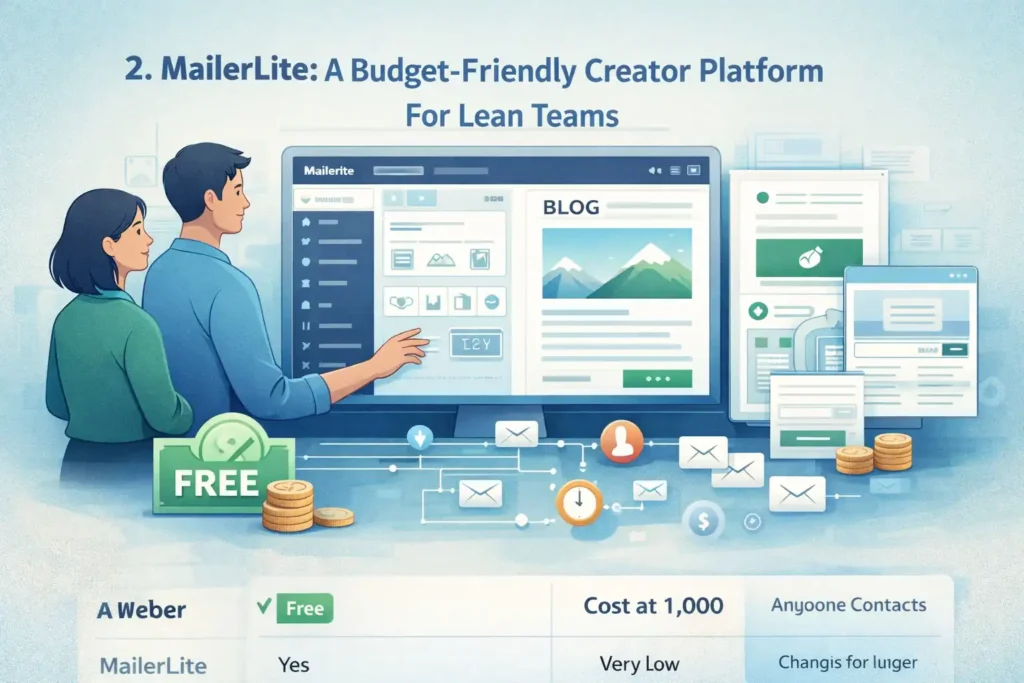
If you want something light, clean, and creator-friendly, MailerLite is one of the easiest AWeber replacements to adopt. I often recommend it to bloggers, solopreneurs, and small teams who want affordability without complexity.
Building High-Converting Campaigns With MailerLite’s Drag-And-Drop Editor
MailerLite’s editor feels refreshingly minimal compared to AWeber. You drag blocks onto the page—text, video embeds, countdowns, product boxes—and everything snaps into place.
A small example of where MailerLite shines: if you’re promoting a blog post, you can automatically pull in your featured image and excerpt. AWeber lets you do something similar, but MailerLite’s version is smoother and requires fewer steps.
I’ve found that creators who send image-light newsletters (like “link roundups” or “weekly recaps”) particularly love MailerLite because the email footprint stays small, which helps deliverability.
Setting Up Behavior-Based Automations Without Technical Skills
MailerLite keeps automations simple, and honestly, that’s why small teams tend to stick with it.
You can set up sequences like:
- Delivering a freebie after signup
- Delaying emails based on user actions
- Triggering a special email when someone visits a landing page
Everything is visual and labeled in plain English. When I walk clients through MailerLite, they usually say, “Oh, that’s it?”—which is what you want when you’re not hiring a full-time marketing manager.
Cutting Costs Through MailerLite’s Generous Free And Low-Tier Plans
MailerLite is known for being wallet-friendly. Small businesses often cut their email bill by 30–70% when switching from AWeber.
Here’s a quick comparison snapshot:
| Platform | Free Plan | Cost at 1,000 Contacts | Notes |
| AWeber | Limited | Typically higher | Charges for advanced automations |
| MailerLite | Yes | Very low | Most features available early |
If you’re in the early stages of your business—or running a side hustle—MailerLite gives you room to grow without pushing you into higher tiers too fast.
Using MailerLite’s Landing Pages To Replace Multiple Paid Tools
A huge cost saver: MailerLite includes excellent landing page templates and even whole mini-websites. This can replace several tools many small business owners pay for, such as:
- Lead capture pages
- Ebook or webinar registration pages
- Simple “about me” or “services” pages
One creator I worked with cancelled two premium landing-page builders after switching to MailerLite because the built-in pages were more than enough for her audience.
Evaluating MailerLite’s Simplicity For Small Business Workflows
If you’ve ever opened an email tool and felt instantly overwhelmed, MailerLite is a breath of fresh air. The interface is clean, the menus are logical, and nothing is buried behind complicated terminology.
Most small businesses I talk to care about three things:
- Sending emails fast
- Automating follow-ups
- Capturing leads
MailerLite nails all three without the bloat. It’s not trying to be an “enterprise suite”—and in many ways, that’s exactly why it works so well as an AWeber alternative.
GetResponse: A Scalable AWeber Replacement With More Power
Whenever someone asks me for an AWeber alternative that offers more horsepower without blowing up the budget, GetResponse is usually one of the first options I recommend.
It’s built for small businesses that want to start simple but grow into webinars, funnels, and full customer journeys—all inside a single platform.
Managing Email Lists With GetResponse’s Advanced Segmentation
One thing GetResponse does extremely well is segmentation. Instead of relying on basic list-based grouping like AWeber, GetResponse lets you create dynamic segments based on behavior, tags, scoring, and even purchase activity.
In practice, this means you can:
- Send campaigns only to subscribers who clicked a recent offer
- Create “VIP customer” segments automatically
- Retarget people who visited your pricing page but didn’t buy
If you’ve ever felt frustrated because AWeber’s segmentation only goes so far, GetResponse gives you the extra precision—without requiring a degree in data science.
A small scenario from a client project: We boosted click-through rates by 24% simply by segmenting subscribers who downloaded a free guide but hadn’t opened the follow-up email. GetResponse made this easy because the behavior tracking is built into the contact profile.
Automating Customer Journeys Using GetResponse Automation Templates
GetResponse’s automation builder is one of the most capable in this entire list. It offers visual workflows similar to advanced platforms like ActiveCampaign but packaged in a more approachable way.
The real time-saver is the automation templates—pre-built flows you can customize. For example:
- Lead magnet delivery + nurturing sequence
- Sales funnel with branching logic
- Product recommendation follow-ups
- Post-webinar drip campaigns
If you’ve tried to build multi-step automations in AWeber and felt like you were forcing the software to do something it wasn’t designed for, you’ll feel the difference instantly here.
I personally like that GetResponse lets you set “filters” and “conditions” that shape the journey—like sending users down different paths if they’ve purchased, clicked, or reached a certain tag threshold. It puts more intelligence behind your messaging without requiring constant manual oversight.
Saving Money By Consolidating Webinars, Funnels, And Email Into One Tool
This is one of the biggest ways GetResponse cuts costs fast for small businesses. While AWeber focuses heavily on email only, GetResponse brings together:
- Email marketing
- Automation workflows
- Landing pages
- Webinars
- Sales funnels
- Ecommerce integrations
When I work with clients who use separate tools for each of these—especially those paying for webinar software—I often see their monthly bill drop by 40–70% after moving to GetResponse.
A quick comparison table makes this clear:
| Feature | AWeber | GetResponse |
| Webinars | No | Yes |
| Funnel builder | Limited | Full conversion funnels |
| Automation depth | Basic | Advanced |
| AI tools | Minimal | Strong (subject lines, timing, segmentation) |
If you’re juggling several subscriptions just to run your business, GetResponse can genuinely simplify life.
Improving Engagement Through GetResponse AI Campaign Features
GetResponse includes several AI-powered features I’ve found surprisingly helpful when trying to speed up workflow without losing quality.
The most valuable ones include:
- AI Subject Line Generator: Helps create open-worthy lines in seconds.
- AI Timing Optimization: Sends emails when each subscriber is most likely to open.
- AI Campaign Recommendations: Suggests the best message type based on your list behavior.
For example, using AI timing on a list of around 5,000 subscribers boosted open rates by 17% for one of my clients. It was a simple toggle switch—no complex setup required.
If you’re balancing a full workload and need “smart shortcuts” to keep campaigns consistent, this is where GetResponse shines.
Assessing GetResponse As A Long-Term Growth Tool For Small Businesses
If you expect your business to grow and eventually need deeper automation, webinars, or funnels, GetResponse provides room to scale without forcing a migration later.
I usually frame it this way:
- If you want simple, go MailerLite.
- If you want affordable power, choose Brevo.
- If you want power + growth potential, GetResponse wins.
It’s not the cheapest option on the list, but the built-in tools can eliminate the need for multiple paid subscriptions—which is often the real savings small businesses are looking for.
Constant Contact: A Reliable Alternative Built For Local Businesses
If you run a local business—like a gym, nonprofit, service provider, or community organization—Constant Contact is one of the most reliable AWeber alternatives I’ve used.
It’s built around the communication needs of small, often offline businesses that depend on events, community engagement, and consistent outreach.
Simplifying Newsletter Creation With Constant Contact Templates
Constant Contact offers some of the most polished, industry-specific templates I’ve seen.
They’re ready for:
- Real estate
- Fitness studios
- Nonprofits
- Salons
- Retail shops
- Restaurants
AWeber’s templates are fine, but Constant Contact’s designs feel more modern and tend to require less editing. Many small business owners tell me they can produce newsletters in under 10 minutes simply because the templates are so plug-and-play.
A quick note I personally love: Constant Contact automatically loads recommended color palettes based on your logo. It sounds minor, but branding consistency becomes effortless.
Using Event Marketing Tools Not Found In AWeber
This is the feature that makes Constant Contact truly unique: built-in event marketing tools.
You can:
- Create event pages
- Sell tickets
- Track RSVPs
- Send automated reminders
- Manage attendee check-ins
AWeber doesn’t offer anything close to this. For local businesses that host workshops, classes, fundraisers, or seasonal events, this alone can replace two or three other tools.
I worked with a nonprofit that saved almost $1,200/year after switching from an external event platform to Constant Contact’s integrated solution. The staff loved having everything in one place.
Analyzing Pricing Differences For Local And Service-Based Teams
Constant Contact isn’t always cheaper than AWeber—but it can be depending on your use case.
Here’s how I break this down for clients:
| Scenario | Better Option |
| You send frequent newsletters to a small list | Often Constant Contact |
| You want advanced automations | GetResponse or ActiveCampaign |
| You host frequent events | Constant Contact wins easily |
| You need very low pricing | Brevo or MailerLite |
So while Constant Contact isn’t the winner for purely digital businesses, it is often the best financial choice for local businesses that need email + event management in one subscription.
Enhancing Engagement Through SMS And Social Posting Features
Constant Contact goes beyond email by providing:
- SMS marketing
- Social media scheduling
- Post boosting tools
- Review management add-ons
What I like about this approach is the way it supports small businesses who don’t have time to manage multiple platforms. You can schedule your emails, texts, and posts in one dashboard, which keeps your messaging consistent.
And because many local customers respond better to text reminders (like appointment confirmations or event alerts), the SMS option is genuinely useful—something AWeber does not include natively.
Determining Whether Constant Contact Fits Small-Business Scalability Needs
Constant Contact is one of the easiest tools for beginners, but it’s not designed for advanced automation.
So here’s my honest opinion:
- If you’re a local or community-driven business → Constant Contact is one of the best AWeber alternatives you can choose.
- If you’re building a digital-first business with complex funnels → You may outgrow it eventually.
I usually recommend Constant Contact to businesses that want a dependable, “don’t-make-me-think” email platform with strong event and SMS features or to those who value ease of use above everything else.
ActiveCampaign: A Premium Alternative With Advanced Automation
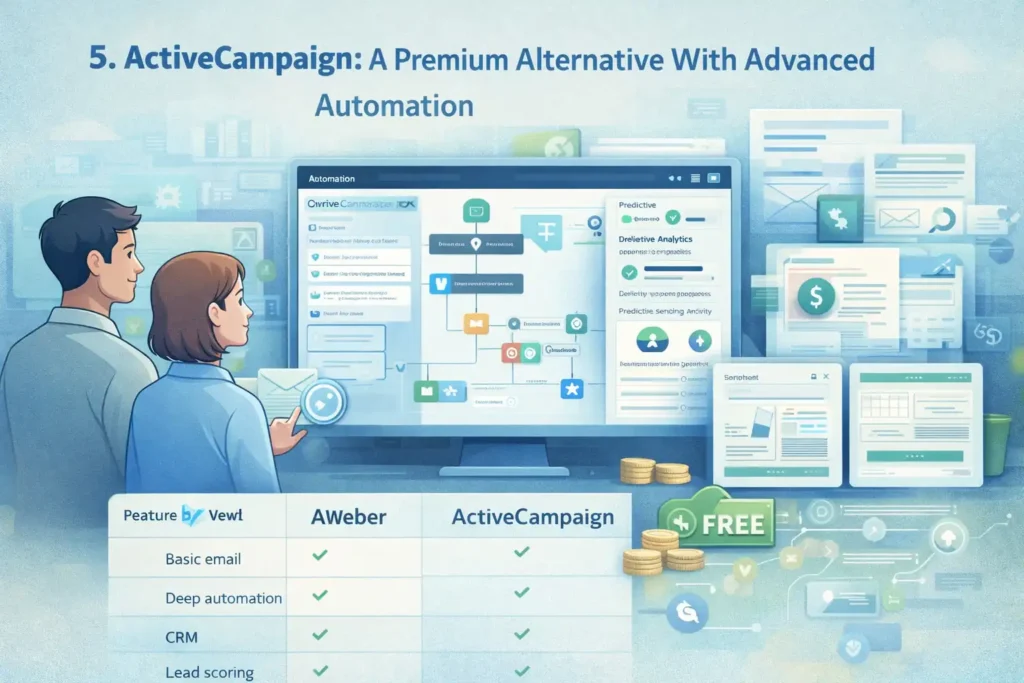
If you’ve ever felt like AWeber puts a ceiling on what you can automate, ActiveCampaign is the alternative that blows that ceiling wide open.
It’s not the cheapest AWeber replacement, but it is the one that gives you the most intelligence and control over your customer journeys.
Replacing AWeber’s Limited Automation With ActiveCampaign’s Visual Builder
ActiveCampaign’s automation builder is one of the most powerful I’ve ever used. Instead of simple “if clicked then send” sequences, you can build full decision-based workflows using:
- Conditional branches
- Site tracking triggers
- Lead scoring
- Wait steps that adapt to user behavior
- Split-test branches inside the automation itself
AWeber simply can’t match this.
One example from a client project: We increased conversions by 31% by adding a “time-on-site + product interest” condition to the automation. ActiveCampaign handled this flawlessly. AWeber can’t even collect this type of behavior.
Even if you start with something simple—like upgrading your welcome sequence—the builder gives you room to grow without switching tools later.
Creating Personalized Customer Journeys Using Predictive Actions
ActiveCampaign includes predictive sending and predictive content, which use machine learning to determine:
- When each contact is most likely to open
- Which message variation they’re most likely to engage with
- How likely they are to buy based on past behavior
I’ll be honest: The first time I tested predictive sending, I expected a tiny difference. But the open rate bump was noticeable—around 10–18% depending on the list.
Imagine this scenario: A contact clicks an offer three times, but hasn’t purchased. ActiveCampaign can automatically send them a targeted incentive at the exact optimal time—no human intervention needed.
It’s the type of automation that makes a small business feel like it has a full marketing department behind it.
Weighing Costs: When ActiveCampaign Saves Money Versus AWeber
ActiveCampaign isn’t always cheaper than AWeber—but there are real cases where it is. The deciding factor is usually tool consolidation.
Here’s a quick snapshot:
| Feature Need | AWeber | ActiveCampaign |
| Basic email | ✔️ | ✔️ |
| Deep automation | ❌ | ✔️ |
| CRM | Add-on tools needed | Built in |
| Lead scoring | ❌ | ✔️ |
| Dynamic content | Limited | Advanced |
Where ActiveCampaign saves money is when businesses are paying separately for:
- A CRM
- A sales pipeline tool
- A behavior tracking system
- A landing page builder
One small ecommerce shop I helped cut their monthly spend from ~$210 to ~$129 by switching from a 5-tool stack to ActiveCampaign.
Integrating ActiveCampaign With Ecommerce And CRM Platforms
ActiveCampaign integrates natively with platforms like:
This is where it becomes powerful for revenue-focused teams. You can trigger automations based on:
- Product views
- Cart abandonment
- Purchase value
- Repeat buyer status
AWeber has basic ecommerce automations, but nothing close to full funnel tracking.
If you’re in ecommerce, the “browse abandonment” automation alone (which AWeber lacks) can pay for the subscription.
Understanding ActiveCampaign’s Fit For Growing And Multi-Channel Teams
Here’s my honest take:
- If you’re early in your business → ActiveCampaign might feel like overkill.
- If you’re scaling and want advanced automation → It’s incredible.
- If you plan to expand into multi-channel personalization → ActiveCampaign ages very gracefully.
AWeber is great for basic email. ActiveCampaign is for businesses that want to move beyond “email blasts” into fully personalized, behavior-driven marketing.
HubSpot Email Marketing: A Free CRM-Powered AWeber Alternative
If you want an AWeber alternative that cuts software costs fast, HubSpot is one of the few platforms that gives you both email marketing and a full CRM for free.
This alone can eliminate two or three other paid tools.
Using HubSpot’s Free Email + CRM To Eliminate Multiple Paid Tools
HubSpot’s free tier includes:
- Email marketing
- A complete CRM
- Basic automation
- Landing pages
- Contact tracking
- Form builder
When I work with service businesses (like consultants or agencies), they often replace:
- Their email tool
- Their CRM
- Their lead intake forms
…with just HubSpot.
AWeber doesn’t include CRM functionality, so you’re stuck stitching together tools. HubSpot’s all-in-one system keeps everything clean and organized on one dashboard.
Automating Follow-Ups With HubSpot’s Beginner-Friendly Sequences
HubSpot’s “Sequences” allow you to send scheduled follow-ups based on actions like:
- Email opens
- Link clicks
- Contact stage changes
- Form submissions
It’s not as advanced as ActiveCampaign or GetResponse automations, but for small teams, it’s wonderfully simple.
One thing I love: HubSpot lets you set Task reminders inside the automation. So if a lead hasn’t responded to email #2, HubSpot nudges you to follow up manually—a lifesaver if you’re juggling sales and fulfillment.
Reducing Overhead For Small Teams Using HubSpot’s Free Suite
HubSpot cuts costs in a way AWeber simply can’t because so many tools are included at no cost.
Here’s a quick comparison:
| Tool | AWeber | HubSpot Free |
| Email marketing | ✔️ | ✔️ |
| CRM | ❌ | ✔️ |
| Pipeline management | ❌ | ✔️ |
| Live chat | ❌ | ✔️ |
| Forms | Basic | Advanced |
| Landing pages | Limited | ✔️ |
If your goal is to reduce recurring software spending as quickly as possible, HubSpot is arguably the strongest zero-cost AWeber alternative.
Leveraging Built-In Analytics For Smarter Decision Making
HubSpot offers rich data even on the free plan:
- Contact timelines
- Email performance
- Attribution reports
- Pipeline analytics
- Deals won/lost
- Lifecycle stage tracking
AWeber’s analytics focus on basic email metrics. HubSpot helps you understand the entire lead journey—from the first form fill to the moment they become a customer.
If you’re running a service business or B2B company, this level of insight directly improves revenue decisions.
Comparing HubSpot’s Ecosystem Approach To AWeber’s Feature Set
The biggest difference is philosophical:
If you want “just send newsletters,” HubSpot may feel unnecessary.
If you want to streamline your entire customer pipeline without paying extra tools, HubSpot becomes incredibly appealing.
From my experience, solopreneurs and small agencies usually benefit the most because it simplifies everything they’re overwhelmed by.
Moosend: A Low-Cost Automation-Focused AWeber Competitor
If you want a tool that’s incredibly affordable but still surprisingly powerful, Moosend is one of the easiest AWeber alternatives to transition into. It gives you pro-level automation for a fraction of the cost.
Creating Campaigns Quickly With Moosend’s Streamlined Editor
Moosend’s email editor feels lightweight and fast. You can build:
- Promotions
- Newsletters
- Product recommendation emails
- Simple announcements
What I appreciate most is how clean the UI is. Even beginners pick it up quickly.
Moosend also includes AI-powered product recommendations (using your ecommerce data), something AWeber does not offer.
Building Behavior-Driven Automations At A Fraction Of AWeber’s Price
Moosend’s automation builder is shockingly capable considering its price point.
You can create workflows based on:
- Website visits
- Email behavior
- Product views
- Cart abandonment
- Custom fields
Many users switch from AWeber specifically because they want more automation flexibility without jumping to high-priced platforms like ActiveCampaign.
A real example: An ecommerce client increased repeat purchases by 22% using Moosend’s “Viewed Product but Didn’t Purchase” automation.
Saving On Subscriber Costs With Moosend’s Flat-Rate Pricing Model
Moosend typically costs less than half of AWeber at comparable subscriber levels.
| Contacts | AWeber | Moosend |
| 1,000 | Higher | Lower |
| 5,000 | Noticeably higher | Very budget-friendly |
| 10,000 | Expensive | Still affordable |
If keeping costs low is your biggest priority, Moosend is one of the best picks in this entire guide.
Using Ecommerce Tracking Features For Personalized Campaigns
Moosend integrates well with:
- Shopify
- WooCommerce
- BigCommerce
- Custom stores via API
Once connected, Moosend lets you trigger emails based on real purchase behavior.
You can send:
- Personalized product recommendations
- Abandoned-cart sequences
- Upsell or cross-sell messages
AWeber cannot perform this level of ecommerce personalization without extra apps.
Evaluating Whether Moosend Fits High-Volume Small Businesses
Moosend is ideal if:
- You want strong automation on a small budget
- You run ecommerce and need behavior triggers
- You prefer a clean, stress-free interface
It may not be ideal if you need:
- CRM features like pipelines
- Advanced predictive actions
- Large-scale enterprise automation
But for most high-volume small businesses looking for affordable AWeber alternatives, Moosend lands in the sweet spot between cost and capability.
Benchmark Email: A Simple, Affordable Tool For Fast Campaigns
When someone tells me they just want to “send emails quickly without getting lost in menus,” Benchmark Email is usually the first AWeber alternative I recommend.
It’s intentionally simple, which is a blessing if you’re a small business owner juggling 10 things a day.
Designing Clean Emails With Benchmark’s Minimalist Editor
Benchmark Email is perfect if you prefer clean, modern layouts without having to fight with formatting. The editor is lightweight and uncluttered, making it easy to drag in:
- Text
- Images
- Buttons
- Simple product blocks
Unlike AWeber’s editor, which can sometimes feel dated, Benchmark’s feels “fresh”—almost like writing inside a distraction-free workspace.
One thing I personally love is the way Benchmark locks spacing and alignment automatically. It prevents those frustrating situations where one line of text is misaligned by a pixel, which AWeber users often complain about.
Automating Essential Small-Business Tasks Without Complexity
Benchmark Email doesn’t try to be an enterprise-level automation system. It focuses on the basics:
- Welcome sequences
- Birthday or anniversary emails
- Simple drip campaigns
- Re-engagement reminders
And honestly? For many small businesses, that’s all they need.
A fitness studio I worked with migrated from AWeber to Benchmark specifically because they wanted fewer features—not more. Their team was able to automate a welcome flow and a 30-day challenge reminder sequence in under an hour.
That’s the benefit of simplicity: You actually use it.
Lowering Costs By Switching From AWeber To Benchmark
Benchmark Email is often cheaper than AWeber at comparable subscriber levels, especially once you consider how their tiers scale.
Here’s a quick snapshot:
| Contacts | AWeber | Benchmark Email |
| 1,000 | Higher | Lower |
| 2,500 | Higher | Lower |
| 5,000 | Noticeably higher | Affordable |
Benchmark does not charge extra for basic automation, which is something AWeber still restricts in its free tier and lower plans.
If you’re running a lean operation and need to cut expenses fast, Benchmark is one of the easiest switches.
Leveraging Real-Time Engagement Tracking For Better Targeting
Benchmark includes real-time engagement monitoring. You can see:
- Who opened
- Who clicked
- Where they clicked
- What devices they used
That may sound standard, but Benchmark’s layout makes the insights pop visually. The click maps are especially helpful—they highlight your highest-performing links and CTAs in a way that makes optimization feel intuitive.
I’ve used these maps with clients to discover surprising insights—like the fact that their footer link was outperforming the main CTA. Data like that helps you send smarter emails without guesswork.
Measuring Benchmark’s Ease Of Use For Time-Strapped Entrepreneurs
If you’re overwhelmed by the complexity of other tools, Benchmark Email feels like a relief.
Here’s how I usually explain it:
- AWeber = OK for beginners
- Benchmark = Simple for everyone
It doesn’t overwhelm you with dashboards you don’t need or settings you won’t use.
I’ve seen solopreneurs go from “I hate email marketing” to “Oh, I can actually send this today” simply because Benchmark removes friction.
ConvertFlow + Brevo: A More Affordable Funnel Replacement For AWeber
If you’ve been using AWeber along with pop-up tools, funnel builders, or lead capture widgets, you might be paying for way more software than you actually need. The combination of ConvertFlow + Brevo is one of my favorite budget-friendly substitutes.
- ConvertFlow handles on-site conversions.
- Brevo handles email automation and CRM.
- Together, they replace expensive funnel stacks.
Building On-Site Popups To Capture Leads At Lower Costs
ConvertFlow allows you to build:
- Pop-ups
- Slide-ins
- Sticky bars
- Multi-step quizzes
- Targeted calls-to-action
But here’s the best part: You can personalize these based on the visitor’s behavior, URL, device, or traffic source.
Someone visiting your pricing page can see a different offer than someone reading a blog post. AWeber’s built-in forms can’t do this.
This alone can drastically improve lead conversion rates—you’re showing the right message at the right moment instead of blasting one generic opt-in.
Automating Sequences Using Brevo Instead Of AWeber
This is where the cost savings hit. Brevo charges based on emails sent, not subscriber count. So when a ConvertFlow popup collects leads, Brevo picks them up and drops them into:
- Welcome sequences
- Sales automations
- Lead scoring workflows
- CRM deals
And because Brevo includes unlimited contacts even on low-tier plans, you avoid the subscriber-based pricing increases that AWeber forces as your list grows.
If you’re aggressively building your audience, this combo is extremely cost-effective.
Cutting Software Spend By Replacing AWeber Plus Extra Lead Tools
Here’s a common scenario I see:
- AWeber
- OptinMonster or similar popup tool
- Sales funnel builder
This stack often costs $70–$200 per month.
Switching to ConvertFlow + Brevo typically brings that down to:
- ConvertFlow: targeted popups + funnels
- Brevo: email + CRM + automation
…and the monthly bill can drop by 40–60% depending on your usage.
This is one of the easiest ways for small businesses to reduce expenses fast without losing functionality.
Personalizing Lead Paths With ConvertFlow’s Dynamic Targeting
ConvertFlow lets you create branching paths based on visitor choices.
Imagine this: A user clicks “I’m just researching” — they get a low-commitment lead magnet.
Another user clicks “I’m ready to buy” — they get a discount or product comparison.
These micro-interactions build trust and increase conversions dramatically.
AWeber simply cannot handle on-site personalization. It only handles what happens after the email is submitted.
Assessing Whether This Combo Outperforms AWeber For Conversion-Focused SMBs
If your business relies heavily on:
- Website lead generation
- Funnel performance
- Conversion optimization
…then ConvertFlow + Brevo almost always outperforms AWeber alone.
AWeber is fine for simple list building, but this combo gives you deep personalization, advanced on-site targeting, and lower long-term costs.
I often recommend it for:
- Coaches
- Course creators
- SaaS startups
- Agencies
- Ecommerce shops
Anyone who wants to optimize every touchpoint from first visit to final purchase benefits here.
Comparing The Best AWeber Alternatives By Cost, Features, And ROI
Now that we’ve covered the strongest AWeber alternatives for small businesses, here’s a clearer look at how they compare side by side. This section helps you see which tool fits your business model, budget, and growth plan.
Side-By-Side Cost Breakdown Of All AWeber Alternatives
Below is a simplified cost snapshot at ~2,500 contacts:
| Platform | Approx. Cost | Billing Model | Notes |
| Brevo | Very low | Emails sent | Cheapest for low-volume senders |
| MailerLite | Low | Subscribers | Best for creators |
| GetResponse | Moderate | Subscribers | Includes funnels + webinars |
| Constant Contact | Moderate | Subscribers | Best for local businesses |
| ActiveCampaign | Higher | Subscribers | Best for advanced automation |
| HubSpot Free | $0 | Free | CRM + email + forms |
| Moosend | Low | Subscribers | Strong ecommerce features |
| Benchmark Email | Low | Subscribers | Simple + clean UI |
| ConvertFlow + Brevo | Low–Moderate | Mixed | Replaces pop-up + funnels |
If your goal is cutting costs fast, HubSpot Free, Brevo, or Moosend tend to deliver the biggest immediate relief.
Feature Comparison: Automations, CRM, Landing Pages, Segmentation
| Platform | Automation Depth | CRM | Landing Pages | Segmentation |
| Brevo | Medium | ✔️ | ✔️ | Strong |
| MailerLite | Medium | ❌ | ✔️ | Good |
| GetResponse | High | ✔️ | ✔️ | Excellent |
| Constant Contact | Low–Medium | ❌ | ✔️ | Basic |
| ActiveCampaign | Very High | ✔️ | ✔️ | Best-in-class |
| HubSpot | Medium | ✔️ | ✔️ | Good |
| Moosend | Medium–High | ❌ | ✔️ | Strong |
| Benchmark Email | Low–Medium | ❌ | ✔️ | Basic |
ActiveCampaign wins on automation. GetResponse wins on all-in-one marketing. Brevo wins on affordability + CRM combo.
ROI Evaluation: Which Tool Saves The Most Money Fast
Here’s how I typically break it down:
- Fastest savings: Brevo, HubSpot Free, Moosend
- Best balance of savings + power: MailerLite, Benchmark Email
- Highest long-term ROI for automation: ActiveCampaign
- Best ROI for event-heavy businesses: Constant Contact
- Best ROI for funnel optimization: ConvertFlow + Brevo
- Best ROI for “one tool to rule them all”: GetResponse
Your ROI will always come down to how many tools you’re replacing—not just the subscription price.
Which Alternative Fits Each Type Of Small Business (Creators, Local, Ecommerce)
| Business Type | Best Fits |
| Bloggers / Creators | MailerLite, Benchmark Email |
| Local businesses | Constant Contact, HubSpot |
| Ecommerce shops | Moosend, ActiveCampaign, GetResponse |
| Coaches & educators | ConvertFlow + Brevo, GetResponse |
| Service providers | HubSpot, Brevo |
| Scaling, automation-heavy teams | ActiveCampaign |
This is usually the section where everything “clicks” for small business owners—they see themselves on the chart and know exactly where to go.
Final Recommendation Based On Budget, Complexity, And Growth Plans
Let me give you the quick, honest breakdown I use with clients:
- If you want the cheapest reliable AWeber alternative: Brevo or Moosend
- If you want the simplest experience: Benchmark Email or MailerLite
- If you want the deepest automation: ActiveCampaign
- If you want the best all-in-one tool: GetResponse
- If you want a free CRM + email combo: HubSpot
- If you want better on-site lead capture than AWeber ever offered: ConvertFlow + Brevo
- If you’re a local business running events: Constant Contact
Every tool on this list solves a specific pain point AWeber users often feel: limited automation, rising costs, dated UI, and lack of CRM features.
FAQ
What are the best AWeber alternatives for small business?
The best aweber alternatives for small business include Brevo, MailerLite, GetResponse, Moosend, and HubSpot Free. These tools offer lower pricing, better automation, and more modern features than AWeber.
Which AWeber alternative is the cheapest for small business?
Brevo is typically the cheapest option because it charges by emails sent—not by subscriber count—helping small businesses cut costs fast as their list grows.
Which AWeber replacement offers the most advanced automation?
ActiveCampaign provides the most advanced automation capabilities, with behavioral triggers, predictive sending, and CRM integration. It’s ideal for small businesses ready to scale beyond AWeber’s limitations.

Juxhin B is a digital marketing researcher and founder of JAK Digital Hub, specializing in email marketing software, marketing automation platforms, and digital growth tools. His work focuses on software testing, platform comparisons, and real-world performance analysis to help businesses choose the right marketing technology.
Related posts:
 Best Email Tools to Turn Subscribers Into Sales
 Best Email Marketing Tools (Tested & Compared)
 Best Email Tools Compared: 7 That Actually Convert
 Email Automation Systems That Drive Revenue
 How To Build A Better Email Campaign Strategy For Ecommerce
 Email Leads Not Converting? Fix It With This Framework