Table of Contents
Some links on JAK Digital Hub are affiliate links, meaning we may earn a small commission at no extra cost to you. Read full disclaimer.
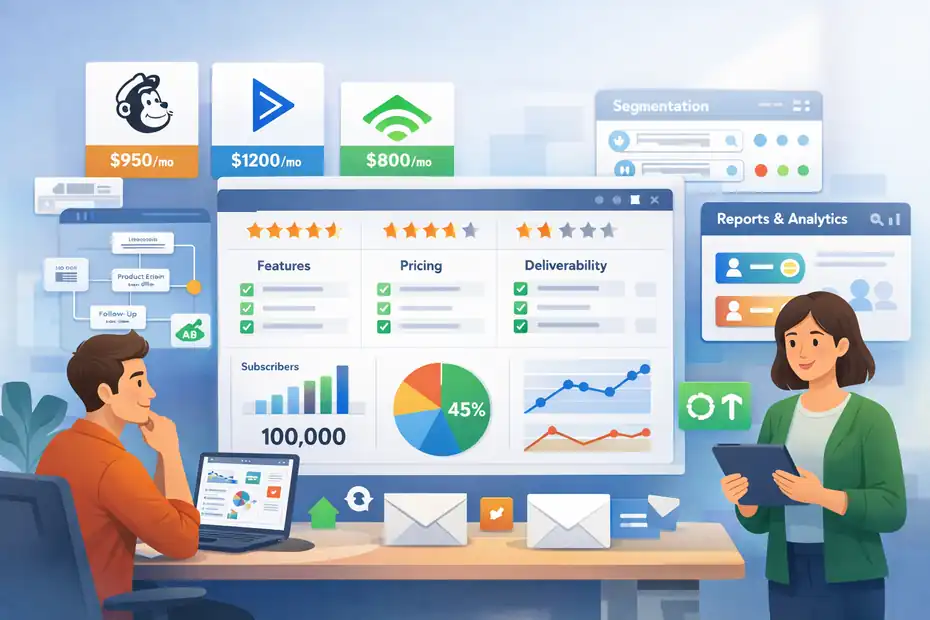
Email automation software for 100k subscribers is not just about sending more emails. It is about keeping deliverability stable, segmenting intelligently, and making sure your platform does not become painfully expensive or slow right when your list starts producing serious revenue.
If you are at or near six figures in subscribers, you have already outgrown beginner advice.
You need software that handles automation depth, reporting, integrations, and cost control without turning your team into full-time email firefighters.
What “Email Automation Software For 100K Subscribers” Really Means
When people search for email automation software for 100k subscribers, they are usually not asking for a basic newsletter tool.
They are asking a harder question: which platform can handle high-volume sending, advanced segmentation, revenue attribution, and operational complexity without breaking deliverability, workflows, or budget?
Why 100K Subscribers Is A Real Inflection Point
At 5,000 or 10,000 subscribers, almost any decent platform feels usable. At 100,000, weaknesses show up fast. Pricing jumps. Segments get heavier. Automations overlap. Data hygiene becomes messy. A single bad import or aggressive resend can hurt deliverability across your whole program.
I think this is the point where email stops being “a marketing channel” and becomes infrastructure. You are no longer choosing a pretty template builder.
You are choosing the system that will manage lifecycle messaging, campaign orchestration, suppression logic, and performance visibility across a large audience.
This is also where benchmarks start to matter more. Mailchimp’s benchmark page shows average open and click rates vary a lot by industry, with “all users” averaging 35.63% opens and 2.62% clicks, while ecommerce averages are lower at 29.81% opens and 1.74% clicks.
That matters because a 100K list with weak segmentation can look healthy on volume while quietly underperforming on engagement.
The Core Job Of The Software
The software’s job is simple on paper: send the right message to the right person at the right time. At scale, though, that requires a lot under the hood.
A serious platform for 100K subscribers should help you manage four things well. First, subscriber data. Second, automation logic. Third, deliverability controls. Fourth, reporting you can trust when leadership asks what email actually contributed.
Imagine you run a store with 100,000 subscribers and 12% of them have not engaged in 180 days. If your platform makes it hard to suppress cold segments, isolate recent buyers, or split flows by product interest, you will end up paying more to send worse-performing email. That is the kind of quiet leak that gets expensive.
What Changes At This Scale
At this list size, a few operational realities become non-negotiable:
- Segmentation must be dynamic: Static lists get stale too fast.
- Automations need guardrails: People should not receive a browse abandonment email, a discount promo, and a win-back message in the same 24 hours unless you intentionally allow it.
- Reporting must go beyond opens: Clicks, conversions, list growth rate, unsubscribe trends, complaint rates, and revenue per recipient matter more.
- Billing models start to shape strategy: Some tools charge by contacts, some by sends, and that changes how you clean, suppress, and scale. Brevo openly positions its pricing around send volume rather than contact count, while many other platforms scale primarily with profile volume.
The Features You Actually Need At 100K Subscribers
A lot of “best email software” lists talk about templates, drag-and-drop editors, and beginner ease of use.
Those things are fine, but they are not what decides success at 100K.
Segmentation That Uses Behavior, Not Just Demographics
Good segmentation means the platform can act on what people do, not just who they are. You want segments built from opens, clicks, purchases, product views, form completions, lead scores, support events, or subscription age.
This matters because broad blasts usually get weaker as your list grows. A 100K list rarely behaves like one audience. It behaves like many small audiences hidden inside one database. The faster you can isolate them, the better your results usually get.
A practical example: Instead of sending one sale announcement to 100,000 people, you send one version to recent buyers, one to engaged non-buyers, one to VIP customers, and one to dormant subscribers with a stronger reactivation angle. Same campaign. Better match. Less waste.
Automation Depth And Workflow Control
At this level, you need more than a welcome series and a cart abandonment flow. You need branching logic, conditional delays, event triggers, and exclusion rules.
I suggest looking closely at how a platform handles these real-life problems:
- Priority conflicts: Which automation wins if a user qualifies for three at once?
- Entry rules: Can the same subscriber re-enter a flow after a purchase, a cooldown period, or a category change?
- Goal logic: Can the workflow stop automatically when someone converts?
- Event-based triggers: Can site, app, or purchase behavior trigger messages in near real time?
This is where platforms like ActiveCampaign, Customer.io, and Klaviyo tend to stand out because they position automation as a core product capability rather than a small add-on. ActiveCampaign emphasizes multi-step automation and an extensive integration ecosystem, while Customer.io centers its product around first-party data-driven journeys.
Reporting That Helps You Make Decisions
You do not need prettier dashboards. You need reporting that answers uncomfortable questions.
Which automation drives the highest revenue per recipient? Which segments unsubscribe fastest? Which domains are soft-bouncing more often? Are cold subscribers dragging down inbox placement for everyone else? Which campaigns create clicks but not orders?
Campaign Monitor’s recent performance guidance still points to basics like opens, clicks, bounces, and unsubscribes as core KPIs, and that is right, but at 100K I would also track revenue per thousand recipients, flow conversion rate, list decay rate, and complaint rate by segment.
How Pricing Changes Once You Cross 100K
This is where many teams get surprised. A platform can feel affordable at 10K and painful at 100K.
Contact-Based Vs Send-Based Pricing
The first thing to understand is the billing model. Most platforms lean one of two ways.
- Contact-based pricing: You pay more as your active profiles grow, even if many barely receive anything.
- Send-based pricing: You pay based more heavily on how many emails you send, which can favor businesses with large but selectively mailed lists.
Brevo is the clearest example of the second model in the sources I checked, while Klaviyo, Mailchimp, and many others scale heavily with contact volume or profile count. Customer.io combines base pricing with usage-based add-ons, including per-profile and per-email usage elements.
I believe this pricing model choice is strategic, not just financial. If you have 100K subscribers but only 35K are active and regularly mailed, a send-based model can be a huge advantage. If you send very frequently to most of your list, contact-based pricing may still work if the automation features are stronger.
What Current Vendor Pricing Signals In 2026
A few official pricing signals stand out right now:
- Klaviyo’s pricing page highlights a free tier up to 250 active profiles and shows email plans starting at $45 per month for 15,000 emails on one regional pricing page, with the product positioned around email, SMS, and customer data.
- ActiveCampaign’s pricing pages state plans start at $15 per month and include automation as a core value proposition, though costs scale with contacts and feature tier.
- Customer.io lists Essentials from $100 per month, Premium from $1,000 per month, plus usage charges such as additional profiles and additional 1,000 emails.
- HubSpot’s marketing pricing is available officially, but advanced functionality and larger contact tiers tend to move it toward the higher end for serious scale.
- Mailchimp publicly notes discounts for businesses with 10,000+ contacts and separates plan tiers like Standard and Premium, which signals that serious list sizes are expected to climb into higher-cost tiers.
The exact amount you pay at 100K depends heavily on active contacts, monthly send volume, SMS add-ons, user seats, and whether reporting or onboarding is gated behind higher plans. That is why I never recommend choosing purely on entry pricing.
The Hidden Cost Most Teams Miss
The hidden cost is not just software. It is operational inefficiency.
A platform that saves you $800 per month but forces messy segment workarounds, manual exclusions, or poor attribution can cost much more in labor and missed revenue.
On the other hand, an expensive platform that lets you cut list fatigue, automate suppression, and improve flow conversion by even a small margin can pay for itself fast.
At 100K subscribers, I would model cost this way: total platform fee + internal hours spent operating it + revenue lift or loss caused by feature gaps.
The Best Types Of Platforms For Different Business Models
There is no single best choice for everyone. The right platform depends on what your business actually does.
Ecommerce Brands: Prioritize Revenue Attribution And Store Events
If you run ecommerce, you need deep purchase and catalog behavior. That usually means product-view triggers, checkout events, browse abandonment, category-based flows, and solid revenue tracking.
This is where Klaviyo and Omnisend are usually the most natural fits in practice. Klaviyo positions itself as a B2C CRM with email, SMS, analytics, and service layers, while Omnisend stays tightly focused on ecommerce email and SMS. Omnisend also claims strong ecommerce ROI messaging in its product materials.
I would generally pick:
- Klaviyo for larger ecommerce brands that want deeper data and broader customer lifecycle control.
- Omnisend for ecommerce teams that want strong store-native workflows without overcomplicating the stack.
- Brevo when send-volume economics matter and the automation requirements are solid but not ultra-complex.
SaaS And Product-Led Businesses: Prioritize Event-Based Messaging
SaaS teams usually care less about product catalogs and more about behavioral messaging across the user journey. Think onboarding, activation, feature adoption, trial conversion, expansion, and churn prevention.
For that, Customer.io and ActiveCampaign deserve serious attention. Customer.io is especially relevant when you want event-driven messaging tied to first-party product data. ActiveCampaign can be a strong middle ground when you want sophisticated automation without going full enterprise.
A realistic scenario: if your trial users hit “created first project” but not “invited teammate” within three days, you can trigger a specific onboarding email and suppress promotional content until the activation step is completed. That is the kind of logic that matters much more in SaaS than a beautiful newsletter template.
Creators, Publishers, And Education Brands: Prioritize Simplicity And Delivery
For media-style newsletters, course creators, coaches, and expert brands, the best system is often the one you will actually use consistently. You may not need enterprise orchestration. You may need reliable automations, good deliverability, landing pages, and a lighter operational burden.
Kit remains very relevant here. It positions itself around creators, automated sequences, and claims 99.8% average delivery rate along with strong creator-focused workflow simplicity.
Would I choose Kit for every 100K list? No. But for a creator business with strong content-led funnels, paid products, and straightforward automations, it can be a smarter fit than a heavier platform you never fully use.
How To Choose The Right Platform Step By Step
This is the part many articles skip. Let me break it down in a way that actually helps.
Step 1: Audit Your Current Sending Model
Before comparing vendors, document what you send now.
- Campaign frequency: How many broadcast campaigns per month?
- Automation volume: What percentage of revenue or leads comes from flows versus one-off sends?
- List health: How many subscribers engaged in the last 30, 60, 90, and 180 days?
- Data sources: Website, store, CRM, app, support desk, forms, offline imports?
- Team structure: Who builds flows, who approves campaigns, who owns reporting?
This audit matters because a 100K list can look large but behave very differently depending on activity. A highly engaged 100K list is not the same operational problem as a 100K list where half the audience is dormant.
Step 2: Define Your Non-Negotiables
Pick five things your next platform must do well. Not ten. Five.
For many teams, the shortlist looks like this:
- Reliable segmentation
- Strong automation builder
- Useful reporting
- Fair pricing at scale
- Clean integrations with your existing stack
I suggest being ruthless here. If advanced attribution matters more than SMS, say so. If migration speed matters more than fancy AI features, say so. Platforms love to sell broad capability. Your job is to protect operational clarity.
Step 3: Compare Platforms Against Real Use Cases
Do not compare feature grids in the abstract. Compare them against live workflows you need.
For example:
- Workflow 1: New subscriber joins from lead magnet, gets a welcome series, then moves into topic-based nurture.
- Workflow 2: Shopper browses a category twice, does not purchase, then gets a reminder with related products.
- Workflow 3: Trial user activates one feature but stalls before team invite.
- Workflow 4: Dormant subscriber hits 120 days with no engagement and should be suppressed or reactivated.
If a platform cannot model your real journeys cleanly, it is probably the wrong tool even if the pricing looks attractive.
The Best Automation Architecture For A 100K List
Once you pick the tool, architecture matters as much as software choice.
Build Around Lifecycle, Not Campaign Chaos
I recommend organizing automation by lifecycle stage rather than by random campaign ideas.
A simple lifecycle structure looks like this:
- Subscriber acquisition
- Welcome and onboarding
- Consideration and education
- Conversion or purchase
- Post-purchase or post-signup expansion
- Retention
- Reactivation
- Suppression and sunsetting
This structure prevents the classic problem where teams keep adding one more flow without thinking about the whole system. At 100K subscribers, scattered automations create overlap, fatigue, and reporting confusion.
Use Engagement Windows To Protect Deliverability
This is one of the biggest practical wins. Build segments around recent engagement and use them to control send intensity.
Example framework:
- 0–30 days engaged: Full campaign and automation eligibility
- 31–90 days engaged: Normal sends, but monitor frequency
- 91–180 days engaged: Reduced campaign volume, more selective targeting
- 180+ days unengaged: Win-back or suppression path
Mailchimp’s benchmark and Gmail guidance both reinforce a basic truth: inbox placement and visibility depend heavily on relevance and message type. Mailchimp’s Gmail update guidance also warns against muddying transactional and promotional purposes, including recommending separate subdomains in some cases.
In my experience, this one architecture decision fixes a surprising amount of list-scale pain.
Create Flow Priorities Before Problems Happen
At 100K, subscribers qualify for multiple flows all the time. So decide in advance which messages win.
A clean priority order might be:
- Transactional and account-critical messages
- Onboarding or welcome
- Cart or checkout recovery
- Post-purchase
- Promotional campaigns
- Win-back
That means if someone abandons checkout and also qualifies for a general promo, the recovery flow should probably take precedence. This sounds obvious, but many teams never formalize it, and that leads to overmailing.
Common Mistakes That Break Email Programs At Scale
Most scale problems are not dramatic. They are repetitive and preventable.
Mistake 1: Treating 100K Subscribers Like One Audience
This is the fastest way to flatten engagement. Large lists hide many very different user states. If you mail all of them the same way, your averages become misleading and your best subscribers subsidize your worst practices.
I would rather see a team send fewer emails with sharper intent than blast constantly because “the list is big enough.”
Mistake 2: Paying For Dead Weight
If your platform bills by contact, inactive profiles become expensive. If it bills by send, mailing disengaged segments becomes expensive. Either way, poor list hygiene costs money.
Omnisend’s popup data shows the average popup conversion rate in 2025 was 2.1%, with 5%+ considered excellent. That is a useful reminder that growth alone is not the game. Subscriber quality matters from the moment the lead is captured.
Mistake 3: Overbuilding Automations Too Early
I have seen teams build 25 flows and maintain none of them well. Usually, a better starting system is 5 to 8 core automations executed properly.
For most businesses, the essential set is:
- Welcome series
- Abandonment or incomplete action recovery
- Post-conversion follow-up
- Repeat purchase or expansion flow
- Reactivation flow
- Sunset or suppression logic
Complexity should follow results, not ego.
Optimization Strategies That Matter More Than Fancy Features
Once the system is stable, this is where growth happens.
Optimize For Revenue Per Recipient, Not Just Open Rate
Open rate still matters, but it is an attention metric, not a business outcome. I suggest using revenue per recipient, conversion rate by flow, and unsubscribe rate by segment as the primary optimization lens.
A subject line that raises opens by 8% but attracts low-intent clicks may look like a win and still lower total profitability. On the other hand, a more selective subject line can reduce vanity metrics and increase actual sales.
Campaign Monitor notes a broad “good open rate” range of roughly 17% to 28%, while Mailchimp’s industry averages are often higher depending on segment and vertical. That is exactly why context matters. Your best benchmark is not a global average. It is your own segment history.
Test Offers, Timing, And Audience Logic
The highest-leverage tests at 100K are usually not design tweaks. They are strategic tests.
Good examples:
- Offer test: Percentage discount versus bonus item
- Timing test: Send immediately versus 4-hour delay
- Audience test: Recent browsers only versus all non-buyers
- Frequency test: One reminder versus two-step reminder sequence
- Suppression test: Excluding purchasers from the last 14 days versus 30 days
I believe audience logic is the most underrated optimization area in large-list email. Better targeting often beats better copy.
Clean The List Before You Scale The Send Volume
List growth can hide decay for a while. Then performance slips and everyone blames the copy.
A healthy maintenance routine includes:
- Regular bounce review
- Complaint monitoring
- Sunset policy for long-term inactivity
- Repermission or win-back campaigns
- Source-level quality analysis for new leads
This is boring work, but it is the kind of boring work that protects revenue.
Recommended Platform Shortlist For 2026
Here is the practical shortlist I would start with for most businesses evaluating email automation software for 100k subscribers.
Best For Ecommerce Scale: Klaviyo Or Omnisend
Klaviyo is the stronger choice when you want deeper customer data, broader lifecycle orchestration, and a more advanced B2C growth stack. Omnisend is very attractive when you want ecommerce-native execution with less complexity and clear ecommerce positioning.
My take: Choose Klaviyo if email is becoming a core profit center with serious segmentation needs. Choose Omnisend if you want speed, ecommerce focus, and a team-friendly setup.
Best For SaaS And Product Messaging: Customer.io Or ActiveCampaign
Customer.io is a strong fit when product events, lifecycle journeys, and first-party data orchestration are central to your strategy. ActiveCampaign is often the more accessible choice when you want sophisticated automation without committing to a bigger enterprise-style implementation.
My take: Choose Customer.io when lifecycle messaging is tightly tied to app behavior. Choose ActiveCampaign when you need strong automation plus broader business usability.
Best For Cost Efficiency Or Simpler High-Volume Models: Brevo Or Kit
Brevo is especially interesting if send-volume economics suit your business and you want to avoid paying purely for stored contacts. Kit is the creator-friendly option when simplicity, deliverability, and straightforward automations matter more than enterprise complexity.
My take: Choose Brevo for budget-aware scaling with disciplined segmentation. Choose Kit for media, creator, or education brands that want a cleaner operating model.
Final Verdict: What I Would Prioritize First
If you are choosing email automation software for 100k subscribers, do not start with the homepage demo. Start with your lifecycle map, your billing model, and your data requirements.
I would prioritize in this order:
- Automation depth that matches your real workflows
- Segmentation quality based on behavior
- Deliverability safeguards and suppression logic
- Reporting that ties to revenue or activation
- Pricing model that still makes sense after growth
That is the real test of software that scales.
A 100K-subscriber email program can become one of your strongest owned growth channels, but only if the platform helps you send less blindly and automate more intelligently.
In most cases, the winner is not the tool with the most features. It is the one that lets your team run a cleaner system, protect engagement, and turn subscriber volume into measurable business results.
FAQ
What is the best email automation software for 100k subscribers?
The best email automation software for 100k subscribers depends on your business model. Ecommerce brands often benefit from tools with strong purchase tracking, while SaaS businesses need event-based automation. The key is choosing a platform that supports advanced segmentation, reliable deliverability, and scalable pricing without limiting automation depth.
How much does email automation software cost for 100k subscribers?
Pricing for email automation software at 100k subscribers varies widely depending on the platform and billing model. Some tools charge based on contacts, while others charge based on email volume. Costs typically range from a few hundred to several thousand dollars per month depending on features and usage.
What features are essential for managing 100k email subscribers?
Essential features include behavior-based segmentation, advanced automation workflows, deliverability controls, and detailed reporting. At this scale, you also need suppression logic, engagement tracking, and the ability to manage multiple user journeys without overlap to maintain performance and avoid subscriber fatigue.
Is email automation still effective with large subscriber lists?
Yes, email automation remains highly effective with large lists when done correctly. Success depends on segmentation, personalization, and sending relevant messages. Poor targeting can reduce engagement, but well-structured automation can significantly increase conversions, retention, and overall revenue from your email channel.
How do I improve deliverability with 100k subscribers?
To improve deliverability, focus on sending emails to engaged users, cleaning inactive subscribers regularly, and avoiding over-sending. Use segmentation based on recent activity and gradually reduce sending to unengaged contacts. Maintaining strong engagement signals helps ensure your emails reach the inbox instead of spam folders.

Juxhin B is a digital marketing researcher and founder of JAK Digital Hub, specializing in email marketing software, marketing automation platforms, and digital growth tools. His work focuses on software testing, platform comparisons, and real-world performance analysis to help businesses choose the right marketing technology.
Related posts:
 Email Automation Tools Cost for 20k Subscribers—Price Breakdown
 Best Email Automation Tools Alternatives for Ecommerce That Boost ROI
 Is There Better Email Automation Software For Ecommerce?
 Email Automation Software With Better Deliverability Ranked
 Best Email Automation Tool For Recurring Revenue
 Switching Email Automation Platforms Without Losing Data