Table of Contents
Some links on JAK Digital Hub are affiliate links, meaning we may earn a small commission at no extra cost to you. Read full disclaimer.
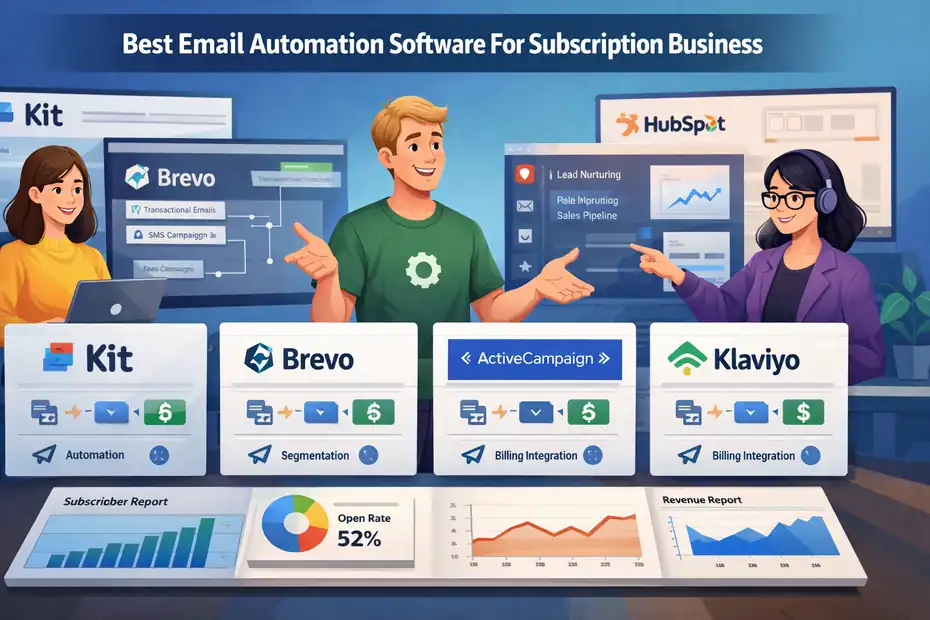
Email automation software for subscription business models can completely change how you manage growth. Instead of manually sending onboarding emails, renewal reminders, retention campaigns, or upgrade offers, automation handles it in the background while you focus on building the business.
If you run a SaaS product, membership site, newsletter, online course, or subscription box, email automation becomes the backbone of your customer lifecycle. It helps you welcome new users, reduce churn, increase upgrades, and recover failed payments automatically.
In this guide, I’ll walk you through the best email automation software for subscription business models in 2026, explain how these platforms actually work behind the scenes, and show you how to choose the right one based on your stage of growth.
Best Email Automation Software Platforms for Subscription Businesses
These tools are designed to manage complex automation workflows such as onboarding sequences, churn prevention campaigns, trial expiration emails, and renewal reminders.
Kit (Formerly ConvertKit)
Kit is one of the most popular email automation platforms for creators, membership sites, and digital subscription businesses.
If your subscription model revolves around content, education, or creator-driven products, Kit often becomes the easiest system to scale with.
Key strengths of Kit include:
- Visual automation builder that allows complex workflows without coding
- Advanced tagging system to track subscriber behavior
- Built-in monetization tools for paid newsletters and memberships
- Landing page and form builder for subscriber acquisition
- Strong deliverability for creator-style newsletters
Pricing starts around $15/month for smaller lists and scales with subscriber count.
In my experience, Kit works extremely well for:
- Paid newsletters
- Online course creators
- Membership communities
- Coaching subscriptions
- Creator-led SaaS tools
Example automation flow many subscription creators use:
- Step 1: Subscriber joins email list through a lead magnet.
- Step 2: A 5-email nurture sequence introduces the product.
- Step 3: A trial offer is presented automatically.
- Step 4: If the user subscribes, they enter an onboarding sequence.
- Step 5: Engagement tagging tracks active vs inactive members.
This type of lifecycle automation helps maintain engagement without manual effort.
Brevo (Formerly Sendinblue)
Brevo is a powerful automation platform designed for businesses that need both email and transactional messaging.
Subscription businesses often choose Brevo when they need automation tied closely to account activity, purchases, or billing systems.
Core features include:
- Advanced workflow automation builder
- Email + SMS automation
- Transactional emails for billing notifications
- CRM features for subscriber management
- Built-in segmentation based on behavior
Brevo is particularly strong when subscription businesses want to automate:
- Payment confirmations
- Failed payment alerts
- Renewal reminders
- Upgrade campaigns
- Customer lifecycle messaging
One thing I personally like about Brevo is its pricing model. Instead of charging purely by subscribers, it often charges by email volume, which can be more cost-efficient for subscription products with large user databases.
Many SaaS companies use Brevo to connect product events with automated messaging.
For example:
A user logs into the app after being inactive for 14 days → automated re-engagement email triggers.
ActiveCampaign
ActiveCampaign is widely considered one of the most powerful email automation platforms available today.
If your subscription business requires advanced behavioral automation, this platform offers some of the most sophisticated workflows available.
Features include:
- Advanced automation builder with conditional logic
- Customer experience automation (CXA)
- Deep segmentation based on behavior and tags
- Built-in CRM for sales pipelines
- Predictive sending and machine learning optimization
ActiveCampaign is especially useful for SaaS subscription companies that want to trigger emails based on product usage.
Example advanced automation:
- User signs up for a free trial →
- If they don’t log in within 3 days → send activation reminder →
- If they complete onboarding → send upgrade pitch →
- If trial expires → send limited-time discount offer.
This type of behavior-based automation dramatically increases trial-to-paid conversion rates.
Pricing starts around $29/month and scales based on contact count and features.
Klaviyo
Klaviyo is often associated with ecommerce, but it works extremely well for subscription commerce businesses like subscription boxes or replenishment-based products.
Examples include:
- Coffee subscription brands
- Supplement subscriptions
- Meal kit services
- Beauty product subscriptions
Klaviyo’s biggest strength is its data-driven automation.
Features include:
- Advanced segmentation based on purchase behavior
- Customer lifetime value tracking
- Predictive churn modeling
- Subscription-based campaign automation
- Strong analytics dashboards
For example, a subscription box business might automate:
- Renewal reminders before next shipment
- Upsell campaigns for premium plans
- Replenishment reminders
- Loyalty rewards for long-term subscribers
Klaviyo integrates deeply with ecommerce platforms, making it ideal for subscription commerce brands.
HubSpot Marketing Hub
HubSpot is typically used by larger SaaS subscription businesses that need a complete marketing, CRM, and sales automation ecosystem.
Instead of just email automation, HubSpot connects your entire customer journey.
Major features include:
- Advanced lifecycle automation
- Built-in CRM
- Lead scoring systems
- Customer journey analytics
- Deep reporting and attribution tracking
For subscription companies selling higher-ticket products or B2B subscriptions, HubSpot allows marketing and sales teams to coordinate automation strategies.
For example:
- Lead downloads a whitepaper → enters educational nurture sequence
- Lead reaches engagement score threshold → sales notification triggers
- Trial signup occurs → onboarding automation begins
The main downside is cost. HubSpot can become expensive as your contact list grows.
However, for SaaS companies with strong revenue per customer, the analytics and automation depth can justify the investment.
Key Features Subscription Businesses Should Look For
Not all email tools are designed for recurring revenue models. Subscription businesses require automation capabilities that support long-term customer relationships rather than single transactions.
Here are the most important features to evaluate.
Lifecycle Automation
Subscription companies rely on lifecycle communication.
This means your email automation software should support:
- Welcome sequences
- Trial onboarding flows
- Product education emails
- Renewal reminders
- Churn prevention campaigns
- Re-engagement sequences
Lifecycle automation ensures subscribers receive the right email at the right stage of their journey.
Behavioral Segmentation
The best email automation software for subscription business models tracks how users interact with your product.
Instead of sending the same campaign to everyone, behavioral segmentation allows targeting based on:
- Login activity
- Feature usage
- Purchase behavior
- Email engagement
- subscription status
For example:
Inactive members might receive reactivation campaigns while active users receive upgrade offers.
Integration With Billing Systems
Subscription businesses often rely on billing platforms that manage recurring payments.
Your email automation system should easily connect with payment events such as:
- Successful payments
- Failed payments
- Subscription upgrades
- Cancellation events
- Renewal reminders
These triggers allow automated messages to respond instantly to customer account activity.
Advanced Automation Workflows
Subscription businesses need more than simple autoresponders.
Look for platforms that allow:
- conditional logic (if/then rules)
- multiple trigger events
- branching workflows
- tag-based automation
This allows highly personalized journeys.
Example:
- If subscriber cancels subscription →
- Send feedback survey →
- If reason is price → offer discount →
- If reason is lack of usage → offer onboarding support.
How Email Automation Works in a Subscription Business
Understanding the mechanics behind automation helps you design smarter customer journeys.
Event-Based Automation
Most automation systems rely on triggers.
A trigger is simply an event that starts an automated workflow.
Examples include:
- new subscriber signup
- trial start
- purchase event
- inactivity period
- subscription cancellation
Once the trigger occurs, the automation system sends pre-built emails based on your workflow.
Customer Journey Mapping
Before building automation, it helps to map the typical lifecycle of your subscribers.
For most subscription businesses the journey looks like this: Visitor → Email Subscriber → Trial User → Paying Customer → Long-Term Member
Automation ensures each stage has the right messaging.
Behavioral Triggers and Personalization
Modern email automation tools track behavioral signals such as:
- website visits
- product usage
- feature interactions
- purchase behavior
These signals help personalize emails automatically.
For example:
A SaaS user who has not activated a key feature might receive a tutorial email explaining how to use it.
Step-by-Step: Setting Up Email Automation for a Subscription Business
Let me break down a practical workflow you can implement.
Step 1: Build Your Core Subscriber Segments
Start by organizing subscribers into key lifecycle groups.
Most subscription businesses use segments such as:
- new leads
- trial users
- active subscribers
- at-risk subscribers
- canceled members
Segmentation makes automation far more targeted.
Step 2: Create an Onboarding Automation Sequence
Your onboarding sequence is one of the most important automations you’ll build.
Typical structure:
- Email 1: Welcome and expectations
- Email 2: Product walkthrough or tutorial
- Email 3: Key features explanation
- Email 4: Case study or success story
- Email 5: Upgrade or retention incentive
The goal is to help new users experience value quickly.
Step 3: Automate Renewal and Billing Communication
Billing communication is critical in subscription businesses.
Essential automated emails include:
- upcoming renewal reminder
- payment confirmation
- failed payment notification
- card expiration warning
These emails protect revenue and reduce involuntary churn.
Step 4: Implement Churn Prevention Campaigns
Churn prevention automation identifies users who may cancel soon.
Triggers often include:
- inactivity periods
- declining usage
- support complaints
- failed payments
These signals trigger retention emails offering assistance, tutorials, or incentives.
Common Email Automation Mistakes Subscription Businesses Make
Even with great software, poor automation design can hurt results.
Mistake 1: Overloading New Subscribers
Sending too many onboarding emails too quickly often leads to unsubscribes.
Spacing emails every 1–2 days usually works best.
Mistake 2: Ignoring Behavioral Signals
Many businesses send identical emails to all subscribers.
Behavior-based automation almost always performs better.
Mistake 3: Poor Segmentation
Treating trial users the same as paying customers often creates irrelevant messaging.
Clear segmentation improves engagement.
Advanced Automation Strategies for Scaling Subscription Revenue
Once your basic automations work, you can layer advanced strategies to grow faster.
Upgrade and Cross-Sell Automation
Automated campaigns can promote higher-tier subscription plans.
For example:
If a user hits a usage limit → send upgrade email.
Win-Back Campaigns
Canceled subscribers are often easier to convert than new prospects.
A simple win-back sequence might include:
- Email 1: We noticed you left message
- Email 2: Survey asking for feedback
- Email 3: Limited-time reactivation offer
Engagement Scoring
Advanced platforms allow assigning engagement scores based on behavior.
Highly engaged subscribers can receive:
- beta feature access
- loyalty rewards
- referral incentives
This encourages long-term retention.
Final Thoughts
Choosing the best email automation software for subscription business models depends heavily on your growth stage.
For creators and membership businesses, Kit often provides the simplest automation system.
For SaaS companies needing advanced behavioral automation, ActiveCampaign is often the most powerful option.
For subscription ecommerce brands, Klaviyo excels at data-driven customer segmentation.
And for larger SaaS organizations managing complex customer journeys, HubSpot provides a complete marketing automation ecosystem.
The most important takeaway is this: subscription growth is rarely driven by one-off campaigns. It’s driven by well-designed lifecycle automation that nurtures customers from signup to long-term retention.
Once you build those systems, email becomes one of the most powerful revenue engines in your business.
FAQ
What is email automation software for subscription business?
Email automation software for subscription business automatically sends lifecycle emails like onboarding, renewal reminders, and retention campaigns. It helps subscription companies communicate with customers based on behavior, improving engagement, reducing churn, and increasing recurring revenue.
Why do subscription businesses need email automation software?
Subscription businesses rely on recurring relationships. Email automation software manages onboarding, trial nurturing, renewal reminders, and churn prevention automatically, ensuring customers receive the right messages at the right time without manual work.
What features should email automation software for subscription business include?
The best email automation software for subscription business should include lifecycle automation, behavioral segmentation, renewal reminders, advanced workflows, and integrations with billing systems to trigger emails based on subscription events.
How does email automation help reduce subscription churn?
Email automation reduces churn by detecting inactivity or cancellation signals and triggering retention campaigns. Automated onboarding, engagement reminders, and personalized offers help keep subscribers active and increase long-term retention.
Which businesses benefit most from email automation software for subscription business?
SaaS platforms, membership websites, paid newsletters, online course creators, and subscription ecommerce stores benefit most because automation manages onboarding, engagement, upgrades, and renewals throughout the customer lifecycle.

Juxhin B is a digital marketing researcher and founder of JAK Digital Hub, specializing in email marketing software, marketing automation platforms, and digital growth tools. His work focuses on software testing, platform comparisons, and real-world performance analysis to help businesses choose the right marketing technology.
Related posts:
 Best Email Automation Platform For Advanced Segmentation
 Email Automation Tool With Advanced Workflows: Top Picks
 Best Email Automation Platform For Scaling Business Fast
 Best Email Automation Software For Performance Marketers
 Best Email Automation Tool For High Volume Sending
 Best Email Automation Platform For Complex Funnels