Table of Contents
Some links on JAK Digital Hub are affiliate links, meaning we may earn a small commission at no extra cost to you. Read full disclaimer.
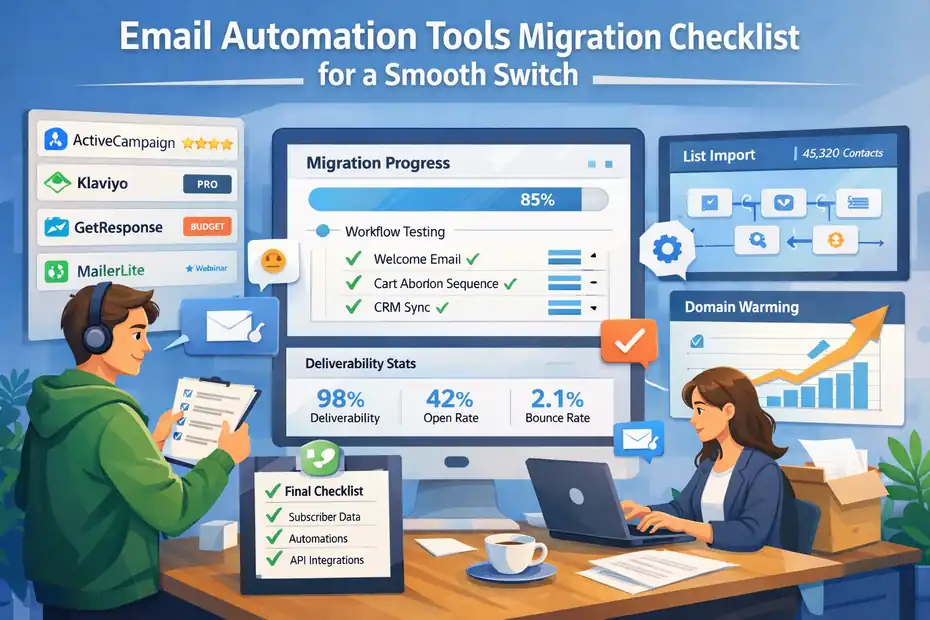
Email automation tools migration checklist conversations usually start the same way: “We’ve outgrown our current platform… but what if something breaks?” I’ve seen that hesitation firsthand.
Switching platforms can unlock better deliverability, smarter automation, and lower costs — but without a structured email automation tools migration checklist, you risk losing data, sequences, and revenue in the process.
Audit Your Current Email Automation Stack Before Switching
Before you even think about exporting a single contact, you need a clear picture of what your current system is doing behind the scenes.
I always tell people: a migration only becomes stressful when something you didn’t know existed suddenly breaks.
Inventory All Active Automations And Workflows
The first step in any email automation tools migration checklist is simply knowing what’s running. When I audit a client’s setup, the surprises usually come from old workflows built years ago—abandoned freebie funnels, onboarding sequences that no longer match the product, or seasonal campaigns accidentally left “on.”
Open your automation center and manually map:
- Trigger type (tag-based, behavior-based, purchase-based)
- Automation purpose (welcome, follow-up, sales, onboarding)
- Any time delays or conditional logic
This gives you a clean baseline so you don’t migrate clutter or break something revenue-critical without realizing it.
Export Subscriber Lists With Full Metadata
Every email platform—from ActiveCampaign to Klaviyo—handles metadata differently. Metadata includes tags, custom fields, last engagement date, ecommerce history, and more.
Export EVERYTHING, not just the subscriber list.
A full metadata export makes segmentation, warming, and cross-platform comparability much easier. I always recommend keeping a secure offline copy in case anything corrupts during import.
Document Tags, Segments, And Custom Fields
Tags tend to multiply like rabbits. What started as a tidy system can become 300+ tags that overlap or contradict each other.
Create a document that includes:
- The purpose of each tag
- Which workflows rely on them
- Segments and how they’re built
- Any custom field formatting (dropdowns, text fields, dates, etc.)
This doc becomes your migration anchor—your “source of truth”—so the new platform receives clean, intentional data rather than years of chaos.
Identify Revenue-Critical Campaigns
In most businesses, only 10–20% of automations directly produce 80–90% of revenue. These usually include:
- Abandoned cart sequences
- Trial-to-paid onboarding
- Win-back campaigns
- High-ticket sales sequences
Identify these early so they’re rebuilt and tested before anything else. Losing them during migration means immediate financial impact, which is what we’re trying to avoid.
Benchmark Current Deliverability And Open Rates
Think of this as taking a “before photo.” Whatever platform you’re switching to should ideally improve performance, not tank it.
Benchmark:
- Open rates
- Click-through rates
- Bounce rates
- Spam complaints
- Domain reputation
These metrics help you evaluate whether your new platform is performing better or if something needs troubleshooting—like IP warming or DNS misconfiguration.
Map Third-Party Integrations And API Connections
This is the part most people skip—and regret later.
Map every integration touching your email platform:
- Ecommerce connections (like Shopify)
- Payment processors (e.g., Stripe)
- CRM systems
- Form tools
- Analytics scripts and tracking pixels
- Zapier or API automations
If it touches your email tool, document it. When something breaks post-migration, this list becomes your troubleshooting guide.
Define Migration Goals And Platform Requirements
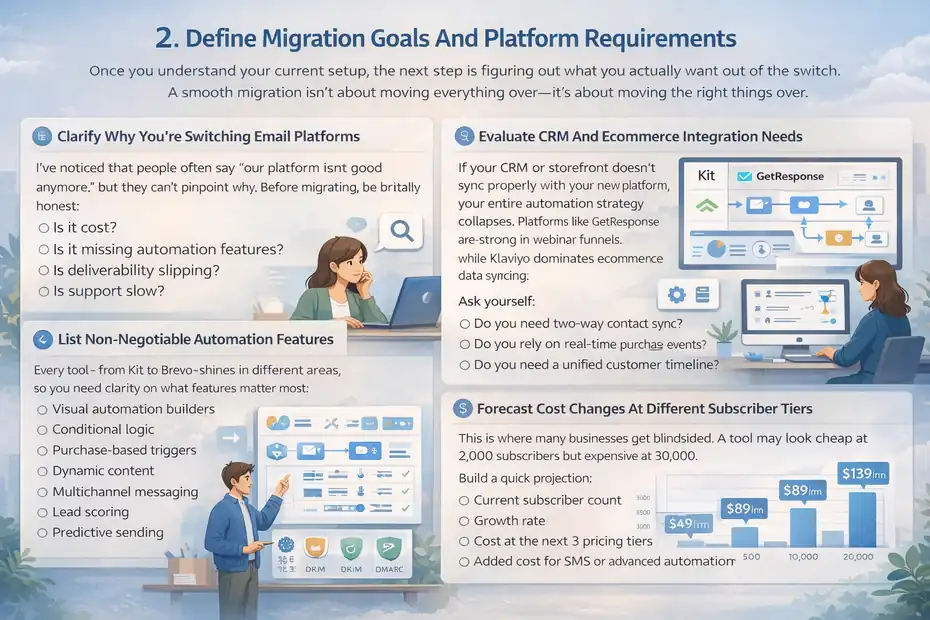
Once you understand your current setup, the next step is figuring out what you actually want out of the switch.
A smooth migration isn’t about moving everything over—it’s about moving the right things over.
Clarify Why You’re Switching Email Platforms
I’ve noticed that people often say “our platform isn’t good anymore,” but they can’t pinpoint why. Before migrating, be brutally honest:
- Is it cost?
- Is it missing automation features?
- Is deliverability slipping?
- Is support slow?
Knowing your real reasons helps you choose a platform that fixes the problems—not just one that sounds good on paper.
List Non-Negotiable Automation Features
Every tool—from Kit to Brevo—shines in different areas, so you need clarity on what features matter most:
- Visual automation builders
- Conditional logic
- Purchase-based triggers
- Dynamic content
- Multichannel messaging
- Lead scoring
- Predictive sending
Define your must-haves to avoid choosing a tool that forces painful workarounds later.
Evaluate CRM And Ecommerce Integration Needs
If your CRM or storefront doesn’t sync properly with your new platform, your entire automation strategy collapses. Platforms like GetResponse are strong in webinar funnels, while Klaviyo dominates ecommerce data syncing.
Ask yourself:
- Do you need two-way contact sync?
- Do you rely on real-time purchase events?
- Do you need a unified customer timeline?
Better integration = fewer manual fixes later.
Compare Deliverability Infrastructure Standards
This is where migrations get tricky, because deliverability is affected by:
- Shared vs dedicated IPs
- Domain authentication tools
- Sending reputation
- ISP relationships
Platforms handle these differently, and some simply have stronger infrastructure. For example, ActiveCampaign and Klaviyo are known for strong deliverability, while more budget-friendly tools may require extra domain warming effort.
If deliverability is one of your frustrations today, compare infrastructure upfront—not after you migrate.
Forecast Cost Changes At Different Subscriber Tiers
This is where many businesses get blindsided. A tool may look cheap at 2,000 subscribers but expensive at 30,000.
Build a quick projection:
- Current subscriber count
- Growth rate
- Cost at the next 3 pricing tiers
- Added cost for SMS or advanced automation
This prevents “surprise pricing pressure” just a few months after switching.
Assess Data Privacy And Compliance Requirements
If you collect data in the EU, UK, or Canada, compliance isn’t optional. Make sure your new platform supports:
- GDPR alignment
- CASL requirements
- Double opt-in controls
- Secure data storage
- Contact data export/delete tools
A compliant tool protects you legally and preserves subscriber trust—especially when you’re migrating sensitive behavioral data.
Choose The Right Email Automation Platform For 2026
When you’re working through an email automation tools migration checklist, choosing the new platform is the moment everything becomes real.
I always tell people: picking the wrong platform doesn’t just slow you down—it locks you into workflows you’ll resent later. So let’s break down the major players with practical, real-world insights.
Compare Kit Vs ActiveCampaign For Creators
If your business revolves around content, newsletters, or digital products, this comparison matters a lot.
Kit (formerly ConvertKit) is built for creators. Its interface feels clean, and its tagging system makes sense even if you’re not a “tech person.” For simple automations, Kit is genuinely pleasant—you drag, drop, and move on with your day.
On the other hand, ActiveCampaign is powerful in a way Kit simply isn’t. You get deep behavioral tracking, lead scoring, conditional logic trees, and advanced segmentation. But with power comes complexity.
What I usually recommend:
- Choose Kit if your business needs speed, simplicity, and intuitive automations.
- Choose ActiveCampaign if you want data-driven sequences and don’t mind a steeper learning curve.
A client of mine once doubled her course sales simply by using ActiveCampaign’s “If/Else” branching. But another burned weeks trying to recreate Kit-style automations. That’s why matching your “brain style” to your tool matters.
Evaluate Klaviyo For Ecommerce Automation
If you sell physical products—even one—Klaviyo should be on your shortlist.
Klaviyo pulls in real-time ecommerce data from platforms like Shopify, meaning you can build automations based on incredibly specific events: a product viewed, a checkout started, a category browsed, or a repeat purchase predicted.
What I love most is the predictive analytics. Klaviyo can estimate when a customer is likely to buy again, letting you time campaigns right before interest peaks.
From what I’ve seen, brands switching to Klaviyo typically see measurable improvements:
- +20–30% lift in abandoned cart revenue
- Better segmentation based on purchase frequency
- Cleaner customer profiles pulled directly from storefront activity
If your store depends on automated revenue, Klaviyo is hard to beat.
Analyze Brevo For Budget-Conscious Businesses
Brevo (formerly Sendinblue) is the scrappy, affordable option that keeps your costs predictable as you scale.
Brevo charges based on email volume instead of subscriber count, which is a lifesaver if you maintain a very large list but don’t send daily.
While its automation builder isn’t as refined as ActiveCampaign or Klaviyo, it’s more capable than people assume. You can build workflow combinations based on behavior, page visits, and attributes.
For small service businesses or early-stage creators, Brevo often hits the sweet spot:
- Low monthly spend
- Reliable deliverability
- Essential automation tools
- Multi-channel messaging (SMS, WhatsApp)
It’s not the platform for complex segmentation, but it’s excellent for lean operations.
Assess GetResponse For Webinar Funnels
If webinars are a core sales mechanism for you, GetResponse becomes a contender.
The standout feature here is the built-in webinar hosting. No juggling Zoom integrations or third-party registration tools—it’s all unified.
GetResponse also shines in multi-step funnels. You can design conversion paths that include landing pages, sign-up forms, webinar rooms, reminders, and follow-up sequences in one place.
A useful shortcut: If you run evergreen webinars, GetResponse lets you automate everything—from registration to replay to offer reminders—with minimal manual oversight.
Consider MailerLite For Simple Automation Needs
MailerLite is for you if you want clean design, essential automation, and a refreshingly uncluttered interface.
I find it’s especially good for:
- Minimalist funnels
- Newsletters
- Digital creators testing early offers
The automation builder isn’t as advanced as ActiveCampaign, but for straightforward sequences—welcome series, lead magnets, nurture flows—it works beautifully.
Plus, MailerLite’s pricing stays friendly even as you grow.
Validate Migration Support And Onboarding Services
Here’s something most people forget to factor in: how much help will the platform give you?
Some companies (like ActiveCampaign and Klaviyo) offer hands-on migration assistance depending on your tier. Others provide only documentation and community forums.
Questions worth asking support before you switch:
- Will they help import lists and rebuild automations?
- Do they verify DNS records for deliverability?
- Can they review your warming strategy?
- Is premium support available during migration week?
Having a real human on standby during migration reduces stress more than any feature list.
Quick Comparison Table: Major Platforms For 2026
| Platform | Best For | Strengths | Potential Downsides |
| Kit | Creators & newsletters | Simple automations, clean tagging | Limited advanced logic |
| ActiveCampaign | Data-driven businesses | Deep automation & segmentation | Steep learning curve |
| Klaviyo | Ecommerce | Predictive analytics, real-time sync | Higher cost at scale |
| Brevo | Budget-conscious teams | Affordable, SMS options | Less advanced automations |
| GetResponse | Webinars | Built-in webinar funnels | Interface feels dated at times |
| MailerLite | Simple funnels | Clean design, easy workflows | Lacks enterprise-level features |
Prepare Subscriber Data For Clean Import
A clean import is one of the most underrated parts of an email automation tools migration checklist.
Bad data slows everything down, creates duplicates, confuses segmentation, and hurts deliverability. I promise—spending extra time here pays off.
Remove Inactive And Unengaged Contacts
Inactive subscribers don’t just take up space—they drag down deliverability. I usually look at:
- No opens in 90–180 days
- No clicks in 180+ days
- Hard and soft bounces
Removing these before migrating protects your sender reputation and avoids polluting your new platform.
If you feel nervous about deleting them, run a short re-engagement campaign first.
Normalize Tags And Naming Conventions
Tags are usually the messiest part of any migration. You might have tags like:
- “buyer”
- “bought-product-a”
- “purchased_a”
- “customer-product-A-new”
All meaning the same thing.
Before exporting, clean them up so your new platform receives organized, human-friendly tags. I prefer a simple, consistent format like: action-type + category + product
Example: purchased | course | email-masterclass
Merge Duplicate Profiles Before Export
Most businesses have duplicate contacts without realizing it—usually caused by forms, imports, or ecommerce syncs.
Duplicates can break automations if not addressed. For example, your welcome series might send twice. Or a buyer might get the “new lead” sequence again.
Most platforms (Klaviyo, ActiveCampaign, Brevo) let you merge duplicates via email matches. Do this before exporting to avoid a messy cleanup later.
Reconfirm Consent And GDPR Compliance
If you operate in or collect subscribers from the EU, you must migrate consent data correctly. That includes:
- Opt-in timestamps
- IP addresses
- Consent checkboxes
- GDPR-compliant tags
This is especially important if you’re migrating from older platforms where records weren’t stored consistently.
I recommend exporting a separate “consent audit file” to ensure compliance survives the move.
Segment Lists For Gradual Warming Strategy
A smooth platform migration includes warming up your sending domain slowly. Sending to your full list on day one is like revving a cold engine—it can break things.
Create segments such as:
- Your most engaged 7–30 day openers
- Moderate 30–60 day openers
- Low-engagement contacts
- Non-openers (optional)
This lets you send in waves, building trust with inbox providers before reaching your full audience.
Validate Email Formats And Suppression Lists
A surprising number of exported lists contain:
- Incorrectly formatted emails
- Typos (“gmial.com”)
- Spam trap-like addresses
- Contacts who previously unsubscribed
Validate your file before import to avoid damage to your deliverability score.
Also ensure suppression lists (unsubscribed, bounced, complaint contacts) transfer correctly. Nothing damages trust like emailing someone who explicitly opted out.
Rebuild And Optimize Automation Workflows
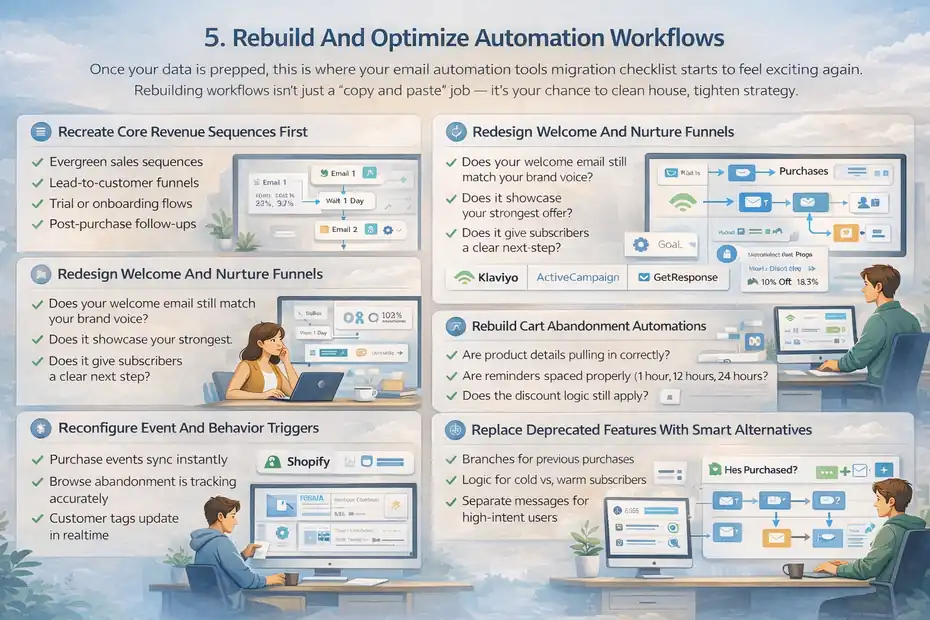
Once your data is prepped, this is where your email automation tools migration checklist starts to feel exciting again.
Rebuilding workflows isn’t just a “copy and paste” job — it’s your chance to clean house, tighten strategy, and fix things you’ve been tolerating for years.
Recreate Core Revenue Sequences First
I always start by rebuilding the money-makers before anything else. These are the automations that keep sales moving even when you’re off doing life.
Your core revenue workflows may include:
- Evergreen sales sequences
- Lead-to-customer funnels
- Trial or onboarding flows
- Post-purchase follow-ups
Rebuilding these first ensures that—even if everything else is delayed—your revenue engine keeps running.
A small tip: Build these workflows in draft mode first so you can test without triggering them prematurely. It sounds simple, but I’ve learned that one unplanned email can confuse hundreds of subscribers.
Redesign Welcome And Nurture Funnels
The welcome sequence is often the most outdated workflow in any system. Migration is your chance to rewrite it with the tone and positioning you use today, not three years ago.
When I help clients with this step, I usually ask:
- Does your welcome email still match your brand voice?
- Does it showcase your strongest offer?
- Does it give subscribers a clear next step?
Nurture funnels also benefit from tightening. Most creators unintentionally clutter them with too many emails or irrelevant stories. Use the migration as a reset button to simplify and improve flow.
Rebuild Cart Abandonment Automations
If you run ecommerce or digital offers, your abandoned cart workflow is one of the highest-ROI sequences you own.
When rebuilding this inside Klaviyo, ActiveCampaign, or even GetResponse, check the following:
- Are product details pulling in correctly?
- Are reminders spaced properly (1 hour, 12 hours, 24 hours)?
- Does the discount logic still apply?
- Is the checkout link dynamically generated?
I’ve seen brands recover 15% more abandoned carts simply because the new platform pulled in richer customer data.
Reconfigure Event And Behavior Triggers
Every tool handles triggers differently. Something like “visited pricing page” may work perfectly in one tool but require a custom event in another.
If you’re reconnecting Shopify, check that:
- Purchase events sync instantly
- Browse abandonment is tracking accurately
- Customer tags update in real-time
Take time to manually trigger each event yourself. Nothing beats hands-on testing.
Replace Deprecated Features With Smart Alternatives
Sometimes a feature you loved simply doesn’t exist in the new platform. Instead of trying to force it, look for its closest modern equivalent.
A few helpful swaps:
- “Goals” in one tool might become “conditional splits” in another.
- “Tag-based triggers” may convert into “segments with dynamic rules.”
- “Message variations” might become “A/B paths.”
In my experience, these replacements often improve performance because newer logic structures tend to be cleaner.
Improve Logic Using Conditional Branching
Conditional branching can turn a basic workflow into a smart, personalized journey.
For example, inside ActiveCampaign, you can create:
- Branches for previous purchases
- Logic for cold vs. warm subscribers
- Separate messages for high-intent users
If you’ve never used conditional logic deeply, migration is the perfect excuse. It’s one of the fastest ways to increase conversions without creating more emails.
Protect Deliverability During Domain Transition
Deliverability is the heartbeat of email marketing. If messages don’t reach the inbox, even the best automations won’t save you.
Domain transitions are sensitive, so this part of your email automation tools migration checklist needs extra care.
Warm Up Sending Domain Gradually
Think of domain warming like easing into a workout. If you go too hard too fast, you strain the system.
Start by sending only to your most engaged subscribers. After a few days of strong opens and low complaints, expand gradually.
A realistic warm-up plan:
- Day 1–3: Top 10–20% engaged
- Day 4–7: 30–40% engaged
- Week 2+: Full list (except cold subscribers)
Authenticate SPF, DKIM, And DMARC Properly
Without proper authentication, inbox providers will question your legitimacy.
Your new platform will give you unique DNS records for:
- SPF (proves who can send emails on your behalf)
- DKIM (cryptographically signs your messages)
- DMARC (sets rules for what happens if SPF/DKIM fail)
A quick note: Some platforms offer automated DKIM setup, but I always recommend confirming values manually just to be safe.
Monitor Bounce And Spam Complaint Rates
During the first two weeks, your metrics tell a story. If bounce rates spike or complaints increase, inboxes may throttle your visibility.
What I typically watch daily:
- Hard bounce rate
- Soft bounce rate
- Spam complaint rate
- Engagement trends
If something feels “off,” pause broad sends and go back to high-engagement segments.
Stagger Campaign Volume In First 30 Days
Instead of blasting your entire list with newsletters, stagger sends in smaller waves. This teaches inbox providers that your sending behavior is stable and responsible.
For example:
- Send major campaigns in cohorts of 20–30%
- Allow several hours between large sends
- Favor automations over broadcasts initially
It’s more work, but the deliverability payoff is worth it.
Verify Sending Reputation With Postmaster Tools
Google’s Postmaster Tools can show you how Gmail views your domain’s reputation. If your reputation is listed as “Low” or “Bad,” you must slow down sending and tighten list quality.
You can also review:
- Spam complaint trends
- IP reputation
- Domain reputation
- Delivery errors
These insights are gold when diagnosing deliverability issues.
Avoid List Shock During Initial Campaigns
“List shock” happens when you suddenly send to subscribers who haven’t heard from you in months. It spooks inbox providers and leads to spam complaints.
To prevent this:
- Email cold subscribers last
- Send a “we’re updating our system” notice
- Re-engage gently instead of promoting aggressively
Warm relationships create warm metrics.
Migrate Integrations Without Breaking Revenue
Integrations are where I see most migrations break. If even one connection fails, your entire revenue system can go quiet without warning. Let’s make sure that doesn’t happen.
Reconnect Ecommerce Platforms Like Shopify
Your ecommerce platform — such as Shopify — must sync correctly for product data, purchase history, and cart activity to appear in your new email tool.
After reconnecting, test:
- A dummy purchase
- A cart abandonment trigger
- Product recommendation blocks
If anything looks delayed or incomplete, reauthorize the integration immediately.
Reconfigure Payment Integrations Like Stripe
Your payment processor, like Stripe, often sends valuable customer and transaction data to your email platform.
Confirm that:
- Payment events sync instantly
- Refund events update segments
- Subscription renewals trigger appropriate automations
This is especially important for membership businesses.
Sync CRM Data Without Field Mismatch
CRMs store a mix of structured and unstructured data. When syncing with your new email platform, mismatched fields can break entire workflows.
Double-check:
- Field types (text, number, dropdown)
- Naming consistency
- Null values that may disrupt logic
I like to test by editing one contact in the CRM and verifying that the email platform updates in real time.
Test Zapier And API Automations
If you rely on Zapier, check every Zap individually. A single broken Zap can result in missed leads or incomplete automations.
Test each one by triggering it manually. This takes time, but it prevents mysterious “empty automations” later.
Validate Tracking Scripts And Pixels
Your website’s tracking pixels feed crucial data into your automations, such as page visits, behavior scoring, and checkout activity.
Verify that:
- Tracking codes fire correctly
- Page visit events register in your automations
- UTM parameters appear in reports
Walk through your website in an incognito window to test events from a fresh perspective.
Confirm Attribution And Revenue Reporting Accuracy
Revenue attribution often changes subtly between platforms. To avoid losing historical visibility:
- Compare pre- and post-migration revenue attribution
- Test attribution windows
- Review last-click vs. multi-touch reporting differences
This is one of those areas where noticing a tiny discrepancy early saves you massive confusion later.
Test Every Automation Before Going Live
This is the point in your email automation tools migration checklist where you slow down, breathe, and test absolutely everything.
I’ve learned the hard way that even small mistakes—like a broken link or mis-timed trigger—can confuse subscribers or damage trust. Testing isn’t the “extra step.” It is the step.
Send Internal Test Sequences End-To-End
Before a single subscriber touches your workflow, you should walk through it yourself in real time.
I usually create a few “dummy contacts” with different tags, segments, or purchase histories. This lets you verify how each variation flows through your new automations.
Pay attention to:
- Message order
- Timing
- Personalization merge fields
- Touchpoints that feel awkward or out of place
It’s amazing how often testing reveals emails you forgot were even in the sequence.
Verify Trigger Timing And Delays
Every platform handles delays differently. A “3-hour delay” in one tool may function like a “3-hour window” in another.
Test triggers such as:
- Tag added
- Form submitted
- Product purchased
- Page visited
- Cart abandoned
I personally run each trigger manually and watch the workflow fire. It gives me confidence that subscribers won’t get stuck in the wrong step.
Test Dynamic Content And Personalization
Dynamic content—like showing different blocks depending on segments—can break if conditions aren’t set correctly.
If you’re using tools like ActiveCampaign or Klaviyo, build multiple test versions of yourself:
- One with full data
- One with partial data
- One missing data entirely
This shows you what happens when a field is undefined. Nothing feels worse than sending emails that say “Hi ,” because a merge tag failed.
Confirm Link Tracking And UTM Parameters
Your analytics depend on this step.
Check that:
- Every link has the proper UTM parameters
- Click events appear inside your new platform
- External analytics (like Google Analytics) recognize campaign names
I usually click every link, including the ones in the footer, because broken unsubscribe links can cause compliance issues.
Validate Mobile Rendering Across Devices
Most subscribers open emails on mobile, but each device renders email HTML differently.
Test your emails on:
- iPhone
- Android
- Gmail app
- Apple Mail
- Desktop clients
Look especially closely at spacing, buttons, and images. A CTA button that looks perfect on desktop can shrink into invisibility on mobile.
Simulate Subscriber Behavior Scenarios
This is where you get a little creative. I treat it like acting:
- What happens if someone buys halfway through the sequence?
- What if they unsubscribe and resubscribe?
- What if they click a specific link meant to trigger a new path?
- What if they complete multiple triggers at once?
These scenarios reveal logic gaps you won’t notice during simple testing.
Execute A Controlled Launch And Monitor Metrics
Going live isn’t pushing a button—it’s managing an ecosystem. A controlled launch gives you breathing room and protects your sender reputation while everything settles into place.
Run Parallel Systems During Transition
If possible, keep your old platform active for a short overlap period. This ensures:
- No leads fall through the cracks
- Automations still run while the new system stabilizes
- You have time to validate the new workflows
Think of it as having a backup parachute. You hope you never need it, but it’s comforting to know it’s there.
Announce Platform Upgrade To Subscribers
A short, friendly email goes a long way. Let subscribers know you’re updating systems to improve their experience—better deliverability, cleaner emails, or improved personalization.
This also reduces spam complaints because subscribers understand the sudden change in email formatting or sending domain.
Monitor Open, Click, And Conversion Rates
Numbers don’t lie. During the first 7–14 days, track:
- Open rates
- Click-through rates
- Revenue from automations
- Site visits from emails
If engagement suddenly drops, you can quickly catch deliverability or segmentation issues.
Watch Unsubscribe And Spam Complaint Trends
These two metrics are early warning signals.
If unsubscribe rates spike, it may mean:
- You emailed cold subscribers too soon
- Your content feels unfamiliar after migration
- Timing conflicts with their expectations
If spam complaints rise even slightly, pause broad sends immediately and review your segments.
Compare Revenue Performance Week Over Week
Look at pre-migration vs. post-migration revenue coming from:
- Automated sequences
- Broadcast campaigns
- Ecommerce flows
A drop doesn’t automatically mean something is broken—it could be seasonal. But a rapid drop means you need to troubleshoot fast.
Keep Backup Data For 60 Days Post-Migration
This is a safety net.
I’ve seen people delete their old accounts too quickly only to realize they needed historical reports or consent logs later. Keep everything until you’re confident the new system is running flawlessly.
Decommission Old Platform Safely And Securely
Once everything is stable, it’s time to cleanly close out your old platform. This step protects your data, prevents duplicate emails, and ensures no old integrations continue running without your knowledge.
Cancel Subscription After Data Confirmation
Before canceling anything, double-check that:
- All data was imported correctly
- Automations function as expected
- You no longer need historical reports
Once confirmed, cancel your old subscription to avoid double billing.
Remove Legacy Tracking Scripts From Site
Old tracking pixels can interfere with new data.
Remove:
- JavaScript tracking snippets
- Legacy ecommerce scripts
- Old pop-up or form embeds
- Deprecated conversion events
This keeps your analytics clean and accurate.
Archive Historical Campaign Reports
Export any historical campaign performance data you want to keep. Many businesses use this for year-over-year comparisons or seasonal trend analysis.
I recommend storing reports in a shared drive organized by year.
Revoke API Keys And App Permissions
API keys from your old platform may still be active. Disable them to prevent data leaks or accidental syncing.
This step is especially important if you previously connected:
- Shopify
- Stripe
- Zapier
Revoking access ensures no leftover automation runs without your knowledge.
Confirm Final Billing And Account Closure
Check that:
- You aren’t billed for any prorated charges
- Annual billing cycles don’t auto-renew
- Add-ons and extensions were canceled
A quick billing review can save you a surprising amount of money.
Document Lessons For Future Platform Switches
Every migration teaches you something. Record your takeaways while the experience is fresh:
- What worked smoothly
- What broke
- What you’d do differently next time
These notes become invaluable if you ever migrate again—or if another teammate needs to understand your system.
FAQ
What is an email automation tools migration checklist?
An email automation tools migration checklist is a step-by-step guide that helps you move from one email platform to another without losing data, breaking automations, or damaging deliverability. It includes auditing your current setup, preparing subscriber data, rebuilding workflows, and verifying integrations.
How do I avoid deliverability issues when switching email tools?
Warm your domain gradually, authenticate SPF/DKIM/DMARC, send first to your most engaged subscribers, and monitor bounce and spam rates closely. These steps protect reputation signals that inbox providers rely on.
What should I migrate first when switching email automation platforms?
Start with your highest-impact components: core revenue sequences, subscriber lists with full metadata, and essential integrations like ecommerce and payment systems. This ensures business continuity while the rest of the system is rebuilt.

Juxhin B is a digital marketing researcher and founder of JAK Digital Hub, specializing in email marketing software, marketing automation platforms, and digital growth tools. His work focuses on software testing, platform comparisons, and real-world performance analysis to help businesses choose the right marketing technology.
Related posts:
 Best Email Tools to Turn Subscribers Into Sales
 Best Email Marketing Tools (Tested & Compared)
 Email Automation Systems That Drive Revenue
 7 GetResponse Alternatives For Small Business Growth
 Best MailerLite Alternatives for Small Business Growth
 Email Automation Tools Cost for 20k Subscribers—Price Breakdown