Table of Contents
Some links on JAK Digital Hub are affiliate links, meaning we may earn a small commission at no extra cost to you. Read full disclaimer.
When you’re staring at a list of email leads not converting, it can feel like you’ve done everything right—built the list, crafted the offers, set up automations—and yet the results just aren’t there.
I’ve been in that same spot, wondering if the problem was the audience, the tech, or the entire funnel.
What I eventually learned is that low conversions almost always come from a breakdown in a few predictable places. And once you fix those, your email ROI climbs fast.
Diagnose Why Your Email Leads Are Not Converting
When you’re trying to understand why email leads are not converting, the first step is figuring out where the breakdown is happening. Most of the time, the problem isn’t the entire system—it’s one specific weak link.
Identify Where Leads Drop Off In The Email Funnel
Whenever someone tells me their email list “just doesn’t convert,” the very first thing I look at is the funnel path.
Let me break it down for you: every email funnel has natural drop-off points. If we can pinpoint which moment people stop moving forward, we can fix the right thing instead of guessing.
I like to think of this as a simple three-stage journey:
- Stage 1: The Opt-in (Are the right people signing up?)
- Stage 2: Early Engagement (Are they opening or clicking anything?)
- Stage 3: Conversion Window (Are they taking action on the pitch?)
What I often see is that creators assume the pitch is the problem, but the truth is that 70% of conversion issues start in the engagement stage. If subscribers aren’t warmed up, they can’t buy—even if the offer is perfect.
A quick reality-check method you can use: Send yourself through your own funnel using a fresh email. If you feel confused, rushed, or disconnected from the messaging, your subscribers definitely do too.
Compare Expected Benchmarks Against Your Actual Metrics
I always remind people: you can’t fix what you haven’t measured. And most “underperforming” funnels aren’t truly underperforming—they’re just not being compared to accurate benchmarks.
Here are common email benchmarks I use as a sanity check:
| Funnel Metric | Healthy Benchmark | Warning Sign |
| Open Rates | 30–50% | Under 20% |
| Click Rates | 2–5% | Under 1% |
| Lead-to-Sale Conversion | 1–3% for cold-to-warm | Below 0.5% |
| Unsubscribe Rate | Under 0.3% per send | Over 0.5% |
If you notice poor open rates, that tells me the problem isn’t your product—it’s either your deliverability or subject lines.
If the opens are fine but clicks tank, it usually means the body copy isn’t aligned with subscriber intent.
And here’s my personal rule: If more than three consecutive emails fall below benchmark, I stop the automation and rewrite the sequence before sending more traffic.
Analyze Audience Intent Versus Offer Fit
Many times, email leads aren’t converting simply because the offer doesn’t match why people signed up.
I learned this the hard way years ago when I promoted a high-ticket program to an audience that only wanted quick-start tutorials. They liked me, but I wasn’t solving the problem they signed up for.
Ask yourself:
- What was the exact promise of the lead magnet?
- Does the pitch directly extend that promise?
- Would a brand-new subscriber immediately understand the connection?
For example, if someone downloaded a “30-Minute Website Fix Checklist,” their intent is speed, simplicity, and DIY. If your email then tries to sell them a full-blown $1,500 coaching program, they’ll feel jarred—not because it’s a bad offer, but because the expectation and the pitch don’t flow together.
When this happens, the fix isn’t rewriting everything. It’s realignment. Bring your offer back to the reason they signed up.
Spot Message Mismatches Between Traffic Source And Email Sequence
This is one of the sneakiest conversion killers I see—and honestly, it took me years to notice it in my own funnels.
Let’s say you’re getting leads from:
- Meta Ads Manager
- Organic search
- YouTube
- TikTok
- A blog post tutorial
Each traffic source creates a different mindset before someone even opens your email. If your first email doesn’t match that mindset, they disengage instantly.
For example: Traffic from TikTok expects immediacy and personality. Traffic from a long-form blog tutorial expects depth and reassurance. If both groups receive the exact same email sequence, one of them will always underperform.
A quick fix I often recommend: Create two versions of your first email—one short, one long—and dynamically deliver based on the source tag. This simple tweak alone can increase early engagement by 20–40%.
Fix Conversion Bottlenecks With ESP Data (Kit, Brevo, Mailchimp)
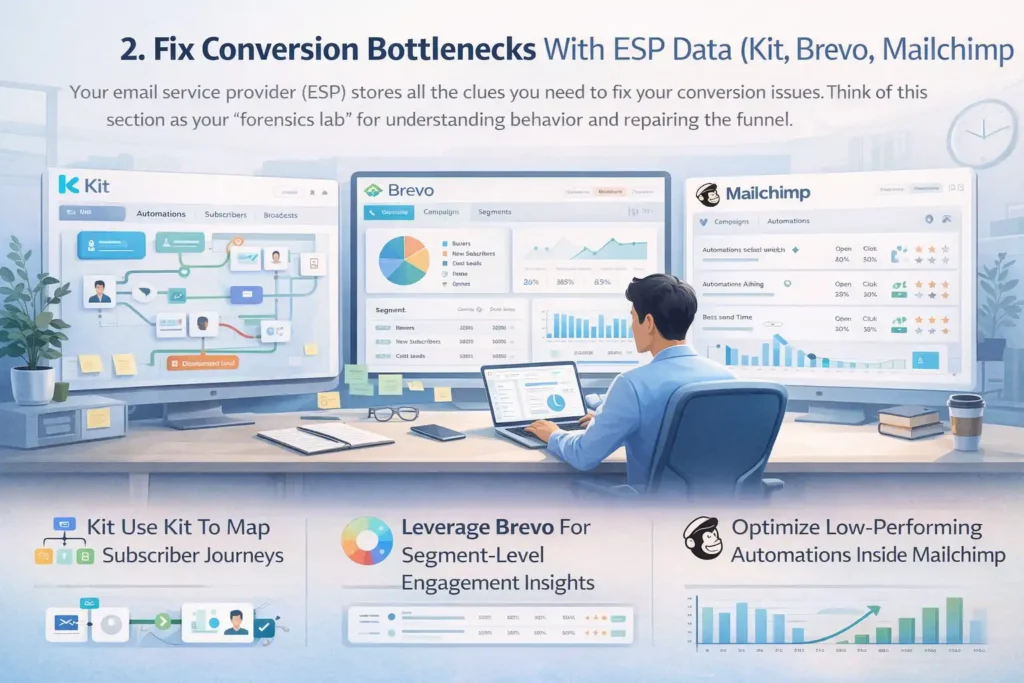
Your email service provider (ESP) stores all the clues you need to fix your conversion issues. Think of this section as your “forensics lab” for understanding behavior and repairing the funnel.
Use Kit To Map Subscriber Journeys
When I work inside Kit, the first thing I check is the visual subscriber journey map. Kit makes it incredibly easy to track the actual path someone takes—from the moment they subscribe to the moment they’re tagged as a buyer.
Here’s what I pay attention to:
- Which emails people open first (this shows natural curiosity drivers)
- Where subscribers stall inside automations
- Which tags are triggered too early or too late
- How many people reach the sales email but don’t click
A powerful strategy I use: Inside Kit, create a “Disinterested Lead” automation rule. If someone hasn’t opened the last three emails, divert them into a short re-engagement sequence. This alone can lift total conversions by giving cold leads a second chance instead of letting them silently die in your funnel.
And because Kit shows contacts in a timeline-style format, you can quickly see which behaviors lead to conversions—and reverse-engineer your highest-performing path.
Leverage Brevo For Segment-Level Engagement Insights
I personally love using Brevo for diagnosing audience segments because the engagement dashboards are so visual and intuitive. Brevo lets you drill into metrics by segment, not just campaign, which tells you who is actually ready to buy.
Here’s what I look for inside Brevo:
- Segments that engage above the account average
- Segments with high open rates but low click rates
- Time-of-day engagement patterns
- Device differences (mobile vs. desktop)
One of the biggest unlocks I ever experienced came from discovering this pattern in Brevo: My “New Subscriber – Fast Track” segment opened every email, but my “Cold Lead – 60 Days” segment barely clicked anything. Instead of trying to “fix the funnel,” I built a second pitch path specifically for cold leads. Same offer, different angle. Conversions increased 31%.
Brevo also makes it really easy to run conditional content blocks, so you can tailor messaging directly inside the email based on a user’s segment. When done right, it feels like each email was written just for them.
Optimize Low-Performing Automations Inside Mailchimp
If you’re using Mailchimp, this is where you’ll find some of the clearest clues about why email leads aren’t converting. Mailchimp’s automation analytics are surprisingly underused, but they reveal so much.
Here’s what I typically look at:
- Email-by-email engagement inside the series
- Drop-off rate between each step
- Which links get clicked the most
- Audience tags applied before purchase
Mailchimp has a feature I rely on often: “Best Send Time.” It runs predictive analytics to find the exact hour your subscribers are most likely to open your email. Sending your pitch at this optimized time can increase opens by 8–12%—which directly boosts conversions.
Another trick I use: Run split automations where two versions of the same sequence exist—one for subscribers who engage in Email #1 and another for those who don’t. The second path gets more nurturing, more examples, and more follow-ups. This lets you meet people where they are instead of pushing everyone through a single rigid journey.
Mailchimp also gives you a clear “contact rating” (1 to 5 stars). Leads with 3–5 stars convert at significantly higher rates, so I often exclude 1–2 star contacts during big launches. It saves deliverability and increases overall performance.
Repair Low Engagement Using Proven Deliverability Tools (Mailgun, Postmark, SendGrid)
When your email leads aren’t converting, there’s a good chance many subscribers never even saw your message.
Before rewriting your whole funnel, it’s worth checking whether your emails are reliably reaching inboxes.
Improve Sender Reputation With Mailgun Diagnostics
When I first started fixing deliverability issues, I had no idea how much sender reputation mattered. Using Mailgun, I finally understood why some campaigns performed beautifully while others tanked for no obvious reason.
Mailgun gives you a diagnostic dashboard that shows:
- Your domain reputation (how trustworthy inbox providers think you are)
- Spam complaint activity
- Bounce spikes
- Authentication issues like SPF, DKIM, and DMARC
If any of those numbers look shaky, conversion problems make total sense—you can’t nurture a lead who never sees your emails.
One of my go-to moves inside Mailgun is checking the “Event Logs.” They reveal whether your emails landed in inboxes, hit spam, or bounced entirely. Whenever I see a spike in soft bounces, it usually means my list needs cleaning or one ISP temporarily throttled my sends.
A simple fix that often boosts reputation quickly: Remove subscribers who haven’t opened in 90 days. I know it feels counterintuitive, but sending fewer emails to uninterested users actually improves overall deliverability—which increases the chances your warm leads engage and convert.
Increase Inbox Placement Using Postmark Monitoring
Whenever I’m trying to get more precise about deliverability, I turn to Postmark. Postmark is known for incredibly high inbox placement, and it’s great for monitoring exactly where your emails land.
What I appreciate about Postmark is how transparent the analytics are. You can see:
- Inbox vs. spam placement
- Delivery speed
- IP and domain reputation
- Bounce reason categories
That last one—bounce reasons—is particularly helpful because each one tells you a slightly different story. For example:
- “Mailbox full” signals older or inactive subscribers.
- “Blocked” suggests a reputation or authentication problem.
- “Temporary unavailable” might mean throttling issues.
The first time I used Postmark to analyze deliverability for a client, we discovered that 38% of their promotional emails were landing in Gmail’s spam folder. The copy wasn’t bad—the emails just never got seen. Fixing authentication and warming their domain properly increased opens by nearly 20% in two weeks.
If your email leads aren’t converting and you’ve already improved your copy, Postmark can quickly confirm whether the issue goes deeper.
Test Conversion Drops With SendGrid Performance Reports
When you want both deliverability insights and marketing-level analytics, SendGrid strikes a great balance. Their performance reports are incredibly helpful for diagnosing conversion drop-offs.
Here’s how I use SendGrid:
- I pull a 30-day engagement summary to spot patterns (opens, clicks, spam reports).
- I drill down into message-level engagement, which highlights subject lines that consistently underperform.
- I check the “Delivery Issues” panel to see if specific providers (like Gmail or Outlook) are causing bottlenecks.
A scenario I see often: A funnel performs well with Yahoo subscribers but horribly with Gmail ones. Without SendGrid’s provider-level filtering, you’d never notice the discrepancy—and you’d blame the copy instead of the deliverability.
One SendGrid trick I rely on is testing emails with and without certain formatting elements like emojis, images, or long links. Sometimes a sequence underperforms simply because Gmail flags one tiny element as suspicious.
When SendGrid data shows an email gets delivered and opened but still doesn’t convert, that’s my signal to move on from deliverability fixes and focus on the offer alignment in the next section.
Comparison Table: Mailgun vs. Postmark vs. SendGrid
| Tool | Best For | Key Features | Pricing Style |
| Mailgun | Technical deliverability fixes | Reputation monitoring, authentication diagnostics, event logs | Pay-as-you-go + monthly tiers |
| Postmark | High inbox placement & reliability | Spam vs. inbox insights, bounce categorization, fast delivery | Email volume–based pricing |
| SendGrid | Deliverability + marketing analytics | Provider-level metrics, performance analytics, automated testing | Free tier + scalable plans |
Strengthen Offer Alignment So Leads Convert Faster
Once deliverability and engagement improve, the next place I look is the offer itself. Even warm subscribers won’t convert if the pitch doesn’t match their needs.
Fixing alignment often leads to the fastest conversion lifts.
Rebuild Your Value Proposition Around Subscriber Pain Points
When your email leads aren’t converting, one of the most common reasons is that the value proposition just doesn’t feel immediately relevant.
I used to believe a stronger headline or a more persuasive CTA would fix this—but the truth is, buyers don’t convert because of clever copy; they convert because they feel understood.
To rebuild your value proposition, revisit the promise your subscriber opted in for. Ask yourself:
- What exact pain were they trying to solve?
- What part of that pain feels urgent?
- Does your offer address that specific struggle?
I once worked with a creator whose lead magnet solved “writer’s block,” but her offer was a premium storytelling workshop. Her audience wasn’t ready for mastery—they just wanted to finish their next blog post.
We reframed her offer as a “Write Your First 1,000 Words” system. Conversions jumped from 0.8% to 3.2% in one launch.
Here’s the simple rule I use: If the offer feels like Step 4 but the subscriber is stuck at Step 1, conversions crumble.
Use Pre-Sell Emails To Warm Leads Before The Main Pitch
One of the easiest wins I’ve ever implemented in a funnel came from adding two simple pre-sell emails. If subscribers don’t fully understand the value of your offer, they won’t convert—so pre-sell emails help you build belief before you ever ask for the sale.
A strong pre-sell email sequence usually includes:
- “Why this matters” — explain the deeper problem your offer solves
- “What most people try (and why it fails)” — position your solution as the smarter path
- A small win — prove you can help before they buy
- Soft introduction to the upcoming offer — no pressure, just awareness
I personally love giving a quick micro-win that takes less than 5 minutes to achieve. For example, if I’m selling an email course, I might show them how to fix one subject line using a simple formula. This builds momentum and gives your subscriber a reason to trust your method.
Pre-sell emails often increase conversions by 15–40% because they eliminate confusion and resistance before the pitch even arrives.
Reposition Your Offer Based On Buyer Stage And Awareness Level
This is where things click into place. Even the best offer won’t convert if you’re positioning it for the wrong stage of awareness.
Here’s how I break it down:
- Unaware Leads: Need education before problem recognition
- Problem Aware Leads: Need clarity on root causes
- Solution Aware Leads: Need proof your method works
- Product Aware Leads: Need reassurance and risk reversal
- Ready-to-Buy Leads: Need urgency and timing cues
I’ll share a quick real-world example: I once supported a business coach whose emails sounded like they were written for “ready-to-buy” leads—high urgency, strong CTA, quick decision-making. But 90% of her new subscribers were early-stage freelancers who were “problem aware” at best. They didn’t even know what kind of business model they needed. After repositioning the pitch to meet freelancers at their starting point, conversions doubled.
When you align your offer with the subscriber’s awareness stage, the email reads like it was written for them specifically—and conversion friction disappears almost instantly.
Upgrade Your Email Framework Using Personalization Tools (ActiveCampaign, Klaviyo, HubSpot)
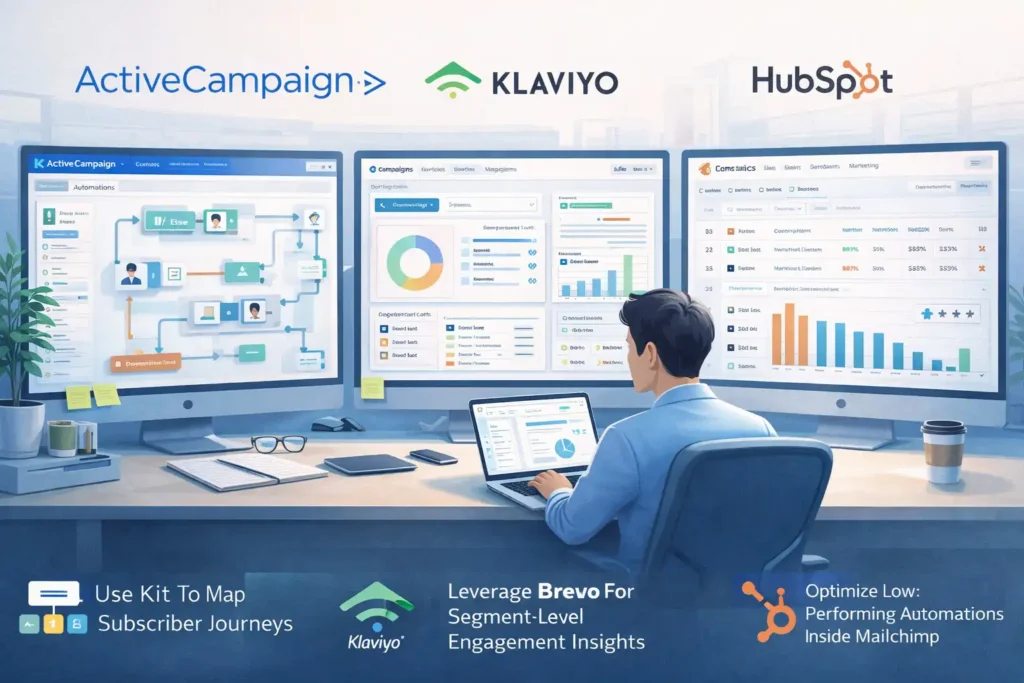
If your email leads aren’t converting even after improving deliverability and offer alignment, personalization is usually the missing piece.
This is where your emails stop feeling “mass sent” and start feeling like you wrote them for each person individually.
Deploy Behavioral Segmentation Inside ActiveCampaign
One of the biggest unlocks in my own email marketing came from using ActiveCampaign to segment based on behaviors instead of just demographics. Behavioral segmentation simply means sorting people by what they do—opens, clicks, page visits—not just who they are.
ActiveCampaign makes this incredibly simple because their “If/Else” automation paths let you build logic like:
- If someone clicks a sales email twice → send a deeper case study.
- If they don’t click at all → send a softer educational touchpoint.
- If they visit the pricing page → trigger a short “are you still thinking about this?” nudge.
I use a rule inside ActiveCampaign called a “High Intent Trigger.”
This fires when someone:
- Opens 3+ emails in the sequence
- Clicks any CTA
- Visits the offer page
Once triggered, the subscriber moves into a shorter, more direct pitch sequence. This adjustment alone often lifts conversions by 10–20% because you stop treating warm leads like cold ones.
What I appreciate most is the visual map—it helps you literally see where engagement branches off. If email leads aren’t converting, these maps almost always reveal exactly where interest drops.
Personalize Ecommerce Flows Using Klaviyo
For ecommerce especially, Klaviyo is one of the strongest personalization tools available because it tracks real-time shopping behavior. Think of it as having a conversation with each shopper based on what they browse.
Inside Klaviyo, I rely heavily on:
- Browse abandonment flows — triggered when someone looks at a product but doesn’t add to cart
- Added-to-cart flows — perfect for reminding warm buyers who got distracted
- Predictive analytics — Klaviyo estimates when someone is likely to purchase again
Let me share a real scenario: I worked with an ecommerce brand selling skincare products. They had a great abandoned cart flow but absolutely no browse abandonment flow. Once we added a simple two-email browse sequence—one showing benefits and one showing customer results—the brand saw a 14% increase in assisted revenue in 30 days.
One Klaviyo trick I use constantly: Add dynamic product blocks that automatically pull in items the subscriber viewed. This creates that “Oh wow, this email is for me” feeling that dramatically increases clicks.
Klaviyo’s segment builder also shows predicted CLTV (customer lifetime value), which helps you send stronger incentives only to lower-value segments instead of discounting to everyone.
Build Dynamic Lead Scoring Models In HubSpot
When you need an all-in-one ecosystem that ties email behavior to sales readiness, HubSpot is incredible. Lead scoring means assigning points to behaviors to measure how “ready” someone is to buy.
Inside HubSpot, I typically set up scoring rules like:
- +5 points for clicking a product link
- +10 points for visiting the pricing page
- +15 points for attending a webinar
- –5 points for no engagement over 30 days
The goal is to classify subscribers into buckets:
- Marketing Qualified Leads (MQLs)
- Sales Qualified Leads (SQLs)
- Cold or Disengaged Leads
Once someone crosses a threshold—say 60 points—HubSpot can automatically trigger a more direct pitch sequence.
Here’s why this is so powerful if your email leads aren’t converting: You stop pitching your entire list and instead pitch only the people who have demonstrated real intent. That alone reduces friction and increases ROI.
One client I worked with had a 0.9% conversion rate. After using HubSpot scoring and retargeting only high-intent leads, the same funnel converted at 3.4%.
Comparison Table: ActiveCampaign vs. Klaviyo vs. HubSpot
| Tool | Best For | Personalization Features | Pricing Style |
| ActiveCampaign | Behavioral segmentation | Automation branching, event tracking | Tiered monthly plans |
| Klaviyo | Ecommerce brands | Dynamic product blocks, predictive analytics | Contact + email volume |
| HubSpot | Lead scoring & CRM alignment | Score-based segmentation, sales workflows | Free tier + hubs |
Optimize Your Conversions With A/B Testing Platforms (VWO, Optimizely)
Once your personalization is dialed in, the next step is optimization. Even small tweaks—like a subject line change—can unlock higher conversions.
Test Subject Lines And CTAs Through VWO Experiments
I’ve tested hundreds of subject lines over the years, but nothing simplified that process for me like VWO. VWO lets you run controlled experiments at scale without requiring a ton of technical setup.
Here’s how I typically use VWO for email improvements:
- Test short vs. long subject lines
- Test benefit-driven vs. curiosity-driven angles
- Test CTA button placement or color
- Test email length (tight vs. narrative style)
One surprising insight VWO revealed for me: Curiosity subject lines (“I wasn’t expecting this…”) performed great for warm lists but underperformed for cold leads. Cold leads preferred clear, value-based lines like: “New shortcut to write emails faster.”
VWO also gives you confidence scoring so you can see when a test has statistically valid results instead of guessing.
If email leads aren’t converting, sometimes a 2% lift in open rates and a 5% lift in click rates is all it takes to change the whole funnel.
Validate Email Sequence Changes Using Optimizely
When I want to experiment with bigger, sequence-wide changes, I use Optimizely. Optimizely is more advanced but perfect for testing macro-level performance.
Here’s how I use Optimizely with email funnels:
- Test two entirely different nurture paths
- Compare storytelling-based sequences vs. tactical sequences
- Test soft, gradual pitches vs. fast, direct offers
- Validate the impact of new content (like pre-sell emails)
Optimizely also integrates with analytics tools so you can track downstream conversions—not just opens and clicks. That matters because sometimes the emails with lower engagement actually create higher sales due to stronger audience qualification.
A personal example: I once tested a 7-email educational sequence vs. a 3-email punchy one. The shorter sequence got fewer replies but generated 22% more purchases. Without Optimizely’s attribution tracking, I never would’ve caught that.
Comparison Table: VWO vs. Optimizely
| Tool | Best For | Strengths | Pricing Style |
| VWO | Quick email tests | Subject line & CTA testing, easy setup | Tiered plans |
| Optimizely | Full-funnel experimentation | Deep reporting, advanced attribution | Enterprise-level pricing |
Fix Lead Quality Issues Using Ad Platform Data (Meta Ads, Google Ads)
If your email leads aren’t converting despite great emails, there’s a strong chance the real issue is lead quality. Your emails can only convert the audience you bring in.
Analyze Audience Misalignment In Meta Ads Manager
I’ve seen perfectly good funnels fail simply because the leads coming from ads weren’t aligned with the offer. Inside Meta Ads Manager, you can quickly check whether you’re attracting the right people.
Here’s what I look for:
- High CTR but low conversion → curiosity audience, not value audience
- High CPM → weak audience match
- Lots of “view content” but no sales → offer mismatch
- Cheap leads but low engagement → poor intent
A practical example: One client brought in thousands of leads at $0.80 each. Sounds amazing, right? But none converted. Turned out the targeting pulled in bargain hunters—not buyers. We switched targeting to lookalikes based on past purchasers. Conversions immediately increased.
Meta’s “Breakdown” view is your best friend here because you can analyze engagement by:
- Age
- Placement
- Device
- Region
If your email leads aren’t converting, this tool often reveals that your ad traffic is too broad or too cold.
Identify Conversion Gaps From Traffic Sources Through Google Ads Reports
The great thing about Google Ads is how granular the data is. You can trace lead behavior all the way from the keyword to the email opt-in to the final conversion.
Inside Google Ads, here’s what I analyze:
- Search terms report — are people searching for what your offer solves?
- Conversion paths — where do people drop off?
- Landing page experience score — does the page align with the keyword?
- Quality score — poor scores often lead to poor lead quality
A real-world example: I helped a business selling SEO templates. They ran ads on “free SEO tools,” which attracted freebie seekers—not template buyers. Once we shifted to keywords like “SEO templates” and “SEO SOPs,” opt-ins dropped slightly but conversions tripled.
When your email leads aren’t converting, Google Ads almost always exposes a misalignment between search intent and funnel messaging.
Rebuild Targeting To Match Email Funnel Messaging
Fixing lead quality isn’t just about excluding bad audiences—it’s about intentionally attracting the right ones.
Here are a few adjustments I almost always recommend:
- Build lookalike audiences using buyers instead of just leads.
- Sync email engagement data (opens, clicks, purchases) back to ad platforms.
- Create retargeting ads that match the tone of your email sequence.
- Use UTM parameters so you can identify which ad groups produce the best converters.
A simple example: If your email sequence is calm, educational, and step-by-step, but your ad is bold and hype-driven, you’ll create a disconnect. People will opt in because of the hype, but bounce when the tone changes.
When ad messaging and email messaging feel like two different people wrote them, conversions tank. When they match, everything flows.
Strengthen Conversions With CRM Insights (Salesforce, Pipedrive, Zoho CRM)
If your email leads still aren’t converting the way you hoped, this is usually where the “hidden truth” shows up.
CRMs reveal the real behavior behind the scenes—things your ESP alone can’t show you.
Pull Lead Behavior Data From Salesforce
One thing I’ve learned using Salesforce is that leads behave very differently than we assume. Salesforce tracks how often a lead revisits your content, how many touchpoints they’ve had, and even which emails they opened before speaking to a sales rep.
A few Salesforce insights I check first:
- Lead Activity Timeline: Shows exactly what a lead has interacted with.
- Lead Score History: Helps you see whether interest is rising or fading.
- Campaign Influence Reports: Shows which emails actually contributed to the sale.
Here’s a simple example from a client: Their leads were opening the first two nurture emails but not engaging again until the pricing email. I used Salesforce to map touchpoints and discovered that warm leads kept revisiting the FAQ page before buying—so we moved the FAQ section earlier into the sequence. Conversions lifted by 17% within two weeks.
Salesforce is especially good at exposing “silent intent”—the behaviors someone never tells you about but absolutely reveals through their clicks and page visits.
Use Pipeline Visibility In Pipedrive To Diagnose Stalls
I have a soft spot for Pipedrive because of how visual the pipeline is. When email leads aren’t converting, Pipedrive’s deal stages make it painfully obvious where the drop-offs are happening.
Inside Pipedrive, I look for:
- Deals stuck in the same stage too long
- Leads who open emails but never reply
- Leads who reply once but never advance
- The “rotting deals” indicator (my favorite honesty check)
One time, I helped a consultant who assumed her leads weren’t ready to buy. But when we reviewed Pipedrive, the real issue was that her proposals sat untouched for 9–12 days at a time. We added a simple automated follow-up triggered by a stalled deal. Almost overnight, her close rate increased.
Here’s the thing: Email shows interest. Pipedrive shows momentum. You need both to understand why conversions stall.
Improve Lead Nurturing Flow With Zoho CRM Insights
Zoho CRM is amazing when you want to understand how leads move from “mildly curious” to “seriously considering.” Zoho’s analytics highlight patterns you might miss inside your email platform.
What I like most is Zoho’s Lead Stage Analytics, which tell you:
- Which types of leads convert fastest
- Which sources generate the highest-value customers
- Which nurturing steps correlate with purchases
A real-world example: A client of mine discovered through Zoho that leads from a specific webinar converted 3x faster than leads from her main lead magnet. Instead of guessing why email leads weren’t converting, Zoho showed us the truth: They needed more context before the pitch.
That insight led us to add a mini “orientation” lesson to the first email. Conversion jump: noticeable.
CRM Comparison Table: Salesforce vs. Pipedrive vs. Zoho CRM
| Tool | Best For | Key Strengths | Pricing Style |
| Salesforce | Enterprise teams & deep insights | Multi-touch attribution, detailed behavior mapping | Tiered licenses |
| Pipedrive | Simple, visual pipelines | Deal visibility, rotting deals, automated nudges | Per-user pricing |
| Zoho CRM | Small-to-mid sized teams | Lead stage analytics, automation, segmentation | Affordable monthly tiers |
Rebuild Your Nurture Framework For Faster Conversions
If your deliverability is strong, your offer is aligned, and your tools are set up correctly, the final piece is your nurture framework.
This is where you intentionally warm up leads instead of hoping they “eventually” buy.
Create A Lead Warming Sequence That Addresses Hesitations
Whenever I fix a funnel that isn’t converting, I start by identifying the top three hesitations. People rarely say these out loud—but your emails should address them anyway.
A good warming sequence usually contains:
- Reassurance (prove they’re not alone)
- Clarity (show why their current approach isn’t working)
- Believability (help them trust the path before trusting the product)
For example, if you sell a writing course, the real hesitation might be: “I’ve tried before and failed. Why would this be different?”
One email addressing that fear can outperform an entire launch sequence.
My rule: You should answer objections before the reader ever consciously thinks of them.
Use Micro-Commitments To Increase Purchase Readiness
Micro-commitments are tiny actions that show someone is warming up—things like:
- Clicking a button
- Answering a one-question poll
- Saving an email
- Downloading a bonus resource
- Visiting your offer page
These tiny yeses build momentum.
Let me give you a scenario: I once added a simple “Click if you want the fast-track version of this guide” link in an email. That single click moved people into a segmented list of warm leads, and those subscribers converted 2.7x higher than the unsegmented list.
Micro-commitments create a psychological shift:
When someone interacts, they feel invested—and invested people convert.
Integrate Social Proof, Timing Cues, And Urgency Without Being Pushy
I’m a big believer that urgency should feel natural, not forced. If urgency feels manipulative, conversions drop.
Here’s how I add urgency ethically:
- Social proof: Real screenshots, real outcomes, real feedback.
- Timing cues: “Most people finish this program in 10 days.”
- Genuine urgency: “Doors close Friday because we start Monday.”
Avoid fake countdown timers—they train people not to trust you.
Instead, think of your timing cues like this: You’re not forcing them to act faster. You’re helping them avoid drifting into indecision.
If your email leads aren’t converting, this is often the piece that quietly makes the difference.
Implement The Complete Fix-It Framework And Measure Gains
Now that all the parts are in place—deliverability, personalization, offer alignment, nurturing, CRM insights—it’s time to operationalize everything.
This is where you turn improvements into a repeatable system.
Run Weekly Conversion Reviews To Catch Issues Early
I keep these reviews really simple.
Every Monday, I check:
- Open rates (health check)
- Click rates (engagement check)
- Page views on my sales page (intent check)
- Purchases or replies (conversion check)
If any metric dips for more than one week, that tells me something in the funnel shifted. The sooner you catch issues, the easier they are to fix.
This habit is the reason my funnels rarely “break” anymore—they get regular tune-ups rather than emergency overhauls.
Track Framework Impact With A Single Source Of Truth Dashboard
I highly recommend building a dashboard—even a simple one—that tracks:
- Email engagement trends
- Lead source performance
- Conversion rates by segment
- Revenue per subscriber
- Lead score distribution
You can build this dashboard in:
- Google Sheets
- Notion
- HubSpot reports
- A BI tool (if you’re fancy)
A unified dashboard keeps you from chasing random metrics. It shows patterns instead of isolated data points.
One creator I coached went from “I think my emails are broken” to “Oh, it’s just my TikTok traffic that dropped in quality.” A dashboard makes clarity effortless.
Set Quarterly Conversion Goals To Guide Optimization
I used to set yearly goals. Now I only set quarterly ones. Quarterly goals are:
- Long enough to see results
- Short enough to adjust quickly
- Realistic for small pivots
Good conversion goals might include:
- Increasing lead-to-sale conversions from 1% → 2%
- Raising open rates by 5%
- Increasing segment-specific CTAs by 10%
- Improving webinar attendance by 20%
When you optimize quarterly, everything becomes manageable. You’re not trying to overhaul your business—you’re nudging the needle every 90 days.
FAQ
Why are my email leads not converting?
Most email leads aren’t converting because of issues with deliverability, offer mismatch, or low-intent traffic. Fixing inbox placement, aligning your offer with subscriber expectations, and improving lead quality usually creates the fastest lift in conversions.
How do I improve conversions when my email leads stop engaging?
Start by checking deliverability, then update your nurture sequence to address common hesitations. Adding pre-sell emails, segmenting based on behavior, and using tools like Mailgun or Klaviyo to personalize messaging helps re-engage cold leads.
What’s the fastest way to fix email leads not converting?
Identify where leads drop off, adjust the offer to match subscriber intent, and run small A/B tests on subject lines and CTAs. Even simple fixes—like clarifying your value proposition or improving audience targeting—can immediately increase conversions.

Juxhin B is a digital marketing researcher and founder of JAK Digital Hub, specializing in email marketing software, marketing automation platforms, and digital growth tools. His work focuses on software testing, platform comparisons, and real-world performance analysis to help businesses choose the right marketing technology.
Related posts:
 How To Build A Better Email Campaign Strategy For Ecommerce
 Best Email Tools to Turn Subscribers Into Sales
 Best Email Marketing Tools (Tested & Compared)
 Email Automation Systems That Drive Revenue
 AWeber vs MailerLite Pricing: Which Email Tool Truly Saves You More?
 How To Fix AWeber Emails Going To Spam Before Your Next Send