Table of Contents
Some links on JAK Digital Hub are affiliate links, meaning we may earn a small commission at no extra cost to you. Read full disclaimer.
When I first started doing an email leads software comparison, I quickly learned how overwhelming it can feel sorting through platforms that all promise higher-quality leads, cleaner data, and better conversions.
You and I both want the same thing—software that doesn’t just look good on paper but actually helps us grow our lists without wasting time or budget.
So this guide breaks down the top players, side by side, in a way that’s practical, honest, and built for real decision-making.
Evaluating HubSpot’s Lead Tools In A True Email Leads Software Comparison
When I look at HubSpot in any email leads software comparison, it’s one of the few platforms that truly tries to be the entire ecosystem rather than just one tool.
Let me walk you through what actually matters—beyond the marketing talk.
Lead Capture Strengths That Set HubSpot Apart
What makes HubSpot stand out right away is how its lead capture tools talk to each other without you forcing anything. Forms, pop-ups, live chat, scheduling links—they all feed into the same contact database automatically.
I’ve found that this matters because it eliminates a common issue: “data scattering.” Instead of leads sitting in different plugins, spreadsheets, or random apps, HubSpot stores everything centrally. In practical terms, that means no more chasing missing UTM tags or wondering which form someone filled out.
A few strengths worth calling out:
- Native forms with auto-enrichment: When someone submits a form, HubSpot often fills in company details using built-in intelligence.
- Drag-and-drop builders: Easy for beginners, but flexible enough for advanced segmentation.
- Live chat + chatbots: These give you leads while your team is offline—something I personally see many small businesses overlook.
If you’re trying to reduce the number of tools you juggle, this is one of the biggest perks.
How HubSpot’s Built-In CRM Enhances Email Lead Quality
One thing I appreciate about HubSpot’s CRM is that it’s not a “separate module.” It’s the heart of everything. Each lead is automatically enriched with timeline data like:
- Emails opened
- Pages visited
- Forms completed
- Workflows triggered
When you pair this level of behavioral tracking with your email campaigns, targeting becomes dramatically smarter. Instead of sending the same email to everyone, you can set up simple logic like:
- “If they viewed pricing twice → send a comparison email.”
- “If they abandoned a form → trigger a short reminder.”
And because the CRM updates itself in real time, you don’t get those embarrassing moments where you send a sales pitch to someone who’s already purchased.
This is where HubSpot genuinely edges out simpler tools—because it gives you lead insight, not just lead storage.
Cost-To-Value Reality Check For Growing Businesses
I won’t sugarcoat this: HubSpot can feel pricey once you scale. And I say that as someone who’s tested these tools across small teams and enterprise setups.
Here’s the honest breakdown:
- Free tier: Surprisingly strong for new creators and startups.
- Starter plans: Great value, especially if you want easy automation and basic CRM capabilities.
- Professional and Enterprise tiers: Powerful, but the jump in price can feel intimidating if you’re not already generating ROI.
What I always tell people is this: Whether HubSpot is “worth it” depends on whether you’re replacing two or three other tools with it. If it consolidates your CRM, email software, landing page builder, and analytics, suddenly the math changes.
The real cost isn’t just the subscription; it’s the operational overhead of stitching multiple tools together badly.
Automation Advantages For Scaling Lead Nurture
This is where HubSpot quietly wins the long game.
Its automation engine lets you build workflows that feel like miniature customer journeys. No coding, no hacks—just drag, drop, and define conditions.
For example, you can create a journey like:
- Lead downloads a free guide.
- HubSpot assigns a lifecycle stage.
- A nurturing sequence starts.
- If they’re highly engaged, notify your sales team.
- If they’re cold, shift them to a lighter email cadence.
These workflows feel like having an extra team member who never gets tired or forgets tasks.
One small but underrated feature I love: workflow branching based on engagement. It helps you stop over-emailing uninterested leads—which protects your deliverability in the long run.
Why Brevo Competes Strongly In This Email Leads Software Comparison
Whenever I compare email lead tools, Brevo always surprises people—usually because they expect it to be “Mailchimp Lite.”
But honestly, Brevo does several things exceptionally well, especially for small and mid-sized teams who need reliable tools without enterprise-level pricing.
How Brevo Handles Lead Collection And Segmentation
Brevo’s lead collection tools may not look as flashy as HubSpot’s, but they’re incredibly practical.
Some highlights from my hands-on use:
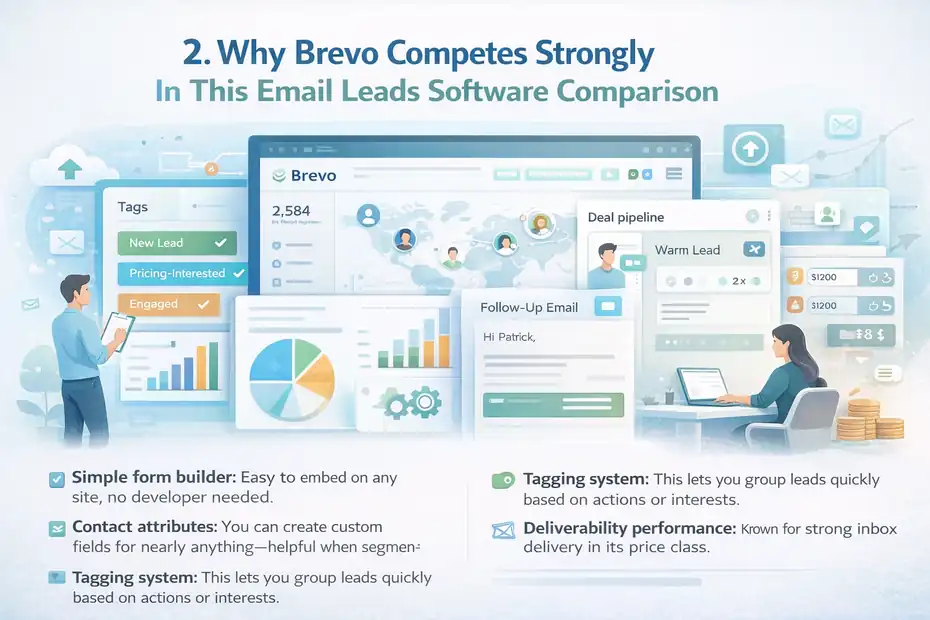
- Simple form builder: Easy to embed on any site, no developer needed.
- Contact attributes: You can create custom fields for nearly anything—helpful when segmenting by niche needs.
- Tagging system: This lets you group leads quickly based on actions or interests.
One thing I love is how Brevo keeps segmentation very beginner-friendly. You don’t need to understand CRM logic to make a segmented list that works.
A real-life example: If someone clicks a link to your pricing page, Brevo can add a “pricing-interested” tag automatically. You can then send follow-ups that feel personal, without manually sorting.
CRM + Email Features That Improve Lead Qualification
Brevo’s CRM is lightweight—but in a good way.
If you’re not ready for a full CRM like HubSpot, Brevo gives you essential features:
- Deal pipelines
- Contact timelines
- Lead notes
- Task reminders
Pair these with Brevo’s email automation, and suddenly you have an affordable lead qualification engine.
For example, you can automatically:
- Mark a lead as “warm” if they open 3+ emails
- Move a lead to a pipeline column when they submit a high-intent form
- Notify yourself when a lead revisits your website
This combo is ideal for freelancers, creators, and lean teams who don’t want the complexity of an enterprise CRM.
Deliverability Performance And Its Impact On Lead Value
This is where Brevo consistently punches above its weight.
From what I’ve seen—and what many users report—Brevo’s email deliverability is one of the strongest in its price class. They run a dedicated deliverability team and maintain strong IP reputations.
Why does this matter for lead quality?
Because a lead is only as valuable as your ability to reach them.
If one software delivers 15% more emails to the inbox, that’s not a small difference. That’s campaigns performing better without you spending more money.
In short: Good deliverability transforms “a list” into “a revenue-producing asset.”
Pricing Transparency For Small And Mid-Sized Teams
If budget is a priority, Brevo is one of the easiest platforms to understand.
The pricing is based on emails sent, not list size. That alone can save creators and small teams hundreds per year.
A scenario I see often: If you have 20,000 subscribers but send only two newsletters a month, most platforms charge you for list size—Brevo doesn’t. That flexibility makes it feel fair, especially during growth periods.
And yes, the free plan is solid enough for beginners who want to test without commitment.
Mailchimp’s Position In The Email Leads Software Comparison Landscape
Whenever I’m doing an email leads software comparison for someone who’s just starting out—or someone who wants familiar, approachable tools—Mailchimp is almost always part of the conversation.
It’s not the most advanced platform in the world, but it absolutely nails the basics that many creators and small teams need.
The Role Of Mailchimp In Lead Capture And List Growth
Mailchimp keeps lead capture simple, and honestly, that’s part of its charm. You get:
- Embedded signup forms you can place on any website.
- Pop-up forms that trigger on scroll, exit intent, or delay.
- Landing pages built directly inside Mailchimp without needing another app.
What I appreciate is how Mailchimp focuses on reducing friction. Someone signs up, and boom—they’re in your audience with the correct tags and source data. You don’t need a technical setup or a long onboarding flow.
One thing I see beginners love: Mailchimp auto-detects duplicate emails and cleans them up. It’s not glamorous, but it keeps your list healthier without extra tools.
A practical example: If you’re a blogger offering a free guide, Mailchimp’s built-in landing pages make it easy to create a clean opt-in experience without touching your website design at all.
Audience Segmentation Tools For Smarter Lead Targeting
Mailchimp’s segmentation has come a long way. For years, people criticized it for being too basic, but now it offers behavior-based segmentation that’s quite useful.
Segment by:
- Email activity (opens, clicks)
- Website behavior (with connected tracking)
- Purchase data (via e-commerce integrations)
- Tags and groups
Mailchimp also uses something it calls predicted demographics—an AI-driven guess of someone’s age and gender based on engagement patterns. I treat this as directional rather than precise, but it can help refine broad campaigns.
The biggest strength? Segmentation doesn’t feel technical. You check a few boxes, select conditions, and the audience updates automatically.
When you’re running a small creator business or e-commerce store, that simplicity saves you hours each month.
Integration Ecosystem And How It Boosts Lead Quality
Mailchimp integrates with pretty much everything—WordPress, Shopify, WooCommerce, Stripe, Squarespace, and dozens of lead-capture tools like Typeform and Jotform.
This matters because integrations determine how much context you get with each lead.
For example:
- Shopify sends purchase behavior straight into Mailchimp.
- WordPress plugins can trigger tags based on user actions.
- Appointment tools can segment leads by their service interests.
Each integration adds more data points, which ultimately improves your targeting accuracy.
One scenario I see often: A creator connects Stripe → Mailchimp and can instantly differentiate leads who downloaded a free resource vs. those who actually purchased. That allows for drastically different email flows without extra setup.
Budget Considerations For Creators And Startups
Mailchimp used to be one of the most affordable email tools. Today, it’s still accessible, but pricing scales quickly as your list grows.
The pros:
- Free plan available
- Very fair for small lists
- Solid baseline automation
The cons:
- Costs increase sharply beyond 2,500–5,000 subscribers
- Advanced automation sits behind higher tiers
If you’re on a tight budget but still want familiarity and ease of use, Mailchimp is a safe place to start.
But if you plan to scale quickly, it’s worth comparing long-term costs with Brevo or HubSpot early on to avoid switching later.
Apollo.io’s Prospecting Power In Modern Email Leads Software Comparison
When I’m helping someone compare tools for B2B-focused lead generation, Apollo.io tends to dominate the conversation. In a true email leads software comparison, it plays a very different role than HubSpot or Mailchimp.
Instead of helping you nurture inbound leads, Apollo helps you find new leads—particularly in industries where outbound outreach actually works.
Why Apollo.io Excels At B2B Email Lead Generation
Apollo is at its best when you need precision: the exact job title, company size, industry, revenue bracket, and tech stack of your ideal prospect.
You’re not guessing. You’re searching a massive database with advanced filters to find:
- Marketing directors at SaaS companies
- CEOs of 10–50 person agencies
- HR managers in fast-growing startups
The real magic? Apollo lets you immediately export those prospects into sequences, eliminating the friction between lead research and email outreach.
One thing I’ve noticed: Startups using Apollo often generate results much faster simply because they’re not waiting for inbound leads—they’re creating outbound momentum.
Data Accuracy And Enrichment That Influence Lead Outcomes
Lead data accuracy is Apollo’s lifeline. If the emails don’t work, the platform fails—so they invest heavily in verification.
Here’s what stands out from my experience:
- Real-time email verification that checks deliverability before sending
- Company enrichment (industry, funding rounds, headcount changes)
- Tech stack identification (helpful for SaaS sales teams)
High-quality data means fewer bounced emails and better engagement.
And trust me, bounces are not just annoying—they damage your sender reputation and can tank future campaigns.
A mini case example: A client of mine improved reply rates from 2.1% to 5.8% by using Apollo’s enrichment filters to target only companies with a specific CRM in their stack. That level of precision is what makes outbound predictable.
Sequencing Tools That Impact Email Conversion Rates
Apollo’s sequencing editor is built specifically for outbound sales—meaning it accounts for the fact that people rarely respond to the first email.
You can build sequences like:
- Email → Wait 2 days → LinkedIn Visit → Wait 1 day → Email
- Email → Call → Email → Breakup Message
Unlike traditional email marketing tools, Apollo sequences are:
- Multi-channel
- Behavior-triggered
- Personalized using dynamic fields
- Optimized for reply rates rather than opens
If you’ve ever used a generic newsletter platform for cold outreach, you know the frustration. Apollo’s sequencing feels like someone finally designed a tool for what outbound teams actually do.
Scaling Outreach Without Compromising Lead Relevance
Many tools let you scale outreach, but very few help you keep it meaningful as you scale.
Apollo does this by:
- Allowing highly specific audience filters
- Supporting dynamic personalization tokens
- Automatically suppressing people who have replied or bounced
- Providing intent-based signals (when available)
This means you’re not blasting 5,000 people with the same template—you’re sending tailored outreach to tightly defined segments.
A realistic scenario: If you’re selling a software tool for HR teams, you can create a list of HR managers at companies that recently posted multiple job openings. That’s a strong buying signal, and it converts far better than cold outreach to a random list.
When you’re working with outbound, relevance is everything. Apollo helps you scale without losing that relevance—and that’s where it wins for many teams.
ZoomInfo’s Enterprise Edge In A Competitive Email Leads Software Comparison

Whenever I’m doing an email leads software comparison for larger companies—or teams that need sales intelligence at scale—ZoomInfo often becomes the frontrunner. It’s not built for casual users or creators.
It’s built for organizations that treat outbound, data enrichment, and account targeting like a full-time operation.
How ZoomInfo Sources And Scores High-Intent Leads
ZoomInfo’s strength comes from something I haven’t seen matched elsewhere: the size, depth, and freshness of its B2B database. They combine web crawling, partnerships, human research, and AI-driven updates to maintain millions of contacts.
But the real advantage is their intent scoring—basically a signal showing which companies are actively researching a topic online.
For example:
- If a company suddenly starts reading marketing automation content across various sites, ZoomInfo flags it as “high intent.”
- If they’ve grown headcount by 25% in the past year, that’s another signal.
When you combine these signals, teams can prioritize leads who are statistically much more likely to buy.
From what I’ve seen with enterprise clients, intent scoring alone can cut sales cycles by 15–30% because you’re not pushing uphill—you’re reaching out at the moment interest already exists.
Data Depth, Intent Signals, And Lead Conversion Precision
ZoomInfo doesn’t just give you a name and email. You get:
- Company revenue
- Hiring trends
- Technology stack
- Recent funding rounds
- Org charts
- Buying committees
- Direct dial numbers (when available)
This level of enrichment gives sales teams the “full picture” before the first outreach email even goes out.
A practical example: One client selling HR software used ZoomInfo to filter companies that recently raised Series B funding and had posted 10+ job listings within 30 days. Their reply rates jumped from 4% to 12% because they weren’t just contacting companies randomly—they were contacting companies actively hiring and growing.
That’s the power of combining intent data with deep enrichment.
Compliance And Data Governance For Risk-Aware Teams
ZoomInfo also stands out for compliance frameworks.
Large organizations—especially those in finance, healthcare, and government—need strict controls around:
- GDPR
- CCPA
- Data access logs
- Data processing agreements
- Opt-out handling
ZoomInfo provides documentation and compliance workflows that check these boxes. It’s not glamorous, but it’s critical for teams dealing with legal scrutiny.
If you’re working in an enterprise environment, this can be the difference between “approved” and “not allowed.”
Pricing Considerations For Large Sales And Marketing Ops
Here’s the part where honesty helps: ZoomInfo is expensive.
It’s not uncommon for subscription packages to exceed $10,000+ per year depending on database volume, integration requirements, and added modules like:
- SalesOS
- MarketingOS
- OperationsOS
But for the right business model, the math works.
If each closed deal is worth thousands (or even tens of thousands), the ROI can be massive.
On the other hand, if you’re a solo founder or small team, ZoomInfo is probably more power—and more cost—than you need.
This is where it’s important to be realistic about your sales motion and budget before diving in.
Hunter.io’s Simplicity And Precision In Email Leads Software Comparison
Compared to heavy enterprise tools like ZoomInfo, Hunter.io feels refreshingly simple.
When I’m doing an email leads software comparison for freelancers, small agencies, or cold outreach beginners, Hunter.io is one of the first tools I suggest because it focuses on doing a few things extremely well.
How Hunter.io Locates Verified Contact Data
Hunter.io is best known for two features:
- Domain Search: Shows all publicly available emails associated with a specific company website.
- Email Finder: Helps you find the likely email address for a specific person based on naming patterns.
What makes it powerful is the confidence score—a percentage that indicates how likely the email is valid.
Instead of guessing whether a lead’s email is real, Hunter.io gives you data-driven odds.
A realistic use case: If you’re pitching collaboration to brand managers, you can run a domain search on the company website and immediately pull the right contacts without digging through LinkedIn for hours.
Deliverability Safeguards That Protect Sender Reputation
Hunter.io also includes a built-in Email Verifier, which is something I wish more people used before sending outbound campaigns.
Why this matters: High bounce rates can ruin your sender reputation, making all future emails more likely to land in spam.
Hunter.io solves this by checking:
- MX records
- SMTP responses
- Public data sources
- Email formatting patterns
When I help creators set up cold outreach, verifying emails before sending usually drops bounce rates from 8%+ to under 2%, which is a game-changer for long-term deliverability.
Use Cases For Freelancers, Agencies, And Cold Emailers
Hunter.io shines when you need agility, not complexity.
Freelancers: Find potential clients quickly by pulling contacts from company websites or niche directories.
Agencies: Build decision-maker lists for outreach campaigns without paying for enterprise-level databases.
Cold emailers: Test small campaigns with verified data to avoid deliverability issues.
Because the interface is so clean, the learning curve is almost nonexistent. I’ve coached interns who became productive with Hunter.io in under 10 minutes.
Cost Advantages For Lightweight Lead Gen Needs
Hunter.io is one of the most affordable tools in this entire comparison.
The pricing is predictable and based on:
- Searches
- Verifications
- Campaign volume (for later features)
This makes it perfect when you don’t need a full CRM or intent data—just accurate contacts.
If you’re a creator, small business owner, or someone experimenting with outbound for the first time, Hunter.io gives you professional-grade data without the enterprise price tag.
A small pro tip: Most people underestimate how far 100 verified leads can go when you’re doing personalized outreach. Hunter.io makes that early experimentation painless and cost-effective.
Lemlist’s Multichannel Capabilities In Today’s Email Leads Software Comparison
Whenever I compare outreach tools in an email leads software comparison, Lemlist always feels like the “creative one” in the group.
It’s built for people who want their messages to stand out—not blend in with every other cold email.
Why Lemlist Stands Out In Personalized Outreach
Lemlist became popular because of something surprisingly simple:
You can add personalized images and dynamic content right inside your outreach emails.
Instead of sending the usual cold email template, Lemlist lets you insert things like:
- A personalized image with the lead’s name on it
- A dynamic screenshot of their website
- A GIF with their company logo
I know it sounds gimmicky, but here’s the truth: Personalization works because it disrupts the pattern. When a lead sees an image that feels custom-made, they pause—and that pause increases reply rates dramatically.
One agency I worked with boosted replies from 3% to 11% just by using Lemlist’s dynamic personalization on their first-touch emails.
It wasn’t magic. It was simply different enough to stand out.
Deliverability Features That Support Higher Lead Response Rates
Cold outreach is meaningless if your emails never reach the inbox. Lemlist gets this, so they built deliverability features right into the platform:
- Lempire’s warm-up service: Automatically warms your domain to improve sender reputation.
- Automatic throttling: Sends emails slowly and naturally to avoid spam flags.
- Spam tester: Checks your email content for phrases or formatting that may hurt deliverability.
If you’ve ever had a campaign flop because Gmail buried it in “Promotions,” you know how vital these features are.
From experience, Lemlist’s warm-up tool is one of the best safety nets for people new to cold emailing. It saves you from rookie mistakes that could damage your domain long-term.
Workflow Automation For Personal And Scalable Lead Nurturing
Lemlist isn’t just email. Its sequences can include:
- LinkedIn profile visits
- LinkedIn connections
- Manual tasks (like making a call)
- Follow-up emails triggered by behavior
This multichannel system gives your outreach a more human rhythm.
Imagine this flow: Email → Wait 1 day → Visit LinkedIn → Connection request → Personalized follow-up email.
Instead of spamming someone’s inbox, you’re creating touchpoints across platforms where they already spend time.
And the best part? You don’t need enterprise-level technical skills to build these workflows. Lemlist’s editor is visual, smooth, and beginner-friendly.
Pricing Fit For Solo Creators And Fast-Growing Teams
One of the reasons I recommend Lemlist so often is its flexible pricing.
- Solo users get affordable plans with core outreach tools.
- Growing teams get collaboration features, reporting tools, and multichannel workflows.
Unlike enterprise tools that jump from $100 to $1,000 per month with no middle ground, Lemlist leaves breathing room.
If you’re building your outbound strategy one step at a time, that flexibility matters.
In short: Lemlist brings creativity, personalization, and smarter automation to cold outreach—without making you feel like you’re running a corporate sales department.
Side-By-Side Email Leads Software Comparison: Features, Data Quality, And Pricing
Before choosing the “best” platform, it helps to see everything lined up next to each other.
This is where an email leads software comparison really becomes practical—you can instantly see which tools match your needs and which ones are overkill.
Comparative Breakdown Of Lead Capture And Enrichment Tools
| Platform | Lead Capture Tools | Data Enrichment | Best Fit |
| HubSpot | Forms, pop-ups, chatbots, landing pages | Strong CRM enrichment | All-in-one marketing + sales |
| Brevo | Forms, simple landing pages | Basic custom fields | Budget-friendly email marketing |
| Mailchimp | Forms, pop-ups, landing pages | E-commerce + behavior data | Creators + small ecommerce |
| Apollo.io | Prospecting database | Robust company + tech stack data | B2B outbound sales |
| ZoomInfo | Enterprise-level sourcing | Deep enrichment + intent signals | Enterprise demand gen |
| Hunter.io | Email finder + domain search | Email verification | Solopreneurs + small teams |
| Lemlist | Manual lead input + integrations | Light enrichment | Personalized cold outreach |
Data Accuracy, Verification, And Compliance Differences
| Platform | Data Accuracy | Verification Tools | Compliance Strength |
| HubSpot | High (CRM-based) | Basic | Strong for SMBs |
| Brevo | Moderate | Basic verification | Good for SMBs |
| Mailchimp | Moderate | List hygiene tools | Solid privacy compliance |
| Apollo.io | High for B2B | Real-time verification | Good corporate governance |
| ZoomInfo | Enterprise-grade | Multi-source verification | Excellent (GDPR, CCPA) |
| Hunter.io | Very high for contacts | Industry-leading email verifier | Strong for small teams |
| Lemlist | Depends on user data | Warm-up + spam analysis | Good deliverability hygiene |
Automation, Integrations, And Performance Benchmarks
| Platform | Automation Power | Integrations | Performance Strength |
| HubSpot | Advanced workflows | Extensive | Best all-in-one |
| Brevo | Simple + effective | Good for SMB | High deliverability |
| Mailchimp | Decent automations | Large ecosystem | Strong e-commerce sync |
| Apollo.io | Sales sequences | CRM + LinkedIn | Excellent for outbound |
| ZoomInfo | Enterprise workflows | ERP/CRM systems | Data precision |
| Hunter.io | Light automation | Outreach tools | High verification accuracy |
| Lemlist | Multichannel sequences | CRM + LinkedIn | Best personalization features |
Pricing Comparison For Various Business Stages
| Business Stage | Best Match | Why |
| Early-stage creator | Brevo / Mailchimp | Affordable, simple setup |
| Small agency | Lemlist / Hunter.io | High ROI on outreach |
| Growing startup | HubSpot / Apollo.io | Balanced automation + scaling |
| Enterprise | ZoomInfo + HubSpot | Deep data + operational power |
These tables aren’t meant to “declare a universal winner.” They show the real trade-offs—cost, data quality, automation depth, and use-case fit.
Choosing The Winner In Your Email Leads Software Comparison Based On Use Case
Choosing the right tool isn’t about who has the most features—it’s about who solves your problem with the least friction.
Here’s how I break it down when I’m helping someone 1-on-1.
Best Software For Startups And Entrepreneurs On A Budget
Brevo is usually my go-to recommendation.
It lets you send thousands of emails without paying for list size, and you get automation, segmentation, and a clean CRM without financial stress.
A quick example: If you’re launching your first lead magnet and just want an easy system to collect and email subscribers, Brevo gives you everything you need without locking you into expensive tiers.
Best Software For Agencies Needing Scalable Lead Generation
For agencies doing outbound or client campaigns, the combo that consistently works best is:
This pairing gives you both volume and creativity, which is essential for standing out in crowded inboxes.
I’ve seen agencies reduce client acquisition costs by 20–40% simply by using better targeting and more original outreach sequences.
Best Software For Enterprise Teams Requiring Deep Data Intelligence
This one is pretty straightforward:
- ➡️ ZoomInfo for enriched, accurate, intent-driven B2B data.
- ➡️ HubSpot for nurturing, workflows, CRM, and revenue operations.
Enterprises choosing ZoomInfo aren’t buying a tool—they’re buying time, accuracy, and strategic insight.
If a single deal is worth tens of thousands, the investment pays for itself quickly.
Best Software For Cold Outreach And Lightweight Prospecting
If you’re a freelancer, solo founder, or small team dipping your toes into cold outreach, the two best tools are:
- Hunter.io for finding verified emails affordably.
- Lemlist for sending emails that actually get replies.
Hunter.io keeps your bounce rates low.
Lemlist helps you stand out with personalization and deliverability tools.
It’s a simple, budget-friendly stack that punches way above its weight.
FAQ
What is the best tool in an email leads software comparison?
The best tool depends on your goal: HubSpot is strongest for all-in-one marketing and CRM, Brevo is best for budget-friendly email automation, and Apollo.io leads in B2B prospecting accuracy.
Which email lead software offers the highest data quality?
ZoomInfo provides the most accurate and enriched B2B data, while Hunter.io delivers the most reliable verified email addresses for lightweight outreach.
How do I choose the right platform for my email leads software comparison?
Pick based on your use case: Brevo for affordable automation, HubSpot for scaling businesses needing CRM + email, Apollo.io for outbound sales, and Lemlist for personalized cold outreach.

Juxhin B is a digital marketing researcher and founder of JAK Digital Hub, specializing in email marketing software, marketing automation platforms, and digital growth tools. His work focuses on software testing, platform comparisons, and real-world performance analysis to help businesses choose the right marketing technology.
Related posts:
 Moosend Alternatives for Small Business: What Works Better?
 GetResponse vs MailerLite Automation: Which One Actually Converts Better?
 Email Automation Tools Cost for 20k Subscribers—Price Breakdown
 7 GetResponse Alternatives For Small Business Growth
 Best MailerLite Alternatives for Small Business Growth
 Email Leads Not Converting? Fix It With This Framework