Table of Contents
Some links on JAK Digital Hub are affiliate links, meaning we may earn a small commission at no extra cost to you. Read full disclaimer.
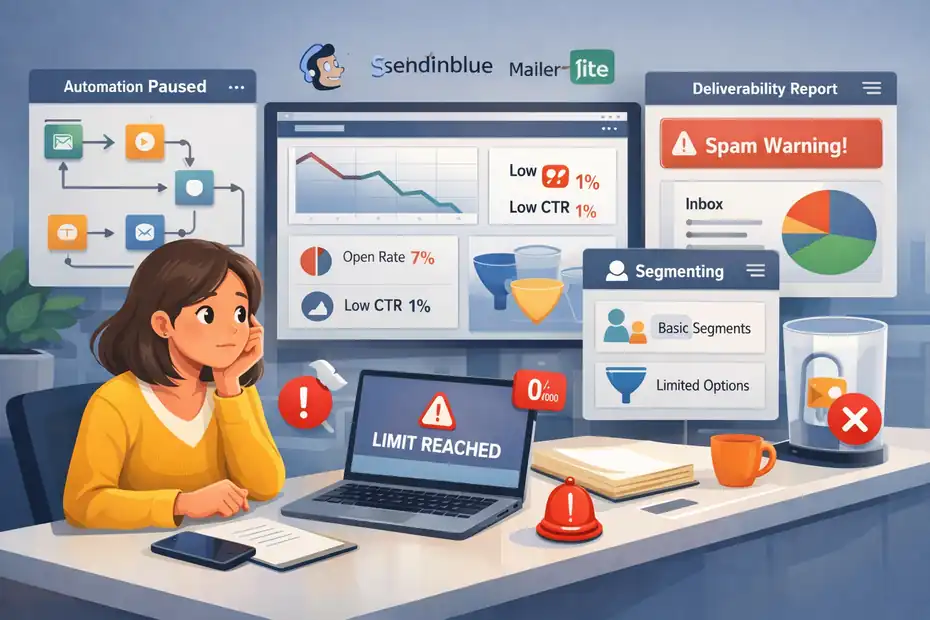
Free email marketing not enough for what you’re trying to do? That question usually shows up right when your list starts growing, your campaigns get more serious, and the “free” plan that felt generous suddenly starts feeling tight.
I’ve seen this happen with creators, local businesses, SaaS teams, and small ecommerce brands alike. Free tools are great for learning the basics, but they can quietly hold back growth once email becomes a real revenue channel.
In this guide, I’ll walk you through the five clearest warning signs, what they actually mean, and how to decide whether upgrading is worth it.
You Keep Hitting Contact Or Send Limits
This is usually the first clear sign that your free email marketing setup is no longer enough.
Free plans are designed to help you start, not to support steady growth, and the limits arrive faster than most people expect.
Your List Is Growing Faster Than Your Free Plan Can Handle
When a free plan starts blocking list growth, that is no longer a “nice problem to have.” It becomes a revenue problem.
Many free email platforms cap either subscriber count, monthly sends, daily sends, or all three. Mailchimp’s free plan, for example, currently limits users to 250 contacts and 500 monthly sends, with a daily send cap of 250. Once you hit those thresholds, sending can pause until you upgrade.
Here is what that looks like in real life. Imagine you run a small skincare brand and collect 30 to 50 new subscribers a week from your quiz, popup, and checkout box.
At first, a free plan feels fine. But by month three or four, you are already pushing against the contact cap. Now you have to choose between deleting engaged subscribers, suppressing newer leads, or upgrading. None of those are strategic choices. They are forced choices.
I suggest treating contact limits as an early warning, not a minor annoyance. If your list is healthy and growing, your email system should support that momentum instead of penalizing it.
A simple test helps here:
- If you are regularly cleaning your list only to stay under the free cap, the plan is too small.
- If you hesitate to promote your opt-in because you do not want more subscribers, the plan is definitely too small.
- If every campaign requires send math first, you have outgrown the setup.
You Are Sending Less Often Than Your Strategy Requires
This one is sneakier. You may not have hit the subscriber cap yet, but you are already changing your marketing behavior to fit the tool.
That matters because email works best when it is consistent. Litmus reported in its 2025 State of Email research that marketers continue to see strong returns from email, with many reporting ROI in the 10:1 to 36:1 range. If email can generate that kind of return, limiting sends just to stay on a free plan can become expensive in the wrong way.
I have seen this happen with newsletters that should send weekly but get pushed to twice a month, or stores that skip post-purchase emails because the monthly send allowance is already used up by promos. On paper, you are “saving money.” In practice, you are under-using one of your highest-leverage channels.
A useful rule: If send limits are shaping your content calendar more than your customer journey is, free email marketing is no longer enough.
You Are Managing Around The Tool Instead Of Using It
The biggest issue is not the cap itself. It is the behavior the cap creates.
You start exporting inactive contacts, delaying welcome emails, merging campaigns that should be separate, or avoiding segmentation because segmented sends use up your allowance faster. That is backwards. Strategy should shape your email activity. The plan should not decide your strategy for you.
I believe this is the point where “free” becomes expensive. Not because the software bill is high, but because the opportunity cost starts stacking up:
- Lost subscribers you could have nurtured
- Missed campaigns you should have sent
- Weaker customer experience because timing gets compromised
Once you notice yourself working around the plan every week, the problem is already bigger than price.
You Cannot Build The Automation You Actually Need
Most businesses can survive for a while on one-off broadcasts. They do not grow efficiently that way.
The moment your email program needs to react to customer behavior, free plans usually start showing their limits.
Your Welcome Sequence Is Too Basic Or Missing Entirely
A proper welcome sequence does more than say hello. It introduces your brand, sets expectations, drives the first click, and often creates the first sale.
If your free platform only lets you send a single autoresponder, or limits automation features heavily, you lose one of the highest-performing parts of email marketing.
For many businesses, the first 7 days after signup are when attention is highest. That is exactly when your automation should be doing the heavy lifting.
Think about a realistic scenario. A freelance designer offers a free homepage checklist. A subscriber joins the list, gets one email with the PDF, and then hears nothing for two weeks. That is not nurture. That is abandonment with branding.
A better basic flow looks like this:
- Email 1: Deliver the lead magnet and set expectations
- Email 2: Share the core problem you solve
- Email 3: Show a quick win or case example
- Email 4: Present the offer naturally
- Email 5: Handle a common objection
If your tool cannot support something this simple without awkward workarounds, that is a serious sign you have outgrown free.
You Need Behavior-Based Emails, Not Just Broadcasts
Broadcasts are fine for announcements. They are weak for lifecycle marketing.
Once your business has even a little complexity, you usually need emails based on actions:
- Someone clicked a pricing link but did not buy
- Someone abandoned a cart
- Someone downloaded a lead magnet about one topic, not another
- Someone purchased Product A and should not keep receiving Product A promos
- Someone has not engaged in 60 days and needs a reactivation sequence
This is where free plans often fall apart. You can send a newsletter, maybe even a one-step automation, but not a logic-based flow that changes according to what the subscriber did.
That limitation has a real cost. Campaign Monitor notes that personalization and segmentation drive stronger performance, and HubSpot reports segmented emails can produce 30% more opens and 50% more click-throughs than unsegmented sends.
From what I’ve seen, once you know different subscribers need different messages, manual sending stops being sustainable very quickly.
Your Team Is Doing Manual Work That Should Be Automated
This is one of my favorite warning signs because it is so practical. If a person on your team is doing repetitive email tasks every week, you are probably paying for “free” with labor instead.
Watch for patterns like these:
- Copying leads into separate lists by hand
- Sending follow-ups manually after downloads
- Exporting customers from one system and re-uploading them
- Writing one-off reminder emails that should already exist in a workflow
A lot of businesses do this longer than they should because it feels manageable at first. But once you calculate the time, it stops looking cheap.
Example: If you or a team member spend 3 hours a week manually doing email tasks, and you value that time at even $25 an hour, that is about $300 a month in labor. Suddenly a paid plan at $20 to $80 per month does not look expensive at all.
That is the real comparison: not free plan versus paid plan, but free plan versus wasted time.
Your Segmentation And Personalization Are Too Weak
At the beginning, sending one newsletter to everybody is normal. Once your audience grows, it becomes a performance ceiling.
Different people need different messages, and when your platform cannot support that well, results flatten.
You Are Sending The Same Email To Everyone
This is the easiest way to spot underpowered email marketing. If your list includes prospects, buyers, repeat customers, inactive subscribers, and high-intent leads, but they all get the same campaign, relevance drops fast.
Relevance is not a nice extra. It is the point. Campaign Monitor highlights the revenue impact of segmentation and personalization, and industry guidance continues to show that better targeting is one of the clearest paths to stronger engagement.
Imagine two subscribers:
- One downloaded your beginner guide yesterday
- One bought your premium service six months ago
Sending them the same “still thinking about working with us?” email is lazy targeting. One person is too cold for that message. The other is too advanced for it.
I suggest creating at least these baseline segments once your list has traction:
- New subscribers
- Engaged non-buyers
- Customers
- High-intent clickers
- Inactive subscribers
If your free plan makes these segments hard to build, update, or use in automation, it is limiting strategy, not just convenience.
Your Metrics Look Fine On The Surface But Revenue Stalls
This is where many people get tricked. Open rates look decent. Maybe clicks are not awful. But revenue from email stays flat.
Part of the reason is that open rates are less reliable than they used to be. HubSpot notes that many marketers now prioritize click-through, click-to-open, and conversion metrics over open rate alone, especially after privacy changes skewed opens upward.
So if you are evaluating a free email marketing setup mostly by opens, you may be missing the bigger problem: the wrong people are getting the wrong message at the wrong time.
A stronger check looks like this:
- Are engaged subscribers clicking but not converting?
- Are customers receiving too many top-of-funnel emails?
- Are inactive users dragging down performance because they never get separated?
- Are campaigns producing traffic but not sales?
That usually points to weak segmentation more than weak copy.
You Cannot Use Subscriber Data In A Meaningful Way
The real power of email is first-party data. You know what someone clicked, what they bought, what page they visited, and what topic they care about. That should shape future emails.
But in many free plans, you get only basic fields and shallow targeting. That leaves you with a list, not an email system.
A stronger setup lets you act on things like:
- Signup source
- Product interest
- Purchase history
- Engagement level
- Lead score
- Last click or last visit
- Custom tags and fields
I believe this is the line between beginner email marketing and serious email marketing. The moment you want messaging to reflect actual user behavior, free tools often stop being enough.
Your Reporting Cannot Tell You What Is Working
Email gets a reputation for being measurable, but that only helps when the reporting is useful.
If your dashboard shows basic opens and clicks but cannot connect performance to conversions, list quality, or funnel movement, you are guessing more than you think.
You Can See Activity, But Not Business Impact
A lot of free dashboards look busy without being insightful. They show sends, opens, maybe clicks, and leave it there.
That is not enough once email starts contributing to real revenue. You need to know which campaigns drive purchases, which automations recover leads, and which segments actually convert. Mailchimp and Campaign Monitor both emphasize the value of deeper reporting tied to funnels, list health, and campaign performance rather than surface metrics alone.
Here is a common example. You send two campaigns:
- Campaign A gets a higher open rate
- Campaign B gets fewer opens but generates 4 times more sales
If your reporting does not make that easy to see, you may optimize for the wrong thing.
For most businesses, useful email reporting should answer:
- Which emails produce revenue?
- Which segments convert best?
- Which automations assist sales?
- Which pages get clicked most?
- Which campaigns cause unsubscribes or spam complaints?
Without those answers, your “optimization” is mostly guessing with prettier charts.
You Cannot Measure The Full Funnel
Good email marketing does not end at the click. It should connect inbox behavior to site behavior and business outcomes.
That means looking beyond opens into:
- Click-through rate
- Click-to-open rate
- Conversion rate
- Revenue per email
- Revenue per subscriber
- Unsubscribe rate
- Bounce rate
- List growth rate
Mailchimp’s published benchmark page shows how much performance varies by industry, with average open and click rates differing across sectors. That matters because benchmarks only help when you can compare the right metrics in the right context.
If your current free setup cannot help you track performance by segment, campaign type, or automation stage, you will struggle to improve systematically.
You Are Making Decisions Based On Incomplete Data
This is where the pain becomes operational.
Maybe you stop a campaign type that “underperformed” even though it produced sales later. Maybe you keep a newsletter format because it gets opens, even though nobody clicks. Maybe you blame subject lines when the real issue is poor targeting.
In my experience, weak reporting creates fake lessons. You think you are learning, but you are really just reacting.
A paid platform is not automatically smarter, of course. But if it gives you attribution, ecommerce tracking, better campaign comparisons, and automation-level reporting, the decisions get better fast.
When email is a side channel, basic stats are fine. When email is part of acquisition, retention, or sales, incomplete reporting becomes a costly blind spot.
Deliverability, Branding, And Trust Are Becoming Bigger Issues
This sign often appears later, but it is one of the most important. As you send more email, technical trust matters more.
Free plans can limit branding, authentication options, and deliverability controls right when you need them most.
Your Emails Reach Inboxes Less Reliably
There is a big difference between delivery and deliverability. Delivery means the email did not bounce. Deliverability means it actually reached the inbox instead of spam or promotions-heavy limbo. Litmus explains that many marketers confuse the two, which leads to false confidence.
As your sending volume grows, mailbox providers pay more attention to sender reputation, list hygiene, and authentication. Google’s sender guidelines and deliverability resources from Litmus emphasize the importance of SPF, DKIM, and DMARC for trusted sending.
That sounds technical, but the plain-English version is simple: inbox providers want proof that your emails are genuinely from you and safe to accept.
If your free plan makes authentication hard, limited, or unavailable on your setup, you may hit a wall where deliverability drops just as your list gets more valuable.
Watch for these symptoms:
- Open rates fall suddenly without a clear reason
- Clicks drop across all campaigns
- Replies from subscribers saying they found your email in spam
- Rising bounce or complaint patterns
- Good campaigns underperform even with strong offers
Your Branding Looks Generic Or Inconsistent
Trust in email happens fast. A subscriber opens your message and decides in seconds whether it feels legitimate, familiar, and worth attention.
If your emails rely on default templates, visible platform branding, or generic sender details because the free plan is limited, your brand experience suffers. That does not always show up as one dramatic failure. More often, it shows up as quiet underperformance.
For example, a coaching business with a strong site and polished sales page sends emails that still look like starter-template newsletters. The subscriber feels a disconnect. The business looks smaller, less established, or less intentional than it really is.
Once you are asking for a purchase, a demo, or a consultation, that mismatch matters. People judge credibility through tiny cues:
- Sender name
- Domain reputation
- Email design consistency
- Reply address
- Footer professionalism
- Mobile readability
A free plan can help you send. It does not always help you look established.
You Need More Control Over Reputation And Compliance
As email grows, control becomes part of performance.
That includes things like:
- Domain authentication
- Consent tracking
- Unsubscribe management
- Suppression of unengaged users
- Better list hygiene workflows
- More transparent reporting on bounces and complaints
This is not glamorous stuff, but it is what protects your channel. Litmus continues to stress that authentication and reputation management are no longer optional details for serious senders.
I would not wait for a crisis here. If email is tied to revenue, trust infrastructure deserves attention before performance falls off.
How To Decide Whether Upgrading Is Actually Worth It
Not every business should upgrade immediately. Sometimes a free plan is still perfectly fine.
The smarter question is not “Should I pay for email marketing?” but “Will better email capability create more value than it costs?”
Calculate Opportunity Cost Before You Compare Prices
Most people compare plan prices the wrong way. They look at a monthly software fee and ask whether they can avoid it.
A better comparison is:
- What revenue is lost because of send caps?
- What leads cool off because automation is missing?
- What sales are missed because segmentation is too weak?
- What labor hours are wasted doing tasks manually?
Let me give you a simple scenario. Suppose upgrading costs $39 a month. If better automation recovers just 2 extra sales a month at $40 profit each, the upgrade has already paid for itself. If it also saves 2 to 3 hours of manual work, it is not even close.
I recommend doing this math before reading pricing pages. It keeps the decision grounded in business outcomes instead of emotional resistance to paying for software.
Identify The Minimum Features You Truly Need
Do not upgrade just because a platform promises everything. Upgrade because you need specific capabilities right now.
For many businesses, the minimum meaningful jump includes:
- Higher contact and send limits
- Multi-step automation
- Useful segmentation
- Better reporting
- Authentication support
- Stronger templates or branding control
That is enough for a lot of growth stages.
What you probably do not need yet:
- Enterprise-level AI extras
- Huge team permission systems
- Very advanced predictive modeling
- Complex omnichannel orchestration
I suggest making a “must-have versus nice-to-have” list before you choose a paid plan. It keeps you from overspending and helps you pick for fit instead of hype.
Upgrade When Email Becomes A Growth System, Not A Side Task
This is my favorite rule of thumb.
Stay on free when email is experimental, your list is tiny, and you are still validating the channel.
Upgrade when email becomes one of these:
- A lead nurture system
- A repeat-purchase channel
- A launch channel
- A retention channel
- A measurable revenue source
Once email has a job inside the business, it deserves tools that match that job.
Email remains one of the highest-ROI marketing channels available, but only when you can actually use it well.
What To Do Next If You Recognize These Warning Signs
If you saw yourself in two or more of these signs, there is a good chance free email marketing is no longer enough for your goals.
That does not mean you made a bad choice starting free. It means the channel is maturing.
Audit Your Current Setup Before You Switch Anything
Before upgrading or migrating, review what is already happening.
Start with this quick audit:
- Subscriber count versus plan limit
- Monthly sends versus send cap
- Current automations and what is missing
- Segments you wish you had
- Metrics you can track versus metrics you need
- Deliverability or authentication gaps
- Manual tasks that happen every week
This gives you a clean picture of the real bottleneck. Sometimes the problem is obvious. Sometimes it is a combination of smaller friction points that add up.
Prioritize The First Three Improvements
Do not try to fix everything at once. Pick the three changes most likely to create immediate impact.
For many businesses, the strongest first moves are:
- Build or improve the welcome sequence
- Create baseline segmentation for subscribers and customers
- Add conversion-focused reporting so you can judge performance correctly
That trio usually produces a visible difference faster than cosmetic template changes or random campaign testing.
Treat The Upgrade As A Revenue Decision
This is the mindset shift that helps most.
Do not think of a paid plan as “spending more on email.” Think of it as buying capacity:
- Capacity to nurture leads properly
- Capacity to personalize at scale
- Capacity to send consistently
- Capacity to measure what matters
- Capacity to protect inbox placement and brand trust
That is what you are really paying for.
Final Thoughts
Free plans are useful. I recommend them all the time for beginners. But they are best for learning, validating, and getting initial traction, not for running a serious lifecycle marketing system.
When you start hitting limits, patching around missing automation, sending one message to everyone, guessing from shallow reports, or worrying about deliverability, those are not minor inconveniences. They are signs your email setup is holding growth back.
So if you’ve been wondering whether free email marketing not enough is the right way to frame your situation, I’d say yes, probably. Not because free tools are bad, but because your business may already be asking email to do more than a starter plan was built to handle.
FAQ
What are the signs free email marketing is not enough?
Free email marketing is not enough when you hit contact or send limits, lack automation, cannot segment your audience, or struggle with reporting. These limitations prevent consistent campaigns and personalized messaging, which directly impacts engagement, conversions, and long-term growth.
When should I upgrade from free email marketing?
You should upgrade when email becomes a consistent growth channel rather than a test tool. If you rely on email for sales, lead nurturing, or retention, and your current plan limits strategy or performance, upgrading helps unlock automation, better targeting, and reliable scalability.
Does upgrading email marketing tools increase revenue?
Upgrading can increase revenue if it enables better automation, segmentation, and tracking. With more advanced tools, you can send targeted messages, recover lost leads, and improve timing, which often leads to higher conversions and stronger customer relationships over time.
Why is automation important in email marketing?
Automation allows you to send emails based on user behavior instead of manually sending campaigns. This improves timing, relevance, and consistency. Without automation, you miss opportunities to nurture leads, recover abandoned actions, and guide subscribers toward conversion effectively.
Can free email marketing tools hurt deliverability?
Free email marketing tools can impact deliverability if they limit authentication and control over sending practices. As your list grows, inbox providers expect proper setup and reputation management. Without it, emails may land in spam or promotions, reducing visibility and engagement.

Juxhin B is a digital marketing researcher and founder of JAK Digital Hub, specializing in email marketing software, marketing automation platforms, and digital growth tools. His work focuses on software testing, platform comparisons, and real-world performance analysis to help businesses choose the right marketing technology.
Related posts:
 Email Marketing Strategy for 100K Subscribers That Scales
 Should I Stop Using Free Email Marketing Right Now?
 Email Marketing Jobs For Small Business Hiring Now
 Why Is My Email Marketing Strategy Not Working Anymore?
 How to Build Email Marketing Strategy for Ecommerce Sales
 Email Marketing Tools Too Expensive? Cut Costs Fast