Table of Contents
Some links on JAK Digital Hub are affiliate links, meaning we may earn a small commission at no extra cost to you. Read full disclaimer.
How to migrate from free email marketing safely sounds simple at first, but in practice it’s one of those jobs that can quietly damage your list if you rush it.
I’ve seen people move platforms, hit send too soon, and suddenly deal with broken automations, missing tags, and worse deliverability than they had before. The good news is that you can avoid most of that with a careful process.
In this guide, I’ll walk you through how to plan the move, clean your data, rebuild what matters, and switch platforms without hurting subscriber trust or email performance.
Understand What You’re Really Migrating
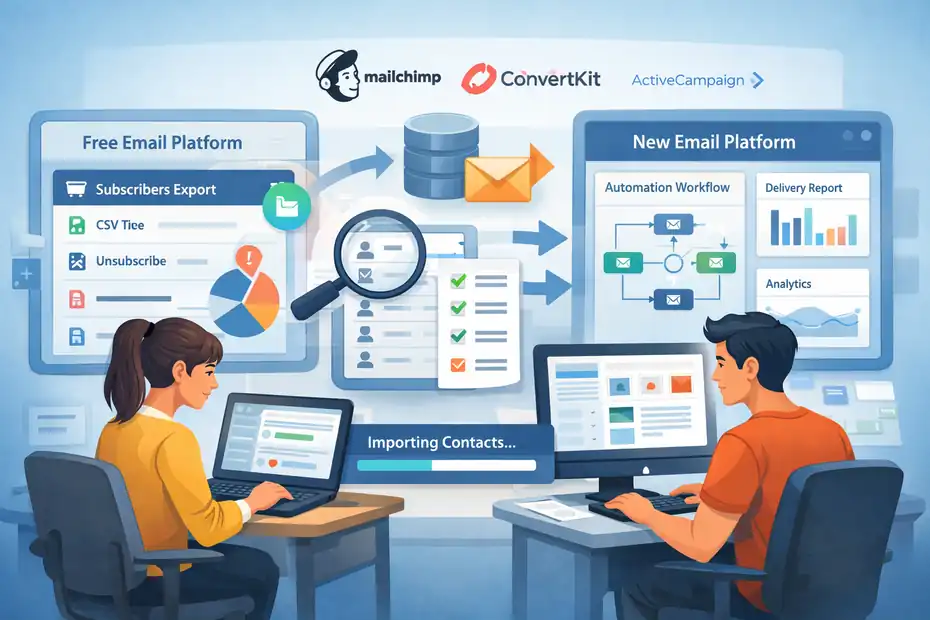
Moving off a free email marketing plan is not just about exporting a CSV and importing it somewhere else.
You’re really migrating data, consent history, segmentation logic, templates, automations, forms, and performance expectations.
What Usually Forces The Move
Most people leave free email marketing for one of five reasons: subscriber limits, missing automation, weak segmentation, branding restrictions, or poor reporting. Free plans are useful at the beginning, but they often become expensive in indirect ways once your list starts growing.
A common scenario looks like this: You started with a free plan because it was fast and easy. Then your list hit the cap, your welcome sequence became too basic, and you realized you couldn’t separate buyers from non-buyers cleanly. At that point, staying “free” starts costing you more than upgrading or migrating.
I believe this is the real turning point. You are no longer asking, “Can I send emails?” You are asking, “Can I run email marketing properly?” Those are very different questions.
Another practical issue is portability. Some platforms let you export contacts, but your workflows, tags, and engagement data may not transfer neatly.
For example, Mailchimp supports exporting contacts as CSV files, including multiple contact statuses, and importing contacts from CSV or connected apps, while Brevo and Kit also support CSV-based exports and imports with field mapping.
What Must Be Preserved During Migration
Before you touch anything, define what is critical to preserve. In my experience, these are the pieces that matter most:
- Email address and subscriber status
- First name and core profile fields
- Tags, groups, or segments
- Signup source and consent context
- Suppression data like unsubscribes and invalid addresses
- Core automations and lead magnets
- Forms, landing pages, and embedded signup points
The biggest mistake here is assuming all contacts are equal. They are not. A recent buyer, a cold lead, and an unsubscribed contact should never be treated the same way during migration.
You also need to preserve negative data, not just positive data. If someone unsubscribed on the old system, that status matters. Mailchimp’s export options include subscribed, unsubscribed, non-subscribed, and cleaned contacts, which is a good reminder that a clean migration includes suppression data too.
What “Safe” Migration Actually Means
A safe migration means four things happened:
- Your subscribers keep receiving the right emails.
- You do not accidentally re-email people who opted out.
- Your deliverability does not tank after the switch.
- Your forms, automations, and reporting still reflect reality.
That’s the real goal. Not speed. Not just “done.” Safe means stable, compliant, and measurable.
I suggest thinking about the migration like changing the engine while keeping the car drivable. You do not want to discover missing parts after launch day.
Audit Your Current Free Email Setup First
Before you move anything, you need a full inventory of what exists today. This step feels boring, but it saves you from the classic “Why did nobody get the onboarding sequence?” disaster two weeks later.
Map Every Asset Before Exporting
Start by documenting everything in your current platform. Do not trust memory here. Open a spreadsheet and list every important asset.
Useful categories include:
- Lists or audiences
- Tags, groups, or segments
- Signup forms and popups
- Landing pages
- Welcome sequences
- Sales or nurture automations
- Broadcast templates
- Custom fields
- Integrations with your site, store, or CRM
This is where people discover hidden complexity. Maybe your free tool had only one “main list,” but you were using tags to separate webinar leads, customers, and blog subscribers. Or maybe your site has three embedded forms and one of them goes to an old list no one remembers.
I recommend taking screenshots of key automations and forms before migration. That gives you a visual backup even if the platform structure is clunky.
Identify Which Data Is Clean And Which Is Dangerous
Not every contact should come with you. In fact, bringing everyone over is often the fastest path to lower deliverability.
Mailchimp notes that import checks can flag duplicates, bounces, unsubscribes, formatting issues, and syntax errors, while Brevo also warns that unsupported file formats and bad file structure can block imports. Kit warns that imports can overwrite existing subscriber data if you are not careful with columns.
That matters because migration is the perfect moment to clean house. Separate your list into these groups:
- Active subscribers: Opened, clicked, or converted recently
- Inactive subscribers: No engagement for a long time
- Unsubscribed or suppressed contacts: Must be preserved as do-not-email
- Invalid or bounced contacts: Usually should not be imported as active
- Internal or test contacts: Keep only if useful
From what I’ve seen, many deliverability issues blamed on a “new platform” are really old list hygiene problems carried into a new account.
Decide What To Rebuild Instead Of Copy
Some things should be migrated directly. Some things should be rebuilt from scratch.
Good candidates for rebuilding include:
- Old templates with dated formatting
- Messy automations with too many edge cases
- Duplicate tags or confusing naming
- Weak forms with unclear consent language
This is where migrating becomes an opportunity, not just a chore. If your free system grew in a messy way, this is your chance to simplify the architecture.
I advise creating a “must rebuild” list before moving forward. That way you are not rebuilding random pieces mid-migration when pressure is high.
Choose The Right Paid Platform Before You Move
This step matters more than most people think. Migrating badly once is painful. Migrating twice in six months is worse.
Match The Platform To Your Actual Business Model
Do not pick a platform because somebody on YouTube likes it. Pick it based on your email model.
For example, a creator selling courses may need strong tagging, visual automations, and simple broadcasts. An ecommerce brand may care more about segmentation, event-based flows, and store integrations. A B2B business may prioritize CRM syncing and lifecycle stages.
Here is the filter I usually suggest:
- Content creators: Prioritize forms, sequences, tags, and clean automations
- Ecommerce stores: Prioritize purchase behavior, product triggers, and revenue reporting
- Service businesses: Prioritize intake flows, lead qualification, and CRM compatibility
- Media brands or newsletters: Prioritize deliverability, sponsorship workflows, and referral growth
If a platform looks cheap but forces awkward workarounds for your use case, it is not actually cheap.
Compare Import Flexibility And Data Handling
This is one of the least glamorous but most important platform checks. You want a system that handles imports cleanly and transparently.
Mailchimp supports CSV imports and updates. Brevo supports importing contacts by file upload, paste, or manual entry, with list assignment and update options. Kit supports CSV import with field mapping and explicitly recommends structuring tags in a dedicated column when needed.
Look for answers to these questions before committing:
- Can you import tags or segments directly?
- Can you map custom fields cleanly?
- Can you preserve subscriber status?
- Can you exclude unsubscribed users from active sends?
- Can you update existing records without creating chaos?
- How does the tool handle duplicates?
That last question matters more than people expect. Duplicate handling is rarely exciting, but it can wreck reporting and automation logic fast.
Think Beyond Today’s Feature Checklist
A lot of people choose the next platform based only on what they need this week. I think that is too short-term.
Ask yourself what your setup should support in the next 12 to 24 months. Maybe you are planning paid newsletters, more lead magnets, product launches, or customer segmentation by behavior. Your next platform should support the next stage, not just replace the current one.
It also helps to remember the bigger environment you’re sending into. MailerLite cites a 2025 average open rate of 43.46%, a click rate of 2.09%, and an unsubscribe rate of 0.22% across its benchmark dataset, which gives you a rough reference point for what “healthy” can look like after migration.
Those numbers are benchmarks, not guarantees. But they remind you that good performance after migration is measurable. You should expect a period of stabilization, not a permanent drop.
Prepare Your Data For A Clean Import
This is the step where safe migrations are won or lost. Good imports feel almost boring. Bad imports create weeks of cleanup.
Export Everything In A Structured Way
Export contacts from your current tool in a format you can actually inspect. CSV is the most common option, and all three major platforms referenced above support export or import workflows built around CSV files.
Create separate working files where useful:
- Active subscribers
- Unsubscribed or suppressed contacts
- Bounced or invalid contacts
- Customers
- Leads by source or magnet
- VIP or high-value segments
I strongly prefer separate tabs or files instead of one giant export with unclear status logic. It reduces the chance that someone who opted out gets swept back into a general import.
Standardize Fields Before Uploading
Your new platform cannot read your mind. If your old data is messy, fix it before import.
Check for:
- Consistent header names
- Clean email formatting
- Separate first and last name if needed
- Unified date format
- Clear tag structure
- No empty junk columns
Kit specifically notes that if you upload columns containing data for subscribers already in Kit, those values can replace what already exists, so trimming unnecessary columns is a smart safety move. It also recommends a dedicated tags column when you need to import tags.
This is why I advise importing the smallest viable clean dataset first. Bring over only the fields you truly need at the beginning. Fancy enrichment can come later.
Preserve Consent And Suppression Information
This is non-negotiable. You need a clear record of who opted in, when possible, and who should not receive future campaigns.
In practical terms, that means preserving:
- Unsubscribed contacts
- Bounced or cleaned contacts
- Source fields such as form name or lead magnet
- Signup date when available
- Consent notes if your system stores them
Mailchimp’s export system includes unsubscribed and cleaned statuses, and its import troubleshooting guidance emphasizes that prior bounces and unsubscribes can affect import outcomes.
A safe migration does not “revive” old contacts. It respects the history attached to them.
Rebuild Your Core Setup Before Importing Everyone
One of my favorite migration shortcuts is this: rebuild the machine before you fill it with people.
Set Up The Account Infrastructure First
Before the main import, configure your foundational pieces in the new platform:
- Sender name and from address
- Reply-to address
- Brand elements
- Primary lists or audiences
- Essential tags or segments
- Basic custom fields
- Core signup source structure
This sounds obvious, but many migrations go backward because people import first and organize later. That leads to rushed tagging, loose field mapping, and confusion about which automation should trigger for whom.
Set the structure first so incoming data has somewhere correct to land.
Recreate Only Essential Automations First
Do not rebuild twelve automations on day one unless all twelve are mission-critical.
Start with the flows that directly affect new or high-value contacts:
- Welcome sequence
- Lead magnet delivery
- Customer onboarding
- Abandoned checkout or sales follow-up if relevant
- Re-engagement or sunset logic if already mature
Imagine you run a small ecommerce store and 30% of your email revenue comes from abandoned cart reminders. That automation belongs on the must-have list. But an old “Happy 100 days on the list” sequence nobody tracks can wait.
This prioritization keeps the migration manageable and lowers the chance of broken logic.
Test Forms, Triggers, And Entry Rules Before Full Launch
This is where you catch silent failures. Subscribe through your own forms. Trigger your own workflows. Confirm that the right tag is applied, the right email sends, and the right segment is updated.
I suggest creating three to five test identities, such as:
- New lead
- Returning lead
- Customer
- Unsubscribed user
- Internal test contact
That gives you a much more realistic picture than one single test email address.
If the platform supports import updates, be careful with overwriting rules during this phase. Brevo allows updating contacts during import, and Kit warns that repeated imports can overwrite subscriber data in ways you may not intend.
Migrate In Phases Instead Of One Big Leap
This is probably the safest practical advice in the whole article: do not treat migration as an all-or-nothing jump unless you truly have to.
Start With A Pilot Segment
Import a small, high-quality segment first. I usually recommend your most engaged subscribers or a recent lead source with clear consent history.
Why? Because active subscribers give you cleaner feedback. If deliverability or automation logic has a problem, you spot it faster without exposing the entire list.
A good pilot group might be:
- Subscribers active in the last 30 to 90 days
- Recent customers
- Leads from one specific magnet
- Newsletter readers with recent opens or clicks
This approach also helps warm up performance expectations. You can compare open rates, clicks, unsubscribes, and complaint patterns before scaling the move.
Run Parallel Checks During The Transition
During the pilot phase, compare old and new systems side by side. You are not sending duplicate campaigns to everyone. You are checking whether the new setup behaves correctly.
Review things like:
- Form submission counts
- Tag application
- Sequence enrollment
- Template rendering
- Link tracking
- Reply handling
- Unsubscribe behavior
I’ve seen migrations fail not because the import was bad, but because one old form on the website still pushed subscribers into the free account. That creates split data almost immediately.
Parallel checks reduce that risk. They help you find leaks before they become reporting problems.
Expand In Controlled Batches
Once the pilot works, expand in stages. Do not jump from 500 contacts to 50,000 in one afternoon unless you have a very strong reason.
Instead, move in logical batches:
- Recent engaged subscribers
- Active customers
- Warm but less engaged subscribers
- Older but still permission-based records
- Archive or suppress anything questionable
This staged method gives you cleaner diagnostics. If performance drops after one batch, you can identify which segment likely caused it.
Protect Deliverability During And After The Move
Deliverability is where migrations get emotional. You did all the work, moved the list, and now opens dip. That feels personal. Usually, though, it is fixable.
Expect A Stabilization Period
A new sending setup often needs a short adjustment period. That does not automatically mean the platform is bad or your list is ruined.
What matters is whether you are sending to the right people first, maintaining clean consent, and avoiding sudden volume spikes. MailerLite’s benchmark data shows strong average opens are possible in 2025, but benchmarks are aggregated across many senders and industries. Your own healthy baseline matters more.
I recommend watching trends, not panicking over one send. Compare:
- Open rate versus your previous average
- Click rate on like-for-like campaigns
- Unsubscribe rate
- Bounce rate
- Spam complaints
- Revenue per send if relevant
Send To Engaged Segments First
This is one of the simplest ways to protect inbox placement. Your best early sends after migration should go to people most likely to engage.
That means prioritizing:
- Recent openers
- Recent clickers
- Recent buyers
- New subscribers
- Highly tagged interest groups
Do not start your new setup by blasting a cold master list. That is like opening a new restaurant and inviting only the people most likely to leave bad reviews.
Campaign Monitor says it maintains a 99% average delivery rate on its platform, but delivery is not the same as inbox placement, which is why your list quality and engagement strategy still matter so much after migration.
Keep Your Messaging Familiar At First
One subtle mistake I see often is changing everything at once. New platform, new templates, new sender name, new cadence, new tone. That is too many variables.
For your first few sends after migration, keep things familiar:
- Use your normal sender identity
- Keep subject lines consistent with your brand voice
- Send at your usual cadence
- Avoid aggressive promotions immediately after the move
You want mailbox providers and subscribers to recognize continuity, not chaos.
Handle Common Migration Problems Before They Grow
Even well-planned moves run into issues. What matters is catching them early and knowing what they usually mean.
Broken Tags, Missing Fields, And Bad Mapping
This is the most common technical problem. You import contacts, but tags did not map right, fields are blank, or automation entry rules fail.
Typical causes include:
- Header names do not match expected fields
- Multiple values were stored in inconsistent formats
- Legacy fields were exported but not recreated
- Imports were repeated and overwrote cleaner data
Kit explicitly warns that imports can overwrite existing subscriber data, while Brevo and Mailchimp both rely on correct field mapping and clean file formatting during import.
My rule here is simple: Fix the mapping model before fixing the records one by one. Otherwise you just repeat the same error at scale.
Subscribers Stop Receiving Key Emails
This usually happens because one of three things broke:
- Form-to-list routing
- Tag-based trigger logic
- Sequence entry conditions
When this happens, check the journey in order. Did the contact get created? Did the correct tag apply? Did the automation trigger? Was the email published and active? Was the contact excluded by status?
I suggest testing one known path end to end before reviewing broad stats. Individual path testing reveals logic failures much faster than staring at dashboards.
Imports Fail Or Produce Weird Counts
If your import count looks wrong, do not assume the platform lost contacts. Often the issue is that duplicates, unsubscribes, bounces, or formatting errors prevented some records from being added as active contacts.
Mailchimp says import troubleshooting includes checks for duplicates, bounces, unsubscribes, and syntax errors.
Brevo says supported upload file types include CSV, XLSX, and TXT, but not XLS and some other formats.
Kit’s export files also have practical constraints, such as export links being available for only five days in one of its export workflows.
So when counts look off, compare statuses first. You may not be missing people. They may simply have imported differently than you expected.
Optimize The New System So You Do Not Outgrow It Again
A migration is not finished when the import works. It is finished when the new setup is cleaner, smarter, and easier to grow.
Simplify Your Segmentation Logic
Free email marketing setups often become messy because people work around limitations. After migration, you have a chance to design segmentation intentionally.
I recommend building around a small number of useful dimensions:
- Source: Where the subscriber came from
- Interest: What they care about
- Lifecycle stage: Lead, customer, repeat customer, inactive
- Engagement: Hot, warm, cold
- Intent or behavior: Clicked, purchased, booked, viewed
This gives you flexibility without creating 150 tags you barely understand six months later.
A good test is whether another person on your team could understand your tagging system in ten minutes. If not, simplify it.
Rebuild Reporting Around Decisions, Not Vanity Metrics
Now that you’re on a better system, do not drown yourself in dashboards. Use reports to answer decisions.
Track metrics like:
- Signup source conversion
- Welcome sequence click rate
- Lead-to-customer rate
- Revenue per campaign or sequence
- Unsubscribe rate by content type
- Engagement by segment
This is where the move starts paying off. You are no longer just sending emails. You are learning what kinds of subscribers, messages, and journeys actually produce business results.
Create A Maintenance Routine
The safest migration is the one you do not have to clean up six months later.
Set a monthly routine to review:
- Inactive segments
- Broken forms or pages
- Automation errors
- Duplicate tags
- List growth by source
- Deliverability trends
I know maintenance sounds less exciting than strategy, but this is what keeps a good email system from turning into another cramped free-plan mess.
Use A Safe Migration Checklist Before You Fully Switch Off The Old Platform
This final step is your protection against loose ends. Do not cancel the old account until this list is truly done.
Final Pre-Shutdown Checklist
Run through these checks carefully:
- All active subscribers imported and spot-checked
- Unsubscribed and suppressed records preserved
- Core fields and tags mapped correctly
- Welcome and revenue-critical automations tested
- Signup forms point to the new platform
- Templates render correctly on desktop and mobile
- Tracking links work
- Unsubscribe flow works
- Reply handling works
- First live campaigns sent successfully
- Pilot metrics look stable enough to continue
- Old account export backups saved securely
I recommend keeping the old platform accessible until you confirm at least one full cycle of normal email activity in the new tool.
Know When The Migration Was Successful
A successful migration is not just “the import finished.” It is when the business can operate normally or better than before.
Here is the standard I use:
- No subscriber trust was broken
- No opt-out history was ignored
- Core automations are stable
- Reporting is usable
- Deliverability is normalizing
- The new structure is easier to manage
That is the point where you can say the migration was safe.
The Real Win
The real win is not escaping a free plan. It is building an email system that fits the stage your business is actually in now.
For many of us, free email marketing is a useful starting point. But once your list, offers, and customer journeys become more important, staying on a limited setup creates hidden friction everywhere. A careful migration removes that friction and gives you room to grow without losing trust.
I believe that is the mindset that makes this process easier. You are not just moving software. You are upgrading the way your email business runs.
Conclusion
If you want to know how to migrate from free email marketing safely, the answer is not “export and import.” It is audit first, clean your data, rebuild the essentials, migrate in phases, and protect deliverability the whole way through.
That slower, more careful approach is what prevents broken automations, lost subscribers, and compliance headaches. Do it once, do it cleanly, and your new platform can become a growth asset instead of just another tool you outgrow.
FAQ
What is the safest way to migrate from free email marketing?
The safest way to migrate from free email marketing is to audit your current setup, clean your subscriber data, and rebuild essential automations before importing contacts. Migrating in phases instead of all at once helps prevent deliverability issues, broken workflows, and accidental emailing of unsubscribed users.
Can I transfer my subscribers from a free email marketing platform?
Yes, you can transfer subscribers using a CSV export and import process. However, you must ensure proper field mapping, remove invalid contacts, and preserve unsubscribe data. Failing to do this can lead to duplicate records, poor deliverability, and compliance issues.
Will migrating email platforms affect deliverability?
Migrating can temporarily affect deliverability if not handled carefully. Sending emails first to engaged subscribers and avoiding sudden volume spikes helps stabilize performance. Keeping your messaging consistent during the transition also improves inbox placement and reduces subscriber confusion.
Do I need to clean my email list before migrating?
Yes, cleaning your email list is essential before migration. Removing inactive, bounced, or invalid contacts improves deliverability and reduces spam complaints. A clean list ensures your new platform performs better and prevents long-term damage to your sender reputation.
What should I rebuild instead of migrating directly?
You should rebuild outdated automations, messy tagging systems, and old templates instead of copying them directly. Migration is a good opportunity to simplify your email structure, improve segmentation, and create more efficient workflows that better match your current business goals.

Juxhin B is a digital marketing researcher and founder of JAK Digital Hub, specializing in email marketing software, marketing automation platforms, and digital growth tools. His work focuses on software testing, platform comparisons, and real-world performance analysis to help businesses choose the right marketing technology.
Related posts:
 Email Leads Not Converting? Fix It With This Framework
 Email Automation Tools Cost for 20k Subscribers—Price Breakdown
 Email Leads Cost For 20K Contacts: What Should You Pay?
 Email Leads For 100K Contacts: What It Really Costs
 Should I Switch Email Leads Software? Read This First
 Is It Hard To Migrate From AWeber? The Honest, No-Fluff Answer