Table of Contents
Some links on JAK Digital Hub are affiliate links, meaning we may earn a small commission at no extra cost to you. Read full disclaimer.
Mailerlite automation limits can quietly shape how far you’re able to scale your email marketing. At first glance, the platform feels simple and flexible—but once you begin building complex funnels, segmentation workflows, or ecommerce automations, certain boundaries start to appear.
Understanding these limits early can save you from broken funnels, delayed campaigns, or migration headaches later.
If you’re planning to build serious automation with MailerLite in 2026, these are the restrictions, caps, and structural limitations you should know before relying on it as your long-term email marketing system.
Subscriber-Based Mailerlite Automation Limits Explained
Understanding subscriber-related mailerlite automation limits is essential before you start building funnels or scaling an email list. Many creators assume automation performance stays the same as their list grows—but in reality, subscriber size influences workflow speed, segmentation behavior, and sending infrastructure.
Let me walk you through the practical limits that show up once your list grows beyond a few thousand subscribers.
Maximum Subscribers Allowed In Automated Workflows
Technically, MailerLite does not cap the number of subscribers who can enter an automation workflow. If you have 100 subscribers or 100,000, they can all trigger the same automation sequence.
However, there are a few operational realities that many users only discover later:
| Factor | How It Affects Automation |
|---|---|
| Subscriber Count | Larger lists increase processing time for automation triggers |
| Trigger Events | High trigger frequency can delay workflow execution |
| Plan Limits | Higher plans allow larger subscriber databases |
For example: Imagine you run a lead magnet funnel with 25,000 subscribers entering a welcome sequence.
Each subscriber triggers:
- Form submission
- Welcome email
- Delay timer
- Follow-up email
- Tagging rule
When thousands of triggers fire simultaneously (like during a product launch), MailerLite processes them in queues. From what I’ve seen in real campaigns, delays of 5–30 minutes can occasionally happen during spikes.
This doesn’t break automations—but it’s something serious email marketers should be aware of.
Automation Limits Based On Mailerlite Pricing Plans
Another important piece of the mailerlite automation limits puzzle is how pricing tiers affect automation capabilities.
Here’s a simplified breakdown.
| Plan | Subscribers | Automation Builder | Advanced Features |
|---|---|---|---|
| Free | Up to 1,000 | Basic workflows | Limited triggers |
| Growing Business | Based on subscriber count | Full automation | Advanced segmentation |
| Advanced | Larger lists | Advanced triggers | AI + predictive features |
A few practical restrictions appear on lower tiers:
- Limited automation templates
- Fewer behavioral triggers
- Advanced segmentation locked behind paid plans
For example:
If you’re running an ecommerce store, you may want automations like:
- abandoned cart
- purchase follow-up
- product recommendation
- VIP tagging
Some of these require integrations or higher plans.
In my experience, the free plan works well for simple funnels but becomes restrictive once your list passes 2,000–3,000 subscribers.
How Subscriber Growth Impacts Automation Performance
Many beginners assume automation speed is instant regardless of list size. In reality, subscriber growth affects workflow performance.
As your email list grows, three things happen:
- Automation queues get longer
- Segment recalculation takes longer
- Tag updates process slower
For example:
Imagine this scenario:
You run a daily webinar funnel where:
- 500 new leads join per day
- each lead enters a 7-email automation
- segmentation updates based on clicks
That creates 3,500 automation actions per day.
MailerLite handles this well, but as lists grow to 50k–100k subscribers, segmentation recalculations can take minutes rather than seconds.
According to industry benchmarks from EmailToolTester, most email platforms begin showing automation delays once lists exceed 100k subscribers with complex workflows.
That’s not necessarily a deal-breaker—but it’s important if you plan to scale aggressively.
Hidden Scaling Limits For Large Email Lists
This is where the hidden mailerlite automation limits become more noticeable.
For lists above 100,000 subscribers, you may experience:
- slower segment updates
- delayed trigger execution
- heavier workflow processing
The biggest bottleneck usually comes from dynamic segments.
Dynamic segments constantly recalculate based on subscriber behavior such as:
- email opens
- link clicks
- purchase activity
- tags added
If you run 10+ segments with 100k+ subscribers, recalculations can slow automation triggers. From what I’ve seen managing large lists, a better structure is:
Instead of relying heavily on dynamic segments: Use groups and tags triggered inside automations. This reduces system load and keeps workflows faster.
Think of it like this:
- Dynamic segments = automatic sorting
- Groups/tags = manual labeling inside automation
The second method scales much better for large lists.
Workflow Builder Mailerlite Automation Limits In 2026
MailerLite’s visual workflow builder is one of the platform’s strongest features. It’s clean, intuitive, and beginner-friendly. But once you start creating advanced funnels, some structural mailerlite automation limits appear that can affect complex automation strategies.
Understanding these limits helps you design workflows that scale without breaking.
Maximum Number Of Steps Allowed In One Workflow
MailerLite does not publish a strict public cap on workflow steps. However, in practice, very large workflows become difficult to maintain and sometimes slow down processing.
From hands-on experience, workflows generally perform best when they contain 20–40 steps or fewer.
Typical steps include:
- email sends
- delays
- conditions
- tag actions
- group moves
- triggers
Here’s what a typical funnel might look like:
| Step | Action |
|---|---|
| 1 | Subscriber joins form |
| 2 | Send welcome email |
| 3 | Wait 1 day |
| 4 | Send education email |
| 5 | Wait 2 days |
| 6 | Send offer email |
| 7 | Tag subscriber |
Once workflows exceed 50+ nodes, they become harder to troubleshoot.
I usually recommend splitting large automations into modular sequences, such as:
- Welcome sequence
- Lead nurturing sequence
- Sales sequence
- Customer onboarding
Each automation triggers the next using groups or tags.
This structure improves reliability and keeps automation logic easier to manage.
Limits On Automation Triggers Inside Mailerlite
Triggers are the events that start an automation. MailerLite supports several trigger types, including:
- form submission
- group join
- anniversary date
- specific date
- link click
- purchase events (via integrations)
But there are limitations.
For example, automation cannot be triggered directly by page visits unless you integrate external tracking tools.
This means behavior-based automation is somewhat limited compared to advanced platforms like:
Another trigger limitation involves multi-condition triggers. MailerLite typically allows one primary trigger per workflow.
If you want complex entry logic such as:
“If subscriber joins group AND clicks email link”
You often need to structure this using:
- tags
- intermediate automations
- conditional steps
It works—but it requires thoughtful architecture.
Conditional Logic Restrictions In Complex Funnels
Conditional logic is where some marketers feel the biggest mailerlite automation limits.
MailerLite supports basic conditions, such as:
- subscriber belongs to group
- subscriber clicked link
- subscriber has tag
- subscriber field value
But compared with advanced automation platforms, the logic depth is more limited.
For example:
MailerLite does not support extremely complex nested logic like:
- IF condition A
- AND condition B
- OR condition C
- BUT NOT condition D
Instead, workflows usually rely on simpler structures.
Typical workaround strategies include:
- creating extra groups
- tagging subscribers at decision points
- splitting workflows into smaller automations
Let me give you a quick scenario.
Imagine you run a course sales funnel and want to treat subscribers differently based on:
- webinar attendance
- email click behavior
- purchase history
Instead of a single giant workflow, it’s often better to run separate automations triggered by tags.
This keeps logic clean and easier to scale.
Workflow Duplication And Template Limitations
MailerLite allows you to duplicate workflows, but there are some practical limitations.
When duplicating a workflow:
- email content duplicates correctly
- delays remain intact
- conditions copy properly
However, certain elements require manual review:
- group names
- tag structures
- integrations
- ecommerce triggers
For example:
If you duplicate a funnel for a new product launch, you may need to manually update:
- product tags
- checkout integrations
- purchase triggers
Another limitation is the lack of a large automation template library.
Many users expect pre-built funnels like:
- webinar funnels
- product launch funnels
- evergreen sales funnels
MailerLite provides some templates, but most marketers end up building workflows manually. That’s not necessarily bad. In fact, it encourages cleaner automation design.
But if you’re migrating from more complex platforms, this difference becomes noticeable.
Email Sending Limits Inside Mailerlite Automation
Email delivery is another area where mailerlite automation limits appear, especially when your campaigns scale or when sending large automation sequences.
MailerLite has a solid email infrastructure, but there are practical sending behaviors that every serious email marketer should understand.
Daily Email Sending Limits For Automated Campaigns
MailerLite does not impose strict daily automation send caps for paid plans. However, sending limits are still indirectly influenced by:
- subscriber count
- account reputation
- email deliverability safeguards
For example:
| Plan Type | Approximate Sending Behavior |
|---|---|
| Free Plan | Limited monthly email volume |
| Paid Plans | Based on subscriber count |
| High-volume accounts | Gradual infrastructure scaling |
For most users, automation emails send immediately.
But if you suddenly upload 50,000 subscribers and trigger a sequence, MailerLite may temporarily slow sending speed to protect deliverability.
This is a common practice among email platforms. It prevents spam filters from flagging sudden spikes.
Throttling Behavior During High-Volume Sends
Throttling is one of the most misunderstood email automation behaviors.
Throttling simply means: The platform intentionally slows email sending speed to maintain good deliverability. Let’s say you launch a product and 20,000 subscribers trigger an automation simultaneously. Instead of sending all emails instantly, MailerLite may distribute them gradually.
Example scenario:
| Event | What Happens |
|---|---|
| 20,000 subscribers join funnel | Trigger event fires |
| Emails queued | Sending infrastructure prioritizes delivery |
| Emails distributed | Sent in batches over time |
In most cases, emails still send within minutes. But during major spikes, it could take longer.
This protects your sender reputation with providers like Gmail and Outlook.
Automation Email Delivery Delays During Traffic Spikes
Traffic spikes often happen during:
- product launches
- viral lead magnets
- flash sales
- webinar registrations
During these moments, MailerLite queues automation tasks.
This means you might see:
- small delays between automation steps
- email delivery spread over time
- workflow processing taking longer
In my experience, the best way to reduce these delays is:
Avoid launching campaigns immediately after importing large lists.
Instead:
- Warm up the list gradually
- Send a broadcast email first
- Start automation sequences afterward
This keeps deliverability strong and avoids processing bottlenecks.
Transactional Email Restrictions In Mailerlite
Transactional emails are messages triggered by actions such as:
- purchase confirmations
- receipts
- password resets
- account alerts
MailerLite supports transactional email through SMTP and API integrations, but there are some limits.
First, transactional sending typically requires separate configuration.
You’ll need to connect:
- your application
- SMTP credentials
- API keys
Second, transactional email throughput may differ from marketing email sends.
For example:
| Email Type | Typical Usage |
|---|---|
| Marketing automation | Sequences and campaigns |
| Transactional email | Order confirmations, receipts |
Some businesses prefer dedicated transactional email tools like:
But for many small businesses, MailerLite works perfectly fine for basic transactional needs. Just keep in mind that high-volume transactional systems may require specialized infrastructure.
Segmentation And Tag-Based Mailerlite Automation Limits
Segmentation and tagging are the backbone of automation in MailerLite. They determine who enters workflows, who receives specific emails, and how subscriber behavior shapes future campaigns.
But there are several mailerlite automation limits around segmentation and tagging that can impact targeting accuracy and workflow complexity.
Let’s break down the practical restrictions and how to work around them.
Maximum Number Of Segments Available Per Account
MailerLite allows you to create multiple segments, but there is a practical performance ceiling. Segments are rule-based subscriber lists automatically updated when conditions change.
For example, a segment could include:
- Subscribers who joined in the last 30 days
- Users who clicked a specific email link
- Customers who purchased a product
While MailerLite does not publicly state a strict segment limit, accounts with 50+ active segments often start experiencing slower recalculation times, especially with larger lists.
Here’s what happens behind the scenes.
Segments continuously scan your database to check whether subscribers match the conditions. The larger your list grows, the more processing power is required.
| List Size | Segment Recalculation Speed |
|---|---|
| 1k–10k subscribers | Near-instant updates |
| 10k–50k subscribers | Minor delays |
| 50k–100k+ subscribers | Noticeable recalculation lag |
From what I’ve seen managing automation-heavy funnels, a smart approach is:
- Keep core segments limited to essential targeting
- Use tags or groups for automation triggers
- Avoid stacking too many behavioral filters inside one segment
This hybrid structure helps MailerLite process subscriber data faster and keeps automations running smoothly.
Tagging Limits That Affect Automation Triggers
Tags are extremely useful in MailerLite because they trigger automations, categorize subscribers, and personalize email sequences.
But tagging systems also come with hidden limitations.
First, MailerLite technically allows thousands of tags, but performance can degrade when accounts accumulate too many unused tags.
Here’s a typical scenario I’ve encountered.
Imagine a blogger running multiple funnels:
- Lead magnet funnel
- Webinar funnel
- Affiliate promotion funnel
- Product launch funnel
Each funnel generates multiple tags like:
- webinar_registered
- webinar_attended
- offer_clicked
- course_buyer
Over time, the tag list grows rapidly.
The main limitation is trigger complexity.
MailerLite automation usually relies on one trigger event, meaning you often need multiple workflows if you want to trigger sequences based on combinations of tags.
A practical workflow strategy I recommend:
- Use tags to capture actions (clicked, purchased, registered)
- Use groups to trigger automations
- Clean up unused tags every few months
This prevents automation logic from becoming messy and keeps triggers easier to manage.
Dynamic Segments Versus Static Groups Limitations
One thing that confuses many new users is the difference between segments and groups in MailerLite.
Let me simplify it.
| Feature | Segments | Groups |
|---|---|---|
| Update behavior | Automatic | Manual or automation-based |
| Best for | Behavioral filtering | Automation triggers |
| Performance impact | Higher system load | Lightweight |
Dynamic segments automatically update when subscriber behavior changes. For example:
- Opened last 3 campaigns
- Clicked specific links
- Joined within a certain timeframe
While powerful, segments constantly re-evaluate subscriber data. This can slow down large accounts.
Groups, on the other hand, work like manual labels.
Subscribers only enter groups when:
- they submit a form
- an automation adds them
- you manually assign them
From what I’ve seen, many advanced email marketers structure MailerLite systems like this:
- Groups trigger automations
- Tags store behavioral data
- Segments analyze campaign performance
This structure reduces automation processing load and keeps workflows easier to troubleshoot.
Behavioral Tracking Restrictions That Impact Targeting
MailerLite offers several behavioral triggers, but the tracking depth is not as advanced as some enterprise email platforms.
Behavior-based segmentation typically includes:
- email opens
- link clicks
- signup source
- purchase events (via integrations)
However, there are limitations around website behavior tracking.
For example, MailerLite cannot natively trigger automations based on:
- page visits
- time spent on site
- browsing history
Platforms like ActiveCampaign and HubSpot offer more advanced tracking using built-in website scripts.
With MailerLite, this type of behavior tracking usually requires external tools or integrations.
If deeper targeting is needed, many marketers combine MailerLite with:
| Tool | Purpose |
|---|---|
| Google Tag Manager | Website event tracking |
| Zapier | Automation triggers |
| Make (formerly Integromat) | Advanced workflow connections |
This hybrid approach allows behavioral events from your website to trigger MailerLite automations through integrations.
Ecommerce Mailerlite Automation Limits For Online Stores
MailerLite works well for small ecommerce businesses, but once online stores start scaling, certain automation restrictions become more noticeable.
If you run a Shopify or WooCommerce store, understanding these mailerlite automation limits will help you design automation funnels that actually work at scale.
Abandoned Cart Automation Restrictions
Abandoned cart emails are one of the most profitable ecommerce automations.
According to Baymard Institute research, nearly 70% of shopping carts are abandoned, which makes recovery automation extremely valuable.
MailerLite supports abandoned cart workflows through ecommerce integrations, but there are some limitations.
First, abandoned cart tracking depends entirely on the connected store platform. If the integration disconnects or experiences syncing delays, abandoned cart triggers may fail.
Second, MailerLite’s abandoned cart workflows are typically simpler than dedicated ecommerce automation platforms.
Most stores implement a sequence like this:
- Cart reminder after 1 hour
- Second reminder after 24 hours
- Discount email after 48 hours
While effective, MailerLite currently does not offer extremely granular abandoned cart logic such as:
- product-specific recommendations inside workflows
- inventory-based triggers
- dynamic pricing adjustments
Many stores still recover significant revenue using basic sequences, but advanced ecommerce automation may require additional tools.
Product-Based Trigger Limitations For Ecommerce
Product-level automation triggers are another area where limits appear.
MailerLite supports purchase-based triggers such as:
- customer bought a product
- order completed
- customer entered checkout
However, complex ecommerce funnels often require deeper conditions.
For example, imagine an online store selling:
- digital courses
- physical products
- membership subscriptions
You might want automation logic like:
- If customer buys product A, send upsell B
- If customer buys product B, skip sequence C
- If customer buys bundle, trigger onboarding sequence
MailerLite supports basic purchase triggers but complex product logic often requires tagging systems or external integrations.
Many ecommerce marketers solve this by assigning product tags via automation or API connections.
Store Integration Limits With Shopify And WooCommerce
MailerLite integrates directly with popular ecommerce platforms like Shopify and WooCommerce, but integrations still have operational limits.
Here’s a simplified overview.
| Feature | Shopify Integration | WooCommerce Integration |
|---|---|---|
| Order tracking | Yes | Yes |
| Abandoned cart triggers | Yes | Yes |
| Product syncing | Basic | Basic |
| Customer segmentation | Limited | Limited |
The biggest limitation is deep product segmentation.
For example, filtering customers by:
- product category
- product price range
- purchase frequency
may require external automation tools.
If your store has hundreds of SKUs, managing automation logic inside MailerLite can become more complicated.
This is why some stores combine MailerLite with ecommerce automation tools or customer data platforms.
Revenue Tracking Restrictions In Automation Funnels
Revenue tracking is essential for understanding how automation impacts sales.
MailerLite provides basic revenue attribution through ecommerce integrations. This allows you to see:
- revenue generated from campaigns
- automation performance
- purchase activity from subscribers
However, the analytics are not as advanced as specialized ecommerce marketing platforms.
Typical limitations include:
- limited multi-touch attribution
- simplified revenue reporting
- fewer detailed customer journey analytics
For example, if a customer:
- clicks a newsletter
- enters a nurture sequence
- buys two weeks later
MailerLite may not always show the full attribution chain.
In practice, many stores combine MailerLite reporting with analytics tools like:
| Tool | Purpose |
|---|---|
| Google Analytics | Conversion tracking |
| Shopify analytics | Revenue reporting |
| Ecommerce dashboards | Customer behavior analysis |
This combination gives a clearer picture of how automation contributes to sales.
Integration-Based Mailerlite Automation Limits To Know
Integrations allow MailerLite to connect with other marketing tools, ecommerce platforms, and business software. But there are some mailerlite automation limits related to API usage, webhooks, and third-party syncing.
Understanding these technical limits helps prevent broken automations and data syncing issues.
API Call Limits That Affect Automation Syncing
MailerLite provides a powerful API that developers use to:
- add subscribers
- update tags
- trigger automations
- sync customer data
However, API requests are not unlimited.
High-volume applications may run into API rate limits, which control how many requests can be sent within a certain timeframe.
This protects the platform from overload.
Typical use cases that can hit API limits include:
- ecommerce stores syncing large order volumes
- SaaS platforms updating subscriber behavior in real time
- membership sites pushing user data to MailerLite
For example: If your application sends thousands of subscriber updates per minute, MailerLite may temporarily slow or reject some requests.
A good strategy is to batch API updates rather than sending them individually. Instead of sending 1,000 requests at once, send grouped updates periodically.
This improves reliability and prevents automation failures.
Webhook Trigger Limitations For External Apps
Webhooks are another way to connect MailerLite with external tools.
A webhook sends real-time data to another application when specific events occur.
For example:
- subscriber joins group
- subscriber updates profile
- subscriber unsubscribes
Webhooks allow developers to trigger external automation systems, CRM updates, or analytics tracking.
However, webhook triggers are somewhat limited compared to advanced automation platforms. MailerLite webhooks generally focus on subscriber-level events, not complex workflow steps.
For instance, triggering external actions based on:
- automation stage completion
- conditional logic decisions
- multi-step behavior sequences
may require additional tools or integrations.
This is why many marketers connect MailerLite to automation middleware platforms.
Third-Party Tool Integration Restrictions
MailerLite integrates with many marketing platforms, but integration depth varies.
Here are some commonly used connections.
| Platform | Integration Type |
|---|---|
| WordPress | Form and subscriber capture |
| Shopify | Ecommerce syncing |
| Zapier | Automation workflows |
| Make | Advanced integrations |
While these integrations work well, certain advanced automation behaviors may require external automation platforms.
For example:
- multi-platform automation chains
- advanced conditional logic across tools
- complex data routing between apps
Platforms like Zapier or Make often act as bridges that expand MailerLite’s automation capabilities.
Data Sync Delays Between Mailerlite And Other Platforms
Finally, one of the most overlooked mailerlite automation limits involves data synchronization timing.
When two platforms communicate, updates are not always instant.
For example:
- Shopify sends order data
- MailerLite updates subscriber fields
- automation triggers afterward
This process may take seconds or several minutes, depending on integration speed. For most marketing workflows this delay is harmless.
But if you rely on real-time automation events, these delays can affect workflow timing.
For example:
Imagine running a flash sale funnel where:
- purchase should immediately remove subscriber from promotion emails
If the integration sync takes several minutes, customers might briefly receive irrelevant emails.
To reduce this risk:
- use automation conditions checking purchase status
- add short delays before sending follow-up emails
This small buffer gives integrations enough time to sync data properly and keeps automation flows accurate.
Mailerlite Automation Limits Compared To Competitors
At some point, understanding mailerlite automation limits naturally leads to a bigger question: how does it compare to other email marketing platforms? MailerLite is known for simplicity and affordability, but competitors often offer deeper automation systems.
Let’s look at where MailerLite shines and where other tools may provide more flexibility depending on your business stage.
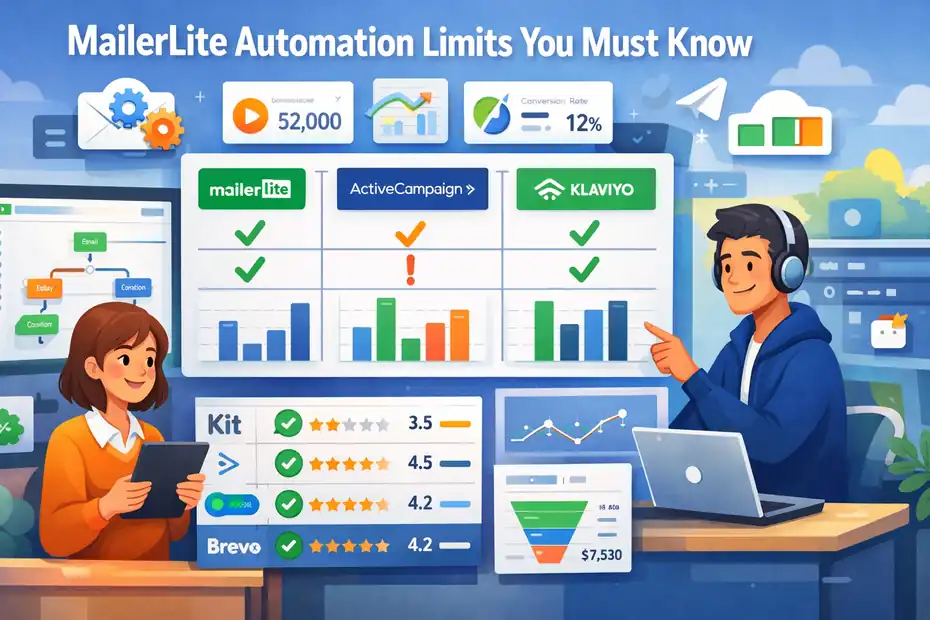
Mailerlite Vs Kit Automation Workflow Flexibility
Both MailerLite and Kit (formerly ConvertKit) are popular among bloggers, creators, and small online businesses. They share a similar philosophy: simple automation without overwhelming complexity.
However, their automation architecture works slightly differently.
| Feature | MailerLite | Kit |
|---|---|---|
| Workflow builder | Visual drag-and-drop | Visual automation map |
| Tagging system | Tags + groups | Tags heavily used |
| Entry triggers | Limited combinations | More flexible triggers |
| Conditional logic | Basic | More dynamic |
MailerLite focuses on groups and segments, while Kit relies more heavily on tag-based automation.
In practice, this means Kit often handles creator-style funnels more smoothly. For example:
- course launches
- evergreen webinar funnels
- subscriber tagging systems
But MailerLite tends to be more beginner-friendly and cheaper.
In my experience, many bloggers start with MailerLite because:
- the interface is easier
- automation setup is faster
- pricing is lower for small lists
Once funnels become more advanced, some creators migrate to Kit for greater tag flexibility.
Mailerlite Vs ActiveCampaign For Advanced Automations
If we’re talking purely about automation power, ActiveCampaign is in a completely different category.
ActiveCampaign is built specifically for advanced behavioral automation and CRM-style marketing.
Here’s a quick comparison.
| Feature | MailerLite | ActiveCampaign |
|---|---|---|
| Automation complexity | Moderate | Very advanced |
| Website tracking | Limited | Full tracking |
| Conditional logic | Basic | Multi-layer logic |
| CRM integration | Minimal | Built-in CRM |
For example, ActiveCampaign allows triggers like:
- website page visits
- lead scoring thresholds
- purchase frequency
- pipeline movement
MailerLite typically requires integrations to achieve similar behavior.
But there’s a trade-off.
ActiveCampaign’s interface can feel overwhelming if you’re new to automation. Many beginners abandon it because building workflows takes longer.
So the real question becomes: Do you need simplicity or automation depth?
MailerLite wins on simplicity.
ActiveCampaign wins on automation power.
Mailerlite Vs Brevo For Transactional Email Automation
Transactional email refers to system-generated messages such as:
- receipts
- account confirmations
- password resets
- order updates
This is where Brevo (formerly Sendinblue) often has an advantage.
Brevo was originally designed around transactional email infrastructure, which makes it strong for ecommerce platforms and SaaS products.
Here’s a simple comparison.
| Feature | MailerLite | Brevo |
|---|---|---|
| Transactional API | Available | Very strong |
| SMTP sending | Yes | Yes |
| Ecommerce messaging | Moderate | Strong |
| Automation builder | Good | Good |
MailerLite works well for marketing automation sequences, but Brevo excels when businesses need:
- high-volume transactional emails
- SMS automation
- multi-channel customer messaging
For example, SaaS platforms sending thousands of login alerts or receipts often prefer Brevo because its transactional infrastructure scales better.
When Mailerlite Automation Limits Become A Problem
For many businesses, MailerLite works perfectly for years. But there are certain moments where mailerlite automation limits begin affecting growth.
Based on real usage patterns, the platform usually becomes restrictive when businesses reach:
- 50,000+ subscribers
- multiple product funnels
- complex behavioral automation
- cross-platform integrations
Here’s a simple rule I often share.
MailerLite works extremely well for:
- bloggers
- creators
- small ecommerce stores
- affiliate marketers
It becomes more challenging for:
- SaaS companies
- large ecommerce brands
- advanced CRM-style marketing systems
The key sign is when you start building automation workarounds instead of direct solutions. That usually means your system has outgrown the platform.
Smart Workarounds To Handle Mailerlite Automation Limits
Even though MailerLite has automation limits, most users can work around them with smarter workflow design. With the right structure, you can build surprisingly advanced systems without leaving the platform.
Let me show you a few strategies that experienced marketers use to extend MailerLite’s capabilities.
Splitting Large Workflows Into Modular Automations
One of the biggest mistakes I see is people building massive automation workflows. Huge workflows become difficult to manage and often slow down troubleshooting.
Instead, I recommend building modular automation systems. Think of your automation like building blocks.
For example:
| Automation | Purpose |
|---|---|
| Welcome sequence | Introduce new subscribers |
| Lead nurturing | Build trust |
| Sales funnel | Promote product |
| Customer onboarding | Educate buyers |
Each automation triggers the next using:
- groups
- tags
- automation entry rules
Here’s a simple structure.
- Subscriber joins lead magnet
- Welcome automation runs
- Subscriber added to “Nurture Group”
- Nurture automation begins
This modular system keeps workflows clean and avoids large workflow complexity.
Using Groups Instead Of Tags To Expand Trigger Options
MailerLite automation works best when groups trigger workflows.
Tags are great for storing subscriber behavior, but groups are better for automation entry points.
Here’s how many experienced users structure their systems.
| Element | Purpose |
|---|---|
| Tags | Track behavior |
| Groups | Trigger automations |
| Segments | Analyze data |
For example:
Imagine someone downloads a guide.
Automation adds tag:
downloaded_seo_guide
Then the automation adds them to group:
SEO Lead Magnet
The group entry triggers a follow-up automation.
This structure reduces trigger complexity and keeps automation logic organized.
Combining Mailerlite With External Automation Tools
Sometimes the easiest way to bypass mailerlite automation limits is simply connecting it to external automation tools.
Two tools often used for this purpose are:
- Zapier
- Make (formerly Integromat)
These tools act like automation bridges between different platforms.
For example:
| Action | Result |
|---|---|
| Customer purchases product | Zapier adds tag in MailerLite |
| Webinar registration | Subscriber enters automation |
| CRM update | Email sequence triggered |
This allows you to create automation logic that MailerLite alone cannot handle.
In many real businesses, automation becomes a multi-tool system rather than a single platform solution.
Structuring Funnels To Avoid Workflow Complexity Caps
Another powerful strategy is designing simple funnels rather than complex workflows. In many cases, simpler funnels perform better anyway.
A typical high-performing funnel might look like this.
- Lead magnet signup
- 3–5 email nurture sequence
- Soft product introduction
- Limited-time offer
Instead of building complex branching logic, focus on clear, linear sequences. I’ve seen many marketers increase conversions simply by simplifying automation.
Complex funnels often sound impressive, but simple systems usually convert better.
When Mailerlite Automation Limits Signal Time To Upgrade
At some point, every platform reaches its natural ceiling. MailerLite is no exception. While it works beautifully for many creators and small businesses, there are moments when its automation structure starts slowing growth.
Knowing when to upgrade can save you a lot of time, frustration, and broken workflows.
Signs Your Email Automation Has Outgrown Mailerlite
From what I’ve seen, there are several clear signs your automation system is hitting its limits.
Here are the most common ones.
- You need complex behavioral triggers
- You rely heavily on external automation tools
- Your workflows require deep conditional logic
- Your subscriber list exceeds 100,000 contacts
Another sign is when your automation system becomes difficult to maintain.
For example:
Imagine running:
- five lead magnets
- three product funnels
- multiple customer onboarding sequences
Soon your automation map becomes difficult to track.
If you’re constantly thinking:
“There must be an easier way to build this automation.”
That’s usually a signal the platform might not be the best long-term fit.
Cost Versus Capability: Staying Or Switching Platforms
One reason people stay with MailerLite is pricing. It’s one of the most affordable email marketing platforms available.
But as your business grows, capability often matters more than cost.
Here’s a simplified comparison.
| Platform | Strength | Ideal For |
|---|---|---|
| MailerLite | Simplicity | Bloggers, small businesses |
| Kit | Creator funnels | Content creators |
| ActiveCampaign | Advanced automation | Scaling businesses |
| Brevo | Transactional messaging | SaaS and ecommerce |
Sometimes switching platforms actually saves time and improves marketing results.
The real question becomes: Are automation limits slowing down your marketing strategy?
If the answer is yes, upgrading might be the smarter long-term move.
Migration Considerations Before Leaving Mailerlite
Switching email platforms can feel intimidating, especially if you’ve built large automation systems.
But migrations are easier than most people think.
Here’s a typical migration process.
- Export subscribers
- Export tags and groups
- Rebuild automation workflows
- Warm up new sending domain
Most platforms offer migration support, which makes the transition smoother.
I usually suggest migrating before your automation becomes extremely complicated. Rebuilding smaller systems is far easier.
Best Platforms To Move To When Automation Gets Complex
If you decide to move beyond MailerLite, several strong platforms offer deeper automation capabilities.
Here are a few commonly chosen upgrades.
| Platform | Best For |
|---|---|
| Kit | Creators and course sellers |
| ActiveCampaign | Advanced automation systems |
| Brevo | Transactional + marketing messaging |
| HubSpot | CRM-driven marketing automation |
Each platform has its strengths, so the best choice depends on your business model.
For many businesses, MailerLite remains an excellent starting point.
But when automation becomes central to your growth strategy, upgrading to a more advanced platform can unlock much more powerful marketing systems.
FAQ
What are the main MailerLite automation limits?
The main mailerlite automation limits include restricted conditional logic, limited behavioral triggers, and simpler workflow structures compared to advanced marketing platforms. While you can build effective email sequences, complex multi-condition funnels, website behavior tracking, and deep CRM-style automation often require integrations or external automation tools.
How many automations can you create in MailerLite?
MailerLite does not publish a strict limit on the number of automations you can create. Most accounts can run dozens of workflows simultaneously. However, performance can slow when workflows become very large or when accounts manage extremely high subscriber volumes with complex segmentation.
Does MailerLite limit automation workflow steps?
MailerLite does not enforce a fixed cap on workflow steps, but large automations with dozens of steps can become difficult to manage and slower to process. Many experienced marketers recommend keeping workflows under 40 steps and splitting complex funnels into multiple connected automations.
Are MailerLite automation features enough for large email lists?
MailerLite automation works well for small to medium email lists, typically up to around 50,000 subscribers. As lists grow larger and automation needs become more complex, some businesses experience limitations in segmentation speed, behavioral tracking, and advanced workflow logic.
When should you upgrade from MailerLite to another platform?
You should consider upgrading when mailerlite automation limits start affecting your marketing strategy. Common signs include needing advanced behavioral triggers, deeper conditional logic, CRM-style automation, or managing very large email lists that require more sophisticated marketing automation systems.

Juxhin B is a digital marketing researcher and founder of JAK Digital Hub, specializing in email marketing software, marketing automation platforms, and digital growth tools. His work focuses on software testing, platform comparisons, and real-world performance analysis to help businesses choose the right marketing technology.
Related posts:
 AWeber Automation Limits You Didn’t Know Were Hurting Your Funnels
 Email Automation Tool With Advanced Workflows: Top Picks
 Best Email Automation Platform For Scaling Business Fast
 Cheaper Email Automation System For Growing List Fast
 Best Email Automation Tool For High Volume Sending
 7 Email Automation Software For Serious Growth Marketers