Table of Contents
Some links on JAK Digital Hub are affiliate links, meaning we may earn a small commission at no extra cost to you. Read full disclaimer.
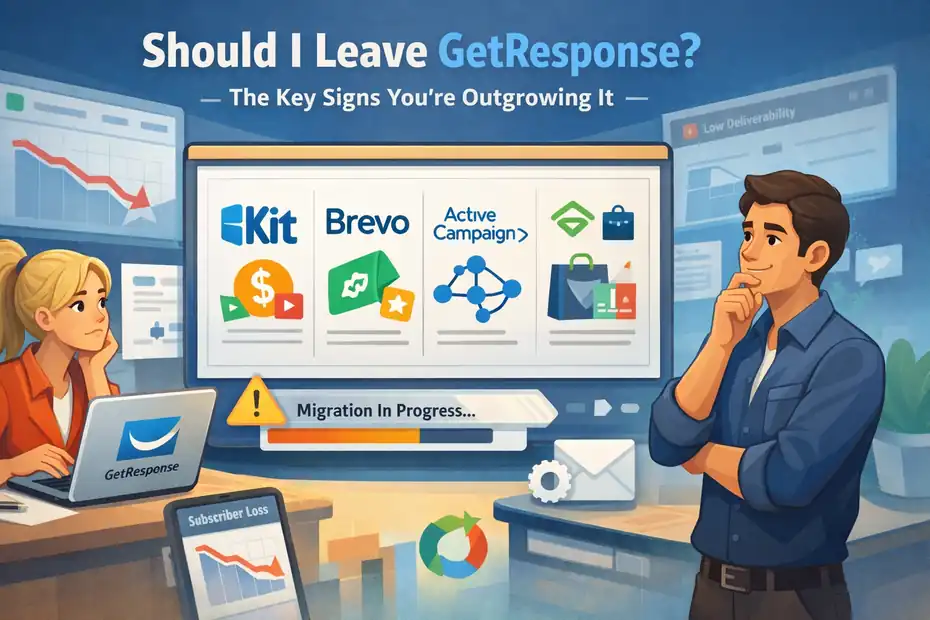
If you’ve been asking yourself should I leave GetResponse, you’re probably already feeling the friction. Maybe your email costs keep rising as your list grows, automation feels limiting, or your marketing stack is starting to feel stitched together instead of streamlined.
That moment of doubt usually doesn’t appear randomly—it’s often a signal that your business has evolved faster than the tools supporting it.
GetResponse is still a solid platform for many creators and small businesses.
But as your audience grows, funnels become more complex, or monetization strategies expand, the platform that once felt perfect can start slowing you down. The key is recognizing the signals early before they impact growth, revenue, or efficiency.
This guide breaks down the clearest indicators that answer the question should I leave GetResponse, helping you decide whether it’s time to migrate, optimize, or switch to a tool that better fits your current stage of business.
Rising Email Marketing Costs That No Longer Scale
One of the first moments people start asking should I leave GetResponse usually comes down to pricing. The platform feels affordable in the beginning, but once your list grows, the cost curve can become surprisingly steep.
For many creators, bloggers, and small ecommerce stores, the issue isn’t that GetResponse is expensive — it’s that the pricing stops scaling comfortably with revenue growth.
Let’s break down what typically happens as your subscriber list grows.
When List Growth Triggers Sharp Price Increases
At the beginning, GetResponse pricing feels reasonable. A small list of 1,000–2,500 subscribers is relatively inexpensive, especially compared with enterprise tools.
But here’s where the shift happens.
As your list grows past 10,000, 25,000, or 50,000 subscribers, pricing begins to rise quickly. That’s normal across most email platforms, but the difference is how value scales with price.
Imagine this scenario.
You start a niche blog and grow your list from 1,000 to 18,000 subscribers in about 12 months through:
- Lead magnets
- SEO traffic
- Affiliate content
- Free email courses
At first, your monthly email bill feels minor. But once your list approaches 20k+ subscribers, your costs can jump significantly while the feature set remains mostly the same.
From what I’ve seen working with creators, this is the moment when people start wondering:
“Should I leave GetResponse now before my list doubles again?”
The real problem isn’t list growth — that’s a good problem to have. The problem is when cost grows faster than the marketing value you receive from the platform.
If your email platform becomes one of your largest monthly expenses before your revenue scales, it’s worth reassessing the platform fit.
Cost Per Subscriber Starts Eating Into Profit Margins
A more useful way to evaluate email software isn’t monthly cost — it’s cost per subscriber.
Let me explain why this matters.
Many online businesses rely heavily on email marketing for revenue. According to data from the Data & Marketing Association, email marketing generates an average $36 return for every $1 spent.
But that ROI assumes your platform costs remain efficient.
Here’s a simplified example.
| Subscriber Count | Monthly Cost Example | Cost Per Subscriber |
|---|---|---|
| 5,000 | $55 | $0.011 |
| 20,000 | $145 | $0.007 |
| 50,000 | $299+ | $0.006 |
At first glance, this doesn’t look bad. But things change if:
- Your list has inactive subscribers
- Your monetization is still growing
- You’re paying for features you barely use
For bloggers or affiliate marketers, profit margins can get squeezed quickly.
Imagine your email list generates $1,200/month in affiliate revenue, but your email platform alone costs $300/month.
That means 25% of revenue goes to email infrastructure.
Personally, I believe once your email platform starts taking 15–25% of your email-generated revenue, it’s worth exploring alternatives.
That’s often the moment the question should I leave GetResponse becomes a real strategic decision rather than a casual thought.
Paying For Features Locked Behind Higher Plans
Another hidden frustration many users experience is feature gating.
Some of GetResponse’s most powerful tools only unlock on higher-tier plans.
These can include:
- Advanced automation workflows
- Sales funnels
- Webinars
- Ecommerce automation
- SMS marketing
In theory, this structure makes sense. But in practice, it can create a situation where you upgrade just to access one feature.
For example:
You might only want advanced automation triggers, but the feature requires upgrading to a higher plan that also includes tools you may never use.
This creates a common SaaS frustration:
You’re paying for an entire feature bundle, not the one capability you actually need.
I’ve seen this especially with:
- Bloggers who only need advanced tagging automation
- Ecommerce brands that only want better segmentation
- Course creators who already host webinars elsewhere
When your pricing tier becomes a feature gate rather than a growth tool, it’s often a signal the platform may no longer match your workflow.
Budget Comparison With Competitors Like Brevo And Kit
When evaluating whether should I leave GetResponse, it helps to compare pricing structures with competing platforms.
Here’s a simplified comparison of three commonly considered alternatives.
| Platform | Pricing Model | Strength | Best For |
|---|---|---|---|
| GetResponse | Subscriber-based pricing | Built-in funnels and webinars | Small businesses |
| Brevo | Email volume-based pricing | Affordable for large lists | Budget-focused marketers |
| Kit | Creator-based pricing | Monetization tools and tagging | Bloggers and creators |
Let me explain how this impacts real businesses.
Brevo (formerly Sendinblue) charges based on emails sent rather than list size. This can be extremely cost-effective if:
- You have a large list
- You send fewer campaigns
- You segment aggressively
Meanwhile, Kit (formerly ConvertKit) focuses heavily on creators and monetization workflows like:
- Paid newsletters
- Subscriber tagging
- Creator-friendly automation
In my experience, many bloggers and affiliate marketers migrate from GetResponse to Kit because the automation model aligns better with content-driven businesses.
But here’s the key takeaway.
Switching platforms shouldn’t be about chasing cheaper pricing alone.
The real question is: Does the platform grow with your business model, or does it start slowing it down?
If your costs keep climbing without unlocking meaningful marketing advantages, that’s often one of the strongest signals behind the question should I leave GetResponse.
Automation Limits Blocking Advanced Funnel Strategies
For many businesses, automation is the entire reason they use email marketing software in the first place. And this is where another common friction point appears.
At the beginning, GetResponse automation feels powerful and intuitive. But as your funnels become more advanced, you may start hitting structural limitations.
This is especially true for creators building complex customer journeys, evergreen funnels, or segmented product launches.
When Automation Workflows Become Too Basic
Basic automation works great when you’re running simple email sequences.
For example:
- A lead magnet download
- A welcome sequence
- A 5-day email course
- A simple product promotion
GetResponse handles these workflows well.
But marketing becomes more complicated as your audience grows.
Imagine this funnel structure:
- A visitor downloads a free SEO checklist
- They receive a 5-email educational sequence
- If they click specific links, they enter a niche-specific funnel
- If they purchase a product, they exit the promotional flow
- If they don’t buy after 10 days, they enter a retargeting email series
Now we’re dealing with behavior-based automation, not just linear email sequences. This is where some users feel GetResponse automation becomes harder to scale.
In my experience, many marketers start wanting:
- More conditional triggers
- Deeper segmentation logic
- Dynamic automation paths
When those workflows become difficult to maintain, the automation tool stops feeling like an asset and starts feeling like friction.
That’s often another moment when the question should I leave GetResponse starts surfacing.
Missing Conditional Logic For Complex Customer Journeys
Conditional logic is what turns basic automation into intelligent marketing automation.
Let me break that down in simple terms.
Conditional logic allows automation to respond to user behavior in real time.
Examples include:
- If subscriber clicks product A → move them to funnel A
- If subscriber ignores 3 emails → send re-engagement sequence
- If customer buys product → stop promotional emails
These are incredibly powerful for conversion optimization.
For example, imagine you’re running an ecommerce store.
A customer:
- Browses a product
- Clicks a discount email
- Abandons checkout
With strong conditional automation, you could trigger:
- A reminder email
- A limited-time coupon
- A testimonial email for that specific product
Platforms designed around deeper automation can handle this type of logic with fewer steps.
GetResponse can accomplish many of these tasks, but the automation builder sometimes becomes complex to manage at scale, especially when dozens of branching conditions exist.
The larger your list grows, the more important automation precision becomes.
Difficulty Managing Multi-Step Sales Funnels
Sales funnels rarely stay simple.
A typical modern funnel might include:
- Lead magnets
- Tripwire offers
- Upsells
- Webinar invitations
- Evergreen product launches
- Post-purchase nurturing
Managing this inside one automation environment requires strong workflow visibility. The challenge many marketers encounter is automation sprawl.
Instead of one clean funnel, you end up with:
- Multiple disconnected workflows
- Duplicate triggers
- Confusing subscriber paths
When this happens, even small changes become risky.
For example: You want to adjust your lead magnet funnel, but you’re worried the change might break another automation tied to it. This is a common scaling problem across many email platforms.
From what I’ve seen, the tipping point usually happens around 10–20 active automations. At that stage, marketers start needing stronger workflow architecture.
Comparing Automation Flexibility In ActiveCampaign And Kit
If automation limitations are pushing you to ask should I leave GetResponse, it helps to understand how other platforms structure automation.
Here’s a simplified comparison.
| Platform | Automation Complexity | Segmentation Power | Best Use Case |
|---|---|---|---|
| GetResponse | Moderate | Tag-based | Simple funnels |
| ActiveCampaign | Very advanced | Behavioral automation | Sales-driven funnels |
| Kit | Creator-friendly | Tag-based segmentation | Content businesses |
Let’s look at the practical differences.
ActiveCampaign is widely considered one of the most powerful automation tools in email marketing. It allows:
- Deep conditional logic
- CRM-style automation pipelines
- Behavioral tracking across websites
For advanced funnel builders, this can be a huge upgrade.
Kit, on the other hand, focuses on simplicity. Its automation system is built around tags and visual sequences, which many creators find easier to maintain long-term.
I personally believe the best platform depends heavily on your business model.
For example:
- Ecommerce stores often lean toward Klaviyo
- Sales-heavy funnels lean toward ActiveCampaign
- Bloggers and creators often choose Kit
So when asking should I leave GetResponse, the better question might be:
Is my current email platform still aligned with the way my business actually grows?
Once automation complexity increases, the answer to that question becomes much clearer.
Your Marketing Stack Requires Too Many External Tools
One subtle but powerful signal behind the question should I leave GetResponse appears when your marketing stack starts feeling like a patchwork of tools. At first, integrating multiple apps feels normal. But over time, constant connections between platforms can slow down workflows and create fragile systems.
If your email platform requires too many external tools to handle basic marketing operations, the real issue may not be integrations — it may be platform fragmentation.
Let’s walk through the specific signs.
When Email, CRM, And Funnels Feel Disconnected
In the early stages of a business, it’s common to combine several tools:
- Email marketing platform
- CRM (customer relationship management system)
- Funnel builder
- Landing page software
This works well when you’re running simple campaigns. But once your marketing becomes more advanced, disconnected systems create friction.
Let me give you a realistic scenario.
Imagine you run a small online course business.
Your stack might look like this:
| Function | Tool Example | Purpose |
|---|---|---|
| Email Marketing | GetResponse | Newsletters and sequences |
| CRM | Pipedrive | Lead tracking |
| Funnels | ClickFunnels | Sales funnel pages |
| Analytics | Google Analytics | Traffic insights |
Each tool works individually, but the problem appears when data needs to move between them.
For example:
- Someone signs up on your funnel page
- That lead should enter your CRM
- They should receive a specific email sequence
- Their purchase should update their CRM profile
If those connections aren’t native, you end up relying on external automation.
From what I’ve seen, this fragmentation becomes frustrating once your business grows beyond a few funnels.
That’s when many marketers start thinking: should I leave GetResponse for a platform that centralizes more of my marketing stack?
Constant Zapier Workarounds To Make Tools Communicate
One of the most common signs your stack is becoming inefficient is heavy dependence on automation bridges like Zapier.
Zapier is incredibly useful. It connects apps that don’t naturally talk to each other. But when it becomes the backbone of your system, problems start appearing.
Here’s a simplified example of a typical Zapier chain.
| Trigger | Action |
|---|---|
| New lead in funnel builder | Send contact to GetResponse |
| Email click event | Update CRM status |
| Product purchase | Tag subscriber in email platform |
At first, this feels clever.
But over time you may notice issues like:
- Delayed automations
- Broken integrations after API updates
- Complex troubleshooting when something fails
I’ve personally seen marketers running 20–30 active Zaps just to keep their marketing stack functioning.
When that happens, your infrastructure becomes fragile.
A small API change in one platform can suddenly break multiple automations.
In my experience, once your Zapier dashboard starts looking like a spiderweb of automations, it’s often a sign that your tools aren’t designed to work together naturally.
Managing Separate Platforms For Landing Pages And CRM
Another common friction point happens when your email marketing platform doesn’t fully handle landing pages, CRM, and funnel tracking in one environment.
GetResponse does include landing page tools and basic CRM features, which is helpful. But some businesses eventually need deeper functionality.
For example:
Imagine you’re running a product launch funnel.
The workflow might look like this:
- Visitor lands on a lead magnet page
- They enter a webinar funnel
- Their engagement gets tracked
- The system scores their lead quality
- Sales follow up based on engagement
To manage this effectively, your system must track:
- Lead behavior
- Email engagement
- Sales activity
- Conversion data
When these pieces live in separate platforms, you often lose visibility.
For example:
Your email platform knows someone clicked an email, but your CRM doesn’t know that action happened.
This is where marketing automation platforms with built-in CRM become appealing.
Platforms Like HubSpot And ActiveCampaign Offering Native Stacks
Some marketers solve this fragmentation by switching to platforms designed as all-in-one marketing ecosystems.
Two commonly considered options include:
- HubSpot
- ActiveCampaign
Here’s a simplified comparison.
| Platform | Built-In CRM | Automation Depth | Funnel Management | Ideal For |
|---|---|---|---|---|
| GetResponse | Basic | Moderate | Limited | Small businesses |
| ActiveCampaign | Advanced | Very strong | Moderate | Automation-focused marketing |
| HubSpot | Enterprise-level | Advanced | Strong | Larger marketing teams |
ActiveCampaign is often chosen by marketers who want deeper automation combined with CRM data. It allows you to track:
- Email engagement
- Website behavior
- Sales interactions
inside one unified system.
HubSpot, on the other hand, is more of a full marketing ecosystem. It combines:
- CRM
- email marketing
- landing pages
- pipeline management
- analytics
But it’s typically more expensive.
In my experience, the real question isn’t just should I leave GetResponse — it’s whether your marketing infrastructure needs consolidation.
If you’re constantly juggling multiple tools just to run a basic funnel, switching to a unified system can dramatically simplify your workflow.
Deliverability Issues Start Impacting Campaign Performance
Another major reason marketers start asking should I leave GetResponse has nothing to do with features or pricing. It’s about email deliverability.
Deliverability simply means whether your emails actually reach the inbox rather than spam folders or promotional tabs.
Even the best email content won’t perform if your messages never reach subscribers properly.
Declining Open Rates Despite Strong Email Content
One of the earliest signs of deliverability issues is a sudden drop in open rates.
Let’s say your emails normally perform like this:
- Open rate: 28%
- Click rate: 4–6%
Then over time you notice:
- Open rate drops to 15–18%
- Click rates decline significantly
At first, you might assume the issue is your email content.
But sometimes the real problem is inbox placement.
Emails may be landing in:
- Gmail Promotions tab
- Spam folders
- Secondary inboxes
From what I’ve seen, many marketers assume declining engagement means they need better copywriting. In reality, their emails simply aren’t reaching the primary inbox.
According to Validity’s Email Deliverability Benchmark Report, nearly 1 in 6 marketing emails never reach the inbox at all.
That’s a massive hidden loss.
Emails Landing In Spam Or Promotions Tabs Frequently
Spam placement can happen for several reasons.
Common causes include:
- Shared IP reputation issues
- Poor sender authentication setup
- Aggressive sending patterns
- Low engagement lists
Many email platforms use shared sending infrastructure, meaning multiple businesses send emails from the same IP addresses.
If one sender behaves badly — for example, sending spammy campaigns — it can affect the reputation of that shared pool.
This doesn’t mean GetResponse has poor deliverability. Most major platforms use shared infrastructure.
But in some cases, marketers begin noticing patterns like:
- Certain campaigns consistently hitting spam
- Gmail promotions tab placement increasing
- New subscribers receiving emails later than expected
These issues become especially noticeable when your email list grows.
Reputation Challenges Shared On Large Sending Pools
Shared IP pools are convenient for smaller senders because they remove the complexity of managing your own sending reputation.
However, there’s a trade-off.
Your deliverability reputation becomes partially influenced by other senders sharing the same infrastructure.
Here’s a simplified comparison.
| Sending Model | How It Works | Deliverability Control |
|---|---|---|
| Shared IP | Many senders share the same IP | Lower control |
| Dedicated IP | One business uses the IP | Higher control |
For small lists, shared infrastructure works well.
But larger businesses sometimes prefer dedicated sending environments so their reputation depends only on their own sending behavior.
That level of control can become important once your email list reaches 50,000+ subscribers.
Why Some Marketers Switch To Dedicated Sender Platforms
Some marketers solve deliverability concerns by switching to platforms designed with stronger deliverability infrastructure or dedicated sender environments.
In many cases, these platforms offer:
- Dedicated IP options
- Advanced domain authentication
- Strong reputation monitoring
Platforms frequently chosen for deliverability control include:
| Platform | Deliverability Strength | Best Use Case |
|---|---|---|
| GetResponse | Good | Small to mid-sized lists |
| ActiveCampaign | Strong | Automation-driven marketing |
| Klaviyo | Very strong | Ecommerce email marketing |
For example, Klaviyo is widely used in ecommerce because it integrates deeply with store data and allows extremely precise segmentation — which often improves engagement signals and inbox placement.
The key point here is this:
Deliverability issues aren’t always the platform’s fault. Sometimes they result from list quality, sending behavior, or domain setup.
But if your email performance drops despite strong content and healthy lists, it’s reasonable to revisit the question:
should I leave GetResponse for a platform with more deliverability control?
Your Business Needs Advanced Segmentation And Personalization
As your audience grows, sending the same email to everyone stops working. That’s where segmentation and personalization become essential.
Segmentation means dividing your audience based on behavior, interests, or purchase activity. Personalization means tailoring the email content based on those segments.
For many marketers asking should I leave GetResponse, the issue isn’t sending emails — it’s sending smarter emails.
Basic Tagging Limits Behavioral Targeting Strategies
Most email platforms rely on tags to organize subscribers.
A tag is simply a label assigned to a contact. For example:
- “Downloaded SEO Guide”
- “Customer”
- “Webinar Attendee”
GetResponse supports tagging and segmentation, which works well for many businesses. But some advanced marketing strategies require deeper behavioral targeting.
For example:
Imagine you run a digital marketing blog.
You may want to segment subscribers based on:
- Articles they read
- Links they click
- Products they view
- Content topics they engage with
That type of segmentation creates extremely relevant emails.
For instance:
Subscribers who frequently click SEO content receive SEO-related promotions, while those who click affiliate marketing tutorials receive different offers.
Basic tagging can support this to some extent, but advanced behavioral segmentation sometimes requires more dynamic tracking.
Difficulty Creating Deep Behavioral Audience Segments
Behavioral segmentation is where email marketing becomes incredibly powerful.
Instead of broadcasting one message to everyone, you send highly targeted campaigns based on user activity.
Let me give you a simple scenario.
Imagine an ecommerce store selling fitness gear.
Subscribers could be segmented into groups like:
| Segment | Behavior |
|---|---|
| New leads | Joined email list but never purchased |
| Browsers | Viewed products but didn’t buy |
| First-time buyers | Purchased one item |
| Repeat customers | Purchased multiple products |
Each segment receives completely different email messaging.
For example:
- Browsers receive product reminder emails
- First-time buyers receive onboarding tips
- Repeat customers receive loyalty rewards
When segmentation tools become limited, creating these targeted journeys becomes harder.
And targeted messaging often drives significantly higher conversions.
According to Campaign Monitor, segmented email campaigns can generate up to 760% higher revenue than non-segmented campaigns.
Personalization Limits In High-Converting Email Campaigns
Personalization goes beyond simply inserting a subscriber’s first name into an email.
Modern email marketing platforms allow personalization based on:
- Purchase history
- Browsing behavior
- Geographic location
- Content interests
For example:
Imagine sending a newsletter promoting three different products.
Instead of showing every subscriber all three products, advanced personalization can dynamically display the product most relevant to each subscriber.
That’s powerful.
It turns one email into dozens of personalized variations.
Some platforms specialize heavily in this type of data-driven marketing.
Why Platforms Like Klaviyo Excel In Segmented Marketing
If segmentation and personalization are a priority, many marketers explore platforms designed specifically for data-driven email marketing.
A commonly mentioned option is Klaviyo, especially in ecommerce environments.
Here’s how it compares.
| Platform | Segmentation Depth | Personalization | Best Fit |
|---|---|---|---|
| GetResponse | Moderate | Good | General marketing |
| Kit | Tag-based | Good | Creator businesses |
| Klaviyo | Advanced behavioral | Excellent | Ecommerce brands |
Klaviyo integrates directly with ecommerce platforms like Shopify, which allows it to track:
- Product views
- Cart activity
- Purchase history
That data feeds into extremely powerful segmentation rules.
For example:
You could automatically send an email only to subscribers who:
- Viewed a product
- Did not purchase within 48 hours
- Previously purchased related items
This type of hyper-targeted email marketing often produces dramatically higher conversion rates.
So if segmentation and personalization have become central to your marketing strategy, it’s natural to revisit the question:
should I leave GetResponse and move to a platform built for deeper data-driven campaigns?
For many growing businesses, that decision simply reflects the next stage of their marketing evolution.
Landing Page And Funnel Builders Feel Too Restrictive
Another moment when many marketers begin asking should I leave GetResponse happens when their funnels start getting more sophisticated. The built-in landing page and funnel builder works well for basic campaigns, but growth can expose some limitations.
For simple lead magnets or small product funnels, GetResponse’s visual builder is convenient. But when you start optimizing funnels seriously — testing layouts, tracking deeper behavior, and managing multiple campaigns — the platform can start to feel restrictive.
Let’s walk through where this friction typically appears.
Limited Design Flexibility For Conversion Optimization
Conversion optimization often comes down to small design changes.
Things like:
- Moving a call-to-action button higher on the page
- Adding trust badges or testimonials
- Embedding product videos
- Running A/B tests on different layouts
GetResponse’s page builder covers many basics, but compared to specialized funnel tools, design flexibility can feel limited.
For example, many marketers want full control over:
- Section spacing
- Mobile layout adjustments
- Dynamic elements like countdown timers or popups
Imagine you’re running a webinar funnel.
Your landing page might need:
- Hero section with countdown timer
- Social proof (testimonials or logos)
- Webinar curriculum breakdown
- Speaker credibility section
- Limited-time offer CTA
Some funnel builders allow extremely granular design control for these elements. When that flexibility is missing, conversion optimization becomes harder.
From what I’ve seen, this limitation becomes noticeable once marketers start doing serious A/B testing.
Slow Editing Experience When Building Multiple Funnels
Another friction point appears when you’re managing multiple funnels simultaneously.
Early in your business, you might only run:
- One lead magnet funnel
- One sales funnel
But as you grow, your funnel ecosystem can expand quickly.
For example:
| Funnel Type | Purpose |
|---|---|
| Lead magnet funnel | Grow email list |
| Webinar funnel | Sell courses |
| Product launch funnel | Limited-time promotions |
| Tripwire funnel | Low-cost entry offer |
When you’re editing multiple funnels frequently, the speed of your builder starts to matter a lot.
I’ve seen marketers run into problems like:
- Slow page loading inside the editor
- Difficult duplication of funnel structures
- Limited reusable components
These issues might sound minor, but when you’re launching campaigns regularly, they can slow down marketing execution.
Personally, I believe speed of implementation is one of the most underrated factors in marketing success. The faster you can build and test funnels, the faster you learn what converts.
Integrations Needed For Advanced Funnel Tracking
As funnels grow more sophisticated, you also start needing better tracking.
For example, serious funnel optimization often requires tracking tools like:
- Conversion analytics
- Heatmaps
- User session recordings
A typical advanced funnel stack might include:
| Tool Type | Example Tool | Purpose |
|---|---|---|
| Analytics | Google Analytics | Traffic tracking |
| Heatmaps | Hotjar | User behavior analysis |
| Funnel analytics | Funnelytics | Visual funnel tracking |
These tools help answer questions like:
- Where do users drop off in the funnel?
- Which section of the page gets the most attention?
- Which CTA generates the highest conversion rate?
When your funnel builder requires multiple integrations to support this analysis, the setup becomes more complex.
For some marketers, this complexity eventually leads them to explore platforms designed specifically for funnel building.
Tools Like ClickFunnels Or Systeme.io Offering More Control
When funnel optimization becomes central to a business, many marketers explore specialized funnel platforms.
Two commonly considered options include ClickFunnels and Systeme.io.
Here’s a simplified comparison.
| Platform | Funnel Design Flexibility | Built-In Marketing Tools | Ideal Use Case |
|---|---|---|---|
| GetResponse | Moderate | Email + basic funnels | Small marketing funnels |
| ClickFunnels | Very high | Funnels + sales pages | Sales-focused businesses |
| Systeme.io | High | Funnels + email + courses | Budget-friendly funnel stack |
ClickFunnels is built entirely around funnel creation, offering advanced features like:
- Upsell and downsell sequences
- Advanced funnel templates
- Detailed funnel analytics
Systeme.io takes a slightly different approach by combining funnels, email marketing, and digital product hosting into a single platform.
From what I’ve seen, businesses that rely heavily on funnels — such as course creators, affiliate marketers, or SaaS startups — often migrate to tools that give them full control over funnel design and optimization.
So if you’re constantly tweaking funnels and feeling limited by the builder, that’s another practical reason behind the question: should I leave GetResponse?
Ecommerce Growth Requires Deeper Revenue Attribution
If you run an ecommerce business, email marketing isn’t just about sending newsletters — it’s about generating revenue. And that’s where another potential limitation appears.
Many store owners start asking should I leave GetResponse once they need deeper ecommerce analytics and revenue tracking.
Because in ecommerce, the real question isn’t “Did the email send?” It’s “How much money did that email generate?”
Limited Ecommerce Data Visibility Inside Campaign Reports
Basic email reports usually show metrics like:
- Open rates
- Click rates
- Unsubscribe rates
Those numbers are helpful, but they don’t always tell the full story for ecommerce brands.
What store owners really want to see is:
- Revenue per email
- Product performance inside campaigns
- Average order value from email traffic
For example, imagine sending a promotional email to 20,000 subscribers.
Your campaign report might show:
| Metric | Example Result |
|---|---|
| Open rate | 27% |
| Click rate | 5% |
| Orders generated | 240 |
| Revenue generated | $18,400 |
This type of revenue attribution makes it much easier to measure ROI.
Some ecommerce-focused email platforms place much heavier emphasis on these metrics.
Difficulty Tracking Customer Lifetime Value Through Email
Another critical ecommerce metric is Customer Lifetime Value (CLV).
CLV measures how much revenue a customer generates across their entire relationship with your brand.
Let me explain why this matters.
Imagine two types of subscribers:
| Customer Type | First Purchase | Total Lifetime Spend |
|---|---|---|
| Customer A | $30 | $30 |
| Customer B | $30 | $420 |
If your email platform can identify these differences, you can prioritize high-value customers with special campaigns.
For example:
- VIP customer rewards
- Early product access
- Loyalty discounts
Without strong customer value tracking, these opportunities are harder to identify.
Weak Product-Level Automation For Online Stores
Product-level automation is another area where ecommerce platforms benefit from deeper integrations.
These automations often include:
- Abandoned cart reminders
- Product browse reminders
- Post-purchase cross-sell sequences
- Replenishment reminders
For example:
Imagine a customer browsing a specific running shoe on your store but leaving without purchasing.
A powerful automation might trigger:
- A reminder email after 4 hours
- A product benefits email after 24 hours
- A limited-time discount after 48 hours
These automated flows can generate significant revenue.
According to ecommerce studies, abandoned cart emails can recover up to 10–15% of lost sales when implemented correctly.
Why Ecommerce Brands Often Move To Klaviyo
Because of these needs, many ecommerce brands eventually explore email platforms built specifically for online stores.
One of the most popular is Klaviyo.
Here’s a simple comparison.
| Platform | Ecommerce Data Integration | Automation Depth | Best Fit |
|---|---|---|---|
| GetResponse | Moderate | Good | General marketing |
| Klaviyo | Very deep | Advanced ecommerce flows | Online stores |
| Kit | Moderate | Creator-focused | Bloggers and creators |
Klaviyo integrates directly with ecommerce platforms like Shopify and WooCommerce, allowing it to track:
- Product views
- Cart behavior
- Purchase history
This data feeds into highly targeted automations.
For example, you could send a campaign only to:
- Customers who bought product A
- But never purchased product B
- And last bought more than 60 days ago
That level of targeting can dramatically improve revenue from email marketing.
For ecommerce businesses experiencing rapid growth, deeper data often becomes the deciding factor behind the question: should I leave GetResponse?
Scaling Teams Need Better Collaboration And Permissions
As a business grows, email marketing often becomes a team activity rather than a solo task. This shift introduces a new challenge: collaboration management.
For some companies, this becomes another moment when they ask should I leave GetResponse.
Because managing marketing campaigns across multiple team members requires clear access controls and structured workflows.
Lack Of Advanced Role And Permission Controls
Small teams often share one marketing account. That works fine when only one or two people are involved.
But once you add:
- marketing managers
- copywriters
- designers
- analytics specialists
you need more granular control over permissions.
Ideally, you want to assign roles such as:
| Role | Access Level |
|---|---|
| Admin | Full account access |
| Marketer | Create campaigns |
| Analyst | View reports only |
| Designer | Edit templates |
Without clear permission levels, mistakes become easier.
For example: A junior marketer might accidentally modify an automation sequence that generates thousands of dollars in revenue. Advanced permission systems help prevent these risks.
Workflow Conflicts When Multiple Marketers Access Accounts
Another issue appears when multiple team members edit campaigns simultaneously.
This can create workflow conflicts like:
- Overwriting campaign drafts
- Editing automation sequences accidentally
- Launching campaigns before final approval
Imagine a team running a large product launch.
The process might involve:
- Copywriter drafts the email sequence
- Designer adds visual elements
- Marketing manager approves the campaign
- Analyst monitors performance
Without structured workflows, this process can become chaotic. Larger organizations often rely on approval systems and version tracking to prevent these issues.
Challenges Managing Agencies Or Large Marketing Teams
Some companies also work with external marketing agencies. That introduces another layer of complexity.
Agencies often need access to:
- campaign analytics
- automation editing
- landing page builders
But you might not want them to access sensitive data like billing information or internal lists. This is where advanced permission management becomes essential.
Without it, you’re forced to either:
- share full access
- or constantly supervise external collaborators
Neither option scales well.
Platforms Built For Team Collaboration Like HubSpot
Some marketing platforms are designed with team collaboration as a core feature.
One of the most well-known examples is HubSpot.
Here’s how it compares.
| Platform | Team Permission Controls | Collaboration Features | Best For |
|---|---|---|---|
| GetResponse | Basic | Limited workflow controls | Small teams |
| ActiveCampaign | Moderate | Automation collaboration | Growing businesses |
| HubSpot | Advanced | Enterprise-level collaboration | Larger teams |
HubSpot includes features like:
- role-based permissions
- approval workflows
- activity logs
- collaboration tools inside campaigns
These features become especially valuable when multiple departments work inside the same marketing platform.
From what I’ve seen, companies usually start considering these tools once their marketing team grows beyond 3–5 active users.
At that stage, the question should I leave GetResponse often shifts from a feature issue to a team productivity decision.
Because the right platform isn’t just about sending emails — it’s about helping your entire marketing team work efficiently together.
Support And Migration Concerns Are Slowing Decisions
Even when the signs are clear, many people hesitate to switch email platforms. I’ve seen this happen countless times. You might already suspect the answer to should I leave GetResponse, but migration fears keep you stuck.
The reality is that switching email tools can feel intimidating. You’re not just moving a contact list — you’re moving automations, funnels, segmentation rules, analytics data, and sometimes revenue-generating systems.
But here’s the important thing: most migration risks today are far smaller than people expect. Let’s walk through the most common concerns and what actually happens in practice.
Fear Of Losing Subscribers During Platform Migration
One of the biggest worries is losing subscribers during the transfer process.
Most marketers imagine something like this:
- Contacts disappear during export
- Email permissions get lost
- Lists break into duplicates
- Segments stop working
In reality, most modern email platforms support CSV exports and imports, which are simply spreadsheet-style files containing subscriber data.
A typical export from GetResponse includes fields like:
| Field | Example |
|---|---|
| Email address | user@email.com |
| First name | Sarah |
| Tags | Webinar attendee |
| Custom fields | Course interest |
When migrating, you usually export your list and then import it into the new platform.
Here’s the basic process most marketers follow:
- Export your subscriber list from GetResponse
- Clean your list (remove inactive subscribers)
- Import contacts into the new email platform
- Recreate segments and tags
In my experience, cleaning your list during migration often improves deliverability because inactive contacts are removed.
So instead of losing subscribers, many marketers actually end up with a healthier list after migration.
Automation Rebuild Anxiety And Funnel Downtime
The second big fear is rebuilding automation workflows.
Email automations can become complex over time. You might have:
- Welcome sequences
- Lead magnet funnels
- Webinar reminders
- Sales sequences
- Customer onboarding emails
Recreating these systems manually sounds exhausting.
And honestly, there is some work involved.
However, most businesses only rely on 3–5 critical automations that drive the majority of their revenue.
Let me break down a simple migration strategy I recommend.
Instead of rebuilding everything at once:
- Identify your highest revenue automation
- Rebuild that sequence first
- Test it with a small subscriber segment
- Gradually rebuild secondary automations
This step-by-step migration prevents downtime. Imagine you run a small course business.
Your key automations might look like this:
| Automation | Purpose |
|---|---|
| Welcome sequence | Introduce new subscribers |
| Webinar funnel | Convert leads into students |
| Customer onboarding | Support new buyers |
If those three automations are rebuilt first, the rest of your system can transition gradually.
Concerns About Email Deliverability After Switching
Another common fear is damaging deliverability during migration.
Deliverability refers to whether your emails reach the inbox instead of spam folders. Many marketers worry that switching platforms will reset their sending reputation.
To some extent, that concern is valid.
When you move to a new platform, email providers like Gmail may need to relearn your sending behavior.
But the impact is usually temporary.
Most email providers evaluate reputation based on:
- Domain authentication
- Engagement rates
- Complaint rates
- Consistent sending patterns
If your list is healthy and your subscribers actively open your emails, reputation usually stabilizes quickly.
I often suggest a gradual warm-up strategy after migrating:
- Week 1: Send emails to your most engaged subscribers
- Week 2: Expand to moderately engaged subscribers
- Week 3: Resume normal campaigns
This gradual sending pattern helps email providers trust your new sending environment.
How Modern Migration Tools Reduce Switching Risk
The good news is that migrations have become much easier thanks to modern tools.
Some email platforms now offer dedicated migration services that handle the entire transfer process.
Typical migration support may include:
- Subscriber list transfer
- Automation recreation
- Template migration
- Integration setup
Here’s how some platforms approach migration support.
| Platform | Migration Support | Best For |
|---|---|---|
| Kit | Free migration assistance | Creators and bloggers |
| ActiveCampaign | Dedicated onboarding team | Growing businesses |
| Klaviyo | Ecommerce migration specialists | Online stores |
These services reduce the technical complexity significantly.
In many cases, a full migration can be completed in a few days to a couple of weeks, depending on automation complexity.
So if migration fears are the only thing stopping you from answering should I leave GetResponse, it’s worth knowing that modern platforms actively help you through the transition.
Comparing Modern Alternatives Before Leaving GetResponse
Before switching platforms, it’s smart to evaluate alternatives carefully. Not every business needs the same email marketing tool.
The right platform depends heavily on your business model, audience type, and marketing strategy.
Let’s look at several modern platforms that people often compare when asking should I leave GetResponse.
Kit For Creator-Focused Email Monetization
Kit (formerly ConvertKit) has become extremely popular among bloggers, YouTubers, and content creators.
The platform focuses heavily on audience monetization rather than complex marketing automation.
Some of its strongest features include:
- Creator-friendly tagging system
- Visual automation builder
- Paid newsletter support
- Subscriber-first audience structure
Unlike list-based email systems, Kit organizes subscribers around a single unified audience. This makes segmentation easier and reduces duplicate contacts.
For example, a blogger might tag subscribers like this:
- SEO interest
- Affiliate marketing interest
- Newsletter readers
- Paid subscribers
Each tag helps trigger different email sequences.
From what I’ve seen, Kit works particularly well for:
- Bloggers
- YouTubers
- Newsletter creators
- Digital product sellers
Its simplicity often appeals to creators who want powerful automation without technical complexity.
Brevo For Affordable Email And CRM Integration
Brevo (formerly Sendinblue) approaches email marketing differently by focusing on affordability and integrated communication tools.
Instead of charging purely based on subscriber count, Brevo uses email volume pricing, which can significantly reduce costs for large lists.
Brevo also combines several marketing tools inside one platform:
| Feature | Description |
|---|---|
| Email marketing | Campaigns and automation |
| CRM | Customer relationship tracking |
| SMS marketing | Mobile campaigns |
| Transactional emails | Order confirmations and alerts |
This makes Brevo appealing for small businesses that want a multi-channel communication platform.
For example, imagine a local ecommerce store using Brevo.
They could:
- Send promotional emails
- Send SMS delivery notifications
- Track customer relationships inside the CRM
All without using multiple tools.
ActiveCampaign For Advanced Automation And Segmentation
If automation complexity is your main concern, ActiveCampaign is often considered one of the most powerful email platforms available.
Its core strength is behavior-based automation.That means emails can respond dynamically to subscriber actions.
Examples include:
- Website visits
- Product views
- Link clicks
- Purchase activity
This creates extremely personalized customer journeys.
Here’s a simplified comparison of automation capabilities.
| Platform | Automation Complexity | Ideal Use Case |
|---|---|---|
| GetResponse | Moderate | Small businesses |
| Kit | Moderate | Content creators |
| ActiveCampaign | Very advanced | Marketing automation |
Many businesses switch to ActiveCampaign once their funnels become more sophisticated.
For example:
A SaaS company might build automations that trigger emails when a user:
- Signs up for a trial
- Stops using the product
- Visits the pricing page multiple times
These types of behavior-driven automations can significantly improve conversion rates.
Klaviyo For Ecommerce Email And SMS Marketing
For ecommerce businesses, Klaviyo is often considered the gold standard.
The platform is designed specifically for data-driven ecommerce marketing.
Its strongest capabilities include:
- Deep Shopify and WooCommerce integrations
- Product-level email segmentation
- Abandoned cart automation
- Email + SMS marketing combined
Klaviyo tracks detailed customer behavior, including:
- Product views
- Cart additions
- Purchase frequency
- Average order value
This data allows extremely precise segmentation.
For example:
You could create a campaign targeting:
- Customers who purchased running shoes
- But haven’t purchased in 90 days
- And previously spent more than $150
This level of targeting is incredibly powerful for ecommerce stores trying to maximize repeat purchases.
How To Decide If You Should Leave GetResponse Now
At this point, you’ve probably noticed a pattern. The question should I leave GetResponse doesn’t have a universal answer.
The platform still works extremely well for many businesses. But as your business evolves, your marketing infrastructure may need to evolve with it.
Let’s walk through a simple framework that can help you make the decision confidently.
Evaluating Your Current Marketing Stack Limitations
Start by analyzing how well your current tools support your marketing strategy.
Ask yourself questions like:
- Are my automations becoming difficult to manage?
- Am I relying on too many external integrations?
- Are my email costs rising faster than my revenue?
If your marketing stack feels complicated or fragile, it may indicate that your platform no longer matches your workflow.
A simple self-assessment might look like this:
| Question | If Yes |
|---|---|
| Too many integrations required? | Consider unified platforms |
| Automation becoming complex? | Consider ActiveCampaign |
| Ecommerce revenue tracking weak? | Consider Klaviyo |
These signals help clarify whether your limitations are temporary or structural.
Identifying Business Stage And Growth Requirements
Another factor is your stage of business growth.
Different email platforms tend to serve different stages.
Here’s a simplified overview.
| Business Stage | Typical Platform Fit |
|---|---|
| Beginner blogger | Kit |
| Small online business | GetResponse |
| Automation-heavy marketing | ActiveCampaign |
| Ecommerce brand | Klaviyo |
For many businesses, GetResponse works perfectly during the early growth phase.
But once your marketing strategy expands into complex automation, ecommerce data analysis, or large team collaboration, switching platforms may become beneficial.
Calculating Switching Costs Versus Growth Potential
Migration always involves some short-term cost.
That cost can include:
- Time spent rebuilding automations
- Temporary campaign disruption
- Learning a new platform
But the key question is whether the long-term growth benefits outweigh those short-term costs.
For example:
If switching platforms allows you to:
- Increase conversion rates
- Build better automation
- Generate more revenue from email
then the long-term gains may justify the migration effort.
A Simple Decision Framework For Email Platform Migration
If you’re still unsure, I suggest using a simple decision framework.
Ask yourself these four questions:
- Is my email platform limiting my marketing strategy?
- Are my email costs increasing faster than my revenue?
- Are my automations becoming difficult to manage?
- Would another platform solve these problems clearly?
If you answered yes to three or more, it may be time to seriously evaluate a switch.
But if your current system still runs smoothly and supports your growth, staying with GetResponse could still be the right choice.
Ultimately, the best email platform isn’t the one with the most features.
It’s the one that helps you grow your business with the least friction.
FAQ
Should I leave GetResponse if my email list is growing fast?
You might consider leaving if your subscriber growth significantly increases your monthly costs or limits your automation capabilities. Many businesses start asking should I leave GetResponse when their list exceeds 10,000–25,000 subscribers and the platform no longer scales efficiently with their marketing strategy.
What are the main signs you are outgrowing GetResponse?
Common signs include rising email marketing costs, limited automation flexibility, reliance on multiple external tools, weak ecommerce tracking, and difficulty managing advanced segmentation. If these issues start affecting campaign performance or workflow efficiency, it may indicate your business has outgrown GetResponse.
Will switching from GetResponse affect my email deliverability?
Switching platforms does not automatically harm deliverability. If your email list is healthy and you authenticate your domain properly, inbox placement usually stabilizes quickly. Gradually warming up your new sending environment by emailing your most engaged subscribers first helps maintain strong deliverability.
What are the best alternatives if I decide to leave GetResponse?
Popular alternatives include Kit for creators and bloggers, Brevo for affordable email and CRM integration, ActiveCampaign for advanced automation, and Klaviyo for ecommerce email marketing. The best choice depends on your business model, automation needs, and marketing strategy.
How do I decide if I should leave GetResponse now?
Evaluate whether your current platform limits automation, increases costs as your list grows, or requires too many integrations. If your marketing strategy feels constrained and another platform clearly solves those problems, it may be the right time to switch.

Juxhin B is a digital marketing researcher and founder of JAK Digital Hub, specializing in email marketing software, marketing automation platforms, and digital growth tools. His work focuses on software testing, platform comparisons, and real-world performance analysis to help businesses choose the right marketing technology.
Related posts:
 Email Leads Migration Checklist To Prevent Data Loss
 Is It Hard To Migrate From AWeber? The Honest, No-Fluff Answer
 Email Marketing Jobs For Startups Hiring Remote Talent
 Email Marketing Jobs For Ecommerce Stores Hiring Specialists
 Email Marketing Strategy for New Ecommerce Store Success
 Email Marketing Strategy vs Paid Ads: Where to Invest