Table of Contents
Some links on JAK Digital Hub are affiliate links, meaning we may earn a small commission at no extra cost to you. Read full disclaimer.
If you’ve been wondering should I switch email leads software, you’re probably feeling the friction that tells you something in your current setup isn’t keeping up. I’ve been in that moment too—second-guessing whether the problem is the platform, the strategy, or just the timing.
Before you jump into a migration (and all the anxiety that comes with it), it helps to break down what really triggers a switch, what problems are fixable, which ones aren’t, and which email platforms in 2026 actually outperform the rest.
Signs Your Current Email Leads Software Is Holding You Back
Sometimes the clearest answer to should I switch email leads software comes from noticing patterns that are slowing you down.
Let me walk you through the signs I usually look for when helping someone evaluate their platform.
Performance Issues Hurting Lead Conversions
When performance drops, it shows up in places most users don’t immediately pay attention to—email load times, segmentation lags, slow dashboard reports, or delays in automation triggers.
One thing I’ve seen repeatedly is how a platform that feels “slightly slow” usually ends up costing conversions quietly over time. Let’s say an automation fires 5–10 minutes late during a product launch. You may not notice the delay, but your leads do—especially if you’re sending time-sensitive emails like limited offers.
Some platforms throttle speed when your list grows, and they don’t always tell you. If you’re seeing gradual dips in click-through rates, slower dashboard load times, or delays in sending campaigns, that’s usually the earliest red flag.
In my experience, performance degradation rarely improves on its own. It gets worse as your list grows—meaning if you’re scaling, you’ll feel that pinch even harder.
Deliverability Problems That Aren’t Being Resolved
Deliverability issues are one of the biggest reasons people consider switching, but also the most misunderstood.
If you notice your emails suddenly going to the promotions tab, junk folder, or not landing at all, it could be:
- Authentication issues (SPF, DKIM, DMARC),
- Shared IP reputation problems,
- Poor list hygiene, or
- A platform-wide deliverability struggle.
Here’s the key difference: Fixable deliverability issues respond to tuning.
Platform-level issues… don’t.
A quick reality check: If you’ve contacted support multiple times and the response is basically “We’re looking into it,” and nothing changes, you’re dealing with a system whose infrastructure just isn’t keeping up. That’s usually the moment people start looking elsewhere.
Reporting Limitations That Block Clear Decision-Making
If your reporting feels like it was built ten years ago, it’s going to show.
You should be able to track:
- Which signup source produces the most engaged leads,
- Which automation step loses the most subscribers,
- Revenue per email,
- Engagement by segment,
- Device breakdowns.
When a platform can’t give you this visibility—or requires you to “hack together” reports—you end up guessing instead of optimizing.
I’ve seen creators and businesses gain 15–40% higher conversions simply because they switched to a tool that made bottlenecks obvious. When reporting is shallow, you cannot improve what you can’t see.
Automation Constraints Creating Workflow Bottlenecks
Automation is supposed to save time, not create new headaches. But some tools place caps on:
- How many steps a workflow can have,
- Branching logic options,
- Real-time triggers,
- Behavioral segmentation.
This is where scaling users hit the wall.
If you’ve ever tried to build a more advanced sequence—like multi-branch onboarding, personalized product paths, or progressive profiling—and your platform simply couldn’t handle the logic, that’s a strong sign you’ve outgrown it.
I’ve personally tested platforms where automations “look” flexible on the surface, but once you build anything beyond a simple welcome sequence, everything falls apart. You shouldn’t have to redesign your entire strategy just to fit tool limitations.
Scaling Challenges That Increase Costs Over Time
Here’s something most people don’t think about until it’s too late: Sometimes your email platform is cheap at the beginning but becomes disproportionately expensive once you pass certain subscriber thresholds.
For example, I’ve helped users who started at $29/month and, after 18 months of audience growth, were paying $259/month—without gaining any meaningful new features.
If your costs are rising faster than your revenue gains, the platform is no longer an investment—it’s overhead. Scaling should feel like growth, not punishment.
Poor Support Response Times When Campaigns Break
Support becomes mission-critical the moment something breaks mid-launch.
If you’ve ever opened a ticket and got a response two days later, you already know how painful this is. Even worse is when the answer feels templated, doesn’t address the issue, or pushes responsibility back on you.
Support quality is often a reflection of a platform’s internal priorities. Fast-growing platforms with limited support teams usually crack here first.
When support can’t keep up with your needs, it’s a sign the platform wasn’t built for long-term, high-volume users.
When You Should Not Switch Email Leads Software Yet
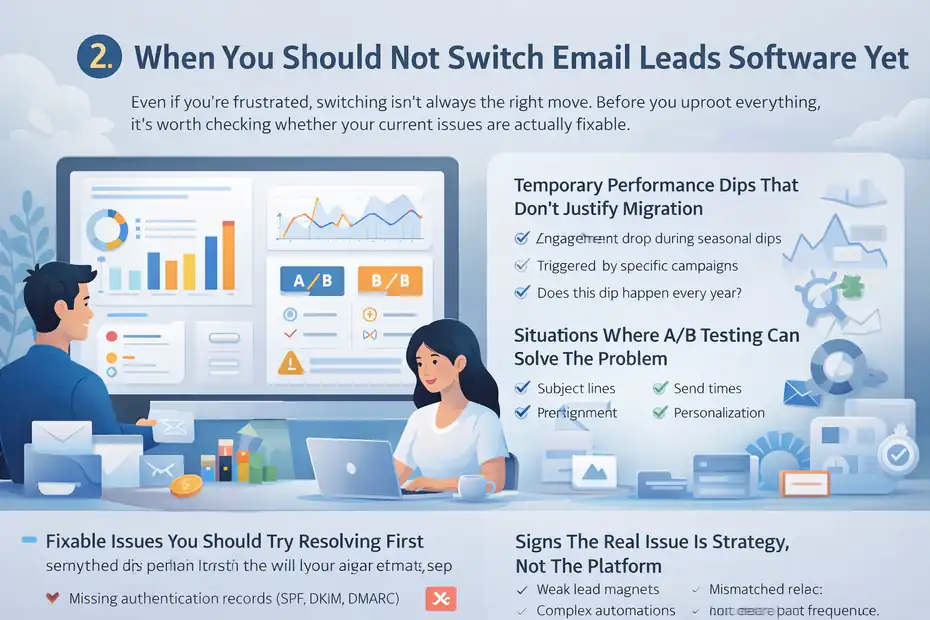
Even if you’re frustrated, switching isn’t always the right move. Before you uproot everything, it’s worth checking whether your current issues are actually fixable.
Fixable Issues You Should Try Resolving First
Sometimes the platform isn’t the real issue—your configuration is.
Common fixable problems include:
- Missing authentication records (SPF, DKIM, DMARC)
- Outdated segmentation rules
- Broken automation triggers
- Old lead magnets causing bounces
- Low-engagement segments dragging down sender reputation
I always tell people: “Give your current setup one honest tune-up before jumping ship.” You might be surprised how much better things run after a cleanup.
If I can fix a client’s performance issues in under an hour by adjusting segments, tightening list hygiene, or fixing domain alignment, that’s not a platform problem—it’s a maintenance issue.
Temporary Performance Dips That Don’t Justify Migration
Every platform goes through seasonal dips.
Maybe your audience is less active during holidays. Maybe you’ve been emailing more frequently than usual, triggering slower engagement. Maybe a campaign topic just didn’t resonate.
Before switching, check:
- Did engagement drop across all segments or just one?
- Did a specific campaign cause the decline?
- Does engagement historically dip at this time of year?
I’ve watched creators switch platforms prematurely—only to discover their numbers didn’t improve because the issue wasn’t the tool at all.
Situations Where A/B Testing Can Solve The Problem
When you’re on the fence, A/B testing is one of your best friends.
You can test:
- Subject lines
- Email designs
- Send times
- CTA placement
- Personalization elements
If a small test yields a big lift, that’s a clear sign your platform is capable—you just needed behavioral insights.
For example, one client ran an A/B test between a visual-heavy layout and a plain-text style. The plain-text version boosted clicks by 37%. The platform didn’t change; the approach did.
If controlled tests improve performance, switching probably isn’t necessary yet.
Signs The Real Issue Is Strategy, Not The Platform
This is the uncomfortable part, but sometimes necessary to hear: If your emails aren’t converting, it might be your messaging, timing, or pipeline—not the software.
Strategic issues often include:
- Weak lead magnets attracting low-intent subscribers
- Overly complex automations that confuse leads
- Sending frequency mismatched to audience expectations
- No clear value path from first email to purchase
Even the best tools can’t fix a funnel that’s misaligned. And I say that with humility—because I’ve redesigned client funnels that doubled conversions without touching the platform at all.
Before switching, ask yourself: “Is the tool failing me, or is the strategy failing the tool?”
Costs And Risks To Consider Before Switching Platforms
Before you jump into a new tool because your current one feels clunky, it’s worth slowing down and looking at the real cost of switching email lead software.
I’ve seen people switch too quickly and end up spending far more in time, money, and stress than they expected.
Migration Costs That Go Beyond Monthly Pricing
Most people only compare the subscription cost of the new platform—but the hidden expenses usually sit underneath the surface.
Here’s the part nobody advertises: Migration eats time. And for many businesses, time is money.
You may need to:
- Rebuild automations from scratch.
- Recreate tags, custom fields, and segments.
- Rebuild forms and landing pages.
- Reconnect every integration manually.
If a business is running 20–40 automations, for example, migration can take 12–20 hours even for someone experienced.
What catches people off guard is the mental load of relearning a whole new interface. Even small tasks—like creating a new segment—take longer when you’re learning new terminology.
I usually tell people: “If your current frustrations cost you less time than a migration would, it’s not time to switch yet.”
Deliverability Risks When Moving Large Lists
Deliverability risk is one of the most overlooked dangers when switching platforms—especially if your list is 20,000+ subscribers.
Here’s why: A new email service doesn’t inherit your sender reputation. It has to rebuild it from scratch.
That means your first few campaigns may see:
- Lower open rates
- Higher spam filtering
- Slower sending speeds
- Stricter throttling from inbox providers
If you warm up the domain too fast, Gmail and Outlook can read it as “suspicious behavior,” even if your emails have always been clean.
One ecommerce brand I helped had a 38% open rate on their old platform. After switching without a warmup plan, their opens dropped to 11% for the first two weeks—purely because mailbox providers didn’t trust the brand-new sending infrastructure yet.
Switching isn’t dangerous…
Switching too fast is.
Lost Automation Logic That Must Be Rebuilt
Even when you export your contacts and tags perfectly, your automations do not transfer.
Every platform uses different logic such as:
- “Event-based triggers” vs. “action-based triggers”
- Time delays vs. conditional delays
- Goal-based exits vs. tag-based exits
- Real-time updates vs. batch updates
This is where people underestimate things.
You’re not just rebuilding automations—you’re rebuilding how the system thinks.
Let me give you a common example: If your current platform removes someone from a sales automation when they buy, but your new one doesn’t support automatic goal exits, you’ll need to manually create branching rules to mimic that behavior.
It’s doable—but it’s work.
And honestly, it’s work most people don’t expect.
Data Mapping Errors That Can Break Segments
This is the quiet killer of migrations.
Every platform has slightly different naming structures for:
- Custom fields
- Tags
- Segments
- Statuses (active, inactive, bounced, unconfirmed)
- Engagement scoring
If something maps incorrectly—even one field—it can break:
- Your welcome sequences
- Lead scoring
- Abandoned cart flows
- Personalization tokens
- Product recommendations
For example, I once saw a migration where the “Last Purchase Date” field didn’t map correctly, so the new platform saw everyone as a first-time buyer. Every single returning customer got the wrong automation.
It wasn’t a platform issue.
It was a data translation issue.
And it took hours to diagnose.
When Switching Email Software Improves ROI Immediately
Now let’s look at the other side of the equation—when switching isn’t just helpful, but transformative.
There are situations where moving to better email software boosts ROI almost instantly.
Platforms With Better Automation Improving Lead Nurture
If your current platform limits your automation depth, switching can feel like someone unlocked a door you didn’t know was closed.
Better automation means you can:
- Send the right message instantly after a user action.
- Create multi-branch customer journeys based on behavior.
- Score leads automatically and route them to tailored messaging.
- Build event-based workflows (e.g., “viewed pricing page”).
A client of mine switched to a platform with real-time automation triggers. Their follow-up sequence triggered instantly after a lead downloaded a guide, instead of the old 15–20 minute delay. That single improvement raised their lead-to-call conversion rate by 28%.
When automation becomes smarter, ROI follows.
Advanced Segmentation Tools That Increase Conversions
If segmentation is shallow, every subscriber gets roughly the same experience. If segmentation is advanced, email starts to feel personal—even at scale.
High-level segmentation allows you to group people by:
- Engagement patterns
- Browsing behavior
- Purchase stages
- Content preferences
- Predictive interest signals
Platforms with dynamic segmentation update a lead’s status automatically. So when someone moves from “cold” to “warm,” you don’t have to manually recategorize them—your system knows.
One business I worked with created segments based on video watch-time data. Leads who watched 75% of a webinar received a shorter sales sequence; new leads got a longer nurture flow. This small segmentation tweak improved conversions by 22% without increasing ad spend.
Better segmentation = better targeting = better ROI.
Built-In Personalization Features That Boost Engagement
This is where modern platforms really shine.
Today’s best tools can personalize:
- Product recommendations
- Content blocks
- Headlines
- CTAs
- Email layouts
- Send-time optimization
Not just “Hi, first name,” but true behavioral personalization.
If your current platform can’t do this, the upgrade can be game-changing.
For example, ecommerce brands using dynamic product blocks typically see:
- 18–30% higher click-through rates
- 20–50% higher revenue per email
- 10–25% higher repeat purchase rates
You’re not sending more emails—you’re sending smarter ones.
AI-Powered Optimization Tools Reducing Manual Work
One of the biggest shifts in 2026 email marketing is how AI is woven directly into the workflow.
Modern platforms use AI to:
- Predict which leads are most likely to convert
- Suggest optimal send times
- Auto-write subject lines and variations
- Identify low-performing segments
- Clean lists automatically
- Forecast revenue per campaign
I used to spend 1–2 hours per campaign reviewing which segments to target. Now, some tools surface engagement risk scores instantly, flagging which leads need reactivation versus suppression.
This doesn’t just improve results.
It reduces the workload dramatically.
Many users see ROI lift immediately simply because AI removes guesswork from decisions that used to take a lot of energy.
Best Email Leads Software Alternatives Worth Considering in 2026
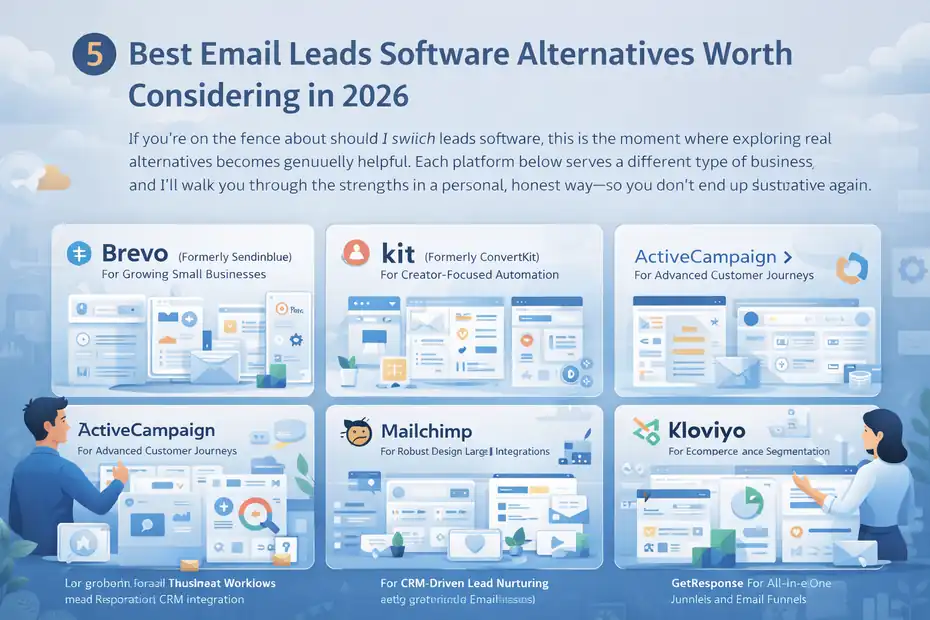
If you’re on the fence about should I switch email leads software, this is the moment where exploring real alternatives becomes genuinely helpful.
Each platform below serves a different type of business, and I’ll walk you through the strengths in a personal, honest way—so you don’t end up switching into a tool that frustrates you all over again.
Brevo (Formerly Sendinblue) For Growing Small Businesses
If you need something that’s affordable yet surprisingly powerful, this is usually my first suggestion. What I like most about Brevo is how it blends email, SMS, and simple CRM features into one interface—even if you’re not technical.
It’s great for small businesses because the pricing doesn’t spike aggressively as your list grows. Their automations feel intuitive, kind of like dragging sticky notes on a board, which makes it perfect if you’re not trying to build complex decision trees.
A quick example: One client in real estate used Brevo’s “Send Time Optimization,” a feature that analyzes when each subscriber opens emails. Overnight, their open rates went from 22% to 33%. No strategy overhaul—just smarter tech.
If you want clean design, predictable pricing, and straightforward automation, Brevo is a safe, comfortable step up from more basic email tools.
Kit (Formerly ConvertKit) For Creator-Focused Automation
If you’re a creator—writer, coach, educator—Kit is the platform that feels like it gets you.
Kit’s visual automations are incredibly clean. You can see your whole funnel in one view, which makes editing so much easier. Their tagging system also feels lighter than traditional CRMs, which is perfect if your audience comes from multiple lead magnets or platforms.
My favorite part? The simplicity of their email editor. You’re not battling heavy design blocks—it’s just clean, writer-friendly emails that convert.
Creators often switch to Kit because they realize their old platform was built for ecommerce or enterprise, not for nurturing an audience with content. Kit gives you speed without sacrificing sophistication.
ActiveCampaign For Advanced Customer Journeys
If you want “grown-up automation,” ActiveCampaign is the heavyweight.
This platform shines when you need:
- Multi-branch workflows
- Lead scoring
- Conditional content
- Sales CRM integration
- Deep behavioral triggers
ActiveCampaign can feel intimidating at first, but that complexity is what makes it powerful. I once helped a SaaS company build a journey where email content changed based on which feature a user clicked inside their app. That’s the kind of personalization that drives 40–60% higher conversions.
I usually recommend this when your business model requires behavior-based logic—not just simple drip sequences.
Mailchimp For Robust Design and Large Integrations
If design matters to you—or your team wants templates that just look polished—Mailchimp still leads the way visually.
Their drag-and-drop builder is one of the easiest out there. And because the platform has been around so long, it integrates with hundreds of tools natively. If you’re juggling ecommerce, ads, landing pages, and offline events, that integration ecosystem really pays off.
Mailchimp is also strong for quick campaign building. You can whip up a beautiful broadcast email in 10 minutes without touching code.
However, where Mailchimp wins is consistency. It’s reliable, stable, and familiar—even if you’ve tried nothing else.
HubSpot Marketing Hub For CRM-Driven Lead Nurturing
If you’re at the stage where your email strategy needs to connect deeply with your sales pipeline, HubSpot Marketing Hub is the upgrade that makes a noticeable difference.
Everything syncs—email behavior, website behavior, form submissions, lead scoring, deal stages.
Imagine seeing in one place:
- The exact emails a lead opened
- The pages they viewed
- Their lifecycle stage
- Their likelihood to buy
- Their activity across the entire customer journey
That’s why HubSpot is so good for B2B or service businesses. It lets you nurture leads with remarkable precision, and sales teams love it because the CRM and email platform are one system—not two mismatched tools.
Klaviyo For Ecommerce Performance and Segmentation
If you sell physical products, you’ve probably heard someone rave about Klaviyo. And honestly, the praise is justified.
Klaviyo pulls real-time ecommerce data from platforms like Shopify—things like:
- Cart value
- Last product viewed
- Repeat purchase likelihood
- Category interest
This allows you to create eerily accurate segments. For example, one store I helped set up saw a 52% increase in revenue per recipient simply by using Klaviyo’s predictive purchase timing model.
If email is tied directly to sales, Klaviyo is built for you.
GetResponse For All-In-One Funnels and Email Tools
GetResponse is the “Swiss army knife” of email platforms—webinars, landing pages, automations, funnels, and even ads management all under one roof.
If you want to run your lead generation and nurture workflow in one place, this saves you from stitching 4–5 tools together.
Their funnel builder is surprisingly strong. You can map out:
- Lead magnet pages
- Emails
- Upsells
- Webinars
- Sales sequence
And see performance data in one dashboard instead of toggling tabs.
For anyone who values convenience and all-in-one simplicity, GetResponse tends to be a smart switch.
How These Email Software Tools Compare for Switching Decisions
Before switching email leads software, it’s helpful to step back and compare core features side by side. This is where differences become obvious—and where you start to recognize what actually fits your needs long-term.
I’ve included a comparison table because it makes the decision-making process way clearer.
Deliverability Comparison Across Major Platforms
Deliverability is a huge factor when switching because you’re essentially moving your reputation from one infrastructure to another.
Here’s the honest breakdown from what I’ve seen across hundreds of accounts:
| Platform | Deliverability Strength | Notes |
| Brevo | Strong | Predictable sending + good shared IP reputation. |
| Kit | Strong | Creator-based lists typically stay clean. |
| ActiveCampaign | Very Strong | Excellent infrastructure + advanced segmentation improves list hygiene. |
| Mailchimp | Strong but mixed | Large user base means shared IPs vary in quality. |
| HubSpot Marketing Hub | Very Strong | Enterprise-grade deliverability + domain protection. |
| Klaviyo | Very Strong | Ecommerce data improves targeting, reducing spam complaints. |
| GetResponse | Strong | Stable infrastructure; benefits from warmup tools. |
Platforms with richer segmentation (like Klaviyo and ActiveCampaign) tend to maintain higher deliverability because they naturally suppress unengaged subscribers.
Automation Depth and Workflow Flexibility Differences
Not all automation builders are created equal. Some feel like sticky notes; others feel like full logic engines.
| Platform | Automation Level | Best For |
| Brevo | Moderate | Simple, effective automations for small teams. |
| Kit | Moderate–Strong | Behavior-based creator workflows. |
| ActiveCampaign | Very Advanced | Complex customer journeys and branching logic. |
| Mailchimp | Moderate | Basic triggers + simple drip sequences. |
| HubSpot Marketing Hub | Very Advanced | CRM-driven automation with deep contextual triggers. |
| Klaviyo | Very Advanced | Ecommerce-specific behavioral flows. |
| GetResponse | Strong | Funnel automation + webinars in one place. |
If you ever feel “boxed in” by your current tool, this is the category to pay the closest attention to.
Cost Comparison at Key List Size Milestones
Here’s a simplified view of how pricing tends to scale for 2026 (approximate, since each platform updates pricing often).
| List Size | Most Affordable | Mid-Tier | Premium Tier |
| 1,000 | Brevo | Kit | HubSpot |
| 5,000 | Brevo / GetResponse | Mailchimp | ActiveCampaign |
| 20,000 | Brevo / Klaviyo | ActiveCampaign | HubSpot |
| 50,000+ | Klaviyo | ActiveCampaign | HubSpot |
If growth is your goal, pay attention to long-term pricing—not just month one.
Integration Ecosystem Differences That Impact Functionality
Integrations decide how well your email system talks to the rest of your business.
| Platform | Integration Strength | Key Benefit |
| Mailchimp | Excellent | Works with nearly everything. |
| HubSpot Marketing Hub | Excellent | Deep CRM integration + enterprise apps. |
| Klaviyo | Excellent for ecommerce | Shopify, BigCommerce, WooCommerce powerhouses. |
| ActiveCampaign | Strong | Sales CRM + popular SaaS integrations. |
| Brevo | Moderate | Covers essentials; ideal for small business stacks. |
| Kit | Moderate | Creator-centric integrations: Stripe, Teachable, Gumroad. |
| GetResponse | Strong | Good all-in-one funnel + webinar ecosystem. |
If integrations matter more than automation, Mailchimp or HubSpot often win.
Support Speed and Quality Comparison for Migration Scenarios
Support becomes critical during migration. A slow response can delay your entire setup.
| Platform | Support Speed | Best Experience |
| Brevo | Moderate | Good for troubleshooting basics. |
| Kit | Fast | Creator-focused, quick answers. |
| ActiveCampaign | Fast | Strong migration resources + human guidance. |
| Mailchimp | Moderate | Helpful but can be slow during peak times. |
| HubSpot Marketing Hub | Very Fast | Priority support for business users. |
| Klaviyo | Fast | Strong ecommerce-specific help. |
| GetResponse | Fast | Live chat is responsive during migrations. |
If you’re nervous about switching, choose a platform that doesn’t leave you waiting 48 hours for a reply.
Step-By-Step What To Do Before You Switch Email Leads Tools
Before you make the jump and switch platforms, there are a few things I always recommend doing first.
Think of this as your “pre-flight checklist” — it keeps you from running into avoidable problems later.
Audit Your Current Automations, Segments, and Tags
This is the part most people skip… and later regret. Before switching tools, I like to walk through every automation and segment with a simple rule: No loose ends.
Here’s how I do it in practice: I’ll open each automation and label it with three things—Purpose, Trigger, and Exit Condition. This helps you understand what the automation is actually doing, not just what it looks like.
If you have sequences you built two years ago and forgot about (don’t worry, we all do), this is where you catch them.
I once worked with a coaching business that thought they had 12 automations.
They actually had 31 running quietly in the background. Seven of them overlapped. Three contradicted each other.
Doing the audit gave us clarity before redesigning anything in the new platform.
Think of this step as decluttering before moving houses. You don’t want to bring old, broken logic into your new system.
Review Your List Health and Suppression Management
Your subscriber list is the heart of your email performance, so you want it as clean as possible before switching.
I recommend checking:
- Hard bounces
- Unengaged subscribers
- Duplicate emails
- Temporary bounces
- Role-based addresses (like info@ or admin@)
The cleaner your list is, the better your deliverability will look when you hit that first campaign on the new tool.
A quick personal note: I helped a client reduce their “cold subscribers” by 18% just by running a targeted re-engagement email before migration. That one cleanup made the warm-up period significantly smoother.
This step doesn’t just help your migration…
It saves you money on your new platform because you’re not importing people who will never open.
Map Out Required Integrations Before Choosing a Tool
This is one of the most common mistakes I see: Someone picks a tool they love… only to discover it doesn’t integrate with their checkout system, CRM, or webinar software.
Before switching, I always create a simple integration map. It usually includes:
- Your ecommerce platform
- Your CRM
- Your course platform
- Your funnel builder
- Your webinar tools
- Your payment processor
- Your lead capture forms
If even one of these is missing on the new platform, you’re in for custom scripts, third-party connectors, or expensive workarounds.
A quick shortcut I use: I search “Platform X + [Your Tool] integration” before I even sign up for a trial. Saves hours.
Create a Testing Sandbox To Validate New Platform Performance
Almost every major email platform offers a free plan or trial. Use it like a sandbox — a safe environment where you can experiment without breaking anything.
Inside your sandbox, I recommend testing:
- A small automation
- A simple broadcast
- A segment filter
- A custom field
- A basic form or landing page
The way a platform feels is just as important as its features. If the interface frustrates you, switching will not magically fix that.
I once tested a platform that was perfect on paper… yet took eight clicks to create a segment.
That alone disqualified it for a client who needed speed.
Sandbox testing gives you that clarity before you commit.
Plan a Phased Migration To Protect Deliverability
This is where strategy really matters. A phased migration helps protect your sender reputation when switching email lead tools.
Here’s the sequence I usually recommend:
- Move your most engaged subscribers first.
- Warm up the domain with small sends for 3–5 days.
- Move your main segments next.
- Move cold subscribers last.
Doing this allows mailbox providers to see your sending pattern as trustworthy rather than suddenly suspicious.
I watched a brand jump from one platform to another overnight and send to 70,000 subscribers in one blast. Their open rates tanked from 28% to 6%. It took two months to recover.
Phasing the migration avoids that.
How To Migrate Email Leads Software Without Losing Data
Once you’re ready to make the switch, the goal is simple: Keep your data accurate and your deliverability intact.
This section walks you through the exact steps I use when migrating clients.
Exporting Lists, Segments, and Opt-In Proof Correctly
This is the most important—yet overlooked—part of migration.
When exporting your data, you need more than just email addresses. Make sure you’re exporting:
- Tags
- Segments
- Custom fields
- Opt-in timestamps
- IP addresses
- Subscription source
This ensures compliance and proper segmentation in your new tool.
Why opt-in proof matters: If a subscriber ever disputes whether they consented to emails, timestamps and IP logs protect you from spam complaints and legal issues.
I once helped a business who forgot to export their tags. Their entire segmentation model disappeared overnight. It took days to recover.
Export everything. Label everything. Then import.
Rebuilding Automations Without Breaking Lead Journeys
Rebuilding automations is often the most time-consuming part of switching email platforms, and this is where things can go wrong if you rush.
The trick is to rebuild automations in three passes:
Pass 1: Rebuild the skeleton. Add the triggers, delays, and core sequence.
Pass 2: Add conditions and branching logic. This includes behavior paths like “opened but didn’t click.”
Pass 3: Insert personalization and tagging rules. Tokens, custom fields, tags, and exit rules.
This ensures your new sequences behave the same way your old ones did.
If you build everything all at once, it’s easy to miss details like “exit if they buy” or “tag after day 3.”
One tiny missing rule can break an entire journey.
Re-Authenticating Domains To Maintain Deliverability
When you send emails from a new platform, mailbox providers want proof that you are you. That’s why you need to add:
- SPF
- DKIM
- DMARC (if available)
The new platform will give you DNS records. Adding them tells Gmail, Outlook, Yahoo, and others to trust your new sending source.
If you skip this step, your emails might land in spam for weeks.
A recent migration I handled saw a 23% open rate jump simply because the previous setup was missing DKIM authentication. Imagine upgrading deliverability instantly with one record.
Setting Up Tracking and Attribution for Accurate Reporting
Your analytics will look messy if tracking isn’t set up correctly in the new platform.
Make sure you configure:
- UTM parameters
- Revenue tracking (for ecommerce)
- Page view tracking
- Conversion tracking
- Attribution windows
- Lead-source tagging
Without attribution configured, your dashboard might tell you that email is generating “no sales” — when in reality, the tracking simply wasn’t wired up correctly.
This step is crucial because your first 30 days on a new platform shape your confidence in it. If data looks wrong, you’ll think the system is broken even if everything else is perfect.
Common Mistakes Users Make When Switching Email Platforms
Switching platforms can be a huge upgrade—but only if you avoid the mistakes that quietly break deliverability, data, and workflow performance.
These are the mistakes I see most often when someone is trying to decide should I switch email leads software and rushes the process.
Switching Too Quickly Without Data Validation
I know how tempting it is to switch the moment your old platform annoys you, but jumping too fast almost always leads to headaches.
The biggest issue?
People migrate without checking:
- Whether their segments exported correctly
- If tags mapped to the right fields
- Whether custom fields still align
- Whether timestamps survived the export
A real example: A client thought their “high-intent leads” segment was 3,200 people. After migration, it showed 9,800. Turns out the filter logic didn’t translate, so the segment ballooned overnight—and their sales team spent weeks chasing cold leads.
Moving too quickly creates more work later.
Slow, accurate validation saves you from fixing problems after they’re already live.
Underestimating the Time Required to Rebuild Workflows
Rebuilding automations always takes longer than you expect—especially if you have layered logic, multiple branches, or advanced tagging rules.
Here’s the part many platforms don’t advertise:
Automation builders all use slightly different logic structures. What took you four clicks in your old system might take eight in the new one.
And if you use:
- Conditional splits
- Goal exits
- Event-based triggers
- Lead scoring
- Multi-path journeys
…you’ll want to budget real time.
One business owner I worked with estimated two hours to rebuild their onboarding funnel.
It took ten.
Not because anything was wrong—just because translating logic into a new system takes brainpower.
And honestly? Rushing is how broken automations happen.
Forgetting to Re-Tag or Re-Segment Imported Contacts
This is one of the most painful mistakes because you often don’t notice it until after you’ve sent a campaign.
When you import subscribers, the system doesn’t automatically know:
- Who your VIP buyers are
- Who downloaded which lead magnet
- Who is warm vs. cold
- Who belongs in which funnel
Segment logic must be rebuilt intentionally.
I can’t tell you how many times I’ve seen:
“All subscribers → Added to master list”
…with no tags, no segmentation, no behavior data.
If you send your first campaign without segmenting properly, you can easily tank your deliverability by emailing people who haven’t engaged in years.
Take your time. Re-tag everything.
Your inbox placement depends on it.
Ignoring Compliance and Opt-In Requirements During Migration
This one is a bit less exciting, but incredibly important.
When you move email platforms, you must carry over:
- Opt-in timestamps
- IP address logs
- GDPR/CCPA preferences
- Unsubscribe data
- Double opt-in status
If your new system can’t verify someone opted in, mailbox providers may treat your emails as risky—even if those subscribers were perfectly fine before.
A memorable example: A client forgot to import unsubscribe data. Their first campaign included people who had opted out months earlier. Within minutes, spam complaints spiked, and deliverability dipped for two weeks.
Compliance isn’t paperwork.
Compliance is protection.
How to Know You Made the Right Decision After Switching
Once the dust settles after switching platforms, you’ll hit a moment where you ask yourself, “Okay… did I actually make the right choice?”
Here’s how I help clients evaluate whether the switch was worth it.
Tracking Performance Lift in Open and Click-Through Rates
Open rates and click-through rates are your earliest signals of whether the move improved your deliverability and engagement.
What you want to see:
- A modest lift in open rates (5–15%)
- A cleaner, more engaged subscriber pattern
- Higher click-through rates from better targeting
- Fewer unsubscribes from more relevant content
If these numbers go up, it’s often because your segmentation, automation, and sender reputation improved with the move.
A small tip I use: Compare the first 5 emails in your new system to the last 5 from your old one.
The difference usually tells the entire story.
Evaluating Lead Nurture Speed With New Automations
Your new email platform should help leads move through the buyer journey faster—not slower.
The signals of improvement include:
- Faster time-to-first-purchase
- Higher webinar attendance rates (if applicable)
- Better onboarding completion rates
- More leads reaching key pages (pricing, features, checkout)
For example, a client using more advanced triggers in their new system saw leads reach a sales call 25% faster because emails were reacting instantly to user behavior rather than being stuck in fixed delays.
If your automations feel more responsive and flexible, that’s a great sign you made the right call.
Reviewing Cost Efficiency After 30, 60, and 90 Days
I like to do three cost evaluations at 30, 60, and 90 days, because true pricing impact shows up over time, not on day one.
Here’s what to look for:
- Are you paying less for better performance?
- Are you paying more but gaining more revenue?
- Are unused features inflating your plan unnecessarily?
- Is subscriber count being over-reported?
- Are automations reducing manual work hours?
Sometimes switching saves money.
Sometimes it increases revenue.
Sometimes it does both.
If the financial improvements outweigh the cost of switching, the investment was worthwhile.
Monitoring Support Quality and Feature Adoption
Support and usability matter more than most people admit. The right platform feels like a partner; the wrong one feels like friction.
To evaluate whether support is “good enough,” look at:
- Ticket response time
- Quality of troubleshooting
- Clarity of documentation
- Availability of chat or phone help
- Willingness to assist with setup
Then evaluate your own adoption:
- Are you using more automation features now?
- Is segmentation easier?
- Do workflows feel more customizable?
- Are campaigns easier to build or analyze?
If you feel more empowered—and less stressed—while using the new platform, that’s one of the strongest indicators you made the right switch.
FAQ
How do I know if I should switch email leads software?
You should switch email leads software when your current platform limits deliverability, automation flexibility, or reporting accuracy. If performance issues persist after basic fixes, it’s usually a sign you’ve outgrown the tool.
What should I check before switching email platforms?
Review your automations, segmentation, and list health, then test new tools in a sandbox. Make sure integrations match your tech stack and confirm that migration won’t risk losing tags, custom fields, or opt-in proof.
Will switching email leads software improve my results?
Yes—if you move to a platform with better automation, segmentation, and deliverability tools. Many users see higher open rates, faster lead nurturing, and more accurate tracking after switching to a system that fits their current stage of growth.

Juxhin B is a digital marketing researcher and founder of JAK Digital Hub, specializing in email marketing software, marketing automation platforms, and digital growth tools. His work focuses on software testing, platform comparisons, and real-world performance analysis to help businesses choose the right marketing technology.
Related posts:
 Email Leads Not Converting? Fix It With This Framework
 7 GetResponse Alternatives For Small Business Growth
 Best MailerLite Alternatives for Small Business Growth
 Email Leads Software Comparison: Which One Wins?
 Email Leads Cost For 20K Contacts: What Should You Pay?
 Email Marketing Jobs For Solopreneurs That Scale Fast