Table of Contents
Some links on JAK Digital Hub are affiliate links, meaning we may earn a small commission at no extra cost to you. Read full disclaimer.
Switching email automation platforms can feel risky. If you’ve spent months—or even years—building subscriber lists, automation sequences, and customer data, the idea of moving everything to a new system can feel overwhelming.
I’ve seen many businesses delay this decision simply because they’re afraid of breaking something important: losing subscriber data, damaging deliverability, or accidentally deleting automation logic that took months to build.
But the truth is this: switching email automation platforms can be done safely if you follow the right process.
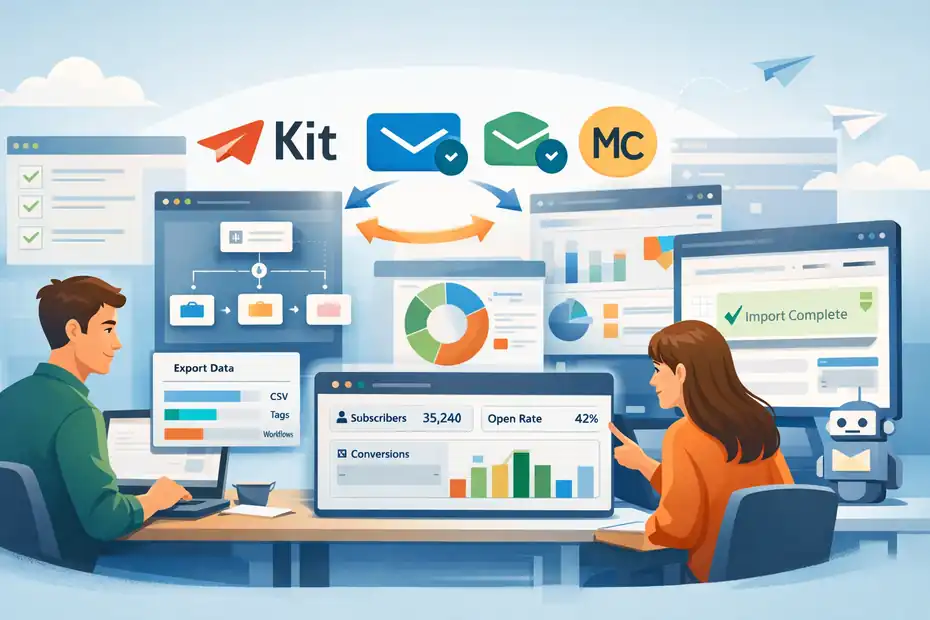
In this guide, I’ll walk you through exactly how to migrate from one email marketing platform to another without losing subscribers, automation flows, segmentation, or historical data.
We’ll cover planning, data migration, automation rebuilding, testing, and optimization so the transition feels smooth instead of stressful.
Why Businesses Switch Email Automation Platforms
Before diving into the migration process, it helps to understand why businesses decide to move platforms in the first place.
Most switches happen because the current tool no longer fits the company’s growth stage.
Pricing Growth That No Longer Makes Sense
Many email tools start inexpensive, but pricing often increases dramatically as your list grows.
For example, some platforms charge based on subscriber count rather than active engagement. That means you might pay for thousands of inactive subscribers who never open your emails.
Imagine this scenario:
You launch an ecommerce brand and build a list of 5,000 subscribers. Your email tool costs $29/month. Everything feels reasonable.
Two years later, your list grows to 40,000 subscribers. Suddenly your monthly cost jumps to $400+.
At that stage, many companies start researching alternatives because the ROI simply doesn’t match the price anymore.
Switching email automation platforms often becomes the fastest way to reduce marketing costs while gaining better features.
Automation Limitations as Your Business Scales
Another common reason for switching is automation complexity.
Early-stage businesses often use simple email sequences:
- Welcome series
- Basic abandoned cart reminders
- Simple newsletter campaigns
But as the business grows, automation needs evolve.
Advanced marketing teams want features like:
- behavioral triggers
- conditional segmentation
- multi-channel automation
- lead scoring
- event-based triggers
If your platform can’t handle these workflows, it becomes a bottleneck.
I’ve personally seen businesses rebuild entire automation systems just to unlock better targeting.
Deliverability and Performance Concerns
Email deliverability matters more than most marketers realize.
If your emails land in spam folders or promotions tabs, even great campaigns won’t generate results.
Signs your current platform may be hurting deliverability:
- Open rates suddenly drop
- Emails frequently land in spam
- Engagement declines despite strong content
- Inbox placement becomes inconsistent
Some platforms maintain stronger sender reputations or offer better deliverability infrastructure.
In those cases, switching email automation platforms can dramatically improve campaign performance.
Preparing for a Safe Email Platform Migration
Preparation is where most successful migrations happen. The biggest mistake businesses make is rushing the transition without mapping their existing system.
Audit Your Current Email System
Before migrating anything, take inventory of everything inside your current platform.
This includes:
- Subscriber lists
- Custom fields
- Segments and tags
- Automation workflows
- Email templates
- Campaign history
- Signup forms
- API integrations
Think of this step as documenting your entire email ecosystem.
I suggest creating a spreadsheet with columns like:
| Asset Type | Name | Purpose | Status |
|---|---|---|---|
| Automation | Welcome Series | Onboarding new subscribers | Must migrate |
| Segment | VIP Customers | High-value buyers | Must migrate |
| Form | Homepage Lead Magnet | List building | Rebuild |
This simple step prevents surprises later in the migration process.
Clean Your Subscriber List Before Migrating
Here’s something many marketers overlook.
If you’re switching email automation platforms, it’s the perfect time to clean your list.
Migrating inactive subscribers can damage deliverability in the new system.
List cleaning typically involves removing:
- inactive subscribers (6–12 months no opens)
- bounced email addresses
- spam traps
- fake signups
- duplicate contacts
According to various email deliverability studies, removing inactive contacts can improve open rates by 20–40%.
That improvement alone can justify the migration effort.
Document Your Existing Automation Logic
Automation workflows are often the hardest part of migration.
A simple welcome sequence might contain:
- Trigger: subscriber joins list
- Email 1: welcome message
- Delay: 2 days
- Email 2: brand story
- Condition: opened email?
- Email 3: product introduction
But advanced businesses might run dozens of these workflows simultaneously.
Before switching email automation platforms, document every automation step clearly.
Helpful things to map out:
- triggers
- delays
- segmentation rules
- conditional branches
- goals or conversion events
I often recommend using simple flow diagrams to visualize these workflows before rebuilding them.
Exporting Your Email Data Safely
Once preparation is complete, the next step is exporting your data from the old system.
This is where careful handling prevents data loss.
Export Subscriber Lists and Custom Fields
Your subscriber list is your most valuable marketing asset.
When exporting contacts, make sure to include all available fields.
Typical export fields include:
- email address
- first name
- last name
- tags
- segments
- signup source
- custom attributes
- subscription status
- timestamps
Most platforms export this information as CSV files.
After exporting, open the file and verify that all data fields appear correctly.
A small formatting mistake during export can break segmentation when importing into the new system.
Preserve Tags, Segments, and Behavioral Data
Tags and segments often power automation triggers.
For example:
- Tag: “Purchased Course”
- Tag: “Webinar Attendee”
- Tag: “High Value Customer”
If these tags disappear during migration, automation flows can break.
I suggest mapping tags like this before the move:
| Old Tag | New Tag | Purpose |
|---|---|---|
| buyer | customer | Purchase trigger |
| webinar2025 | webinar_attendee | Event segmentation |
This ensures your segmentation logic remains consistent after switching email automation platforms.
Backup Everything Before Migration
Never rely on a single export file.
Create multiple backups before importing anything into a new system.
Store backups in:
- cloud storage
- local computer
- external backup drive
This might sound overly cautious, but I’ve seen cases where imports failed and data became corrupted.
A backup ensures you can restart the migration without losing critical information.
Rebuilding Email Automations in the New Platform
Once your data is safely exported, the next step is recreating your automation workflows.
This stage takes patience because automation systems often behave differently across platforms.
Recreate Core Automation Workflows First
Start with the automations that generate the most revenue or engagement.
Typically these include:
- welcome sequences
- abandoned cart recovery
- lead nurturing campaigns
- onboarding sequences
- re-engagement campaigns
Focus on functionality first, not perfection.
Your goal is to recreate the core logic so subscribers continue receiving the right messages.
For example:
- Step 1: Recreate the automation trigger.
- Step 2: Add the email sequence.
- Step 3: Set delays between emails.
- Step 4: Rebuild segmentation conditions.
Once the structure works, you can refine details later.
Validate Triggers, Delays, and Conditions
Automation failures usually happen because triggers or conditions behave differently between platforms.
For example:
A trigger like “subscriber joins list” might behave differently than “tag added.”
Delays may also operate differently depending on time zones or scheduling rules.
I recommend testing every workflow step carefully.
Send test contacts through the automation and watch how the system behaves.
If emails arrive out of order or conditions fail, fix them before launching the system publicly.
Test Automation With Sample Contacts
Before turning everything live, simulate real subscriber journeys.
Create test contacts that trigger each automation.
Examples:
- new subscriber
- repeat customer
- webinar attendee
- inactive subscriber
Run these contacts through your workflows and observe how the system reacts.
Look for issues like:
- emails firing too early
- missing tags
- skipped automation steps
- incorrect segmentation
Testing might feel tedious, but it prevents embarrassing mistakes like sending onboarding emails to long-term customers.
Best Email Automation Platforms for Smooth Migration
Not all email platforms handle migration equally well. Some offer dedicated import tools and migration assistance that reduce the risk of losing data.
Platforms Known for Strong Migration Tools
Several modern platforms make switching email automation platforms much easier.
| Platform | Best For | Starting Price |
|---|---|---|
| Kit | Creators and bloggers | ~ $29/month |
| Brevo | Affordable automation | Free plan available |
| ActiveCampaign | Advanced automation | ~ $49/month |
| Mailchimp | Beginner-friendly marketing | Free plan available |
Each of these platforms supports importing:
- subscriber lists
- tags
- custom fields
- automation triggers
Some even provide dedicated migration support for large lists.
If your business relies heavily on automation, choosing a platform with strong workflow builders can dramatically reduce rebuilding time.
When to Use Migration Assistance Services
Large businesses often outsource migrations entirely.
This makes sense if:
- your list exceeds 100,000 subscribers
- you run complex automation systems
- revenue depends heavily on email flows
- integrations connect multiple systems
Some email providers offer migration specialists who handle:
- data import
- automation rebuilding
- deliverability setup
- testing workflows
While these services may cost a few hundred dollars, they can prevent weeks of internal work.
Common Mistakes When Switching Email Automation Platforms
Even well-planned migrations can fail if a few common pitfalls appear.
Importing Dirty or Unverified Lists
One of the fastest ways to destroy email deliverability is importing poor-quality lists.
If your list contains:
- inactive subscribers
- spam complaints
- outdated addresses
Your new platform may flag the list as risky.
Some providers even suspend accounts during the first campaign if engagement rates appear suspicious.
Cleaning the list before migration dramatically reduces this risk.
Forgetting DNS Authentication Settings
Email authentication plays a major role in deliverability.
Your new platform will require domain authentication settings like:
- SPF
- DKIM
- DMARC
These records verify that your emails are legitimate.
If authentication is missing, your campaigns may land in spam folders.
Always configure domain authentication before sending your first campaign.
Breaking Existing Integrations
Many email systems connect with:
- ecommerce platforms
- CRM systems
- landing page builders
- analytics platforms
If these integrations break during migration, important data may stop syncing.
Examples include:
- purchase events not triggering automations
- lead forms failing to capture subscribers
- CRM updates not syncing
Before launching the new platform, verify that every integration works properly.
Optimizing Your Email System After the Migration
Migration is only the first step. The real opportunity comes from optimizing your new email system.
Improve Segmentation and Personalization
Many marketers migrate data but fail to improve segmentation.
But the new platform may allow more advanced targeting.
For example, segmentation could include:
- purchase behavior
- email engagement history
- product interests
- geographic location
- lifecycle stage
Personalized emails based on segmentation can increase click-through rates by up to 14% according to several marketing studies.
That improvement compounds quickly across large email lists.
Rebuild Automation for Better Conversion Rates
Migration is a perfect time to improve automation flows.
Instead of copying old sequences exactly, ask:
- Can this sequence be shorter?
- Are the emails still relevant?
- Can we add personalization?
Sometimes a small change—like adjusting timing or rewriting subject lines—can significantly improve performance.
I often treat migration as a reset opportunity rather than a simple copy-paste project.
Monitor Deliverability After the Switch
Deliverability monitoring becomes especially important during the first 30 days after switching email automation platforms.
Watch metrics like:
- open rates
- click-through rates
- bounce rates
- spam complaints
If engagement drops suddenly, it may signal configuration issues or list quality problems.
Many email systems require a warm-up period where you gradually increase sending volume.
Sending too many emails immediately after migration can damage sender reputation.
Final Thoughts on Switching Email Automation Platforms
Switching email automation platforms might seem intimidating at first, but when approached carefully, it can actually improve your entire marketing system.
The key is following a structured process:
- Audit and document your existing system
- Clean and export your subscriber data
- Backup everything before migration
- Rebuild automations step by step
- Test workflows thoroughly
- Optimize segmentation and automation after launch
From what I’ve seen, businesses that treat migration as an opportunity—not just a technical task—usually come out ahead.
They reduce costs, improve automation capabilities, and build stronger email marketing systems in the process.
If you take the time to plan carefully, switching email automation platforms doesn’t have to mean losing data, breaking workflows, or hurting deliverability.
In many cases, it becomes the moment your email marketing system finally starts working the way it should.
FAQ
What is switching email automation platforms?
Switching email automation platforms means moving your subscriber lists, automation workflows, and campaign data from one email marketing tool to another while maintaining deliverability, segmentation, and historical subscriber information.
Can you switch email automation platforms without losing subscribers?
Yes, switching email automation platforms without losing subscribers is possible if you export subscriber data correctly, preserve tags and custom fields, clean your list beforehand, and verify imports in the new platform before activating automations.
What data should be exported before switching email automation platforms?
Before switching email automation platforms, export subscriber lists, custom fields, tags, segmentation data, automation workflows, signup sources, and campaign history. Backing up this data ensures you can rebuild automations and prevent subscriber data loss.
How long does switching email automation platforms usually take?
Switching email automation platforms typically takes a few days for small lists and up to several weeks for large businesses with complex automation workflows, multiple integrations, and advanced segmentation rules that require rebuilding.
Will switching email automation platforms affect email deliverability?
Switching email automation platforms can temporarily affect deliverability if authentication settings, list quality, or sending volume are not managed carefully. Gradual email warm-up and proper domain authentication usually stabilize deliverability quickly.

Juxhin B is a digital marketing researcher and founder of JAK Digital Hub, specializing in email marketing software, marketing automation platforms, and digital growth tools. His work focuses on software testing, platform comparisons, and real-world performance analysis to help businesses choose the right marketing technology.
Related posts:
 Best Email Automation System That Scales Affordably
 Is There Better Email Automation Software For Ecommerce?
 Cheaper Email Automation System For Growing List Fast
 Best Email Automation Tool For Recurring Revenue
 Email Automation Tools for New Ecommerce Store: What to Start With
 Best Email Automation Tool For Affiliate Marketers