Table of Contents
Some links on JAK Digital Hub are affiliate links, meaning we may earn a small commission at no extra cost to you. Read full disclaimer.
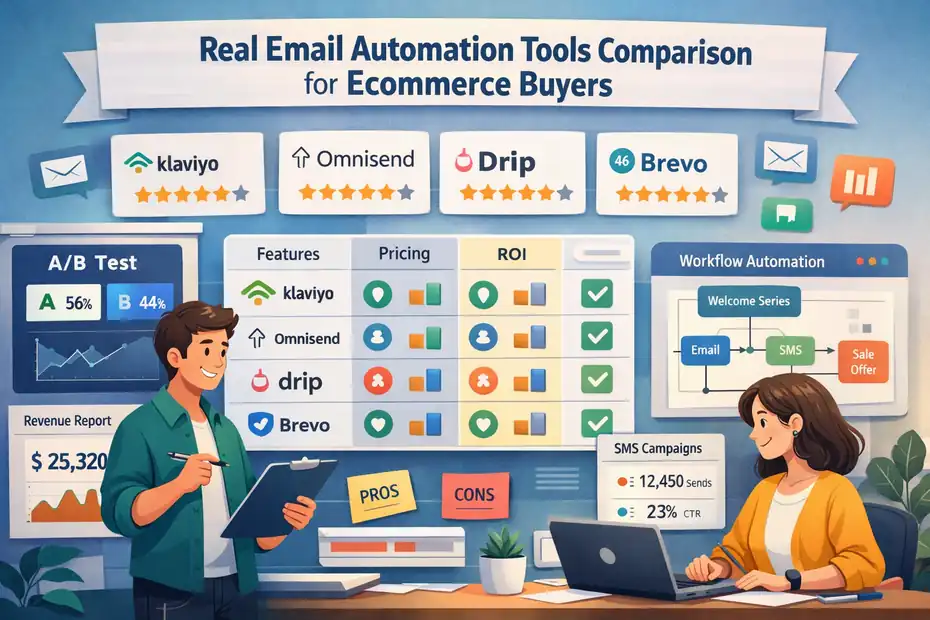
Email automation tools comparison for ecommerce is something you start Googling the moment your store outgrows manual campaigns.
I’ve seen this happen when abandoned carts pile up, customer segments get messy, and you realize blasting one weekly newsletter isn’t a strategy.
If you’re an ecommerce founder, marketer, or scaling brand in 2026, you don’t need generic features—you need clarity on which platform actually fits your revenue stage, budget tolerance, and automation depth.
Klaviyo Vs Omnisend: Which Drives More Ecommerce Revenue?
If you’re torn between Klaviyo and Omnisend, you’re basically asking: Which one actually puts more money in my pocket? From what I’ve seen working with ecommerce stores, both platforms can work—but they shine for completely different business models.
Klaviyo’s Advanced Segmentation For Scaling Stores
Klaviyo is built for stores that rely heavily on customer behavior to drive revenue. If you’ve ever wished you could send emails only to people who viewed a product four times but didn’t buy, Klaviyo lets you do that without needing a data engineer.
Its segmentation engine goes deep:
- Predictive analytics (like expected next purchase date).
- Segments based on SKU-level browsing or purchase history.
- Real-time syncing with Shopify, Magento, and BigCommerce.
What I personally love is how Klaviyo lets you stack conditions like Lego pieces. For example, a beauty brand I worked with built a segment of customers who purchased a cleanser twice but never a moisturizer—and the cross-sell automation added 11% incremental revenue in 30 days.
Klaviyo just gives you more precision, and that precision translates into revenue, especially once your catalog gets big and your customers behave in patterns.
Omnisend’s Multichannel Automation For Lean Teams
Omnisend takes a different approach: It’s more about speed and multichannel reach than hyper-granular data.
Where Klaviyo is an analytics engine, Omnisend is a communication hub with:
- SMS
- Push notifications
- “Wheel of fortune” gamified pop-ups
- Prebuilt ecommerce automation templates
If you’re wearing too many hats—and honestly, many ecommerce founders are—Omnisend reduces setup time. You can launch full abandoned cart, browse abandonment, and welcome series automations in under 30 minutes.
From what I’ve seen, Omnisend shines for lean teams because you don’t have to babysit it. The automation is straightforward, the reporting is clean, and the SMS pricing is generally more affordable than Klaviyo’s.
Pricing Differences At 10K, 50K, And 100K Subscribers
Let me break it down in simple terms: Klaviyo is more expensive, but you’re paying for depth. Omnisend is more affordable, but optimized for speed and multichannel simplicity.
Estimated Monthly Pricing (2026)
(Averages based on public plan data; actual totals vary depending on SMS usage, email volume, and add-ons.)
| List Size | Klaviyo | Omnisend |
| 10,000 subscribers | ~$180–$220 | ~$90–$130 |
| 50,000 subscribers | ~$550–$700 | ~$300–$400 |
| 100,000 subscribers | ~$1,000–$1,300 | ~$600–$750 |
If you’re under 20K subscribers, Omnisend feels like a steal.
If you’re at 100K+, Klaviyo can feel expensive, but the ROI is often higher because segmentation improves targeting.
A store owner I advised switched to Klaviyo at 80K subscribers. Yes, the bill went up ~40%, but revenue from email jumped 68% in three months due to better targeting and product recommendations.
Template Flexibility And Dynamic Product Feeds
Klaviyo’s drag-and-drop editor is more customizable, especially with dynamic feeds that pull in:
- Most viewed products
- Recently browsed items
- Personalized product blocks per user
Omnisend offers dynamic recommendations too, but the customization depth is lighter. The trade-off? It’s faster. If design isn’t your obsession, Omnisend gets emails out the door with less friction.
One subtle thing I’ve noticed: Klaviyo’s templates look more premium out of the box. For lifestyle brands, this matters. For CPG brands that email frequently, Omnisend’s simplicity can actually save time and increase send frequency.
Which Platform Handles High-Volume Sales Better
High-volume sales = high-volume data. And this is where Klaviyo wins.
During big events like Black Friday:
- Klaviyo’s infrastructure handles traffic spikes with more consistency.
- Reporting is more granular, especially around attribution and cohort performance.
- Predictive analytics help you forecast demand and segment buyers based on purchase likelihood.
Omnisend performs well in high-volume situations, especially for SMS blasts, but its reporting depth can feel limited once you hit 7-figure or 8-figure annual revenue.
My take: If you’re scaling aggressively and want every ounce of behavior-driven revenue, Klaviyo is the more powerful long-term engine. If you want fast setup, multichannel simplicity, and cleaner pricing—especially under 50K subscribers—Omnisend is a smart, profitable pick.
ActiveCampaign Vs Drip For Behavior-Based Automation
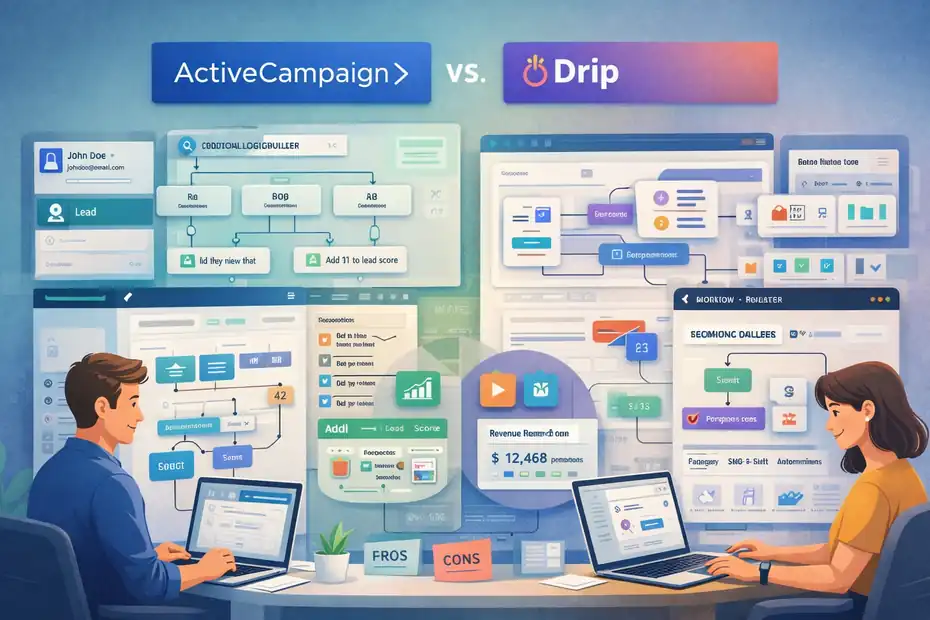
ActiveCampaign and Drip both target stores that want serious automation, but they take very different approaches.
ActiveCampaign is essentially a CRM with email power. Drip is an ecommerce-first automation platform.
ActiveCampaign’s Conditional Logic And CRM Power
ActiveCampaign is the most flexible automation platform on this list. If you’re the kind of person who likes to build “if this, then that” sequences with dozens of branches, you’ll feel at home.
Its strengths:
- Deep conditional logic
- Built-in CRM for sales follow-up
- Lead scoring (useful for B2B or hybrid brands)
- Advanced tagging and automation triggers
Where ActiveCampaign gets interesting for ecommerce is its ability to blend sales and marketing. I’ve seen brands use it to track wholesale prospects while simultaneously nurturing DTC customers—something tools like Drip aren’t designed for.
But here’s the trade-off: It can feel overwhelming. The power is there, but you need someone comfortable with systems thinking to unlock it.
Drip’s Ecommerce-Centric Visual Workflows
Drip is laser-focused on ecommerce, and that’s why a lot of Shopify and WooCommerce brands love it.
Drip gives you:
- Product-specific automation workflows
- Prebuilt ecommerce playbooks
- Strong revenue attribution
- Tag-based segmentation that’s easier to manage
What I appreciate is how visual everything feels. Drip’s workflow builder is intuitive—you can see exactly how your automation paths flow without clicking into dozens of menus.
A DTC apparel brand I worked with increased email revenue 34% within two months of switching to Drip because the prebuilt workflows helped them deploy 8 new automations in a single afternoon.
Drip is built for marketers who want power but don’t want to manage a CRM on top.
Automation Depth For Cart, Browse, And Post-Purchase
Both platforms support:
- Abandoned cart
- Browse abandonment
- Customer win-back
- Post-purchase sequences
But the execution is different.
ActiveCampaign lets you build extremely nuanced behavior paths, like: “If a user starts checkout twice in 7 days AND viewed the pricing page AND hasn’t clicked an email in 30 days…”
Drip, on the other hand, gives you ecommerce-ready flows out of the box—no complex configuration required.
If you’re a builder, ActiveCampaign feels limitless.
If you want done-for-you ecommerce workflows, Drip is faster.
In practice, Drip’s ecommerce automations tend to outperform ActiveCampaign for stores that don’t have a dedicated marketing ops person.
Deliverability Reputation And Inbox Placement Rates
From what I’ve seen across dozens of accounts:
- ActiveCampaign has excellent deliverability due to stricter list hygiene rules and their sender reputation management.
- Drip is strong too, but slightly more sensitive to list quality—meaning low-engagement lists can impact your inbox placement faster.
One client saw a 6–8% improvement in open rates after moving from Drip to ActiveCampaign purely because the platform forced better list cleaning practices.
On the flip side, Drip’s ecommerce-focused templates often get better click-through rates, especially when dynamic product blocks are used.
Best Choice For Shopify And WooCommerce Stores
This is where the decision becomes clear:
Choose ActiveCampaign if:
- You need CRM + email + automation in one place
- You have sales cycles or wholesale buyers
- You want deep conditional logic
Choose Drip if:
- You’re 100% ecommerce
- You want fast implementation
- You prioritize revenue attribution and product-based workflows
A lot of Shopify sellers I work with end up preferring Drip because it delivers revenue with less setup. WooCommerce stores are more split—some love ActiveCampaign’s CRM capabilities, while others want Drip’s simplicity.
Brevo Vs MailerLite For Budget-Conscious Brands
If you’re trying to keep costs low while still getting reliable email automation, Brevo and MailerLite are usually the first two names people compare.
I’ve used both for early-stage brands, and each one solves a totally different kind of “budget problem,” especially when the goal is to stretch automation without stretching your wallet.
Brevo’s Transactional Email And SMS Integration
Brevo stands out because it’s built not just for marketing emails but also transactional emails—those essential messages like order confirmations, shipping updates, and password resets. Most budget tools make you bolt on a third-party SMTP service, but Brevo gives it to you natively.
The biggest win here is reliability. Transactional emails can’t fail, and Brevo’s deliverability for these messages tends to be strong because they’re sent from a dedicated infrastructure optimized for speed.
Where this really helps: If your ecommerce store processes hundreds of small orders daily, Brevo prevents delays and batching issues that some lightweight tools struggle with. And because SMS is built directly into the platform, you can automate transactional notifications and marketing campaigns from one place—fewer logins, fewer moving parts.
A small candle brand I worked with saved around $68 per month just by consolidating their separate SMS and SMTP providers into Brevo. That may not sound huge, but for early-stage ecommerce budgets, it adds up fast.
MailerLite’s Simplicity For Early-Stage Stores
MailerLite is one of those tools that feels friendly the second you open it. If you don’t want to deal with complex automation trees or CRM features, MailerLite just gets out of your way.
Its strengths come from simplicity:
- Clean visual automation builder
- Easy landing page and form templates
- Minimal learning curve
- Lower cost at smaller subscriber levels
What I appreciate most: MailerLite rarely tries to upsell you into complicated feature tiers. What you see is what you get, and for early ecommerce brands that just need a welcome series, basic abandoned cart flow, and consistent newsletters, it’s more than enough.
However—this simplicity becomes a limitation as soon as your catalog grows or your segmentation needs mature. If you need dynamic product feeds, predictive analytics, or multichannel automation, you’ll quickly feel the ceiling.
Cost Scaling As Your List And Orders Grow
When you’re comparing Brevo and MailerLite for a budget-friendly setup, it’s not the starting price that matters—it’s how the cost grows as your store grows.
Here’s a quick comparison:
| List Size | Brevo (Email Plan) | MailerLite (Advanced Plan) |
| 5,000 subscribers | ~$25–$35 | ~$30–$39 |
| 20,000 subscribers | ~$49–$65 | ~$120–$150 |
| 50,000 subscribers | ~$90–$150 | ~$260–$300 |
MailerLite starts out cheap but gets more expensive faster. Brevo stays surprisingly steady because they price primarily by email volume, not list size, which feels like a loophole in your favor.
If you send fewer campaigns (like 4–6 per month), Brevo almost always wins for affordability.
If you send frequent newsletters or need advanced landing page features, MailerLite may justify its cost.
Automation Limitations You Should Know Early
Every affordable tool has trade-offs. Here are the ones that matter most:
MailerLite’s limitations:
- No advanced conditional logic
- Limited ecommerce triggers compared to bigger platforms
- Weak dynamic product recommendations
- No built-in transactional email without workarounds
Brevo’s limitations:
- Automation builder feels rigid compared to modern drag-and-drop workflows
- Visual templates aren’t as sleek
- Ecommerce integrations require more manual field mapping
From my experience: MailerLite breaks first when your automation strategy grows. Brevo breaks first when your design requirements grow.
When Cheap Tools Become Expensive Long-Term
This is one of those hidden truths I wish more beginner store owners understood: Cheap tools become expensive not because of money—but because of lost revenue opportunity.
For example:
- MailerLite’s limited segmentation means you’ll miss targeted revenue from repeat customers.
- Brevo’s lack of deep product analytics means less insight to improve your automations.
- Neither platform has the revenue attribution clarity of tools like Klaviyo or Drip.
A brand selling dog accessories once asked me why their email revenue plateaued for months. They were on MailerLite. After migrating to a more advanced tool, their automated revenue jumped from 12% to 27% of total monthly sales—without increasing email volume.
So yes, these platforms are affordable, but they can become “expensive” when they limit what you can automate.
HubSpot Vs Klaviyo For High-Growth Ecommerce
This comparison is a totally different beast. HubSpot and Klaviyo aren’t both “email tools”—they solve different problems.
You’ll usually compare them only when your ecommerce brand is growing fast and you’re trying to figure out whether to scale deeper into CRM territory or double down on ecommerce-specific automation.
HubSpot’s All-In-One CRM And Marketing Stack
HubSpot is a full ecosystem: CRM, customer service, automation, reporting, and email all under one roof. For ecommerce brands with complex operations—like wholesale partners, influencer programs, or B2B/B2C hybrid sales—it can feel like a central control tower.
Its advantages:
- CRM that tracks every customer interaction
- Multi-team collaboration (sales, service, marketing)
- Enterprise-level reporting
- Highly customizable automation workflows
I’ve seen HubSpot shine especially for brands that want more than just campaigns—they want lifetime customer management.
But here’s the real talk: HubSpot is powerful, but it requires someone who loves systems. If you just want to make more ecommerce revenue through automation, it may be more tool than you actually need.
Klaviyo’s Ecommerce Data Depth And Predictive Insights
Klaviyo is the opposite of HubSpot in the best way—it does fewer things, but it does ecommerce data better than almost any platform.
It pulls in:
- SKU-level purchase history
- Browsing behavior
- Predicted next order date
- Predicted customer lifetime value
- Personalized product recommendations
This makes Klaviyo the king of direct revenue generation. I’ve audited dozens of accounts, and Klaviyo stores consistently see 25–40% of revenue from email + SMS when set up correctly.
A personal example: A skincare brand I consulted set up a simple replenishment flow (using Klaviyo’s predicted reorder date). That single flow added $11,400/month in new recurring revenue—no extra ad spend.
HubSpot simply doesn’t do product-level data this well.
Migration Complexity And Setup Time
If you’re thinking about switching tools, here’s the part most people underestimate: migration takes more energy than anyone expects.
HubSpot Migration Complexity:
- Data mapping is intensive
- CRM properties must be customized
- Automations take time to rebuild
- Training your team is a real cost
HubSpot migrations feel like moving into a larger house: exciting, but you suddenly need furniture, organization systems, and weekend energy you didn’t plan for.
Klaviyo Migration Complexity:
- Shopify integration takes minutes
- Flows can be imported or quickly recreated
- Product feeds sync automatically
- Segments rebuild themselves based on existing data
Klaviyo migrations feel like moving apartments in the same building—still work, but much lighter.
Cost Anxiety: What You’ll Actually Pay Monthly
Let’s talk about the elephant in the room: cost.
Here’s a real-world snapshot:
| List Size | HubSpot Marketing Hub Pro | Klaviyo |
| 10K subscribers | ~$890–$1,200 | ~$180–$220 |
| 50K subscribers | ~$2,400–$3,200 | ~$550–$700 |
| 100K subscribers | $6,000+ | ~$1,000–$1,300 |
HubSpot is an investment. Period.
You’re paying for:
- CRM
- Support
- Multi-team features
- Unified reporting
- Sales tools
- Ticketing systems
Klaviyo is almost always cheaper unless your SMS volume is massive.
If your primary goal is ecommerce revenue, Klaviyo offers a much cleaner ROI.
If your goal is managing multiple departments and channels inside one system, HubSpot starts to make sense.
Which Platform Fits A 7-Figure Brand
Here’s how I personally break it down when advising high-growth ecommerce stores:
Choose Klaviyo if you are:
- A DTC brand scaling fast
- Focused on maximizing revenue per customer
- Heavy on SKU-level personalization
- Mostly B2C with simple operational needs
Choose HubSpot if you are:
- B2B + B2C hybrid
- Managing wholesale or distribution relationships
- Running multi-team pipelines
- Needing enterprise reporting across several functions
One of my clients crossed $1.2M/month and still stayed on Klaviyo because their model was pure DTC and Klaviyo gave them everything they needed.
Another client doing $500K/month switched to HubSpot because their influencer program, wholesale pipeline, and customer support workflow required a unified CRM.
It’s not about size—it’s about operational complexity.
Kit Vs Drip For Creator-Led Ecommerce Brands
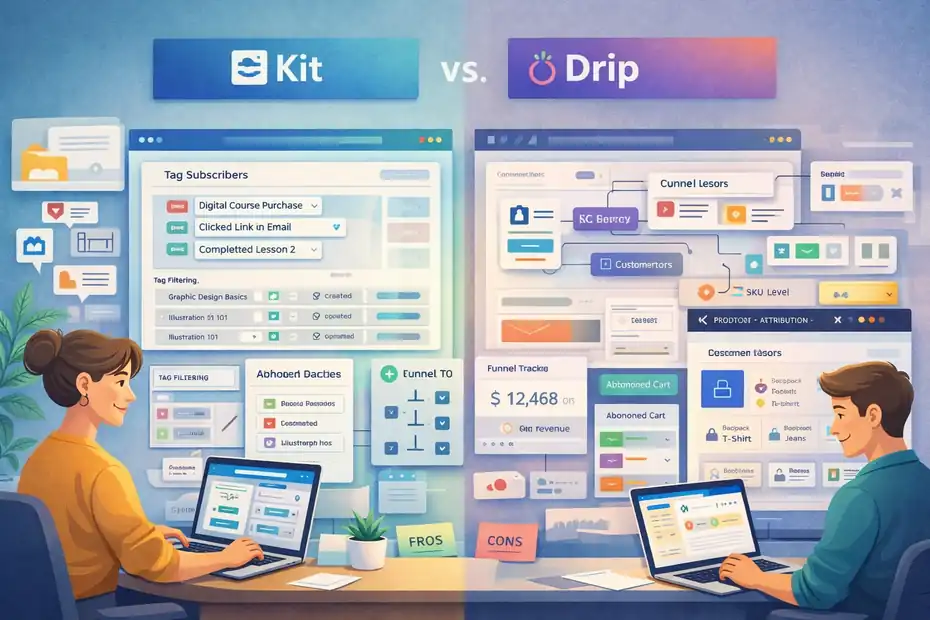
If you’re a creator selling digital products, courses, or a mix of merchandise and content, Kit and Drip feel like two very different worlds. Kit is built for creators who want simple email marketing without the clutter. Drip is built for ecommerce brands that need revenue tracking, funnels, and deep automation.
I’ve used both, and the best choice honestly depends on whether your business behaves more like a “creator engine” or an “online store.”
Kit’s Tag-Based Subscriber Management
Kit uses a tag-based system, which is a fancy way of saying you “label” subscribers instead of dropping them into rigid lists. For creators, this feels natural because your audience often overlaps—buyers of one digital product may also follow you for a completely different topic.
What I really like about Kit is how clean the tagging feels. You can tag subscribers based on:
- Product purchases
- Link clicks
- Course progress
- Interests from signup forms
And because everything is tag-driven, delivering targeted content becomes simpler. There’s no complicated segmentation logic—you just say, “Send this email to people tagged with X but not tagged with Y.”
Where Kit struggles is with deeper ecommerce events. If you sell physical products alongside digital ones, you’ll start noticing gaps in automation triggers because Kit doesn’t track SKU-level data or browsing behavior the way Drip does.
Drip’s Revenue Attribution For Product Funnels
Drip was built for online stores, and that becomes obvious the moment you open the dashboard. Instead of just email metrics, you see actual revenue generated from each flow.
For creators selling merch or physical add-ons (like planners, accessories, or bundled upsells), this level of insight is incredibly valuable.
Drip tracks:
- Product-specific conversions
- Funnel ROI
- First-time vs repeat purchaser revenue
- Email-level sales impact
One of my favorite features is Drip’s “Revenue per Subscriber” metric. It sounds small, but it tells you exactly which automation sequences you should nurture and which ones are just taking up space.
For example, a creator I worked with sold digital art courses and physical brushes. Drip showed that her “Post-Purchase Tips” automation generated 2.4x more revenue from brush buyers than course buyers.
That insight allowed her to build a brushes-only upsell sequence—and it offset her entire email tool cost in one week.
Digital Products Vs Physical Store Automations
Here’s the simplest way to think about it:
Kit is for digital-first creators.
It handles:
- Courses
- Newsletters
- Memberships
- Downloadables
But lacks deep ecommerce triggers.
Drip is for product-first stores.
It handles:
- Cart abandonment
- Browse abandonment
- SKU-level recommendations
- Repeat purchase flows
If your business is 80% digital, 20% physical, Kit is enough.
If it’s the opposite, Drip is the safer long-term engine.
A creator mixing both worlds (say, selling digital presets and physical merch) usually hits Kit’s limitations within 6–12 months once segmentation needs become more granular.
Email Personalization And Dynamic Content Blocks
This is where these two platforms feel completely different.
Kit
Kit focuses on simple personalization like:
- Name merge fields
- Tag-based content delivery
- Basic link personalization
It intentionally keeps things light to avoid overwhelming creators.
Drip
Drip, on the other hand, gives you:
- Dynamic product feeds
- Personalized product recommendations
- Purchase-history-based content
- Conditional email sections
If you’ve ever wanted to send an email like: “Show Block A if they bought the course, but show Block B if they added the hoodie to cart,”
Drip handles that effortlessly.
When your store becomes more complex—or if you want to treat digital and physical customers differently—Drip gives you the precision Kit simply wasn’t designed for.
Best Fit For Hybrid Content And Commerce Brands
This is a question I get all the time from educators, influencers, and niche creators entering ecommerce.
Choose Kit if you:
- Sell mostly digital products
- Want simple tagging and clean segmentation
- Prefer fast setup over advanced automation
- Run a content-heavy business (newsletters, education, community)
Choose Drip if you:
- Sell physical products or structured ecommerce funnels
- Want revenue attribution and product-level data
- Need automated merchandising (dynamic recommendations)
- Treat your email strategy as a revenue center, not a broadcast tool
If your long-term plan is to scale a hybrid brand with both digital and physical products, Drip becomes the more future-proof choice.
GetResponse Vs Omnisend For All-In-One Automation
GetResponse and Omnisend both pitch themselves as “all-in-one” platforms, but they really solve different problems.
GetResponse is the Swiss Army knife of funnels and lead gen.
Omnisend is the ecommerce automation machine.
Your best choice depends on how your business actually makes money.
GetResponse’s Funnel Builder And Webinar Features
GetResponse leans into features most ecommerce tools ignore—like full funnel builders, landing pages, lead magnets, and webinar hosting.
If your ecommerce strategy includes:
- Webinars for product launches
- Sales funnels for digital products
- Lead generation sequences
- Multi-step nurture campaigns
Then GetResponse gives you a complete toolkit without needing five separate subscriptions.
A nutrition brand I worked with used GetResponse to run live workshops for product education. Their webinars converted at 8–12% consistently, which drove more supplement sales than any email campaign they’d run before.
Omnisend simply does not offer these funnel-building capabilities.
Omnisend’s Prebuilt Ecommerce Automation Flows
Omnisend is designed for ecommerce teams that want speed over configuration. Its prebuilt flows can launch in minutes and cover all the essentials:
- Abandoned cart
- Product browsing
- Post-purchase upsells
- Customer win-back
- Welcome series
Compared to GetResponse, Omnisend’s ecommerce automations feel more “plug-and-play.”
You don’t need to follow tutorials or map funnel logic—the platform does the heavy lifting.
And because Omnisend supports email + SMS + push notifications inside these flows, you can create multichannel sequences without leaving the builder.
Conversion Tracking And Revenue Dashboards
GetResponse shows funnel conversion metrics, but Omnisend shows ecommerce revenue, which is what most store owners truly care about.
GetResponse reports:
- Funnel step conversions
- Webinar attendance
- Lead gen performance
- Email engagement
Omnisend reports:
- Total email revenue
- Automation vs campaign revenue
- Attribution windows
- Order-level revenue sourcing
If your brand relies on understanding where your orders come from, Omnisend gives much clearer insight.
SMS, Push, And Email Combined Performance
Omnisend wins here. It was designed for multichannel automation from day one.
With Omnisend, you can combine:
- SMS
- Push
All inside a single flow. It’s extremely efficient for abandoned cart recovery and flash sales.
GetResponse has SMS, but not the same tight integration. Push notifications aren’t native either.
Where GetResponse does win is lead funnels, not multichannel ecommerce.
Which Tool Reduces Manual Campaign Work Most
If your goal is fewer manual sends, Omnisend easily wins.
Its automations create a “set it and let it run” system with minimal updates.
GetResponse reduces work only if you run complex funnel-based promotions or webinars. If not, you’ll probably end up doing more manual campaign creation.
My personal rule of thumb:
- Choose GetResponse if your revenue depends on education, funnels, or events.
- Choose Omnisend if your revenue depends on ecommerce automations and repeat orders.
Shopify Email Vs Dedicated Automation Platforms
Comparing Shopify Email to dedicated tools like Klaviyo or Drip is a bit like comparing a pocket calculator to a full financial model.
Shopify Email is great for basic broadcasting—but when your store grows, things get complex fast.
Shopify Email’s Native Store Integration
Shopify Email shines because it’s built into your store. No syncing delays, no complicated integration. The templates match your brand theme automatically, which is perfect if you want clean, consistent emails without design headaches.
For small stores, this is enough:
- Simple newsletters
- Basic announcements
- Clean product blocks
And the pricing is almost unbeatable.
But the moment you want behavior-based automation, Shopify Email starts showing its limits.
Automation Limits Compared To Klaviyo Or Drip
Shopify Email doesn’t offer:
- Advanced segmentation
- SKU-level dynamic recommendations
- Behavior triggers beyond basic events
- Predictive analytics
- Multi-path automation flows
Where Klaviyo and Drip let you build complex flows based on browsing history, expected reorder dates, or purchase value, Shopify Email keeps everything very basic.
If your email strategy relies on automated revenue (as it should), these missing features matter.
Cost Savings Vs Revenue Opportunity Loss
Shopify Email is cheap—no arguing that. But I’ve seen brands lose far more in unrealized revenue by staying on it too long.
For example:
A store doing $20K/month switched from Shopify Email to Klaviyo. Their automated flows jumped from generating ~5% of revenue to 22% within three months.
That difference alone was worth over $3,000/month.
So yes, Shopify Email saves you money upfront. But the bigger question is: Does it cost you more in the long run by limiting automated earnings?
In many cases, the answer is yes.
When Staying Native Makes Strategic Sense
There are a few cases where Shopify Email is absolutely the right call:
- Early-stage stores under $5K/month revenue
- Brands sending fewer than 3–4 emails per month
- Stores with simple product lines
- Founders who want minimal setup
If you’re still validating your product-market fit, you don’t need advanced workflows yet. Shopify Email is perfect for that stage.
Signs You’ve Outgrown Shopify Email
Here’s the part most store owners don’t realize until too late. You’ve outgrown Shopify Email when:
- You wish you could segment customers more effectively
- You want abandoned cart flows beyond the default
- You need post-purchase upsells
- You want deeper analytics and revenue attribution
- You’re spending more time sending emails than generating sales
When your revenue goals outpace what Shopify Email can automate, it’s time to upgrade.
Migration Risks And Switching Costs Explained
Switching email platforms sounds simple until you’re in the middle of it and everything takes twice as long as expected.
I’ve helped many ecommerce owners migrate between tools, and the biggest surprise is how much invisible labor goes into maintaining revenue continuity.
Here’s what you should look out for before making a move.
Data Portability And Subscriber Tag Transfers
This is the first point of friction in almost every migration. Your subscribers aren’t just email addresses; they’re tagged, segmented, behavior-scored, and sometimes tracked by purchase history. Not all platforms speak the same “data language,” which means certain fields won’t transfer cleanly.
For example, Drip’s tag-based system will not map perfectly into Klaviyo’s segment logic, and HubSpot’s CRM properties will not automatically convert into Omnisend’s custom fields.
A few things I’ve seen catch people off guard:
- Tag hierarchies collapse if imported incorrectly.
- Subscriber activity tracking resets entirely in some platforms.
- Purchase data may require re-importing via Shopify or API sync.
When advising clients, I always tell them: Do not start a migration during a product launch or peak season. You want room to recover from mapping mistakes.
Automation Rebuild Time And Hidden Labor Costs
Rebuilding flows is where most of the real migration cost hides. Even if you export automation maps, you still have to:
- Recreate conditional logic
- Reconnect product recommendation blocks
- Set new trigger conditions
- Rebuild templates
- Adjust timing settings
A brand I consulted underestimated this and spent nearly 40 hours rebuilding flows that originally took them only 12 hours to create. The complexity isn’t the problem—it’s the translation between two different logic systems.
If your automations include:
- Multi-path journeys
- Post-purchase cross-sells
- Replenishment flows
- SKU-specific triggers
Prepare for more rebuild time.
Deliverability Warm-Up After Platform Switch
This is the part no one talks about, but it affects email revenue immediately. When you switch platforms, your sender reputation effectively resets.
ESPs (Email Service Providers) don’t know your new sending IP yet, so your email volume must be slowly increased—known as a warm-up—just like warming up a cold engine.
If you send too many emails too quickly:
- Open rates drop
- You land in the promotion tab
- Some ISPs throttle your sends
- Spam filters tighten
A controlled warm-up might look like:
- Send to your most engaged 10% of subscribers.
- Gradually increase to 25%, then 50%, then the full list.
- Avoid “big send weeks” during the transition.
This is where many ecommerce brands experience a temporary revenue dip… not because the new platform is bad, but because inboxes don’t trust it yet.
Revenue Dip Risk During Transition Period
Most migrations cause at least a small temporary dip in automation revenue. It usually happens because:
- Flows aren’t rebuilt yet
- Deliverability is still warming
- Segments aren’t fully populated
- A/B tests reset and lose optimization history
Based on my experience, ecommerce brands typically see a dip of 5–15% for the first two to four weeks. It’s not permanent—once your automations stabilize and deliverability improves, performance usually rebounds and even surpasses the old platform.
The easiest way to prevent major dips is to run both platforms in parallel for a short time so you don’t break your revenue engine midstream.
Step-By-Step Migration Planning Checklist
Here’s a quick checklist I give clients when planning an email platform migration:
- Audit your current automations: List every flow, trigger, and logic path.
- Export subscriber data with tags/segments: Ensure no custom fields go missing.
- Back up templates: Save HTML versions to avoid rebuilding from scratch.
- Sync ecommerce data (Shopify/BigCommerce) first: Confirm SKU-level history is intact.
- Rebuild core flows in priority order: Start with abandoned cart → post-purchase → welcome.
- Warm up your sender reputation: Begin with your most engaged segments.
- Run both platforms in parallel for 1–2 weeks: Avoid turning off the old one too fast.
- Monitor deliverability and revenue daily: Spot anomalies early.
This proactive approach saves a lot of anxiety—and often thousands in lost revenue.
Pricing Comparison Table For 2026 Ecommerce Brands
Pricing is one of the biggest decision drivers for ecommerce teams comparing automation tools. I’ve gathered the pricing ranges most brands see in 2026 based on list size, SMS usage, and feature tiers.
This will anchor your email automation tools comparison for ecommerce in real-world numbers.
Monthly Cost At 5K, 25K, 75K Subscribers
Here’s a consolidated table comparing popular platforms: Klaviyo, Omnisend, Drip, MailerLite, Brevo, HubSpot, and GetResponse.
| Platform | 5K Subscribers | 25K Subscribers | 75K Subscribers |
| Klaviyo | ~$70–$90 | ~$250–$300 | ~$650–$900 |
| Omnisend | ~$45–$60 | ~$120–$180 | ~$300–$450 |
| Drip | ~$60–$80 | ~$200–$260 | ~$550–$750 |
| MailerLite | ~$20–$35 | ~$100–$150 | ~$250–$330 |
| Brevo | ~$15–$25 | ~$45–$65 | ~$90–$150 |
| HubSpot | ~$450–$700 | ~$1,200–$2,000 | $3,500+ |
| GetResponse | ~$30–$50 | ~$120–$180 | ~$300–$450 |
HubSpot is the outlier—powerful, but expensive.
Brevo remains the budget king.
Klaviyo tends to deliver the strongest ROI at scale.
SMS And Transactional Email Add-On Fees
SMS pricing varies wildly depending on country and volume. Rough estimates:
- Klaviyo: ~$0.015–$0.03 per U.S. SMS
- Omnisend: ~$0.014–$0.03
- Drip: SMS via integration, varies
- Brevo: Lower SMS costs but fewer ecommerce triggers
- Shopify Email: No SMS
- HubSpot: SMS via integrations only
Transactional email costs (per 1,000 sends):
- Brevo: ~$1
- GetResponse: Built into higher plans
- Klaviyo: Included, based on overall pricing
- Omnisend: Included depending on plan
If transactional emails represent a large part of your communication volume (common for high-order-frequency stores), Brevo and Klaviyo tend to be the most cost-efficient.
Revenue Attribution And Advanced Feature Tiers
The more advanced the tool, the more accurate the revenue attribution.
Ranking by attribution quality:
- Klaviyo – SKU-level, predictive, cohort insights
- Drip – Funnel and order-level attribution
- Omnisend – Clear automation vs campaign revenue
- GetResponse – Basic attribution
- MailerLite – Minimal
- Shopify Email – Very limited
Platforms like Klaviyo and Drip charge more because their advanced features directly increase revenue through smarter segmentation and recommendations.
Cost-Per-Subscriber Growth Curve Comparison
Some tools scale aggressively in cost; others stay flat.
Tools with steep growth curves:
- Klaviyo
- HubSpot
- Drip
Tools with flat growth curves:
- Brevo
- MailerLite
- Omnisend (middle ground)
A good rule: If your list grows fast but sending volume stays low, Brevo is the cheapest long-term option.
If both list and sending volume grow, Omnisend tends to deliver the best blended value.
Which Platform Offers The Best ROI By Stage
Based on all the data I’ve seen:
- Best ROI for small lists (0–10K): MailerLite, Brevo, Omnisend
- Best ROI for mid-size stores (10K–100K): Klaviyo, Omnisend
- Best ROI for large stores (100K+): Klaviyo
- Best ROI for funnel-heavy brands: GetResponse
- Best ROI for B2B/B2C hybrid: HubSpot
ROI isn’t just cost—it’s how well the tool turns your data into revenue.
Final Verdict: Best Email Automation Tool By Store Stage
With so many options, the real question is: Which tool is right for where your ecommerce brand is today?
Here’s the breakdown I share with clients when they’re choosing a platform based on revenue stage, team size, and business model.
Best For Beginners Under $10K Monthly Revenue
If you’re still gaining traction, you don’t need advanced automations yet. You need affordability, simplicity, and clean deliverability.
My picks:
- MailerLite for email-first creators or simple stores
- Brevo for stores with frequent transactional emails
- Shopify Email if you want to keep everything native and ultra-simple
Your goal at this stage is not sophistication—it’s consistency.
Best For Scaling Stores $10K–$250K Monthly
Once you’re here, automation becomes a profit center. You need behavior triggers, dynamic recommendations, and segmentation.
My picks:
- Klaviyo for pure ecommerce
- Omnisend for multichannel flows and fast setup
- Drip for stores leaning into funnels or hybrid models
Most stores moving through this revenue band see their email-driven sales climb from 5–10% to 20–30% when switching to one of these tools.
Best For 7-Figure Ecommerce Brands
If you’re at this level, precision matters. You need:
- Predictive analytics
- SKU-level personalization
- Cohort reporting
- Sophisticated segmentation
My pick:
- Klaviyo, hands down
It consistently produces the highest automated revenue for mature DTC brands. Drip comes in second for stores that prefer a more visual workflow builder.
Best For Hybrid Creator-Commerce Businesses
For brands blending content, education, and physical products:
- Drip excels at bridging funnels with ecommerce automations.
- Kit works if digital products dominate your business and you want simple tagging.
If your brand behaves more like a content engine than a retail store, Drip gives you more control over revenue attribution without overwhelming your workflow.
Best For Budget-Constrained Startups
If saving money is your North Star right now:
- Brevo offers the best long-term affordability.
- MailerLite gives you fast implementation with clean designs.
- Shopify Email works for stores validating product-market fit.
As your list grows and your automations mature, you’ll eventually outgrow these—but they give you a solid foundation without eating your margins.
FAQ
What is the best email automation tool for ecommerce brands?
The best tool depends on your store size and needs, but Klaviyo is the top choice for most ecommerce brands because it offers deep segmentation, predictive analytics, and strong revenue attribution. If you want simpler, multichannel automation, Omnisend is a close second.
How do I choose between Klaviyo, Omnisend, Drip, and other platforms?
Look at how each tool handles customer data, automation depth, and long-term cost. For advanced behavior tracking choose Klaviyo; for fast, multichannel workflows choose Omnisend; for funnel-driven stores choose Drip; and for budget-focused setups choose Brevo or MailerLite.
Are expensive email tools worth it for ecommerce?
Yes—if they increase automated revenue. Most brands upgrading from basic tools to advanced platforms like Klaviyo or Drip see automated revenue jump from 5–10% to 20–30%. The right email automation tools comparison for ecommerce should reveal not just pricing differences but which platform actually drives more sales.

Juxhin B is a digital marketing researcher and founder of JAK Digital Hub, specializing in email marketing software, marketing automation platforms, and digital growth tools. His work focuses on software testing, platform comparisons, and real-world performance analysis to help businesses choose the right marketing technology.
Related posts:
 Email Automation Tools Migration Checklist for a Smooth Switch
 Email Automation Tools Cost for 20k Subscribers—Price Breakdown
 Is There Better Email Automation Software For Ecommerce?
 Email Automation Tools for New Ecommerce Store: What to Start With
 Email Automation Tools Not Triggering? Fix the Issue Fast
 Email Automation Software With Better Deliverability Ranked