Table of Contents
Some links on JAK Digital Hub are affiliate links, meaning we may earn a small commission at no extra cost to you. Read full disclaimer.
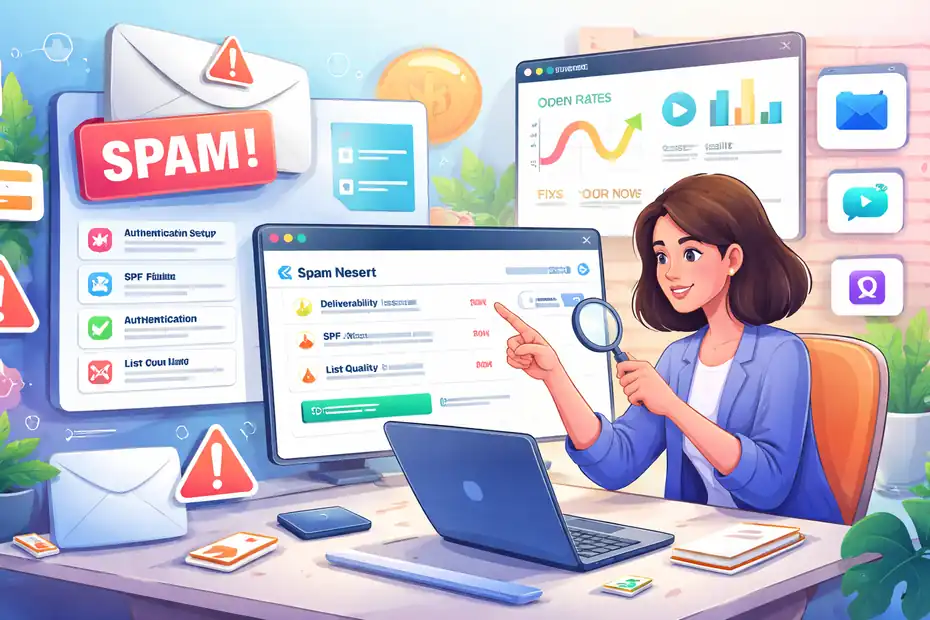
Omnisend emails going to spam is one of the fastest ways to kill email marketing performance. You might see solid open rates during testing, then suddenly campaigns disappear into spam folders, engagement collapses, and revenue drops.
In most cases, the issue isn’t just one mistake. It’s usually a combination of sender reputation problems, authentication gaps, list hygiene issues, and campaign behavior that triggers spam filters. The good news is that these problems are fixable—once you know exactly where to look.
Fix Missing SPF, DKIM, And DMARC Authentication Issues
If your omnisend emails going to spam problem started suddenly, authentication is often the first place I check. Email providers like Gmail, Outlook, and Yahoo rely heavily on authentication records to verify that your emails are legitimate and not spoofed.
Without proper authentication, even perfectly written campaigns can land in spam because inbox providers simply don’t trust the sender.
How SPF Records Impact Omnisend Deliverability
SPF (Sender Policy Framework) tells inbox providers which servers are allowed to send emails on behalf of your domain. Think of it like a guest list for your domain’s email traffic.
When you send campaigns through Omnisend, the receiving server checks your SPF record to confirm whether Omnisend is allowed to send emails for your domain.
If SPF is missing or misconfigured:
- Gmail may mark your emails as suspicious.
- Outlook may quarantine them.
- Yahoo may push them straight to spam.
A properly configured SPF record usually looks something like this inside your DNS settings:
v=spf1 include:omnisend.com ~all
This line basically says:
“Omnisend is allowed to send emails for this domain.”
In my experience, many deliverability issues happen because SPF is:
- Missing entirely
- Overwritten by another platform
- Conflicting with multiple email services
For example, if you use Shopify email, Google Workspace, and Omnisend together, you must combine their SPF includes into one record.
Why DKIM Signing Proves Email Authenticity
DKIM (DomainKeys Identified Mail) adds a cryptographic signature to your emails. That sounds technical, but the concept is simple.
When Omnisend sends your email:
- It attaches a hidden signature to the message.
- The receiving server checks that signature against your DNS record.
- If they match, the message is verified as authentic.
This prevents email tampering during delivery.
Why this matters:
Spam filters don’t just look at content. They check email integrity.
If DKIM is missing, inbox providers may assume:
- The message was altered
- The sender is impersonating your domain
From what I’ve seen, adding DKIM alone can sometimes improve inbox placement by 10–25%, especially for ecommerce stores sending promotional campaigns.
DMARC Policies That Prevent Domain Spoofing
DMARC (Domain-based Message Authentication, Reporting & Conformance) works on top of SPF and DKIM.
It tells inbox providers what to do when authentication fails.
You can set three DMARC policies:
| Policy | What Happens |
|---|---|
| None | Monitor only |
| Quarantine | Send suspicious emails to spam |
| Reject | Block the message entirely |
A simple DMARC record might look like this:
v=DMARC1; p=none; rua=mailto:reports@yourdomain.com
This does two things:
- Allows monitoring authentication failures
- Sends reports showing how your domain is used
I usually recommend starting with p=none, reviewing reports, then moving to quarantine once everything looks clean.
Step-By-Step Authentication Setup Inside Omnisend
Let me break this down into the actual steps you’d take.
Inside your Omnisend dashboard:
- Go to Settings
- Click Sender Domains
- Add your sending domain
- Copy the DNS records Omnisend provides
- Add them to your domain provider (Cloudflare, GoDaddy, Namecheap, etc.)
- Verify the domain inside Omnisend
You’ll usually see three records:
- SPF record
- DKIM record
- Tracking domain record
In most cases, DNS propagation takes 15 minutes to 24 hours.
Once verified, your domain becomes authenticated and trusted.
How To Test Your Email Authentication Correctly
Never assume authentication works just because records are added.
I always test with third-party deliverability tools before sending real campaigns.
Here’s a quick comparison of popular testing platforms:
| Tool | What It Tests | Best Use Case |
|---|---|---|
| Mail Tester | SPF, DKIM, spam score | Quick campaign checks |
| GlockApps | Inbox placement testing | Advanced deliverability monitoring |
| MXToolbox | DNS record verification | Authentication troubleshooting |
| Google Postmaster Tools | Gmail reputation insights | Long-term sender health |
What I personally do:
- Send a test campaign.
- Run it through Mail Tester.
- Check spam score and authentication status.
- Fix issues before sending large campaigns.
This simple process can prevent thousands of emails from landing in spam.
Repair Low Sender Reputation Damaging Inbox Placement
Even with perfect authentication, omnisend emails going to spam can still happen if your sender reputation is weak. Inbox providers track how recipients interact with your emails and score your sending behavior over time.
Think of sender reputation like a credit score for email marketing.
How Internet Service Providers Score Sender Reputation
Internet Service Providers (ISPs) use dozens of signals to determine whether your emails deserve inbox placement.
Some of the biggest factors include:
- Open rates
- Click rates
- Spam complaints
- Bounce rates
- Unsubscribe behavior
- Sending consistency
If too many people ignore or report your emails, ISPs assume your messages are unwanted.
For example:
If you send 50,000 emails and only 3% open them, Gmail may start pushing future campaigns into spam.
In my experience, ecommerce brands should aim for:
- Open rate: 20–35%
- Spam complaints: under 0.1%
- Bounce rate: under 2%
When metrics fall below these benchmarks, sender reputation slowly declines.
Signs Your Omnisend Domain Reputation Is Dropping
Deliverability problems rarely happen overnight. Usually, there are warning signs first.
Watch for these signals:
- Open rates suddenly drop across campaigns
- Gmail users stop engaging
- Emails appear in spam during testing
- Campaign revenue declines
- Spam complaints increase
One pattern I often see is this:
A store grows quickly, imports a huge list, and sends large campaigns immediately. ISPs view this as suspicious behavior.
That’s when omnisend emails going to spam becomes a recurring problem.
Tools That Reveal Sender Reputation Problems
You don’t have to guess your sender reputation. Several tools provide detailed insight.
Here’s a useful comparison:
| Tool | Key Features | Ideal Use |
|---|---|---|
| Google Postmaster Tools | Gmail reputation, spam rate, IP reputation | Gmail-specific monitoring |
| SenderScore | Reputation score (0–100) | Overall sender health |
| GlockApps | Inbox placement testing | Campaign testing |
| MXToolbox | Blacklist monitoring | Deliverability troubleshooting |
Google Postmaster Tools is especially important if most of your subscribers use Gmail.
It shows:
- Domain reputation
- Spam complaint rate
- Feedback loop data
In many cases, the reputation graph alone explains why campaigns suddenly go to spam.
Warming Up A Damaged Sending Domain Safely
If your reputation is already damaged, sending more emails can actually make things worse.
You need to rebuild trust slowly.
Here’s the process I typically recommend:
- Start with your most engaged subscribers.
- Send small campaigns (1,000–3,000 contacts).
- Monitor engagement metrics.
- Gradually expand to larger segments.
This strategy tells ISPs that people actually want your emails.
Over time, your reputation improves.
Gradual Volume Scaling To Rebuild Trust With ISPs
Sudden spikes in email volume are one of the fastest ways to trigger spam filters.
Instead, scale sending gradually.
Example domain warm-up schedule:
| Day | Emails Sent |
|---|---|
| Day 1 | 1,000 |
| Day 2 | 2,000 |
| Day 3 | 4,000 |
| Day 4 | 8,000 |
| Day 5 | 15,000 |
This gradual pattern looks natural to inbox providers.
I’ve seen brands recover deliverability within 2–4 weeks using this approach.
Remove Toxic Email Contacts Hurting Deliverability
One of the most overlooked reasons behind omnisend emails going to spam is poor list quality. Even if your campaigns are well designed, sending to disengaged or fake contacts can destroy deliverability.
In many cases, fixing the email list alone dramatically improves inbox placement.
Why Purchased Or Scraped Lists Trigger Spam Filters
Buying email lists might seem like a shortcut to faster growth, but it almost always backfires.
Purchased lists typically contain:
- Fake addresses
- Spam trap emails
- People who never opted in
Spam traps are especially dangerous.
They are email addresses created specifically to catch senders who use questionable list-building tactics.
If you hit one, inbox providers may immediately flag your domain.
This is why reputable email platforms strongly discourage purchased lists.
If you want long-term deliverability, stick to organic subscriber growth through:
- Website forms
- Checkout opt-ins
- Lead magnets
- Newsletter signups
Identifying Inactive Subscribers Killing Engagement
Inactive subscribers can silently damage your sender reputation.
Imagine sending emails to 50,000 subscribers, but only 5,000 ever open them. That tells inbox providers your emails aren’t valuable.
I usually define inactive subscribers as people who:
- Haven’t opened emails in 60–90 days
- Haven’t clicked a link in months
- Ignore multiple campaigns
These users reduce engagement rates and increase the chance your emails go to spam.
Segmenting them is the first step toward fixing the problem.
Creating A Re-Engagement Campaign Before Removing Users
Before deleting inactive subscribers, I suggest trying a re-engagement campaign.
Sometimes people simply forgot they subscribed.
A simple re-engagement sequence might include:
Email 1: “Do you still want to hear from us?”
Email 2: Offer a discount or incentive.
Email 3: Final message warning removal.
For example:
“We noticed you haven’t opened our emails lately. If you’d still like updates and exclusive offers, click below to stay subscribed.”
This approach can recover 10–20% of inactive subscribers in many cases.
Smart List Cleaning Rules Inside Omnisend
Omnisend allows you to automate list cleaning with segmentation rules.
For example, you can create a segment like:
- No opens in 90 days
- No clicks in 120 days
- Not part of recent purchase activity
Once identified, you can:
- Pause sending to them
- Run a re-engagement campaign
- Remove them if inactive
Automating this process prevents deliverability problems from building up over time.
How Often You Should Clean Your Email List
List cleaning isn’t a one-time task.
In my experience, it should happen regularly.
A practical schedule looks like this:
| Task | Frequency |
|---|---|
| Remove hard bounces | Immediately |
| Review inactive subscribers | Every 30–60 days |
| Run re-engagement campaigns | Quarterly |
| Full list hygiene review | Every 6 months |
For many ecommerce stores, removing inactive subscribers actually improves revenue, because campaigns reach the people most likely to buy.
Fewer emails, better engagement, stronger deliverability.
And that’s exactly what inbox providers want to see.
Fix Spam Trigger Words And Formatting Problems
Even with strong authentication and a healthy email list, formatting mistakes can still push campaigns into spam. When omnisend emails going to spam, I often notice the issue isn’t technical infrastructure—it’s the way the email itself is structured.
Spam filters analyze subject lines, content patterns, HTML code, and link behavior. Small formatting choices can dramatically influence whether your email reaches the inbox.
Subject Line Patterns That Trigger Spam Filters
Subject lines are the first thing spam filters scan. If they look overly promotional or deceptive, inbox providers become suspicious.
Common patterns that trigger filters include:
- Excessive punctuation: “!!!”
- All caps: “LIMITED TIME OFFER”
- Aggressive urgency: “BUY NOW OR MISS OUT”
- Misleading promises: “Guaranteed income”
For example:
Poor subject line:
FREE MONEY!!! CLAIM YOUR REWARD NOW
Better version:
Your exclusive subscriber discount is ready
The difference is subtle but important. Spam filters analyze tone and intent, not just keywords.
From what I’ve seen across ecommerce campaigns, subject lines perform best when they feel conversational rather than promotional.
A practical formula that works well: Benefit + Curiosity
Example: “Your weekend skincare deal is inside”
Inbox providers want signals that your message is written for humans—not mass automation.
Email Copy Signals Spam Detection Systems
Spam filters also analyze the actual body copy of your email.
Certain patterns immediately raise suspicion:
- Too many promotional claims
- Excessive exclamation marks
- Aggressive sales language
- Suspicious phrases like “guaranteed income”
Here are common spam-trigger phrases to avoid:
- “100% free”
- “Risk-free”
- “Act immediately”
- “Earn money fast”
This doesn’t mean you can’t promote products. The key is balance.
Instead of writing: “BUY NOW BEFORE IT’S TOO LATE”
Try something like: “We just restocked our best-selling jackets. If you’ve been waiting for your size, now might be the perfect time.”
The second version feels natural. Spam filters prefer natural language patterns that resemble real communication.
Image-To-Text Ratio Mistakes In Email Design
Many ecommerce emails rely heavily on images. While this looks visually appealing, it can actually hurt deliverability.
Spam filters become suspicious when emails contain too many images and very little text.
Why?
Because spammers often hide promotional text inside images to bypass filters.
A safe guideline I suggest is: 60% text / 40% images
Here’s a quick comparison:
| Email Structure | Deliverability Impact |
|---|---|
| Image-only email | High spam risk |
| Balanced image + text | Healthy inbox placement |
| Text-heavy email | Usually safe |
Also make sure every image includes alt text.
Alt text helps inbox providers understand the purpose of your images and improves accessibility.
Link Tracking Issues That Hurt Deliverability
Another hidden reason behind omnisend emails going to spam is suspicious link behavior.
Spam filters carefully analyze links inside emails.
Red flags include:
- Too many links
- Links pointing to unrelated domains
- URL shorteners
- Broken links
For example, imagine your email contains:
That inconsistency can trigger spam filters.
The safer approach is simple:
- Keep links pointing to your own domain
- Avoid URL shorteners
- Limit excessive linking
In most campaigns, 3–5 links is ideal.
HTML Code Errors That Cause Spam Flagging
Email HTML is surprisingly fragile. Small coding mistakes can create red flags for spam filters.
Common problems include:
- Broken HTML tags
- Hidden text
- Excessive inline styles
- Copying HTML from Microsoft Word
I’ve personally seen emails flagged as spam simply because of poorly structured HTML templates.
The safest approach is to use Omnisend’s built-in email builder rather than importing complex external templates.
Most modern builders automatically optimize code for deliverability.
If you’re designing custom templates, test them carefully with deliverability tools before sending campaigns.
Correct Domain And Sending Infrastructure Problems
Your sending domain plays a huge role in whether emails land in inboxes or spam folders. Even if your campaigns look perfect, infrastructure issues can still cause omnisend emails going to spam.
Inbox providers analyze domain behavior to determine trustworthiness.
If your domain setup looks suspicious, spam filtering becomes much stricter.
Why Free Email Domains Destroy Deliverability
One of the most common mistakes I see is using free email addresses as sender identities.
For example:
- Gmail addresses
- Yahoo addresses
- Outlook addresses
Sending marketing emails from these domains causes two major problems:
First: Authentication limitations.
You cannot properly configure SPF, DKIM, and DMARC for Gmail or Yahoo addresses.
Second: Trust issues.
Inbox providers view these as unverified senders.
For example: bad example: storepromo@gmail.com
professional example: support@yourstore.com
Even small ecommerce stores should use a branded domain. It signals legitimacy to inbox providers.
Sending Domain Vs Root Domain Best Practices
There are two common approaches to sending domains:
Root domain: yourstore.com
Subdomain: mail.yourstore.com
In most cases, I recommend using a dedicated sending subdomain.
Here’s why: If deliverability problems occur, they won’t damage your primary website domain.
For example:
| Domain Type | Purpose |
|---|---|
| yourstore.com | Website traffic |
| mail.yourstore.com | Email campaigns |
This separation protects your main domain reputation.
Many large ecommerce brands use this structure for exactly that reason.
Dedicated Domain Setup For Omnisend Sending
Setting up a dedicated sending domain inside Omnisend is relatively simple.
Here’s how you can do it:
- Create a subdomain (example: mail.yourstore.com).
- Add the domain inside Omnisend settings.
- Configure DNS authentication records.
- Verify domain ownership.
Once completed, Omnisend sends emails using that domain instead of a shared infrastructure.
Benefits include:
- Improved sender reputation
- More consistent inbox placement
- Greater control over deliverability
I usually recommend this setup once your email list exceeds 5,000 subscribers.
Custom Tracking Domains And Brand Alignment
Tracking domains control how links appear inside your emails.
Without customization, tracking links often look like this: track.omnisend.com/abc123
Spam filters sometimes distrust these shared domains.
A custom tracking domain improves brand consistency and trust.
Example: links.yourstore.com
This simple change offers two benefits:
- Your brand appears inside links
- Inbox providers see consistent domain behavior
It’s a small tweak, but it can improve deliverability signals.
Subdomain Strategy For Long-Term Email Reputation
As your email marketing grows, managing reputation becomes more important.
A good long-term strategy is multiple sending subdomains.
For example:
| Subdomain | Purpose |
|---|---|
| mail.yourstore.com | Promotional emails |
| orders.yourstore.com | Transactional emails |
| updates.yourstore.com | Product announcements |
This segmentation prevents promotional campaigns from harming transactional email deliverability.
Transactional emails (like order confirmations) should always have the strongest reputation.
Separating domains protects those critical messages.
Stop Engagement Signals From Tanking Deliverability
Engagement signals play a huge role in spam filtering. When subscribers stop interacting with your emails, inbox providers start questioning whether your messages are wanted.
This is another major reason omnisend emails going to spam can happen, especially for growing ecommerce stores.
How Low Open Rates Trigger Spam Filtering
Open rates are one of the clearest signals inbox providers track.
If large numbers of subscribers ignore your emails, spam filters assume your campaigns are unwanted.
Typical engagement benchmarks:
| Metric | Healthy Range |
|---|---|
| Open rate | 20–35% |
| Click rate | 2–5% |
| Spam complaints | Under 0.1% |
When open rates fall below 10–15%, inbox placement often declines. This doesn’t always mean your emails are bad.
Sometimes subscribers simply lose interest over time. That’s why engagement-based segmentation becomes critical.
Why Ignoring Click Data Hurts Future Campaigns
Clicks matter even more than opens. Clicks show intent.
If subscribers regularly click links, inbox providers interpret your emails as valuable. nIf nobody clicks anything, spam filters assume your emails are irrelevant.
From what I’ve seen, even a 2–3% click rate can significantly improve inbox placement.
Tracking click behavior also reveals:
- Which products people care about
- Which campaigns perform best
- Which segments deserve priority
Ignoring this data is like flying blind.
Segmenting Highly Engaged Subscribers First
One of the fastest ways to fix deliverability issues is sending campaigns to your most engaged users first.
Why this works:
Inbox providers see positive engagement signals immediately.
This builds trust before sending to less engaged subscribers.
A typical high-engagement segment might include users who:
- Opened emails within 30 days
- Clicked a campaign recently
- Made a purchase recently
These users are the core audience that keeps your sender reputation strong.
Building Engagement-Based Email Segments In Omnisend
Omnisend allows you to create dynamic segments based on behavior.
For example, you can create segments like:
Highly engaged:
- Opened email in last 30 days
- Clicked link in last 30 days
Moderately engaged:
- Opened email in last 60 days
Inactive users:
- No opens in 90 days
Once created, you can prioritize sending to these segments.
This simple strategy often improves deliverability within a few campaigns.
Rebuilding Positive Engagement Signals Over Time
If omnisend emails going to spam has been happening for a while, rebuilding reputation takes patience.
Think of it as rebuilding trust with inbox providers.
Start with these steps:
- Send campaigns to highly engaged subscribers only.
- Improve subject lines and personalization.
- Offer genuine value in each email.
- Slowly expand to larger segments.
Imagine you run a small ecommerce store selling skincare products. Instead of blasting your entire list, you start with your most loyal buyers.
They open, click, and purchase.
Inbox providers notice that engagement and gradually begin trusting your emails again.
From what I’ve seen, many brands recover deliverability within 3–6 weeks using this method. Consistency matters more than volume.
Solve Blacklisting Issues Blocking Inbox Placement
If omnisend emails going to spam suddenly becomes severe, blacklist problems might be the culprit. Blacklists are databases used by email providers to track domains and IP addresses that send suspicious or unwanted emails.
When your sending domain or IP appears on a blacklist, inbox providers often route your emails straight to spam or block them entirely.
How Domains And IPs End Up On Spam Blacklists
Blacklisting usually happens when sending behavior signals abuse or poor list practices.
The most common causes include:
- High spam complaint rates
- Sending to spam trap addresses
- Extremely high bounce rates
- Large spikes in email volume
- Purchased or scraped email lists
Imagine you import a 50,000-contact list and immediately send a promotional campaign. If thousands of those contacts are invalid or inactive, bounce rates skyrocket. Spam filters interpret this as spam-like behavior.
In many cases, the domain reputation damage happens quickly.
For many ecommerce senders, the biggest risk factor is poor list hygiene combined with sudden campaign bursts.
Tools To Check If Your Sending Domain Is Listed
Before trying to fix blacklist problems, you first need to confirm whether your domain or IP is listed.
Several deliverability tools help with this. Here’s a quick comparison:
| Tool | Key Features | Best Use |
|---|---|---|
| MXToolbox | Blacklist lookup across many databases | Quick domain checks |
| GlockApps | Inbox placement testing and blacklist detection | Campaign testing |
| Spamhaus Lookup | One of the most respected spam blocklists | Serious deliverability issues |
| Google Postmaster Tools | Gmail reputation insights | Monitoring Gmail-specific problems |
In my experience, MXToolbox is the fastest way to run a quick diagnostic. You simply enter your sending domain and check whether it appears on major blacklists.
If you find listings, don’t panic. Many blacklists allow removal requests.
Steps To Request Removal From Email Blacklists
Once you confirm a blacklist entry, the next step is requesting removal.
Here’s how the process typically works:
- Identify the blacklist provider (Spamhaus, Barracuda, etc.).
- Visit the blacklist provider’s removal page.
- Review the reason for listing.
- Fix the underlying issue (spam complaints, bounce rates, etc.).
- Submit a delisting request.
Most blacklists require proof that you resolved the problem.
For example:
If your listing was caused by spam complaints, you might need to:
- Remove inactive subscribers
- Implement double opt-in
- Reduce sending volume
Delisting can take anywhere from a few hours to several days depending on the provider.
Preventing Future Blacklisting Incidents
The best strategy is prevention.
I usually suggest focusing on these core deliverability habits:
- Never buy email lists
- Remove hard bounces immediately
- Maintain healthy engagement rates
- Send consistently instead of blasting campaigns
- Authenticate your sending domain properly
One interesting statistic from Return Path research shows that 83% of deliverability problems are linked to sender reputation issues, not technical errors.
This means behavior matters more than infrastructure.
Monitoring Your Domain Reputation Weekly
Once deliverability stabilizes, I recommend checking domain health regularly. A simple weekly routine can prevent major problems later.
Here’s a basic monitoring checklist:
- Review open and click rates
- Check spam complaint percentages
- Run a blacklist scan
- Monitor sender reputation tools
Think of it like checking website analytics.
Small issues caught early are much easier to fix than full deliverability breakdowns.
Fix Sending Behavior That Triggers Spam Filters
Even well-authenticated domains can struggle with omnisend emails going to spam if sending behavior looks suspicious. Inbox providers analyze patterns in how frequently and how aggressively you send emails.
Unusual patterns can make even legitimate campaigns appear spammy.
Sudden Email Volume Spikes That Alarm ISPs
One of the most common deliverability mistakes is sending huge email blasts after a long period of inactivity.
For example:
A brand sends no emails for two months, then suddenly sends 100,000 emails in a single campaign.
To spam filters, this behavior resembles spam campaigns.
Inbox providers prefer gradual and predictable sending patterns.
If your list grows quickly, scale email volume slowly.
Example scaling strategy:
| Week | Emails Sent |
|---|---|
| Week 1 | 5,000 |
| Week 2 | 10,000 |
| Week 3 | 20,000 |
| Week 4 | 40,000 |
This steady increase signals healthy growth rather than suspicious activity.
Sending Frequency Mistakes That Hurt Trust
Sending frequency plays a huge role in deliverability.
If subscribers suddenly receive emails every day after previously receiving them weekly, complaints often increase.
Inbox providers track this shift.
In most cases, ecommerce brands perform well with:
- 1–3 promotional emails per week
- Automated emails triggered by user behavior
However, the right frequency varies depending on your audience.
If subscribers feel overwhelmed, they stop engaging.
Low engagement eventually pushes campaigns into spam.
Automation Sequences That Send Too Many Emails
Automation is powerful, but poorly configured sequences can create deliverability problems.
For example, imagine a new subscriber entering multiple workflows simultaneously:
- Welcome series
- Product promotion series
- Abandoned cart reminder
- Newsletter campaigns
Suddenly that subscriber receives five emails in two days.
This often leads to:
- Unsubscribes
- Spam complaints
- Inbox filtering
A better approach is automation prioritization.
For example:
- Welcome series → priority
- Abandoned cart → second priority
- Promotional campaigns → lowest priority
Many platforms allow workflow suppression rules to prevent overlapping messages.
Safe Campaign Scheduling Practices
Campaign timing also affects engagement signals.
Emails sent at the wrong time often get ignored, which reduces engagement rates.
From what I’ve seen across ecommerce brands, these windows work well:
| Day | Best Send Time |
|---|---|
| Tuesday | 10 AM – 12 PM |
| Wednesday | 9 AM – 11 AM |
| Thursday | 10 AM – 1 PM |
These time windows vary depending on audience behavior, but they provide a useful starting point.
Testing different time slots can reveal when your audience is most responsive.
Creating A Consistent Sending Pattern
Consistency builds trust with inbox providers.
If your campaigns follow predictable patterns, spam filters learn that your sending behavior is normal.
For example: nWeekly newsletter every Tuesday. Promotional campaign every Friday.
This rhythm creates stability.
Subscribers also become familiar with your emails, which improves engagement.
In my experience, consistent sending patterns can dramatically improve inbox placement over time.
Optimize Omnisend Campaign Settings For Deliverability
Beyond strategy and infrastructure, specific campaign settings inside Omnisend also affect deliverability. Small configuration mistakes can contribute to omnisend emails going to spam without you even realizing it.
Optimizing these settings ensures your campaigns follow email best practices.
Correct Sender Name And Email Address Setup
Your sender identity is the first thing recipients see. If it looks unfamiliar or suspicious, people often ignore the email.
Poor example: newsletter123@randomdomain.com
Better example: Sarah From YourStore: support@yourstore.com
Consistency matters here.
Subscribers should immediately recognize who the email is from.
I usually recommend using a human-friendly sender name combined with a branded domain email address.
This approach improves open rates and builds trust.
Using Double Opt-In To Protect List Quality
Double opt-in is a subscription confirmation process. After signing up, the subscriber must click a confirmation link before joining your list.
This step prevents fake or mistyped email addresses from entering your list.
Benefits include:
- Lower bounce rates
- Higher engagement
- Fewer spam complaints
Many marketers avoid double opt-in because they fear losing subscribers. But from what I’ve seen, the subscribers who confirm are far more engaged.
Quality always beats quantity when it comes to email lists.
Omnisend Automation Settings That Affect Spam Rates
Certain automation settings can influence deliverability.
For example:
- Frequency caps
- Workflow triggers
- Email throttling
Frequency caps limit how many emails a subscriber can receive within a certain time period.
For example:
Maximum 3 emails per week per subscriber.
This prevents automation overlap and protects user experience.
In my opinion, this feature is often overlooked but extremely valuable.
Campaign Testing With Seed Email Accounts
Seed testing involves sending campaigns to a set of test email accounts before the main send.
These accounts are usually spread across multiple providers:
- Gmail
- Outlook
- Yahoo
- Apple Mail
This helps reveal whether your email lands in the inbox or spam folder.
Example testing setup:
| Email Provider | Test Address |
|---|---|
| Gmail | testcampaign@gmail.com |
| Outlook | testcampaign@outlook.com |
| Yahoo | testcampaign@yahoo.com |
Before launching large campaigns, I always recommend checking these inboxes.
It’s a simple step that can prevent major deliverability problems.
Deliverability Testing Before Large Campaign Sends
For larger lists, professional deliverability tools provide deeper insights.
These tools analyze spam filters before campaigns are sent.
Here’s a quick comparison:
| Tool | Key Features | Ideal Use |
|---|---|---|
| Mail Tester | Spam score analysis | Quick tests |
| GlockApps | Inbox placement testing | Advanced campaigns |
| Litmus | Email rendering and spam testing | Design and deliverability |
Running a deliverability test can reveal hidden problems such as:
- Spam trigger words
- Authentication issues
- Broken links
Testing campaigns before sending them to thousands of subscribers is simply good practice.
Build A Long-Term Inbox Placement Strategy
Fixing omnisend emails going to spam once is helpful, but the real goal is maintaining strong deliverability long-term. Inbox placement is not a one-time fix—it’s an ongoing process that evolves with your email strategy.
Developing a sustainable deliverability system ensures your campaigns continue reaching subscribers.
Creating A Deliverability Monitoring Routine
A simple monitoring routine can reveal problems early.
Here’s what I typically track weekly:
- Open rate trends
- Click-through rates
- Spam complaint rates
- Bounce rates
- Inbox placement tests
Keeping an eye on these metrics helps identify problems before they escalate.
Think of it like checking your website traffic analytics.
Regular monitoring keeps everything healthy.
Setting Engagement Benchmarks For Healthy Campaigns
Healthy engagement metrics vary across industries, but ecommerce brands often fall within these ranges:
| Metric | Healthy Range |
|---|---|
| Open rate | 20–35% |
| Click rate | 2–5% |
| Spam complaints | Under 0.1% |
| Bounce rate | Under 2% |
If your campaigns consistently stay within these ranges, deliverability usually remains strong.
When metrics fall below benchmarks, it’s a signal to investigate.
Using Email Segmentation To Maintain Reputation
Segmentation is one of the most powerful deliverability tools.
Instead of sending the same campaign to your entire list, you divide subscribers into targeted groups.
Common segmentation strategies include:
- Highly engaged subscribers
- Recent purchasers
- Product category interests
- Inactive users
Segmented campaigns typically achieve much higher engagement.
Higher engagement leads to stronger sender reputation.
When To Migrate To A New Sending Domain
In rare cases, sender reputation becomes severely damaged. When that happens, some brands choose to migrate to a new sending domain.
However, this should be a last resort. Migrating domains requires rebuilding reputation from scratch.
If you take this route, follow a proper domain warm-up process to avoid repeating the same problem.
Scaling Email Revenue Without Triggering Spam Filters
As your email marketing grows, scaling must happen carefully.
Instead of sending larger campaigns to everyone, focus on smarter targeting.
Here’s a simple scaling approach I recommend:
- Expand high-performing segments first.
- Gradually introduce new subscribers.
- Test campaign performance frequently.
- Maintain consistent sending patterns.
Imagine your store grows from 5,000 to 100,000 subscribers.
If you continue prioritizing engagement and list quality, inbox providers will keep trusting your domain.
That trust is the foundation of long-term email marketing success.
FAQ
Why are my Omnisend emails going to spam?
Omnisend emails going to spam usually happen because of missing email authentication, poor sender reputation, low subscriber engagement, or spam-triggering content. Inbox providers like Gmail analyze these signals to decide placement. Fixing authentication records, cleaning your email list, and improving engagement can significantly improve inbox delivery.
How do I stop Omnisend emails from going to spam?
To stop Omnisend emails from going to spam, authenticate your sending domain with SPF, DKIM, and DMARC, remove inactive subscribers, avoid spam trigger phrases, and send emails consistently. Monitoring engagement metrics and warming up your domain gradually also helps rebuild trust with email providers.
Does Omnisend require domain authentication to avoid spam?
Yes, domain authentication is essential. Omnisend requires SPF and DKIM records to verify that emails sent from your domain are legitimate. Without authentication, email providers may treat your campaigns as suspicious, increasing the chances of your Omnisend emails going to spam folders.
Can a bad email list cause Omnisend emails to go to spam?
Yes, poor list quality is a major reason Omnisend emails go to spam. Purchased lists, inactive subscribers, and spam trap addresses reduce engagement and increase bounce rates. Cleaning your list regularly and using double opt-in helps maintain a healthy sender reputation.
How long does it take to fix Omnisend emails going to spam?
Fixing Omnisend emails going to spam can take anywhere from a few days to several weeks depending on the cause. Improving authentication, removing inactive contacts, and sending to engaged subscribers first can gradually rebuild sender reputation and improve inbox placement.

Juxhin B is a digital marketing researcher and founder of JAK Digital Hub, specializing in email marketing software, marketing automation platforms, and digital growth tools. His work focuses on software testing, platform comparisons, and real-world performance analysis to help businesses choose the right marketing technology.
Related posts:
 Moosend Emails Going to Spam: Top Causes Explained
 Is It Hard To Migrate From Omnisend? The Honest Truth You Need
 Is Omnisend Worth The Price? What You Really Get For The Cost
 Should I Leave Omnisend? The Decision Guide You Wish You Had
 Is It Hard To Migrate From GetResponse? The Honest Truth for Marketers
 How To Get Email Marketing Jobs With No Experience Fast