Table of Contents
Some links on JAK Digital Hub are affiliate links, meaning we may earn a small commission at no extra cost to you. Read full disclaimer.
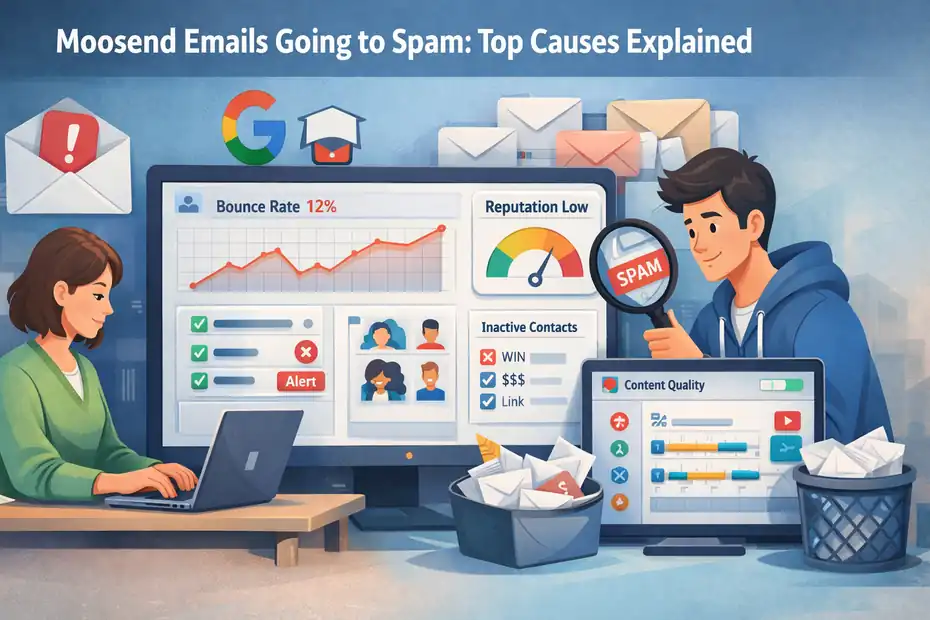
Moosend emails going to spam is a frustrating problem—especially when you’ve spent hours building a campaign that barely reaches the inbox. If your open rates suddenly drop or engagement disappears, the issue usually isn’t the platform itself but a set of deliverability signals email providers analyze behind the scenes.
From missing authentication records to poor list hygiene and suspicious sending patterns, several technical and behavioral factors can push Moosend campaigns straight into spam folders.
Understanding these triggers is the first step to fixing inbox placement and protecting your sender reputation.
Missing Domain Authentication Causing Moosend Spam Issues
One of the most common reasons behind moosend emails going to spam is missing or misconfigured domain authentication. Email providers like Gmail and Outlook rely heavily on authentication signals to verify that your emails are legitimate and not spoofed by spammers.
If these signals are missing or weak, your campaigns may get filtered automatically—even if your content is perfectly fine.
What Happens When SPF, DKIM, Or DMARC Are Missing
When your sending domain isn’t authenticated, mailbox providers simply can’t verify whether your email is trustworthy. That uncertainty often leads to spam placement.
Here’s what each authentication method does:
| Authentication Protocol | What It Does | Why It Matters |
|---|---|---|
| SPF (Sender Policy Framework) | Confirms which servers are allowed to send emails for your domain | Prevents spoofing and fake sender identities |
| DKIM (DomainKeys Identified Mail) | Adds a digital signature to each email | Verifies the email hasn’t been altered in transit |
| DMARC (Domain-based Message Authentication Reporting & Conformance) | Tells email providers how to handle failed authentication | Protects your domain from phishing and abuse |
In my experience, campaigns without these records often land in spam even with strong engagement. Gmail in particular heavily favors authenticated domains.
Imagine sending a newsletter from yourstore.com, but Gmail cannot verify that Moosend is authorized to send emails on behalf of that domain. Gmail sees that as suspicious.
Even if your message is legitimate, it gets treated cautiously.
How Email Providers Evaluate Authentication Signals
Mailbox providers run dozens of checks before deciding whether your email reaches the inbox.
Authentication is one of the first filters applied.
Here are the main signals they evaluate:
- Domain authentication status (SPF, DKIM, DMARC alignment)
- Consistency between sending domain and reply domain
- Historical reputation of your domain
- Authentication pass/fail rates across campaigns
For example, Gmail’s spam filters analyze whether your DKIM signature matches the sending domain. If it fails, the message loses credibility instantly.
According to Google’s sender guidelines, authenticated emails significantly improve inbox placement because they prove the sender identity.
In practical terms, authentication acts like a digital passport for your email.
Without it, your campaign is treated like a stranger at the border.
Why Shared Sending Domains Increase Spam Risk
When using email marketing platforms like Moosend, you typically send through shared infrastructure. That means multiple senders may use the same underlying servers or IP pools.
While Moosend maintains strong deliverability standards, shared environments come with a risk: If another sender abuses the system, inbox providers may temporarily distrust that infrastructure.
This is why authenticated custom sending domains matter.
Without a verified domain, your emails rely heavily on the platform’s shared reputation rather than your own.
In my experience working with email campaigns, this often creates a scenario like this:
- New sender launches campaign
- No authentication configured
- Email volume spikes
- Gmail flags message as unknown sender
Result: Spam folder.
Using your own authenticated domain builds an independent trust profile.
Steps To Properly Authenticate A Moosend Sending Domain
Let me break this down in the simplest way possible. Setting up authentication inside Moosend takes only a few minutes but dramatically improves deliverability.
Here’s how you can do it.
Step 1: Add Your Sending Domain
Inside Moosend: Settings → Sending Domains → Add Domain
Example: newsletter.yourdomain.com
Using a subdomain keeps your primary domain reputation protected.
Step 2: Add DNS Records
Moosend provides records you must paste into your domain DNS settings.
These usually include:
- SPF TXT record
- DKIM CNAME records
- Optional DMARC policy
If your domain is managed through platforms like:
You’ll add these inside the DNS management panel.
Step 3: Verify Domain
Once DNS records propagate, Moosend verifies the authentication automatically.
Step 4: Start Sending From That Domain
Instead of sending from a generic address like: campaign@moosendmail.com
Send from: newsletter@yourdomain.com
This simple change dramatically improves inbox placement.
Low Sender Reputation Triggering Moosend Spam Filtering
Another major cause of moosend emails going to spam is poor sender reputation. Even fully authenticated emails can land in spam if your domain reputation signals low trust.
Think of sender reputation as your email credit score.
If it’s strong, your emails land in inboxes. If it’s weak, spam filters become extremely aggressive.
How Sender Reputation Scores Are Calculated
Email providers build reputation scores using multiple behavioral signals over time.
These signals include:
- Spam complaints
- Bounce rates
- Open rates
- Click-through engagement
- Unsubscribe behavior
- Sending volume consistency
Companies like Google and Microsoft analyze these metrics to determine whether your emails deserve inbox placement.
For example: If you send 10,000 emails and 200 recipients mark them as spam, that’s a 2% complaint rate. That number is extremely high. Most inbox providers expect spam complaint rates below: 0.1%
Once complaint rates cross safe thresholds, spam filters downgrade the sender reputation.
Behavior Patterns That Damage Email Reputation
In my experience auditing email campaigns, these patterns damage reputation the fastest:
1. Sudden Sending Volume Spikes
Example scenario:
- Week 1: 300 emails sent
- Week 2: 25,000 emails sent
Spam filters interpret this as suspicious activity.
2. Sending To Cold Or Purchased Lists
Purchased email lists often contain:
- Invalid addresses
- Spam traps
- Unengaged recipients
Even one spam trap can destroy a domain reputation.
3. Ignoring Unsubscribes Or Complaints
If recipients frequently mark your emails as spam instead of unsubscribing, your sender score drops quickly.
The Role Of Engagement In Reputation Algorithms
Engagement signals play a surprisingly large role in inbox placement.
Mailbox providers watch how recipients interact with your emails.
Positive signals include:
- Opening emails
- Clicking links
- Replying to messages
- Moving emails from spam to inbox
Negative signals include:
- Ignoring emails repeatedly
- Deleting emails immediately
- Marking emails as spam
According to data from Validity, highly engaged lists can increase inbox placement rates by over 20%.
I’ve seen this firsthand with smaller newsletters.
A list of 2,000 active subscribers often performs better than a list of 20,000 inactive ones.
Quality beats size every time.
Tools That Help Monitor Domain Reputation Signals
If you suspect deliverability issues, several tools can reveal what inbox providers think about your domain.
Here are some widely used monitoring tools.
| Tool | What It Tracks | Best Use Case |
|---|---|---|
| Google Postmaster Tools | Domain reputation, spam rate, Gmail delivery errors | Gmail deliverability insights |
| Validity Sender Score | Reputation scoring for sending IPs and domains | Diagnosing trust issues |
| MXToolbox | Blacklists, DNS health, authentication checks | Technical email audits |
I personally recommend checking Google Postmaster Tools first if most of your audience uses Gmail.
It shows whether your domain reputation is:
- High
- Medium
- Low
- Bad
If you see Low or Bad, that’s a strong indicator explaining why Moosend campaigns are landing in spam.
Poor List Hygiene Leading To Moosend Spam Complaint Signals
Poor list hygiene is one of the most overlooked causes of moosend emails going to spam. Even if your email design and authentication are perfect, a low-quality email list can quietly damage your sender reputation.
In simple terms, list hygiene means keeping your subscriber list healthy, engaged, and permission-based. When too many inactive or invalid contacts remain on your list, spam complaints and bounce rates increase—and mailbox providers start distrusting your emails.
Why Purchased Or Scraped Lists Destroy Deliverability
Let me be very direct here: Purchased or scraped email lists are one of the fastest ways to land in spam folders.
These lists usually contain:
- Outdated email addresses
- Fake or temporary emails
- Spam traps (emails used by providers to catch spammers)
Spam traps are particularly dangerous. They look like normal email addresses but exist purely to detect senders who don’t follow proper opt-in practices.
Companies like Google and Microsoft monitor these traps closely.
If your campaign hits a spam trap, your sending domain may instantly lose credibility.
I’ve personally audited campaigns where businesses bought lists of 50,000 contacts. The result?
- Open rates below 2%
- Spam complaints above 1%
- Almost all emails going to spam
In most cases, smaller permission-based lists outperform purchased lists by a huge margin.
How Inactive Subscribers Hurt Inbox Placement
Inactive subscribers are another hidden reason behind moosend emails going to spam.
Imagine this situation:
You send a newsletter to 10,000 people.
- 7,000 never open your emails
- 2,500 occasionally open
- 500 actively click
Mailbox providers analyze this engagement pattern.
If the majority of your recipients ignore your emails repeatedly, spam filters assume the content is unwanted.
According to research by HubSpot, engagement signals are one of the strongest predictors of inbox placement.
In practical terms: Low engagement → Lower reputation → Higher spam probability.
This is why many email marketers segment subscribers based on activity.
For example:
| Subscriber Segment | Last Activity | Strategy |
|---|---|---|
| Highly Engaged | Opened within 30 days | Send full campaigns |
| Moderately Engaged | Opened within 90 days | Reduce frequency |
| Inactive | No activity for 6+ months | Re-engagement or removal |
This segmentation protects your sender reputation while improving engagement rates.
Removing Hard Bounces And Dormant Contacts Regularly
One thing I always recommend is performing routine list cleaning.
Hard bounces occur when an email address permanently fails. For example:
- The mailbox doesn’t exist
- The domain no longer exists
- The address was mistyped
If you keep sending emails to these addresses, mailbox providers see it as careless list management.
A healthy list usually maintains:
- Bounce rate below 2%
- Spam complaints below 0.1%
Platforms like Moosend automatically remove many hard bounces, but manual review is still helpful.
Here’s a simple list cleaning routine I suggest every few months:
- Remove hard bounce contacts immediately.
- Identify subscribers inactive for 6–12 months.
- Send a re-engagement campaign.
- Remove contacts who still show no activity.
This small maintenance habit can dramatically improve deliverability.
Smart Re-Engagement Campaigns Before Cleaning Lists
Before removing inactive subscribers, it’s worth trying a re-engagement campaign. Sometimes people simply forgot about your emails.
A re-engagement campaign typically asks a simple question: “Do you still want to receive these emails?”
Let me give you a quick example structure.
Email 1: Subject: Still Interested In Our Emails?
Content: Friendly reminder explaining what subscribers will miss if they unsubscribe.
Email 2: Offer something valuable such as:
- A discount
- Free resource
- Exclusive content
Email 3: Final notice before removal.
Example message:
“If we don’t hear from you, we’ll remove you from our email list to keep our community active.”
This strategy does two things:
- Saves genuinely interested subscribers
- Removes silent recipients hurting your deliverability
Weak Email Content That Pushes Moosend Campaigns To Spam
Another major cause of moosend emails going to spam is weak or suspicious email content. Spam filters analyze both the technical structure and wording of your messages.
Even legitimate emails can look like spam if certain patterns appear too frequently.
Let’s break down what triggers those filters.
Spam Trigger Words That Affect Email Filtering
Spam filters scan email content for certain patterns commonly used in scam or aggressive marketing emails.
These include phrases like:
- “Guaranteed income”
- “Act now”
- “100% free”
- “Risk-free offer”
Using one or two of these occasionally isn’t a problem.
The issue occurs when your email contains multiple spam indicators combined together.
For example:
Subject: “LIMITED TIME OFFER – 100% FREE BONUS!!!”
This type of formatting looks suspicious to spam filters.
Instead, I suggest writing subject lines the way humans naturally speak.
Example:
- “A quick update about your account”
- “New features we just released”
- “You might find this helpful”
Natural language tends to perform much better with spam filters.
Formatting Mistakes That Look Like Spam Campaigns
Design mistakes can also trigger spam filters.
Common formatting issues include:
- Excessive use of ALL CAPS
- Too many exclamation marks
- Large blocks of colored text
- Multiple fonts in the same email
Spam filters often flag emails that resemble promotional flyers rather than real messages.
In my experience, simple layouts consistently outperform overly flashy designs.
For example:
| Email Style | Deliverability Risk |
|---|---|
| Clean layout with balanced text | Low |
| Image-heavy promotional email | Medium |
| Aggressive sales-style formatting | High |
Keeping your email design clean improves both readability and deliverability.
Why Plain Text Balance Improves Deliverability
One small trick many marketers overlook is balancing HTML design with plain text.
Emails that contain only images often trigger spam filters because scammers use images to hide spam keywords.
A healthy email typically includes:
- Plain text paragraphs
- Supporting images
- Clear call-to-action buttons
From what I’ve seen, a 60–70% text to 30–40% image ratio works well for most campaigns.
This balance helps email providers understand the message content properly.
How Subject Lines Influence Spam Classification
Your subject line plays a surprisingly large role in spam classification.
Spam filters analyze subject lines before the email is even opened.
Here are some common mistakes:
- Excessive urgency (“URGENT!!! OPEN NOW!!!”)
- Misleading promises
- Too many symbols or emojis
Instead, focus on clarity and authenticity.
A good subject line usually:
- Reflects the actual content
- Avoids exaggerated language
- Feels conversational
For example, instead of: “LIMITED TIME DEAL – CLICK NOW!!!”
Try: “Quick update about your account features”
It feels more natural—and spam filters recognize that.
Broken Permission Practices Hurting Moosend Deliverability
Permission is the foundation of email marketing. Without clear subscriber consent, inbox providers assume your emails are unwanted.
When permission signals are weak, moosend emails going to spam becomes much more likely.
Single Opt-In Risks Compared To Double Opt-In
Single opt-in means someone enters their email once and is instantly added to your list.
While it’s convenient, it also allows:
- Fake email addresses
- Mistyped addresses
- Bots or automated signups
Double opt-in adds an extra verification step.
Here’s how it works:
- User signs up for your email list
- They receive a confirmation email
- They click a confirmation link to activate the subscription
This simple process ensures the email address is real and that the user actually wants your emails.
In my experience, double opt-in lists usually have:
- Higher open rates
- Lower spam complaints
- Better long-term deliverability
Why Clear Consent Protects Email Sender Reputation
Mailbox providers want to see proof that recipients willingly subscribed. Clear consent improves deliverability because it reduces spam complaints.
For example, a signup form that says: “Subscribe to receive weekly marketing tips”
Creates a clear expectation.
But vague forms like: “Enter your email to continue”
Often result in confused subscribers who mark emails as spam.
According to research by DMA, permission-based lists generate significantly higher engagement rates than non-permission lists.
Permission Signals Inbox Providers Look For
Inbox providers analyze multiple signals to confirm consent.
These include:
- Signup source tracking
- Double opt-in confirmations
- Unsubscribe behavior
- Spam complaint rates
Email platforms like Moosend store subscription metadata such as:
- Signup timestamp
- IP address
- Signup form location
These details help prove that a subscriber willingly joined your list.
Fixing Signup Flows That Attract Low-Quality Leads
Sometimes spam problems start with the signup process itself.
Low-quality signup flows often include:
- Forced email gates
- Automatic list imports
- Giveaway-only subscribers
These leads rarely engage with emails.
Instead, I suggest focusing on value-driven signup forms.
Example improvements:
Before: “Enter your email to access the page.”
After: “Join our newsletter for weekly SEO tips and exclusive guides.”
You can also improve signup quality by adding small filters such as:
- Double opt-in confirmation
- Welcome email verification
- Optional interest selection
These small changes ensure that your subscribers actually want to hear from you—which dramatically reduces the chances of your campaigns ending up in spam folders.
High Bounce Rates Making Moosend Emails Look Suspicious
High bounce rates are another major technical reason behind moosend emails going to spam. When email servers repeatedly reject your messages, mailbox providers start questioning the quality of your list.
In simple terms: If too many emails fail to deliver, spam filters assume you’re sending to random or outdated addresses.
From what I’ve seen, even well-designed campaigns can end up in spam folders when bounce rates climb too high.
Difference Between Hard Bounce And Soft Bounce
Not all bounces mean the same thing. Understanding the difference helps you diagnose deliverability issues faster.
| Bounce Type | Meaning | Common Causes | Recommended Action |
|---|---|---|---|
| Hard Bounce | Permanent email failure | Invalid email address, non-existent mailbox, fake signup | Remove from list immediately |
| Soft Bounce | Temporary delivery failure | Full inbox, server downtime, large email size | Retry sending later |
Email marketing platforms like Moosend automatically suppress many hard bounces, but it’s still important to monitor them manually.
In my experience, repeated soft bounces can sometimes turn into hard bounces if the address remains inactive.
A healthy email campaign typically maintains:
- Bounce rate under 2%
- Hard bounce rate under 0.5%
Anything higher begins to trigger suspicion from spam filters.
Why High Bounce Percentages Trigger Spam Systems
Email providers treat high bounce rates as a red flag.
Think about it from their perspective.
Legitimate businesses usually maintain clean email lists. Spammers, on the other hand, send emails to massive databases of random addresses.
When mailbox providers detect high bounce activity, they assume the sender might be:
- Using scraped email lists
- Sending unsolicited bulk emails
- Operating automated spam campaigns
Companies like Google and Microsoft actively track bounce patterns to protect users.
Here’s an example scenario:
Imagine sending a campaign to 10,000 subscribers.
- 900 emails bounce
- 400 addresses don’t exist
A 9% bounce rate sends a clear signal that your list isn’t trustworthy.
Spam filters may respond by:
- Redirecting emails to spam folders
- Temporarily throttling delivery
- Lowering your sender reputation
List Collection Methods That Cause Bounce Spikes
Bounce problems often start during the email collection process.
Certain list-building tactics naturally generate invalid addresses.
Here are a few common causes.
1. Typos In Signup Forms
Example mistakes include:
- gmial.com instead of gmail.com
- yaho.com instead of yahoo.com
Simple spelling errors create invalid addresses.
2. Giveaway Or Contest Signups
People sometimes submit fake emails just to access free downloads or contest entries.
These addresses usually bounce later.
3. Imported Or Old Lists
Old contact databases often contain:
- Expired email addresses
- Closed company domains
- Employees who changed jobs
In my experience, lists older than 2–3 years often produce significant bounce spikes.
Monitoring Bounce Metrics Inside Moosend Analytics
The good news is that Moosend provides detailed bounce tracking inside its analytics dashboard.
Inside the platform, you can see metrics such as:
- Total bounce rate
- Hard bounce contacts
- Soft bounce contacts
- Campaign-level delivery issues
Here’s a quick reference of the main deliverability metrics available.
| Metric | What It Tells You | Why It Matters |
|---|---|---|
| Bounce Rate | Percentage of failed deliveries | High rates hurt sender reputation |
| Spam Complaints | Users marking emails as spam | Strong signal for spam filters |
| Open Rate | Engagement signal | Helps inbox placement |
| Click Rate | Content engagement indicator | Shows subscriber interest |
I usually recommend checking these metrics after every campaign. If you notice bounce rates rising, pause your campaigns and clean your list before sending again.
This simple habit can protect your domain reputation long-term.
Overusing Links And Images In Moosend Email Campaign Layouts
Another surprisingly common cause of moosend emails going to spam is excessive links or image-heavy email designs.
Spam filters analyze the structure of an email, not just its content. If the layout resembles aggressive promotional spam, it may get filtered—even if your message is legitimate.
Image-Heavy Emails That Look Like Promotional Spam
Many marketers design emails that are almost entirely made of images. While these emails can look visually appealing, they often create problems.
Spam filters struggle to analyze image-only emails because the actual message content is hidden. This tactic is frequently used by spammers trying to bypass keyword detection.
For this reason, mailbox providers treat image-heavy emails cautiously.
A better approach is to combine:
- Text content explaining the message
- Supporting images for visual clarity
- Clear call-to-action buttons
From what I’ve seen, campaigns with strong text structure almost always perform better in inbox placement.
Too Many External Links And Tracking Domains
Another structural problem comes from excessive links.
Every link inside your email is analyzed by spam filters.
They look at factors like:
- Link reputation
- Redirect chains
- Suspicious tracking domains
For example, an email containing 10+ external links can start to look like a phishing attempt.
Tracking links also matter. Email platforms like Moosend convert links into tracking URLs so you can measure clicks.
That’s normal, but problems appear when emails include multiple tracking systems from different sources.
Example:
- Affiliate links
- Third-party trackers
- URL shorteners
Spam filters may flag these combinations as suspicious.
Safe Link-To-Text Ratios For Email Deliverability
While there’s no universal rule, many email deliverability specialists follow a practical guideline.
A healthy email structure usually looks like this:
| Element | Recommended Balance |
|---|---|
| Text Content | 60–70% |
| Images | 20–30% |
| Links | 3–5 total |
This balance allows spam filters to understand the email content clearly. I usually recommend starting with a text-first email structure.
Write the message as if you’re sending a personal email, then add images and links afterward. This approach keeps the message natural.
Designing Campaigns That Pass Spam Filter Checks
Designing a spam-friendly email layout is simpler than most people think.
Here’s the approach I personally follow.
Step 1: Start With Plain Text
Write your message first without formatting.
This ensures the core message is clear.
Step 2: Add Visual Elements Gradually
Include:
- One header image
- One or two supporting images
- Clear CTA button
Step 3: Limit External Links
Keep only the links necessary for the campaign.
Step 4: Send A Test Email
Before sending a campaign, always preview the email across multiple inbox providers.
This small habit often reveals formatting issues early.
Sending Frequency Patterns That Trigger Spam Filter Systems
Spam filters don’t just analyze email content—they also monitor how frequently you send emails.
Irregular sending patterns are another hidden reason behind moosend emails going to spam.
Mailbox providers expect legitimate senders to follow consistent sending behavior.
Sudden changes in email volume or timing often trigger spam filters.
Sudden Volume Spikes That Alert Spam Algorithms
Volume spikes are one of the biggest deliverability killers.
Here’s a common example I’ve seen many times.
Week 1: You send emails to 500 subscribers
Week 2: You suddenly send 25,000 emails
To spam filters, that behavior looks suspicious.
It resembles the pattern used by spam campaigns.
When volume spikes happen, email providers may:
- Temporarily slow down email delivery
- Route messages to spam folders
- Reduce sender reputation
Platforms like Google actively monitor sudden sending spikes to prevent abuse.
Why Irregular Campaign Scheduling Reduces Trust
Consistency plays a huge role in email deliverability.
If your sending schedule constantly changes, mailbox providers struggle to classify your emails.
For example:
- One email this month
- Five emails next week
- No emails for two months
This irregular pattern creates uncertainty for spam filters.
Instead, successful email marketers usually maintain predictable schedules such as:
- Weekly newsletters
- Biweekly product updates
- Monthly educational emails
Consistency builds trust with both subscribers and inbox providers.
Gradual Warm-Up Strategies For New Sending Domains
If you’re sending emails from a new domain, warming up your sending reputation is critical.
Domain warm-up simply means gradually increasing sending volume over time.
Here’s a simplified warm-up example.
| Day | Emails Sent |
|---|---|
| Day 1 | 50 |
| Day 3 | 100 |
| Day 5 | 200 |
| Day 7 | 500 |
| Day 14 | 1,000+ |
Start by sending emails to your most engaged subscribers.
Their positive interactions signal to spam filters that your emails are legitimate.
In my experience, skipping warm-up is one of the fastest ways to damage sender reputation.
Building Consistent Email Cadence With Moosend Automation
Maintaining a consistent schedule becomes much easier when using automation.
Platforms like Moosend allow you to schedule campaigns and automated workflows that send emails at predictable intervals.
Common automation examples include:
- Welcome email sequences
- Educational drip campaigns
- Abandoned cart emails
- Product onboarding emails
Automation helps maintain steady sending patterns, which improves inbox placement over time.
Here’s a quick comparison of manual sending vs automated scheduling.
| Method | Consistency | Deliverability Impact |
|---|---|---|
| Manual Campaigns | Often irregular | Moderate risk |
| Automated Email Workflows | Predictable schedule | Better sender reputation |
I personally recommend combining both approaches.
Use automation for routine emails and manual campaigns for announcements or promotions.
That balance keeps your sending behavior stable—something spam filters appreciate.
FAQ
Why are my Moosend emails going to spam?
Moosend emails going to spam usually happen because of missing domain authentication, poor sender reputation, inactive email lists, or spam-like content. Email providers analyze engagement, bounce rates, and authentication signals. If these signals look suspicious, inbox providers may automatically route your campaigns to spam folders.
How do I stop Moosend emails going to spam?
To stop Moosend emails going to spam, authenticate your sending domain with SPF, DKIM, and DMARC, clean inactive subscribers from your list, and send emails only to people who opted in. Maintaining consistent sending schedules and improving engagement also helps build a stronger sender reputation.
Does list quality affect Moosend email deliverability?
Yes, list quality strongly affects deliverability. If your email list contains inactive contacts, fake addresses, or purchased subscribers, spam complaints and bounce rates increase. Email providers interpret this as low-quality sending behavior, which increases the chances of Moosend emails going to spam.
Can email content cause Moosend emails to go to spam?
Yes, email content can trigger spam filters. Excessive promotional language, too many links, image-heavy emails, or misleading subject lines can make campaigns look suspicious. Balanced text content, clear messaging, and natural subject lines help improve inbox placement.
How important is domain authentication for Moosend emails?
Domain authentication is critical for deliverability. Configuring SPF, DKIM, and DMARC records proves that your domain is authorized to send emails through Moosend. Without proper authentication, email providers may distrust your campaigns and send them directly to spam folders.

Juxhin B is a digital marketing researcher and founder of JAK Digital Hub, specializing in email marketing software, marketing automation platforms, and digital growth tools. His work focuses on software testing, platform comparisons, and real-world performance analysis to help businesses choose the right marketing technology.
Related posts:
 Is It Hard To Migrate From GetResponse? The Honest Truth for Marketers
 How To Get Email Marketing Jobs With No Experience Fast
 Email Leads Not Converting? Fix It With This Framework
 Email Leads Cost For 20K Contacts: What Should You Pay?
 Is It Hard To Migrate From Omnisend? The Honest Truth You Need
 Email Marketing Jobs For Digital Creators That Pay Well