Table of Contents
Some links on JAK Digital Hub are affiliate links, meaning we may earn a small commission at no extra cost to you. Read full disclaimer.
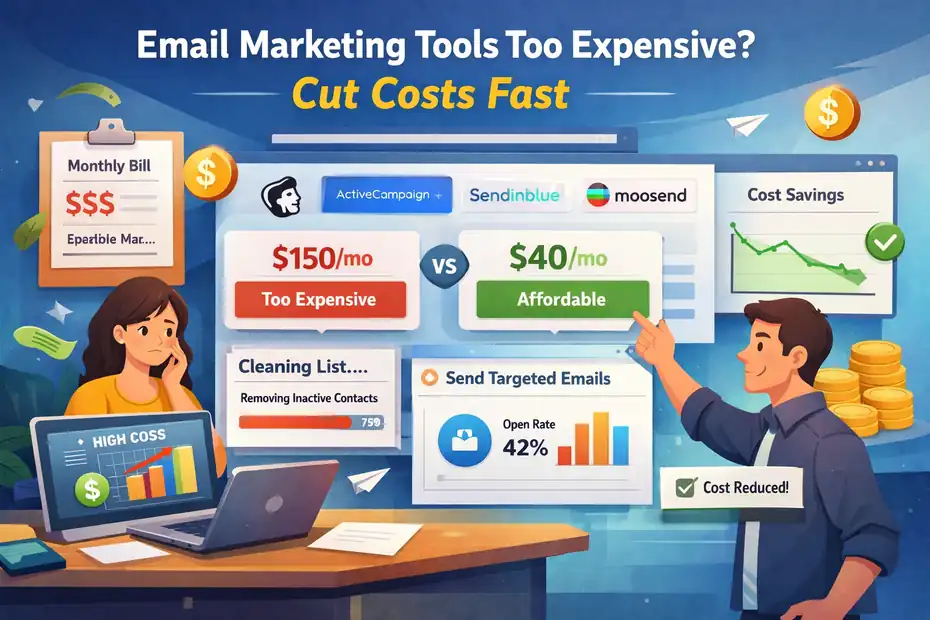
If email marketing tools too expensive feels painfully true for your business right now, you are not imagining it.
A lot of email platforms look affordable at first, then get expensive fast once your list grows, your automations get more complex, or you realize you are paying for subscribers who never open anything.
The good news is that you usually do not need to abandon email marketing. You need a smarter cost structure, cleaner list management, and a platform that matches how you actually send.
Why Email Marketing Costs Start Snowballing
Most people assume email software gets expensive because the tool is “premium.” In reality, the bigger problem is usually mismatched pricing.
You buy a platform for features you never touch, keep old subscribers forever, and let your monthly bill rise quietly while results stay flat.
What You Are Really Paying For
Most email platforms charge based on one of three things: contacts, sends, or bundled features. That sounds simple, but the hidden cost is how those models behave once your business gets traction.
A contact-based platform can feel cheap at 500 subscribers and painful at 25,000, especially if half your list is inactive. A send-based platform can be a better deal when you email less often or keep a large list with careful segmentation. Then there is feature gating, where automation, A/B testing, advanced reporting, or branding removal only unlock after you upgrade.
In my experience, this is the moment people start saying email marketing tools too expensive, when what they really mean is, “I’m paying enterprise-style prices for a small-business workflow.”
A few current examples show how quickly pricing structures diverge.
MailerLite’s Growing Business plan starts at $10 per month and its Advanced plan starts at $20 per month.
Mailchimp’s Essentials plan starts at $13 per month and Standard starts at $20 per month on its pricing page. Kit’s Creator plan starts at $33 per month for up to 1,000 subscribers.
Omnisend’s Standard plan is listed at $16 per month, with an introductory discount shown on its pricing page, while Klaviyo’s free plan includes up to 250 profiles and 500 emails per month.
That spread matters because the cheapest-looking tool is not always the cheapest once your list, email frequency, and feature needs change.
The Hidden Triggers Behind Bill Shock
There are a few repeat offenders I see over and over.
- Inactive Subscribers: You keep paying for people who have not opened or clicked in months.
- Unplanned Upgrades: One automation, one landing page, or one branding rule pushes you into a higher plan.
- Duplicate Records: Leads imported from forms, popups, and checkout tools create overlap.
- Bad Segmentation: You blast everyone instead of narrowing sends, which increases cost without improving revenue.
- Tool Stacking: You pay separately for forms, popups, SMTP, reporting, and automations that one platform already includes.
This matters because email is still one of the highest-ROI channels. Litmus says email drives an average ROI of $36 for every $1 spent, and its more recent reporting notes that many companies still land between 10:1 and 36:1, with some higher.
So the fix is usually not to stop email. The fix is to stop wasting money inside your email system.
Audit Your Current Email Costs Before Switching Anything
Before you cancel your platform or migrate in a panic, get clear on what you are actually paying for.
This step alone saves a surprising amount of money because it shows whether your problem is software choice or account hygiene.
Calculate Your Real Cost Per Active Subscriber
Here is the number I suggest starting with: monthly email software cost divided by active subscribers. Not total subscribers. Active subscribers.
For many of us, the dashboard number feels impressive, but it is misleading. A list of 20,000 sounds valuable until you realize only 4,000 people opened an email in the last 90 days. If you pay $180 per month, your cost is not based on “20,000 people.” It is based on a much smaller group that still engages.
Let me break it down for you with a simple example. Imagine you run a small ecommerce store with 18,000 subscribers and pay $150 per month. If only 5,400 subscribers have opened or clicked in the last 90 days, your cost per active subscriber is about 2.8 cents per month.
That may still be fine if email drives strong revenue. But if your campaigns only produce $250 to $300 in attributable sales, your margin is getting squeezed.
This number helps you stop making emotional decisions. A higher-priced platform can still be worth it if your active audience converts well. A lower-priced tool can still be a bad deal if it creates deliverability issues, weak automation, or poor segmentation.
Identify Which Features You Actually Use
Open your billing page and your automation area side by side. Then be honest.
Are you using advanced reporting weekly, or did you look at it twice? Are you paying for AI writing tools, SMS, push notifications, extra users, and landing pages you do not use? Is your team running serious multivariate testing, or just sending a weekly newsletter?
I believe this is where most unnecessary spend hides. Businesses often subscribe to a “growth” or “pro” plan because the upgrade page made it sound responsible. But many only use three core functions: broadcasts, one welcome sequence, and a signup form.
Write down what is genuinely essential:
- Must-have: Broadcast emails, automations, segmentation, forms, basic analytics
- Nice-to-have: Heatmaps, AI extras, premium templates, team permissions
- Irrelevant right now: SMS, predictive analytics, enterprise support, multi-brand workspaces
That list becomes your filter for every pricing decision that follows.
Check How Many Contacts Should Be Removed Or Suppressed
This is the fastest win in the whole article.
If your platform charges by contacts, every cold subscriber costs money. You do not need to delete everyone immediately, but you do need to know who is dead weight. Create segments for people who have not opened or clicked in 60, 90, 120, and 180 days. You will usually find a large chunk of the list contributing zero value.
In one realistic scenario, a creator with 12,000 subscribers may discover that 4,500 have not engaged in six months. If moving below 10,000 contacts saves even $20 to $50 per month, that is $240 to $600 per year without sending a single extra campaign.
And there is a second benefit people forget: list cleanup often improves deliverability. When providers see better engagement ratios, your chances of hitting the inbox can improve, which means your remaining list becomes more profitable.
Cut Costs Without Changing Platforms First
Switching providers is annoying. Migrations eat time, break forms, and create deliverability risk if you rush them.
That is why I usually suggest squeezing savings from your current setup before you move.
Clean Your List With A Re-Engagement Process
Do not just bulk-delete cold contacts. Give them one clear chance to stay.
Send a short re-engagement series to people who have not opened recently. Keep it simple. Remind them what they signed up for, ask whether they still want emails, and make the call to action obvious. If they ignore it, suppress or remove them.
A compact sequence works well:
- Email 1: “Still Want These Emails?”
- Email 2: “Here Is What You’ll Miss If You Leave”
- Email 3: “Last Chance To Stay On The List”
This protects revenue while reducing waste. It also gives you cleaner engagement data than leaving zombie contacts in the system forever.
I suggest setting a standard rule after that. For example, suppress anyone inactive for 90 or 120 days unless they are a customer in a retention segment. That one policy can keep costs from creeping up again.
Send Fewer, Smarter Campaigns
A lot of businesses oversend because they think consistency means volume. Usually it means relevance.
If you are on a send-based plan, fewer emails can lower cost directly. Even on a contact-based plan, sending more targeted campaigns often improves performance enough that you need less volume to generate the same return.
Instead of blasting the whole list four times a week, try segmenting by behavior:
- Recent buyers: Cross-sells or care emails
- Warm leads: Case studies, FAQs, objections
- Cold leads: Stronger hooks, fewer sends
- VIP customers: Early access or loyalty offers
When I first looked closely at underperforming email accounts, this was one of the biggest patterns. Brands were paying for the privilege of annoying people. Better segmentation often cuts unsubscribes, improves opens and clicks, and makes each send more valuable.
Turn Off Add-Ons That Solve Problems You Do Not Have
Many platforms are quietly becoming “all-in-one” suites. That sounds helpful until you are paying for features your business is not ready to use.
Maybe you do not need SMS yet. Maybe you do not need premium support. Maybe you do not need a separate sender reputation add-on or advanced analytics package. Strip the account back to your real operating model.
This is especially important if you run a lean business, solo newsletter, small agency, or early-stage store. You are not underbuying by keeping your stack tight. You are protecting margin.
Choose A Pricing Model That Matches Your Business
If you do end up switching, the smartest move is not “find the cheapest platform.” It is “find the least wasteful pricing structure for how you operate.”
Contact-Based Vs Send-Based Pricing
Here is the practical difference.
A contact-based model works best when you email frequently and most of your list is engaged. If you run a media newsletter, creator business, or strong lifecycle email program, contact pricing can be fine because you are squeezing value from the audience consistently.
A send-based model is often better when you have a larger database but send selectively. This is common with B2B businesses, seasonal brands, or companies using segmentation heavily.
Brevo’s Starter plan is built around email volume, beginning from 5,000 emails per month, which can make it appealing when send volume matters more than stored contacts.
Klaviyo’s free plan, on the other hand, is constrained by profile and send limits, which shows how some tools tie cost more directly to audience size and usage thresholds.
The lesson is simple: do not shop by homepage slogans. Shop by the billing trigger that affects your business most.
When Free Plans Are Enough And When They Are A Trap
Free plans are useful for testing deliverability, UI, and basic workflows. They are great when you are validating an offer, building an early list, or learning the mechanics of email automation.
But they become a trap when the upgrade path is steep or when the free plan excludes the exact feature you need, like automation, branding removal, or useful segmentation.
Klaviyo’s free plan includes up to 250 profiles and 500 emails per month. Kit’s Newsletter plan is free, while its paid Creator plan starts at $33 per month for 1,000 subscribers. That is a meaningful jump, so the platform fit matters a lot more than the word “free.”
I recommend using free plans to test workflows, not to anchor long-term decisions.
Which Type Of Tool Fits Which Business Model
You can save a lot of money just by avoiding the wrong category of tool.
A creator or solo newsletter operator often needs simplicity, sequences, landing pages, and monetization tools. An ecommerce brand usually needs stronger segmentation, revenue attribution, and event-based automation.
A local service business may only need forms, a nurture sequence, and occasional promos.
Here is a practical way to think about it:
| Business Type | Usually Needs | Usually Overpays For |
|---|---|---|
| Creator/newsletter | Sequences, forms, referral growth, clean editor | Ecommerce-heavy features, team add-ons |
| Ecommerce store | Revenue tracking, behavior triggers, product flows | Creator monetization extras |
| B2B/service business | Forms, CRM sync, simple nurture flows | Massive send allowances, SMS bundles |
| Nonprofit/community org | Affordable sends, simple automation, list cleanup | Enterprise analytics, premium support |
This is why two businesses with the same list size can have completely different “best” tools.
Compare Tools The Right Way Instead Of Chasing Cheap
A cheap platform that creates friction can cost more in lost sales, poor deliverability, or migration headaches. So compare tools on total value, not sticker price.
A Simple Shortlist For Cost-Conscious Buyers
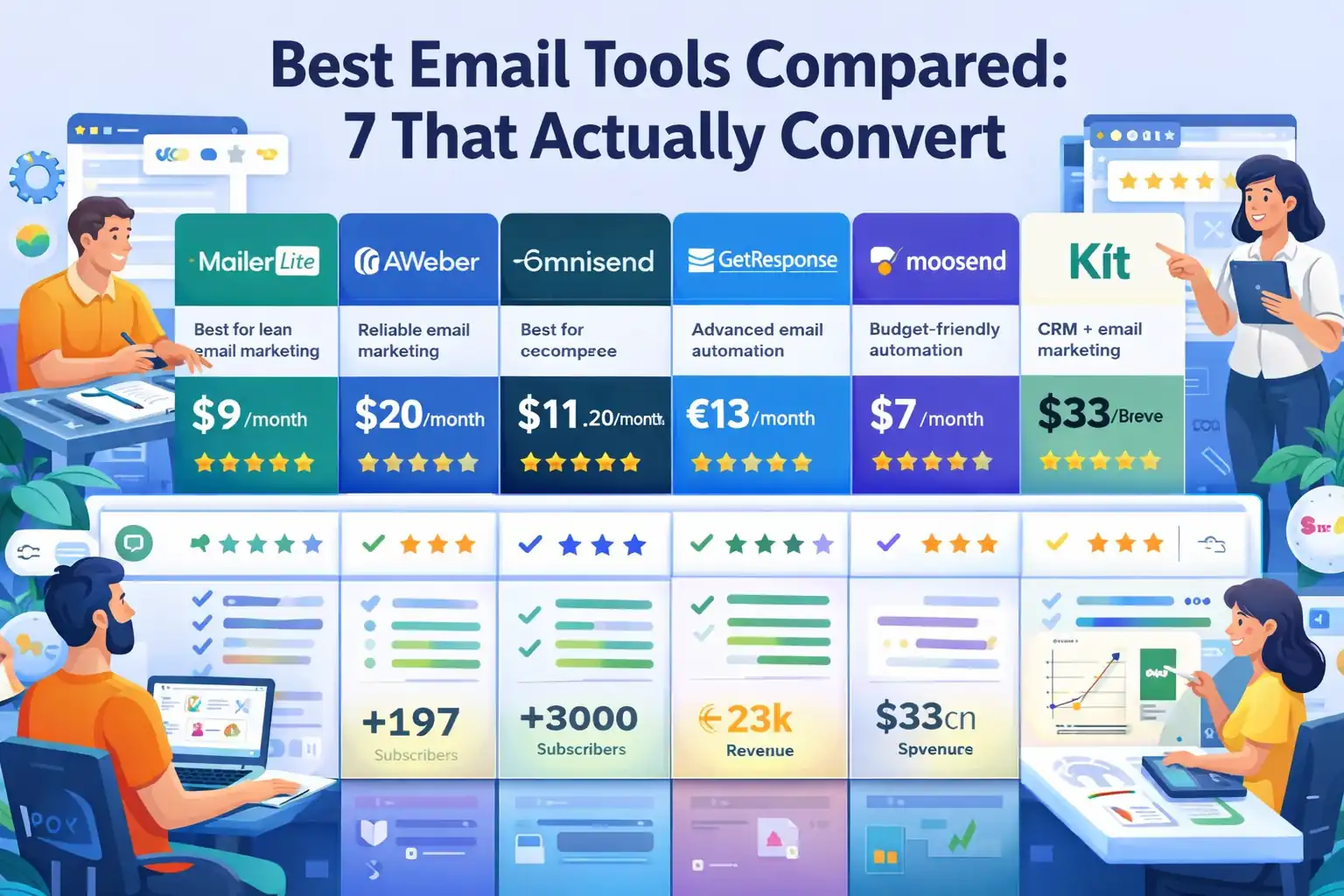
Based on current public pricing pages, here is how several platforms position themselves at the low end:
- MailerLite: Growing Business starts at $10 per month; Advanced starts at $20 per month. Good for budget-conscious users who still want landing pages and automation.
- Mailchimp: Essentials starts at $13 per month; Standard starts at $20 per month, though pricing scales with contacts and overages can matter.
- Brevo: Starter includes pricing from 5,000 emails per month and is often attractive for send-based use cases.
- Kit: Free Newsletter plan exists, but Creator starts at $33 per month for up to 1,000 subscribers. Better fit for creators who will use its automation and monetization stack.
- Omnisend: Standard is listed at $16 per month, with promotional discounts shown for new customers, and is often considered by ecommerce brands.
- Klaviyo: Free plan supports up to 250 profiles and 500 emails per month. Strong ecommerce fit, but costs can climb once profile counts rise.
That does not mean one is “best.” It means your sending pattern should decide which shortlist you start with.
What To Test Before You Migrate
Never migrate based on feature lists alone.
Test these things first:
- Import and segmentation: Can you recreate your key audience segments quickly?
- Automation builder: Is the workflow editor fast enough for real use?
- Form flexibility: Can you replace your current forms without custom development?
- Reporting clarity: Can you see what matters without digging through menus?
- Deliverability basics: Domain authentication, suppression handling, unsubscribe management
I advise running one small pilot before moving everything. Import a test segment, build one welcome flow, send one campaign, and judge the experience honestly.
You are not buying software in theory. You are buying a weekly operating environment.
Do Not Ignore Migration Costs
People compare monthly software prices and forget migration costs entirely.
Even a “free migration” offer can still create internal cost: staff time, QA, broken automations, form replacements, DNS setup, template rebuilds, and a warmup period for sending.
Kit explicitly advertises free migrations on its pricing page, which can reduce switching friction for the right user, but you still need to account for your own implementation time.
So when you compare saving $20 per month, ask whether that savings survives the next three months of setup work.
Build A Lean Email System That Stays Affordable
Cutting costs once is not enough. You need an email system that resists bloat as your list grows.
Keep A “Core Automation Only” Rule
Most small businesses do not need twelve workflows. They need three to five strong ones.
A lean setup usually includes:
- Welcome sequence: Introduces the brand and sets expectations
- Lead nurture sequence: Moves prospects toward inquiry or purchase
- Cart or checkout recovery: For ecommerce
- Post-purchase flow: Drives retention and repeat sales
- Re-engagement flow: Cleans the list automatically
That is enough for many businesses to cover the highest-impact lifecycle moments without building a maze of half-maintained automations.
The more workflows you create, the more you pay in time, complexity, and risk of overlap. I believe simpler systems usually outperform bloated ones because they are easier to improve.
Use Segments To Lower Waste And Raise Revenue
Segmentation is not just a performance tactic. It is a cost-control tactic.
If your platform charges by sends, segmentation lowers waste directly. If it charges by contacts, segmentation still helps because it reveals who should be suppressed, re-engaged, or treated as VIP.
Useful segments include:
- Opened in last 30 days
- Clicked in last 90 days
- Purchased in last 180 days
- Never purchased
- Inactive for 120+ days
- High-value customers
Imagine you are running a skincare store. Instead of emailing 40,000 subscribers about every sale, you send a launch email only to recent purchasers and product-category clickers. That smaller segment may produce a higher conversion rate with less list fatigue and lower long-term billing pressure.
Review Costs On A Monthly Cadence
This sounds boring, but it works.
Create a simple monthly review with four numbers:
- Platform cost
- Active subscribers
- Revenue attributed to email
- Inactive subscriber count
If one number drifts in the wrong direction for two months, investigate. That habit prevents the classic surprise where a team realizes six months later they have been paying much more for the same or worse outcomes.
Avoid The Mistakes That Keep Email Bills High
A lot of overspending is self-inflicted. That is good news, because it means you can fix it.
Mistake 1: Treating List Size As A Vanity Metric
Big lists impress people. Profitable lists pay bills.
I have seen businesses cling to dead subscribers because the top-line number felt important. But subscribers who never engage hurt more than they help. They inflate costs, muddy data, and can weaken deliverability.
You do not need the biggest list in your niche. You need the healthiest one.
Mistake 2: Upgrading Too Early
You do not need premium software just because your business is serious. You need premium software when the upgrade unlocks a clear operational or revenue benefit.
Upgrade when the new feature will actually be used in a repeatable way. Not because the sales page made you feel behind.
For example, if you do not run formal A/B testing or advanced branching logic, a mid-tier plan may outperform a higher-tier one simply because you stay disciplined.
Mistake 3: Keeping Too Many Tools In The Stack
This one sneaks up fast.
You start with an email platform. Then you add a popup tool. Then a landing page builder. Then an SMTP service. Then analytics. Then a quiz tool that syncs contacts badly. Before long, your “cheap” setup costs more than a better integrated platform.
I suggest mapping your stack once a quarter. If one platform can replace two others without hurting performance, the savings compound.
Advanced Ways To Lower Costs As You Scale
Once you have the basics under control, there are smarter ways to stay efficient even as your list grows.
Move From Broad Campaigns To Lifecycle Revenue
The best way to make email feel affordable again is to generate more revenue per send.
That usually means shifting attention from batch campaigns to lifecycle email. Welcome flows, browse abandonment, replenishment reminders, post-purchase upsells, and win-back sequences tend to earn more consistently because they respond to real behavior.
This does not always reduce software cost directly. It improves the ratio that matters: cost versus revenue returned.
Litmus continues to position email as one of the strongest-return channels, and that is exactly why efficiency matters. When email is managed well, the economics can still be excellent.
Create A Sunset Policy Before Costs Rise Again
A sunset policy is just a rule for how long inactive contacts stay in your main marketing audience.
For example:
- 60 days inactive: Reduce send frequency
- 90 days inactive: Move into re-engagement
- 120 days inactive: Suppress from regular campaigns
- 180 days inactive: Archive or remove, unless customer history says otherwise
This stops the slow billing creep that makes tools feel more expensive every quarter.
The biggest mistake is waiting until the invoice hurts. By then, your account is already carrying too much dead weight.
Negotiate Or Prepay When The Math Works
Many people never ask about annual pricing, migration credits, or discounts for larger lists. Sometimes the savings are worth it. Sometimes they are not.
Mailchimp currently advertises a 15% discount on some plans for businesses with 10,000 or more contacts. Omnisend’s pricing page shows introductory discounts for new customers. These offers only help if the platform is already the right fit, but they are worth factoring into your comparison.
I would not prepay just to feel like you got a deal. I would prepay when you already know the platform works and the discount meaningfully improves your annual economics.
A Fast Action Plan To Cut Email Costs This Month
You do not need a 90-day transformation to make progress. You can start with a tight checklist.
Your 7-Step Cost-Cutting Checklist
- Review your current monthly bill and identify what drives pricing.
- Calculate cost per active subscriber, not total subscribers.
- Build inactivity segments for 60, 90, 120, and 180 days.
- Run a re-engagement campaign and suppress non-responders.
- List the features you truly use every month.
- Compare your current platform with two alternatives using your actual subscriber count and send volume.
- Delay migration unless the annual savings clearly beat the switching cost.
That process works because it separates emotional frustration from useful decision-making.
A Realistic Example Of What Savings Can Look Like
Imagine a service business with 9,500 contacts paying $79 per month. After an audit, they find only 5,800 are meaningfully engaged. A re-engagement campaign recovers 600 subscribers and removes 3,100 cold contacts. Their bill drops to a lower pricing tier at $49 per month.
That is a $30 monthly savings, or $360 per year, before changing tools. If they later switch to a better-fit platform and save another $15 per month, their total annual savings reaches $540.
Nothing magical happened. They just stopped paying for dead weight.
When It Is Actually Worth Paying More
Not every higher bill is bad.
It is worth paying more when the platform gives you stronger deliverability, better automations, easier reporting, or higher conversion rates that show up in revenue. If a tool costs $40 more per month but drives $400 more in email-attributed sales, the answer is obvious.
This is why I do not recommend choosing based on “cheapest” alone. I recommend choosing based on profitable fit.
Final Thoughts
If email marketing tools too expensive has become your running complaint, the answer is usually not to abandon email. It is to tighten the system.
Clean the list, stop paying for inactive contacts, use only the features that matter, and choose a pricing model that matches how your business actually sends.
For many of us, the fastest savings come from discipline, not from a dramatic platform switch. And when you do switch, you will do it from a position of clarity instead of frustration.
That usually leads to a cheaper stack, a healthier list, and an email program that finally feels worth what you pay.
FAQ
What makes email marketing tools feel too expensive?
Email marketing tools feel expensive when you pay for inactive subscribers, unused features, or higher plans than necessary. Costs often increase as your list grows, even if engagement stays low. Poor segmentation and unnecessary add-ons also contribute to rising monthly bills without improving results.
How can I reduce email marketing costs quickly?
You can reduce costs by cleaning your email list, removing inactive subscribers, and sending fewer but more targeted campaigns. Reviewing your plan and disabling unused features can also lower your bill. These quick actions often create immediate savings without switching platforms.
Is it better to switch to a cheaper email marketing tool?
Switching can help, but only if the new platform fits your sending habits and feature needs. A cheaper tool may lack essential automation or segmentation. It is often smarter to optimize your current setup first before deciding if migration will actually save money long term.
How often should I clean my email list to save money?
You should review and clean your list every one to three months. Removing or suppressing inactive subscribers regularly prevents costs from increasing unnecessarily. It also improves deliverability, which helps your emails reach more engaged users and perform better overall.
Are free email marketing tools worth using long term?
Free tools are useful for beginners or testing, but they often limit automation, branding, or sending volume. As your business grows, you may outgrow these plans quickly. It is best to treat free tools as a starting point, not a long-term solution.

Juxhin B is a digital marketing researcher and founder of JAK Digital Hub, specializing in email marketing software, marketing automation platforms, and digital growth tools. His work focuses on software testing, platform comparisons, and real-world performance analysis to help businesses choose the right marketing technology.
Related posts:
 Best Email Tools to Turn Subscribers Into Sales
 Email Automation Tools Migration Checklist for a Smooth Switch
 How To Switch Email Marketing Tools Safely Without Loss
 Email Marketing Tools Cost For 20K Subscribers Revealed
 Best Email Tools Compared: 7 That Actually Convert
 Email Marketing Jobs Without Degree: 10 Real Opportunities