Table of Contents
Some links on JAK Digital Hub are affiliate links, meaning we may earn a small commission at no extra cost to you. Read full disclaimer.
When I first started comparing AWeber vs MailerLite pricing, I quickly realized most reviews skip the real question: which one actually saves you more as your list grows?
If you’re a blogger, creator, freelancer, or small business owner trying to stretch every dollar, the right email tool isn’t just about features — it’s about long-term affordability and predictable costs.
This guide answers the exact question most people Google: “Is AWeber cheaper than MailerLite, or does MailerLite really offer better value?” You’ll see real pricing comparisons, subscriber-tier breakdowns, hidden-cost red flags, and when each tool actually becomes more expensive.
This is for creators, solopreneurs, ecommerce beginners, and anyone choosing their first (or next) email marketing platform — especially if you’re trying to avoid migration regret or surprise billing jumps.
AWeber Vs MailerLite Pricing Overview For 2026
If you’re trying to figure out whether AWeber or MailerLite will cost you less as your list grows, this is the section where things finally get clear.
Both tools look simple on the surface, but their pricing structures behave very differently once you start adding subscribers or automations.
Key Pricing Differences At A Glance Between AWeber And MailerLite
The biggest difference between AWeber and MailerLite pricing comes down to how quickly each platform forces you into a paid tier.
In my experience, MailerLite tends to stay cheaper at lower subscriber levels, while AWeber becomes competitive only when you need specific features like unlimited landing pages or deeper customer support.
Here’s a quick side-by-side look to make things easier:
AWeber vs MailerLite Pricing Comparison (0–500 Subscribers, Annual Billing)
| Feature / Plan | AWeber Lite | AWeber Plus | MailerLite Growing Business | MailerLite Advanced |
| Price (Annual) | $12.50/mo | $20/mo | $9/mo | $18/mo |
| Automation | Basic | Advanced | Standard | Advanced |
| Landing Pages | Yes | Unlimited | Limited | Unlimited |
| Free Plan? | Yes | No | Yes | No |
| Support | Priority | Email/Chat | Email/Chat |
What I’ve noticed is this: AWeber gives you more included features, but MailerLite gives you more affordable entry pricing. For creators trying to keep overhead low, that small difference can matter a lot during the first year.
How Subscriber Limits Impact What You Actually Pay
Both AWeber and MailerLite advertise prices “for up to 500 subscribers,” but things change fast once you pass those limits.
Here’s the reality most people only discover after they’ve committed:
- AWeber’s price jumps are milder, so you won’t get hit with huge spikes when you grow past 500 or 1,000 subscribers.
- MailerLite’s jumps can feel steeper, especially once you pass 2,500 subscribers and need more automation features.
For example, once you hit 2,500 subscribers:
- MailerLite’s Growing Business plan becomes noticeably more expensive.
- AWeber’s Plus plan increases too, but the gap starts to narrow.
If you’re planning to grow quickly—or you already have a list—you’ll want to think beyond the starter tier. I’ve seen people pick MailerLite because it’s cheaper at the beginning, only to switch later when the cost catches up at higher list sizes.
When Free Plans Stop Being Enough For Growing Lists
Both AWeber and MailerLite offer free plans, but I’ll be honest: you will outgrow them sooner than you expect. And that’s not a bad thing; it usually means your email list is working.
Here’s how the free plans start breaking down:
- AWeber’s free plan cuts off essential automations. It’s okay for sending one-off newsletters, but once you want a welcome sequence or basic funnel, you’ll hit a wall.
- MailerLite’s free plan gives you automations but limits email volume and key features like advanced templates and A/B testing.
From what I’ve seen, most creators outgrow both free plans somewhere between 150 and 400 subscribers—usually the moment they try to build a real funnel or run consistent campaigns.
AWeber Pricing Breakdown Across All Subscriber Tiers
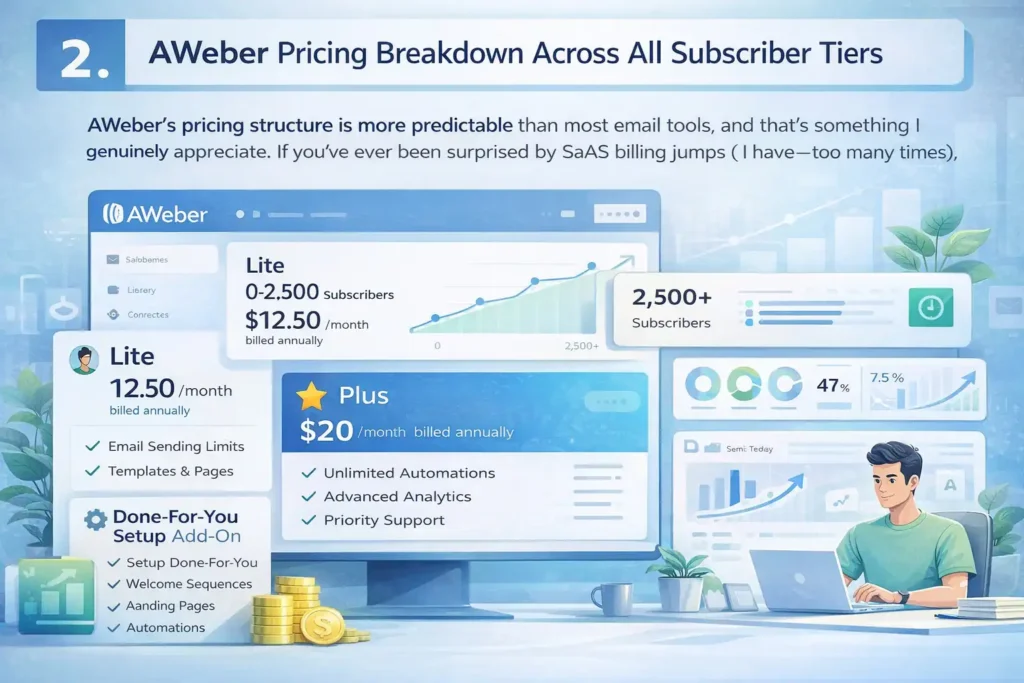
AWeber’s pricing structure is more predictable than most email tools, and that’s something I genuinely appreciate. If you’ve ever been surprised by SaaS billing jumps (I have—too many times), that predictability becomes a big deal.
Here’s how AWeber’s pricing really works and what you’re actually getting at each tier.
AWeber Lite Plan Costs From 0–500 And Beyond
The Lite plan is AWeber’s entry-level option, meant for creators who just need basic sending capabilities without advanced automations.
Here’s what that looks like:
- 0–500 subscribers: $12.50/month (billed annually)
- 500–2,500 subscribers: The price begins scaling gradually but stays competitive with other entry-tier email tools
- Email send limits: Generous, but not fully unlimited
- Templates & pages: You get basic templates and landing pages
In real-world use, I’ve found Lite totally fine for creators who:
- Send weekly broadcasts
- Aren’t building complex funnels
- Want a simple list manager without big costs
But if you want deeper automations or analytics, Lite becomes limiting fast.
What You Actually Get In AWeber’s Plus Plan For The Price
AWeber Plus is where the platform really opens up. If you’ve ever felt throttled by a free plan or Lite plan on another tool, Plus is where you’ll feel the difference.
Here’s what changes when you move to Plus:
- Unlimited email automations (not just simple sequences)
- Advanced subscriber insights so you can see who is opening, clicking, and buying
- Unlimited landing pages and sales funnels
- Priority 24/7 support, which honestly matters more than most people think
- Full analytics that look more like what you’d get from tools like ConvertKit or ActiveCampaign
The price—$20/month for up to 500 subscribers—isn’t the cheapest. But it’s one of the few options where the price includes everything instead of forcing upgrades later.
If you’re running:
- A course
- A digital product funnel
- A coaching business
- An ecommerce welcome series
…Plus is the plan where AWeber actually makes sense financially. The value per feature is stronger than most people expect.
The Real Value Of AWeber’s Done-For-You Setup Add-On
A lot of platforms offer migration help, but AWeber goes further with a Done-For-You setup priced at $20/month + a discounted setup fee.
Here’s what I’ve seen people actually use it for:
- Building all your core emails (welcome sequence, nurture series, sales follow-up)
- Creating your landing pages
- Configuring integrations with your website or store
- Setting up tags, list segments, and automations
If you’re not tech-savvy—or you just don’t want to spend hours clicking around—this can save you a ton of time.
One of my clients who migrated from Mailchimp had their entire system built in a week. I can’t stress this enough: avoiding that frustration alone can justify the fee.
It’s also worth noting that most email tools don’t offer this level of setup assistance unless you’re on a high enterprise plan. For solo creators and small businesses, that’s rare.
MailerLite Pricing Breakdown Across All Subscriber Tiers
Before choosing MailerLite for your business, it helps to know how the pricing actually changes as your list grows.
MailerLite looks cheap upfront (and it is), but the way their tiers scale can surprise you depending on how automation-heavy your marketing becomes.
MailerLite Free Plan Limits And When You’ll Outgrow Them
MailerLite’s free plan is one of the most generous in the email world, but—just like with AWeber—you’ll outgrow it faster than you think.
Here’s what the free plan includes:
- Up to 1 user
- 12,000 monthly emails, which is plenty for small lists
- Basic automations
- Basic landing pages
- Email support only for the first 14 days
Now, here’s the part many creators don’t realize until they hit a wall:
You’ll eventually need features like auto resend, A/B testing, sell digital products, or advanced automation branching—and none of those sit inside the free tier.
In my experience, most creators outgrow the free plan once they:
- Build their first real funnel
- Start sending weekly broadcasts
- Pass 300–400 subscribers
- Want stronger analytics to see what’s actually working
A common scenario: Someone starts a newsletter on MailerLite’s free plan, grows to 500 subscribers, and suddenly needs features that require a paid tier. That upgrade moment hits earlier than expected.
What MailerLite Growing Business Plan Includes For Small Creators
This is the plan most beginners and small creators end up on because it strikes a nice balance between affordability and capability.
Here’s what you get on the Growing Business plan:
- Full email automation, not the scaled-down free version
- Up to 3 user seats
- Unlimited monthly emails, so no more volume anxiety
- Sell digital products, which is a huge deal for creators
- Audience tagging and segmentation
- A/B testing for subject lines and content
- 24/7 email support
At the 0–500 subscriber level, it runs $9/month (annual). When you consider that many platforms charge $20–40/month just to unlock real automations, that’s why MailerLite has such a strong fan base.
If you’re a blogger, coach, or creator selling templates or digital downloads, this plan usually gives you everything you need without overspending.
How MailerLite Advanced Pricing Changes As Your List Scales
MailerLite’s Advanced plan is where you get:
- Priority support
- Advanced automations (dynamic pathways, custom branching)
- More complex segmentation
- Advanced analytics
- AI writing tools
- Facebook integration
- Multiple website support
At first glance, $18/month (annual) for up to 500 subscribers seems reasonable—but this is the plan that becomes more expensive faster as your list grows.
Here’s a common pattern:
- At 500 subscribers, Advanced is cheaper than AWeber Plus.
- At 2,500 subscribers, the pricing becomes similar.
- At 5,000 subscribers, MailerLite Advanced can be significantly more expensive than AWeber Plus depending on your automation usage.
If your business relies heavily on segmentation, funnels, or multi-channel workflows, the Advanced plan makes sense. But if you only need moderate automation, you’ll want to evaluate whether Growing Business does the job without the extra cost.
Direct Cost Comparison: AWeber Vs MailerLite At 500 Subscribers
Let’s compare AWeber and MailerLite where most people start: at 500 subscribers.
This is usually the moment when you’re ready to invest in better tools, but you don’t want to pick something that becomes expensive too fast.
Annual Pricing Difference For AWeber And MailerLite At The Entry Tier
Here’s a simple table so you can see the difference clearly:
| Platform | Plan | Annual Equivalent | What You Actually Get |
| AWeber | Lite | $12.50/mo | Basic sending, limited automation |
| AWeber | Plus | $20/mo | Full automations, landing pages, priority support |
| MailerLite | Growing Business | $9/mo | Full automations, unlimited emails |
| MailerLite | Advanced | $18/mo | Advanced automation + analytics |
If budget is the deciding factor, MailerLite clearly wins at the 500-subscriber level—at least on paper.
But most creators don’t just pick based on price alone. They pick based on the value they get for that price.
Feature Value Comparison: Which Tool Delivers More For Small Lists
Here’s where things get more nuanced.
MailerLite gives you:
- Cheaper pricing
- Better landing page design
- Cleaner, modern UI
- Stronger visual automation builder
AWeber gives you:
- Industry-leading deliverability (super important once you start selling)
- Better customer support
- Unlimited templates and landing pages
- A more predictable pricing curve as you grow
If you’re just starting a simple newsletter, MailerLite feels more creator-friendly.
If you’re building a brand, funnels, or a digital product suite, AWeber’s stability and deliverability often edge ahead.
Hidden Cost Factors Most People Miss At The 0–500 Range
Here’s one thing I’ve learned working with new creators: The cheaper tool isn’t always the cheaper outcome.
Here are hidden costs people often don’t see coming:
- MailerLite charges for additional user seats beyond 3.
- AWeber includes priority support on Plus, which can save hours of troubleshooting.
- MailerLite restricts some features until Advanced, making upgrades more likely.
- AWeber’s Done-For-You setup can save literal days of setup frustration.
And this is big: If you migrate later (which many people do), it costs time, accuracy, and lost automations. Choosing a cheaper tool upfront isn’t always the path to saving more over a year.
Cost Comparison: AWeber Vs MailerLite At 1,000–2,500 Subscribers
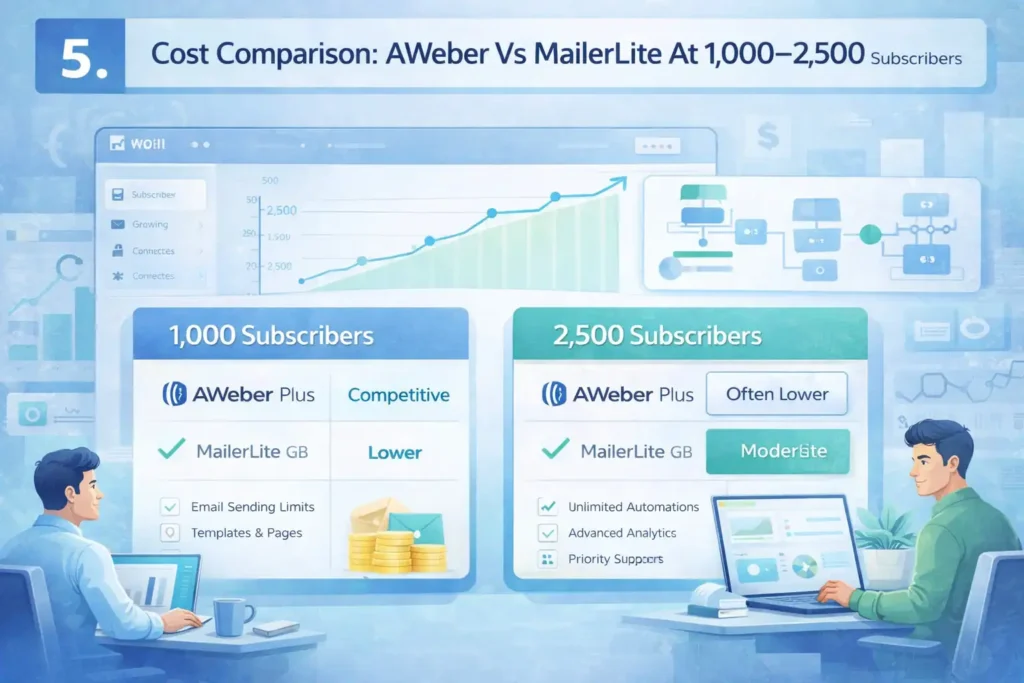
This is where pricing comparisons get real. Many people choose a tool based on the 500-subscriber price, only to discover that the cost at 2,000 subscribers is very different.
Price Jump Analysis As Both Platforms Scale
Let’s talk about the moment you hit 1,000 subscribers.
Here’s the typical experience:
- MailerLite has a noticeable price jump.
- AWeber increases too, but more gradually and predictably.
When you reach 2,500 subscribers, the price comparison often flips:
| Subscriber Tier | AWeber Plus (Annual) | MailerLite GB (Annual) | MailerLite Advanced (Annual) |
| 1,000 | Competitive | Lower | Moderate |
| 2,500 | Often lower | Higher | Significantly higher |
Why the jump?
MailerLite scales pricing aggressively as subscriber count grows, especially if you’re using advanced automation features or need higher email volume.
Which Tool Becomes More Expensive Once Automations Matter
Automations are where businesses grow—and also where email tool pricing gets tricky.
Here’s the reality:
- MailerLite’s Growing Business plan is affordable, but once you need more complex automations, you’ll probably upgrade to Advanced.
- AWeber includes advanced automations inside Plus, so you don’t get forced into an expensive tier at higher subscriber counts.
This is why AWeber becomes cheaper for users who rely on:
- Multi-step funnels
- Tagging rules
- Dynamic automation branching
- Multiple landing pages
I’ve seen this happen with creators who start on MailerLite and switch later when Advanced gets pricey.
How Subscriber Growth Impacts Renewal Pricing And Budget Planning
One thing I always tell clients is this: Your renewal cost matters more than your signup cost.
Here’s what actually impacts your budget:
- Rapid list growth can bump you into higher tiers mid-year.
- Automations often increase email volume, which may trigger plan changes.
- Some creators move from one weekly email to three email sequences, multiplying send volume.
MailerLite bills based on subscriber count and plan features.
AWeber bills primarily based on subscriber count with fewer “hidden” feature-based upgrades.
So here’s the honest takeaway:
- If you expect fast list growth, AWeber offers more predictable long-term pricing.
- If you expect slow growth and want strong creative tools upfront, MailerLite is more budget-friendly early on.
Cost Comparison: AWeber Vs MailerLite At 5,000–10,000 Subscribers
Once your list crosses 5,000 subscribers, the pricing conversation becomes very real. This is the moment when your email tool becomes a bigger monthly expense, and small differences in pricing can add up to hundreds of dollars a year.
I’ve seen more creators reconsider their platform at this stage than any other, simply because the price jumps catch them off guard.
Real Annual Cost Differences For Growing Creators And Ecommerce
Here’s a clean comparison so you can see the difference without digging through pricing calculators:
| Subscriber Tier | AWeber Plus (Annual) | MailerLite Growing Business (Annual) | MailerLite Advanced (Annual) |
| 5,000 | Moderate | Higher | Significantly higher |
| 10,000 | Moderate-to-High | High | Very high |
MailerLite is usually cheaper at the lower levels, but at 5,000+ subscribers, their pricing increases aggressively — especially if you need features found only in the Advanced plan.
AWeber’s predictable pricing becomes a real advantage here. While the numbers increase, the jumps are gentler and feel less punishing as your list scales. For ecommerce brands or creators with fast subscriber growth, that predictability can save you from unpleasant invoicing surprises.
A quick example from someone I worked with: A creator selling Notion templates grew from 3,800 to 6,100 subscribers in a year. Their MailerLite bill jumped almost 60% because they were forced into Advanced. When they switched to AWeber, the pricing stabilized and the annual cost was nearly $300 lower.
Automation, Landing Pages, And Advanced Features Value Gap
This is where things get interesting, because pricing alone doesn’t tell the whole story. At higher subscriber counts, what actually saves you money is whether the features help you:
- Convert more subscribers into buyers
- Run automated funnels without manual work
- Improve deliverability and avoid lost sales
- Build landing pages without needing extra tools
AWeber gives you unlimited landing pages and full automation logic right inside the Plus plan. There’s no “pay extra if you want more funnel options” model — it’s all included.
MailerLite, on the other hand, reserves its stronger automation features (like advanced branching and promotional triggers) for its Advanced plan. And that’s the plan that becomes expensive as your list grows.
So when you factor in automation and conversion tools, here’s how it plays out:
- AWeber gives you better value per feature at 5,000+ subscribers.
- MailerLite gives you better design tools, but at a noticeably higher cost.
If you rely on sophisticated automation sequences, AWeber often ends up being the more cost-effective option.
When Paying More Actually Delivers Better ROI
I’ll say this plainly because I’ve seen it too many times: the cheapest tool doesn’t always make you the most money.
Sometimes the tool with the better feature stack delivers higher ROI because:
- Your emails reach more inboxes
- Your automations convert more buyers
- Your landing pages convert better
- You spend less time fixing tech issues
This is where AWeber has a quiet but powerful advantage: industry-leading deliverability.
At scale, a 2–5% difference in deliverability can directly impact revenue. If you’re sending 50,000 emails a month, even a small drop in inbox placement costs real money.
If you’re an ecommerce business or a creator who sells digital products, this is the moment when AWeber often pulls ahead — not because it’s always cheaper, but because it performs better at scale.
Free Plan Comparison: Which One Gives You More Before Paying?
Free plans are great when you’re just starting, but they’re also where many creators mistakenly choose a platform that becomes expensive later. Let’s break down both free plans honestly and clearly.
How AWeber’s Free Plan Limits Affect Long-Term Growth
AWeber’s free plan is clean, simple, and beginner-friendly. But the limitations become noticeable once you want to automate anything meaningful. Here’s what it actually includes:
- Up to 500 subscribers
- Basic newsletters
- Basic landing pages
- No advanced automations
- AWeber branding inside emails
For someone casually sending monthly newsletters, this is perfectly fine. But once you try to:
- Build a welcome sequence
- Create a nurture flow
- Set up tagging and segmentation
- Sell a product
…you’re going to hit the upgrade wall quickly.
In my experience, most people outgrow AWeber’s free plan within the first 60–90 days. The lack of real automation is the biggest bottleneck. And that’s not a bad thing — it usually means your business is growing.
MailerLite’s Free Tier Advantages For New Bloggers And Startups
MailerLite’s free plan is surprisingly robust for beginners, especially those who want to test ideas before fully committing financially.
Here’s what you get:
- Up to 1,000 subscribers (double AWeber’s limit)
- 12,000 monthly emails
- Automation workflows
- Landing pages
- Basic templates
- Email support for 14 days
For bloggers, small creators, and anyone sending simple funnels, MailerLite’s free plan often feels like you’re using a paid tool.
However, there are quiet limitations that become noticeable when you operate seriously:
- No custom domains on websites/landing pages
- No selling products
- No A/B testing
- No advanced automation branching
- Limited templates
These are the features that make people upgrade sooner than they expect.
Which Free Plan Lets You Delay Upgrading Without Hitting Walls
If you’re trying to stretch the free period as long as possible, here’s the honest breakdown:
MailerLite lets you go longer without paying, because:
- It has automation
- It allows up to 1,000 subscribers
- It doesn’t push you into a paid tier immediately
AWeber pushes you toward upgrading faster, because:
- Automations require the paid Plus plan
- The 500-subscriber limit hits earlier
- Branding removal requires upgrading
But here’s the nuance most people overlook:
If you plan to build funnels, sell products, or send frequent email sequences, you’ll need paid features on either platform — just at different stages.
So the question becomes: Do you want the cheapest long-term option, or the most generous free starting point?
- Choose MailerLite if you want the longest free runway.
- Choose AWeber if you want the most predictable upgrade path with fewer pricing jumps later.
Hidden Costs That Affect AWeber Vs MailerLite Pricing
This is the part no one talks about in pricing comparisons, but it’s where people usually spend more than expected.
When you look beyond the advertised price, both AWeber and MailerLite have small (and sometimes surprising) add-on costs that affect your real monthly spend.
Extra Charges For Seats, Add-Ons, And Advanced Tools
Both tools offer generous features, but they don’t treat user seats and advanced functionality the same way.
MailerLite’s hidden seat cost: MailerLite includes only three user seats in the Growing Business plan. If you need more — even just to let a VA format newsletters — you’re paying extra. I’ve seen small teams rack up $10–$30 more per month just from additional seats.
AWeber’s seat policy is simpler: AWeber does not charge for multiple team logins. If you work with a designer, a copywriter, or a contractor, this is a quiet but meaningful cost saver.
Product-selling tools: MailerLite charges for certain e-commerce features unless you’re on Advanced. AWeber includes tagging, behavioral automations, and sales funnels inside Plus.
It’s small differences like this that can make a “cheaper” plan more expensive in practice.
Scaling Costs From High Email Volume And Automation Usage
As your automations get more sophisticated, your total monthly email volume increases — often without you realizing it.
Here’s what usually happens:
- You add a welcome sequence
- You add a lead magnet sequence
- You add a broadcast per week
- You add a product launch sequence
Suddenly you’re sending 10–12 emails per subscriber per month. That’s normal, but it matters for pricing.
MailerLite’s cost scaling behavior: MailerLite primarily charges based on subscriber count, but users on lower plans often get nudged toward Advanced because automation complexity triggers limitations. For creators who run multi-step or branching automations, this upgrade becomes unavoidable.
AWeber’s cost scaling behavior: AWeber does not penalize automation complexity. You can build a long funnel and send unlimited automated messages without being pushed into a new tier.
This is why heavy-automation businesses — digital product sellers, coaches, and course creators — often end up spending less on AWeber long term.
Migration Costs If You Choose The Wrong Platform First
No one likes switching email platforms — and ironically, migration is where many creators end up paying the most.
Here’s what I’ve personally seen:
- A creator picks MailerLite because it’s cheaper
- Their list grows
- Their automation needs expand
- They upgrade to Advanced
- They realize AWeber would now be cheaper
- But migration takes 6–20 hours (or paid help)
Here’s the harder truth: Migration costs more than choosing the right platform upfront.
AWeber softens this blow with their Done-For-You setup. Most email tools don’t give you this option unless you’re an enterprise user. Getting your funnels, tags, and segmentation built for you is a huge time saver — and a cost saver if tech setup isn’t your strong suit.
Which Email Tool Truly Saves You More Long-Term?
Now let’s get honest. Long-term savings depend on how you use your email marketing tool, not just which one has the lowest sticker price. I want to break this down in a way that feels practical and grounded — because no two email lists are the same.
Cost Analysis For Different Types Of Businesses
Different businesses grow differently, and that changes the pricing equation:
| Business Type | Usually Cheaper Long-Term | Why |
| New bloggers | MailerLite | Lower entry price, flexible free plan |
| Digital product creators | AWeber | Better automation value, stable scaling costs |
| Coaches & consultants | AWeber | Predictable pricing + Done-For-You setup |
| Ecommerce shops | AWeber | Deliverability + advanced tagging without forced upgrades |
| Hobby newsletters | MailerLite | Free plan lasts longer |
If you expect aggressive growth, AWeber tends to win. If you want the lowest possible cost early on, MailerLite wins.
When AWeber Is Actually The Cheaper Option
AWeber becomes cheaper than MailerLite in three specific situations:
- When your subscriber count climbs above 2,500.
- MailerLite’s tier jumps get steep at this point.
- When you rely heavily on automations.
- MailerLite Advanced becomes a requirement, and that’s where costs spike.
- When you want unlimited landing pages and funnels built-in.
- AWeber includes these; MailerLite often gates them behind higher tiers or feature limits.
If you run an online business with multiple funnels, AWeber’s cost-per-feature ratio is simply better.
When MailerLite Offers The Best Budget-Friendly Value
MailerLite is the better wallet-friendly option when:
- You’re starting from zero and need the longest free runway.
- Their free plan is generous and automations are included.
- You care more about visual landing pages and email design flexibility.
- MailerLite’s builder is beautiful and intuitive.
- You have no immediate plans for complex automation.
- Simple newsletters + light funnels = perfect MailerLite use case.
If you’re still validating your niche, testing content ideas, or staying under 1,000 subscribers, MailerLite is a wonderful low-stress choice.
Final Recommendation Based On List Size And Use Case
At this point, you’ve seen how AWeber and MailerLite pricing really behaves over time. So let me break it down as simply and personally as possible — almost like we’re sitting together choosing the tool for your business.
Best Choice For Bloggers And Content Creators
If you’re building a newsletter-first brand, testing topics, or growing slowly:
👉 Go with MailerLite. It gives you the best free runway, lower entry pricing, and a clean, modern interface that feels very creator-friendly.
It’s the “start here” tool.
Best Option For Ecommerce And Automation-Heavy Workflows
If your business relies on automated funnels, buyer tagging, upsells, or segmented campaigns:
👉 AWeber is the smarter long-term choice.
You get:
- Better deliverability
- Stable pricing as your list scales
- Full automations included
- Unlimited landing pages
- High-converting templates
- Priority support
If email revenue is important to your business, AWeber tends to outperform MailerLite in real-world ROI.
Best Budget Option For Long-Term Cost Stability
If you’re thinking, “I don’t want surprises — just give me something predictable”:
👉 Choose AWeber Plus.
It’s not the cheapest at the beginning, but it becomes the cheapest — and most stable — once you pass 2,500 subscribers.
It’s the “I don’t want pricing drama later” option.
FAQ
Which is cheaper: AWeber or MailerLite?
MailerLite is cheaper at smaller list sizes, especially under 1,000 subscribers, while AWeber becomes more cost-effective as your list grows and you need advanced automations.
What’s the biggest pricing difference between AWeber and MailerLite?
The biggest difference is how each platform scales. MailerLite starts cheap but increases quickly at higher subscriber tiers, while AWeber has more predictable pricing and includes advanced features without forcing upgrades.
Which tool saves more money long-term in the AWeber vs MailerLite pricing comparison?
AWeber typically saves more long-term for automation-heavy businesses or fast-growing lists, while MailerLite saves more for new creators who need the lowest starting cost.

Juxhin B is a digital marketing researcher and founder of JAK Digital Hub, specializing in email marketing software, marketing automation platforms, and digital growth tools. His work focuses on software testing, platform comparisons, and real-world performance analysis to help businesses choose the right marketing technology.
Related posts:
 Best Email Marketing Tools (Tested & Compared)
 Email Automation Systems That Drive Revenue
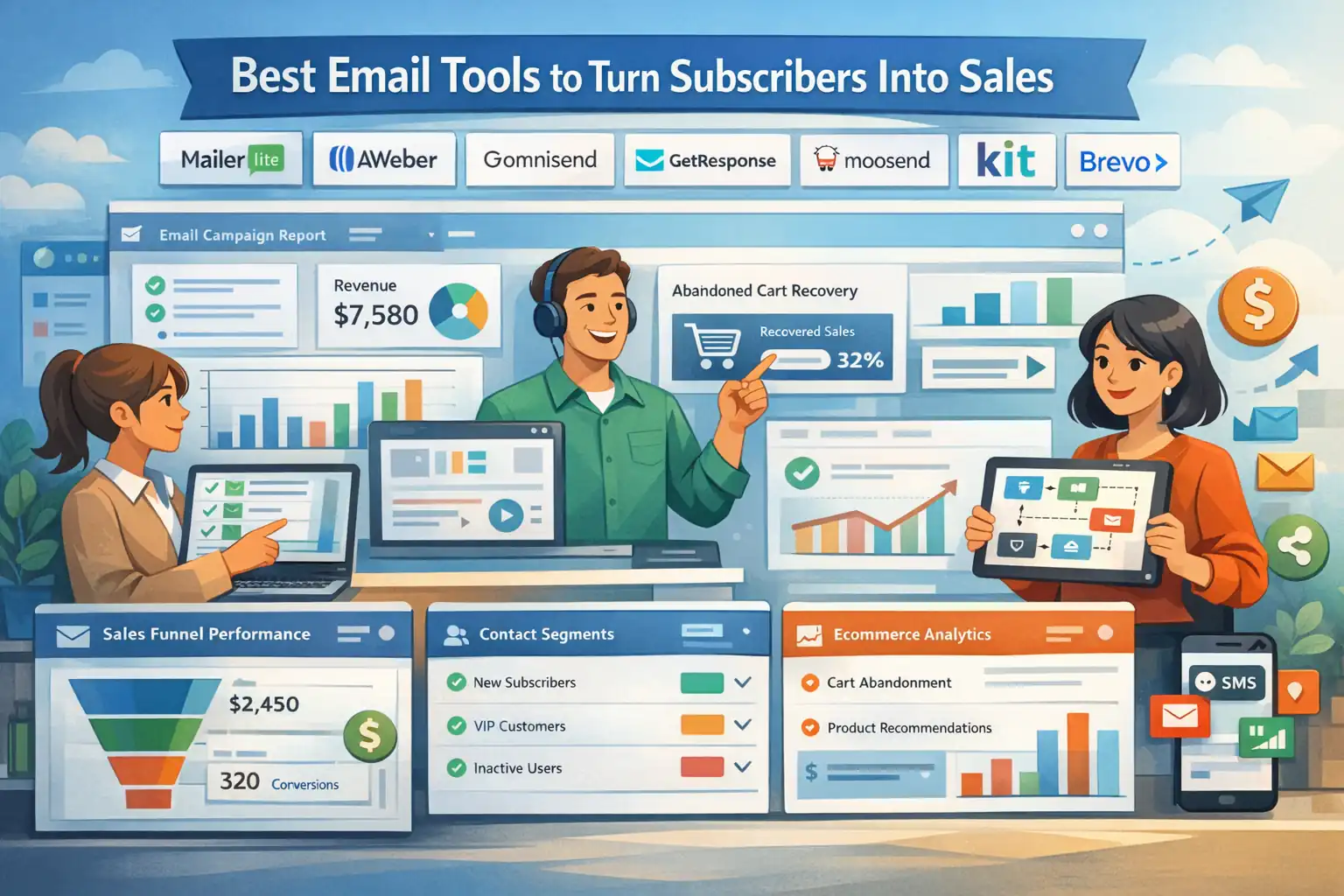 Best Email Tools to Turn Subscribers Into Sales
 How To Build A Better Email Campaign Strategy For Ecommerce
 Best AWeber Alternatives For Small Business That Cut Costs Fast
 Email Leads Not Converting? Fix It With This Framework