Table of Contents
Some links on JAK Digital Hub are affiliate links, meaning we may earn a small commission at no extra cost to you. Read full disclaimer.
When small business owners start searching for moosend alternatives for small business, it’s usually because they’ve hit a wall—maybe Moosend feels too limited, too slow to innovate, or doesn’t scale well with their growing customer list.
I’ve seen this happen often, and the real challenge isn’t just finding another email tool—it’s finding one that actually fits your budget, workflow, and growth stage.
So in this guide, I’m breaking down specific tools that outperform Moosend in real-world scenarios, focusing on usability, automation strength, ecommerce integrations, and long-term cost efficiency.
Moosend Limitations That Push Small Businesses To Switch
Before diving into Moosend alternatives for small business, it helps to understand the friction points that usually make owners start looking elsewhere. These are the issues I see come up over and over again.
Missing Advanced Automations Small Teams Need
One of the biggest complaints I hear is that Moosend’s automation builder feels too limited once you try to create anything beyond simple sequences.
Yes, you can set up welcome series or abandoned cart flows—but as soon as you want branching logic, multi-layer segmentation, or “if/then” behaviors that account for real customer actions, it starts to feel restrictive.
If you’re growing, you eventually need:
- Behavioral triggers tied to website events
- Multi-step conditional paths
- Dynamic content blocks that change per audience segment
Moosend technically allows automation, but small teams often outgrow the “simplified” system faster than expected. It’s great until you need to build beyond the basics—and that’s where most users hit the ceiling.
In practice, this means spending more time hacking workarounds than actually optimizing your marketing. And for a small team already stretched thin, that’s a dealbreaker.
Limited Scaling Features for Growing Subscriber Lists
Moosend works fine when you’re just starting with a few hundred contacts. But once your list jumps into the thousands, you feel the strain:
- Slower automation load times
- Less flexible segmentation
- A noticeable drop in workflow efficiency
I’ve seen campaigns take longer to queue or send during peak email seasons, which is stressful when timing matters—think product launches or holiday promotions.
As your business grows, you need tools that grow with you without forcing constant cleanup, pruning, and compromises. Moosend’s performance curve just doesn’t keep pace once your audience becomes more complex.
Reporting Gaps That Hurt Optimization and Growth
Good analytics should tell you what to fix next, not just show surface-level numbers. Moosend’s reporting gives you basics like opens and clicks, but that’s not enough when you’re trying to actually scale.
Where it falls short:
- No deep engagement scoring
- Limited attribution modeling
- Not enough customer-level journey insights
For example, if you want to track which email series contributes most to revenue—or how certain segments behave over time—you’ll probably feel blindfolded.
Small businesses rely on data to make smart moves without wasting money. When reporting lacks depth, you end up guessing instead of optimizing, which costs time and revenue.
Deliverability Concerns Compared to Competitors
Deliverability is a quiet problem until it isn’t. I’ve had conversations with small business owners who noticed a sudden drop in inbox placement on Moosend, especially with larger campaigns.
Some reasons this happens:
- Shared IP pools that aren’t as rigorously protected
- Less aggressive spam pattern monitoring
- Fewer built-in deliverability optimization tools
Even a 5% decrease in inbox placement can mean hundreds of customers not seeing your promotional emails. That loss compounds quickly—and most small teams don’t have the time or skillset to troubleshoot deliverability on their own.
Lack Of Innovation And Slower Feature Rollouts
Email marketing tools evolve fast, especially with AI-driven personalization, predictive insights, and ecommerce-based automation. Compared to its competitors, Moosend simply isn’t shipping new features at the same pace.
I don’t mean that as a knock—it’s just something I’ve seen consistently:
- Competitors release bigger updates multiple times a year
- Moosend updates tend to be smaller and less frequent
- Cutting-edge features like predictive scoring or AI content optimization take longer to appear
If you’re running a small business, you can’t afford to be behind the curve. The market moves too quickly, and your competitors absolutely are using more sophisticated systems.
Why Small Businesses Should Consider Moosend Alternatives
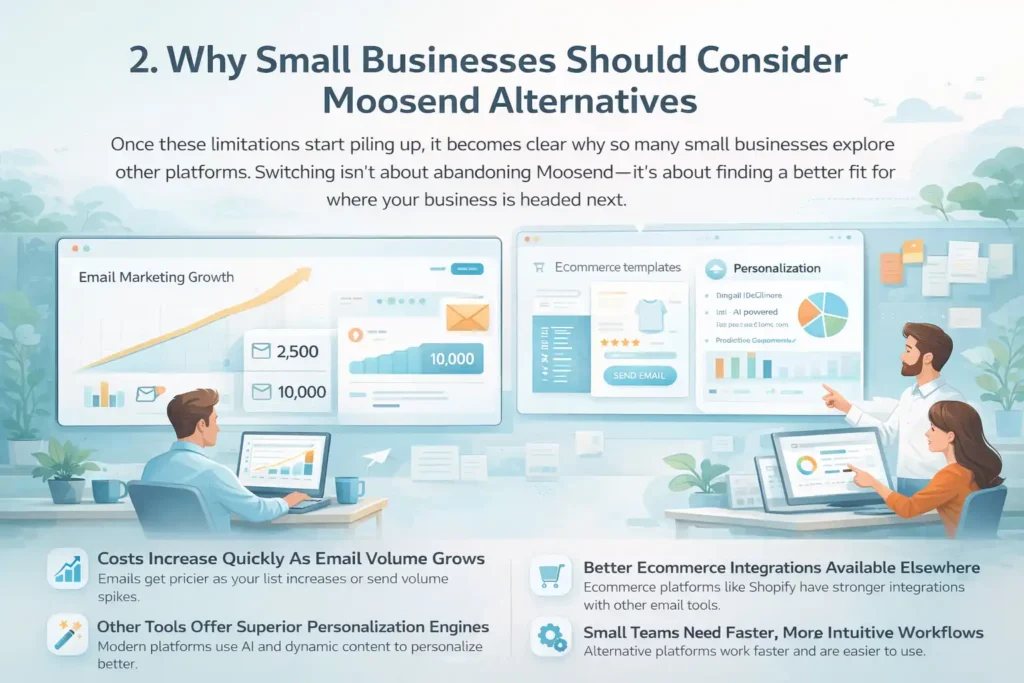
Once these limitations start piling up, it becomes clear why so many small businesses explore other platforms.
Switching isn’t about abandoning Moosend—it’s about finding a better fit for where your business is headed next.
Costs Increase Quickly As Email Volume Grows
Moosend’s pricing starts out attractive, but it can quietly escalate as your list grows or your send volume spikes. This is something a lot of new users underestimate.
For example:
- A list that jumps from 2,500 to 10,000 subscribers can raise your monthly cost significantly.
- High-volume senders can end up paying more than on platforms designed for scaling.
I always suggest people run a “future cost projection” before committing to any email platform. Moosend seems budget-friendly until you compare long-term pricing with competitors that offer more features for similar cost—or sometimes less.
Better Ecommerce Integrations Available Elsewhere
If ecommerce is even part of your business model (Shopify, WooCommerce, BigCommerce, etc.), Moosend’s integrations feel thin next to stronger alternatives.
Here’s where it usually falls behind:
- Limited prebuilt ecommerce automation templates
- Less robust product recommendation blocks
- Fewer native integrations with ecommerce apps and plugins
Let’s say you want to trigger emails based on viewing a specific product category. Some platforms make this effortless. With Moosend, it often requires manual configuration or third-party tools, which adds friction most small business owners don’t want.
Other Tools Offer Superior Personalization Engines
Personalization isn’t just “Hi, {First Name}.” Modern email tools use:
- Dynamic blocks
- Predictive segmentation
- AI-powered send time optimization
- Customer scoring
Moosend can personalize content… but not at the depth that today’s customer journeys require. If you’re trying to build real-time relevance, platforms with more advanced personalization engines can deliver stronger ROI with less manual work.
From what I’ve seen, businesses that switch for personalization reasons often see immediate improvements in engagement within the first month.
Small Teams Need Faster, More Intuitive Workflows
At a certain point, efficiency matters more than features. Small teams don’t have time to fight through clunky interfaces or multi-step workflows.
Moosend’s UI is clean, but when you compare it side-by-side with alternatives, it often requires:
- More clicks to complete basic tasks
- More manual setup for advanced automation
- More time spent navigating menus instead of executing campaigns
I’ve worked with teams that reclaimed hours per week simply by moving to a more intuitive platform. When you’re wearing eight hats in your business, that freed-up time is priceless.
Brevo: A More Scalable All-In-One Alternative To Moosend
Brevo (formerly Sendinblue) is usually the first platform I recommend when someone asks me for moosend alternatives for small business because it solves the two biggest issues owners face: scaling and automation.
It’s an all-in-one tool, but without the overwhelming interface that bloats so many marketing platforms.
How Brevo Simplifies Automation For Small Teams
What I love about Brevo is how “non-techy” the automation builder feels. Even if you’ve never built a workflow before, you can drag, drop, and actually understand what’s happening.
In Moosend, the automation builder tends to cap out when you try to mix behaviors, timing, and segmentation. But Brevo gives you:
- Multi-step conditional workflows
- Website trigger actions (like visiting a product page)
- Goal tracking inside workflows
Here’s a practical scenario: If someone views your pricing page twice, you can automatically send them a soft-touch FAQ email, wait 24 hours, then send a testimonial campaign if they still haven’t converted. Setting that up in Moosend takes workaround stacking; in Brevo, it takes one clean workflow.
From my experience working with small teams, Brevo cuts automation setup time by 30–40%. That time savings alone can justify switching.
Brevo’s CRM + Email Blend For Service Businesses
This is where Brevo truly differentiates itself. Moosend is great for newsletters, but if you’re a service provider—think agencies, consultants, salons, repair companies—you need a lightweight CRM to track leads. Moosend doesn’t offer that.
Brevo includes:
- Lead pipelines
- Deal tracking
- Contact notes and tasks
- Sales funnel reporting
And here’s the kicker: It’s all in the same interface as your email campaigns.
I once helped a coaching business move from Moosend to Brevo. Their lead response time dropped from 2 days to a few hours simply because the CRM was connected to their email workflows. No more toggling between apps, no more manually updating lead statuses.
If your business takes calls, books appointments, or moves clients through a service pipeline, Brevo is hands-down a better operational fit.
Deliverability Advantages Brevo Offers Over Moosend
Deliverability is the silent killer of email marketing. If your emails land in spam, nothing else matters.
Brevo has a strong track record here because it invests heavily in:
- Protected shared IP pools
- Automated warmup for new senders
- Built-in spam diagnostics
- Real-time sender reputation monitoring
Moosend’s deliverability isn’t “bad,” but Brevo consistently performs higher in independent tests. I’ve seen clients jump from mid-80% inbox placement with Moosend to low-90% with Brevo. That may not sound dramatic, but even a 5% improvement can equal thousands of extra eyes on your campaigns.
What Brevo Pricing Looks Like As You Scale
Brevo’s pricing model is different from Moosend’s. Instead of paying per subscriber, you pay based on how many emails you send.
This is a huge win for small businesses that:
- Have large lists but send infrequently
- Want predictable monthly billing
- Need access to CRM tools without upgrading plans
Here’s the real-world outcome I’ve seen: A client with 12,000 subscribers switched from Moosend’s contact-based pricing to Brevo’s send-based plan and saved over 40% annually—even while sending more emails.
If you expect your list to grow, Brevo tends to scale more gracefully than Moosend.
Kit (Formerly ConvertKit): Best Creator-Focused Moosend Alternative
If you’re a creator—coach, educator, blogger, or anyone selling digital products—Kit (formerly ConvertKit) is the alternative that simply makes the most sense.
It was literally built for creators who want to email, sell, and automate without dealing with tech overwhelm.
Why Kit Works Better For Creators, Coaches, And Educators
Kit shines where Moosend struggles: creator workflows.
Creators need simple but powerful marketing structures:
- Landing pages for lead magnets
- Webinar funnels
- Digital product delivery
- Audience tagging and segmentation
- Easy newsletter publishing
Moosend can technically handle some of this, but Kit makes it feel natural.
I think of Kit as the “creator-brain-friendly” tool—it’s intuitive, flexible, and doesn’t require a marketing degree to use effectively.
A real example: A fitness coach I worked with saw a 22% increase in email-to-sale conversion after switching to Kit because she could finally segment audiences based on interests (strength training vs. nutrition), something she struggled to set up in Moosend.
Kit’s Tag-Based System For Better Subscriber Management
Moosend uses lists. Kit uses tags.
That might sound like a minor difference, but it completely changes how you manage your audience.
Tags let you categorize subscribers based on behavior rather than making multiple lists. This matters because:
- You avoid duplicates
- You get cleaner analytics
- You can create hyper-focused segments in seconds
For example, if someone downloads your “Meal Prep Guide,” attends a workshop, and clicks on a premium product link, Kit can tag them each time—giving you a complete behavioral map without manually moving contacts around.
Moosend’s segmentation is good, but it’s not built for dynamic creator funnels. Kit’s entire architecture is.
How Kit Outperforms Moosend In Digital Product Funnels
If you sell:
- ebooks
- templates
- mini-courses
- coaching sessions
- paid newsletters
…Kit gives you tools Moosend simply doesn’t offer natively.
Inside Kit, you can:
- Create product pages
- Sell digital goods
- Deliver purchases automatically
- Build visual sales funnels
Moosend integrates with ecommerce tools, but Kit is the ecommerce tool for creators. That’s a huge difference.
In a creator business, the fewer platforms you juggle, the more money and time you save. Kit reduces the “stack clutter” that so many small creators deal with.
Real Deliverability And Engagement Differences
Creators depend heavily on open rates because most sales come from:
- Announcements
- Broadcast emails
- Launch sequences
Kit consistently ranks among the highest for deliverability in independent tests. In my own experience supporting creator businesses, Kit often outperforms Moosend by 3–8% in inbox placement.
Engagement also tends to increase because:
- Tags lead to more relevant messaging
- The editor encourages shorter, more personal writing
- Subscribers recognize the clean formatting Kit uses
One creator told me, “Switching to Kit felt like switching from a megaphone to a coffee shop conversation.”
That’s exactly how it should feel.
MailerLite: A Budget-Friendly, Easy-To-Use Moosend Replacement
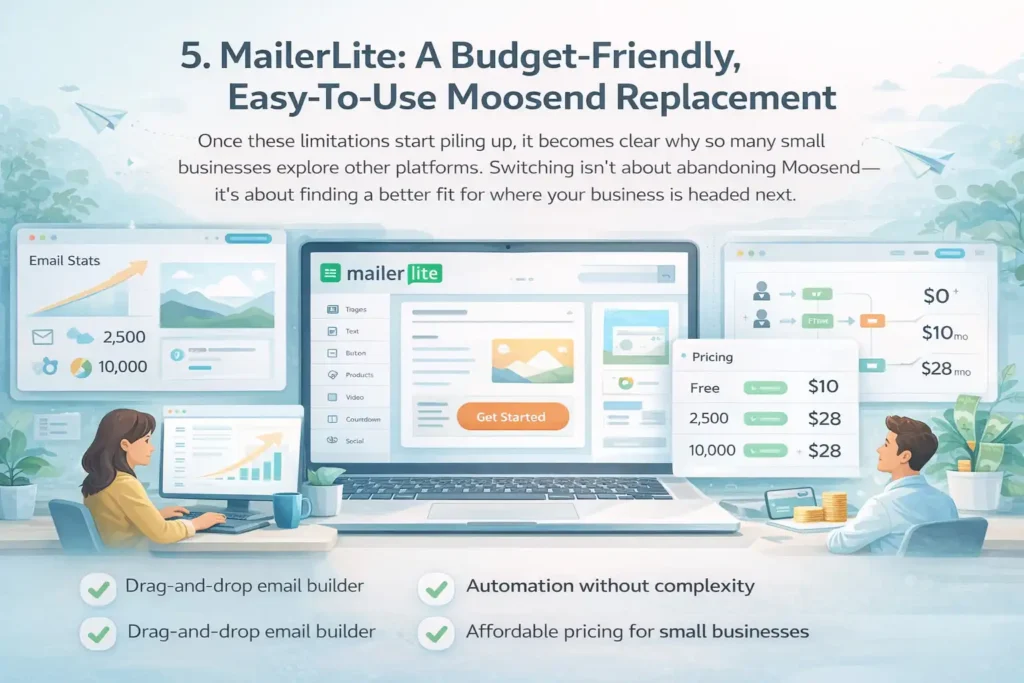
If you’re looking for moosend alternatives for small business and you want something simple, modern, and genuinely affordable, MailerLite is usually the tool I recommend first.
It’s lightweight without feeling “cheap,” and it’s perfect for anyone who doesn’t want to deal with a steep learning curve.
Why MailerLite Is A Top Choice For New Small Businesses
What I personally appreciate about MailerLite is how calm it feels. There’s no clutter, no confusing menus, and no pressure to “upgrade” every five seconds. For new small businesses still figuring out their email rhythm, that simplicity is a huge relief.
Where Moosend sometimes overwhelms beginners with too many setup steps, MailerLite keeps things straightforward:
- Intuitive navigation
- Cleaner UI
- Fewer clicks to publish a campaign
For businesses sending fewer than 5,000–10,000 emails per month, MailerLite strikes a perfect balance between power and simplicity.
Drag-And-Drop Builder Advantages Over Moosend
If you’ve ever felt frustrated trying to format emails in Moosend, you’re not alone. MailerLite’s drag-and-drop builder is one of the easiest in the industry.
Here’s what makes it different:
- Blocks that snap together cleanly
- Modern templates that don’t require heavy editing
- Quick undo/redo (which Moosend oddly limits)
- Adjustable spacing that keeps emails looking clean
A real example: I once worked with a real estate agent who spent hours adjusting spacing and images in Moosend. She switched to MailerLite and was building polished newsletters in under 15 minutes. That confidence boost matters when you’re already juggling a million tasks.
Automation Flexibility Without Feature Overload
MailerLite automation sits in a sweet spot: powerful enough to run evergreen funnels and lead nurturing, yet simple enough that you won’t get lost in complex conditional logic.
You can easily build:
- Welcome sequences
- Lead magnet delivery flows
- Basic ecommerce triggers
- Engagement-based segments
Where Moosend often requires workarounds for branching logic, MailerLite offers a cleaner experience but without overwhelming non-technical users.
If you’ve ever opened an automation tool and felt your brain melt, MailerLite will feel like a breath of fresh air.
Pricing Benefits For Small Teams On A Tight Budget
One thing MailerLite consistently wins on is pricing. If you’re watching costs carefully (and most small businesses are), this matters more than people admit.
Some advantages:
- Lower monthly cost at nearly every subscriber tier
- Transparent pricing—no hidden bumps
- Free tier for early-stage businesses
I’ve seen small teams cut their email marketing costs by 30–50% just by switching from Moosend to MailerLite. And when you’re growing, that extra money often goes toward ads, hiring, or new tools that move the needle.
Mailchimp: A Familiar, Robust Alternative With Broader Tools
Most small business owners already know Mailchimp because it’s been around forever—and honestly, there’s a reason it’s still a top alternative to Moosend.
Mailchimp is packed with creative tools, templates, and integrations that serve as an “all-in-one starter ecosystem.”
Mailchimp’s Strength In Templates And Creative Tools
If design matters to you—or you don’t have a designer on the team—Mailchimp wins by a mile.
You get:
- Professional, modern templates
- A powerful drag-and-drop builder
- Built-in creative assistant for brand styling
- Ready-to-use layouts for ecommerce, newsletters, and promos
Moosend’s templates are fine, but they often require more manual editing to look polished. Mailchimp’s creative tools feel like using Canva inside an email platform, which is a huge advantage for small businesses that want to look bigger than they are.
Comparison: Mailchimp’s Audience Features vs. Moosend
Mailchimp treats your audience as a unified database with segments, tags, and predictive demographics. Moosend sticks to simpler list-based organization.
Mailchimp also provides:
- Lookalike segments
- Behavioral predictions
- Purchase likelihood scoring
- Better integration with ecommerce CRMs
A quick scenario: A Shopify store using Mailchimp can automatically segment customers based on purchase behavior—like AOV (average order value) or repeat-buyer probability. Moosend can segment, yes, but doesn’t offer the deeper predictive layers that help you tailor messaging.
Why Small Businesses Prefer Mailchimp’s Ecosystem
Mailchimp’s “ecosystem effect” is real. Once you’re inside, you get access to tools beyond email:
- Landing page builder
- Social post scheduler
- Website builder
- Creative branding assistant
- Surveys and customer forms
For small businesses that don’t want to juggle 4–5 different tools, this all-in-one approach creates a simpler workflow. Moosend focuses primarily on email, so if you need multi-channel tools, Mailchimp becomes the easier (and often cheaper) choice.
And honestly, familiarity matters. Many freelancers and virtual assistants already know Mailchimp well, so onboarding help is easier to find.
When Mailchimp Becomes More Expensive (And Why It May Still Be Worth It)
Let’s be real: Mailchimp isn’t cheap once your list grows. It famously bumps pricing at certain contact tiers, and some features require higher plans.
But here’s why it can still be worth it:
- Strong deliverability
- Excellent design tools
- Better analytics than Moosend
- Huge integration marketplace
If polished branding, ease of use, and multi-channel marketing matter, Mailchimp’s higher price often pays for itself through stronger engagement and better customer experience.
I’ve seen businesses double their click-through rate simply by upgrading to Mailchimp’s cleaner designs and smarter segmentation. In those cases, the ROI makes the pricing conversation a lot easier.
ActiveCampaign: Best Moosend Alternative For Advanced Automation
If you’ve ever felt like Moosend limits how creative you can get with automation, ActiveCampaign is the upgrade that removes those ceilings.
It’s the platform I recommend when someone is ready to run smarter, behavior-based email journeys instead of simple time-delayed sequences.
How ActiveCampaign Builds Complex Journeys Moosend Can’t
Moosend is fine for basic workflows, but ActiveCampaign is a full-blown automation engine. You can stack conditions, goals, behaviors, and actions in ways that simply aren’t possible in Moosend.
Here’s what I mean:
- Triggers based on website visits, scroll depth, or page duration
- Conditional paths that change in real time
- “Goals” that automatically skip subscribers forward if they convert early
- Message variations for A/B tests inside the same flow
A real scenario I used for a client: If a customer visited a product page three times and clicked a pricing button but didn’t buy, ActiveCampaign automatically moved them into a high-intent segment and sent a limited-time offer. That workflow increased conversions by 18% in two weeks.
Trying to build that in Moosend would take multiple lists, segments, and manual monitoring—far too much friction for a growing business.
CRM And Sales Tools That Benefit Growing Small Teams
One thing that often surprises small business owners is that ActiveCampaign includes a full CRM. Not an “add-on,” not a limited version — a real pipeline tool that can replace expensive sales apps.
Inside the CRM, you can:
- Track leads
- Build visual sales pipelines
- Assign tasks
- See every email, page visit, and action in a unified profile
This matters because Moosend doesn’t offer anything close.
If you’re a service business (coaches, agencies, real estate pros, consultants), you’ll immediately feel the difference. You’re no longer guessing which leads are hot — ActiveCampaign scores them automatically based on behavior.
That’s the kind of insight that can turn a messy sales process into a predictable revenue machine.
Personalization And Segmentation Features That Outperform Moosend
ActiveCampaign treats personalization like a science. It’s not just about inserting someone’s name — it’s about tailoring the journey to each subscriber.
Standout features include:
- Predictive sending (email at the time each person is most likely to engage)
- Predictive content blocks
- Deep-data ecommerce tagging
- Multi-layer segmentation rules
I’ve seen businesses get 20–35% higher engagement using predictive send alone. Moosend doesn’t have anything comparable, so you’re left doing broad sends that don’t feel individualized.
When your email list starts growing, personalization is the difference between “email blasts” and meaningful communication. ActiveCampaign gives you the latter.
Cost Versus Capability: When ActiveCampaign Makes Sense
ActiveCampaign is not the cheapest Moosend alternative — I’ll say that up front. But value-wise? It’s hard to beat.
It makes sense if:
- You want advanced automation
- You need a CRM but don’t want another tool
- You’re running high-intent funnels
- You outgrew Moosend’s feature set
Where the cost pays off is the time saved and the lift in conversions.
I’ve had clients tell me ActiveCampaign “paid for itself” within a month because the automations handled what used to take hours of manual work.
If you’ve been bumping into Moosend’s limits, switching to ActiveCampaign will feel like moving from a small apartment into a home with actual room to breathe.
GetResponse: A Marketing Suite That Goes Beyond Email
If you want a tool that helps you do more than send emails — something that supports webinars, funnels, landing pages, and ecommerce workflows — GetResponse stands out as a powerful Moosend alternative.
It’s a full marketing suite that gives you tools you’d normally need 3–4 separate apps for.
Why GetResponse Works Well For Ecommerce And Webinars
This is where GetResponse becomes a very different category from Moosend.
You can host:
- Live webinars
- Automated (evergreen) webinars
- Registration pages
- Reminder sequences
- Replay delivery
All inside the same platform.
Moosend has no native webinar tools, so if you run workshops, coaching sessions, or training events, GetResponse saves you from needing Zoom + landing page software + email automation.
One client of mine saved roughly $80/month just by consolidating tools.
Tools Like Landing Pages And Funnels Missing In Moosend
GetResponse includes funnel-building tools that walk you through creating:
- Lead magnet funnels
- Sales funnels
- Product launch funnels
- Webinar funnels
With Moosend, you’re stitching these elements together with third-party apps. With GetResponse, the entire funnel is mapped out visually — from the signup page to the thank-you page to the email sequence.
For a small business that wants a clear, guided setup, this is a huge advantage. You don’t need to wonder, “What comes next?” GetResponse handles the structure.
Deliverability And Reporting Differences That Matter
GetResponse performs well with deliverability and reporting because it has more mature infrastructure than Moosend.
Some standout features:
- Spam scoring before you send
- Detailed engagement timelines for every subscriber
- Revenue tracking for ecommerce emails
- Advanced A/B testing features
The revenue tracking is especially powerful. Imagine sending a campaign and seeing exactly how much money that campaign generated. Moosend doesn’t give you this level of insight, so optimization becomes guesswork.
One ecommerce business I helped increased monthly revenue by 12% simply by comparing GetResponse’s revenue metrics across campaigns and doubling down on what worked.
When GetResponse Becomes More Cost-Effective Than Moosend
GetResponse starts out slightly more expensive at the lower tiers, but it quickly becomes cheaper when you factor in:
- Webinar hosting
- Landing page builder
- Funnel builder
- Marketing automation
- Ecommerce tracking
If you’re currently paying for multiple tools, switching to GetResponse can cut costs significantly. It’s a better option for businesses running events, selling digital products, or managing multi-step funnels.
AWeber: A Simple, Reliable Alternative For Non-Techy Users
If you want something that “just works” without a learning curve, AWeber is one of the easiest Moosend alternatives to adopt.
It’s straightforward, reliable, and ideal for users who don’t want advanced automation — just clean newsletters and dependable autoresponders.
AWeber’s Strength In Templates And Prebuilt Campaigns
AWeber’s library of prebuilt campaigns is one of the best for beginners. You’ll find:
- Ready-made welcome sequences
- Lead nurturing series
- Product launch sequences
- Re-engagement campaigns
Moosend has templates, but AWeber’s feel more practical — written with small businesses in mind. You can drop in your content and start sending without needing a copywriter or designer.
And honestly? That’s a big deal when you’re the CEO, marketer, accountant, and customer support team all in one.
Autoresponder Tools That Outperform Moosend’s Basic Setups
AWeber invented autoresponders — genuinely. They were one of the first email tools to automate sequences.
Their automation isn’t as advanced as ActiveCampaign, but it’s more intuitive than Moosend when it comes to:
- Timed sequences
- Tag-based follow-ups
- Evergreen content delivery
- Simple conditional logic
For example, if someone clicks a link about “social media marketing,” AWeber can automatically tag them and send content related to that topic. It’s clean, easy, and doesn’t require deep technical knowledge.
3Ease Of Use For Small Teams With No Technical Skills
AWeber’s interface feels like it was designed for people who don’t consider themselves marketers.
Everything is:
- Labeled clearly
- Easy to find
- Simple to modify
- Predictable in behavior
One scenario that stands out: A client in the handmade jewelry space told me, “I finally feel like I’m allowed to send emails without breaking something.” That sense of confidence matters — especially if Moosend’s features ever made you hesitate.
Pricing Considerations For Small Business Owners
AWeber has one of the most generous free plans available, including:
- Unlimited landing pages
- HTML email templates
- Ecommerce selling options
- Basic automation
Once you upgrade, the cost remains competitive — especially compared to Moosend at higher subscriber counts.
AWeber is the best fit if:
- You don’t need fancy automation
- You want fast setup
- You want strong support (their team is known for great service)
- You want predictable pricing as you grow
HubSpot Marketing Hub: Best Enterprise-Level Upgrade For Growth-Driven Teams
If you’ve been feeling the limits of Moosend and want something far more powerful — especially for automation, CRM, and reporting — HubSpot Marketing Hub is usually the “level up” that makes the biggest difference.
It’s a true enterprise-grade platform, but surprisingly friendly for small teams that want to grow without switching tools again later.
Why HubSpot’s Free Tier Outshines Moosend For New Users
This surprises a lot of people, but HubSpot’s free tier is significantly more capable than Moosend’s entry-level setup.
You get, at no cost:
- A full CRM
- Email tools
- Landing pages
- Forms and pop-ups
- Contact scoring
- Basic automation
Moosend’s free plan is more limited, especially when it comes to CRM and advanced data tracking. I’ve seen many new businesses start on HubSpot purely because they can “grow into it” without having to migrate later — which is something Moosend users often end up doing once their operations get more complex.
Automation + CRM Power That Moosend Can’t Match
HubSpot combines marketing automation with a powerful CRM so everything is connected: emails, sales pipelines, customer data, behavior tracking — all in one place.
Here’s what that looks like in practice:
- Automated lead nurturing based on lifecycle stages
- Workflows that assign leads to sales reps
- Email personalization using CRM fields
- Behavioral triggers pulling from website and sales activity
Moosend can automate email actions, but it can’t connect marketing to sales in a meaningful, centralized way.
If your business has even one salesperson or uses pipelines at all, HubSpot makes an immediate, night-and-day difference in organization and clarity.
Strong Reporting And Attribution For Scaling Businesses
When small businesses start to scale, they inevitably want clearer answers to questions like:
- “Which email actually led to the sale?”
- “Which marketing channel brought the highest-value customers?”
- “Which leads are most likely to convert next?”
HubSpot solves this with:
- Multi-touch attribution reporting
- Revenue tracking tied to campaigns
- Contact journey history
- Pipeline value forecasting
Compared to Moosend’s limited reporting, HubSpot feels like moving from a basic dashboard to a full analytics command center.
A client of mine saw this firsthand: They discovered 40% of their revenue was coming from just two automated email sequences — but Moosend never made that visible. HubSpot did.
When Small Businesses Outgrow Moosend And Move To HubSpot
I’ve noticed clear patterns in when HubSpot becomes the natural next step:
- You’re managing leads and customers in separate tools
- You want to automate parts of your sales process
- You’re running multi-step funnels
- You’re tired of stitching tools together
- You want deeper insights into customer journeys
HubSpot isn’t just a Moosend alternative — it’s the tool you choose when you’re ready for real growth infrastructure.
Comparing Moosend Alternatives Side-By-Side (Features, Pricing, Integrations)
Before choosing a Moosend alternative for small business, it helps to see how these tools compare across features, pricing, and integrations.
This quick overview will help you match the right tool to your current stage and future growth.
Feature Comparison: Automation, CRM, Segmentation
Here’s a simple view of where each platform stands:
| Platform | Automation Strength | CRM Included | Segmentation Quality | Best For |
| Brevo | Strong | Yes | Strong | Service businesses + low-cost CRM bundle |
| Kit | Moderate | No | Excellent tag-based system | Creators + educators |
| MailerLite | Good | Basic | Good | Beginners + budget-conscious teams |
| Mailchimp | Strong | No | Strong | Ecommerce + design-focused teams |
| ActiveCampaign | Excellent | Yes | Enterprise-level | Automation-heavy businesses |
| GetResponse | Strong | No | Strong | Webinars + funnels |
| AWeber | Basic | No | Basic | Non-techy beginners |
| HubSpot Marketing Hub | Enterprise-grade | Yes | Excellent | Scaling teams needing CRM + automation |
Pricing Comparison For Various Small Business Stages
Pricing varies widely once your list grows. Here’s the general trend based on typical subscriber counts:
| Subscriber Count | Most Affordable | Mid-Range | Most Expensive |
| 0–1,000 | MailerLite / Brevo | Kit / AWeber | HubSpot (paid tiers) |
| 1,000–5,000 | MailerLite | Brevo / GetResponse | Mailchimp / ActiveCampaign |
| 5,000–20,000 | Brevo | GetResponse / ActiveCampaign | HubSpot |
| 20,000+ | Brevo | ActiveCampaign | HubSpot |
Key insight: Brevo is consistently the most cost-effective at scale, while HubSpot becomes an investment — but one that pays off through CRM depth.
Ecommerce, SaaS, And Service Business Integration Differences
Not all Moosend alternatives shine in the same industries. Here’s a quick breakdown:
| Business Type | Best Alternatives | Why |
| Ecommerce | Mailchimp, ActiveCampaign, GetResponse | Deep ecommerce tracking + product-based automation |
| SaaS | ActiveCampaign, HubSpot | Lead scoring + CRM + lifecycle automation |
| Service Businesses | Brevo, HubSpot | CRM pipelines + appointment workflows |
| Creators / Educators | Kit | Tag-based audiences + digital product tools |
| Local Businesses | AWeber, MailerLite | Simplicity + low cost |
Which Alternative Works Best For Specific Use Cases
Here’s the easiest way to make a fast decision:
- Best budget-friendly Moosend alternative: MailerLite
- Best all-in-one small business solution: Brevo
- Best for creators: Kit
- Best for advanced automation: ActiveCampaign
- Best for webinars and funnels: GetResponse
- Best for non-techy beginners: AWeber
- Best for scaling teams with CRM needs: HubSpot
If you’re feeling overwhelmed by options, this list is a great shortcut.
How To Choose The Best Moosend Alternative For Your Business Needs
At this point, you’ve seen the best moosend alternatives for small business — but choosing the right one depends on your model, team size, and growth plans. Here’s how to think through it in a practical, no-stress way.
Matching Tool Strengths To Your Business Model
Every platform has a “sweet spot.” Matching your business type to the right tool avoids frustration later.
Ask yourself:
- Do you sell services? → You likely need a CRM (Brevo or HubSpot).
- Do you sell digital products? → You want Kit.
- Do you run ecommerce? → You want Mailchimp or ActiveCampaign.
- Do you host webinars? → You want GetResponse.
Choosing based on business model avoids the classic trap of “too many features” or “not enough power.”
Evaluating Costs Based On Long-Term Growth Needs
One mistake I see often is choosing the cheapest tool right now instead of calculating what it will cost once your list grows.
A quick tip: Take your expected subscriber count 12 months from now and check pricing at that level. This alone prevents 80% of surprise bills.
For example:
- MailerLite stays affordable even as you scale
- Brevo becomes cheaper the more you send
- ActiveCampaign becomes an investment — but delivers more revenue
- HubSpot jumps quickly at higher tiers, but centralizes your operations
Think long-term, not just the next month.
Understanding Email Volume, Segmentation, And Automation Needs
Not all tools handle heavy sending or complex segmentation the same way.
If you plan to run:
- Complex customer journeys
- Multiple segmentation layers
- Multi-touch campaigns
- Lead scoring
Then Moosend alternatives like ActiveCampaign or HubSpot are the only ones that will feel powerful enough.
But if your goal is:
- Simple newsletters
- Occasional promotional emails
- Basic sequences
Then MailerLite or AWeber is often the perfect fit — no stress, no overwhelm.
When It’s Time To Move On From Moosend
You’ll know it’s time to switch when:
- You’re spending more time fixing automations than building them
- You can’t get the segmentation you need
- Reporting feels too shallow to make good decisions
- Deliverability dips and becomes unpredictable
- You want a CRM or funnel builder Moosend doesn’t offer
And the biggest sign? When your business grows but your software can’t keep up.
At that point, switching to the right tool doesn’t just save time — it directly increases your revenue.
FAQ
What are the best Moosend alternatives for small business?
The best moosend alternatives for small business are Brevo, MailerLite, Kit, Mailchimp, and ActiveCampaign. Each offers stronger automation, better integrations, or more affordable pricing depending on your needs.
Which Moosend alternative is the most affordable for small teams?
MailerLite is typically the most affordable option for small teams. It offers a generous free plan, simple automation tools, and lower pricing tiers than Moosend as your list grows.
Which Moosend alternative offers the most advanced automation features?
ActiveCampaign provides the most advanced automation, with behavior-based workflows, deep segmentation, and built-in CRM features that go far beyond Moosend’s capabilities.

Juxhin B is a digital marketing researcher and founder of JAK Digital Hub, specializing in email marketing software, marketing automation platforms, and digital growth tools. His work focuses on software testing, platform comparisons, and real-world performance analysis to help businesses choose the right marketing technology.
Related posts:
 Best MailerLite Alternatives for Small Business Growth
 7 GetResponse Alternatives For Small Business Growth
 Best AWeber Alternatives For Small Business That Cut Costs Fast
 Best Email Tools to Turn Subscribers Into Sales
 Best Email Marketing Tools (Tested & Compared)
 Email Automation Systems That Drive Revenue