Table of Contents
Some links on JAK Digital Hub are affiliate links, meaning we may earn a small commission at no extra cost to you. Read full disclaimer.
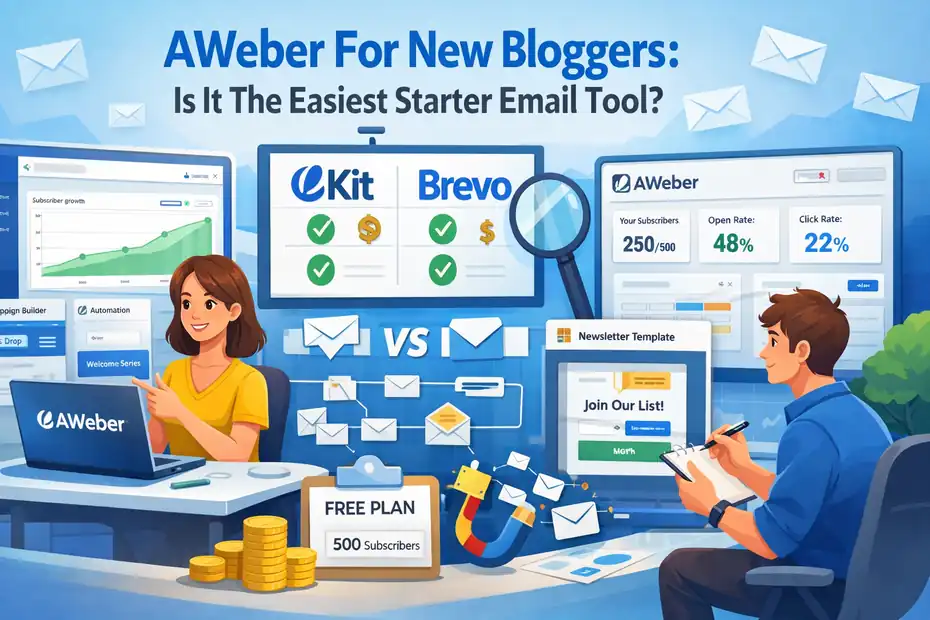
AWeber for new bloggers often comes up when someone is starting their first email list and wants a tool that doesn’t feel overwhelming. If you’ve ever opened an email marketing dashboard and felt buried in automation rules, integrations, and confusing settings, you’re not alone.
Many beginners simply want a reliable way to collect subscribers, send newsletters, and maybe set up a few automated emails without spending weeks learning the software.
That’s where AWeber enters the conversation. It has been around for years, built specifically for creators, bloggers, and small businesses that need simplicity without sacrificing important features.
But the real question new bloggers ask in 2026 is simple: Is AWeber still the easiest starter email tool, or are there better beginner-friendly alternatives today?
Let’s break it down step-by-step.
What Makes AWeber For New Bloggers So Beginner-Friendly
When people search for aweber for new bloggers, they’re usually trying to answer one question: Is this email marketing platform simple enough for someone who has never built a list before?
From what I’ve seen working with bloggers and creators, AWeber focuses heavily on usability. The platform removes many of the complicated layers that overwhelm beginners and replaces them with visual tools and guided workflows.
Let’s walk through the specific features that make it beginner-friendly.
Simple Dashboard Layout Designed For First-Time Email Users
The first thing you’ll notice when you log into AWeber is how uncluttered the dashboard feels compared to many modern email platforms.
Many email tools try to pack advanced features into the interface immediately. That can make new bloggers feel lost within minutes. AWeber does the opposite. It organizes everything around a few core actions:
- Create a list
- Add subscribers
- Send a message
- Build automation
- View reports
Instead of forcing beginners to understand complex funnels or marketing automation systems, AWeber starts with a list-based structure. In simple terms, a list is just a collection of email subscribers.
Imagine you’re running a small blog about productivity tips. When someone subscribes to your newsletter, their email gets stored inside your AWeber list. From there, you can:
- Send newsletters
- Start automated email sequences
- Tag subscribers based on interests
- Track engagement
What I personally like is how the main navigation keeps things visible without overwhelming you.
For example:
| Dashboard Section | What It Does |
|---|---|
| Messages | Create newsletters or automated emails |
| Subscribers | Manage your email list |
| Landing Pages | Build signup pages |
| Automations | Create email workflows |
| Reports | Track performance |
This layout helps beginners understand the system quickly. Most people can navigate it confidently within their first hour.
Quick List Creation And Subscriber Import Process
One of the first steps in using AWeber for new bloggers is creating your email list. Thankfully, the process is very straightforward.
Here’s how it works in practice.
When you create your first list, AWeber asks for a few basic details:
- Your business or blog name
- Your sender email address
- Your mailing address (required for email compliance laws)
- A short description of your emails
This entire setup usually takes less than five minutes.
If you already have subscribers from somewhere else — maybe from Google Sheets, CSV files, or another email service — AWeber also allows you to import them easily.
You can upload subscriber data like:
- Email address
- First name
- Custom fields (like interests or signup source)
A feature I recommend using immediately is tagging during import.
For example:
- Tag subscribers as “lead-magnet-download”
- Tag subscribers as “blog-reader”
- Tag subscribers as “course-interest”
This simple organization step can save you a lot of headaches later when your list grows.
According to email marketing benchmarks from Campaign Monitor, segmented campaigns can increase email revenue by up to 760%. Even beginners benefit from basic tagging.
Drag-And-Drop Email Builder With Minimal Learning Curve
Designing emails can feel intimidating if you’re not a designer or developer. Fortunately, AWeber’s drag-and-drop email builder solves that problem.
Instead of coding HTML emails, you simply assemble them visually.
You can add elements like:
- Text blocks
- Images
- Buttons
- Dividers
- Social icons
- Product sections
The interface works similarly to website builders like WordPress block editor or Elementor.
Let me give you a simple example.
Imagine you want to send a weekly blog update email.
You might structure it like this:
- Header image
- Short introduction
- Featured blog post
- Secondary articles
- Call-to-action button
- Social media links
With AWeber’s builder, you simply drag these sections into place.
Even better, the platform includes hundreds of pre-designed templates. Many beginners just pick a template and swap in their own content.
I’ve seen bloggers create their first newsletter in under 20 minutes using this method.
Pre-Built Automation Templates For Beginner Workflows
Automation is where email marketing really becomes powerful.
But let’s be honest — many automation builders are confusing.
AWeber simplifies things with pre-built automation templates that beginners can activate instantly.
These templates handle common scenarios like:
- Welcome email sequences
- Lead magnet delivery
- Subscriber onboarding
- Blog post notifications
- Course launch reminders
Instead of designing a workflow from scratch, you simply choose a template and customize the emails.
Here’s a typical beginner automation:
Welcome Sequence Example
Day 0: Welcome email + introduce the blog
Day 2: Send most popular article
Day 4: Share personal story or mission
Day 7: Ask readers about their biggest challenge
This type of sequence helps build trust with new subscribers.
Research from HubSpot shows welcome emails generate 4x higher open rates than standard marketing emails. That’s why automation is worth setting up early.
Built-In Landing Page Builder For Fast List Growth
Most new bloggers struggle with one challenge:
How do I actually collect email subscribers?
AWeber solves this with its built-in landing page builder.
A landing page is a standalone page designed specifically to capture email signups. It usually includes:
- A headline
- Short explanation
- Signup form
- Call-to-action
Instead of needing tools like ClickFunnels or Leadpages, beginners can create landing pages directly inside AWeber.
Here’s a simple example.
Imagine you offer a free resource:
“10 Productivity Hacks For Bloggers” PDF
Your landing page might include:
Headline: “Download 10 Productivity Hacks That Help Bloggers Write Faster”
Description: “Join 2,000+ bloggers receiving weekly growth tips.”
Signup form: Name + Email
CTA Button: “Send Me The Guide”
You can build pages like this with AWeber in about 15 minutes.
For bloggers starting from zero, this is one of the fastest ways to begin growing an email list.
Visual Reporting That Shows Open Rates And Clicks Clearly
Once you start sending emails, you’ll want to know if people actually read them.
This is where email analytics become important.
AWeber’s reporting dashboard keeps things beginner-friendly by focusing on a few key metrics:
| Metric | What It Means |
|---|---|
| Open Rate | Percentage of people who opened your email |
| Click Rate | Percentage who clicked links |
| Subscriber Growth | New subscribers over time |
| Bounce Rate | Emails that couldn’t be delivered |
| Unsubscribes | People who left the list |
Let’s say you send a weekly newsletter to 500 subscribers.
Your report might show:
- 38% open rate
- 9% click rate
- 3 unsubscribes
These numbers help you understand what content your audience enjoys.
From my experience, bloggers often improve their results simply by analyzing these metrics and adjusting:
- Subject lines
- Email length
- Call-to-action placement
Even small improvements can dramatically increase engagement over time.
How AWeber Helps New Bloggers Build Their First Email List
Growing your first email list can feel intimidating, especially when your blog traffic is still small. The good news is that AWeber provides multiple beginner-friendly tools that help turn casual readers into subscribers.
Let’s walk through the most practical ways bloggers use AWeber to start building their lists.
Creating Sign-Up Forms Without Coding Skills
Signup forms are the foundation of email list building. Without them, visitors have no easy way to subscribe.
AWeber allows you to create fully customizable signup forms without writing a single line of code.
Inside the platform, you can design forms that include:
- Name fields
- Email fields
- Custom questions
- Privacy consent checkboxes
- Call-to-action buttons
Most bloggers keep things simple.
A high-converting form often looks like this:
Headline: “Join My Weekly Blogging Tips Newsletter”
Fields: First Name + Email
CTA Button: “Subscribe Now”
You can customize colors, fonts, and layouts so the form matches your website design.
Once the form is created, AWeber generates an embed code that you can place anywhere on your blog.
Popular placements include:
- Sidebar widgets
- Blog post endings
- Homepage sections
- Exit-intent popups
Even small blogs can grow quickly with consistent form placement.
Using AWeber Landing Pages To Capture Subscribers
Landing pages are especially helpful if your blog is new and doesn’t have much traffic yet.
Instead of relying only on blog posts, you can create a dedicated page focused entirely on collecting email subscribers.
AWeber’s landing page builder lets you design pages with elements like:
- Headlines
- Images
- Signup forms
- Testimonials
- Countdown timers
Let me give you a simple scenario.
Imagine you’re a beginner travel blogger.
You create a landing page offering:
“Free 7-Day Budget Travel Planner”
The page includes:
- A compelling headline
- A preview of the planner
- A signup form
- A download promise
You can then promote this page:
- On social media
- In your Instagram bio
- Inside Pinterest pins
- In YouTube video descriptions
Even bloggers with small audiences can generate hundreds of subscribers using targeted landing pages.
Embedding Opt-In Forms On WordPress Blogs
Most bloggers use WordPress to run their websites, and AWeber integrates smoothly with it.
Embedding opt-in forms typically takes just a few steps.
Here’s how many bloggers do it:
- Create a signup form inside AWeber.
- Copy the provided embed code.
- Paste it into a WordPress widget or block.
Common locations include:
- Sidebar widgets
- Footer sections
- Blog post endings
- Dedicated subscribe pages
Some bloggers also use WordPress plugins that connect directly with AWeber, making integration even easier.
For example, you can automatically connect signup forms to specific email lists or tags.
This allows more advanced targeting.
For instance:
- Readers of SEO articles get tagged “SEO”
- Readers of blogging tutorials get tagged “Blogging”
Over time, this makes your email campaigns far more relevant.
Using Lead Magnets To Increase Subscriber Conversion
A lead magnet is something valuable you give away in exchange for someone’s email address.
Without a lead magnet, most blogs see conversion rates around 1–2%. With a strong lead magnet, conversion rates often jump to 5–10% or higher.
Popular lead magnet ideas include:
- Checklists
- Templates
- PDF guides
- Resource lists
- Email courses
- Mini toolkits
Let’s say your blog teaches freelance writing.
Your lead magnet could be:
“The Beginner Freelance Writer Toolkit”
Inside the toolkit:
- Cold pitch email templates
- Client outreach scripts
- Invoice templates
When someone signs up through your AWeber form, the system automatically sends them the download.
This creates immediate value and builds trust.
Managing Subscriber Segments For Targeted Emails
As your list grows, sending the same email to everyone becomes less effective.
That’s where subscriber segmentation becomes useful.
Segmentation means grouping subscribers based on their interests or behavior.
AWeber allows you to organize subscribers using:
- Tags
- Lists
- Engagement filters
Here are a few examples.
You might segment subscribers based on:
Content interests:
- Blogging
- SEO
- Affiliate marketing
Behavior:
- Clicked a product link
- Downloaded a guide
- Opened recent emails
With this data, you can send more relevant emails.
For example:
- Bloggers interested in SEO receive SEO tutorials.
- Subscribers interested in monetization receive affiliate marketing tips.
This targeted approach increases open rates, click rates, and overall engagement.
Email Automation Features New Bloggers Can Set Up Quickly
One of the biggest advantages of using AWeber for new bloggers is how easily you can automate your emails. Automation means your emails send automatically based on triggers, which saves time and keeps your audience engaged even when you’re not actively sending newsletters.
Instead of manually emailing every new subscriber, AWeber lets you build simple workflows that welcome readers, deliver free resources, and nurture your audience over time.
Let’s look at the automation features beginners can realistically set up within their first day.
Welcome Email Sequences For First-Time Subscribers
A welcome sequence is usually the first automation every blogger should create.
When someone joins your email list, they’re most interested in your content at that exact moment. A well-written welcome sequence helps you introduce yourself, set expectations, and build trust quickly.
In AWeber, this process is simple because you can create an automated campaign triggered when someone subscribes.
Here’s a beginner-friendly welcome sequence I often recommend:
Email 1 – Immediate Welcome
Send instantly after signup.
Thank them for joining and briefly explain what they’ll receive.
Example: “Hey, thanks for joining my blogging newsletter. Every week I share practical tips about SEO, affiliate marketing, and growing traffic.”
Email 2 – Your Best Content
Send after 2 days.
Share your most helpful blog post or guide.
This helps new subscribers immediately experience the value of your content.
Email 3 – Your Story
Send after 4–5 days.
Explain why you started blogging and what readers can expect.
Story-based emails often build deeper connections than pure tutorials.
Email 4 – Engagement Email
Ask a simple question like: “What’s the biggest challenge you’re facing with your blog right now?”
Even if only a few readers respond, those conversations can reveal valuable insights about your audience.
According to GetResponse email benchmarks, welcome emails average 63% higher open rates than regular campaigns. That makes them one of the most valuable automations you can create.
Automated Lead Magnet Delivery After Signup
One of the most common mistakes beginners make is manually sending lead magnets after someone subscribes.
That quickly becomes messy and time-consuming.
AWeber solves this by automatically delivering your lead magnet the moment someone joins your list.
Here’s how the system works behind the scenes:
- A visitor fills out your signup form.
- AWeber adds them to your email list.
- An automation campaign triggers.
- The first email sends immediately with the download link.
For example, imagine your blog offers a free guide:
“50 Blog Post Ideas That Attract Google Traffic”
Your first automated email might look like this:
Subject line: “Your Blog Post Ideas Guide Is Inside”
Email content: “Thanks for subscribing. Here’s your free guide with 50 blog post ideas you can start writing today.”
Download link included.
The key advantage here is instant delivery. Readers receive the resource immediately, which builds trust and improves engagement.
In my experience, fast delivery also increases the chances that subscribers will actually open your first email.
Simple Tag-Based Automation For Subscriber Organization
Tagging is one of the most powerful features inside AWeber, but beginners often overlook it.
A tag is simply a label attached to a subscriber based on actions they take.
For example:
- Someone downloads your SEO checklist → Tag: SEO
- Someone clicks an affiliate marketing article → Tag: Affiliate
- Someone buys a course → Tag: Customer
These tags allow you to send more relevant emails later.
Let me show you a practical scenario.
Imagine your blog covers three topics:
- Blogging
- SEO
- Affiliate marketing
If someone clicks multiple SEO articles in your emails, AWeber can automatically apply the tag “SEO Interest.”
Later, you could send a targeted email like: “Advanced SEO Strategies That Increased My Blog Traffic 200%”
Only the subscribers with that tag receive the email.
This keeps your content relevant and prevents subscribers from feeling overwhelmed by unrelated topics.
Over time, tagging becomes the backbone of smart email marketing.
Behavioral Triggers Based On Email Opens And Clicks
AWeber also allows you to trigger automations based on subscriber behavior.
In simple terms, the platform can react when someone interacts with your emails.
Common behavioral triggers include:
- Opening an email
- Clicking a specific link
- Visiting a landing page
- Subscribing to a list
- Receiving a tag
Let’s say you send an email about affiliate marketing tools.
Inside that email is a link to your article:
“Best Affiliate Programs For Beginner Bloggers.”
If someone clicks that link, AWeber can automatically trigger a new action.
Examples include:
- Apply tag: Affiliate Interest
- Start affiliate marketing email sequence
- Send a follow-up guide
This is where email marketing becomes smart instead of random.
You’re not blasting the same email to everyone. Instead, the system responds to what readers actually care about.
Even basic behavior-based automation can significantly improve engagement.
Many bloggers see higher click-through rates simply by sending more personalized follow-up emails based on what subscribers click.
Follow-Up Email Sequences For Nurturing Readers
Once your welcome sequence is complete, the next step is nurturing your subscribers over time.
This is where longer follow-up sequences become valuable.
A follow-up sequence is essentially a series of emails designed to educate, build trust, and guide readers toward a specific goal.
For bloggers, that goal might be:
- Encouraging readers to visit your blog regularly
- Promoting affiliate products
- Introducing a digital course
- Building community around your content
Here’s a simple nurturing sequence example.
- Email 1: Share your most popular tutorial.
- Email 2: Explain a mistake beginners often make.
- Email 3: Provide a helpful checklist or tool recommendation.
- Email 4: Share a personal lesson from your blogging journey.
- Email 5: Introduce a product or affiliate recommendation.
The goal isn’t aggressive selling. It’s building consistent value so readers trust your recommendations.
I’ve personally noticed that bloggers who create nurturing sequences early tend to grow faster because their audience becomes more engaged.
Instead of subscribers forgetting about your emails, automation keeps the conversation going in the background.
And the best part? Once the sequence is built, it runs automatically for every new subscriber who joins your list.
AWeber Pricing For New Bloggers Starting Small
Before committing to any email marketing platform, most beginners want a simple answer to one question: How much will this cost me as my blog grows? Understanding pricing is essential when evaluating AWeber for new bloggers, because email marketing tools can become expensive if you scale quickly.
The good news is that AWeber offers a free plan and flexible paid tiers, which makes it relatively accessible for beginners. Let’s break down exactly what you get and when upgrading becomes necessary.
Free Plan Features And Subscriber Limits Explained
If you’re starting your first blog, AWeber’s Free Plan is often the easiest entry point.
This plan allows you to test the platform and begin building an email list without paying anything upfront.
As of 2026, the free plan typically includes:
- Up to 500 subscribers
- Up to 3,000 email sends per month
- Basic email automation
- Landing page builder
- Signup forms
- Email templates
- Basic analytics
For many beginners, 500 subscribers might sound small. But in reality, it’s often more than enough during the early stages of a blog.
Let’s imagine a realistic scenario.
Suppose your blog attracts 1,000 visitors per month. If your signup forms convert around 3–5%, you might add 30–50 subscribers monthly.
At that rate, it could take 10–12 months to reach the free plan limit.
There are a few limitations to keep in mind though:
- Emails include AWeber branding
- Advanced automation features are limited
- Split testing options are restricted
Still, if your goal is simply to build your first email list and send newsletters, the free plan works surprisingly well.
I often suggest beginners start here because it allows you to focus on content and audience growth, not software expenses.
Paid Plan Pricing Tiers And When Upgrading Makes Sense
Eventually, most bloggers outgrow the free plan.
That usually happens when your list exceeds 500 subscribers or when you want more advanced automation.
AWeber’s paid plans scale based on subscriber count, which is fairly standard in the email marketing industry.
Here’s a simplified overview.
| Subscribers | Approx Monthly Cost |
|---|---|
| 0–500 | Free |
| 501–2,500 | ~$12–$15/month |
| 2,501–5,000 | ~$25–$30/month |
| 5,001–10,000 | ~$45–$50/month |
| 10,000+ | Custom pricing |
Upgrading unlocks several useful features:
- Unlimited email sends
- Advanced automation campaigns
- A/B split testing
- Removal of AWeber branding
- Advanced segmentation tools
- Detailed analytics
From what I’ve seen, most bloggers upgrade once their list reaches around 600–800 subscribers.
That’s usually the point where email marketing starts generating real traffic and sometimes affiliate income.
For example:
Imagine you recommend a blogging course through affiliate marketing. If just 2% of your email list converts, even a list of 1,000 subscribers could generate meaningful revenue.
At that stage, paying $15–$20 per month for better automation becomes a logical investment.
Hidden Costs New Bloggers Should Be Aware Of
One thing I always recommend when evaluating email platforms is looking beyond the advertised price.
While AWeber is fairly transparent, there are a few potential costs beginners should understand.
Subscriber Growth Costs
As your list grows, pricing increases. This is normal for most email platforms, but it means you should anticipate scaling costs.
For example:
| Subscriber Count | Estimated Monthly Cost |
|---|---|
| 500 | Free |
| 2,500 | ~$15 |
| 5,000 | ~$30 |
| 10,000 | ~$50 |
This growth model works well if your email list also generates revenue through:
- Affiliate marketing
- Digital product sales
- Coaching services
- Sponsored newsletters
Third-Party Tools
While AWeber includes many built-in features, some bloggers eventually add extra tools like:
- Landing page builders
- Analytics platforms
- WordPress plugins
- Automation tools
These integrations sometimes add additional costs.
Design Assets
If you want custom email graphics or professional templates, you might purchase:
- Canva Pro
- Stock images
- Design templates
These are optional but common as blogs grow.
The key takeaway: email marketing tools should eventually pay for themselves through increased traffic, leads, or sales.
Cost Comparison With Other Beginner Email Platforms
Many bloggers comparing AWeber for new bloggers are also considering alternative email tools.
The most common beginner-friendly platforms include:
Here’s a simplified comparison.
| Platform | Free Plan Limit | Starting Paid Plan | Key Strength |
|---|---|---|---|
| AWeber | 500 subscribers | ~$12/month | Beginner simplicity |
| Kit | 1,000 subscribers | ~$15/month | Creator-focused automation |
| Brevo | Unlimited contacts | ~$25/month | Email + CRM features |
| MailerLite | 1,000 subscribers | ~$10/month | Affordable automation |
From my experience, the choice often comes down to ease of use vs advanced automation.
AWeber focuses heavily on simplicity, which is why many new bloggers choose it over more complex platforms.
But if you plan to build advanced sales funnels early, tools like Kit may offer more flexibility.
AWeber Email Templates And Newsletter Design Options
Creating attractive emails used to require HTML coding or expensive designers. Thankfully, modern email platforms make this much easier.
AWeber provides a wide range of email templates and design tools that allow beginners to create professional-looking newsletters without technical skills.
Let’s explore how these features work in practice.
Pre-Designed Email Templates For Bloggers
AWeber includes hundreds of pre-designed email templates, which means you don’t need to start from scratch.
These templates are categorized by use case:
- Blog newsletters
- Product announcements
- Lead magnet delivery
- Holiday campaigns
- Promotions
For bloggers, the most commonly used templates include:
- Simple content newsletters
- Article digest layouts
- Weekly update formats
Here’s a typical blog newsletter layout:
- Header image
- Personal introduction
- Featured article
- Secondary links
- Call-to-action button
- Social media icons
The biggest advantage of templates is speed.
Instead of designing every email from scratch, you can simply swap in:
- Your logo
- Your blog colors
- Your latest content
When I first experimented with AWeber templates, I noticed something interesting. Simpler templates often perform better.
Many successful bloggers use minimal designs with lots of white space, because they resemble personal emails rather than advertisements.
Customizing Templates With The Drag-And-Drop Editor
Once you select a template, AWeber’s drag-and-drop editor allows you to customize it easily.
This editor works similarly to website builders like WordPress or Wix.
You can add blocks such as:
- Text sections
- Images
- Buttons
- Dividers
- Social icons
- Product showcases
Let me walk you through a quick customization workflow.
- Step 1: Choose a template.
- Step 2: Replace the header image with your blog branding.
- Step 3: Add your latest article summary.
- Step 4: Insert a call-to-action button linking to your blog post.
Within a few minutes, you’ll have a polished email ready to send.
I usually recommend keeping email designs simple.
Why?
Because overly complex emails can reduce deliverability and sometimes trigger spam filters.
In many cases, clean layouts with clear text and one main call-to-action perform best.
Mobile Responsive Email Designs For Better Engagement
Today, more than 60% of emails are opened on mobile devices, according to multiple email marketing studies.
That’s why mobile optimization is extremely important.
Fortunately, AWeber templates are mobile responsive, which means they automatically adjust for different screen sizes.
Here’s what that means in practice:
On desktop:
- Images appear large
- Columns display side-by-side
On mobile:
- Images resize automatically
- Columns stack vertically
- Buttons remain easy to tap
Before sending any email, I recommend previewing it in both desktop and mobile view inside AWeber’s editor.
You’ll want to check:
- Button sizes
- Image cropping
- Text readability
Small adjustments here can significantly improve engagement.
For many bloggers, improving mobile readability alone can increase click rates.
Creating Simple Weekly Blog Broadcast Emails
One of the easiest ways to stay connected with your audience is through weekly broadcast emails.
A broadcast email is simply a one-time email sent to your list, unlike automated sequences.
Many bloggers follow a simple weekly newsletter format:
Subject line: “3 Blogging Tips I Learned This Week”
Email structure:
- Personal introduction
- Featured blog article
- Helpful tool recommendation
- Quick tip or insight
These emails don’t need fancy design. In fact, many top creators intentionally keep them minimal.
Here’s a quick example structure.
Hey [First Name],This week I published a new guide about growing blog traffic with Pinterest.You can read it here → [Link]Quick tip: One Pinterest pin can drive traffic for months if optimized properly.Talk soon,
[Your Name]
Simple emails like this often outperform highly designed newsletters because they feel more personal.
Integrations That Make AWeber Useful For Bloggers
Email marketing rarely operates in isolation. As your blog grows, you’ll likely connect your email platform with other tools that handle websites, landing pages, ecommerce, and automation.
AWeber supports a wide range of integrations that make it much easier to build a connected marketing system around your blog.
WordPress Integration For Easy Subscriber Capture
Since a large percentage of bloggers use WordPress, AWeber’s WordPress integration is especially valuable.
Connecting the two platforms allows you to:
- Add signup forms directly to your blog
- Automatically tag subscribers
- Embed opt-in forms in posts or pages
- Capture leads without coding
Most bloggers integrate AWeber with WordPress using either:
- The official AWeber plugin
- Embedded form code
- Page builder integrations
For example, imagine you write an article titled: “10 Affiliate Marketing Mistakes New Bloggers Make.”
At the end of the article, you could include a signup form offering a free guide: “Download My Affiliate Marketing Starter Checklist.”
Every subscriber from that page can automatically receive a tag like affiliate-interest.
This type of tagging allows you to send more targeted emails later.
Connecting AWeber With Landing Page Builders
Although AWeber includes its own landing page builder, some bloggers prefer using dedicated tools for advanced designs.
Common landing page platforms that integrate with AWeber include:
These integrations allow visitor data to automatically sync with your AWeber email list.
For example:
Someone signs up on a Leadpages landing page → Their email automatically appears inside your AWeber list → Your welcome sequence starts instantly.
This automated workflow saves time and ensures every subscriber receives consistent onboarding emails.
Using AWeber With Ecommerce Platforms
If you eventually sell products on your blog, AWeber can connect with various ecommerce platforms.
Common integrations include:
These integrations allow you to trigger emails based on customer actions.
For example:
Customer behavior → Email automation
- Customer purchases a product → Send thank-you email
- Customer abandons cart → Send reminder email
- Customer buys a course → Send onboarding sequence
This type of email automation can significantly increase customer engagement and repeat purchases.
Integrating With Automation Tools Like Zapier
For bloggers who want more flexibility, Zapier acts as a bridge between AWeber and thousands of other apps.
Zapier works through automated connections called Zaps.
A typical automation might look like this:
- Trigger: Someone fills out a Google Form
- Action: Add subscriber to AWeber list
Another example:
- Trigger: New Stripe payment
- Action: Tag subscriber as customer
Zapier integrations allow you to build powerful workflows without needing programming skills.
For growing blogs, this kind of automation can save hours of manual work every week.
Pros And Cons Of Using AWeber For New Bloggers
Every email marketing platform has strengths and limitations. Understanding both sides helps you decide whether AWeber for new bloggers truly fits your long-term goals.
Let’s look at the realistic advantages and drawbacks.
Strengths That Make AWeber Ideal For Beginners
AWeber has remained popular for years largely because of its simplicity and reliability.
Here are the key strengths beginners usually appreciate.
Easy learning curve
Many email platforms overwhelm beginners with complex automation systems. AWeber focuses on straightforward workflows that new bloggers can understand quickly.
Fast setup
You can realistically set up:
- Your first email list
- Signup forms
- A welcome sequence
…within a single afternoon.
Reliable deliverability
Email deliverability refers to the ability of your emails to reach inboxes instead of spam folders.
AWeber has historically maintained strong deliverability rates, which is essential when you’re just starting to build trust with subscribers.
Built-in landing pages
Many beginner tools require external landing page software. AWeber includes a simple builder directly inside the platform.
These advantages make it one of the easiest email platforms for first-time bloggers.
Limitations Bloggers May Notice As They Grow
While AWeber works well for beginners, some bloggers eventually outgrow it.
The most common limitation involves advanced automation.
Platforms like Kit often offer more sophisticated workflow builders.
For example:
- Conditional automation paths
- Advanced funnel logic
- Visual customer journeys
These features become more important once your blog starts selling:
- Courses
- Memberships
- Digital products
However, many bloggers can comfortably use AWeber for several years before reaching these limitations.
Learning Curve Compared To Other Email Tools
Compared to other platforms, AWeber’s learning curve is generally considered very beginner-friendly.
Let’s look at a quick comparison.
| Platform | Beginner Difficulty |
|---|---|
| AWeber | Easy |
| MailerLite | Easy |
| Kit | Moderate |
| ActiveCampaign | Advanced |
ActiveCampaign, for example, is extremely powerful but often overwhelming for beginners.
In contrast, AWeber focuses on a guided experience, which reduces the time required to launch your first email campaign.
For new bloggers who want to start quickly, this simplicity can be a major advantage.
Feature Gaps Compared To Advanced Platforms
Although AWeber includes most core email marketing features, some advanced capabilities are limited compared to high-end platforms.
Examples include:
- Advanced behavioral segmentation
- Complex sales funnel automation
- Deep CRM integrations
- Multi-channel marketing automation
Platforms like ActiveCampaign or HubSpot specialize in these advanced features.
However, they also come with:
- Higher costs
- Steeper learning curves
- More complex setup
For many beginners, these advanced tools simply aren’t necessary yet.
If your main goal is to:
- Build an email list
- Send newsletters
- Deliver lead magnets
- Run simple automations
Then AWeber often provides more than enough functionality to get started successfully.
AWeber Vs Kit: Which Email Tool Is Better For Bloggers
Many bloggers researching AWeber for new bloggers eventually compare it with Kit (formerly ConvertKit) because both platforms are popular with creators, bloggers, and online entrepreneurs.
While they serve similar audiences, their philosophy is quite different: AWeber focuses on simplicity and fast setup, while Kit focuses on creator-focused automation and sales funnels.
Let’s break down where each platform shines so you can decide which one fits your blogging stage.
Subscriber Tagging And Automation Differences
One of the biggest differences between AWeber and Kit appears in how they handle subscriber tagging and automation logic.
Both platforms allow you to tag subscribers, which simply means attaching labels based on behavior or interests.
Example tags might include: SEO Interest, Affiliate Marketing, Course Buyer, Newsletter Subscriber.
However, Kit builds its entire system around tags and automation triggers.
In Kit, every subscriber exists in a single master database, and tags control everything. This structure allows more flexible automation paths.
Example automation inside Kit: If subscriber clicks affiliate marketing article → Add tag Affiliate Interest → Start affiliate email sequence → Send product recommendation after 3 days.
AWeber also supports tagging and automation, but the workflow tends to be simpler.
Example automation inside AWeber: Subscriber joins list → Apply tag New Subscriber → Send welcome sequence.
For many beginners, this simplicity actually helps. You don’t need to design complicated logic trees to get started.
Here’s a quick comparison.
| Feature | AWeber | Kit |
|---|---|---|
| Tagging | Supported | Core system |
| Automation complexity | Beginner-friendly | Advanced workflows |
| Conditional automation | Limited | Extensive |
| Funnel building | Basic | Strong |
From what I’ve seen, bloggers running complex sales funnels tend to prefer Kit, while beginners often appreciate AWeber’s simplicity.
Email Sequence Builders Compared
Email sequences are automated emails sent over time, such as welcome series or product launch campaigns.
Both AWeber and Kit offer sequence builders, but they feel quite different in practice.
AWeber’s campaign builder focuses on simple trigger-based workflows.
Example sequence: Email 1: Welcome email sent immediately. Email 2: Send blog post after 2 days. Email 3: Share free resource after 4 days.
The interface is visual but fairly straightforward. You mainly connect triggers like “tag applied” or “subscriber added.”
Kit’s automation builder works more like a visual funnel map.
You can design complex customer journeys like: Subscriber downloads SEO checklist → Tag applied → Wait 2 days → Send tutorial email → If subscriber clicks product link → Start sales sequence → If purchase occurs → Stop promotion emails.
This makes Kit powerful for creators selling courses, coaching programs, or memberships.
However, many new bloggers don’t need that level of automation yet. In fact, overly complex workflows often slow beginners down.
Pricing Differences For Growing Email Lists
Pricing becomes important once your email list grows beyond the free tier.
Both platforms charge based on subscriber count, but the pricing structure differs slightly.
Here’s a simplified comparison.
| Subscribers | AWeber | Kit |
|---|---|---|
| Free Plan | 500 subscribers | 1,000 subscribers |
| 1,000 subscribers | ~$15/month | ~$15/month |
| 5,000 subscribers | ~$30/month | ~$49/month |
| 10,000 subscribers | ~$50/month | ~$79/month |
Kit tends to become more expensive as your list grows, largely because it offers more advanced automation tools.
AWeber, on the other hand, remains relatively affordable even as your list expands.
If you’re primarily sending newsletters and blog updates, the pricing difference can make AWeber appealing.
But if your business relies heavily on automated sales funnels, the extra automation power in Kit may justify the higher cost.
Which Platform Is Easier For Beginner Bloggers
For beginners asking whether AWeber for new bloggers is easier than Kit, the answer often comes down to learning curve.
AWeber generally wins when it comes to simplicity.
Here’s why:
- Dashboard is easier to understand
- Setup process is faster
- Automation workflows are simpler
- Templates are ready to use immediately
Kit offers incredible flexibility, but new users sometimes feel overwhelmed by the automation builder.
Imagine a blogger who just wants to send a weekly newsletter and deliver a lead magnet.
With AWeber, this can be set up in under an hour.
With Kit, the setup process might involve learning tags, sequences, forms, and visual automations.
In my experience, bloggers who value speed and simplicity often start with AWeber and only consider switching later if they need more advanced funnels.
AWeber Vs Brevo For New Bloggers Starting Email Marketing
Another platform frequently compared with AWeber is Brevo (formerly Sendinblue). Brevo is widely used for email marketing, transactional emails, and CRM-style customer management.
However, its structure is slightly different from traditional blogger-focused tools.
Let’s look at how the two platforms compare.
Email Campaign Builder Ease Of Use Comparison
The email builder is one of the most important tools inside any email platform.
Both AWeber and Brevo provide drag-and-drop editors, but the user experience differs slightly.
AWeber’s builder focuses heavily on simplicity.
You choose a template, drag content blocks into place, and edit text or images. Most beginners can build a complete email in under 15 minutes.
Brevo’s builder is also powerful but includes more advanced features designed for businesses running larger marketing campaigns.
These include:
- Dynamic content personalization
- CRM-based segmentation
- SMS marketing integrations
For bloggers who primarily send newsletters, AWeber’s builder often feels more streamlined.
Here’s a quick comparison.
| Feature | AWeber | Brevo |
|---|---|---|
| Drag-and-drop editor | Yes | Yes |
| Template variety | Large library | Moderate library |
| Learning curve | Beginner-friendly | Slightly more complex |
| CRM features | Limited | Advanced |
If your main goal is publishing blog newsletters, AWeber tends to feel simpler.
Automation Capabilities For Beginner Workflows
Automation is another area where Brevo and AWeber differ slightly in philosophy.
AWeber focuses on basic automation workflows designed for bloggers and creators.
Examples include: Welcome sequences, lead magnet delivery, subscriber tagging, simple follow-up campaigns.
Brevo includes a more advanced workflow automation builder with triggers based on customer behavior, purchase data, and CRM events.
This makes Brevo particularly useful for businesses running ecommerce stores or SaaS platforms.
For example, Brevo automations might include: Customer makes purchase → Send order confirmation → Wait 5 days → Send review request → Send upsell email.
AWeber can handle basic sequences like welcome emails and subscriber onboarding, but complex behavioral automation tends to be easier in Brevo.
However, many new bloggers don’t need advanced workflows immediately.
From what I’ve seen, beginners often benefit more from simple automation that they actually use, rather than complex automation they never finish building.
Subscriber Limits And Pricing Structure
Brevo has a unique pricing model compared to most email platforms.
Instead of charging strictly based on subscriber count, Brevo often charges based on number of emails sent per month.
Here’s a simplified comparison.
| Platform | Free Plan | Pricing Model |
|---|---|---|
| AWeber | 500 subscribers | Subscriber-based |
| Brevo | Unlimited contacts | Email send limits |
For example, Brevo’s free plan allows unlimited contacts but limits the number of emails you can send each month.
For bloggers sending frequent newsletters, this limitation can become restrictive.
AWeber’s pricing model tends to feel more predictable because you’re paying based on list size rather than email volume.
This can be helpful for bloggers who send regular weekly updates.
Which Platform Scales Better As Your Blog Grows
Both platforms can support growing businesses, but they scale in different ways.
AWeber scales well for bloggers focused on:
- Content marketing
- Affiliate marketing
- Newsletter publishing
- Lead magnet funnels
Brevo scales better for businesses needing:
- CRM integration
- SMS marketing
- Transactional email systems
- Ecommerce automation
Imagine two scenarios.
Scenario 1: A personal finance blogger sends weekly newsletters and promotes affiliate tools. AWeber works perfectly.
Scenario 2: An ecommerce store sends order confirmations, product recommendations, and SMS reminders. Brevo becomes more useful.
For most beginner bloggers, AWeber’s simplicity makes it easier to grow an audience without overcomplicating their workflow.
When AWeber Is The Right Choice For New Bloggers
Choosing an email platform can feel overwhelming, especially when every tool promises powerful automation and advanced features.
But the truth is, many bloggers don’t need complex systems in the early stages. In several situations, AWeber for new bloggers is actually one of the smartest starting points.
Let’s look at when it makes the most sense.
Bloggers Who Want Simplicity Over Advanced Automation
Some email platforms try to do everything at once.
They include:
- Complex automation funnels
- CRM databases
- Advanced sales pipelines
- Multi-channel marketing tools
While these features can be powerful, they also create a steep learning curve.
AWeber takes a different approach. The platform focuses on core email marketing features and keeps them simple.
For many beginners, this simplicity removes a lot of friction.
You can quickly:
- Build an email list
- Send newsletters
- Deliver lead magnets
- Create basic automation sequences
In my experience, the biggest barrier for new bloggers isn’t missing features — it’s getting started at all.
A simple platform often leads to faster progress.
Beginners Building Their First 1,000 Email Subscribers
Your first 1,000 subscribers represent one of the most important milestones in blogging.
At this stage, your priorities are usually:
- Growing your audience
- Testing content ideas
- Building trust with readers
You typically don’t need complex sales funnels yet.
AWeber supports this stage well because it allows you to focus on consistent communication with subscribers rather than complicated automation.
Example workflow: Reader downloads free blogging checklist → AWeber sends welcome email → Subscriber receives weekly newsletter → You recommend helpful tools through affiliate links.
This simple system works surprisingly well for many blogs during the early growth phase.
Content Creators Focused On Newsletter-Style Emails
Some bloggers run highly automated funnels.
Others prefer newsletter-driven content businesses.
In these cases, the primary goal is sending valuable emails consistently rather than building complex sales sequences.
Examples include:
- Weekly blogging tips newsletters
- Personal development newsletters
- Creator economy newsletters
- Industry insight newsletters
For these creators, the email platform mainly needs to handle:
- Reliable email delivery
- Simple design tools
- Basic subscriber segmentation
AWeber performs very well in these areas.
Many successful newsletter creators intentionally keep their email tools simple so they can focus on writing great content instead of managing complicated systems.
Bloggers Who Want Fast Setup Without Tech Skills
Some email marketing platforms require a surprising amount of setup.
You may need to configure:
- Automation workflows
- Custom tracking events
- CRM pipelines
- API integrations
This complexity can slow beginners down.
AWeber is often praised for its fast setup process.
Many bloggers can realistically complete the following tasks in a single afternoon:
- Step 1: Create email list.
- Step 2: Design signup form.
- Step 3: Build welcome email.
- Step 4: Publish landing page.
- Step 5: Start collecting subscribers.
For new bloggers who don’t have technical backgrounds, this kind of fast onboarding can make a big difference.
Situations Where New Bloggers Might Outgrow AWeber
Although AWeber works well for many beginners, there are situations where bloggers eventually need more advanced tools.
This usually happens once a blog evolves into a larger online business with more complex marketing strategies.
Bloggers Who Need Advanced Automation Funnels
As a blog grows, some creators begin building detailed sales funnels.
A sales funnel is a series of automated emails designed to guide readers toward a purchase.
Example funnel: Subscriber downloads SEO guide → Receive 5 educational emails → Introduce premium SEO course → Send reminder emails → Offer limited-time discount.
Platforms like Kit or ActiveCampaign allow you to build very sophisticated funnels with conditional logic.
For example: If subscriber clicks sales page but doesn’t buy → Send follow-up email → If purchase occurs → Stop promotional emails.
While AWeber supports automation, it isn’t designed for extremely complex funnel logic.
Businesses Running Complex Email Segmentation
Advanced email marketing often relies on detailed behavioral segmentation.
This means grouping subscribers based on multiple data points like:
- Website visits
- Product purchases
- Content engagement
- Subscriber lifecycle stage
Example segmentation strategy: Readers interested in affiliate marketing receive affiliate tutorials while readers interested in SEO receive optimization guides.
While AWeber supports tagging and segmentation, platforms built around advanced data segmentation often provide more powerful targeting options.
For businesses running multiple products or services, these advanced segmentation tools become more valuable.
Creators Building Large Digital Product Funnels
Many bloggers eventually launch digital products such as:
- Online courses
- Membership communities
- Coaching programs
- Premium newsletters
These businesses often rely on multi-stage email funnels that include:
- Lead generation
- Webinar invitations
- Product launches
- Upsell campaigns
- Customer onboarding sequences
Managing these funnels sometimes requires more sophisticated automation tools.
Platforms designed specifically for creators selling digital products often provide deeper integration with payment platforms and course software.
Scaling Email Marketing Beyond Basic Broadcasts
In the early stages of blogging, email marketing usually revolves around:
- Welcome sequences
- Lead magnet delivery
- Weekly newsletters
But as businesses scale, email marketing can expand into areas like:
- Dynamic product recommendations
- Customer lifecycle marketing
- Multi-channel messaging
- CRM-driven automation
At that stage, bloggers sometimes migrate to platforms with stronger automation engines.
However, many bloggers comfortably use AWeber for several years before reaching this level of complexity.
And in many cases, starting with a simple system like AWeber allows bloggers to focus on growing their audience first, which is ultimately the most important foundation for long-term success.
FAQ
What is AWeber and why do new bloggers use it?
AWeber is an email marketing platform designed to help bloggers collect subscribers, send newsletters, and automate emails. Many beginners choose AWeber because it offers a simple dashboard, built-in templates, and easy automation tools that make email marketing easier to manage without technical experience.
Is AWeber good for beginner bloggers starting email marketing?
Yes, AWeber is considered beginner-friendly because it offers simple email automation, drag-and-drop email builders, and ready-made signup forms. New bloggers can create their first email list, send newsletters, and deliver lead magnets without learning complex marketing automation systems.
Does AWeber offer a free plan for new bloggers?
AWeber provides a free plan that supports up to 500 subscribers and allows beginners to send newsletters, build landing pages, and create simple automation. This free option helps new bloggers test email marketing and grow their first audience without paying for advanced features immediately.
How does AWeber compare to other email tools for bloggers?
Compared to platforms like Kit or Brevo, AWeber focuses more on simplicity and fast setup. While other tools may offer advanced automation or CRM features, AWeber is often easier for beginners who want to build an email list and send regular newsletters.
When should bloggers upgrade from AWeber to another platform?
Bloggers usually consider upgrading when they need advanced automation funnels, complex segmentation, or larger digital product launches. If your email marketing strategy grows beyond basic newsletters and simple automation, more advanced platforms may offer greater flexibility.

Juxhin B is a digital marketing researcher and founder of JAK Digital Hub, specializing in email marketing software, marketing automation platforms, and digital growth tools. His work focuses on software testing, platform comparisons, and real-world performance analysis to help businesses choose the right marketing technology.
Related posts:
 Best Email Tools Compared: 7 That Actually Convert
 Best Email Tools to Turn Subscribers Into Sales
 Best Email Marketing Tools (Tested & Compared)
 Moosend vs MailerLite Pricing: Which One Saves You More?
 7 GetResponse Alternatives For Small Business Growth
 Best MailerLite Alternatives for Small Business Growth