Table of Contents
Some links on JAK Digital Hub are affiliate links, meaning we may earn a small commission at no extra cost to you. Read full disclaimer.
When people ask me about the best email tools for turning subscribers into actual paying customers, they’re usually not looking for another feature checklist.
They want to know which platforms genuinely help convert attention into revenue. If you’re a blogger, ecommerce store owner, affiliate marketer, or small business trying to monetize your list (instead of just growing it), this guide is for you.
We’re answering one clear question: Which are the best email tools for turning subscribers into sales — and why?
1. MailerLite For Simple Sales Funnels On A Budget
If you’re looking for one of the best email tools that doesn’t drain your budget but still drives real sales, MailerLite deserves serious attention. It’s simple on the surface — but surprisingly powerful once you start using its automation properly.
Set Up Automated Welcome Sequences That Sell
Most people waste their welcome sequence.
They send one “Thanks for subscribing” email… and that’s it. No positioning. No offer. No bridge to revenue.
Inside MailerLite, you can build a multi-step welcome automation using their visual workflow builder.
Here’s how I typically structure it for sales:
- Email 1 (Immediate): Deliver the freebie + set expectations.
- Email 2 (Day 2): Share a quick win tied to your paid offer.
- Email 3 (Day 4): Introduce the product as the logical next step.
- Email 4 (Day 6): Objection handling + soft deadline.
MailerLite allows time delays, conditional splits, and link triggers — meaning if someone clicks your offer link, you can automatically move them into a “warm lead” path.
I’ve seen creators increase early revenue by 20–35% just by turning a single welcome email into a structured 4-email selling sequence.
Simple tweak. Big difference.
Use Visual Automation Builder For Product Paths
MailerLite’s visual automation builder is drag-and-drop. That sounds basic — but here’s where it becomes powerful:
You can create different “product paths” based on what someone clicks.
For example:
- If a subscriber clicks your “SEO Guide” → Move them into an SEO product sequence.
- If they click “Email Marketing Tips” → Send them toward your email course instead.
This avoids blasting everyone with the same pitch.
And here’s the key: Relevance increases revenue.
Instead of guessing what your list wants, you let their clicks tell you.
From what I’ve seen, behavior-based segmentation like this can double conversion rates compared to sending one generic campaign.
MailerLite keeps it clean. No complicated CRM logic. Just practical automation that works.
Create High-Converting Landing Pages Fast
If you don’t want to use extra funnel software, MailerLite includes built-in landing pages.
Are they as advanced as dedicated funnel tools? No. Are they more than enough for lead magnets and tripwires? Absolutely.
You can:
- Embed countdown timers
- Add testimonials
- Insert product blocks
- Connect directly to automation workflows
For bloggers and affiliate marketers especially, this removes tech friction.
You build a page → Connect it to an automation → Send traffic → Start selling.
No Zapier. No patchwork system.
For someone starting out or trying to validate an offer, that simplicity matters more than advanced design flexibility.
Segment Subscribers Based On Click Behavior
This is where MailerLite becomes one of the best email tools for smart monetization.
You can create segments and groups based on:
- Link clicks
- Email opens
- Form submissions
- Purchase behavior (with integrations)
Instead of sending every subscriber the same offer, you can:
- Promote high-ticket offers only to engaged readers
- Send discounts only to inactive subscribers
- Upsell buyers into premium products
I personally like creating a segment called “Clicked Offer But Didn’t Buy.”
Then I send them:
- A comparison email
- A bonus incentive
- Or a limited-time discount
That’s revenue sitting on the table most creators ignore.
When MailerLite Is The Right Fit For You
MailerLite is ideal if:
- You’re a blogger building your first sales funnel
- You want affordable automation without complexity
- You sell digital products or affiliate offers
- You don’t need enterprise-level CRM tracking
Pricing Snapshot (Approximate):
| Plan | Starting Price | Best For |
| Free | $0 | Beginners testing list growth |
| Paid | ~$10–$15/month | Small businesses scaling funnels |
If you’re early-stage or bootstrapping, this platform removes excuses. It gives you just enough automation to convert subscribers into sales — without overwhelming you.
2. AWeber For Beginners Who Need Reliability
AWeber has been around for decades. It’s not flashy. It’s not trendy. But if you want stability and straightforward selling, it’s still one of the best email tools for beginners who value reliability over complexity.
Let’s break down how it actually helps you generate revenue.
Launch Sales Campaigns With Pre-Built Templates
AWeber includes ready-made campaign templates for:
- Product launches
- Lead nurturing
- Abandoned cart reminders
- Promotions
For someone new to email marketing, this is huge.
You don’t have to ask, “What should I write?”
You just customize the structure.
I’ve helped beginners set up a simple 5-email product launch inside AWeber in under an hour using their Campaigns feature.
And remember — speed matters. The faster you launch, the faster you learn what converts.
Use Smart Tags To Trigger Targeted Offers
AWeber’s Smart Tags let you apply labels automatically based on subscriber behavior.
For example:
- Clicks a sales link → Tag as “Interested”
- Purchases → Tag as “Customer”
- Downloads a guide → Tag by topic
Then you can trigger specific follow-ups.
Let’s say someone clicks your sales page but doesn’t buy.
You can automatically send:
- A FAQ email
- A testimonial email
- A limited-time bonus
That’s targeted selling without manual work.
It’s not as advanced as ActiveCampaign’s automation, but for most creators, it’s more than enough.
Integrate With WordPress And Ecommerce Easily
If you run WordPress, Shopify, or WooCommerce, AWeber integrates cleanly.
You can:
- Add forms to blog posts
- Sync customer data
- Trigger post-purchase sequences
For affiliate marketers especially, this is useful.
You can tag subscribers based on which lead magnet they joined from, then promote related affiliate products later.
The integration process is straightforward — no developer required.
And honestly, that simplicity is why many beginners stick with AWeber long term.
Automate Follow-Ups After Link Clicks
One underrated feature inside AWeber is click-based automation.
Here’s how it works in plain terms:
When someone clicks a specific link in your email, you can trigger another campaign automatically.
That means:
- Click pricing page → Send discount reminder
- Click webinar link → Send replay
- Click affiliate offer → Send comparison guide
Instead of manually tracking interest, the system handles it.
This alone can increase sales without increasing traffic.
Which is the whole point.
When AWeber Makes Sense For New Creators
AWeber is a strong choice if:
- You’re brand new to email marketing
- You want dependable deliverability
- You prefer structured templates over complex automation
- You don’t need deep CRM logic
Pricing Snapshot (Approximate):
| Plan | Starting Price | Best For |
| Free | $0 (limited) | Testing basic email campaigns |
| Paid | ~$15/month | Small lists under 500–1,000 subscribers |
If your main goal is building and monetizing your first 1,000 subscribers, AWeber keeps things stable and manageable.
It won’t overwhelm you.
And sometimes, especially in the beginning, that’s exactly what you need.
3. Omnisend For Ecommerce Revenue Automation
If you run an online store, Omnisend isn’t just another option on the best email tools list — it’s purpose-built for ecommerce revenue. Everything inside the platform is designed around one goal: Recovering lost sales and increasing order value.
This is not a “newsletter-first” tool. It’s a revenue engine for Shopify, WooCommerce, and BigCommerce stores.
Build Abandoned Cart Sequences That Recover Sales
Let’s be honest. Most abandoned cart emails are weak.
One reminder. No urgency. No incentive.
Omnisend comes with pre-built abandoned cart workflows that include:
- Email #1: Friendly reminder
- Email #2: Social proof + product benefits
- Email #3: Discount or urgency trigger
You can also add conditional splits, meaning:
If the customer clicks but doesn’t purchase → Send a stronger incentive.
If they purchase → Exit them from the workflow automatically.
Here’s what makes it powerful: Omnisend tracks cart value.
So you can create rules like:
- Offer 5% off for carts under $50
- Offer 10% off for carts over $100
That protects your margins.
According to Baymard Institute, nearly 70% of carts are abandoned. Even recovering 10% of those can significantly boost monthly revenue.
If you’re doing ecommerce and not running a structured cart recovery sequence, you’re leaving money behind.
Sync Product Catalogs For Dynamic Emails
This is where Omnisend becomes one of the best email tools for product-based businesses.
When you connect Shopify or WooCommerce, Omnisend syncs your entire product catalog automatically.
That means you can insert:
- Dynamic product blocks
- Personalized recommendations
- Real-time pricing updates
For example:
If someone browses running shoes but doesn’t buy, your next email can automatically show:
“Still Thinking About These?”
With the exact product they viewed.
No manual editing. No rebuilding campaigns.
It feels personalized — because it is.
In my experience, dynamic product emails outperform static promotional emails almost every time, especially when combined with behavioral triggers.
Use SMS And Email Together For Higher Conversions
Omnisend isn’t email-only. It integrates SMS marketing directly inside the same automation workflows.
That matters.
You can create flows like:
- Email reminder →
- SMS nudge 24 hours later →
- Final email with urgency
SMS open rates often exceed 90% (source: Gartner), compared to average email open rates around 20–30%.
Used responsibly, SMS can dramatically improve conversion rates — especially for flash sales or limited inventory drops.
But here’s my advice: Don’t overuse it.
Use SMS for:
- Cart recovery
- Order updates
- Limited-time promotions
Not daily marketing blasts.
Automate Post-Purchase Upsells And Cross-Sells
Most stores focus on acquisition.
Smart stores focus on increasing lifetime value.
Omnisend allows post-purchase workflows like:
- “You May Also Like” product suggestions
- Refill reminders
- Accessory recommendations
- VIP loyalty invites
Let’s say someone buys a camera.
You can automatically send:
- Lens recommendations
- Memory cards
- Tripods
- Extended warranty offers
This is automated cross-selling.
From what I’ve seen, stores that implement structured post-purchase flows often increase average order value by 10–20% over time.
That compounds fast.
Why Omnisend Works Best For Online Stores
Omnisend makes the most sense if:
- You run Shopify, WooCommerce, or BigCommerce
- You care about abandoned cart recovery
- You want email + SMS in one platform
- Revenue tracking matters more than newsletters
Here’s a quick comparison:
| Feature | Omnisend | General Email Tools |
| Ecommerce Focus | Strong | Limited |
| Dynamic Products | Yes | Rare |
| SMS Integration | Built-In | Add-On |
| Revenue Analytics | Detailed | Basic |
If you’re running a serious ecommerce operation, Omnisend aligns directly with your revenue goals — not just list growth.
4. GetResponse For Conversion Funnels And Webinars
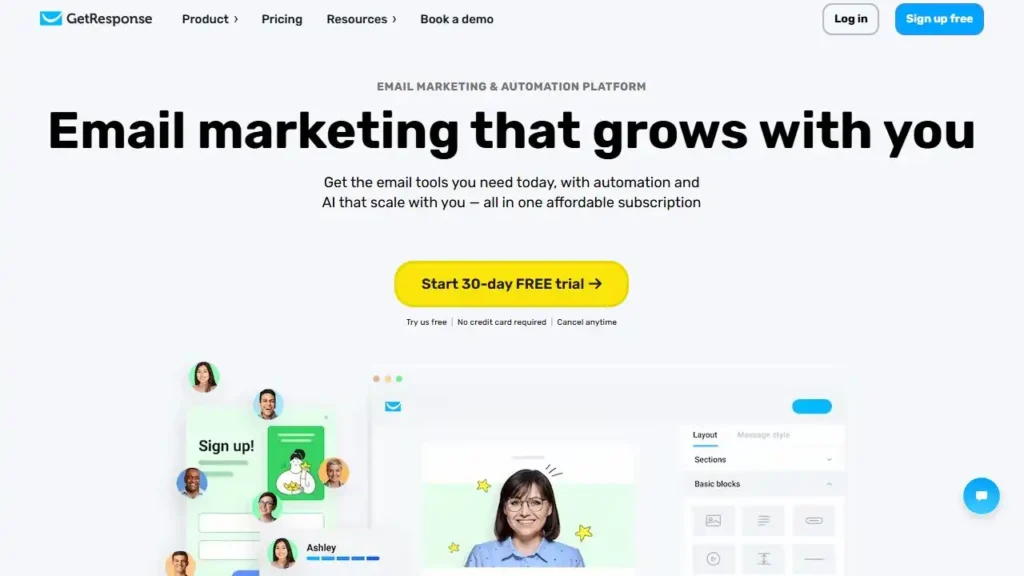
GetResponse is different.
It’s not just email software. It’s a full conversion ecosystem — including funnels, webinars, landing pages, and automation.
If your business model involves webinars, launches, or multi-step sales funnels, this platform moves beyond basic email marketing.
Use Built-In Funnel Builder To Drive Sales
GetResponse includes a Conversion Funnel Builder — meaning you can build:
- Landing pages
- Email sequences
- Sales pages
- Checkout pages
All in one system.
No duct-taping multiple tools together.
You choose a goal like:
- Sell a product
- Promote a webinar
- Build a lead magnet funnel
Then it walks you through the setup.
For solopreneurs who don’t want five separate tools (page builder, checkout, email platform, webinar software, automation tool), this can simplify everything.
Less tech friction = Faster execution.
Run Webinar Campaigns That Sell Mid-Session
This is where GetResponse stands out among the best email tools.
It includes built-in webinar hosting.
You can:
- Collect registrations
- Send automated reminders
- Host live webinars
- Drop sales links during the event
- Send replays automatically
Here’s a simple revenue model:
- Free webinar
- Teach for 45 minutes
- Pitch for 15 minutes
- Send replay with 48-hour bonus
Everything — from registration to follow-up — runs inside one system.
No Zoom + separate email + manual reminders chaos.
If you sell high-ticket offers, courses, or coaching, this feature alone can justify the platform.
Score Leads Based On Engagement Behavior
GetResponse includes lead scoring, which assigns points to subscribers based on behavior.
For example:
- Opens email → +1 point
- Clicks link → +3 points
- Visits pricing page → +5 points
Once someone hits a certain score, you can trigger:
- Sales emails
- Personal outreach
- Special offers
This is helpful if you’re selling higher-value products and want to prioritize warm leads.
Instead of guessing who’s interested, you let behavior tell you.
Trigger Sales Emails From Page Visits
With tracking scripts installed on your website, GetResponse can detect page visits.
So if someone visits:
- Your pricing page
- Your checkout page
- Your webinar registration page
You can automatically send follow-up emails.
Example:
“Still Considering Our Course?”
Here’s a bonus module if you enroll today.
This level of behavioral automation moves you beyond basic broadcast emails.
It becomes intelligent marketing.
When GetResponse Beats Simpler Platforms
GetResponse makes sense if:
- You run webinars regularly
- You need full funnel capability
- You sell mid-to-high ticket products
- You want automation + landing pages + email in one tool
Quick comparison:
| Feature | GetResponse | Basic Email Tools |
| Webinar Hosting | Yes | No |
| Funnel Builder | Yes | Limited |
| Lead Scoring | Yes | Rare |
| Built-In Sales Pages | Yes | No |
If your business is growing beyond simple newsletters and into structured sales funnels, GetResponse gives you more control without needing a complex enterprise CRM.
It’s not the cheapest option.
But if you use the funnel and webinar features properly, it can replace multiple subscriptions — which actually lowers total costs.
And that’s something most people overlook.
5. Moosend For Affordable Advanced Automation
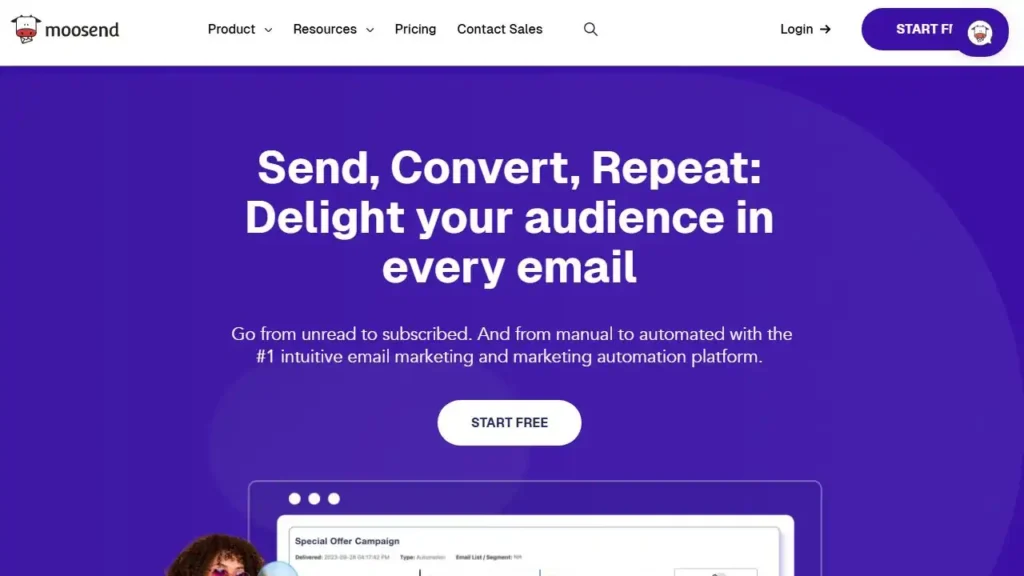
If you want advanced automation without paying enterprise-level pricing, Moosend quietly earns its place among the best email tools for growing businesses. It’s not as hyped as some competitors, but feature-for-price, it punches above its weight.
This is the kind of platform I recommend when someone says: “I want real automation, but I’m not ready for ActiveCampaign pricing.”
Create Conditional Workflows Without Complexity
Moosend’s automation builder is visual and logic-based.
That sounds technical, so let me simplify it.
You can create “If This → Then That” paths like:
- If subscriber opens email → Send follow-up
- If subscriber doesn’t open → Resend with new subject line
- If subscriber clicks product → Trigger sales sequence
All without coding.
What I like about Moosend is how clean the interface feels. You can build multi-step funnels with conditions (filters that decide what happens next) without feeling lost in a maze.
For example:
- User downloads lead magnet
- Wait 2 days
- If they visited pricing page → Send discount
- If not → Send educational email instead
That’s intelligent selling — not blasting.
And you can build it in under 20 minutes once you understand the logic.
Use AI Product Recommendations In Emails
If you run ecommerce, Moosend offers AI-powered product recommendations.
In simple terms: The system analyzes what customers browse and buy, then suggests relevant products automatically inside your emails.
This works especially well for:
- Fashion
- Electronics
- Beauty
- Multi-product stores
Instead of manually picking “Featured Products,” you insert a dynamic block that updates based on customer behavior.
Dynamic blocks = Content that changes based on who is viewing the email.
In stores with larger catalogs, I’ve seen recommendation emails generate 15–25% higher click-through rates compared to static promotions.
It feels personal — without you manually personalizing.
Personalize Campaigns With Behavioral Triggers
Moosend allows segmentation based on:
- Opens
- Clicks
- Purchase history
- Custom fields
- Website activity
This is where many creators miss opportunity.
Instead of sending the same offer to everyone, you can:
- Promote advanced products only to repeat buyers
- Send reactivation campaigns to inactive subscribers
- Offer loyalty discounts after a second purchase
Let’s say someone buys your $49 product.
You can automatically trigger:
“Since You Purchased X, Here’s Y At 20% Off.”
That’s automation increasing average order value without additional ad spend.
And Moosend tracks this clearly inside revenue dashboards.
Track Revenue Per Email Campaign Clearly
This is one of the reasons Moosend stands out in the conversation around the best email tools.
You can see:
- Revenue per campaign
- Revenue per automation
- Conversion rates
- Subscriber growth trends
That’s critical.
Vanity metrics like open rates don’t pay bills.
Revenue tracking does.
When you can see exactly which email generated $1,240 and which generated $43, your strategy becomes data-driven — not emotional.
For ecommerce brands especially, this level of reporting matters.
When Moosend Is A Smart Budget Choice
Moosend is ideal if:
- You want advanced automation on a smaller budget
- You run ecommerce but don’t need enterprise CRM
- You want revenue analytics built-in
- You value ease of use
Quick comparison:
| Feature | Moosend | Higher-End Platforms |
| Conditional Workflows | Yes | Yes |
| AI Product Blocks | Yes | Yes |
| Built-In Revenue Tracking | Yes | Yes |
| Entry-Level Pricing | Lower | Higher |
If you’re scaling but not yet at the “full CRM and sales team” stage, Moosend gives you room to grow without overcommitting financially.
6. Kit For Creators Selling Digital Products
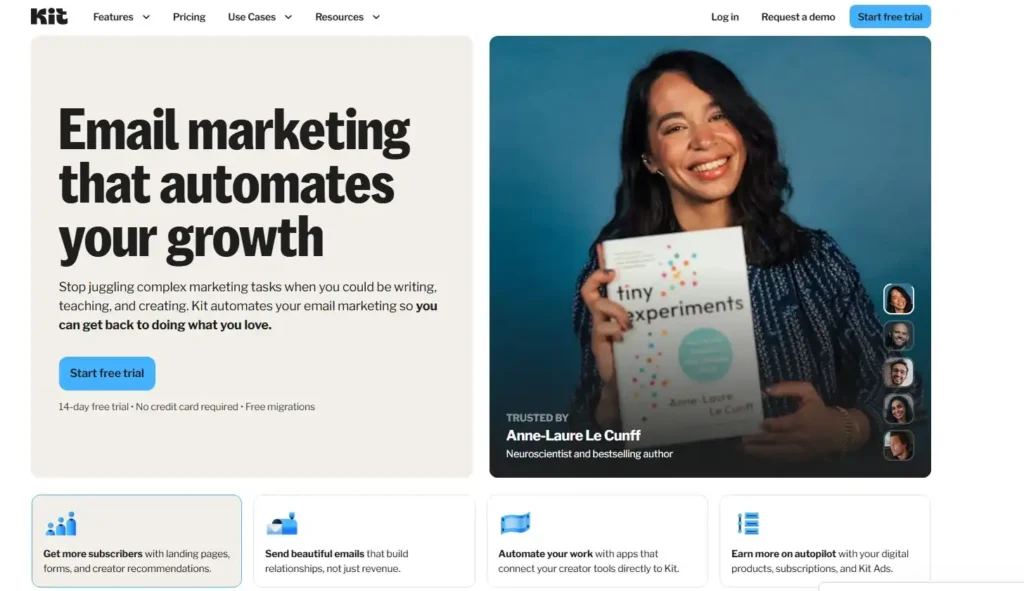
Kit (formerly ConvertKit) is built specifically for creators.
Bloggers. YouTubers. Coaches. Course creators.
If your business revolves around content and digital products, Kit often feels more intuitive than traditional email marketing platforms.
And that’s why it frequently appears on lists of the best email tools for creators.
Build Creator-Focused Email Sequences
Kit organizes subscribers around tags instead of rigid lists.
In simple terms: One subscriber can have multiple interests without being duplicated across lists.
For example:
- Tag: SEO
- Tag: Affiliate Marketing
- Tag: Course Buyer
This makes segmentation clean and flexible.
You can build sequences like:
- Educational nurture series
- Mini course via email
- Product pre-sell series
- Evergreen webinar funnel
Kit’s visual automation editor makes it easy to see how subscribers move from one sequence to another.
For creators juggling multiple offers, this structure prevents chaos.
Sell Courses And Downloads Directly
Kit includes built-in digital product sales.
You can:
- Sell ebooks
- Sell mini courses
- Offer paid newsletters
- Deliver files automatically
Without integrating third-party checkout tools.
It’s not a full ecommerce platform like Shopify — but for digital creators, it’s enough.
Example workflow:
- Subscriber joins list
- Receives value emails
- Clicks offer
- Pays via Kit checkout
- Automatically tagged as customer
- Enters post-purchase sequence
Clean. Simple. No complicated stack.
If you’re selling low-to-mid-ticket digital products, this reduces tool overload.
Tag Subscribers Based On Content Interest
Kit excels at interest-based segmentation.
Let’s say you write about:
- Blogging
- SEO
- Email marketing
Instead of forcing people into separate lists, you tag them based on link clicks.
- Click SEO article → Tag: SEO
- Click Email guide → Tag: Email Marketing
Later, when you launch a course, you only promote the SEO course to people who showed SEO interest.
That relevance increases conversions.
In my experience, interest-based tagging can improve launch conversion rates significantly compared to broad blasts.
Automate Launch Campaigns With Ease
If you run product launches, Kit is built for it.
You can:
- Create pre-launch nurture sequences
- Set up launch-day broadcast emails
- Automatically remove buyers from pitch emails
- Send bonus reminders
One underrated feature: Automatic removal from sequences after purchase.
That means buyers don’t continue receiving sales emails after they’ve already bought.
It protects your brand experience.
And honestly, nothing kills trust faster than getting five “Buy Now” emails after you already paid.
Why Kit Fits Bloggers And Personal Brands
Kit is best if:
- You’re a blogger or solo creator
- You sell digital products or courses
- You want simple but powerful tagging
- You value clean design over complex CRM
Quick snapshot:
| Feature | Kit | Traditional Email Tools |
| Tag-Based System | Yes | Mixed |
| Built-In Digital Sales | Yes | Rare |
| Creator-Focused UX | Strong | Varies |
| Deep Ecommerce Features | Limited | Stronger In Ecommerce Tools |
If your brand is built around you — your voice, your content, your expertise — Kit feels natural.
It removes friction so you can focus on writing, teaching, and selling.
And sometimes, that simplicity is exactly what turns subscribers into customers.
7. Brevo For Multi-Channel Sales Automation
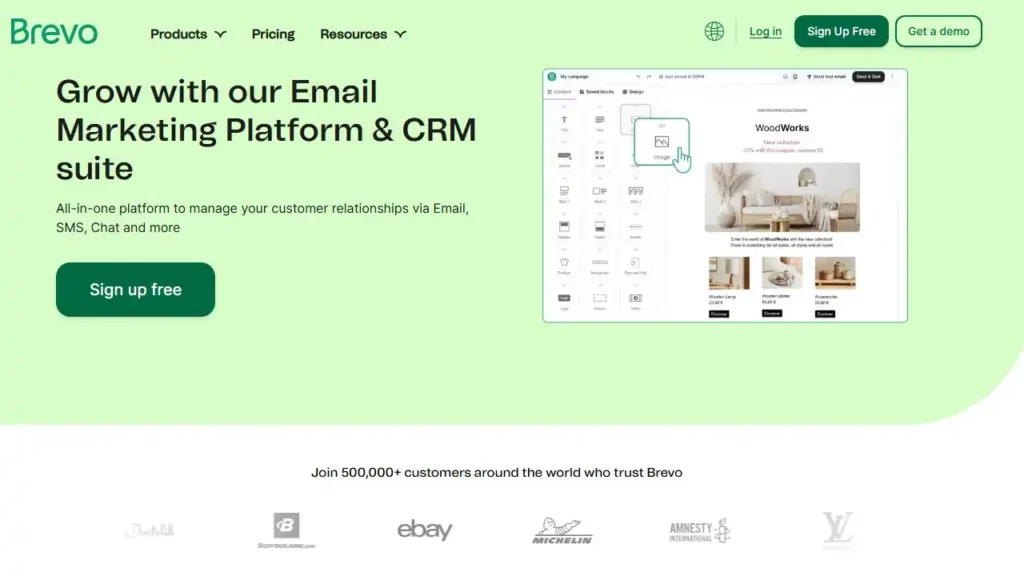
Brevo (formerly Sendinblue) is one of those platforms that quietly does a lot more than people expect. If you’re searching for the best email tools but also need SMS, CRM, and transactional messaging in one place, Brevo starts to look very practical.
It’s especially strong for service businesses, SaaS startups, and local companies that need more than just newsletters.
Combine Email, SMS, And CRM In One System
Brevo isn’t just email marketing software. It combines:
- Email campaigns
- SMS marketing
- Live chat
- Built-in CRM
- Marketing automation
All inside one dashboard.
For a small business, that matters.
Instead of paying for:
- An email platform
- A separate SMS tool
- A separate CRM
You centralize everything.
Here’s a simple example:
- Lead fills out contact form
- Automatically added to CRM
- Welcome email sent
- SMS reminder sent before consultation
- Sales rep updates deal stage inside CRM
That’s a connected system — not scattered tools duct-taped together.
If you’re juggling multiple platforms right now, Brevo can reduce operational stress fast.
Build Transactional Emails That Upsell
Transactional emails are messages triggered by actions.
Examples:
- Order confirmations
- Appointment reminders
- Password resets
- Invoice emails
Brevo is strong here because it supports SMTP transactional email — which simply means automated system emails sent through secure servers.
But here’s where it gets interesting.
You can add marketing elements to transactional emails.
For example:
- Order confirmation → Add “You May Also Like”
- Appointment confirmation → Add related service offer
- Invoice email → Add referral discount
Transactional emails often have open rates above 70–80% because customers expect them.
That’s prime real estate for subtle upselling.
Most businesses ignore this.
Brevo makes it easy to monetize it.
Use Advanced Segmentation For Promotions
Brevo’s segmentation is more powerful than most people realize.
You can filter subscribers by:
- Demographics
- Purchase history
- Engagement activity
- CRM deal stage
- Website behavior
For example:
Send a promotion only to:
- Contacts who opened last 3 emails
- AND clicked a pricing link
- BUT haven’t purchased
That’s laser targeting.
Not blasting your entire list with a discount.
In my experience, targeted promotions often outperform broad campaigns by a wide margin — sometimes 2x higher conversion rates.
Relevance wins.
Automate Sales Pipelines With Built-In CRM
Brevo includes a visual sales pipeline.
Think of it as a board with stages like:
- New Lead
- Contacted
- Proposal Sent
- Negotiation
- Closed
When someone fills out a form, you can automatically:
- Create a deal
- Assign it to a sales rep
- Move it between stages based on actions
For service businesses, consultants, and B2B companies, this is powerful.
Email marketing and sales tracking live in one system.
You see:
- Who opened proposals
- Who clicked pricing
- Who needs follow-up
That alignment between marketing and sales is something many small businesses lack.
When Brevo Works For Service Businesses
Brevo is ideal if:
- You run a service-based business
- You book consultations or sales calls
- You want email + SMS + CRM combined
- You rely on transactional emails
Quick comparison snapshot:
| Feature | Brevo | Email-Only Platforms |
| Built-In CRM | Yes | Rare |
| SMS Marketing | Yes | Sometimes |
| Transactional Email | Strong | Limited |
| Sales Pipeline | Yes | No |
If you need more than newsletters — if you need structured client management — Brevo becomes more than just email software.
It becomes operational infrastructure.
8. ActiveCampaign For Advanced Sales Automation
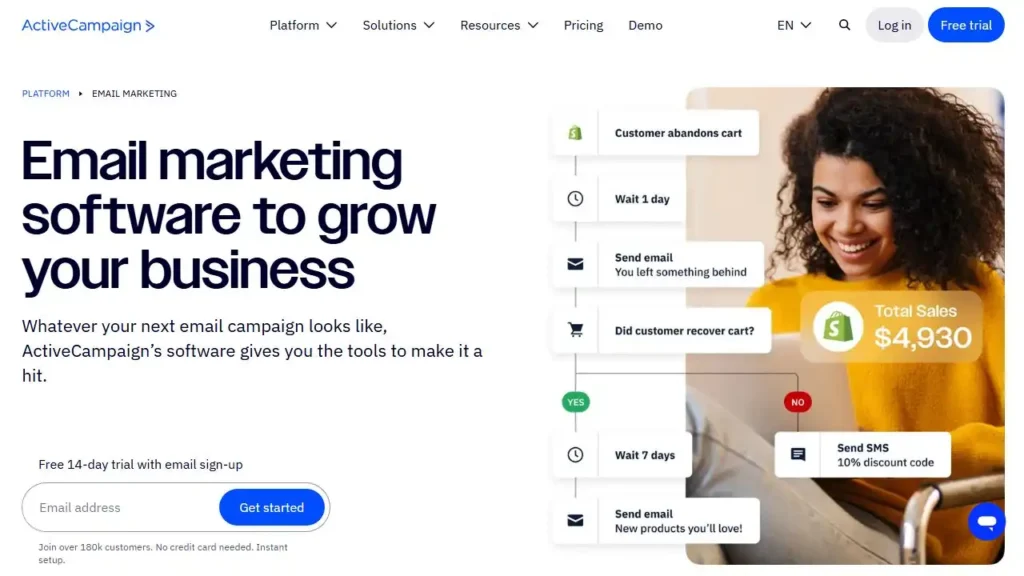
If Brevo is practical and structured, ActiveCampaign is powerful and deep.
This is one of the best email tools for businesses that want serious automation logic, predictive data, and CRM-driven sales systems.
But I’ll be honest: It’s not beginner-friendly.
It rewards strategy.
Design Complex Behavioral Automation Flows
ActiveCampaign’s automation builder is extremely flexible.
You can build workflows triggered by:
- Email opens
- Link clicks
- Site visits
- Purchase activity
- Custom events
- CRM stage changes
And you can stack conditions inside conditions.
For example:
If subscriber:
- Visited pricing page twice
- AND opened last 3 emails
- AND has lead score above 50
→ Send sales offer
→ Notify sales rep
→ Add urgency email
That’s granular control.
It’s ideal for businesses selling high-ticket services, software, or membership programs.
But it requires planning.
If you love mapping funnels and building smart systems, you’ll appreciate it.
Use Predictive Sending For Higher Open Rates
ActiveCampaign includes predictive sending.
This feature analyzes subscriber behavior and sends emails at the time they’re most likely to open.
Instead of blasting everyone at 9 AM, the system personalizes delivery timing.
Over time, this can improve open rates and engagement.
According to various industry benchmarks, sending at optimized times can increase engagement by 10–20% compared to fixed send times.
It’s subtle — but powerful.
Especially with larger lists.
Score And Qualify Leads Automatically
ActiveCampaign’s lead scoring is one of its strongest features.
You can assign points based on:
- Email engagement
- Website visits
- Webinar attendance
- Demo requests
- Content downloads
Once someone crosses a threshold, you can:
- Trigger sales outreach
- Send a personalized offer
- Move them to a new automation
For example:
Lead Score 0–20 → Nurture
Lead Score 21–50 → Product education
Lead Score 51+ → Sales call invite
This prevents you from pitching cold leads too early.
It aligns marketing with buyer readiness.
And that increases conversions without increasing pressure.
Connect Deeply With Ecommerce Platforms
ActiveCampaign integrates deeply with:
- Shopify
- WooCommerce
- BigCommerce
You can track:
- Products viewed
- Categories browsed
- Purchase value
- Repeat purchase behavior
Then trigger automations like:
- VIP offers for high spenders
- Re-engagement campaigns for inactive buyers
- Upsell flows based on product category
This is data-driven selling.
Not guessing.
For ecommerce brands scaling beyond beginner level, this type of behavioral insight becomes critical.
When ActiveCampaign Is Worth The Investment
ActiveCampaign makes sense if:
- You sell mid-to-high ticket products
- You need advanced automation logic
- You want predictive analytics
- You have a defined funnel strategy
Quick comparison:
| Feature | ActiveCampaign | Simpler Platforms |
| Advanced Automation | Extensive | Basic |
| Predictive Sending | Yes | Rare |
| Deep CRM Integration | Yes | Limited |
| Learning Curve | Higher | Lower |
If you’re early-stage, it may feel overwhelming.
But if you’re scaling and want serious control over your customer journey, ActiveCampaign can become the backbone of your sales automation.
It’s not about having the most features.
It’s about using the right level of power for where your business is today.
FAQ
What Are The Best Email Tools To Turn Subscribers Into Sales?
The best email tools for turning subscribers into sales are ActiveCampaign, Omnisend, GetResponse, Kit, MailerLite, Brevo, Moosend, and AWeber. The right choice depends on your business model: Omnisend works best for ecommerce, Kit fits creators selling digital products, and ActiveCampaign is ideal for advanced automation and CRM-driven sales funnels.
Which Email Tool Is Best For Beginners?
MailerLite and AWeber are the best email tools for beginners. They offer simple automation, affordable pricing, and easy setup without overwhelming features. If you’re building your first sales funnel or monetizing your first 1,000 subscribers, both platforms are reliable starting points.
What Features Should The Best Email Tools Include?
The best email tools should include automation workflows, behavioral segmentation, revenue tracking, abandoned cart recovery (for ecommerce), and integration with landing pages or CRM systems. These features allow you to send targeted emails based on subscriber behavior, which increases conversions and overall sales.

Juxhin B is a digital marketing researcher and founder of JAK Digital Hub, specializing in email marketing software, marketing automation platforms, and digital growth tools. His work focuses on software testing, platform comparisons, and real-world performance analysis to help businesses choose the right marketing technology.
Related posts:
 Best Email Marketing Tools (Tested & Compared)
 How To Build A Better Email Campaign Strategy For Ecommerce
 Email Automation Systems That Drive Revenue
 Best Email Tools Compared: 7 That Actually Convert
 AWeber vs MailerLite Pricing: Which Email Tool Truly Saves You More?
 Best Omnisend Alternatives For Small Ecommerce Store Revealed Fast