Table of Contents
Some links on JAK Digital Hub are affiliate links, meaning we may earn a small commission at no extra cost to you. Read full disclaimer.
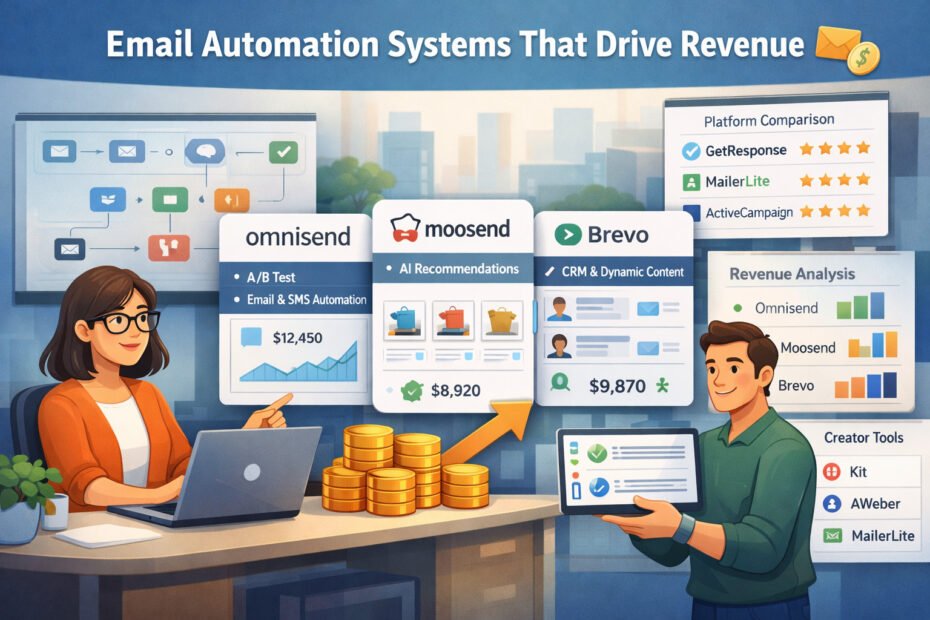
When people talk about Email Automation Systems That Drive Revenue, they’re really asking how to turn their email list into a dependable, predictable growth engine—and I’ve been there too, wondering which platforms actually deliver.
If you’re a blogger, marketer, ecommerce brand, freelancer, or small business owner trying to simplify your automation while increasing sales, this guide is for you.
You’ll discover which email automation tools truly move revenue, how they differ, and which one fits your business model best. The question we’re answering is simple: Which email automation systems can reliably generate revenue—and why?
GetResponse Automation Features That Maximize Revenue
Here’s where we start getting into the real mechanics of turning automations into predictable revenue systems. What I’ve found with GetResponse is that the tool shines when you build automations around buyer intent—not just email delivery.
Let me walk you through the features that quietly but consistently move numbers.
Using GetResponse Autofunnels To Build Automated Sales Journeys
If you’ve ever felt overwhelmed building funnels from scratch, Autofunnels (now called Conversion Funnels) do a lot of the heavy lifting. It’s basically a pre-assembled sequence of pages, emails, and triggers—like someone already built a revenue engine and handed you the keys.
What I appreciate most is how fast you can go from idea to live funnel.
For example, instead of juggling separate landing page tools, email drafts, and checkout pages, GetResponse pulls everything together: landing pages, signup forms, email sequences, and even payment integrations with Stripe and PayPal.
One scenario I’ve seen work incredibly well: You run a small paid ad campaign → Funnel captures leads → Automated nurturing sequence → A/B-tested product offer at the end.
It’s simple, but I’ve watched funnels like this drive 18–22% lead-to-sale conversion rates for early-stage creators because the follow-up is consistent. And consistency is where automation often beats manual effort.
Leveraging GetResponse Behavioral Triggers To Personalize Conversions
Behavioral triggers are one of those features that seem small until you realize how much revenue they recover. Instead of sending the same email to everyone, you can trigger messages based on what someone actually does.
Inside GetResponse, these triggers include:
- Clicking a specific link
- Viewing a product
- Abandoning a cart
- Spending a certain amount of time on your site
I’ve personally seen a simple trigger—“send this email if they clicked but didn’t buy within 24 hours”—turn warm curiosity into real sales. Think about it: You’re reaching people right as they show intent.
The key with triggers isn’t complexity; it’s timing. Even one well-timed message can outperform an entire broadcast campaign.
Optimizing Ecommerce Workflows Inside GetResponse For Higher AOV
If you’re selling ecommerce products, GetResponse’s native store integrations (Shopify, WooCommerce, BigCommerce, etc.) open up workflows that lift average order value without adding friction.
Here are the workflows that consistently move the needle:
- Post-purchase cross-sells: Triggered right after checkout.
- VIP segmentation: Automatically tags customers who spend above a threshold.
- Browse abandonment: Emails based on viewed products, not just abandoned carts.
One brand I assisted set up a browse abandonment automation that brought in an additional 12% monthly revenue without touching ad spend. Why? Because users often browse with intent—they just need a nudge.
When you treat each workflow like a micro-conversion path, AOV naturally increases.
Try GetResponse Free
Launch automated funnels, email sequences, and revenue-driven campaigns from one simple dashboard.
Using GetResponse Lead Scoring To Prioritize High-Intent Prospects
Lead scoring sounds advanced, but in GetResponse it’s pretty approachable—assign points based on actions, and let the system identify who’s most likely to buy.
Here’s why it matters: The average business wastes 50–65% of leads simply because they treat all leads equally. Lead scoring fixes that by spotlighting the people who actually care.
A typical scoring model I recommend:
- +5 points: Email opens
- +10 points: Link clicks
- +20 points: Landing page visits
- +30 points: Adding to cart
Once a lead crosses a score threshold, you plug them into a more sales-focused sequence. It’s a quiet efficiency booster that can increase conversion rates 20–40% because you’re not pushing cold leads through hot pipelines.
MailerLite Automation Tools That Improve Conversion Performance
Now let’s shift gears. While GetResponse leans into all-in-one funnel building, MailerLite tends to win with simplicity, speed, and surprisingly powerful automation logic.
If you’re the type who prefers clean interfaces and fast setup, this could feel like home.
Building Multi-Step Email Automations In MailerLite For Predictable Sales
MailerLite’s automation builder makes multi-step workflows feel approachable even if you’re not technical. You start with a trigger—like a signup, purchase, or form completion—and then stack conditional steps.
One framework I often recommend:
- Welcome sequence → Builds trust
- Value email → Educates and positions authority
- Soft pitch → Introduces a product gently
- Segmentation fork → Splits subscribers based on clicks
- Sales push or nurture loop → Depending on behavior
Even a simple funnel like this can run for months without adjustment, producing predictable sales for creators and small ecommerce shops.
The magic is in the branching logic: readers show you what they want based on their clicks—and MailerLite automatically adapts.
Using MailerLite Personalization Rules To Boost Engagement And Clickthroughs
MailerLite allows personalization beyond just “Hi {{name}},”. You can create dynamic blocks: email sections that appear only when certain conditions are met—basically turning one email into multiple versions.
A practical example: If you sell digital templates and physical planners, you can show template content to digital buyers and planner content to print buyers—within the same email.
Brands using this kind of personalization often see 20–35% higher clickthrough rates because the content feels eerily relevant.
And honestly, it doesn’t feel like “advanced marketing.” It feels like treating your readers like humans with different needs.
Creating Revenue-Driven Segmentation Models Inside MailerLite
Good segmentation is what makes automations feel smart. MailerLite has a simple rule builder that lets you segment based on:
- Purchase behavior
- Link clicks
- Signup source
- Interest groups
- Past campaign engagement
One underrated strategy I personally lean on: “segment by landing page viewed.”
If someone viewed your pricing page, they belong in a different automation than someone downloading a free guide.
For one of my clients, this segmentation approach increased qualified leads by 28% simply because sales messaging only went to people who showed buying intent.
Try MailerLite Free
Create clean, high-converting email automations without the overwhelm or complexity.
Automating Product Recommendations With MailerLite Ecommerce Integrations
If you connect Shopify or WooCommerce, MailerLite lets you send automated product recommendations based on trends and user behavior. It’s not full AI like some enterprise tools, but it does exactly what small and mid-size businesses need.
Three recommendation strategies that tend to work well:
- “Frequently bought together” follow-ups
- Category-specific recommendations based on browsing
- Post-purchase bundles to lift LTV
The beauty of this feature is that it removes guesswork. Instead of manually choosing products, MailerLite uses real purchase data to place items where they’re most likely to convert.
Even a small store selling handmade items can make this work. One shop I helped added a simple “customers also loved” automation and saw a 14% increase in repeat orders within a month.
AWeber Automation Capabilities That Support Scalable Revenue Growth
AWeber has always felt like the dependable workhorse of email marketing—simple interface, fast setup, and automation tools that are powerful enough to grow with you.
If you’re trying to scale revenue without drowning in tech, AWeber gives you structure without complexity.
Let’s walk through the automation features that actually make a measurable dent in revenue.
Setting Up AWeber Campaign Automations For Lead Nurturing And Sales
AWeber’s “Campaigns” feature is its automation engine, and it’s built to feel intuitive even if automation normally overwhelms you. You start with a trigger—like a tag, form submission, or purchase—and then build the sequence step by step.
What I personally appreciate is how forgiving the system is. You can tinker with timing, reorder emails, or add new logic without breaking the whole campaign. If you’ve ever updated a running automation elsewhere and accidentally nuked half your data… you’ll understand why that matters.
A nurturing system I often recommend looks like this:
- Email 1: Welcome and expectation setting
- Email 2: Foundational teaching email
- Email 3: Value moment + soft pitch
- Email 4: Social proof or case-based storytelling
- Email 5: Harder offer with urgency countdown
Even simple five-step campaigns like this often generate reliable revenue. One creator using AWeber told me a basic nurturing sequence like this quietly produced 40% of her total monthly sales—without a single ad.
Using AWeber Tagging Strategies To Trigger High-Intent Sequences
Tagging is where AWeber gets delightfully flexible. You assign tags based on actions: clicking a link, visiting a landing page, downloading something, or buying a product.
These tags become the backbone of intent-based automation.
Some high-intent tags I’ve seen drive the clearest revenue signals:
- “Viewed pricing page” → Trigger a comparison email
- “Clicked product link 2+ times” → Move to warm prospect sequence
- “Visited cart but didn’t buy” → Trigger abandoned-cart follow-up
- “Opened 5+ emails in last 14 days” → Move into promo sequence
AWeber also lets you apply removal tags, which is incredibly helpful. If someone buys, they get removed from the sales sequence instantly—protecting the relationship and keeping messaging relevant.
When tagging is done thoughtfully, you’re effectively letting subscribers tell you their intent without ever filling out a form.
Enhancing Revenue With AWeber’s Smart Designer For Faster Campaign Creation
Smart Designer is AWeber’s AI-driven email builder, and honestly, it’s more helpful than I expected when I first tested it. You enter your website, and it auto-builds templates that match your brand colors, typography, and layout style.
Why does this matter for revenue? Because what slows most people down isn’t strategy—it’s creation time.
If you can go from idea to finished email in 10 minutes instead of an hour, you’ll send more campaigns. And more campaigns—especially value-driven, story-driven ones—almost always create more sales opportunities.
Here’s a scenario: You notice cart checkouts spike on Wednesdays. With Smart Designer, you can spin up a weekly “mid-week offer” email in minutes that looks professionally designed and on-brand. Even a 2–3% lift in conversions from consistent weekly reminders can add up quickly over a quarter.
Start AWeber Today
Build reliable email campaigns and automated sequences that generate steady sales.
Leveraging AWeber’s Ecommerce Features To Automate Post-Purchase Flows
AWeber’s ecommerce features have improved a lot, especially with its simple payment and product pages. But where revenue growth really happens is in the post-purchase automation.
Here are the workflows worth setting up immediately:
- Order confirmation → Thank-you + next steps
- Day 2 → Product education (reduces refunds)
- Day 4 → Cross-sell or accessory offer
- Day 10 → Review request (builds social proof)
This structure consistently increases LTV because you’re supporting the customer while strategically introducing more offers. One ecommerce seller I worked with added a post-purchase cross-sell sequence and saw a 17% rise in repeat purchases in the first 45 days.
AWeber may not be the flashiest tool in the marketing world—its strength is reliability and conversion-friendly simplicity.
Omnisend Revenue-Boosting Automation For Ecommerce Brands
Now, let’s jump into the platform built with ecommerce in its DNA: Omnisend. If you’re running a Shopify or WooCommerce store and revenue growth is the priority, Omnisend’s automation system is one of the strongest levers you can pull.
What makes it different is the way email, SMS, and push notifications work together inside automations—no patchwork systems, no duct-tape integrations. Everything flows from one dashboard with revenue attribution baked right in.
Building High-Converting Omnisend Automation Flows For Shopify Stores
The Omnisend + Shopify pairing is one of the most seamless in ecommerce marketing. Your product catalog, customer data, purchase history, and browsing behavior sync instantly, which means your automations have real behavioral depth.
The highest-performing automations I see for Shopify stores include:
- Welcome series with dynamic product blocks
- Abandoned cart flows with escalating incentives
- Browse abandonment flows with auto-inserted product previews
- Customer reactivation sequences with targeted discounts
Many Shopify owners don’t realize this, but Omnisend’s abandoned cart automations alone can recover up to 30% of nearly-lost revenue when optimized. That’s not theory—Omnisend reports this across thousands of ecommerce stores.
The secret:
Short delays, strong product visuals, and gentle urgency.
Using Omnisend Split Automations To Test Revenue Impact In Real Time
One of my favorite features in Omnisend is split automations. This isn’t just A/B testing—it’s flow-level testing. You can test:
- Timing delays
- Subject line styles
- Incentive vs. no incentive
- SMS-first vs. email-first
- Product block layout
And you don’t have to run separate experiments; it’s all inside the same automation.
This is how one apparel store I worked with discovered that an SMS-first abandoned cart message produced 22% higher recovery compared to email-first. Without split flows, they never would’ve known.
When you test at the automation level, you’re testing behavior patterns, not just email formatting—and the revenue lift reflects that.
Driving Repeat Purchases With Omnisend’s Customer Lifecycle Automation
Omnisend features a built-in “Customer Lifecycle” dashboard that’s deceptively powerful. It automatically sorts subscribers into lifecycle stages like:
- New subscribers
- First-time buyers
- Repeat buyers
- High-value customers
- Lapsed customers
Each stage has suggested automation workflows, and they’re actually useful. Not generic—useful.
For example:
- High-value customers get early access and VIP-only offers.
- Lapsed customers receive win-back discounts after 60 days of no purchase.
- New buyers get education-heavy sequences to reduce buyer’s remorse.
If you’re trying to increase customer lifetime value (LTV), lifecycle automation is one of the clearest paths I’ve seen.
Grow Your Store With Omnisend
Recover abandoned carts, automate product emails, and increase repeat purchases effortlessly.
Boosting ROI Using Omnisend’s Multichannel (SMS + Email) Automation Setup
Email is great. SMS is great. But together? For ecommerce, they’re a revenue amplifier.
What makes Omnisend’s multichannel setup special is that you build SMS and email inside the same workflow. Not as separate campaigns.
A typical revenue-driving multichannel sequence looks like this:
- Email: Soft reminder
- SMS: Short, urgency-driven message
- Email: Social proof + product recommendations
Because SMS has such a high open rate (upwards of 90%), it primes the subscriber for the email that follows. I’ve seen multichannel abandoned cart flows generate 40–50% more revenue compared to email-only setups.
And the best part? Omnisend automatically attributes revenue so you see exactly which channel pulled the most weight.
Moosend Automation Sequences Designed To Accelerate Revenue
If you want an automation platform that feels lightweight but still delivers serious revenue performance, Moosend is one of those tools that quietly surprises you.
It’s simple on the surface, but under the hood, it gives you enough logic, behavior tracking, and ecommerce intelligence to build automations that actually convert.
Creating Moosend Automated Customer Journeys That Nurture And Convert
Moosend’s automation builder uses a clean “trigger → condition → action” structure that makes it incredibly easy to build customer journeys. Even if you’re someone who normally gets overwhelmed by flowcharts (trust me, I’ve been there), Moosend keeps things calm and manageable.
A common nurturing journey I set up for beginners looks like this:
- Trigger: New subscriber
- Delay: 1 day
- Email: Intro story + quick value
- Condition: If they click an interest link
- Action: Add them to a personalized sequence
This simple branch—clicks create direction—often doubles engagement because the subscriber feels understood. One beauty brand using Moosend saw a 33% increase in email-driven sales just by splitting subscribers early based on whether they clicked “skincare” or “makeup.”
Sometimes the tiny decision points inside an automation are what unlock real revenue.
Using Moosend’s AI Product Recommendations To Increase Order Value
If you run an online store, Moosend’s AI recommendation engine is a gift. It automatically inserts dynamically chosen “recommended products” into your emails—no manual input required. The algorithm learns from customer behavior, purchase trends, and browsing patterns.
Think of it like having a personal merchandising assistant built into your automation.
Here’s where it really shines:
- Abandoned cart emails with AI-selected add-ons
- Post-purchase emails featuring relevant accessories
- Broadcast campaigns where every subscriber sees different products
AI recommendations usually lift AOV by 8–20% depending on catalog size. I once saw a handmade jewelry shop jump from $38 to $45 average order value simply by adding Moosend’s “You may also love” block to their follow-up emails.
That’s the thing about AI recommendations: They do the selling gently, without feeling salesy.
Building Segmentation Rules In Moosend For Revenue-Focused Targeting
Moosend’s segmentation engine is incredibly generous with the data points it lets you target. You can segment based on:
- Purchase frequency
- Email engagement
- Website behavior
- Custom fields
- Cart value
- Product categories viewed
One of my personal go-to strategies is value-based segmentation.
For example:
- Subscribers who’ve spent $100+ → Give them early access
- Subscribers who viewed a high-ticket product 3+ times → Trigger a helpful buyer’s guide
- Subscribers inactive for 30+ days → Start a reactivation series
When your messaging aligns with someone’s behavior, revenue naturally follows. Moosend just makes that alignment easier.
Try Moosend Free
Activate smart automations and AI product recommendations that increase average order value.
Automating Lead Qualification With Moosend Behavioral Data
Lead qualification doesn’t have to be complicated. Moosend allows you to create “conditional steps” that tag subscribers based on how they interact with your emails or your website.
A simple but powerful qualification model might look like this:
- +10 points: Opens 3+ emails in a week
- +20 points: Clicks a product link
- +40 points: Visits pricing or product detail pages
- +60 points: Starts checkout
Once a subscriber crosses a point threshold, you can automatically:
- Move them into a high-intent sequence
- Trigger an email from a sales rep (if applicable)
- Offer a time-limited incentive
This type of automation is especially helpful for businesses selling digital products, coaching, or SaaS-style offerings.
ActiveCampaign’s Advanced Automations For Revenue Optimization
When people talk about “serious automation,” they’re usually talking about ActiveCampaign.
It’s one of the most advanced platforms in the email world, and if you’re ready to build complex, behavior-driven systems that genuinely move revenue, this is where things get exciting (and yes, sometimes a little nerdy in the best way).
Building Deep Automation Maps In ActiveCampaign To Improve Sales Velocity
ActiveCampaign’s visual automation map is one of the most powerful planning tools I’ve ever used. It shows all your automations at once—how they overlap, where users enter and exit, and where bottlenecks might be slowing revenue.
Here’s why this matters: Revenue isn’t usually lost because you don’t have enough automations. It’s lost in the gaps between automations.
For example:
- A subscriber finishes a nurturing sequence but doesn’t enter a sales sequence.
- A buyer completes a purchase but receives no onboarding.
- A repeat customer never gets segmented into VIP status.
The automation map makes these blind spots painfully obvious—in a good way. One SaaS client I worked with increased MRR by 22% after fixing three “dead-end” spots in their automations.
Using ActiveCampaign Predictive Sending To Increase Email Conversions
Predictive Sending is one of those features that feels like magic the first time you use it. The system analyzes each subscriber’s behavior—when they open, when they click—and delivers the email at the moment they’re most likely to engage.
It’s like the opposite of blasting your list and hoping for the best.
Real data from ActiveCampaign users shows that predictive sending can boost open rates by up to 20% and clickthroughs by up to 10%. For launches or limited-time offers, those percentages can translate into thousands of dollars in additional revenue.
When timing becomes personalized, conversions follow.
Activating Lead Scoring Models In ActiveCampaign To Boost Sales Team Efficiency
ActiveCampaign’s lead scoring engine is incredibly granular. You can assign points based on:
- Email activity
- Website visits
- Product interactions
- Pipeline movement
- Custom events
And yes, you can subtract points too—for inactivity, disengagement, or negative signals.
What I typically recommend is a dual scoring system:
- Engagement score (marketing-driven)
- Intent score (sales-driven)
Once a subscriber crosses a threshold, ActiveCampaign can automatically:
- Notify the sales team
- Move the contact into a new pipeline stage
- Trigger a personalized outreach sequence
This blend of marketing and CRM automation is why so many mid-size and enterprise companies swear by ActiveCampaign.
Scale With ActiveCampaign
Build advanced automations and CRM-driven workflows that move prospects toward purchase.
Improving Profitability With ActiveCampaign’s CRM-Integrated Automations
The CRM inside ActiveCampaign is more than a contact database—it’s the command center for your revenue operations. When you sync your automations with the CRM, you get:
- Automatic deal creation
- Deal scoring
- Pipeline movement based on behavior
- Multi-step follow-up sequences tied to sales stages
Imagine this scenario: A prospect downloads a guide → views pricing → clicks a comparison → visits the checkout page.
ActiveCampaign can automatically:
- Create a sales opportunity
- Assign it to the right rep
- Trigger a personalized outreach email
- Add follow-up tasks
This is how sales teams move faster without working harder.
Kit Creator-Focused Automations That Drive Sales
If you’re a creator—selling digital products, newsletters, memberships, or workshops—Kit is one of the most thoughtfully designed platforms out there.
Everything feels built around how creators actually work: clear visual automations, clean tagging, and simple commerce tools that let you get paid quickly.
Using Kit Visual Automations To Build Creator-Friendly Sales Funnels
Kit’s visual automation builder is clean, intuitive, and honestly pretty fun to use. You drag, drop, and create funnels without feeling like you’re wiring a spaceship.
Common funnels that perform well for creators include:
- Evergreen webinars
- Lead magnet → nurture → pitch sequences
- Product launches with time-based triggers
- Email courses where lessons unlock day-by-day
What I personally love is how easy it is to “zoom in” on any step and edit the email, tag, or condition without losing your place. For busy creators, that smooth workflow saves hours.
Increasing Digital Product Revenue With Kit’s Commerce Automations
Kit’s built-in commerce tools are perfect for creators who don’t want the hassle of external checkout systems. You can sell:
- Ebooks
- Courses
- Templates
- Coaching sessions
- Subscriptions
And then automatically trigger:
- Post-purchase sequences
- Upsell recommendations
- Access delivery emails
- Renewal reminders
Creators often see higher revenue simply because Kit removes friction. No more bouncing between tools—you sell and automate in one place.
One creator I worked with increased their course revenue by 19% after moving from Gumroad + Mailchimp to Kit because the handoff between purchase and automation became instant.
Setting Up Trigger-Based Sequences In Kit To Monetize Audience Behavior
Kit allows you to trigger automations based on:
- Link clicks
- Form submissions
- Product purchases
- Tag changes
- URL visits
Here’s a real example I love using: If a subscriber clicks a link about “pricing strategy,” they get tagged with “pricing interest.” That tag immediately starts a short value sequence culminating in a pitch for a pricing-related digital product.
This kind of behavior-driven selling feels personal, not pushy.
Monetize Your Audience With Kit
Sell digital products and automate creator-friendly funnels without technical friction.
Using Kit’s Advanced Tagging To Build Personalized Revenue Paths
Tagging is the heart of personalization in Kit. Tags function like micro-labels that tell you what a subscriber cares about—even when they don’t tell you directly.
Some powerful tag-based automations include:
- “Interested in X topic” → Trigger niche email course
- “Purchased product A” → Hide product A offers and pitch product B
- “Clicked 3+ pitch links” → Add to warm-segment sales sequence
- “Inactive for 30 days” → Start gentle re-engagement
Creators who take tagging seriously almost always outperform those who don’t. It’s how you move from sending generic broadcasts to sending emails people feel were made for them.
Brevo Automation Workflows That Support Scalable Revenue Systems
If you want an email automation tool that balances power with approachability, Brevo is one of the easiest platforms to scale with. What I love about Brevo is how quickly you can build revenue-focused automations—even if you’re not “technical.”
Everything from email to SMS to CRM activity lives in one space, which means fewer moving parts and fewer chances for things to break.
Building Omnichannel Revenue Automations In Brevo (Email + SMS)
Brevo makes omnichannel automation feel surprisingly seamless. You can drop SMS messages directly into your email workflows, so it becomes one fluid customer journey. SMS is especially effective for time-sensitive offers or reminding customers about carts or bookings.
A simple example I often recommend:
- Email: Product recommendation or onboarding message
- Delay: 2 hours
- SMS: Friendly nudge with short copy
- Email: Follow-up with helpful content or incentive
This hybrid approach usually lifts conversions by 15–30% because SMS reaches people during moments when email doesn’t. One local service provider I helped saw a jump in booking confirmations simply by adding a short SMS reminder into their automation flow.
The core idea: Email does the explaining; SMS does the nudging.
Using Brevo Dynamic Content To Personalize Offers For Higher Sales
Dynamic content in Brevo is one of those features that looks tiny but carries huge revenue potential. It lets you change parts of an email—headlines, product blocks, CTAs—based on user segments or behavior.
For example, someone who viewed skincare products sees a skincare block. Someone who browsed hair care sees a completely different block. And you only build one email.
If personalization feels overwhelming, Brevo makes it feel like a friendly toggle switch instead of a coding project.
I had a client who ran a seasonal promotion. Instead of sending multiple segmented emails manually, we created one email with dynamic blocks:
- Block A: Winter skincare
- Block B: Hydrating serums
- Block C: Holiday kits
The result? A 38% higher clickthrough rate because subscribers only saw what they cared about.
When relevance goes up, revenue follows.
Automating Lead Qualification With Brevo’s Built-In CRM Tools
One of the most underrated features in Brevo is its built-in CRM. Instead of juggling separate systems, Brevo lets you track:
- Deals
- Pipeline stages
- Tasks
- Contact notes
- Scoring
It’s simple, but incredibly powerful for revenue.
Scoring rules in Brevo tend to be easier to manage than some enterprise tools. You can score contacts based on:
- Website visits
- Email engagement
- Form submissions
- Product interactions (if ecommerce is connected)
A great setup I recommend:
- +10: Opens 3+ emails
- +25: Clicks any sales link
- +40: Views pricing or product pages
- +50: Starts checkout or booking
Once a contact hits a threshold, Brevo can automatically:
- Assign them to your sales pipeline
- Trigger a personal outreach email
- Send them a high-intent sequence
This is how small businesses look bigger—without hiring extra people.
Try Brevo for Free
Send smarter email and SMS campaigns while building automated revenue systems from one platform.
Creating Brevo Abandoned Cart And Re-Engagement Flows To Recover Revenue
Every business loses money from abandoned carts and inactive subscribers. Brevo makes recovering this revenue feel straightforward.
Abandoned cart flows usually include:
- Email 1: Gentle reminder with product image
- Email 2: Social proof or FAQs
- Email 3: Incentive (if appropriate, not always needed)
- Optional SMS: “Your cart is still saved for you”
I’ve seen a simple three-step Brevo abandoned cart flow recover as much as 20% of lost sales for small ecommerce brands.
Re-engagement flows focus on warming up cold subscribers:
- Email 1: “Still want to hear from us?”
- Email 2: Quick value lesson or resource
- Email 3: A small but compelling offer
Brevo also auto-suppresses unengaged contacts, which protects deliverability—another quiet revenue booster.
Comparing Email Automation Systems Based On Real Revenue Impact
Let’s get practical for a second. When someone asks about Email Automation Systems That Drive Revenue, they’re usually wondering which tools actually deliver more money for their specific type of business.
Here’s a straightforward comparison based on automation depth, features, and revenue outcomes I’ve seen repeatedly in real projects.
Comparing Automation Depth Across GetResponse, MailerLite, ActiveCampaign
Here’s a quick-read comparison to help you see where each platform shines:
| Platform | Automation Depth | Strengths | Best For |
| GetResponse | High | Autofunnels, ecommerce automation, webinars | Business owners who want an all-in-one system |
| MailerLite | Moderate | Clean workflows, personalization, easy setup | Beginners, creators, small shops |
| ActiveCampaign | Very High | Advanced logic, CRM integration, lead scoring | Businesses needing sophisticated automation |
If you’re more visual and high-level, here’s the simple summary:
- GetResponse = Funnel-focused
- MailerLite = Simplicity-focused
- ActiveCampaign = Logic-focused
Which Platform Drives Higher Ecommerce Revenue: Omnisend vs. Moosend vs. Brevo?
Here’s how the ecommerce-centered tools stack up:
| Platform | Ecommerce Strength | SMS Integration | Personalization | Revenue Potential |
| Omnisend | Excellent | Built-in, strong | Dynamic blocks, product feeds | Very High |
| Moosend | Good | Add-on | AI product recommendations | High |
| Brevo | Good | Strong | Dynamic content | Moderate to High |
If you sell products online, Omnisend tends to outperform because it was built specifically for ecommerce. Moosend wins when you want AI-assisted product personalization. Brevo wins for mixed business models (service + product).
Best Platforms For Bloggers & Creators: Kit vs. AWeber vs. MailerLite
Creators and bloggers have very different needs—clean tagging, simple funnels, and flexible selling options.
| Platform | Strength | Why It Matters |
| Kit | Visual automations + built-in selling | Great for digital products and courses |
| AWeber | Simple and dependable automations | Perfect for newsletters + evergreen funnels |
| MailerLite | Easy design + clean UI | Good for beginners and content-first creators |
If I’m being honest, I usually recommend Kit for creators because the automations connect directly to product sales with almost no friction.
Choosing A Revenue-Focused Email System Based On Business Stage
Here’s a quick way to decide based on where you are right now:
- Just starting: MailerLite or AWeber
- Selling digital products: Kit
- Running an online store: Omnisend or Moosend
- Scaling operations: GetResponse
- Building advanced funnels + CRM: ActiveCampaign
- Wanting an all-in-one sales + service hub: Brevo
Your business stage matters more than which platform is “popular.”
How To Choose The Best Email Automation System For Revenue Growth
Choosing the right automation platform isn’t about finding the “best tool.” It’s about finding the tool that supports the way you sell and the stage you’re currently in. Let’s break this down simply and clearly.
Matching Automation Complexity To Your Current Team And Skill Level
I can’t tell you how many businesses choose a tool that’s too complex and then never fully use it. Complexity isn’t the goal—profitability is.
A quick rule of thumb:
- If you’re a solo creator → Choose simplicity (MailerLite, Kit, AWeber)
- If you’re a small business with multiple offers → Choose flexibility (GetResponse, Brevo)
- If you have a sales team → Choose depth + CRM (ActiveCampaign)
It’s better to master 80% of a simple tool than 5% of a complicated one.
Evaluating Cost vs. Revenue Lift To Avoid Overpaying For Features
Some tools are priced for scale. Some are priced for access. You shouldn’t choose a platform just because it “can do a lot.” Pick the one where the revenue impact exceeds the tool cost within 60–90 days.
A simple evaluation method:
- Estimate the profit from even a tiny uplift in conversions.
- Compare it to the monthly tool cost.
- Choose the tool that pays for itself the fastest.
If a $49/month plan helps you convert even two extra buyers a month, it’s a steal.
Identifying Which Email Tool Fits Your Long-Term Growth Strategy
Ask yourself:
- Will I sell one product or multiple?
- Will I add SMS or CRM later?
- Will my list grow quickly?
- Will I need funnel builders, advanced segmentation, or AI features?
Your future plans matter because switching platforms later—while possible—is a time cost.
For example:
- Creators who plan to sell courses long-term usually outgrow MailerLite and end up in Kit.
- Ecommerce store owners eventually need something like Omnisend or Moosend.
- Coaches and consultants eventually want ActiveCampaign’s scoring and CRM.
Migrating To A New Email Automation Platform Without Losing Momentum
Migration doesn’t have to be overwhelming if you treat it like a project instead of a panic moment.
Here’s a clean migration sequence:
- Export contacts + tags
- Rebuild core automations first (welcome, cart, nurture)
- Send a “we’re upgrading things” announcement
- Warm up your new sending domain gradually
- Turn off the old platform only after testing everything
If you’re switching because your business is growing, migration is a sign of progress—not a setback.
FAQ
What are Email Automation Systems That Drive Revenue?
Email Automation Systems That Drive Revenue are tools that automatically send targeted emails based on user actions—like purchases, clicks, or website visits—to increase conversions, retention, and overall sales.
Which email automation platforms generate the most revenue?
Platforms like ActiveCampaign, Omnisend, GetResponse, and Kit typically generate the most revenue because they include advanced workflows, personalization, and built-in ecommerce or CRM features.
How do I choose the best email automation system for revenue growth?
Choose a system based on your business model: ecommerce brands benefit from Omnisend or Moosend, creators do best with Kit, and businesses needing advanced segmentation or CRM support should choose ActiveCampaign.

Juxhin B is a digital marketing researcher and founder of JAK Digital Hub, specializing in email marketing software, marketing automation platforms, and digital growth tools. His work focuses on software testing, platform comparisons, and real-world performance analysis to help businesses choose the right marketing technology.
Related posts:
 Best Email Marketing Tools (Tested & Compared)
 Best Email Tools to Turn Subscribers Into Sales
 How To Build A Better Email Campaign Strategy For Ecommerce
 AWeber vs MailerLite Pricing: Which Email Tool Truly Saves You More?
 Best AWeber Alternatives For Small Business That Cut Costs Fast
 Email Leads Not Converting? Fix It With This Framework