Table of Contents
Some links on JAK Digital Hub are affiliate links, meaning we may earn a small commission at no extra cost to you. Read full disclaimer.
If you’ve been asking yourself should I leave AWeber, chances are something already feels off in your email marketing workflow. Maybe automation feels limited, integrations break your flow, or the pricing no longer matches the value you’re getting.
I’ve seen this happen a lot with creators and small businesses who started with AWeber years ago but now feel like their platform is slowing growth rather than supporting it.
The tricky part is knowing whether the problem is actually AWeber—or just how it’s being used.
In this guide, we’ll walk through the real signs your email platform may be holding you back, so you can confidently decide whether staying with AWeber still makes sense in 2026 or if it’s time to move to something better.
Should I Leave AWeber? Signs Your Email Platform Is Limiting Growth
If you’re asking should I leave AWeber, it usually means something in your email workflow feels inefficient or restrictive.
Many creators start with AWeber because it’s simple, but as your audience and funnels grow, certain limitations can begin to slow things down.
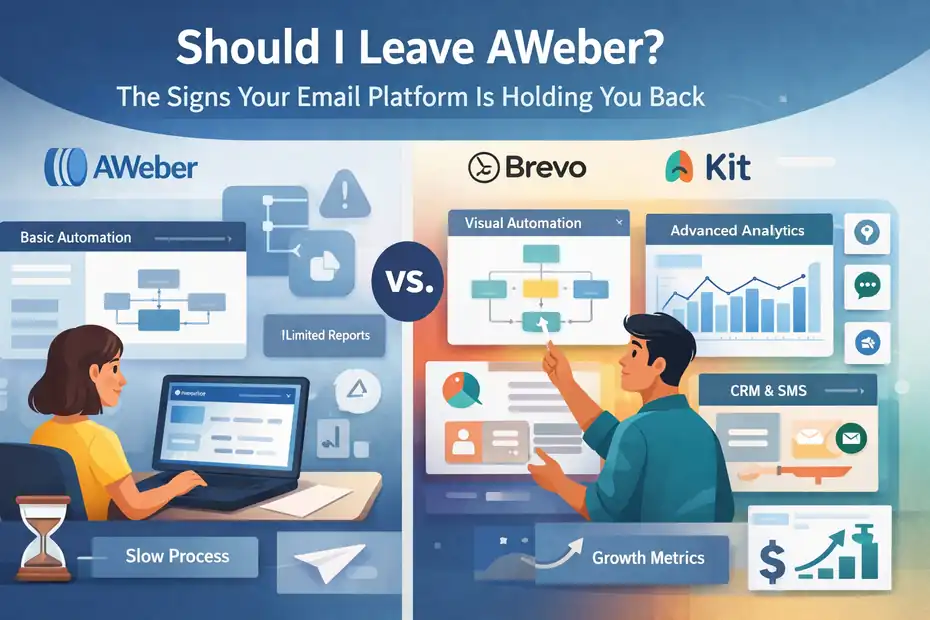
Automation Feels Too Basic For Advanced Email Funnels
One of the first warning signs that you might need to rethink your email platform is automation depth. AWeber does offer automation through its Campaigns feature, but compared to modern email platforms, the automation builder can feel restrictive.
Let me explain what this means in practice.
If you’re running simple sequences—like a welcome email series or a basic lead magnet follow-up—AWeber works perfectly fine. But once you start building multi-step marketing funnels, the limitations appear quickly.
Imagine this scenario.
You run a blogging course and want to build a funnel that does the following:
- Send a welcome email.
- Track whether the subscriber clicks the course sales page.
- If they click but don’t buy, send a case study.
- If they ignore the page entirely, send a different educational sequence.
Platforms like Kit or Brevo allow this type of conditional workflow easily with visual automation builders.
With AWeber, the automation often relies on tags and linear campaigns, which can make complex funnels harder to manage.
In my experience, this becomes frustrating once your marketing strategy evolves beyond:
- Welcome sequences
- Weekly newsletters
- Basic lead magnet delivery
If your business relies on funnels, product launches, or behavior-based marketing, basic automation can quickly become a bottleneck.
That’s often the first moment many marketers start wondering whether staying with AWeber still makes sense.
You Cannot Build Behavioral Or Conditional Email Paths
Modern email marketing has moved far beyond scheduled sequences. Today, most high-performing email funnels are built around behavioral triggers.
This means emails change depending on what subscribers actually do.
Examples include:
- Visiting a product page
- Clicking a pricing link
- Downloading a lead magnet
- Watching a webinar
Advanced platforms allow you to create conditional paths, meaning the subscriber journey changes automatically.
For example:
| Subscriber Action | Automated Email Path |
|---|---|
| Clicked product link | Send product demo email |
| Did not click | Send educational content |
| Purchased product | Move to onboarding sequence |
| Abandoned checkout | Send reminder email |
AWeber does support tagging and some automation triggers, but the system is not built for deep behavioral segmentation.
That creates problems when your marketing strategy becomes more sophisticated.
For example:
Imagine you’re running a digital course launch. Ideally, your email system should automatically segment subscribers based on interest.
Some subscribers should receive:
- sales emails
- urgency reminders
- bonuses
Others might need:
- educational content
- webinar invitations
- testimonials
Without strong behavioral automation, you often end up sending the same emails to everyone, which can lower conversion rates.
From what I’ve seen, this is one of the most common reasons experienced marketers start exploring alternatives.
Your Email Marketing Stack Requires Too Many Workarounds
Another subtle sign that your platform is holding you back is when your marketing stack becomes unnecessarily complicated.
In many cases, AWeber users start adding extra tools to fill missing functionality.
For example, you might end up relying on multiple tools just to run one funnel:
| Task | Tool |
|---|---|
| Landing pages | Leadpages |
| Funnel automation | Zapier |
| Webinar registration | WebinarJam |
| Email campaigns | AWeber |
| CRM tracking | HubSpot |
Now technically this works—but it introduces friction.
Here’s the real problem.
Every extra integration creates potential issues:
- syncing delays
- automation errors
- broken triggers
- lost subscriber data
I’ve personally seen cases where Zapier automations break, causing leads to never enter the correct email sequence.
That’s not just annoying—it can cost revenue.
Modern email platforms increasingly include built-in tools such as:
- landing pages
- advanced automation
- CRM features
- audience tagging
When your platform forces you to stack too many external tools, it’s often a signal that the platform itself is no longer keeping up with your needs.
List Management Creates Friction Instead Of Segmentation
One of the most debated aspects of AWeber is its list-based subscriber system.
Instead of managing subscribers through tags alone, AWeber relies heavily on separate lists.
This creates a common issue: duplicate subscribers across lists.
Let’s say a person joins:
- your newsletter
- your lead magnet list
- your webinar list
In AWeber, that same subscriber might appear three times in different lists.
This causes two major problems.
First, it complicates segmentation.
Modern platforms typically use tag-based systems, where one subscriber profile can have multiple tags like:
- beginner blogger
- webinar attendee
- purchased course
Second, it can affect your costs (which we’ll discuss later).
From a workflow perspective, list-based systems make it harder to create unified customer journeys.
For example:
If someone buys your product, you may need to manually ensure they are removed from multiple promotional lists.
I’ve seen many marketers accidentally keep sending sales emails to people who already purchased simply because their lists weren’t synced properly.
Tag-based systems solve this much more cleanly.
Your Campaign Setup Takes Longer Than It Should
Sometimes the clearest sign your platform is holding you back is simply how long tasks take.
If creating campaigns feels slow or repetitive, your platform might be costing you more time than you realize.
For example, a typical campaign workflow might involve:
- Creating a new list
- Setting up tags
- building a campaign sequence
- configuring triggers
- testing automation rules
On more modern platforms, many of these steps are visual and centralized.
With AWeber, workflows can sometimes feel more manual.
Imagine you want to launch a lead magnet funnel.
Ideally, the setup should look like this:
- Create landing page
- Connect signup form
- Deliver lead magnet automatically
- trigger welcome sequence
- segment subscriber by interest
But depending on your setup, AWeber may require multiple manual configurations to connect everything together.
For beginners, this might not feel like a big deal.
But for creators managing:
- multiple funnels
- product launches
- content upgrades
- audience segments
Those extra steps start adding up quickly.
And when marketing systems become slow, growth often slows with them.
When AWeber Still Works Well For Small Email Lists
Now let’s balance the conversation.
Just because someone asks should I leave AWeber doesn’t automatically mean the platform is wrong for them. In many situations, AWeber still works extremely well—especially for beginners or smaller email lists.
Simple Broadcast Newsletters Are Your Main Strategy
If your email strategy revolves around broadcast newsletters, AWeber is still perfectly capable.
Broadcast emails are one-time messages sent to your list. Think of them like traditional newsletters.
Examples include:
- weekly blog updates
- product announcements
- promotional emails
- event announcements
In this use case, you don’t need complex automation.
You simply:
- Write the email
- Choose the audience
- Schedule or send
AWeber’s editor makes this process straightforward.
For example, many bloggers use AWeber to send:
- weekly content roundups
- affiliate promotions
- seasonal offers
If your strategy is primarily content-driven rather than funnel-driven, advanced automation may not be necessary.
In fact, I’ve seen bloggers grow lists to 20,000+ subscribers using mostly broadcast emails.
The key factor here is simplicity.
If your workflow is:
- collect subscribers
- send helpful content
- occasionally promote products
AWeber still performs this role very well.
You Do Not Need Advanced Segmentation Or Personalization
Segmentation is powerful, but not every business needs complex targeting.
For many small creators, one main audience segment is enough.
Examples include:
- personal blogs
- niche newsletters
- local businesses
- hobby communities
In these situations, your subscribers typically joined for the same reason.
For example:
Imagine you run a photography newsletter.
Your subscribers likely want:
- photography tips
- camera recommendations
- editing tutorials
You don’t necessarily need to separate them into multiple behavior-based segments.
That’s why AWeber’s simpler system can still work well.
Many successful newsletters operate with just a few tags like:
- subscriber
- customer
- VIP reader
If your business does not rely on:
- personalized funnels
- advanced customer journeys
- dynamic email content
then advanced segmentation tools might actually be unnecessary complexity.
Your Business Model Relies On Basic Email Sequences
AWeber is still excellent at linear email sequences.
These are simple automated email series that follow a fixed order.
For example:
Lead magnet funnel
- Email 1 – Welcome email
- Email 2 – Educational content
- Email 3 – Case study
- Email 4 – product pitch
Many online businesses operate entirely on this model.
Examples include:
- bloggers promoting affiliate products
- course creators selling one main program
- freelancers building trust with prospects
If your funnel structure is straightforward, AWeber’s automation is often more than enough.
In my experience, most creators don’t actually need complex branching funnels when they’re just starting out.
The priority should be:
- growing your list
- sending helpful emails
- building trust with readers
Simple sequences can do that very effectively.
You Prefer A Minimal Learning Curve Over Advanced Features
Another factor many people underestimate is ease of use.
Not every business owner wants a complex marketing platform.
Some tools come with advanced automation, CRM systems, analytics dashboards, and dozens of integrations.
That power is great—but it can also be overwhelming.
AWeber’s biggest advantage has always been simplicity.
Many beginners can:
- import subscribers
- build a form
- create a sequence
- send broadcasts
all within a few hours.
If you compare the onboarding experience, AWeber is often easier than many advanced platforms.
For solo creators, that simplicity can be a major benefit.
Because at the end of the day, the best email platform is the one you actually use consistently.
Hidden Costs That Make AWeber Less Competitive In 2026
Pricing is another major reason people begin asking should I leave AWeber. While the platform used to be highly competitive, the economics of email marketing platforms have shifted in recent years.
Subscriber Pricing Increases As Your List Scales
Most email marketing platforms charge based on subscriber count, and AWeber follows this model.
At first, pricing feels affordable.
But as your list grows, the monthly cost can increase significantly.
Here’s a simplified comparison of typical pricing tiers across popular platforms:
| Subscriber Count | Typical Monthly Cost (Average Industry Range) |
|---|---|
| 1,000 subscribers | $15 – $30 |
| 5,000 subscribers | $50 – $90 |
| 10,000 subscribers | $100 – $160 |
| 25,000 subscribers | $200 – $350 |
The real issue isn’t the price itself—it’s the value relative to features.
Many modern platforms now include:
- advanced automation
- behavioral tracking
- built-in CRM features
- AI content assistance
If a platform charges similar prices but delivers fewer advanced tools, businesses begin questioning the return on investment.
For small creators this may not matter.
But for businesses managing large lists or multiple funnels, pricing efficiency becomes a real concern.
Paying For Duplicate Subscribers Across Multiple Lists
This is one of the most controversial aspects of AWeber pricing.
Because AWeber relies on list-based subscriber management, the same subscriber can exist in multiple lists.
In many cases, that means you’re charged multiple times for the same person.
Here’s an example.
A single subscriber joins:
- your newsletter list
- your webinar list
- your course waitlist
Instead of counting as one contact, that subscriber might count as three separate entries.
For marketers running:
- lead magnets
- product launches
- webinars
- multiple funnels
this can inflate subscriber counts quickly.
Imagine you have 10,000 unique subscribers, but they appear across multiple lists.
Your billing could reflect 15,000–20,000 contacts depending on how your lists are structured.
That’s one of the biggest reasons many marketers prefer tag-based platforms, where each subscriber exists as a single profile.
Limited Native Integrations Create Extra Tool Costs
Another hidden expense appears through third-party integrations.
AWeber connects with many tools, but some workflows still require integration platforms like automation bridges.
This adds extra monthly costs.
For example, your stack might look like this:
| Marketing Function | Tool | Monthly Cost |
|---|---|---|
| Email marketing | AWeber | $49 |
| Automation bridge | Zapier | $29 |
| Landing pages | Leadpages | $49 |
| Webinar hosting | WebinarJam | $79 |
Individually, each tool may seem affordable.
But together, the marketing stack becomes expensive.
Many modern platforms try to reduce this by offering all-in-one systems.
That’s why creators increasingly look for platforms that combine:
- email marketing
- landing pages
- automation
- audience management
into a single tool.
Missing Advanced Features Found In Modern Platforms
The final cost of staying with a platform is not always financial—it’s opportunity cost.
In other words, what features are you missing that could improve results?
Modern email platforms increasingly offer features like:
- visual automation maps
- behavioral event tracking
- revenue attribution reporting
- AI subject line optimization
- dynamic email personalization
These capabilities can dramatically improve email marketing performance.
For example, according to multiple email marketing studies, segmented email campaigns can generate up to 760% more revenue than non-segmented campaigns.
If your platform makes advanced segmentation difficult, you may be leaving revenue on the table.
That doesn’t automatically mean AWeber is the wrong tool.
But if your business depends heavily on email-driven sales, these features can become increasingly important as you scale.
Email Marketing Features Modern Platforms Now Offer
If you’re asking should I leave AWeber, it helps to understand what modern email platforms now provide. Email marketing software has evolved significantly over the past few years, especially for creators, ecommerce brands, and digital product businesses.
Many platforms now combine automation, CRM features, analytics, and AI tools into a single system. Let’s walk through the capabilities that are increasingly becoming standard.
Visual Automation Builders For Complex Customer Journeys
One of the biggest upgrades in modern email marketing tools is the visual automation builder.
Instead of creating linear email sequences, you design customer journeys using a drag-and-drop workflow map. Think of it like drawing a flowchart for your marketing funnel.
Here’s what that looks like in practice.
Imagine someone downloads your blogging checklist.
A visual automation builder allows you to design this journey:
- Subscriber joins your list
- Send welcome email
- Wait 2 days
- Check if they clicked the course link
- Send a different email depending on their behavior
Instead of managing this through tags and manual rules, the entire system appears visually.
Example workflow structure:
| Step | Automation Action |
|---|---|
| Trigger | Subscriber joins via lead magnet |
| Action | Send welcome email |
| Condition | Did they click course link? |
| Yes Path | Send sales sequence |
| No Path | Send educational emails |
Platforms like Kit and Brevo use visual automation maps to simplify complex funnels.
In my experience, this feature alone can cut funnel setup time by 50% or more, because you can see the entire marketing system in one place.
For creators running multiple products, webinars, or launches, visual workflows quickly become indispensable.
Event-Based Triggers And Behavioral Email Targeting
Modern email marketing is no longer just about sending emails based on time delays. Today’s systems use event-based triggers, meaning emails are sent based on user actions.
An event trigger is simply a signal that something happened.
Examples include:
- A subscriber visits a product page
- Someone abandons checkout
- A reader clicks a specific link
- A customer purchases a product
Once that event happens, the email platform automatically triggers the next step.
Let me show you a simple example.
Imagine you’re selling an online course.
Your automation might look like this:
| Subscriber Behavior | Automated Email |
|---|---|
| Visited course page | Send product walkthrough |
| Clicked pricing page | Send testimonial email |
| Did not purchase | Send limited-time discount |
| Purchased course | Start onboarding sequence |
This kind of behavior-based marketing dramatically improves email performance.
According to email marketing benchmarks, behavior-triggered emails can generate up to 4x higher engagement compared to generic broadcast emails.
AWeber does support some tagging automation, but it doesn’t provide the same level of deep behavioral tracking that newer platforms focus on.
That’s why marketers building advanced funnels often move toward platforms built around event-driven automation.
Built-In Landing Pages And Funnel Tracking
Another shift in modern email platforms is the move toward all-in-one marketing systems.
Instead of relying on separate landing page builders, many platforms now include built-in funnel tools.
For example, a modern email system might allow you to:
- create a landing page
- collect subscribers
- deliver a lead magnet
- start an automation sequence
- track conversions
All inside one dashboard.
This creates a major advantage: full funnel tracking.
Let me give you a real scenario.
Imagine you’re offering a free ebook.
Your funnel might look like this:
- Landing page collects email
- Email automation delivers ebook
- Follow-up emails promote a course
- Analytics track purchases
With built-in funnel tracking, you can see metrics like:
| Funnel Metric | Example |
|---|---|
| Landing page conversion rate | 38% |
| Welcome email open rate | 61% |
| Course sales conversion | 4.2% |
Having this data in one place helps you understand what part of your funnel needs improvement.
Without built-in funnel tracking, marketers often rely on multiple tools:
- landing page builder
- analytics platform
- email marketing system
This fragmentation makes it harder to optimize results.
AI Email Writing And Optimization Tools
AI has rapidly become part of modern email marketing platforms.
These tools help marketers create and optimize emails faster.
Common AI features include:
- subject line generation
- email copy suggestions
- tone adjustments
- send-time optimization
For example, an AI assistant might suggest subject lines like:
- “The 3 Blogging Mistakes Most Beginners Make”
- “Quick Question About Your Website Growth”
- “This Simple Email Strategy Increased Sales”
These tools are especially helpful when you’re writing sales emails or promotional campaigns.
But AI doesn’t just help with writing.
Many platforms now use AI for performance optimization, such as:
- predicting the best time to send emails
- identifying inactive subscribers
- recommending segmentation improvements
In my experience, AI tools don’t replace human creativity—but they can speed up the process significantly.
For busy creators sending weekly emails, that time savings can add up quickly.
Advanced Tagging And Dynamic Segmentation Systems
Segmentation is one of the most powerful concepts in email marketing.
Put simply, segmentation means sending the right email to the right person.
Older platforms typically segment users using separate lists.
Newer systems rely on tagging and dynamic segmentation.
Here’s the difference.
| Feature | List-Based System | Tag-Based System |
|---|---|---|
| Subscriber profile | Multiple duplicates | Single profile |
| Segmentation method | Separate lists | Flexible tags |
| Automation flexibility | Limited | Highly flexible |
| Subscriber tracking | Fragmented | Unified |
With tagging, one subscriber profile can contain dozens of attributes.
Example tags might include:
- beginner blogger
- SEO interested
- purchased course
- attended webinar
This allows you to create extremely targeted campaigns.
For example:
Send a special promotion only to subscribers who:
- downloaded your lead magnet
- clicked the course page
- have not purchased yet
That level of segmentation dramatically improves conversions.
From what I’ve seen, once marketers experience advanced tagging systems, it’s very difficult to go back to list-based platforms.
Performance Bottlenecks That Signal It’s Time To Switch
Technology evolves quickly in email marketing. If your platform struggles with performance metrics, it might be worth reevaluating whether it still fits your business.
Several bottlenecks often appear when marketers begin asking should I leave AWeber.
Low Deliverability Compared To Newer Email Platforms
Deliverability refers to the percentage of emails that successfully reach inboxes instead of spam folders.
This metric matters more than almost anything else in email marketing.
You could write the perfect email, but if it lands in spam, your subscribers never see it.
Deliverability depends on several factors:
- sender reputation
- authentication settings
- engagement rates
- platform infrastructure
Modern email platforms invest heavily in deliverability optimization, including:
- dedicated sending infrastructure
- automated domain authentication
- engagement monitoring
Here’s a simplified example of how deliverability affects performance:
| Metric | Example Campaign |
|---|---|
| Emails sent | 10,000 |
| Inbox placement | 85% |
| Spam placement | 15% |
| Emails actually seen | 8,500 |
If another platform improves inbox placement to 95%, that’s 1,000 additional people seeing your email.
For businesses relying on email-driven revenue, that difference can be significant.
In many cases, deliverability also depends on how well the platform manages sender reputation and engagement filtering.
Limited Analytics For Campaign Optimization
Email marketing is not just about sending messages—it’s about learning from the data.
Basic analytics usually include:
- open rate
- click-through rate
- unsubscribe rate
But modern email marketing requires deeper insights.
For example, advanced analytics might show:
- which links drive purchases
- which emails lead to conversions
- which segments generate the most revenue
Let me give you a practical example.
Imagine you send three promotional emails for a product launch.
Basic analytics might show:
| Open Rate | Click Rate | |
|---|---|---|
| Email 1 | 38% | 9% |
| Email 2 | 34% | 7% |
| Email 3 | 41% | 11% |
But advanced analytics would answer more valuable questions:
- Which email generated the most revenue?
- Which audience segment converted best?
- Which email led to refunds?
Without deeper insights, you’re essentially optimizing campaigns blindly.
That’s why modern email platforms increasingly include revenue attribution dashboards.
Weak A/B Testing Capabilities For Serious Marketers
A/B testing is one of the simplest ways to improve email performance.
It works by sending two variations of an email to different groups of subscribers and measuring which version performs better.
Typical tests include:
- subject line variations
- email design changes
- call-to-action wording
- send times
Here’s an example test.
| Variant | Subject Line | Open Rate |
|---|---|---|
| Version A | “Your Blogging Traffic Plan” | 31% |
| Version B | “The 3 SEO Tricks Bloggers Ignore” | 42% |
That difference can dramatically impact overall campaign results.
Advanced email platforms now support multi-variable testing, allowing marketers to experiment with:
- content layout
- images
- CTA placement
- timing
These insights compound over time.
For example, improving open rates from 30% to 40% across a list of 20,000 subscribers can dramatically increase traffic and revenue.
Reporting That Does Not Connect Revenue To Emails
One of the biggest limitations of traditional email platforms is the lack of revenue attribution.
In simple terms, revenue attribution answers this question:
Which email actually generated the sale?
Without this information, it’s difficult to know which campaigns are working.
Modern email platforms increasingly connect email performance to revenue data.
For example, a report might show:
| Campaign | Revenue Generated |
|---|---|
| Welcome sequence | $4,200 |
| Product launch emails | $12,500 |
| Weekly newsletter promotions | $2,300 |
This allows marketers to prioritize the campaigns that drive the most profit.
In my experience, once you start seeing revenue data tied to emails, it completely changes how you approach email marketing.
You stop guessing and start optimizing based on real results.
Why Many Creators Are Switching From AWeber To Kit
A noticeable trend in the creator economy is the growing number of marketers moving from AWeber to Kit.
While AWeber still works for simple newsletters, many creators find that Kit offers features specifically designed for digital products, creators, and online businesses.
Creator-Focused Automation Built For Digital Products
Kit was designed with creators in mind—bloggers, course creators, podcasters, and YouTubers.
Instead of focusing primarily on traditional newsletters, the platform centers around creator monetization funnels.
For example, a typical creator workflow might look like this:
- Subscriber downloads a lead magnet
- Welcome sequence builds trust
- Educational emails introduce a course
- Sales emails promote the product
- Buyers move into an onboarding sequence
Kit’s automation system makes these workflows easier to build.
Instead of managing multiple lists and rules, creators can create automation maps showing how subscribers move through different stages.
Example automation path:
| Subscriber Action | Automated Response |
|---|---|
| Downloads free guide | Start welcome sequence |
| Clicks product link | Add interest tag |
| Purchases course | Start onboarding emails |
This structure is especially helpful for creators selling:
- online courses
- memberships
- digital downloads
- coaching programs
In my experience, platforms designed around creator workflows tend to feel more natural for these types of businesses.
Tag-Based Subscriber Management Instead Of Lists
One of the biggest differences between AWeber and Kit is how subscribers are organized.
AWeber uses list-based management, while Kit uses a tag-based system.
Let me explain why this matters.
In a tag-based system, every subscriber exists as one unified profile.
Instead of appearing on multiple lists, the subscriber simply accumulates tags based on behavior.
Example subscriber profile:
| Subscriber Attribute | Tag |
|---|---|
| Downloaded SEO checklist | SEO Lead Magnet |
| Attended webinar | Webinar Attendee |
| Purchased course | Course Customer |
This structure creates much more flexibility.
For example, you could easily create a campaign targeting:
Subscribers who:
- downloaded the SEO checklist
- attended the webinar
- have not purchased yet
That kind of segmentation is far easier with tags than with separate lists.
Another advantage is cost efficiency.
Since each subscriber exists only once, you avoid paying for duplicates.
Simple Email Funnels For Courses And Lead Magnets
Many creators rely on lead magnets to grow their email lists.
A lead magnet is simply a free resource offered in exchange for an email address.
Examples include:
- ebooks
- checklists
- templates
- free courses
Kit makes it easy to build simple funnels around these resources.
For example, a typical funnel might look like this:
- Landing page collects email
- Subscriber receives lead magnet
- Welcome sequence builds trust
- Educational emails introduce a paid product
Here’s a simplified funnel structure:
| Step | Email Purpose |
|---|---|
| Email 1 | Deliver lead magnet |
| Email 2 | Share valuable tips |
| Email 3 | Case study or story |
| Email 4 | Introduce paid product |
This type of funnel works extremely well for:
- blogging courses
- digital templates
- online memberships
Because Kit was built with creators in mind, these funnels are easier to set up and manage.
Built-In Monetization Features For Creators
Another reason creators migrate from AWeber to Kit is monetization.
Kit includes features designed specifically for earning revenue from your audience.
These features include:
- paid newsletters
- digital product sales
- subscription memberships
For example, creators can sell:
- premium newsletters
- exclusive content
- digital downloads
directly through their email platform.
Here’s a simplified comparison:
| Feature | AWeber | Kit |
|---|---|---|
| Email broadcasts | Yes | Yes |
| Automation funnels | Basic | Advanced |
| Tag-based segmentation | Limited | Full |
| Creator monetization tools | No | Yes |
For many creators, the platform choice ultimately comes down to business model fit.
If your business revolves around selling digital products or building an audience-driven brand, tools designed specifically for creators often feel more aligned with that goal.
When Brevo Makes More Sense Than AWeber
If you’re asking should I leave AWeber, one alternative many businesses evaluate is Brevo. The platform focuses heavily on automation, CRM-style workflows, and multi-channel marketing.
For some businesses—especially ecommerce stores, SaaS startups, or agencies—Brevo solves problems that traditional email platforms simply weren’t built to handle.
Advanced Automation With CRM-Style Workflows
One of Brevo’s strongest advantages is its CRM-style automation system. CRM stands for Customer Relationship Management, which simply means tracking and managing customer interactions across multiple stages.
Instead of thinking only in terms of email sequences, Brevo lets you build customer lifecycle workflows.
For example, imagine you run an online store.
Your automation could look like this:
| Customer Event | Automated Action |
|---|---|
| Visitor signs up for newsletter | Send welcome email |
| Customer views product page | Send product recommendation |
| Customer abandons checkout | Send cart reminder |
| Customer completes purchase | Start onboarding series |
This workflow feels much closer to a sales pipeline than a traditional email sequence.
From what I’ve seen, this is particularly valuable for businesses that need to track:
- customer purchases
- product interest
- onboarding journeys
- support follow-ups
If your marketing strategy revolves around customer journeys instead of simple newsletters, Brevo’s automation structure often feels far more natural.
In my experience, this kind of system becomes especially powerful once your business starts selling multiple products or services.
Email And SMS Marketing In One Platform
Another major difference between Brevo and traditional email platforms is multi-channel communication.
Brevo allows you to run both:
- email campaigns
- SMS marketing campaigns
from the same dashboard.
Let me show you a simple example.
Imagine you’re launching a limited-time promotion.
Your campaign could run like this:
- Email announcement sent to your list
- SMS reminder sent to engaged subscribers
- Final countdown email before the promotion ends
This multi-channel strategy often increases engagement because people interact with content differently.
Some subscribers check email frequently.
Others respond faster to SMS messages.
Here’s a quick comparison:
| Communication Channel | Typical Engagement |
|---|---|
| Email campaigns | Higher reach |
| SMS messages | Higher open rates |
| Combined strategy | Stronger conversions |
According to marketing benchmarks, SMS open rates often exceed 90%, which makes it extremely powerful for time-sensitive promotions.
Platforms like AWeber focus almost entirely on email, while Brevo expands the communication options available to your marketing team.
Flexible Pricing Based On Emails Instead Of Contacts
Pricing models can dramatically influence which email platform makes sense for your business.
AWeber primarily charges based on subscriber count, which means your costs increase as your email list grows.
Brevo uses a different model.
Instead of charging for contacts, Brevo’s pricing is based primarily on email volume—the number of emails you send each month.
Here’s a simplified comparison.
| Pricing Model | AWeber | Brevo |
|---|---|---|
| Pricing factor | Subscriber count | Email volume |
| Cost increases when | List grows | Email sending increases |
| Duplicate contacts cost | Yes | No |
| Best for | Newsletter lists | High-volume senders |
This structure benefits businesses that:
- have large subscriber lists
- send fewer campaigns
- rely on transactional messages
For example, imagine a business with 50,000 subscribers that only sends one newsletter per week.
Under a contact-based pricing model, they would pay a high monthly fee.
With an email-volume model, costs may remain lower if sending frequency stays modest.
I’ve seen many companies switch platforms purely because of pricing efficiency at scale.
Better Transactional Email Infrastructure
Transactional emails are messages triggered by specific actions.
Examples include:
- purchase confirmations
- password resets
- shipping updates
- account notifications
These emails are critical for ecommerce and SaaS businesses because they deliver important information to users.
Brevo has strong infrastructure designed specifically for transactional messaging.
This means:
- faster delivery speeds
- high reliability
- detailed delivery analytics
For example, a SaaS platform might send thousands of transactional emails daily.
Typical transactional workflow:
| Trigger Event | Transactional Email |
|---|---|
| User registers account | Welcome message |
| Customer resets password | Security email |
| Customer purchases product | Order confirmation |
Because these emails are time-sensitive, they must arrive quickly and reliably.
While AWeber focuses primarily on marketing emails, Brevo provides tools for both marketing and operational communication.
That makes it a strong option for businesses running software products, ecommerce stores, or membership platforms.
Signs Migration Fear Is The Only Thing Keeping You
Let’s be honest for a moment.
Sometimes the real reason people stay with a platform isn’t because it’s the best tool. It’s because switching feels intimidating.
When someone asks should I leave AWeber, the answer often comes down to overcoming a few very common fears.
Worry About Losing Subscribers During Migration
One of the biggest fears people have about switching email platforms is losing subscribers during the migration process.
I completely understand that concern.
Your email list might represent:
- years of content creation
- thousands of marketing dollars
- a direct connection to your audience
But here’s the reassuring part.
Modern email platforms make it surprisingly easy to export and import subscriber data.
Most migrations follow a simple process:
- Export your subscriber list from your current platform
- Import the list into your new email platform
- Apply tags or segments during the import
Your subscriber file typically contains information like:
| Subscriber Data | Example |
|---|---|
| Email address | user@email.com |
| Name | John Smith |
| Signup date | Jan 2024 |
| Tags | Lead magnet subscriber |
As long as your subscriber data is properly exported, the migration process is usually straightforward.
In many cases, businesses migrate tens of thousands of subscribers without losing a single contact.
Fear Your Automations Will Break During Transfer
Another common concern is automation complexity.
If you’ve spent months building automation sequences, the thought of recreating them can feel overwhelming.
But in practice, rebuilding automations often becomes a chance to improve your funnel structure.
Let me explain what I mean.
Many marketers create automations gradually over time.
This can lead to:
- duplicate sequences
- outdated funnels
- messy tagging structures
When migrating platforms, you get an opportunity to rebuild a cleaner system.
For example, instead of maintaining five separate sequences, you might combine them into a single streamlined funnel.
Typical migration steps look like this:
- Document existing automation sequences
- Identify outdated campaigns
- Rebuild core funnels in the new platform
In my experience, migrations often lead to better automation architecture, not worse.
Concern About Deliverability After Switching Platforms
Deliverability concerns are completely valid.
When you switch platforms, you’re effectively sending emails from a new sending infrastructure.
This means your new platform needs to build sender reputation gradually.
Fortunately, email providers have developed a process called domain warming.
Domain warming means slowly increasing the number of emails sent from your new platform.
Example sending schedule:
| Day | Emails Sent |
|---|---|
| Day 1 | 200 emails |
| Day 3 | 500 emails |
| Day 7 | 1,000 emails |
| Week 2 | 5,000 emails |
This gradual ramp-up helps mailbox providers trust your sending behavior.
Many platforms now provide automated domain warm-up tools, which simplify the process significantly.
Anxiety About Learning A New Email Marketing Tool
Let’s be honest—learning new software can feel frustrating.
Most email platforms include dashboards, automation builders, analytics tools, and integration settings. That’s a lot to absorb.
But here’s something I’ve noticed over the years.
Many marketers delay switching tools because they assume learning the new system will take weeks.
In reality, most modern email platforms provide:
- onboarding tutorials
- template funnels
- guided automation builders
Many creators rebuild their core email funnel within a single afternoon.
And once you understand the new interface, the workflow often becomes faster than your previous system.
Sometimes the biggest barrier isn’t technology.
It’s simply the hesitation to start.
How To Decide If You Should Leave AWeber In 2026
If you’re still wondering should I leave AWeber, the best approach is to evaluate your business needs objectively. Instead of focusing on features alone, look at how your email platform supports—or limits—your long-term growth.
Evaluate Your Current Email Marketing Limitations
Start by reviewing how your current platform performs in daily use.
Ask yourself a few honest questions.
For example:
- Does automation feel restrictive?
- Are integrations difficult to manage?
- Is segmentation easy or complicated?
- Are campaign analytics detailed enough?
You can even create a quick evaluation table.
| Evaluation Category | Questions To Ask |
|---|---|
| Automation | Can I build the funnels I want? |
| Segmentation | Can I target subscribers precisely? |
| Analytics | Do I see revenue impact from emails? |
| Workflow efficiency | Does campaign setup feel slow? |
If several of these areas feel limited, your platform may be slowing down your marketing growth.
In my experience, businesses often realize the limitations once their email strategy becomes more sophisticated.
Compare Automation Depth Across Modern Platforms
Automation is where email platforms differ the most.
Some platforms focus on simple sequences, while others support advanced customer journeys.
Here’s a simplified comparison of automation capabilities.
| Feature | AWeber | Kit | Brevo |
|---|---|---|---|
| Visual automation builder | Limited | Yes | Yes |
| Behavioral triggers | Basic | Advanced | Advanced |
| Tag-based segmentation | Partial | Full | Full |
| CRM-style workflows | No | Partial | Yes |
This kind of comparison makes it easier to see which platform aligns with your strategy.
If your business relies on funnels, product launches, or lifecycle marketing, automation depth becomes critical.
Calculate Long-Term Cost As Your List Grows
Pricing should always be evaluated based on future growth, not just your current list size.
Imagine your email list grows from 3,000 subscribers to 25,000 over the next two years.
Your platform costs may increase dramatically.
Here’s a simplified projection example.
| Subscriber Count | Estimated Monthly Cost |
|---|---|
| 3,000 subscribers | $39 |
| 10,000 subscribers | $99 |
| 25,000 subscribers | $229 |
If your business depends heavily on email marketing, those costs must align with the value you’re receiving.
For some businesses, the cost difference between platforms becomes significant once they scale.
Measure Revenue Impact From Email Campaigns
Finally, evaluate how much revenue your email marketing actually generates.
Many businesses underestimate how important email can be.
According to multiple marketing studies, email marketing often delivers one of the highest ROI channels, sometimes exceeding $36 returned for every $1 spent.
To evaluate performance, track metrics like:
- sales generated from email campaigns
- conversion rates from email traffic
- engagement rates across sequences
Example revenue tracking:
| Campaign Type | Revenue Generated |
|---|---|
| Welcome sequence | $3,200 |
| Product launch | $9,800 |
| Weekly promotions | $2,100 |
If email drives a large percentage of your revenue, choosing the right platform becomes even more important.
Step-By-Step Plan To Leave AWeber Without Losing Subscribers
If you’ve concluded that switching platforms makes sense, the next step is planning the migration properly.
A well-organized migration ensures you keep your subscribers, automations, and deliverability intact.
Export Subscribers And Tag Data From AWeber
The first step is exporting your subscriber database.
Inside AWeber, you can export subscriber data as a CSV file.
Typical export fields include:
- email address
- name
- tags
- signup source
- subscription date
Before exporting, I recommend cleaning your list.
Remove:
- inactive subscribers
- invalid email addresses
- spam complaints
List cleaning improves deliverability when you move to the new platform.
Rebuild Automation Workflows In Your New Platform
Next, recreate your essential automation funnels.
Start with the most important sequences:
- Welcome sequence
- Lead magnet delivery
- product promotion funnels
- onboarding emails
Instead of copying everything exactly, take this opportunity to improve your funnel structure.
Ask yourself:
- Can I simplify this sequence?
- Are there emails that no longer perform well?
- Could segmentation improve targeting?
Migration is often the perfect moment to optimize your entire email strategy.
Warm Up Your New Sending Domain Gradually
Once your subscribers are imported, you shouldn’t send a massive campaign immediately.
Email providers need time to recognize your new sending environment.
Domain warm-up helps establish trust.
Typical warm-up strategy:
| Week | Emails Sent |
|---|---|
| Week 1 | Small segments only |
| Week 2 | Gradual audience expansion |
| Week 3 | Full campaign sending |
This gradual ramp-up improves inbox placement and reduces spam filtering.
Redirect Lead Forms And Email Opt-In Funnels
After your new platform is configured, update your lead generation systems.
This includes:
- website signup forms
- landing pages
- popup forms
- webinar registration pages
Every form should connect to the new email platform, not the old one.
This ensures new subscribers enter the correct automation funnels.
Monitor Deliverability And Engagement After Migration
The final step is monitoring performance.
For the first few weeks, pay close attention to:
- open rates
- click rates
- bounce rates
- spam complaints
Compare these metrics with your previous platform.
Example tracking table:
| Metric | Before Migration | After Migration |
|---|---|---|
| Open rate | 34% | 37% |
| Click rate | 8% | 9% |
| Bounce rate | 1.2% | 0.9% |
From what I’ve seen, most migrations stabilize within two to four weeks.
Once your new system is fully running, you’ll be able to focus on what matters most: building stronger relationships with your audience through better email marketing.
FAQ
Should I leave AWeber for another email marketing platform?
If you’re asking should I leave AWeber, it usually means your current email system feels limiting. Many marketers switch when they need advanced automation, deeper segmentation, or better analytics. If your funnels, campaigns, or growth strategy feel restricted, exploring newer platforms may help you scale faster.
What are the signs that AWeber is holding back my email marketing?
Common signs include limited automation, difficulty managing subscriber lists, weak segmentation options, and basic reporting tools. If building funnels requires workarounds or multiple integrations, your platform may be slowing down your marketing workflow and making optimization harder.
Is AWeber still good for beginners in 2026?
Yes, AWeber can still work well for beginners who mainly send newsletters or simple email sequences. If you run a small list and don’t need advanced automation or behavioral targeting, AWeber’s simple interface and basic features can still be a practical starting point.
What email marketing platforms are better alternatives to AWeber?
Many marketers compare AWeber with platforms like Kit or Brevo because they offer visual automation builders, advanced tagging systems, and deeper analytics. These tools are designed for creators, online businesses, and marketers who need more flexible email funnels and segmentation.
Will switching email platforms hurt my deliverability?
Switching platforms doesn’t usually harm deliverability if done correctly. The key is warming up your new sending domain gradually and migrating subscribers properly. Most email providers recommend slowly increasing sending volume to establish a positive sender reputation with inbox providers.

Juxhin B is a digital marketing researcher and founder of JAK Digital Hub, specializing in email marketing software, marketing automation platforms, and digital growth tools. His work focuses on software testing, platform comparisons, and real-world performance analysis to help businesses choose the right marketing technology.
Related posts:
 How To Migrate From GetResponse Without Breaking Your Automations
 Is It Hard To Migrate From AWeber? The Honest, No-Fluff Answer
 Cheaper Email Automation System For Growing List Fast
 How To Migrate From AWeber Without Losing Subscribers Or Automations
 Why Are Your GetResponse Emails Going to Spam—and How Do You Stop It Fast?
 Is It Hard To Migrate From GetResponse? The Honest Truth for Marketers