Table of Contents
Some links on JAK Digital Hub are affiliate links, meaning we may earn a small commission at no extra cost to you. Read full disclaimer.
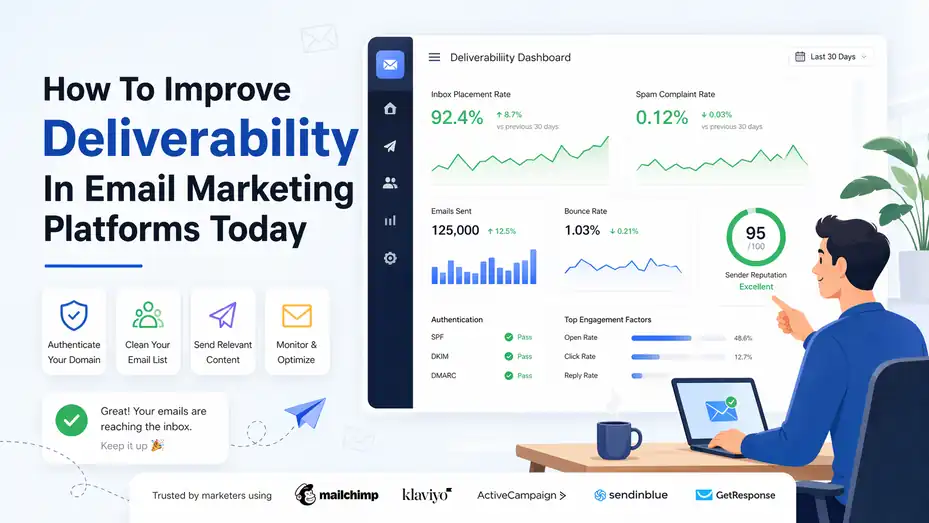
How to improve deliverability in email marketing platforms starts with one simple shift: stop thinking about “sending more emails” and start thinking about “earning inbox placement.”
That sounds small, but it changes everything. If your emails are landing in spam, getting blocked, or going ignored, the problem usually is not just your copy or your platform. It is your sending reputation, list quality, setup, and consistency working together.
In this guide, I’ll walk you through the full process step by step, so you can fix the technical issues, improve engagement, and build a sending system that keeps more of your emails in the inbox.
Understand What Deliverability Really Means
Email deliverability is not just whether your campaign gets sent. It is whether your message actually lands in the inbox instead of the spam folder, promotions tab, or being blocked entirely.
That distinction matters because many marketers see a “sent” status and assume everything worked, even when a large portion of contacts never truly saw the email.
What Deliverability Includes
When people talk about deliverability, they often mix up three different ideas. I think this is where a lot of confusion starts.
- Delivery: The email was accepted by the receiving mail server.
- Deliverability: The email reached the inbox, not spam or quarantine.
- Engagement: The recipient opened, clicked, replied, or otherwise interacted.
You can have strong delivery but weak deliverability. For example, imagine you send 50,000 emails from a major platform and 98% are “delivered.” That sounds great on paper. But if a big share lands in spam because your domain has a weak reputation, your campaign still underperforms.
This is why how to improve deliverability in email marketing platforms is not really a platform-only question. The platform helps, but mailbox providers like Gmail, Outlook, and Yahoo make the final placement decision.
How Mailbox Providers Judge You
Mailbox providers use signals to decide whether you look trustworthy. They are basically asking, “Does this sender behave like someone users want to hear from?”
They look at signals such as:
- Complaint rate
- Bounce rate
- Spam trap hits
- Authentication records
- Sudden volume spikes
- Low engagement
- Unsubscribe behavior
- Reply activity
- Historical sending reputation
In my experience, marketers often obsess over design and subject lines before they fix the reputation layer. That is backwards. If your trust signals are weak, even your best campaign can struggle.
Why Deliverability Problems Happen So Often
Most deliverability issues come from a few predictable patterns.
- Old or purchased lists: These create bounces, complaints, and spam risks fast.
- Poor technical setup: Missing SPF, DKIM, or DMARC weakens trust.
- Irregular sending: Long silence followed by big blasts looks suspicious.
- Weak segmentation: Sending the same message to everyone lowers engagement.
- Over-mailing cold contacts: This trains providers to deprioritize your domain.
A lot of businesses think the fix is switching platforms. Sometimes a platform helps, especially when infrastructure or support is weak, but many times the real issue follows you because it lives in your list and domain behavior.
Build A Technical Foundation That Mailbox Providers Trust
Before you optimize campaigns, you need a clean technical setup. This is the part many people skip because it feels boring.
But honestly, this is one of the highest-leverage moves you can make. If your domain and sending setup are not properly authenticated, you are asking inbox providers to trust you without proof.
Authenticate Your Sending Domain Correctly
Authentication tells receiving servers that your emails are really coming from your brand and have not been tampered with. The three core records are SPF, DKIM, and DMARC.
- SPF: Lists which servers are allowed to send on behalf of your domain.
- DKIM: Adds a cryptographic signature that proves message integrity.
- DMARC: Tells providers how to handle messages that fail authentication and gives you reporting visibility.
If you are using an email marketing platform, it usually provides the DNS records you need. But do not assume they are configured correctly just because the platform says you are “connected.” I suggest double-checking every record in your DNS settings and verifying that they pass.
A common mistake is authenticating a root domain for one tool while another tool also sends mail from it without alignment. That creates confusion and weakens trust.
Use A Dedicated Sending Domain Or Subdomain
For many brands, a separate sending domain or subdomain is a smart move. Instead of sending campaigns directly from your main domain, you might use something like:
- email.yourbrand.com
- news.yourbrand.com
- updates.yourbrand.com
This gives you more control and protects your main business domain if campaign performance drops. It also makes it easier to isolate marketing traffic from transactional email like receipts, password resets, and account notices.
Here is a simple comparison:
| Setup Option | Best For | Main Advantage | Main Risk |
|---|---|---|---|
| Main Domain | Very small brands with low volume | Simple to manage | Reputation risk affects core domain |
| Subdomain | Most growing email programs | Better isolation and control | Requires careful DNS setup |
| Separate Domain | Advanced or multi-brand programs | Full reputation separation | More management overhead |
I usually recommend a subdomain for growing marketing programs. It gives you the right balance between protection and simplicity.
Warm Up New Domains And IPs Slowly
If you start sending high volume from a brand-new domain or dedicated IP, you can trigger filtering quickly. New infrastructure needs a trust-building period. This is called warming up.
- Week 1: Send only to your most engaged contacts.
- Week 2: Increase volume gradually and keep targeting warm segments.
- Week 3 and beyond: Expand slowly toward broader segments as engagement remains healthy.
The exact numbers depend on your list size and platform setup, but the principle stays the same: steady growth beats sudden spikes.
Think of it like introducing yourself to mailbox providers. If you appear overnight and immediately send 100,000 emails, you do not look established. You look risky.
Clean Your List Before You Try To Scale
If I had to name one issue that quietly ruins more campaigns than almost anything else, it would be list quality.
You can have perfect authentication, a respected platform, and excellent copy, but if your list is weak, deliverability suffers.
Remove Invalid, Inactive, And Risky Contacts
A healthy list is not the biggest list. It is the most responsive one. This mindset matters because many marketers still chase size over quality.
You should routinely suppress or remove:
- Hard bounces
- Fake or malformed addresses
- Role accounts like info@ or support@ when not appropriate
- Long-term inactive subscribers
- Contacts who never confirmed signup
- Complaint-prone sources from giveaways or low-intent lead magnets
Here is a useful rule of thumb: If a subscriber has shown no opens, clicks, or site activity for a long period, continuing to hammer them can hurt more than help. The exact inactivity window depends on frequency, but many teams review at 60, 90, or 180 days.
A smaller engaged list usually outperforms a bloated cold one.
Use Confirmed Opt-In Where It Makes Sense
Confirmed opt-in, sometimes called double opt-in, asks subscribers to verify their email after signup. Some brands avoid it because they fear losing signups. That fear is understandable, but the upside is real: cleaner lists, fewer fake addresses, and stronger early engagement.
This can be especially useful when:
- You collect leads from content downloads
- You run paid traffic to opt-in forms
- You attract global audiences with mixed intent
- You have had spam complaint issues before
For example, imagine you run a newsletter for ecommerce founders. A single opt-in form might bring in 5,000 signups from a viral post, but a noticeable portion could be mistyped, fake, or low-intent. Confirmed opt-in may reduce the raw count, but the list you keep is far more likely to engage, which helps inbox placement later.
Track Where Every Subscriber Came From
One of the smartest deliverability habits is source tracking. Do not just store contacts. Store the story of how they joined.
- Signup source: Blog form, checkout, webinar, popup, referral, ad
- Signup date: Helps identify aging segments
- Acquisition campaign: Lets you compare list quality by channel
- Consent status: Important for compliance and trust
This matters because not all lead sources are equal. A subscriber from your checkout page may engage very differently from someone who entered a giveaway three months ago. When you know the source, you can segment smarter and identify which channels damage performance.
In my experience, this is one of those behind-the-scenes habits that makes everything else easier.
Send To The Right People At The Right Time
A big part of how to improve deliverability in email marketing platforms comes down to relevance. Mailbox providers do not read your strategy doc.
They watch how recipients respond. If your messages regularly get ignored, deleted, or marked as spam, your reputation declines.
Segment By Engagement, Not Just Demographics
A lot of email programs segment by age, location, industry, or purchase history. Those are useful, but engagement should sit much higher in your system.
At minimum, create segments such as:
- Recently engaged subscribers
- Opened but did not click
- Clicked product pages
- Purchased recently
- Inactive for 30 to 90 days
- Deeply inactive for 90+ days
Then adjust frequency by segment. Your hottest audience can usually handle more emails. Your colder audience needs slower pacing and more care.
Imagine you send the same five-week promo sequence to both groups. Your engaged segment may convert well. Your inactive segment may ignore it, creating negative engagement signals that pull down the overall campaign reputation.
Match Email Type To Subscriber Intent
Not every contact wants the same kind of email. This sounds obvious, but it is often ignored in practice.
A few examples:
- A new lead may want education and proof.
- A recent buyer may want onboarding and product tips.
- A repeat customer may respond well to loyalty offers.
- An inactive subscriber may need a re-engagement sequence, not another sales blast.
This is where deliverability and conversion work together. Better intent matching improves clicks, replies, and saves, which are healthy signals.
I believe many deliverability issues are really messaging-fit problems in disguise. The inbox providers are not only punishing bad senders. They are rewarding relevant ones.
Build A Sending Cadence People Can Predict
Consistency helps both users and providers. If you send once every three months, then suddenly send daily for two weeks, the change itself can create friction.
A reliable cadence might look like:
- Weekly newsletter for active readers
- Biweekly educational emails for leads
- Post-purchase flow based on customer lifecycle
- Monthly win-back sequence for low-engagement segments
The key is setting expectations and following through. When people know why they are receiving your emails and how often, complaints usually drop.
This is one reason welcome emails matter so much. They are your chance to say, “Here is what you signed up for, here is how often we’ll email, and here is how to whitelist us.” That kind of clarity helps more than many marketers realize.
Create Emails That Encourage Positive Engagement
Great deliverability is not only technical. It is behavioral. Inbox providers measure how people interact with your mail, so your content has to give people a reason to care.
You do not need magic copy. You need useful, expected, readable emails that are easy to trust.
Improve Subject Lines Without Trigger Chasing
There is a lot of bad advice around “spam trigger words.” In reality, there is no simple forbidden-word list that ruins every campaign. Context matters more. A weak subject line usually fails because it looks misleading, overly aggressive, or irrelevant.
Good subject lines tend to be:
- Specific
- Honest
- Aligned with subscriber expectations
- Consistent with the brand voice
- Matched to the content inside
Here is the difference:
- Weak: “URGENT!!! Last Chance Before It’s Gone Forever”
- Better: “Your Trial Ends Friday: Here’s What To Review First”
The second example is still urgent, but it feels grounded and helpful rather than manipulative.
I suggest testing for clarity before cleverness. Especially when deliverability is shaky, you want to reduce confusion and build trust.
Make The Email Easy To Read And Easy To Act On
The best-performing emails are often simpler than people expect. Too much design, too many images, and too many calls to action can reduce engagement.
A practical structure looks like this:
- Clear opening sentence
- One main message
- One primary call to action
- Supporting proof or context
- Clean footer with unsubscribe link and brand identity
For example, if you are emailing trial users, focus on one next step such as booking onboarding, importing contacts, or publishing a first campaign. Do not bury that under five banners and ten links.
Plain-text or lightly designed emails often perform very well because they feel more human and load more reliably. That does not mean design is bad. It means design should support the message, not overpower it.
Use Content That Builds Trust Over Time
Mailbox providers reward consistent audience satisfaction. So think beyond the next send.
The strongest email programs mix promotional and non-promotional value:
- Educational tips
- Product usage ideas
- Customer examples
- Helpful reminders
- Timely offers
- Relevant updates
Imagine you run a SaaS company. If every message pushes “book a demo now,” engagement will flatten fast. But if you mix in use-case education, quick wins, and implementation examples, subscribers are more likely to stay active.
This is where long-term deliverability is won. Not through hacks, but through repeated proof that your emails are worth opening.
Monitor The Metrics That Actually Predict Inbox Placement
You cannot improve what you do not track, but not all email metrics are equally useful. Open rates still have some directional value, though privacy changes have made them less reliable.
I would not ignore them completely, but I definitely would not use them alone.
Focus On Reputation-Sensitive Metrics
The metrics that matter most for deliverability usually include:
| Metric | What It Signals | Healthy Direction |
|---|---|---|
| Hard Bounce Rate | List quality and invalid emails | As low as possible |
| Spam Complaint Rate | Subscriber dissatisfaction | Extremely low |
| Unsubscribe Rate | Relevance and frequency mismatch | Low and stable |
| Click Rate | Real engagement and intent | Higher is better |
| Reply Rate | Human value and trust | Higher is helpful |
| Inbox Placement Rate | Actual deliverability outcome | Higher is better |
| Domain Reputation | Long-term sender trust | Stable or improving |
Some platforms show only campaign-level summaries, while others give domain-level trends, engagement windows, and suppression data. Use what you have, but do not stop at “delivered” and “opened.”
Watch Changes By Segment, Not Just In Aggregate
Aggregate metrics can hide problems. A campaign may look healthy overall while one acquisition source or low-engagement segment performs terribly.
Here is a realistic example:
- Your overall complaint rate looks low.
- Your recent buyers are clicking normally.
- But your webinar leads from two months ago are not opening and are unsubscribing at a higher rate.
If you keep mailing both groups the same way, the weak segment will quietly damage sender reputation. Segment-level reporting helps you find that early.
This is especially important when you scale. More volume makes hidden list-quality issues more expensive.
Use Seed Testing And Placement Monitoring Carefully
Some advanced teams use seed testing and inbox placement tools to estimate where emails land across providers. These tools can be useful, but they are not perfect. They should support your decision-making, not replace it.
I view them as directional indicators, especially when paired with:
- Complaint and bounce data
- Domain reputation trends
- Engagement by mailbox provider
- A/B testing outcomes
- Support feedback from real subscribers
The best signal is still actual audience response over time. If Gmail engagement is falling while complaints are rising, that matters more than a pretty dashboard screenshot.
Fix Common Deliverability Mistakes Before They Become Expensive
Many email teams do not have one giant deliverability failure. They have a collection of small mistakes that stack up.
That is actually good news, because small mistakes are fixable once you know where to look.
Avoid Sudden Volume Changes And Random Campaign Bursts
Mailbox providers like predictable behavior. If your brand usually sends 5,000 emails a week and suddenly jumps to 80,000 because of a seasonal sale, that jump can raise suspicion.
This often happens when teams:
- Import a dormant list before a launch
- Send to every contact during a promotion
- Resume email after a long pause
- Switch tools and start blasting immediately
A better approach is ramping volume in tiers. Start with your most engaged subscribers, monitor performance, and then gradually expand.
I have seen brands hurt themselves by treating a promotion like a reset button. It is not. Your sending history still follows you.
Do Not Ignore Low Engagement Just Because Complaints Are Low
Some marketers only react when spam complaints spike. But low engagement can be just as dangerous over time.
If people consistently ignore your emails, providers may begin filtering more aggressively. This is why re-engagement and suppression rules matter.
A simple framework helps:
- Active: Mail regularly
- At-risk: Reduce frequency and send targeted value
- Inactive: Run a win-back sequence
- No response after win-back: Suppress or remove
This can feel scary because you are emailing fewer people. But in most cases, sending less to cold subscribers improves overall performance and revenue quality.
Make Unsubscribing Easy
This sounds counterintuitive, but an easy unsubscribe path can improve deliverability. If people cannot quickly opt out, they are more likely to mark you as spam.
Your unsubscribe process should be:
- Visible
- One or two clicks
- Honest
- Functional on mobile
- Not hidden in tiny text
I recommend offering preference management when possible. Some people do not want to leave completely. They just want fewer emails or different content.
That small choice can save a subscriber relationship and reduce complaint risk.
Optimize Platform Settings Without Relying On The Platform To Save You
Email marketing platforms matter, but they do not override bad practices. A strong platform gives you better infrastructure, authentication support, suppression tools, analytics, and segmentation. That is helpful. It is not magic.
Choose Features That Support Deliverability
When comparing platforms, look beyond templates and automation builders. The most useful deliverability-related features often include:
| Platform Feature | Why It Matters |
|---|---|
| Custom Domain Authentication | Builds sender trust |
| Engagement-Based Segmentation | Helps protect reputation |
| Automatic Bounce Suppression | Prevents repeat sending to invalid contacts |
| Complaint Feedback Loops | Flags negative signals faster |
| Domain Reputation Visibility | Helps diagnose sending health |
| Granular Permission Tracking | Supports cleaner consent management |
| Warm-Up Guidance | Useful for new infrastructure |
If you are choosing between tools, I suggest prioritizing data visibility and list controls over flashy visual builders.
Separate Transactional And Marketing Email Streams
Transactional emails and marketing emails should not live in the same sending stream when avoidable. Password resets, invoices, order confirmations, and account notifications are mission-critical. Promotional campaigns are not.
Separating them helps because:
- Critical messages remain more protected
- Marketing reputation issues are easier to isolate
- Reporting becomes cleaner
- Infrastructure decisions get simpler
This separation can happen through subdomains, dedicated IPs, or distinct providers depending on scale. The exact setup varies, but the strategy is sound.
Imagine your promotional campaigns have a rough month because you mailed a stale segment too aggressively. If transactional mail shares the same reputation footprint, your customer receipts and login emails can also suffer. That is a problem worth preventing.
Use Automation Carefully
Automation can improve deliverability when it is behavior-based and timely. It can hurt deliverability when it is bloated, repetitive, or left unchecked for months.
Healthy automations usually have:
- Clear entry conditions
- Logical timing gaps
- Exit rules
- Frequency protections
- Regular performance reviews
For example, a welcome series triggered by a confirmed signup is usually high-intent and healthy. A messy automation that keeps resending offers to inactive leads for 120 days is not.
I recommend reviewing automations quarterly at minimum. Old workflows quietly cause a lot of damage.
Use Re-Engagement, Troubleshooting, And Recovery Tactics When Performance Drops
Even strong senders hit rough patches. A domain reputation dip, source-quality issue, or bad campaign run can affect inbox placement.
The worst move is pretending nothing happened and continuing with business as usual.
Run A Re-Engagement Process Before You Purge
Before removing inactive contacts, give them one structured chance to stay.
A simple re-engagement sequence might include:
- Email 1: Confirm they still want your emails
- Email 2: Offer a clear reason to stay subscribed
- Email 3: Let them update preferences or opt out
- Email 4: Final notice before suppression
Keep the tone respectful. You are not guilt-tripping them. You are asking for a signal.
A realistic scenario: You have 40,000 subscribers, but 12,000 have not clicked in six months. Instead of continuing to mail them all, run a win-back campaign. If only 1,500 re-engage, that is still useful. More importantly, you now know which 10,500 people should probably stop receiving regular campaigns.
Diagnose Drops By Looking For Patterns
When performance falls, avoid guessing. Look for patterns across five areas:
- Audience: Did a new acquisition source perform badly?
- Frequency: Did you start sending more often?
- Infrastructure: Did DNS, domain, or IP settings change?
- Content: Did a campaign style shift sharply?
- Timing: Did the drop align with a migration or launch?
I suggest documenting changes in a simple timeline. That sounds basic, but it helps connect cause and effect faster.
For example, if complaints rose the same week you imported event leads and doubled send frequency, you likely have your answer.
Recover Gradually, Not Aggressively
If your deliverability drops, reduce risk first. Do not respond by sending more reminders or launching another mass campaign.
A recovery path usually looks like this:
- Pause low-quality or cold segments.
- Confirm authentication and infrastructure settings.
- Send only to the most engaged subscribers.
- Review complaints, bounces, and unsubscribe patterns.
- Rebuild volume gradually.
- Suppress non-responders more aggressively for a period.
This can feel slow, but inbox trust is easier to maintain than rebuild. I believe patience is one of the most underrated deliverability strategies.
Scale Deliverability By Treating It As An Ongoing System
Once you get good inbox placement, the goal is keeping it. That means deliverability should become part of your operating system, not a cleanup project you revisit only after performance drops.
Build A Repeatable Deliverability Workflow
The healthiest email teams turn good habits into routines.
A practical monthly workflow might include:
- Reviewing domain and segment performance
- Cleaning inactive contacts
- Checking authentication status after DNS or platform changes
- Auditing automations
- Comparing list-source quality
- Monitoring complaint and unsubscribe trends
- Updating suppression logic
This does not need to be overly complex. A simple spreadsheet or dashboard review can catch most issues early.
Align Marketing, Sales, And Product Teams
Deliverability improves when customer communication feels connected. If marketing is sending one message, sales another, and product emails another, the subscriber experience becomes noisy.
A few ways to stay aligned:
- Set clear ownership for each email type
- Define frequency caps across teams
- Coordinate launches and promotions
- Use shared subscriber status rules
For example, a lead who booked a demo probably should not keep receiving beginner newsletter offers for the next two weeks. That kind of mismatch hurts both conversions and engagement.
Think Long-Term Reputation, Not Campaign-by-Campaign Wins
This is probably the biggest mindset shift in the whole article. Deliverability is cumulative. Every send teaches inbox providers something about your brand.
That means the real question is not just, “Will this campaign perform?” It is, “Will this campaign strengthen or weaken our future inbox placement?”
The best email programs do a few things consistently:
- They earn consent clearly.
- They segment based on behavior.
- They suppress cold contacts.
- They respect sending cadence.
- They keep technical settings clean.
- They send emails people actually want.
That is the real answer to how to improve deliverability in email marketing platforms. It is not one trick, one tool, or one subject line formula. It is a system built on trust.
Final Thoughts
If your email performance has been frustrating, I want to say this clearly: you are probably not dealing with one mysterious problem. In most cases, deliverability improves when you fix the basics in the right order. Start with authentication.
Clean your list. Segment by engagement. Send more consistently. Make your emails genuinely useful. Then monitor the signals that matter and adjust before small issues become big ones.
I have found that the brands that win in email are usually not the loudest. They are the most disciplined. They respect the inbox, and over time, the inbox rewards them for it.
FAQ
What is email deliverability in email marketing platforms?
Email deliverability refers to the ability of your emails to reach the recipient’s inbox rather than spam or promotions folders. It depends on factors like sender reputation, authentication setup, list quality, and engagement levels. Strong deliverability ensures your emails are actually seen and have a chance to perform.
How to improve deliverability in email marketing platforms quickly?
To improve deliverability quickly, focus on cleaning your email list, authenticating your domain with SPF, DKIM, and DMARC, and sending only to engaged subscribers. Reducing complaints and bounce rates while maintaining consistent sending patterns can significantly improve inbox placement in a short time.
Why are my emails going to spam instead of inbox?
Emails often go to spam due to poor sender reputation, low engagement, missing authentication, or sending to inactive or purchased lists. Mailbox providers track user behavior, so if recipients ignore or mark your emails as spam, future messages are more likely to be filtered out.
Does email list cleaning improve deliverability?
Yes, cleaning your email list improves deliverability by removing invalid, inactive, or risky contacts. This reduces bounce rates and spam complaints while increasing engagement rates. A smaller, more responsive list sends stronger positive signals to mailbox providers, helping your emails reach the inbox more consistently.
How often should I send emails to maintain good deliverability?
Email frequency depends on your audience, but consistency is more important than volume. Sending at regular intervals to engaged subscribers helps maintain trust with mailbox providers. Sudden spikes or long gaps followed by large campaigns can harm deliverability and reduce inbox placement over time.

Juxhin B is a digital marketing researcher and founder of JAK Digital Hub, specializing in email marketing software, marketing automation platforms, and digital growth tools. His work focuses on software testing, platform comparisons, and real-world performance analysis to help businesses choose the right marketing technology.
Related posts:
 Why Are Your GetResponse Emails Going to Spam—and How Do You Stop It Fast?
 MailerLite Emails Going to Spam? Fix It Fast
 Email Leads Not Converting? Fix It With This Framework
 Email Leads Cost For 20K Contacts: What Should You Pay?
 Should I Leave AWeber? The Signs Your Email Platform Is Holding You Back
 Should I Leave Moosend or Stick With It? Clear Criteria