Table of Contents
Some links on JAK Digital Hub are affiliate links, meaning we may earn a small commission at no extra cost to you. Read full disclaimer.
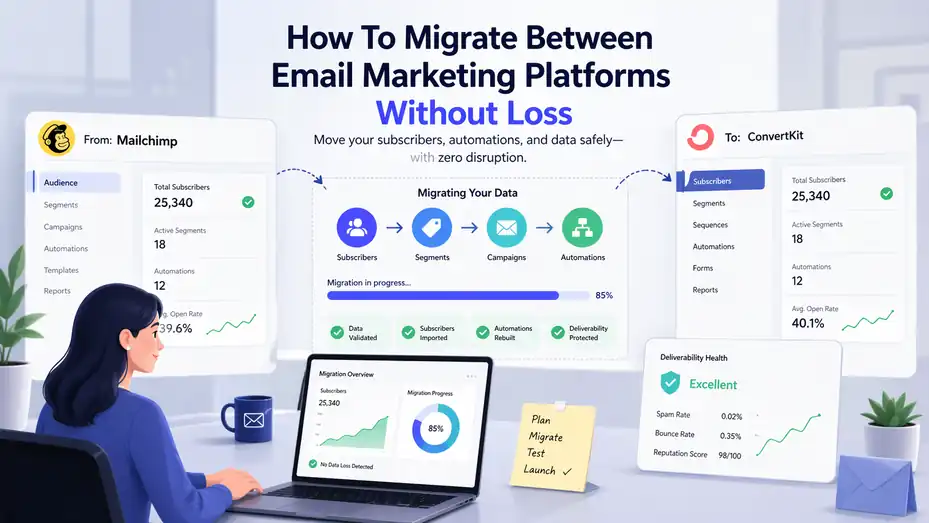
If you’re figuring out how to migrate between email marketing platforms, the biggest fear is usually the same: losing subscribers, breaking automations, damaging deliverability, or watching revenue dip right after the move.
I get it. Email migrations sound technical, but in practice they are mostly a planning problem. When you approach them in the right order, you can move lists, forms, tags, templates, and workflows with far less risk than most people expect.
This guide walks you through the entire process, from audit to cutover to post-migration optimization, so you can switch platforms without losing data, trust, or performance.
Understand What An Email Marketing Platform Migration Really Involves
Moving between email tools is not just a subscriber export and import. It is a system migration.
Your contacts, tags, custom fields, automations, consent records, suppression lists, templates, signup forms, reporting history, and domain authentication all interact with each other. If one piece moves badly, the rest can wobble.
What Actually Moves During A Migration
When most people think about switching email platforms, they picture one CSV file with names and emails. In reality, that file is only the visible layer. Underneath it, you usually have behavior-based segmentation, lead source tracking, purchase history fields, automation triggers, and exclusions that stop people from receiving the wrong message.
A simple example makes this easier to see. Imagine you run an ecommerce brand and have a welcome sequence, cart recovery emails, VIP segment, and re-engagement automation. If you migrate only subscribers, but not the conditions that define VIPs or the logic that excludes recent buyers from promos, your email system may still “work” while quietly sending the wrong messages.
I suggest thinking about migration in five buckets: subscriber data, permission data, campaign assets, automation logic, and sending infrastructure. That framework keeps you from focusing too much on the list and forgetting the mechanics that actually drive revenue.
This is why platform migration is less about copying information and more about preserving relationships between pieces of information. The cleaner your map, the safer the move.
Why Most Email Platform Migrations Go Wrong
In my experience, migrations usually fail for boring reasons, not dramatic ones. The biggest mistakes are rushed exports, unclear field mapping, duplicate contacts, broken forms, and launching before testing automation paths. None of these sound exciting, but each one can cause lost leads or damaged deliverability.
Another common issue is assuming the new platform behaves the same way as the old one. It rarely does. One platform may use tags for segmentation, while another leans on lists, attributes, or events. A trigger labeled “joins segment” on one tool may not function exactly like a trigger labeled “tag added” elsewhere. That difference matters.
There is also a business risk many teams ignore: temporary reporting blindness. If you switch too fast, you may lose visibility into lead source, campaign attribution, or lifecycle stage. Then your numbers drop and you cannot tell whether performance actually fell or the tracking simply broke.
I believe the safest mindset is this: Do not migrate features, migrate outcomes. You do not need to recreate every old setup exactly. You need to preserve the business result each setup delivered.
When It Makes Sense To Switch Platforms
Not every annoyance justifies a migration. Switching is usually worth it when your current system limits growth, makes segmentation too clunky, blocks integrations you need, or becomes too expensive for the value it gives back. Sometimes the issue is usability. If your team avoids building campaigns because the platform is painful, that friction costs real money.
A few practical signs it may be time to move:
- Your segmentation is too limited: You cannot target people by behavior, purchase stage, or engagement level.
- Automation is hard to maintain: Simple edits take too long, and workflows have become fragile.
- Reporting lacks business value: You can see opens and clicks, but not revenue, lead quality, or lifecycle movement.
- Costs are rising faster than results: Pricing jumps as your list grows, but your output does not improve.
That said, I would not migrate in the middle of your busiest promotional window unless the current platform is actively harming performance. In most cases, the smarter move is to migrate during a calmer period, validate everything, and then ramp back into full campaigns with confidence.
Audit Your Existing Email Marketing Setup Before You Move
Before you export anything, you need a full inventory of what you already have. This is the part people want to skip, and it is exactly why they miss critical workflows later.
Inventory Your Lists, Tags, Fields, And Segments
Start by documenting every active data structure in your current platform. That means all lists, tags, custom fields, groups, segments, suppression rules, and any lead scoring setup you rely on. You want one central document that shows what exists, what it means, and whether it still matters.
Here is the trick: Many accounts carry years of historical clutter. You may have old webinar tags, abandoned lead magnets, duplicate lifecycle fields, or segments nobody has used in months. Migration is the perfect moment to stop dragging dead weight into a new system.
Create a simple working table like this:
| Asset Type | Name | Purpose | Still Needed? | Notes |
|---|---|---|---|---|
| Tag | webinar-june-2024 | Tracks webinar registrants | No | Archive, do not migrate |
| Custom Field | plan_type | Tracks subscriber plan | Yes | Keep exact values consistent |
| Segment | engaged-90-days | Targets active readers | Yes | Rebuild with same logic |
| List | newsletter-main | Primary newsletter audience | Yes | Merge with cleaner naming |
This process does two things. First, it reduces migration complexity. Second, it forces you to standardize naming. I recommend cleaning names before the move, not after. Once data is live in the new platform, renaming becomes more disruptive.
Document Every Automation And Trigger
Automations are where hidden dependency problems show up. You need to know what starts each automation, what conditions it checks, what delays exist, what emails it sends, and what events pull people out. Without that map, rebuilding becomes guesswork.
A practical way to do this is to log each workflow with six columns: automation name, trigger, filters, steps, exit conditions, and business purpose. That last column matters more than people think. If you know a workflow’s purpose is “convert trial users within 14 days,” you can rebuild it intelligently even if the new platform handles the logic differently.
Imagine you have a nurture sequence triggered when someone downloads a pricing guide. In the old system, entry may happen through a tag plus a list join. In the new system, you may use a form submission event plus a field update. The mechanics change, but the goal stays the same.
I suggest taking screenshots of key automations too. Not because screenshots are enough, but because they help you catch timing branches and conditional paths you might forget when rewriting the workflow from scratch.
Review Forms, Landing Pages, And Integrations
A migration is rarely contained inside the email platform. Forms on your website, popups, checkout opt-ins, CRM syncs, webinar tools, ecommerce systems, and internal notifications often rely on the current platform behind the scenes. If you switch the platform without tracing these connections, leads can disappear silently.
Make a list of every place subscriber data enters or leaves your system. This includes homepage forms, blog content upgrades, exit-intent popups, checkout boxes, booking pages, and contact forms. Then note what happens next. Does the form add a tag? Start a welcome sequence? Push the subscriber to sales? Update a pipeline stage?
This is the moment to ask a useful question: which integrations are mission-critical on day one, and which can wait? For most businesses, signup forms, primary automations, consent capture, and ecommerce or CRM syncing matter immediately. Lower-priority reports or secondary campaign assets can come later.
In my experience, migrations get much easier when you separate “must work at launch” from “nice to rebuild soon.” That one distinction keeps your cutover realistic.
Clean And Structure Your Data Before Exporting Anything
Bad data moved perfectly is still bad data. Cleaning before export gives you better segmentation, smoother imports, and stronger deliverability.
Remove Invalid, Inactive, And Risky Contacts
One of the most overlooked benefits of switching platforms is that it gives you permission to clean house. If your list has old contacts who never engage, invalid addresses, role-based emails, or subscribers with unclear consent, moving them all into a new sender environment can hurt you immediately.
I recommend separating contacts into four groups: active subscribers, inactive but valid contacts, unsubscribed contacts, and suppressed or risky contacts. Active subscribers are obvious keepers. Unsubscribes and hard bounces should never be reactivated just because you moved. Risky contacts need special caution. A migration is not a reset button for poor list hygiene.
A practical rule many teams use is engagement recency. For example, subscribers who clicked, opened, purchased, or filled a form in the last 30 to 180 days usually belong in your warmest migration group. Older inactive contacts might be imported later, repermissioned, or excluded altogether depending on your consent model.
A smaller clean list often performs better than a bigger messy one. That matters because early performance on a new platform can influence how confidently you ramp volume.
Standardize Fields And Naming Conventions
Messy field structure creates downstream chaos. One system may store “First Name,” another “firstname,” and another “fname.” Multiply that problem across source, lifecycle stage, region, product type, or customer status, and your segmentation becomes unreliable fast.
Before export, normalize your field names and values. If you have a status field, decide what the approved values are and clean variations. For example, choose one version of each label:
- Good: customer, lead, trial, subscriber
- Messy: Customer, customers, Cust, trial user, Trial, newsletter lead
The same goes for countries, dates, and yes/no values. Use consistent date formats. Decide whether boolean fields will be true/false, yes/no, or 1/0. Pick one and stick to it.
I also suggest creating a field dictionary. That is simply a reference sheet showing each field name, type, allowed values, and purpose. It sounds small, but it prevents the classic migration issue where someone imports a dropdown field as free text or accidentally turns a date field into plain string data.
Preserve Consent And Suppression Data
This part is not optional. Consent history and suppression records protect both compliance and sender reputation. If someone unsubscribed, bounced, or opted out of specific categories, that information must survive the move.
Your export plan should include subscribe date, opt-in source, consent status, unsubscribe status, bounce status, and any channel preferences you store. If you use double opt-in, keep the records that show how and when consent occurred. Even if the new platform structures this data differently, you still need the underlying evidence and logic.
Here is a simple migration view:
| Data Type | Why It Matters | Migration Priority |
|---|---|---|
| Subscriber Email | Core identity | Critical |
| Consent Timestamp | Proof of permission | Critical |
| Unsubscribe Status | Prevents accidental re-mailing | Critical |
| Bounce Status | Protects sender reputation | Critical |
| Lead Source | Segmentation and attribution | High |
| Last Engagement Date | Warm-up and send prioritization | High |
I believe this is where responsible migration really shows. A good move is not just efficient. It respects subscriber choices and protects long-term deliverability.
Map Your Data Fields, Segments, And Automations
Once your data is clean, you need a migration map. This is the document that translates the old system into the new one.
Build A Field Mapping Sheet Before Import
A field mapping sheet is one of the highest-leverage documents in the whole migration. It tells you exactly where each piece of old data belongs in the new platform and how it should be formatted. Without it, imports become trial and error.
Your mapping sheet should include old field name, old field type, new field name, new field type, transformation needed, and owner. A transformation might be as simple as converting “yes/no” to true/false or as complex as merging several old tags into one cleaner lifecycle field.
Here is a sample:
| Old Field | Old Type | New Field | New Type | Transformation |
|---|---|---|---|---|
| fname | text | first_name | text | direct |
| customer_status | text | lifecycle_stage | dropdown | map status labels |
| webinar_march | tag | lead_source_detail | text | convert to source note |
| opted_in_at | text | consent_date | date | reformat to ISO date |
This is also where you decide what not to migrate. Not every historical tag deserves a home in the new account. I recommend keeping data that improves segmentation, compliance, personalization, or reporting. The rest is usually clutter.
Translate Segmentation Logic Into The New Platform
Segments rarely migrate one-to-one. One platform might build segments from tags and lists. Another might use saved filters based on events, fields, and engagement windows. That means your real task is to preserve the audience logic, not the exact technical implementation.
For example, your old “hot leads” segment may include contacts who downloaded a buyer guide, visited pricing pages, and clicked two campaign links in 14 days. In the new tool, that segment might be rebuilt using event tracking and engagement score rather than stacked tags.
I suggest prioritizing segments by business value:
- Revenue-driving segments such as customers, warm leads, and VIPs
- Operational segments such as unsubscribed categories or sales-owned leads
- Legacy or reporting-only segments that matter less at launch
A useful shortcut is to write each segment in plain English before rebuilding it. For example: “People who joined through webinar signup and clicked at least one product email in the last 30 days.” When the logic is human-readable, it is much easier to implement correctly on a different platform.
Decide What To Rebuild, Simplify, Or Retire
Migrations are a chance to improve architecture, not just copy it. I have seen businesses move hundreds of tags and dozens of automations they no longer understood. The result was a cleaner interface with the same underlying mess.
Instead, review every asset and label it one of three ways: rebuild exactly, simplify, or retire. Rebuild exactly when the function directly impacts revenue or compliance. Simplify when the old version works but is overly complicated. Retire when the asset no longer serves a real purpose.
A welcome sequence with conversion value should probably be rebuilt. A five-year-old lead magnet follow-up for an irrelevant offer can likely go. A segment built from 12 overlapping tags may be better turned into a single lifecycle field.
In my experience, the best migrations leave you with fewer moving parts and better clarity. That is one of the hidden benefits of switching platforms. You do some cleanup you should have done a year ago, but now you finally have a reason to finish it.
Migrate Templates, Forms, And Core Campaign Assets
Once the data model is ready, you can move the visible pieces your subscribers interact with.
Recreate Your Highest-Value Email Templates First
Do not start by rebuilding every newsletter design you have ever used. Start with the templates tied to ongoing business outcomes: welcome emails, onboarding sequences, transactional-style nurture messages if your platform handles them, re-engagement campaigns, and your most common broadcast layout.
I suggest recreating templates in priority order based on frequency and value. A brand-new visual redesign during migration usually sounds exciting, but it adds risk. Unless your current templates are genuinely broken, aim for functional consistency first. You can refresh branding later once the system is stable.
Pay attention to elements people often miss: preview text, footer compliance content, dynamic personalization fields, tracking parameters, button styling on mobile, and plain-text fallback formatting. Small mismatches here can affect click-through rate or trust.
A practical approach is to rebuild one template family at a time, send internal test emails, and view them on both desktop and mobile. Imagine you are a subscriber opening the email during a commute. Is the headline readable? Does the CTA feel obvious? Is the personalization pulling correctly? That simple test catches more problems than a purely technical review.
Replace Signup Forms And Embedded Capture Points Carefully
Forms are the front door to your email engine. If you replace them carelessly, your list can stop growing even while the migration seems “done.” That is why forms deserve their own structured rollout.
Start with your highest-traffic and highest-intent capture points. Usually that includes homepage signup forms, blog content upgrade forms, sidebar embeds if they still matter, exit popups, checkout opt-ins, and key landing pages. For each one, confirm what data it collects, what tags or fields it assigns, and which automation it should trigger.
I recommend testing forms in a staging environment or on a low-risk page first. Submit several test entries using different paths. Confirm field capture, source attribution, welcome sequence enrollment, and thank-you page behavior. Then test duplicate submissions and edge cases, such as a user already on your list.
Here is a good mini-checklist:
- Field capture: Name, email, consent checkbox, and hidden source data all pass correctly.
- Automation trigger: The right welcome or nurture flow starts immediately.
- Tracking: Analytics and UTM handling still work.
- Mobile display: Form remains usable on small screens.
In my experience, form replacement is where “silent failures” happen most often. The page still loads, but lead flow quietly breaks. That is why hands-on testing matters.
Keep Brand Consistency Without Rebuilding Everything
Many teams treat migration as a forced rebrand. I would be careful with that. When too many variables change at once, it becomes hard to diagnose performance shifts. Did open rates fall because the platform changed, because authentication broke, or because the new email design weakened recognition?
A safer approach is controlled continuity. Keep core brand signals consistent: sender name, tone, logo usage, header treatment, CTA style, and footer identity. This helps subscribers recognize you even if the backend platform changes completely.
That does not mean you must preserve every design flaw. Clean up what improves readability or conversions, especially on mobile. Shorter paragraphs, better spacing, larger buttons, and clearer hierarchy are usually worth it. But major structural redesigns can wait until after the migration settles.
I suggest using the move as a chance to create a lean template library rather than a giant one. For many brands, three to five reliable templates are enough: newsletter, promotional email, automation email, simple text-style email, and re-engagement email. That gives you flexibility without creating unnecessary maintenance work.
Protect Deliverability During The Transition
This is where a migration can either stay smooth or become painfully expensive. Deliverability is fragile when sending infrastructure changes, even if your list quality is strong.
Set Up Domain Authentication Correctly
Before sending anything meaningful from the new platform, configure your sending domain and authentication records properly. In plain language, this tells inbox providers that the new platform is allowed to send on your behalf. If this setup is incomplete or inconsistent, deliverability can drop fast.
The exact record types vary by setup, but the core principle is simple: align your domain identity, verify ownership, and make sure your DNS records reflect the new sender arrangement. Do not assume this is handled automatically just because the platform says setup is “connected.”
I recommend using the same branded sending domain or subdomain if that fits your current reputation strategy, rather than switching platform and domain identity at the same time. Too much change stacked together can make it harder to isolate issues.
Also review your “from” name, reply-to address, and footer address details. These are not just cosmetic. Subscriber recognition affects engagement, and engagement affects inbox placement over time. If your audience suddenly sees an unfamiliar sender identity, even a technically correct migration can underperform.
Warm Up Sending Volume In Stages
One of the most practical ways to avoid loss during an email marketing platform migration is to ramp volume gradually. Even if the list is yours and consent is valid, mailbox providers may react differently when a new platform begins sending to the same audience.
I suggest a phased approach. Start with your most engaged subscribers first: recent clickers, recent buyers, highly active readers, or fresh leads. Then expand to moderately engaged contacts. Leave older inactive subscribers for last, or exclude them entirely until performance looks stable.
A simple warm-up pattern might look like this:
| Phase | Audience | Goal |
|---|---|---|
| Phase 1 | Highly engaged contacts | Validate setup and initial inboxing |
| Phase 2 | Moderately engaged contacts | Increase confidence and volume |
| Phase 3 | Broader active list | Normalize sending rhythm |
| Phase 4 | Inactive or legacy segments | Test carefully or suppress |
This is especially important if you are changing both the platform and your sending cadence. I would not move from one weekly campaign to daily sends right after a migration. Give the infrastructure time to stabilize first.
Monitor Early Warning Signals Closely
Deliverability problems rarely announce themselves dramatically on day one. More often, you see smaller signals first: open rate softness, rising bounce percentage, increased spam complaints, weaker click-to-open rates, or subscriber replies asking why they stopped hearing from you and then suddenly got a message.
Track these metrics closely during the first few weeks:
- Bounce rate: Spikes may indicate bad import hygiene or field errors.
- Spam complaints: Even a small increase matters.
- Open trends by segment: Compare warm vs colder audiences.
- Click rate and reply rate: Useful signs of real engagement.
- Unsubscribe rate: Often reveals mismatch between segmentation and messaging.
I believe migrations should be treated like launches. You do not “set and forget” them. You watch them, learn quickly, and make small corrections before problems compound.
Rebuild And Test Automations Before Going Live
Your automations are where the real operational complexity lives. They need to be rebuilt with intention, then tested like an actual product.
Prioritize Revenue-Critical Workflows First
Not every automation needs to be live on day one. Focus first on the workflows that directly affect lead conversion, onboarding, retention, and active customer experience. For most businesses, that means welcome sequences, lead nurture sequences, abandoned cart or browse-related flows if relevant, onboarding emails, and re-engagement paths.
I suggest ranking workflows by business impact and urgency. Ask: if this automation disappears for one week, what happens? If the answer is “we lose leads or sales,” it belongs in your top migration tier.
A common mistake is spending too much time replicating low-value automations while the welcome sequence remains half tested. That is backwards. The welcome series is often the highest-engagement automation in the account. It deserves more attention than a niche branch sequence from an old campaign.
Here is a simple way to prioritize:
- Welcome and new lead capture
- Sales or trial nurture
- Customer onboarding
- Revenue recovery and re-engagement
- Legacy or nice-to-have workflows
This keeps the migration anchored in business value, not just technical completion.
Test Every Trigger, Delay, And Exit Path
Automation testing needs more than a quick click-through. You should test entry conditions, branch logic, waiting periods, personalization, exclusions, and exit rules. In practice, that means creating test contacts and running them through multiple realistic scenarios.
For example, one test contact submits a form and should enter the welcome sequence. Another already has a customer tag and should be excluded. Another clicks an offer email and should move to a follow-up branch. Another unsubscribes and should stop all promotional paths immediately.
I recommend logging each test case in a simple sheet:
| Test Scenario | Expected Result | Actual Result | Status |
|---|---|---|---|
| New lead submits guide form | Welcome sequence starts | Started correctly | Pass |
| Existing customer submits same form | No duplicate nurture | Entered wrong flow | Fail |
| User purchases during nurture | Exits promo sequence | Exit worked | Pass |
The point is not perfection on the first pass. The point is catching logic errors before subscribers do. In my experience, one missed exclusion rule can create more support headaches than the rest of the migration combined.
Avoid Duplicates And Overlapping Sends
During a platform transition, duplicate sending risk increases. This happens when old automations remain active while new ones go live, or when the same subscriber enters overlapping workflows due to changes in trigger logic. Subscribers then receive repeated messages, mixed sequences, or conflicting offers.
I strongly recommend creating a cutover rule for each workflow: when exactly does the old automation stop, and when exactly does the new one take over? Write that down. Do not rely on memory.
Also review your enrollment criteria for overlap. A contact who joins through a lead magnet should not accidentally enter both a general nurture and a topic-specific nurture unless that overlap is intentional. The same goes for customers who should exit prospect messaging after purchase.
One practical safeguard is to create temporary control tags or fields that mark whether a subscriber has already been migrated into a new automation. These do not need to be permanent, but they can help prevent duplicate entry during the changeover window.
Execute The Final Cutover Without Breaking Your Funnel
This is the moment where planning pays off. A smooth cutover is structured, documented, and reversible where possible.
Run A Controlled Pre-Launch Checklist
Before final cutover, perform one complete pre-launch review. I like doing this as if I were an outsider trying to break the system. Start at the top of the funnel and move through every major path: signup, confirmation, welcome email, key nurture branch, sales handoff, unsubscribe, and suppression.
A strong pre-launch checklist includes:
- Imports complete: Contact counts match expectations.
- Field mapping verified: Samples look correct inside the new platform.
- Segments rebuilt: Core audiences populate accurately.
- Forms tested: Front-end and back-end behavior confirmed.
- Automations tested: Entry, branch, and exit paths all reviewed.
- Authentication active: Sending identity properly configured.
- Suppression preserved: Unsubscribes and bounces protected.
This is also the time to define rollback logic. I am not saying you need to plan for failure dramatically. I am saying you should know what happens if a key workflow breaks in the first hours. Can you pause sends? Revert forms? Route new leads temporarily through a backup path? Those answers reduce stress enormously.
Time The Switch Around Business Risk
Timing matters more than people admit. If your business depends heavily on email revenue, avoid cutting over right before a big launch, holiday promotion, or sales deadline. Choose a window where traffic is steady enough to test real usage, but not so high that every small issue becomes expensive.
For many brands, a midweek morning cutover works better than a late-night Friday move. You want enough team availability to test, monitor, and fix anything unusual. A migration is not the time for “we’ll check Monday.”
Think in terms of exposure. If your forms capture hundreds of leads per hour, even a short break matters. If you have lower daily volume, you may have more flexibility. Match the cutover plan to the actual risk level of your business, not to generic advice.
In my experience, the best cutovers feel almost boring. That is a compliment. Boring means controlled, observable, and well prepared.
Freeze Changes During The Migration Window
One underrated tactic is putting a temporary freeze on unrelated marketing edits during the cutover window. Do not launch a new lead magnet, change homepage copy, swap analytics events, and revise lifecycle definitions while the email platform is changing too. That creates confusion and muddies troubleshooting.
A short operational freeze gives you a cleaner testing environment. Everyone knows which variables changed and which did not. If a signup count dips, you can trace the cause faster. If automation behavior changes, you are not also dealing with a redesign from another team.
I suggest communicating this clearly internally. Let stakeholders know there is a controlled migration window, what is in scope, what is paused, and who owns final approval. Good migrations are not just technical projects. They are coordination projects.
Troubleshoot Common Migration Problems
Even well-run migrations hit a few snags. The goal is not zero friction. The goal is fast diagnosis and safe correction.
Why Subscriber Counts Do Not Match
One of the first things people notice after import is that contact counts are different between the old and new platform. That can feel alarming, but it is not automatically a disaster. Different tools count records differently. One may include unsubscribes in total contacts while another shows only active mailable subscribers. Another may suppress duplicates automatically.
Start by comparing categories, not just the headline number. Break totals into active, unsubscribed, bounced, archived, and duplicate records. Then compare import rules. Did the new platform reject invalid emails? Did it merge duplicates by address? Did it exclude contacts without consent status?
In many cases, the “missing” contacts are either suppressed appropriately or intentionally excluded during cleanup. That is a good thing. The key is documenting the reason. When stakeholders ask why the list shrank by 12%, you want a precise answer, not a shrug.
I recommend keeping a migration reconciliation sheet so every count difference has an explanation. That builds trust and makes future audits much easier.
Why Automations Trigger Incorrectly
When automations misfire after a migration, the cause is usually one of three things: the trigger logic changed, the data condition is not formatted the same way, or exclusions were missed. For example, an automation that once started when a tag was added may now trigger on form submission, which seems similar but behaves differently for resubmissions or updates.
Another common issue is field value mismatch. If your old system used “Customer” and the new one expects “customer,” case sensitivity or dropdown mapping may prevent the rule from recognizing the contact properly. Small formatting differences can break surprisingly large workflows.
To troubleshoot, test one scenario at a time. Do not guess. Create a test contact, run the trigger, inspect the contact record, and follow the path step by step. Check whether the subscriber met every condition exactly as written. Then compare the result to your original workflow documentation.
I believe automation problems are solved fastest when you move from assumptions to evidence quickly. The platform is usually doing what you told it to do. The challenge is discovering where the logic drifted.
Why Deliverability Drops After The Move
If inbox placement weakens right after migration, do not panic and blast the whole list harder. That usually makes things worse. First isolate the likely cause. Was sending volume increased too quickly? Were inactive subscribers included too early? Did sender identity or authentication change? Did content style shift at the same time?
Check performance by segment. If highly engaged subscribers are still opening and clicking while broader segments struggle, that points to volume or audience quality issues. If all segments dip, review authentication, sender consistency, and content rendering.
A few practical recovery steps often help:
- Reduce volume temporarily: Focus on your warmest audience.
- Pause colder sends: Do not force mail into weak segments yet.
- Review setup: Confirm domain records and from-address consistency.
- Improve engagement signals: Send useful, expected emails to active readers first.
In my experience, gradual correction works better than dramatic changes. Stabilize, then expand.
Optimize And Scale After The Migration
Once the move is stable, the real opportunity begins. A clean email platform gives you better control, better reporting, and better segmentation if you use it well.
Measure The Right Success Metrics
Do not judge migration success only by whether the import finished. Measure operational health and business performance. I suggest watching three layers of metrics: system accuracy, engagement, and revenue impact.
System accuracy includes form functionality, automation enrollment, field population, suppression handling, and integration sync quality. Engagement includes opens, clicks, replies, unsubscribes, and spam complaints. Revenue impact includes lead-to-customer rate, campaign-attributed sales, onboarding completion, or pipeline movement depending on your business model.
Here is a practical post-migration dashboard:
| Metric Category | What To Watch | Why It Matters |
|---|---|---|
| Data Quality | Field accuracy, duplicate rate, sync errors | Confirms clean system structure |
| Engagement | Opens, clicks, unsubscribes, complaints | Reveals audience and inbox health |
| Conversion | Leads generated, sales, trials, bookings | Shows real business effect |
| Automation Health | Entry rate, completion rate, drop-off points | Validates workflow reliability |
I believe this is where many teams miss the upside. They stop at “nothing broke,” when the better question is “what can we improve now that the system is cleaner?”
Simplify And Strengthen Your Lifecycle Marketing
After migration, you are in a perfect position to improve lifecycle marketing. That simply means sending the right email based on where someone is in the relationship with your brand: new subscriber, warm lead, active trial, customer, repeat buyer, or at-risk user.
Many older platforms become cluttered with campaign-first thinking. You send emails because the calendar says so. A better post-migration strategy is stage-first thinking. What does this subscriber need right now? Education, trust, proof, urgency, onboarding help, or re-engagement?
Imagine you run a SaaS company. A new lead should receive education and problem awareness. A trial user should get activation help. A paying customer should receive onboarding and expansion prompts. A churn-risk account may need support-driven messaging. These are different jobs. Your new platform should make those distinctions easier.
I suggest using the first 30 to 60 days after migration to tighten lifecycle stages, simplify overlap, and remove broad “batch and blast” habits. That is often where the biggest performance gains appear.
Use The Migration As A Long-Term Growth Reset
The smartest teams treat migration as a reset, not just a move. Once your foundation is stable, you can build a more intentional system: cleaner segmentation, better reporting, stronger personalization, and more reliable experiments.
A few strong next steps include refining lead source attribution, building a clearer engagement score, introducing content by lifecycle stage, and auditing old automations every quarter. You can also create a naming convention policy so the account stays clean as new campaigns are added.
From what I’ve seen, the long-term value of learning how to migrate between email marketing platforms is bigger than the migration itself. You end up understanding your list architecture, automation logic, and subscriber journey far better than before. That clarity improves every future campaign.
If I had to leave you with one practical takeaway, it would be this: migrate in layers. First protect data. Then protect deliverability. Then protect revenue paths. After that, improve the system. That sequence gives you the best chance of moving platforms without loss and coming out with a stronger email engine than the one you started with.
Final Thoughts
Learning how to migrate between email marketing platforms without loss is really about controlling risk in the right order. Audit first, clean data second, map logic carefully, rebuild only what matters most, test every important path, and warm up your sending with patience. If you do that, the migration stops feeling like a dangerous reset and starts feeling like a strategic upgrade.
Most of the pain in email migration comes from rushing. Most of the success comes from documentation, prioritization, and calm execution. Keep the move structured, and your subscribers may never notice anything changed, which is exactly what you want.
FAQ
What is the safest way to migrate between email marketing platforms?
The safest way to migrate between email marketing platforms is to audit your data, clean your list, map fields carefully, and move in stages. Start with your most engaged subscribers, rebuild key automations first, and test everything before full launch. This reduces risk and protects deliverability.
How do I avoid losing subscribers during an email migration?
To avoid losing subscribers, export all contacts with full data fields, including consent and status. Remove duplicates and invalid emails before import. Make sure unsubscribe and suppression lists are preserved. Always verify import totals and segment accuracy so no active contacts are accidentally excluded.
Will my email deliverability drop after switching platforms?
Email deliverability can drop if you switch too quickly or send to inactive contacts. To prevent this, warm up your sending by targeting engaged users first. Ensure domain authentication is correctly set up and monitor engagement metrics closely during the first few weeks after migration.
How long does it take to migrate an email marketing platform?
The time required depends on list size and complexity. A simple migration can take a few days, while larger systems with multiple automations and integrations may take 2 to 4 weeks. Proper planning, testing, and staged rollout help avoid delays and reduce the risk of errors.
Do I need to rebuild all automations when migrating platforms?
Yes, most automations need to be rebuilt because platforms use different logic and triggers. Instead of copying everything, focus on high-impact workflows like welcome emails and sales funnels first. Simplify outdated automations and test each one carefully before activating them.

Juxhin B is a digital marketing researcher and founder of JAK Digital Hub, specializing in email marketing software, marketing automation platforms, and digital growth tools. His work focuses on software testing, platform comparisons, and real-world performance analysis to help businesses choose the right marketing technology.
Related posts:
 Why Are Your GetResponse Emails Going to Spam—and How Do You Stop It Fast?
 MailerLite Emails Going to Spam? Fix It Fast
 How To Migrate From Omnisend Without Losing Data Or Revenue
 Is Email Marketing Strategy Worth It for Real Growth?
 Better Email Marketing Strategy for Ecommerce Growth
 Free Email Marketing Vs Paid: What’s Worth It Now?