Table of Contents
Some links on JAK Digital Hub are affiliate links, meaning we may earn a small commission at no extra cost to you. Read full disclaimer.
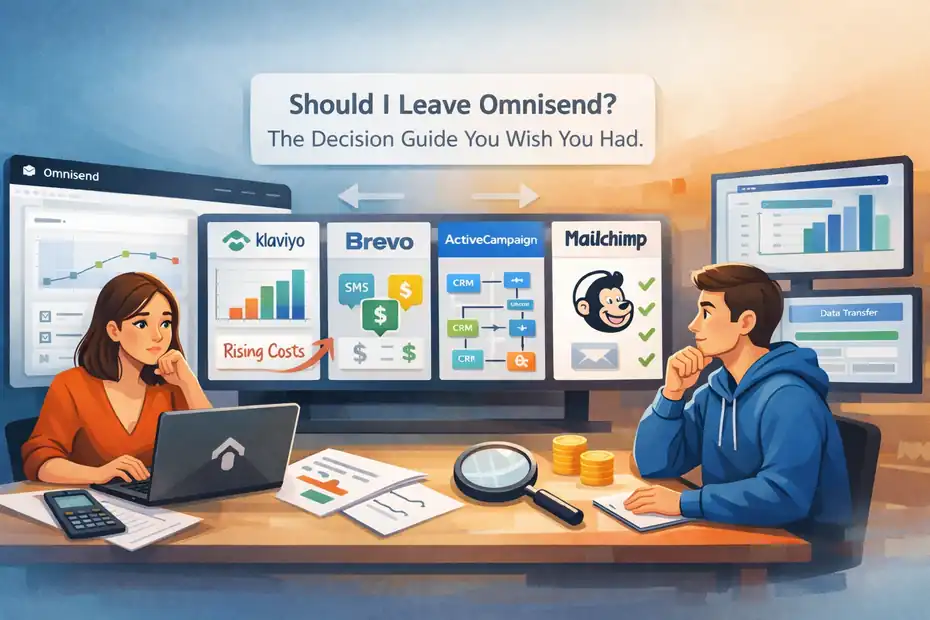
If you’ve been asking yourself should I leave Omnisend, you’re probably feeling the friction already—maybe rising costs, limited automation flexibility, or the sense that your email platform isn’t growing with your business.
I’ve seen this happen a lot with ecommerce brands and creators who start strong with Omnisend but eventually hit a ceiling.
The tricky part is knowing whether the problem is the platform… or just how it’s being used. Switching email tools can feel risky—migrations, deliverability concerns, lost automations, and the fear of breaking something that already works.
This guide is designed to help you answer one question with confidence: should I leave Omnisend or stay and optimize it? We’ll walk through the real warning signs, cost considerations, performance limits, and the best alternatives worth considering in 2026—so you can make the decision without second-guessing it later.
Signs You Should Seriously Consider Leaving Omnisend
If you’re asking should I leave Omnisend, chances are something already feels off. Maybe your automation feels limited, your costs keep climbing, or your segmentation isn’t sophisticated enough to drive growth.
Let’s look at the real warning signs that usually push businesses to start searching for alternatives.
Automation Limitations That Slow Down Growth
Automation is the core reason most ecommerce brands use platforms like Omnisend. But as your business grows, you may start noticing that the automation builder has limits that slow down more advanced strategies.
Omnisend’s visual automation builder works well for basic ecommerce flows like:
- Welcome sequences
- Abandoned cart emails
- Order confirmations
- Post-purchase upsells
For many small stores, that’s enough. But once you try to build more complex automation paths, things can feel restrictive.
For example, imagine you want to build a behavior-driven funnel like this:
- Customer views product twice
- Does not purchase within 48 hours
- Gets a personalized email
- If they click but don’t buy → send a discount
- If they ignore the email → show educational content
Platforms like ActiveCampaign or Klaviyo allow deeper conditional logic. Omnisend can do parts of this, but the branching logic becomes limited quickly.
In my experience, brands usually hit this ceiling once they reach 15k–30k subscribers and start focusing heavily on lifecycle marketing.
A simple test I often suggest:
Ask yourself this question: Are my automation ideas limited by strategy… or by the platform?
If the answer is the platform, it might be time to consider moving.
Pricing Increases That No Longer Make Sense
Another reason people start searching should I leave Omnisend is cost.
Omnisend uses subscriber-based pricing, which means your bill grows every time your list grows. That sounds fair at first, but the problem appears when revenue doesn’t grow at the same speed.
Here’s a simplified pricing comparison many store owners notice:
| Subscribers | Typical Omnisend Cost | Comparable Platform Cost |
|---|---|---|
| 5,000 | ~$65/month | ~$45–$60 |
| 10,000 | ~$115/month | ~$80–$110 |
| 25,000 | ~$240+/month | ~$150–$220 |
The issue isn’t just the base price. It’s the stacked costs that appear later:
- SMS credits
- Additional contact storage
- Advanced reporting features
- Higher automation limits
For small stores, this pricing is manageable.
But once you hit 20k–50k subscribers, your monthly cost can climb into the $300–$600 range, which pushes many businesses to compare alternatives.
What I usually recommend is calculating a simple metric: Revenue Per Subscriber.
Example:
- Monthly email revenue: $18,000
- Subscriber count: 20,000
Revenue per subscriber = $0.90
If your platform cost eats too much of that revenue, it’s a strong signal to reevaluate your email stack.
Missing Advanced Segmentation And Personalization
Modern email marketing isn’t about blasting campaigns anymore. The real money comes from behavior-based segmentation.
Omnisend offers decent segmentation, such as:
- Purchase history
- Campaign engagement
- Customer lifecycle stage
- Product interactions
But once your marketing becomes more data-driven, segmentation can start to feel shallow.
For example, advanced segmentation strategies might include:
- Customers who purchased twice but not in 60 days
- Subscribers who clicked 3+ campaigns but never bought
- Customers whose average order value exceeds $120
- Buyers who purchased category A but not category B
These micro-segments allow extremely targeted campaigns.
Example scenario:
Imagine you run a skincare store.
Instead of sending the same campaign to everyone, you could create:
- Acne product buyers
- Anti-aging customers
- First-time buyers
- Repeat VIP customers
Then personalize emails accordingly.
Platforms like Klaviyo excel here because they connect deeply with ecommerce data.
If you feel like your segmentation strategy is becoming limited by the platform instead of powered by it, that’s another reason people start asking if they should leave Omnisend.
Limited Flexibility For Non-Ecommerce Businesses
Omnisend is built specifically for ecommerce.
That’s a strength… but also a limitation.
If your business model includes things like:
- Digital products
- Courses
- memberships
- consulting services
- creator monetization
Omnisend may not be the best long-term platform.
For example, creators often rely on features like:
- subscriber tagging systems
- creator monetization funnels
- landing page ecosystems
- digital product launches
- newsletter monetization
Platforms like Kit are built for that world.
Here’s the key difference:
| Platform Focus | Best For |
|---|---|
| Omnisend | Ecommerce stores |
| Kit | Creators and digital products |
| ActiveCampaign | Automation-heavy businesses |
| Brevo | Affordable multi-channel marketing |
So if your business isn’t purely ecommerce anymore, Omnisend can start to feel like the wrong tool for the job.
And that’s when the question should I leave Omnisend becomes very valid.
Deliverability Or Reporting Issues Affecting Revenue
Deliverability is one of those things you only notice when something breaks.
If your emails suddenly stop performing, the problem may be:
- inbox placement
- domain reputation
- sending infrastructure
- campaign timing
- spam filtering
Most platforms—including Omnisend—handle deliverability fairly well.
But I’ve seen businesses run into issues when:
- sending large campaigns
- migrating large lists
- scaling email frequency
- combining SMS + email campaigns
A practical example:
A store sending weekly campaigns to 40k subscribers might notice:
- Open rates drop from 28% to 16%
- Click rates fall below 1.5%
When that happens, you need deeper deliverability diagnostics.
Some platforms provide stronger tools for this, including:
- inbox placement testing
- sender reputation tracking
- engagement-based sending optimization
If your reporting tools make it difficult to diagnose these issues, your email revenue can quietly decline.
And when email is responsible for 20–40% of ecommerce revenue, even small performance drops matter.
Situations Where Staying With Omnisend Makes Sense
Even if you’re wondering should I leave Omnisend, the honest answer isn’t always yes.
In many cases, Omnisend is actually a great platform — especially for ecommerce stores that value simplicity and quick automation.
Let’s look at the situations where staying with Omnisend is often the smarter decision.
Your Store Runs Fully On Shopify Or Ecommerce
If your business is 100% ecommerce and primarily runs on Shopify, Omnisend can actually be one of the most convenient platforms available.
The integration is extremely smooth.
When you connect Omnisend to Shopify, it automatically pulls in:
- Customer purchase data
- Order history
- Product catalog
- Customer lifecycle stages
- Shopping behavior
That data powers prebuilt ecommerce automations like:
- Abandoned cart recovery
- Product browse abandonment
- Post-purchase upsells
- Replenishment reminders
In many cases, these flows can generate 20–30% of total email revenue without complex setup.
I’ve worked with stores where the abandoned cart automation alone recovered $4,000–$8,000 per month.
If your entire business is product-driven ecommerce, Omnisend fits naturally into that ecosystem.
Switching platforms might not give you significantly better results unless you plan to build advanced automation strategies.
You Rely Heavily On Built-In Ecommerce Automation
Omnisend shines when it comes to ready-to-launch ecommerce automation.
Instead of building workflows from scratch, you get templates like:
- Welcome series
- Abandoned cart
- Order confirmation
- Cross-sell emails
- Customer reactivation
For many stores, these automations cover the majority of lifecycle marketing.
Here’s a quick example of how powerful these simple flows can be:
| Automation | Typical Revenue Contribution |
|---|---|
| Welcome Series | 10–20% of email revenue |
| Abandoned Cart | 15–30% |
| Post-Purchase Upsell | 5–10% |
| Re-Engagement | 3–7% |
That means a store generating $20,000/month from email could easily see:
- $4k from welcome emails
- $6k from cart recovery
- $2k from upsell sequences
And all of that can run automatically.
If these automations are already performing well for you, switching platforms may not create enough additional benefit to justify the migration.
Migration Costs Would Outweigh Any Platform Gains
Switching email platforms sounds easy until you actually try it.
Behind the scenes, migration involves a surprising amount of work:
- Exporting subscribers
- Cleaning your list
- Rebuilding automations
- Recreating templates
- reconnecting integrations
- warming up sending domains
Let me break down a typical migration scenario.
Imagine you have:
- 25,000 subscribers
- 8 automation flows
- 15 email templates
- Shopify integrations
- SMS campaigns running
Migrating that system could take 10–25 hours of work, sometimes more.
For many businesses, the hidden costs include:
- developer time
- marketing team hours
- temporary campaign interruptions
- deliverability risks
If your current system works reasonably well, the cost of switching may exceed the benefits.
That’s why I often recommend testing alternatives first before committing to a full migration.
Your Team Needs Simplicity Instead Of Complexity
Some email platforms are incredibly powerful. But power usually comes with complexity.
Omnisend’s biggest advantage is its simplicity. The dashboard is easy to navigate, and most campaigns can be built in minutes.
That makes a huge difference if:
- You’re a solo founder
- You have a small marketing team
- Email marketing isn’t your primary focus
For example, advanced platforms like ActiveCampaign offer extremely deep automation logic. But they also require much more setup and maintenance.
In contrast, Omnisend focuses on:
- simple campaign creation
- quick automation setup
- ecommerce-first templates
From what I’ve seen, many small ecommerce teams prefer this simplicity because it saves time.
So if your goal is efficient marketing rather than advanced automation experiments, staying with Omnisend can actually be the better decision.
Current Revenue Per Subscriber Still Justifies The Cost
At the end of the day, the real question isn’t just should I leave Omnisend.
The real question is: Is the platform profitable for my business?
One of the best metrics to evaluate email platforms is:
Revenue Per Subscriber
Here’s a simple framework.
| Metric | Healthy Benchmark |
|---|---|
| Revenue Per Subscriber | $0.70 – $2.50 monthly |
| Email Revenue Share | 20–40% of store revenue |
| Automation Contribution | 30–50% of email revenue |
Example:
- 18,000 subscribers
- $21,000 monthly email revenue
- Omnisend cost: $180/month
In this scenario, Omnisend is delivering massive ROI.
Even if another platform saves you $40–$60 monthly, the difference is tiny compared to the revenue generated.
So if your email system is producing strong results, switching platforms might not actually improve your business.
Hidden Costs Most Users Discover After Using Omnisend
When people start researching should I leave Omnisend, the conversation often revolves around features. But in my experience, the real frustration usually comes from unexpected costs that appear as your list grows.
Omnisend is affordable in the beginning. The challenge shows up later when your marketing operation expands and more advanced tools become necessary.
Let’s break down the hidden costs that many businesses discover only after using the platform for a while.
Subscriber-Based Pricing That Scales Quickly
Most email platforms price their service based on the number of subscribers in your list. Omnisend follows this same model.
At first, this seems reasonable.
But once your business starts growing quickly, the pricing can accelerate faster than expected.
Here’s a simplified example of how subscriber-based pricing grows.
| Subscriber Count | Approximate Monthly Cost | Growth Impact |
|---|---|---|
| 2,500 | ~$35 | Entry-level pricing |
| 10,000 | ~$115 | Moderate marketing cost |
| 25,000 | ~$240+ | Significant monthly expense |
| 50,000 | $400–$500+ | Major marketing budget item |
For many ecommerce brands, email lists grow quickly because of:
- pop-up lead magnets
- discount offers
- checkout opt-ins
- giveaway campaigns
The problem is that not all subscribers remain active buyers.
So you might be paying for thousands of inactive subscribers who rarely open emails.
I usually recommend running a list hygiene audit every 3–6 months. Removing inactive subscribers can reduce costs and improve deliverability at the same time.
SMS Credits And Add-Ons Increasing Monthly Bills
Omnisend promotes email + SMS marketing together, which is a powerful combination for ecommerce.
However, SMS marketing is typically billed separately.
This means you might see charges for:
- SMS sending credits
- international message fees
- two-way messaging tools
- advanced automation triggers
For example, if you send a promotional SMS campaign to 10,000 subscribers, you might spend anywhere between $80–$200 depending on region and message length.
That cost adds up quickly if you run multiple campaigns each month.
Here’s a rough breakdown many stores experience.
| Marketing Channel | Monthly Cost Range |
|---|---|
| Email platform base price | $100–$300 |
| SMS campaigns | $50–$250 |
| Additional messaging automation | $20–$80 |
Suddenly, your $120 email platform turns into a $350+ monthly marketing tool.
This isn’t necessarily bad if SMS drives strong revenue. But it’s important to understand the full cost structure before scaling heavily.
Feature Gaps That Require External Tools
One of the more subtle costs of using Omnisend appears when you start needing features that the platform doesn’t fully provide.
Many businesses eventually integrate additional tools for things like:
- advanced analytics
- customer data platforms
- pop-up form optimization
- A/B testing softwareHotjar
- funnel tracking
For example, some marketers connect Omnisend with analytics tools such as Google Analytics 4 or heatmap software like Hotjar to understand customer behavior better.
While these tools are valuable, they create extra monthly expenses that may not exist in more advanced all-in-one platforms.
Imagine your stack looks like this:
| Tool | Purpose | Monthly Cost |
|---|---|---|
| Omnisend | Email + SMS marketing | $180 |
| Analytics Tool | Customer behavior tracking | $50 |
| Popup Optimization Tool | Lead capture testing | $40 |
Now your total marketing stack costs $270/month, even though Omnisend itself seemed affordable initially.
For small businesses, managing multiple tools can also add complexity and time.
Advanced Automation Locked Behind Higher Plans
Another frustration I’ve seen is that certain advanced features are only available on higher-tier plans.
For example, some advanced capabilities may include:
- deeper automation logic
- priority support
- higher contact limits
- increased email sending allowances
- advanced reporting dashboards
This means as your marketing strategy becomes more sophisticated, you might be pushed toward more expensive plans.
Let me give you a realistic example.
Imagine you want to run advanced lifecycle marketing with:
- multiple segmentation triggers
- post-purchase upsell funnels
- dynamic product recommendations
- cross-channel SMS automation
Those features might require upgrading your plan earlier than expected.
Many brands assume their platform cost will stay stable as they grow. But the reality is that more sophisticated marketing almost always increases platform costs.
Opportunity Cost Of Limited Personalization
The final hidden cost isn’t always visible on your billing statement. It’s something I call opportunity cost.
Opportunity cost means the revenue you could have earned if your marketing tools allowed deeper personalization.
Modern ecommerce email strategies rely heavily on personalized content, such as:
- product recommendations
- behavioral targeting
- customer lifetime value segmentation
- predictive purchase triggers
Imagine two different campaigns:
Generic campaign: “20% off storewide this weekend.”
Personalized campaign: “Recommended skincare products based on your last purchase.”
Personalized campaigns typically perform significantly better.
According to several ecommerce marketing studies, personalized emails can generate up to 6x higher transaction rates compared to generic campaigns.
If your platform makes deep personalization difficult or limited, you may be leaving revenue on the table.
That’s why many growing ecommerce brands eventually reevaluate their tools and revisit the question:
Should I leave Omnisend, or is it still the right platform for the next stage of my business?
Performance Questions To Ask Before Leaving Omnisend
Before deciding should I leave Omnisend, it’s worth stepping back and asking a few honest performance questions. Sometimes the platform isn’t the problem — it’s the strategy, segmentation, or how the tools are being used.
I’ve seen businesses switch email platforms expecting huge improvements, only to discover their core marketing strategy stayed exactly the same. The result? Different software, same results.
Let’s walk through the key performance questions that can help you make a smarter decision.
Are Email Automation Flows Actually Driving Sales
Automation flows should be the backbone of your email revenue. In many ecommerce businesses, automated emails generate 30–50% of total email revenue because they respond directly to customer behavior.
In Omnisend, the most important automation flows usually include:
- Welcome series
- Abandoned cart recovery
- Browse abandonment
- Post-purchase upsell
- Re-engagement campaigns
A healthy automation system often looks something like this:
| Automation Flow | Typical Revenue Contribution |
|---|---|
| Welcome Series | 10–20% |
| Abandoned Cart | 15–30% |
| Post-Purchase Upsell | 5–10% |
| Re-Engagement | 3–7% |
Here’s a quick scenario.
Imagine your store generates $30,000 per month from email marketing. A healthy automation system should produce around $12,000–$15,000 of that revenue automatically.
If your automations are only contributing a small percentage, it may not be a platform problem. Often the issue is that flows aren’t fully optimized.
Here are a few quick checks I usually recommend:
- Does your welcome sequence contain at least 3–5 emails?
- Are you offering product education, not just discounts?
- Is your abandoned cart sequence sending multiple reminders over 24–48 hours?
If your automation structure is already optimized and still feels limited, that’s when exploring alternatives might make sense.
Is Your List Segmentation Deep Enough To Convert
Segmentation simply means dividing your subscribers into smaller groups based on behavior or characteristics. The more relevant your message is, the more likely someone is to buy.
Basic segmentation often includes:
- New subscribers
- Past customers
- VIP buyers
- Inactive subscribers
But advanced segmentation goes much deeper.
Imagine you run an online fitness apparel store. Instead of one big campaign, you could create segments like:
- Customers who purchased leggings but not sports bras
- Customers who bought within the last 30 days
- Subscribers who clicked but never purchased
- High-value customers spending over $200
That allows you to send campaigns that feel much more personal.
For example:
Instead of a generic message like “New workout gear just dropped,”
You could send: “New leggings designed for runners — based on what you bought last month.”
That level of personalization can significantly improve results.
According to email marketing benchmarks from Campaign Monitor, segmented campaigns can generate up to 760% more revenue than non-segmented campaigns.
If Omnisend’s segmentation tools already allow you to build these groups easily, the platform is probably doing its job.
But if you constantly feel like your targeting options are too limited, that could be a sign your business has outgrown the platform.
Are Campaign Metrics Improving Or Plateauing
Email marketing should improve over time as you learn more about your audience. But sometimes metrics hit a plateau.
Here are typical performance benchmarks many ecommerce stores track:
| Metric | Healthy Range |
|---|---|
| Open Rate | 25–40% |
| Click Rate | 2–5% |
| Conversion Rate | 1–3% |
| Revenue Per Subscriber | $0.70–$2.50 monthly |
If your numbers have stayed flat for months, it’s worth digging deeper.
Plateauing metrics can happen for several reasons:
- audience fatigue
- poor segmentation
- repetitive campaign messaging
- weak subject lines
- limited personalization
In my experience, the platform itself is rarely the first problem.
Instead, I suggest running small experiments like:
- testing new campaign formats
- experimenting with storytelling emails
- introducing educational content instead of constant discounts
However, if you consistently feel limited by reporting or testing capabilities, switching tools might unlock better optimization opportunities.
Does Your Email Platform Support Your Growth Stage
Every marketing tool has a stage where it works best.
Omnisend is particularly strong for small to mid-size ecommerce brands because it balances automation and simplicity.
But as your business grows, your needs may change.
Here’s a simplified view of how email platform needs evolve:
| Business Stage | Primary Needs |
|---|---|
| Early Stage | Simple automation and affordable pricing |
| Growth Stage | Advanced segmentation and lifecycle marketing |
| Scaling Stage | deep automation, CRM features, predictive analytics |
For example, a store generating $5,000 per month might only need basic automations.
But a store generating $200,000 per month may want:
- predictive product recommendations
- advanced customer lifetime value tracking
- complex automation trees
- deeper CRM capabilities
Platforms like ActiveCampaign or Klaviyo tend to shine at this more advanced level.
If your marketing strategy is evolving faster than your platform capabilities, it’s reasonable to reevaluate your tools.
Are You Spending Time Fighting The Platform
This question sounds simple, but it’s surprisingly revealing.
Ask yourself honestly:
Do you enjoy working inside your email platform, or does it feel like constant friction?
When marketers struggle with their tools, it often shows up as things like:
- complicated automation builders
- slow campaign creation
- confusing reporting dashboards
- integrations that break or require workarounds
Imagine spending 2–3 extra hours per week just troubleshooting campaigns or rebuilding workflows.
Over a year, that could mean 100+ hours of lost productivity.
From what I’ve seen, the best marketing tools don’t just offer powerful features — they also make everyday work easier.
If you constantly feel like you’re wrestling with the platform instead of using it smoothly, that’s often a strong signal that exploring alternatives might be worthwhile.
Migration Risks Most Businesses Underestimate
Switching email platforms sounds straightforward, but there are several technical details that many businesses underestimate.
If you’re asking should I leave Omnisend, it’s important to understand these migration risks before making the decision. The goal isn’t to scare you away from switching — it’s simply to help you plan properly so nothing breaks along the way.
Let’s walk through the biggest migration challenges.
Email Deliverability Drops During Platform Moves
Deliverability refers to whether your emails actually reach the inbox rather than the spam folder.
When you move to a new email platform, your sending infrastructure often changes. That means email providers like Gmail or Outlook may temporarily treat your messages as unfamiliar.
This can cause short-term deliverability fluctuations.
A few things typically happen during a migration:
- New sending domains or IP addresses
- Changes to authentication settings (SPF, DKIM, DMARC)
- Different sending patterns
Because of this, most email platforms recommend warming up your email sending reputation gradually.
A typical warm-up schedule might look like this:
| Day Range | Emails Sent |
|---|---|
| Days 1–3 | 1,000 emails |
| Days 4–7 | 3,000 emails |
| Week 2 | 7,000 emails |
| Week 3+ | Gradually increase volume |
The idea is to show email providers that your sending behavior is legitimate and consistent.
Skipping this step can cause major deliverability problems, which is why careful migration planning is essential.
Automation Rebuild Time And Workflow Errors
One of the most underestimated parts of switching platforms is rebuilding automation flows.
Most businesses rely on multiple workflows such as:
- welcome sequences
- abandoned cart flows
- product follow-ups
- re-engagement campaigns
Each automation contains multiple elements:
- email templates
- delays between messages
- segmentation triggers
- conditional logic
When migrating platforms, these workflows usually need to be rebuilt manually.
Here’s a simplified estimate of migration workload:
| Number Of Flows | Estimated Rebuild Time |
|---|---|
| 3–5 flows | 4–6 hours |
| 6–10 flows | 8–15 hours |
| 10+ flows | 20+ hours |
Mistakes can easily happen during this process.
For example:
- incorrect triggers
- broken links
- timing errors between emails
That’s why I recommend recreating your highest-revenue flows first, especially welcome and abandoned cart sequences.
Once those are running smoothly, you can rebuild secondary automations gradually.
Subscriber Data And Tag Mapping Challenges
Subscriber data is the foundation of your email marketing strategy.
This includes information like:
- subscriber tags
- customer segments
- purchase history
- engagement data
Different platforms organize this data differently.
For example, what Omnisend calls segments might appear as tags or lists in another platform.
During migration, you typically export subscriber data as a spreadsheet and then import it into the new system.
But this process requires careful mapping.
Example data fields might include:
| Data Field | Example Value |
|---|---|
| Email Address | user@email.com |
| First Name | Sarah |
| Last Purchase | Running Shoes |
| Total Orders | 4 |
| VIP Customer | Yes |
If tags or segments are imported incorrectly, automation flows may trigger for the wrong subscribers.
That’s why many marketers run a small test import first before migrating their entire list.
Integration Breaks With Ecommerce Platforms
Email platforms rarely operate alone. They usually connect with ecommerce platforms, payment systems, and analytics tools.
Common integrations include:
- Shopify
- WooCommerce
- Stripe
- Google Analytics
- Customer review platforms
When switching email platforms, these integrations must be reconnected.
Most integrations are fairly easy to set up, but a few issues can occur:
- historical data not syncing properly
- event tracking delays
- product catalog errors
For example, if your ecommerce integration breaks temporarily, automations like abandoned cart emails might stop working.
That’s why I recommend testing key triggers immediately after connecting your store.
Send a test order through your store and confirm that the new platform tracks it correctly.
Hidden Downtime During Email System Switching
One final risk many businesses underestimate is downtime during the transition.
If the migration isn’t carefully planned, there may be short periods where:
- campaigns are paused
- automations are inactive
- subscriber tracking is incomplete
For businesses relying heavily on email marketing, even a few days of downtime can affect revenue.
Let me give you a realistic scenario.
Imagine your store typically generates $800 per day from email campaigns and automations. A three-day migration disruption could potentially mean $2,400 in lost revenue.
This doesn’t always happen, but it’s something to plan for.
A good strategy is to run both platforms in parallel for a short time while transitioning automation and campaigns gradually.
Better Email Platforms To Consider In 2026
If you’ve carefully evaluated your situation and still feel like should I leave Omnisend is the right question, the next step is understanding what alternatives exist.
Not every platform is built for the same type of business. Some focus heavily on ecommerce automation, while others prioritize creators, CRM features, or affordability.
Here’s a closer look at some of the most popular email marketing platforms businesses are considering in 2026.
Klaviyo For Advanced Ecommerce Personalization
Klaviyo has become one of the most widely used email platforms for ecommerce brands, especially those focused on deep personalization.
What makes Klaviyo stand out is its ability to connect email campaigns with detailed customer data.
For example, Klaviyo can track:
- products viewed
- items added to cart
- purchase frequency
- predicted lifetime value
- product category preferences
This data powers extremely personalized email campaigns.
Imagine a customer buys a pair of running shoes from your store.
Instead of sending generic promotions, Klaviyo can automatically trigger emails recommending:
- matching socks
- running apparel
- complementary accessories
This type of personalization often leads to higher conversion rates.
Here’s a quick comparison between Omnisend and Klaviyo:
| Feature | Omnisend | Klaviyo |
|---|---|---|
| Ecommerce Integration | Strong | Very strong |
| Personalization Depth | Moderate | Advanced |
| Automation Complexity | Medium | High |
| Reporting & Analytics | Good | Advanced |
In my experience, Klaviyo works best for ecommerce brands generating $50k+ monthly revenue who want deeper lifecycle marketing.
Kit (Formerly ConvertKit) For Creator Monetization
Kit is designed primarily for creators, educators, and digital product sellers.
Unlike ecommerce-focused platforms, Kit focuses heavily on audience relationships and creator monetization.
Key features include:
- subscriber tagging systems
- creator-friendly landing pages
- newsletter monetization tools
- digital product sales funnels
Imagine you run:
- a newsletter
- an online course
- a coaching business
Kit allows you to build subscriber journeys based on interests rather than purchases.
Example workflow:
- Subscriber joins through a productivity lead magnet
- Receives a 5-email educational sequence
- Gets an offer for a paid productivity course
This kind of funnel is extremely common in creator-led businesses.
For ecommerce stores, Kit may not be as powerful as Omnisend or Klaviyo. But for content-driven businesses, it can be an excellent alternative.
Brevo For Affordable Email And SMS Automation
Brevo (formerly Sendinblue) is known for offering a strong balance between features and affordability.
One of its biggest advantages is its pricing model.
Instead of charging primarily by subscriber count, Brevo often focuses on email sending volume. This can make it significantly cheaper for businesses with large subscriber lists but moderate sending frequency.
Brevo also offers several built-in tools beyond email marketing:
- SMS marketing
- marketing automation
- transactional emails
- CRM features
- landing page builders
For example, a small ecommerce store might run:
- email newsletters
- SMS promotions
- order confirmation emails
All within a single platform.
Here’s a quick overview:
| Feature | Brevo |
|---|---|
| Pricing Model | Email sending volume |
| Automation Builder | Visual workflow |
| SMS Integration | Built-in |
| CRM Features | Included |
For budget-conscious businesses, Brevo can be a surprisingly powerful option.
ActiveCampaign For Deep Automation And CRM
ActiveCampaign is one of the most advanced marketing automation platforms available.
While Omnisend focuses primarily on ecommerce email marketing, ActiveCampaign combines:
- email marketing
- marketing automation
- CRM
- sales pipeline management
This makes it particularly useful for businesses with more complex customer journeys.
ActiveCampaign’s automation builder allows extremely detailed workflows.
For example:
- conditional triggers
- lead scoring
- dynamic customer paths
- predictive sending
Imagine a SaaS company with a multi-step sales funnel.
ActiveCampaign can automatically:
- Track user behavior
- Assign lead scores
- trigger educational sequences
- notify sales teams when prospects are ready
This kind of automation goes far beyond traditional email marketing.
The trade-off is that ActiveCampaign requires more setup and learning compared to simpler platforms.
Mailchimp For Simplicity And Broad Integrations
Mailchimp remains one of the most recognizable email marketing platforms in the world.
Its biggest strength is simplicity.
Many beginners start with Mailchimp because it offers:
- easy campaign builders
- simple automation tools
- a large integration ecosystem
- built-in templates
Mailchimp also integrates with a wide range of platforms, including:
- Shopify
- WooCommerce
- WordPress
- ecommerce plugins
- analytics tools
This flexibility makes it useful for businesses that rely on multiple tools.
However, as businesses scale, some marketers eventually outgrow Mailchimp’s automation capabilities.
For small businesses, though, it can still be a solid entry point into email marketing.
How To Decide If Switching Platforms Is Worth It
If you’re still asking should I leave Omnisend, this is the section that matters most. At this point, you do not need more opinions. You need a practical decision process you can trust.
I suggest treating this like a business decision, not an emotional reaction to a frustrating dashboard. A switch can absolutely help, but only when the upside is bigger than the disruption.
Calculate Revenue Per Subscriber Before Leaving
Before you compare tools, calculate how much each subscriber is actually worth to your business. This sounds basic, but it cuts through a lot of fluff fast.
Use this formula:
Revenue Per Subscriber = Monthly Email Revenue ÷ Total Active Subscribers
Here is a simple example:
| Metric | Example |
|---|---|
| Monthly Email Revenue | $24,000 |
| Active Subscribers | 20,000 |
| Revenue Per Subscriber | $1.20 |
Now compare that number with your monthly platform cost.
| Metric | Example |
|---|---|
| Omnisend Monthly Cost | $220 |
| Revenue Per Subscriber | $1.20 |
| Estimated Total Subscriber Value | $24,000 |
If the platform is helping generate strong returns, switching just to save $40 or $60 a month may not be worth it. I believe this is where a lot of businesses get distracted. They focus on software cost instead of revenue efficiency.
A better question is this: Is Omnisend still producing profitable growth, or is it becoming expensive relative to what it helps you earn?
I also recommend using active subscribers instead of total contacts when you run this calculation. If half your list has not opened or clicked in months, counting them can distort the picture.
In my experience, this one metric can instantly show whether your current platform is overpriced for your stage or still doing its job well.
Compare Automation Capabilities Side By Side
This is where many platform decisions become obvious. Don’t compare vague promises like “better automation.” Compare the specific workflows your business needs right now and the ones you will likely need next.
Make a simple comparison table using your must-have flows.
| Automation Need | Omnisend | Alternative Platform | Notes |
|---|---|---|---|
| Welcome Series | Yes | Yes | Standard on both |
| Abandoned Cart | Yes | Yes | Check customization depth |
| Browse Abandonment | Yes | Yes | Compare triggers |
| Split Logic Paths | Moderate | Advanced | Important for scaling |
| Dynamic Product Recommendations | Moderate | Stronger on some tools | Check real flexibility |
| Lead Scoring | Limited | Available on some tools | Useful beyond ecommerce |
Let me break it down in a more practical way. Imagine you want to build this workflow:
A customer views a product twice, ignores the first email, clicks the second, then gets a tailored offer based on category interest and order value.
That is not just “automation.” That is conditional logic, behavioral targeting, and personalization working together. If Omnisend supports 70% of what you need and the other 30% drives your next level of growth, that missing 30% matters.
I suggest listing your top five current automations and your top five desired automations for the next 12 months. Then compare platforms against those exact needs. This keeps you from choosing a tool based on marketing pages instead of real business workflows.
Estimate The Real Cost Of Migrating Platforms
A platform switch is never just the subscription fee. The real cost includes time, mistakes, downtime, retraining, testing, and short-term performance dips.
Here is a more realistic migration cost worksheet:
| Cost Area | Low Estimate | Higher Estimate |
|---|---|---|
| Team Time | 8 hours | 30+ hours |
| Automation Rebuild | 5 hours | 20+ hours |
| Template Recreation | 3 hours | 12 hours |
| Deliverability Warm-Up | Minimal | Moderate short-term loss |
| Revenue Risk During Transition | Low | High |
Now imagine your email program usually generates $500 a day. Even a messy three-day transition can affect revenue fast.
I recommend assigning a real dollar value to your time. If you or a team member spends 20 hours migrating and that time is worth $50 an hour, that is already $1,000 in migration cost before you count risk.
This is why I usually tell people not to switch platforms out of annoyance alone. Switch because you have a clear financial or operational reason.
If the move helps you unlock stronger segmentation, better automation, or long-term savings that clearly outweigh the migration burden, it can be smart. If not, staying put may actually be the more strategic choice.
Evaluate Long-Term Scalability And Feature Depth
A platform that works today can become limiting six months from now. That is why I believe the smartest switching decisions are based on the next stage of the business, not just the current pain point.
Think about what your email program may need as you grow:
- More advanced segmentation
- Better reporting
- Deeper product recommendations
- Cross-channel automation
- CRM features
- Team collaboration controls
Here is a simple way to assess fit by stage:
| Business Stage | Main Need | Platform Depth Required |
|---|---|---|
| Early Stage | Fast setup and simple flows | Basic to moderate |
| Growth Stage | Better targeting and testing | Moderate to advanced |
| Scaling Stage | Lifecycle depth and customer intelligence | Advanced |
For example, if you run a Shopify store doing $15,000 a month, Omnisend may still be a great fit. But if you are pushing toward $150,000 a month and want highly tailored automation across multiple customer segments, your needs change.
From what I’ve seen, many businesses wait too long to think about scalability. They only react after hitting a wall. I suggest asking: Will this platform still feel like a good fit one year from now if my list doubles and my automation strategy gets more sophisticated?
That question usually reveals whether your current setup is stable or temporary.
Test A Secondary Platform Before Fully Switching
This is probably my favorite strategy because it reduces risk. Instead of making a full jump based on screenshots and demo calls, test a second platform in a controlled way.
You do not need to migrate everything at once. Start small.
Here is a sensible test process:
- Choose one serious alternative
- Import a limited test segment
- Rebuild one or two important flows
- Compare setup experience, reporting, and flexibility
- Decide based on evidence, not hype
A good pilot test might include:
- A welcome sequence
- One campaign template
- One product-triggered automation
- A few segments based on engagement or purchase behavior
This gives you a real feel for the platform without risking your full system. In my experience, this approach saves people from expensive mistakes. Sometimes the “better” platform looks amazing in a demo and feels exhausting in daily use. Other times, the switch becomes obviously worth it within a week of testing.
If you want the cleanest answer to should I leave Omnisend, a small pilot often tells you more than ten comparison articles ever will.
Step-By-Step Plan If You Decide To Leave Omnisend
If you’ve made the call and decided to move, the goal is not just to switch platforms. The goal is to switch without damaging revenue, deliverability, or your sanity.
I suggest treating the move like a staged rollout, not a dramatic reset. Most migration problems happen when businesses rush the process and assume the new platform will magically organize itself.
Export Subscribers Segments And Automation Data
Your first job is to preserve what you already have. Before touching anything, export your core assets from Omnisend so you do not lose valuable subscriber structure or workflow logic.
Start with these:
- Subscriber lists
- Segments
- Tags or custom properties
- Suppression or unsubscribe lists
- Automation flow maps
- Campaign templates
- Signup form settings
Here is a simple export checklist:
| Asset Type | Why It Matters |
|---|---|
| Subscribers | Your core audience data |
| Segments | Keeps targeting intact |
| Suppression Lists | Prevents compliance and sending mistakes |
| Automation Logic | Helps rebuild flows accurately |
| Templates | Saves design time |
One practical shortcut I recommend is taking screenshots of every important automation before rebuilding it elsewhere. A screenshot captures timing, branching, conditions, and message order much faster than notes alone.
Also export custom fields such as first name, purchase history, average order value, and product category interest if available. These are often the details that power personalization later.
The biggest mistake here is assuming “I’ll remember how this was set up.” You probably won’t, especially if you have multiple flows. Document first, migrate second.
Clean Your List Before Importing To A New Platform
This is one of the best moments to improve your email program, not just move it. A messy list will cost you more and hurt deliverability on the new platform.
Before importing, clean out people who are unlikely to engage.
Focus on:
- Invalid email addresses
- Hard bounces
- Long-term inactive subscribers
- Duplicate contacts
- Unclear or broken tags
Here is a simple list cleaning framework:
| Subscriber Type | Recommended Action |
|---|---|
| Opened or clicked recently | Keep |
| Purchased recently | Keep |
| No engagement in 90–180 days | Review or suppress |
| Bounced or invalid | Remove |
| Duplicate records | Merge or delete |
Imagine you have 30,000 contacts, but only 18,000 have engaged in the last 120 days. Importing all 30,000 may increase your cost immediately and weaken your sender reputation. Importing the cleaner 18,000 gives you a healthier starting point.
I believe this step is often overlooked because it feels boring. But it can be one of the highest ROI parts of the whole migration. A leaner list usually means better open rates, lower costs, and fewer headaches.
If you are nervous about removing people, create an archive first. That way you can preserve the old data without loading dead weight into the new system.
Rebuild Core Automations First
Do not try to rebuild everything at once. Start with the flows that directly affect revenue, then layer in secondary automations later.
Your first priority should usually be:
- Welcome series
- Abandoned cart
- Post-purchase sequence
- Browse abandonment
- Win-back or re-engagement flow
These are the flows most likely to generate immediate value. Here is a simple rebuild priority table:
| Automation | Priority | Reason |
|---|---|---|
| Welcome Series | Highest | Captures new leads immediately |
| Abandoned Cart | Highest | Often one of the biggest revenue drivers |
| Post-Purchase | High | Supports repeat sales |
| Browse Abandonment | Medium | Helpful, but not always essential first |
| Re-Engagement | Medium | Better after core flows are stable |
When rebuilding, do not just copy old workflows blindly. This is a good chance to improve them.
For example, your old welcome flow may have been:
- Discount email
- Reminder
- Last chance email
A stronger version might include:
- Brand story and why trust matters
- Best-seller education
- Social proof
- Offer email
- Product recommendation follow-up
In my experience, migrations are easier when you treat them as a cleanup and upgrade at the same time. Just do not overcomplicate the first phase. Stable core flows first. Fancy extras later.
Warm Up Sending Domains To Protect Deliverability
This step matters more than most people realize. When you move to a new platform, inbox providers need to learn that your emails are trustworthy in the new setup.
Warming up means gradually increasing send volume instead of blasting your full list on day one.
A basic warm-up plan might look like this:
| Time Period | Suggested Audience |
|---|---|
| Days 1–3 | Most engaged subscribers only |
| Days 4–7 | Expand to recent openers and buyers |
| Week 2 | Add broader active audience |
| Week 3+ | Increase toward full active list |
Start with people most likely to open and click. That positive engagement sends good signals to Gmail, Outlook, and other providers.
Here is a simple order I suggest:
- Recent buyers
- Recent clickers
- Recent openers
- Broader active audience
- Inactive subscribers only after careful review
Also make sure your technical setup is correct:
- SPF
- DKIM
- DMARC
- Custom sending domain if supported
These are email authentication records. In plain English, they help prove your emails are really from you.
If you skip warm-up and send to everyone immediately, you increase the risk of spam placement. That is one of the fastest ways to turn a platform move into a revenue dip.
Gradually Transition Campaigns To The New System
The cleanest migration is usually a gradual one. Instead of cutting over all campaigns at once, move in controlled stages.
A staged transition might look like this:
| Stage | What Moves |
|---|---|
| Stage 1 | Core automations |
| Stage 2 | New campaigns to engaged subscribers |
| Stage 3 | Broader campaign sends |
| Stage 4 | Full sending volume and retired old platform |
This approach reduces the chance of downtime and gives you room to troubleshoot. If something breaks, you catch it earlier.
Imagine you normally send two campaigns a week. For the first week, send one through the new system to your most engaged audience while core automations run there too. Keep the old platform active as a safety net until you are confident.
I recommend watching these metrics closely during the transition:
- Open rate
- Click rate
- Bounce rate
- Spam complaints
- Revenue per campaign
If the new platform performs well, expand gradually. If something looks off, pause and fix it before scaling send volume.
This slower transition may feel less exciting, but it is usually the smarter move. You are not just changing software. You are protecting one of the most important revenue channels in your business.
The Simple Test To Know If You Should Leave Omnisend
At this point, you probably do not need more theory. You need a simple way to decide. So here is the practical framework I would use if I were in your position.
Think of this as a five-part test. If Omnisend fails several of these tests for your business, then the answer to should I leave Omnisend is probably yes.
The Growth Ceiling Test
Ask yourself whether Omnisend is helping your growth or quietly capping it.
A platform hits a growth ceiling when it can no longer support the sophistication your business now needs. That usually shows up in areas like:
- Limited conditional automation
- Weaker personalization
- Basic segmentation depth
- Reporting that is not detailed enough to guide decisions
Here is a quick self-check:
| Question | Yes | No |
|---|---|---|
| Can you build the flows you want without workarounds? | ||
| Can you personalize campaigns deeply enough? | ||
| Can you segment customers based on real buying behavior? |
If you keep creating workarounds, manual fixes, or simplified versions of the automations you really want, that is a ceiling.
I’ve seen this happen when brands start maturing. What used to feel easy begins to feel restrictive. If that sounds familiar, it may be less about frustration and more about fit. A platform that once matched your stage may no longer match your direction.
The Cost Efficiency Test
Now compare cost to outcome, not cost to your feelings.
A platform can be expensive and still worth it. A platform can also be affordable and still cost you too much if it holds back performance.
Use this simple view:
| Metric | What To Look For |
|---|---|
| Monthly Platform Cost | Is it rising too fast? |
| Revenue Per Subscriber | Is it healthy for your niche? |
| Email Share Of Revenue | Is email pulling its weight? |
| Extra Tool Costs | Are you paying for workarounds elsewhere? |
For example, if Omnisend costs $250 a month but helps generate $18,000 in email revenue, it may still be an excellent deal. But if it costs $250, needs extra tools, and only supports a weak automation setup, then the total efficiency starts to look worse.
I suggest looking at the full stack cost, not just the subscription. Include SMS spend, extra apps, and time spent managing workarounds. That gives you a much more honest answer.
The Automation Flexibility Test
This test is simple: Can your platform support both your current automation strategy and the one you want next?
Write down three automations you already run and three you wish you could build.
Example:
| Automation Type | Current Status |
|---|---|
| Welcome Sequence | Running |
| Abandoned Cart | Running |
| Post-Purchase Upsell | Running |
| Category-Specific Cross-Sell Logic | Hard to build |
| VIP Behavior-Based Offers | Hard to build |
| Multi-Path Engagement Recovery | Hard to build |
If the next level of automation keeps getting blocked, delayed, or watered down, that matters. Automation should make growth easier, not force you into simpler strategies than your business deserves.
From what I’ve seen, this is one of the clearest signs a platform mismatch is real. If you can imagine the ideal lifecycle journey for your customers but cannot build it cleanly, the platform may be the limiting factor.
The Time Frustration Test
This is the least technical test, but it is often the most honest one. How much time are you wasting because the platform is awkward to work with?
You are looking for friction such as:
- Rebuilding things that should be easy
- Digging through confusing reports
- Fighting segment rules
- Working around feature gaps
- Taking too long to launch campaigns
Here is a simple way to measure it:
| Weekly Task | Time With Smooth Platform | Time With Friction |
|---|---|---|
| Build Campaign | 30 min | 90 min |
| Review Reporting | 20 min | 60 min |
| Adjust Flow | 15 min | 45 min |
Those extra minutes pile up quickly.
I believe many of us underestimate the cost of platform frustration because it feels normal after a while. But if your tool constantly slows you down, it is not just annoying. It is expensive. Lost time affects execution, testing speed, and overall marketing momentum.
If using Omnisend feels heavier every month, pay attention to that. Ease of use is not a small thing. It affects how consistently great work gets done.
The Future Scalability Test
Finally, ask whether Omnisend still makes sense for where your business is heading, not just where it is today.
Think about the next 12 to 24 months. Will you need:
- More team members in the account
- Stronger analytics
- Better CRM-style customer tracking
- Deeper personalization
- More advanced testing
- Multi-brand or multi-store support
Here is a simple scoring approach:
| Future Need | Low | Medium | High |
|---|---|---|---|
| More advanced automation | |||
| Better reporting depth | |||
| Stronger personalization | |||
| Broader channel integration |
If most of your future needs fall in the medium or high range and Omnisend only comfortably handles your current setup, that is a strong sign it may not be your long-term platform.
This is the part where I suggest thinking one stage ahead. The best time to plan a move is before the platform becomes a bottleneck, not after.
So here is the simplest possible conclusion: If Omnisend fails the growth ceiling test, the cost efficiency test, the automation flexibility test, the time frustration test, and the future scalability test, you already have your answer.
And if it passes most of them, then despite the doubts, staying may actually be the smarter move.
FAQ
Should I leave Omnisend for another email marketing platform?
If you’re asking should I leave Omnisend, start by evaluating your automation needs, pricing, and growth stage. If the platform still supports your segmentation, automation, and revenue goals, staying may be smarter. If it limits personalization, automation depth, or becomes too expensive, switching platforms may improve long-term results.
When is the right time to switch from Omnisend?
The right time to leave Omnisend is when your email strategy becomes more advanced than the platform can support. Signs include limited automation workflows, weak segmentation options, rising subscriber costs, or difficulty scaling campaigns as your ecommerce store or audience grows.
What are the best alternatives if I leave Omnisend?
Popular alternatives to Omnisend include Klaviyo for advanced ecommerce personalization, ActiveCampaign for deep automation and CRM capabilities, Brevo for affordable email and SMS marketing, Kit for creators, and Mailchimp for simple email marketing with broad integrations.
Will switching from Omnisend hurt email deliverability?
Switching platforms can temporarily affect deliverability if not handled correctly. When migrating from Omnisend, warming up your sending domain, importing a clean subscriber list, and gradually increasing email volume helps maintain inbox placement and protects your sender reputation.
How do I decide if leaving Omnisend is worth it?
To decide should I leave Omnisend, compare revenue per subscriber, automation capabilities, platform costs, and scalability. If Omnisend still generates strong email revenue and supports your workflows, staying may be best. If it restricts growth or increases costs, migrating can be a better long-term move.

Juxhin B is a digital marketing researcher and founder of JAK Digital Hub, specializing in email marketing software, marketing automation platforms, and digital growth tools. His work focuses on software testing, platform comparisons, and real-world performance analysis to help businesses choose the right marketing technology.
Related posts:
 Email Leads Not Converting? Fix It With This Framework
 Email Leads Cost For 20K Contacts: What Should You Pay?
 Email Leads For New Ecommerce Store: What To Do First
 How to Migrate From MailerLite Without Losing Data
 How To Migrate From GetResponse Without Breaking Your Automations
 Email Marketing Jobs For Startups Hiring Remote Talent