Table of Contents
Some links on JAK Digital Hub are affiliate links, meaning we may earn a small commission at no extra cost to you. Read full disclaimer.
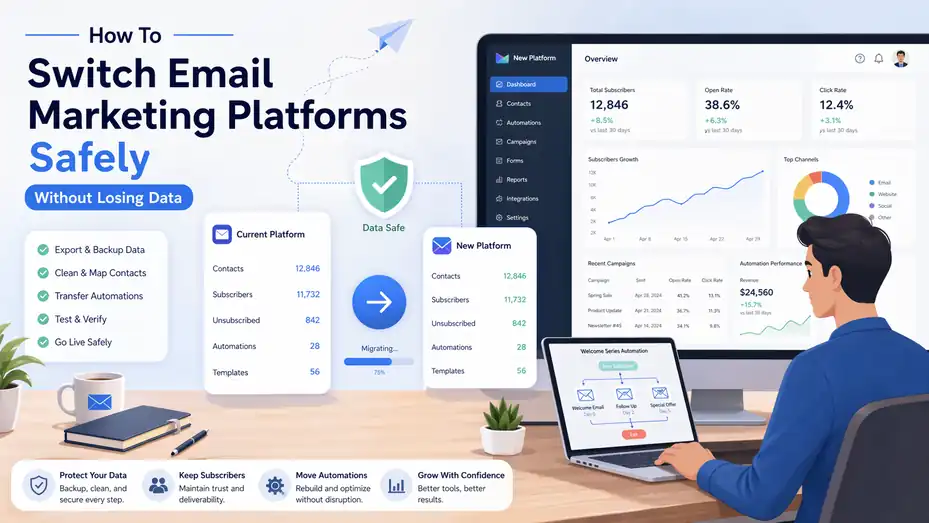
How to switch email marketing platforms safely is one of those topics that sounds simple until you are the person doing it. I have seen businesses rush a migration, break automations, lose segments, and hurt deliverability for weeks.
The good news is that a careful move does not have to be messy. With the right process, you can protect your subscriber data, keep your campaigns running, and move to a better system without creating chaos.
Let me walk you through the safest way to handle the switch from planning to post-migration cleanup.
Understand What A Safe Email Platform Switch Really Means
A safe migration is not just exporting contacts from one tool and importing them into another.
It means preserving the parts of your email program that actually drive results: subscriber permissions, custom fields, tags, segments, automations, templates, reporting history, and sending reputation.
What You Are Actually Moving
When most people think about email migration, they think about a CSV file with names and email addresses. In practice, that file is only one piece of the move. You are also dealing with signup dates, source data, consent records, engagement history, suppression lists, unsubscribe status, and sometimes purchase behavior or lead scores.
That matters because email marketing platforms do not all store data the same way. One platform may use tags heavily. Another may rely on lists and custom properties. A third may separate transactional and marketing contacts. If you do not map these differences before the move, you can end up with subscribers in the wrong journeys or missing from important campaigns.
I suggest thinking about the migration as a systems transfer, not a contact export. That shift in mindset helps you plan better and avoid the most common mistakes.
What “Without Losing Data” Actually Includes
Data loss is not always obvious. Yes, losing 5,000 contacts is a disaster. But losing smaller pieces of information can be just as expensive over time. Imagine moving your store newsletter to a new platform and discovering that VIP buyers no longer carry their purchase tags.
Your promotions suddenly become generic, and click rates drop because the targeting is weaker.
In my experience, the most valuable data points to protect are:
- Consent status and opt-in proof
- Unsubscribed and bounced contacts
- Tags, segments, and groups
- Custom fields like location, plan type, or product interest
- Automation triggers and timing logic
- Signup source and form origin
A safe switch protects both compliance and performance. You are not only keeping records intact. You are preserving the logic behind your email strategy.
Why Businesses Switch In The First Place
Most businesses switch for one of five reasons: pricing, missing features, poor automation flexibility, weak reporting, or growth limitations. Sometimes the old platform worked fine at 2,000 subscribers but became too expensive or too rigid at 50,000. Other times, the team wants better ecommerce integrations, stronger segmentation, or easier template building.
That is all valid. But a platform switch should solve a clear business problem. If you are switching only because a new tool looks trendy, the migration risk may outweigh the benefit. I believe the best migrations happen when the reason is specific, measurable, and tied to future growth.
For example, “we need better lifecycle automation for our SaaS onboarding” is a strong reason. “We are bored with our dashboard” is not.
Audit Your Current Email Marketing Setup Before You Touch Anything
Before you export a single file, you need a full inventory of what exists in your current system.
This is the step people skip because it feels boring. It is also the step that saves you from expensive surprises.
Catalog Every Asset In Your Account
Start with a migration inventory. List every major asset in your current email setup so nothing gets forgotten during the move. This includes active campaigns, templates, forms, landing pages, subscriber lists, tags, custom fields, segments, automations, suppression lists, and integrations.
A simple spreadsheet works well here. I recommend columns for asset name, type, purpose, status, owner, and migration priority. You will quickly see which parts of your setup are mission-critical and which ones can be retired.
Here is a simple example:
| Asset Type | Example | Why It Matters | Priority |
|---|---|---|---|
| Subscriber List | Newsletter Master List | Core audience data | High |
| Automation | Welcome Series | First-touch conversion path | High |
| Segment | 30-Day Engaged Users | Campaign targeting | High |
| Template | Weekly Newsletter Layout | Brand consistency | Medium |
| Form | Homepage Signup Form | Lead capture continuity | High |
| Integration | Shopify or CRM Sync | Keeps data updated | High |
This audit gives you control. Instead of migrating blindly, you are working from a clear blueprint.
Identify What Should Not Be Migrated
Not everything deserves a place in the new account. Old drafts, broken segments, duplicate tags, outdated forms, and abandoned automations often follow teams into the next platform and create clutter from day one.
This is a good time to clean house. If a workflow has not been used in a year and no one can explain its purpose, archive it. If you have three nearly identical custom fields because your team changed naming conventions over time, consolidate them before the move where possible.
I have seen migrations become messy simply because the old account was already messy. A clean migration starts with a cleaner source.
Document Hidden Logic And Workarounds
Most email accounts contain “tribal knowledge” that never made it into formal documentation. Maybe one segment excludes internal staff emails through a manual rule.
Maybe a cart-abandonment flow has a delayed email because someone once discovered a sync issue. Maybe a custom field is named something vague like “status2” but actually controls a critical automation.
You need to capture these details before switching. Otherwise, the migration looks fine on paper but breaks in practice. I recommend writing short notes beside each important asset explaining what it does, what triggers it, and any exceptions.
This is especially important if more than one person has touched the account over time. What seems obvious to one marketer is often invisible to the next.
Choose The New Platform Based On Migration Fit, Not Just Features
A lot of businesses compare email tools based only on shiny features.
That is understandable, but when you are switching systems, migration fit matters just as much as long-term capability.
Match The Platform To Your Data Structure
The safest new platform is one that can support the way your business actually manages contacts. If your current strategy depends on tags, behavior-based segments, custom events, and multi-step journeys, a basic newsletter tool may create painful compromises.
Look closely at how the platform handles:
- Lists versus tags
- Custom fields and data types
- Segmentation logic
- Automation branching
- Consent tracking
- Native integrations
For example, an ecommerce brand with frequent product-based segmentation needs more than a simple broadcast tool. A B2B company using lead stages and CRM sync needs strong field mapping and automation rules. The safest platform is the one that can absorb your current logic without forcing awkward workarounds.
Evaluate Deliverability And Support During Migration
Feature comparisons get attention, but support quality is often what saves a migration. I suggest checking whether the new platform offers migration help, onboarding specialists, import reviews, or deliverability guidance. These services can reduce risk significantly, especially if your list is large or your sending setup is complex.
Deliverability support matters too. A platform that helps you authenticate your domain, warm sending volume, and review list quality can protect revenue during the transition. This is especially useful if you send high-volume campaigns or rely heavily on automation.
In my experience, responsive support is not a nice extra during migration. It is a safety feature.
Compare Platforms With Real Migration Criteria
A comparison table helps you focus on what matters instead of what looks flashy in a sales demo.
| Criteria | Why It Matters During Migration | What To Check |
|---|---|---|
| Data Import Flexibility | Prevents broken fields and messy contact records | CSV mapping, API import, field support |
| Automation Depth | Preserves journeys and logic | Branching, delays, triggers, goals |
| Segmentation | Maintains targeting quality | Multi-condition filters, live segments |
| Deliverability Tools | Protects inbox placement | Domain auth, warm-up guidance, bounce handling |
| Support Quality | Reduces migration risk | Live chat, onboarding, migration assistance |
| Integration Options | Keeps systems synced | CRM, ecommerce, forms, analytics |
| Pricing At Scale | Avoids another switch later | Subscriber tiers, send limits, add-on costs |
The best choice is rarely the platform with the longest feature page. It is the one that fits your data, workflow, team skill level, and future growth.
Create A Migration Plan Before You Export Or Import Anything
This is where you turn the project into a safe, controlled process. A migration plan should reduce guesswork, assign ownership, and prevent downtime.
Set A Clear Migration Scope And Timeline
Start by defining what is being moved in phase one. Many businesses do better with a staged migration than a full overnight switch. You might move subscriber data and forms first, then automations, then reporting-related cleanup. That phased approach lowers risk because you are testing the new setup in manageable pieces.
Map key dates too. Avoid switching during a major sales event, launch week, or seasonal promotion. If your biggest email revenue period is approaching, migrate earlier or wait until after the peak. Timing is not just operational. It affects revenue and stress levels.
I recommend choosing a transition window when campaign pressure is relatively low and your team can monitor the move closely.
Assign Owners For Every Critical Area
Even small teams need clear ownership. One person should oversee data export and cleanup. Another should verify forms and integrations. Another should review automations. If one person is doing everything, create separate review checkpoints so errors are not missed.
Typical ownership areas include:
- Data export and field mapping
- Compliance and consent verification
- Template recreation
- Automation rebuild
- Integration setup
- QA testing and launch approval
Without ownership, tasks drift. With ownership, issues surface faster and accountability becomes clear.
Build A Rollback And Backup Plan
A safe switch includes a plan for what happens if something goes wrong. Export backups from the old platform before making major changes. Save raw contact files, suppression lists, automation screenshots, template HTML if relevant, and segment definitions.
I also suggest keeping the old platform active during the transition rather than canceling it immediately. That overlap period gives you a safety net. If a form stops syncing or a workflow misfires, you can reference the old system and recover faster.
Think of this like moving houses. You do not throw away the old keys before confirming the new locks work.
Export, Clean, And Map Your Subscriber Data Carefully
This is the heart of how to switch email marketing platforms safely. The quality of your migration depends on the quality of your data handling.
Export More Than Just Active Contacts
At minimum, export active subscribers, unsubscribed contacts, bounced contacts, suppressed emails, tags, custom fields, and any available consent records. Many teams only export active subscribers and accidentally re-mail unsubscribed users later because the suppression history was not preserved.
That mistake can hurt both compliance and trust. If someone opted out six months ago, your new platform needs to know that. The same goes for hard bounces and complaint-prone records. These contacts should not sneak back into your sending pool.
I always suggest creating separate files for each contact status. It keeps the import cleaner and reduces confusion during setup.
Standardize And Clean Your Data Before Import
This is the perfect time to remove duplicates, standardize field names, and fix formatting inconsistencies. For example, one field may say “Country” while another says “country_name.” You may have values like “USA,” “U.S.,” and “United States” spread across different records. These small issues create messy segmentation later.
Common cleanup tasks include:
- Removing duplicate contacts
- Normalizing date formats
- Merging equivalent field values
- Fixing broken capitalization
- Removing obsolete internal fields
- Separating first and last names if needed
A clean database improves automation, reporting, and personalization. It also saves your future self from endless cleanup inside the new platform.
Map Fields Between Old And New Systems
Field mapping is where many migrations quietly fail. You need to decide exactly where each old data point will live in the new platform. If the old tool uses “Plan_Type” and the new one uses “subscription_tier,” that mapping must be deliberate.
I recommend building a field map table like this:
| Old Field | New Field | Type | Notes |
|---|---|---|---|
| Standard | Required primary identifier | ||
| first_name | first name | Text | Personalization token |
| signup_date | subscription date | Date | Keep original date if possible |
| source_form | lead source | Text | Useful for segmentation |
| vip_tag | customer tier | Text/Tag | Convert tag into field or tag |
| unsubscribed | suppression list | Status | Do not re-import as active |
This may feel detailed, but it prevents bad assumptions during import. Every important data point should have a home.
Rebuild Forms, Automations, And Segments Without Breaking The User Journey
Contacts are only half the migration. The real challenge is rebuilding the working machine behind your email program.
Recreate Signup Forms And Entry Points First
Before you fully switch, rebuild the forms that feed your list. These include website pop-ups, embedded forms, checkout opt-ins, lead magnet forms, and landing pages. If these are not ready, you risk losing new leads during the transition.
Test every form submission manually. Check whether the subscriber enters the correct segment, receives the right welcome sequence, and records the right source field. This is where hidden issues often show up.
Imagine you run a free guide download. The form submits correctly, but the “lead magnet source” field fails to populate in the new platform. That one missing field can prevent the follow-up sequence from sending. The form looked fine, but the journey broke.
That is why entry-point testing matters so much.
Rebuild Automations Based On Logic, Not Appearance
Do not copy automations blindly. Rebuild them based on what they are meant to achieve. A welcome series, post-purchase sequence, re-engagement flow, or webinar reminder chain should be recreated with the same business logic, but often with cleaner structure.
Document each automation using simple notes:
- Trigger: What starts the workflow
- Conditions: Who qualifies or gets excluded
- Timing: When each email sends
- Goal: What action the workflow is meant to drive
- Exit Rules: When a subscriber stops receiving messages
I have seen teams rebuild a visually similar automation that technically “worked” but ignored an exclusion condition, causing customers to receive beginner onboarding emails after purchase. The logic matters more than the layout.
Recreate Segments With Extra Care
Segments are easy to underestimate because they seem static. In reality, they control relevance. If your engaged users segment or VIP customer segment is wrong, campaign performance can drop fast.
After rebuilding segments, compare sample record counts between old and new platforms. They may not match perfectly because of system differences, but major gaps usually point to mapping or logic issues. Review filters carefully, especially where custom fields, tags, or date conditions are involved.
This is also a smart time to simplify segment rules if your old account had messy overlap. Better segmentation in the new platform can lead to better campaign targeting and fewer manual workarounds.
Protect Deliverability, Compliance, And Tracking During The Switch
A technically successful migration can still hurt performance if deliverability and compliance are handled poorly.
This step protects your sender reputation and legal footing.
Authenticate Your Sending Domain Early
Before you send real campaigns from the new platform, configure your sending domain properly. That usually includes SPF, DKIM, and sometimes DMARC alignment. These are technical email authentication standards that help inbox providers trust your messages.
In simple terms, authentication proves that your emails are actually coming from your domain and not from someone impersonating you. Without it, your messages are more likely to land in spam or be filtered more aggressively.
Do this early because DNS changes can take time to verify. Then send internal tests to multiple inbox providers and review results. It is much easier to fix authentication before a live campaign than after performance drops.
Preserve Consent And Suppression Data
Consent records are not optional. If a subscriber gave permission under the old system, you need to preserve that evidence where possible. Store signup date, source, method, and status in the new platform. This matters for trust, legal protection, and internal clarity.
Just as important, do not lose unsubscribed, bounced, or complained-about records. A common migration error is importing only “good” contacts and forgetting suppression lists. That can result in re-mailing people who already opted out.
From what I have seen, this is one of the fastest ways to create complaints, damage brand trust, and hurt inbox placement. Safe migration is not just about who you bring over. It is also about who you intentionally leave suppressed.
Keep UTM Tracking And Reporting Consistent
If you care about email performance in analytics, preserve your tracking structure during the switch. That includes UTM parameters, naming conventions, conversion events, and attribution rules. Otherwise, reporting gets muddy right when leadership wants proof that the migration worked.
For example, if your old campaigns used consistent UTM tags for source, medium, and campaign name, keep that logic intact. A sudden naming change makes before-and-after comparison harder and can hide performance issues.
I suggest creating a simple tracking standard before launch so every campaign from the new platform follows the same measurement structure from day one.
Test Everything In A Controlled Launch Before Full Cutover
This is the step that separates a calm migration from a chaotic one. Testing should happen before the full switch, not after your first big send.
Run A Pilot With Internal And Low-Risk Segments
Start with internal team members and a small, low-risk audience segment. This could be a recent engaged segment, a test list, or a geographically limited group. The goal is to validate sending, personalization, tracking, automation behavior, and rendering without exposing the full list to mistakes.
Check things like:
- Personalization fields displaying correctly
- Links using the right tracking
- Automations triggering as expected
- Unsubscribe links functioning properly
- Templates rendering well on mobile and desktop
A pilot send can reveal surprising problems. I once saw a migration where all the campaign logic was correct, but the imported first-name field contained full names for 40 percent of the list. The emails technically sent fine, but the greeting looked sloppy. That is exactly the kind of issue you want to catch early.
Compare Performance Metrics Closely
During your pilot, monitor open trends, click-through rates, bounce rates, unsubscribe rates, and spam complaints. Privacy changes have made open data less reliable than it used to be, so pay extra attention to clicks, conversions, bounces, and complaints.
You do not need perfect parity with the old platform immediately, but you do want stable quality signals. If bounce rates spike or clicks fall sharply, pause and investigate before scaling volume.
I believe the smartest teams treat the first sends from a new platform like a controlled experiment. They do not assume success because the import completed. They verify it with real behavior.
Use A Staged Cutover Instead Of A Hard Switch
A staged cutover is usually safer than switching everything in a single moment. Keep the old platform available while the new one starts handling selected campaigns and automations. Once confidence is high, move the remaining assets.
This overlap reduces operational risk and gives you a reference point if something behaves strangely. Yes, it adds a little complexity for a short time. But in most cases, that temporary overlap is worth it for the stability it provides.
Troubleshoot Common Migration Problems Before They Become Revenue Problems
Even with a strong plan, issues can appear. The key is catching them early and knowing what they usually mean.
When Subscriber Counts Do Not Match
Mismatched counts are common and not always a problem. One platform may count suppressed or archived contacts differently. Another may exclude duplicates automatically. The issue is understanding the reason behind the gap.
Start by comparing categories:
- Active subscribers
- Unsubscribed contacts
- Bounced contacts
- Duplicate records
- Missing field values
If the difference is small and explained by system rules, you are probably fine. If a major segment is missing thousands of records, something in your field mapping or import filters likely went wrong.
Do not move forward until you can explain the discrepancy.
When Automations Fire Incorrectly
If subscribers enter the wrong workflows or receive emails out of order, the cause is usually one of three things: trigger mismatches, field mapping issues, or missing exclusions. Review the exact record of a test contact and trace what happened step by step.
Ask questions like: Did the contact enter through the correct form? Did the source field populate? Did a tag get applied late? Did the workflow start based on list join instead of segment qualification?
This kind of troubleshooting is not glamorous, but it is where migration quality gets proven. A few careful checks here can prevent weeks of confused customer experiences.
When Deliverability Drops After The Move
A small adjustment period can happen after switching platforms, but a major drop deserves immediate attention. Review authentication, list hygiene, sending volume, content changes, and whether suppressed contacts were handled correctly.
Also consider pacing. If you moved to a new platform and immediately blasted your full list after weeks of inactivity, the issue may be volume shock rather than the platform itself. In that case, a gradual ramp-up to your most engaged segments is usually safer.
The main point is this: Do not assume poor deliverability is random. There is almost always a reason you can investigate.
Optimize And Scale After The Migration Is Stable
Once the switch is complete and stable, you have an opportunity most teams miss. You can use the migration as a reset point to improve the entire email program.
Clean Up Naming, Documentation, And Governance
Now is the perfect time to create better internal standards. Standardize naming for fields, tags, segments, and automations. Document what each workflow does, who owns it, and when it should be reviewed.
This sounds operational, but it directly affects performance. Cleaner systems are easier to optimize, easier to troubleshoot, and much less likely to break when team members change.
I recommend maintaining a lightweight email operations doc that covers:
- Field naming rules
- Tag usage policy
- Segment definitions
- Automation ownership
- QA checklist for new campaigns
That one habit can make your new platform far more sustainable than the old one.
Use The New Platform To Improve Segmentation And Automation
Once the migration is steady, look for quick wins the old system made difficult. Maybe you can build more useful lifecycle stages, better re-engagement paths, or cleaner purchase-based targeting. Maybe you can simplify three old workflows into one smarter journey.
Here is where the switch starts paying off. Instead of just preserving what you had, you begin using the new platform to send more relevant emails with less manual work. That usually leads to stronger clicks, better conversions, and fewer one-size-fits-all campaigns.
For many businesses, the migration becomes the moment they finally move from “email blasts” to a more intentional lifecycle program.
Measure Success Beyond “Nothing Broke”
A safe migration should absolutely avoid damage, but success is bigger than survival. Look at operational and business outcomes after 30, 60, and 90 days.
Useful measures include:
| Metric | What It Tells You |
|---|---|
| Import Accuracy | Whether the database moved cleanly |
| Automation Reliability | Whether journeys trigger correctly |
| Bounce And Complaint Rates | Whether list quality and reputation stayed healthy |
| Click And Conversion Rates | Whether relevance and performance held steady |
| Campaign Build Time | Whether the new platform improves team efficiency |
| Revenue Per Email | Whether the switch supports better monetization |
If those numbers are stable or improving, your migration likely did more than avoid loss. It created a stronger foundation for growth.
Final Thoughts
Switching platforms can feel risky, but it does not have to be chaotic. The safest approach is simple in principle: audit first, map everything carefully, protect consent and suppression data, rebuild logic with intention, and test before scaling.
That is how to switch email marketing platforms safely without losing data or damaging the parts of your email program that actually matter.
If I were doing this for my own business, I would focus less on speed and more on control. A slightly slower migration is usually much cheaper than cleaning up a rushed one. Done right, the move is not just a transfer. It is a chance to build a cleaner, stronger email system that performs better long after the switch is over.
FAQ
What is the safest way to switch email marketing platforms?
The safest way to switch email marketing platforms is to plan the migration carefully, audit all data and automations, and test everything before going live. You should export clean subscriber data, map fields correctly, preserve consent records, and run a staged rollout to avoid data loss or deliverability issues.
How do I avoid losing subscriber data during migration?
To avoid losing subscriber data, export all contact types including active, unsubscribed, and bounced users. Clean and standardize your data before import, then map fields accurately in the new platform. Always back up your data and verify subscriber counts after migration to ensure nothing is missing.
Will switching email platforms affect my deliverability?
Switching platforms can temporarily impact deliverability if not handled properly. To reduce risk, authenticate your domain, warm up sending gradually, and avoid emailing inactive contacts immediately. Maintaining list hygiene and preserving suppression lists helps protect your sender reputation during the transition.
How long does it take to switch email marketing platforms?
The time required depends on the size and complexity of your email setup. Small migrations may take a few days, while larger systems with multiple automations and integrations can take several weeks. A phased approach with testing ensures a smoother and safer transition overall.
Do I need to rebuild automations when switching platforms?
Yes, most automations need to be rebuilt because platforms use different logic and structures. Instead of copying workflows exactly, recreate them based on their purpose, triggers, and timing. This ensures they function correctly and gives you a chance to improve efficiency and performance.

Juxhin B is a digital marketing researcher and founder of JAK Digital Hub, specializing in email marketing software, marketing automation platforms, and digital growth tools. His work focuses on software testing, platform comparisons, and real-world performance analysis to help businesses choose the right marketing technology.
Related posts:
 How To Migrate Between Email Marketing Platforms Without Loss
 How To Migrate From Omnisend Without Losing Data Or Revenue
 How To Convert Email Leads Into Customers Using Psychology
 Why Are Your GetResponse Emails Going to Spam—and How Do You Stop It Fast?
 Is Email Marketing Strategy Worth It for Real Growth?
 Email Marketing Strategy for New Ecommerce Store Success