Table of Contents
Some links on JAK Digital Hub are affiliate links, meaning we may earn a small commission at no extra cost to you. Read full disclaimer.
When I started researching the best email tools compared, I wasn’t looking for features — I wanted to know which one would actually make money.
If you’re a blogger, ecommerce owner, creator, or small business trying to choose the right platform, this guide is for you.
We’re answering one clear question: Which email tool actually converts for your business model and growth stage?
1. MailerLite: Best For Lean Growth And Simplicity
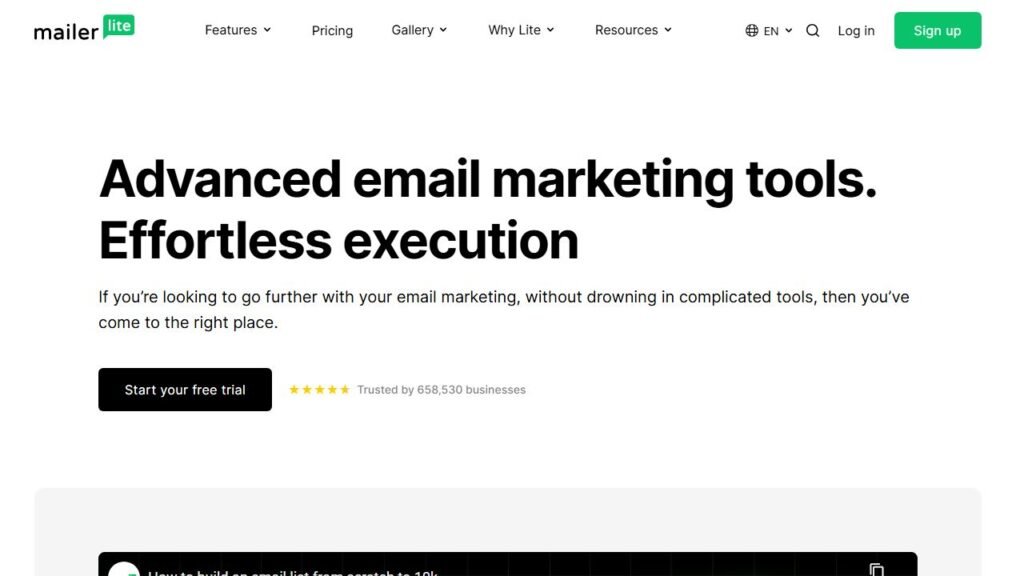
If you’re early-stage and just want to grow without drowning in features you’ll never use, MailerLite feels refreshingly practical. It’s not flashy.
It’s efficient. And sometimes that’s exactly what converts.
Automation Depth Without Overwhelm
MailerLite gives you visual automation workflows — meaning you build email sequences using a drag-and-drop flowchart style builder.
You can trigger emails based on:
- Subscriber joins a group
- Link click
- Custom field update
- Specific date
- Purchase behavior (via ecommerce integrations)
Here’s what I like: The interface doesn’t fight you.
Some tools make automation feel like you’re programming NASA software. MailerLite keeps it clean. For example:
If someone downloads your free guide:
- Send welcome email
- Wait 2 days
- Send value email
- If clicked → pitch offer
- If not clicked → resend with new subject line
That’s built in under 10 minutes.
For bloggers and affiliate marketers, this simplicity reduces setup friction — and friction is what kills implementation.
Now, is it as advanced as GetResponse? No.
But most early businesses don’t need “if/else logic inside multi-layered conditional trees.”
They need something they’ll actually finish building.
Pricing Structure For Early-Stage Businesses
MailerLite’s pricing is friendly for side hustlers and small creators.
| Subscriber Count | Monthly (Approx.) | Key Notes |
| 0–500 | Free | Basic automation, forms, landing pages |
| 1,000 | ~$9 (annual billing) | Unlimited emails |
| 5,000 | ~$25–30 | Scales steadily |
| 10,000 | ~$39–50 | Still competitive |
What matters isn’t just price — it’s the pricing curve.
Some platforms jump aggressively after 1,000 subscribers. MailerLite’s growth curve is smoother, which reduces cost anxiety when your list grows faster than your revenue.
If you’re monetizing through:
- Affiliate offers
- Low-ticket digital products
- Blogging ads
You want breathing room. MailerLite gives you that.
Deliverability And Real Conversion Potential
Deliverability = whether your emails land in inboxes instead of spam.
MailerLite consistently ranks well in third-party inbox placement tests (EmailToolTester and similar industry benchmarks frequently place it in the 85–95% inbox rate range).
That’s solid.
But deliverability isn’t just software — it’s how you use it.
MailerLite supports:
- Custom domains
- DKIM & SPF authentication (Email verification standards that improve inbox placement)
- Segmentation and tagging
- A/B subject line testing
In practice, segmentation is where conversions happen.
For example: Instead of blasting 5,000 subscribers with the same pitch, you can:
- Target only people who clicked a specific link
- Exclude recent buyers
- Send different offers to different interest tags
That’s how small lists outperform bigger lazy lists.
Limitations That Appear At Scale
Here’s the honest part.
Once you cross 25,000+ subscribers or need advanced ecommerce logic, MailerLite starts to feel limited.
You don’t get:
- Deep multi-branch behavioral automation like GetResponse
- Built-in multi-channel flows like Omnisend
- Native CRM pipelines like Brevo
It’s also lighter on advanced ecommerce personalization like dynamic product blocks based on browsing behavior.
If you’re running a serious ecommerce operation with cart recovery sequences generating 30%+ of revenue, you may outgrow it.
But for content businesses? It holds up longer than most expect.
Who Should Choose MailerLite Right Now
Choose MailerLite if:
- You’re under 10,000 subscribers
- You want fast setup
- You’re monetizing with content or light ecommerce
- You care about value-per-dollar
- You don’t want enterprise complexity
Skip it if:
- You’re scaling aggressive ecommerce
- You need built-in webinar funnels
- You want advanced multi-channel campaigns
If I were starting a niche blog today, I’d seriously consider MailerLite again. It removes excuses.
2. AWeber: Reliable But Less Competitive Today
AWeber is one of the oldest names in email marketing. It’s stable. It works. But the question isn’t whether it works — it’s whether it’s still the best value compared to modern competitors.
Core Automation Capabilities Compared
AWeber offers:
- Autoresponders (timed email sequences)
- Basic automation flows
- Tag-based subscriber management
- Behavioral triggers
You can build welcome sequences and simple sales funnels without issues.
However, compared to MailerLite or GetResponse, automation feels less flexible.
For example:
Conditional branching is limited.
Advanced segmentation logic isn’t as intuitive.
The automation builder feels more linear.
If you’re building basic funnels, it’s fine.
If you’re building behavior-based revenue systems, it can feel dated.
Pricing Versus Feature Value
Here’s where AWeber struggles.
| Subscriber Count | Monthly (Approx.) | Competitor Comparison |
| 0–500 | Free | Similar to others |
| 1,000 | ~$20 | Higher than MailerLite |
| 5,000 | ~$50+ | More expensive than Moosend |
| 10,000 | ~$69+ | Starts losing value |
When you compare automation depth and feature sets, the price-to-power ratio isn’t as strong as newer platforms.
You’re partly paying for brand legacy.
If budget matters (and for most small businesses it does), that’s worth considering.
Template System And Ease Of Setup
One thing AWeber still does well: Templates.
It has a large library of pre-designed email layouts. For beginners who don’t want to design from scratch, that’s helpful.
The editor is straightforward.
But compared to modern drag-and-drop builders, it doesn’t feel as sleek. It works — but it doesn’t feel inspiring.
And sometimes user experience impacts how often you actually use the tool.
Where AWeber Still Converts Well
AWeber still works well for:
- Newsletter-focused bloggers
- Affiliate marketers
- Small businesses running simple sequences
- Businesses that value long-standing reputation
Deliverability is generally stable. Support is reliable.
If your funnel is:
Opt-in → 5-email nurture → Offer
You won’t struggle.
Who Should Avoid AWeber
You might skip AWeber if:
- You want advanced automation logic
- You need ecommerce-specific revenue tools
- You’re trying to optimize aggressively for conversion rate
- You want the best price-to-feature ratio
It’s not bad software.
It’s just not leading the race anymore.
And when comparing the best email tools compared, that distinction matters.
3. Omnisend: Built For Ecommerce Revenue
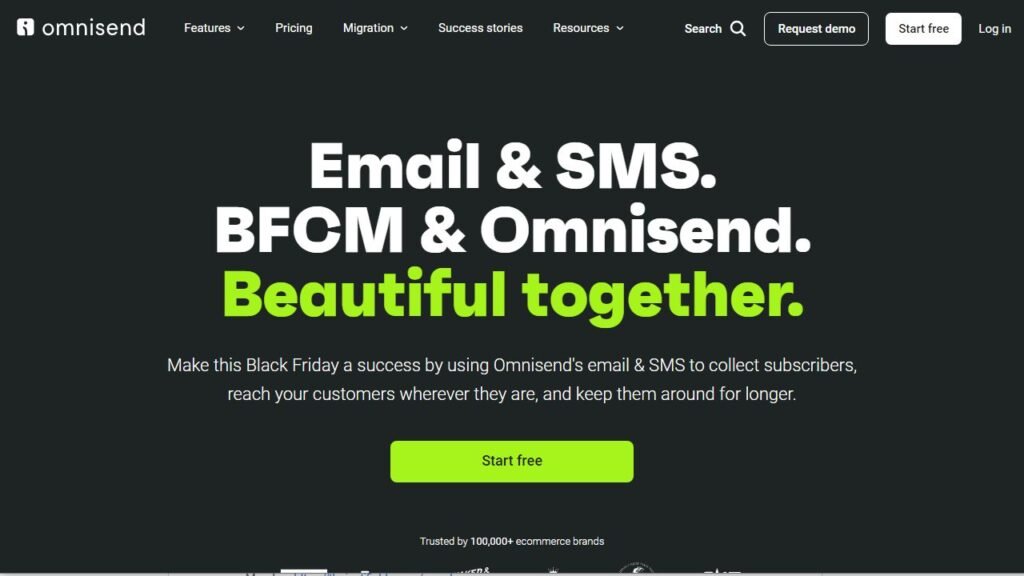
If you’re running an online store, Omnisend isn’t trying to be everything — it’s trying to increase revenue per subscriber. And honestly, that focus shows.
In this best email tools compared breakdown, Omnisend stands out because it’s engineered specifically for ecommerce conversion — not bloggers, not coaches, not generic newsletters.
Shopify And WooCommerce Integration Strength
Omnisend integrates natively with:
- Shopify
- WooCommerce
- BigCommerce
- Wix Ecommerce
And when I say “native,” I mean it syncs product catalogs, customer behavior, order history, and browsing activity automatically.
That matters because behavior-based automation converts better than broadcast emails.
For example:
If a customer:
- Views a product 3 times
- Adds it to cart
- Doesn’t purchase
Omnisend can automatically:
- Send a cart reminder
- Add a dynamic product block (Auto-inserts the exact product viewed)
- Offer a limited-time discount
- Follow up via SMS
You don’t manually build these product blocks. They pull from your store catalog automatically.
That’s a serious time saver.
And according to Omnisend’s published ecommerce data reports, automated emails generate significantly higher open and click-through rates compared to standard campaigns. In ecommerce, automation often drives 25–30% of total email revenue.
That’s not small.
Abandoned Cart And Product Automation Power
This is where Omnisend earns its reputation.
Pre-built automation workflows include:
- Abandoned cart
- Abandoned browse
- Order confirmation
- Shipping updates
- Cross-sell & upsell
- Replenishment reminders
The “Product Recommender” feature uses purchase data to automatically suggest items based on customer behavior.
Plain English: It acts like Amazon-style product suggestions inside your emails.
Here’s a real scenario:
You sell skincare.
Customer buys cleanser.
Three weeks later, Omnisend triggers: “Time to restock?” email + related serum recommendation.
That’s lifecycle marketing — and most general email tools don’t handle that well without heavy customization.
SMS And Multi-Channel Conversion Advantage
Omnisend isn’t email-only.
You can combine:
- SMS
- Web push notifications
In a single automation workflow.
Example:
- Cart abandoned →
- Email in 1 hour →
- SMS in 12 hours →
- Push notification next day
Multi-channel sequences typically outperform single-channel flows because they catch users where they are.
Industry benchmarks show SMS open rates often exceed 90%. When layered intelligently, it increases recovery rates.
But here’s my caution: If your store isn’t doing consistent revenue yet, multi-channel might be overkill. You want product-market fit before stacking channels.
Pricing Scalability For Growing Stores
Omnisend pricing (approximate, annual billing):
| Contacts | Standard Plan | Notes |
| 500 | ~$11/month | 6,000 emails/month |
| 2,500 | ~$41/month | Unlimited emails |
| 5,000 | ~$65+ | Scales quickly |
| 10,000+ | $100+ | Revenue-aligned pricing |
The key difference from tools like MailerLite:
Pricing increases aggressively as contacts grow.
But here’s the question you should ask yourself:
Is your list revenue-generating?
If each subscriber is worth $2–$5 per month in ecommerce value, Omnisend pays for itself fast.
If you’re still testing products? It might feel expensive.
Best Fit By Ecommerce Revenue Stage
Choose Omnisend if:
- You run Shopify or WooCommerce
- You rely heavily on product sales
- You want abandoned cart automation done right
- You’re scaling past $5K–$10K monthly revenue
Skip it if:
- You’re a blogger or creator
- You don’t sell physical products
- Your revenue is inconsistent
If I were building a DTC (direct-to-consumer) brand today, Omnisend would be near the top of my shortlist.
4. GetResponse: Advanced Automation Ecosystem
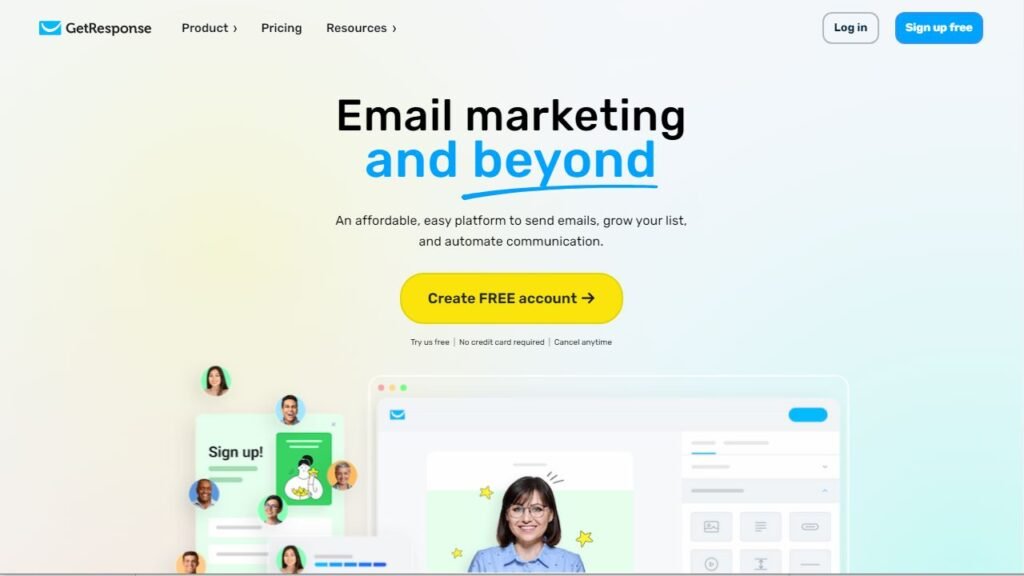
GetResponse isn’t just an email tool. It’s more like an all-in-one marketing system. And that can either simplify your stack — or complicate your life — depending on how you use it.
In this best email tools compared guide, GetResponse stands out for automation depth and built-in funnel tools.
Funnel Builder And Webinar Integration
This is where GetResponse separates itself.
It includes:
- Sales funnel builder
- Webinar hosting
- Landing pages
- Paid ads integration
- Conversion funnels
The funnel builder lets you map:
Opt-in page →
Email sequence →
Sales page →
Checkout →
Post-purchase sequence
Without external tools.
The built-in webinar feature is huge if you sell:
- Online courses
- Coaching programs
- High-ticket consulting
Instead of paying for Zoom + funnel builder + automation tool, you centralize it.
That reduces tech stack fragmentation.
Conditional Automation For Scaling Brands
GetResponse’s automation builder is powerful.
It uses “If/Else” logic, which means:
- If subscriber clicks X → Send Y
- If subscriber ignores → Send Z
- If purchase made → Remove from promo sequence
You can layer multiple conditions, delays, and behavioral triggers.
For scaling brands, this creates segmented journeys instead of generic blasts.
Example:
You launch a course.
- Segment A: Clicked sales page but didn’t buy
- Segment B: Bought early
- Segment C: Didn’t open emails
Each group receives different messaging.
That’s where serious conversion optimization happens.
Compared to AWeber or even MailerLite, this logic is noticeably more advanced.
Ecommerce And Digital Product Support
GetResponse integrates with:
- Shopify
- WooCommerce
- Stripe
- PayPal
You can sell:
- Digital products
- Subscriptions
- Courses
It also includes abandoned cart recovery in higher tiers.
But where it shines most is digital product funnels rather than heavy SKU ecommerce catalogs.
If you’re selling a $997 course, you need:
- Webinars
- Email sequences
- Upsell funnels
- Payment integration
GetResponse handles that cleanly.
Pricing Growth Curve And Cost Concerns
Approximate pricing (annual billing):
| Plan | Starting Price | Target User |
| Starter | ~€13/month | Basic email marketing |
| Marketer | ~€44/month | Ecommerce features |
| Creator | ~€50+/month | Funnels + monetization |
| Enterprise | Custom | High-volume brands |
Costs rise fast as subscribers grow.
So the question becomes:
Are you using the full ecosystem?
If you’re only sending newsletters, you’re overpaying.
If you’re using:
- Webinars
- Funnels
- Automation
- Ecommerce
Then the stack consolidation may justify the price.
Who Benefits Most From GetResponse
GetResponse is ideal for:
- Course creators
- Coaches
- SaaS founders
- Ecommerce brands with mid-level complexity
- Businesses scaling past 10,000 subscribers
It’s less ideal for:
- Hobby bloggers
- Budget-conscious beginners
- Simple newsletter-only setups
If you want serious automation and funnel control without piecing together five separate tools, GetResponse makes sense.
But only if you’ll actually use the power you’re paying for.
And that’s the real pattern emerging in this best email tools compared analysis:
The best tool isn’t about features.
It’s about fit.
5. Moosend: Budget Automation With Surprising Depth
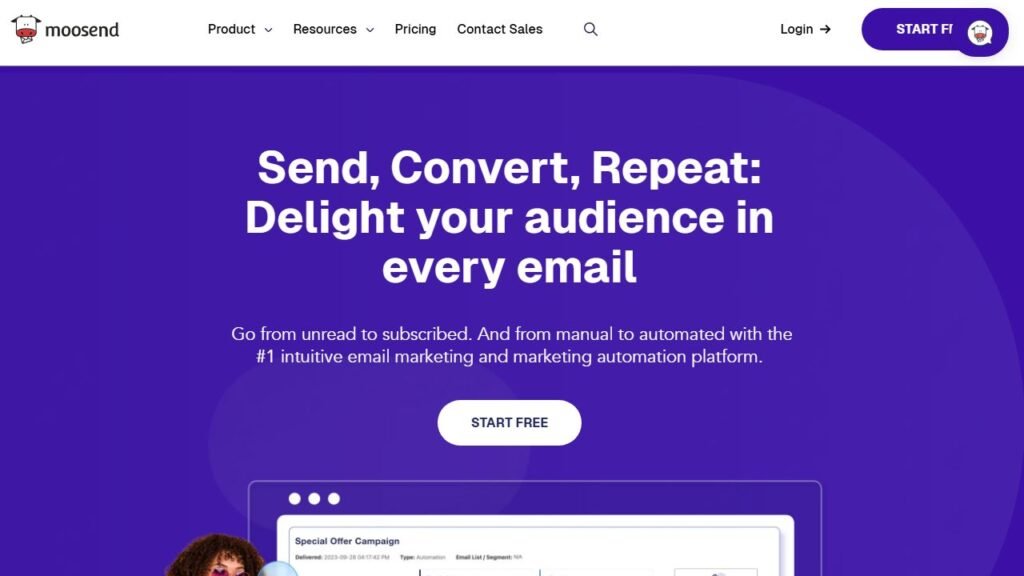
Moosend is one of those platforms people overlook in “best email tools compared” roundups — mostly because it doesn’t shout as loudly as others. But if you care about automation without enterprise pricing, it deserves serious attention.
It’s not trendy. It’s not overhyped.
It’s quietly powerful.
Workflow Automation Versus Competitors
Moosend includes a visual automation builder similar to MailerLite and GetResponse.
You can trigger workflows based on:
- Page visits
- Product purchases
- Cart abandonment
- Email opens and clicks
- Custom field changes
It supports conditional logic (If/Else paths), which means:
If subscriber clicks offer → Move to sales sequence
If subscriber ignores → Send reminder
If subscriber buys → Exit campaign
For a tool at its price point, that’s impressive.
Here’s a practical example:
You run a small ecommerce store selling fitness gear.
Customer buys resistance bands.
Moosend can automatically:
- Wait 7 days
- Send workout guide
- Cross-sell yoga mat
- Tag buyer as “Strength Training”
That tagging system allows future segmentation without rebuilding your list structure.
Compared to MailerLite:
- Automation depth is slightly stronger.
Compared to GetResponse: - It lacks built-in webinars and funnel builders.
But for pure email marketing automation, it punches above its weight.
Transactional Email And SMTP Capabilities
This is where Moosend quietly differentiates itself.
It includes SMTP server access.
SMTP (Simple Mail Transfer Protocol) is what sends system emails like:
- Order confirmations
- Password resets
- Account notifications
Many platforms charge separately for transactional email. Moosend includes it in higher plans.
For SaaS founders or ecommerce brands, this matters.
Instead of paying:
- Email marketing tool
- Separate transactional email provider
You can centralize both.
That reduces tool stacking and keeps analytics unified.
Pricing Advantage At Lower Subscriber Counts
Here’s where Moosend gets aggressive.
Approximate annual pricing:
| Subscribers | Monthly Cost | Value Position |
| 1,000 | ~$9 | Strong budget option |
| 5,000 | ~$30 | Competitive |
| 10,000 | ~$48 | Still reasonable |
Compared to AWeber or GetResponse, Moosend is usually cheaper at equivalent tiers.
If you’re testing monetization — affiliate, small product, niche ecommerce — lower overhead reduces pressure.
From experience, early-stage founders don’t fail because of bad tools.
They fail because of rising software costs before revenue stabilizes.
Moosend helps control that.
Enterprise Add-Ons Without Enterprise Cost
Moosend+ and Enterprise tiers include:
- Dedicated IP addresses (Improves deliverability for high-volume senders)
- SSO & SAML (Secure login for teams)
- Custom reports
- Account manager
These features are typically reserved for higher-priced enterprise platforms.
If you’re scaling past 50,000 subscribers, this becomes relevant.
But here’s the key insight:
Most small businesses won’t need this immediately.
Moosend gives you room to grow before forcing expensive upgrades.
Ideal Use Cases For Moosend
Choose Moosend if:
- You want strong automation on a budget
- You’re under 20,000 subscribers
- You need transactional email support
- You’re price-sensitive but want serious features
Avoid it if:
- You want built-in webinars
- You need advanced ecommerce personalization
- You prefer a massive integration ecosystem
If I were building a lean SaaS or digital product business and watching expenses closely, Moosend would absolutely be on my shortlist.
6. Kit: Creator-Focused Monetization Platform
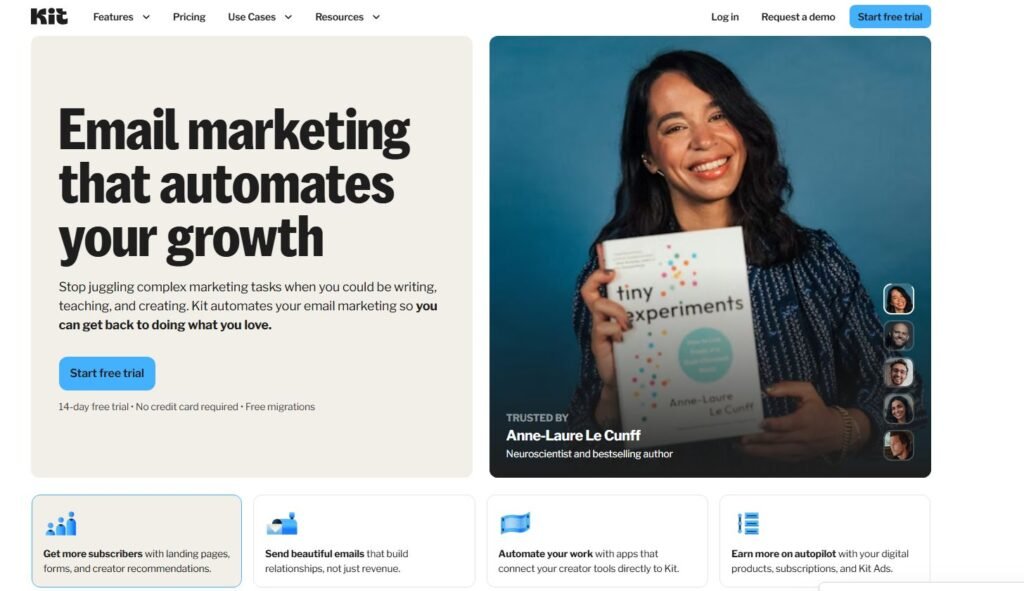
Kit (formerly ConvertKit) is different from most platforms in this best email tools compared guide. It wasn’t built for ecommerce catalogs. It wasn’t built for agencies.
It was built for creators.
Writers. YouTubers. Coaches. Newsletter operators.
And it shows.
Tag-Based Subscriber System Explained
Most email tools use list-based systems.
Kit uses tags.
What does that mean in simple terms?
Instead of having:
- List A
- List B
- List C
You have one master list, and subscribers are tagged based on behavior.
Example:
John subscribes to:
- SEO guide → Tag: SEO
- Affiliate webinar → Tag: Affiliate
- Buys course → Tag: Customer
No duplication. No paying twice for the same subscriber.
That’s powerful.
Because segmentation becomes easier and cleaner.
You can send:
- Only to people tagged “SEO”
- Exclude anyone tagged “Customer”
This structure reduces list bloat and keeps targeting sharp.
From a conversion standpoint, better targeting equals higher open rates and more sales.
Selling Digital Products And Paid Newsletters
Kit includes built-in monetization tools.
You can:
- Sell digital downloads
- Run paid newsletters
- Create subscription products
- Collect payments via Stripe
That means you don’t necessarily need:
- Gumroad
- Teachable
- Separate checkout tools
If your business is content-driven, this integration simplifies your tech stack.
For example:
You launch a paid newsletter.
Subscriber signs up → Payment processed → Access granted → Welcome sequence triggered automatically.
That flow is native inside Kit.
It’s smooth.
Automation Simplicity For Creators
Kit’s automation builder is clean and intuitive.
You can build:
- Welcome sequences
- Launch funnels
- Evergreen product funnels
It’s not as complex as GetResponse — but that’s intentional.
Creators don’t want enterprise dashboards.
They want: Write → Send → Sell.
The visual automation system uses triggers and actions without overwhelming branching logic.
It’s powerful enough for product launches, but simple enough to implement quickly.
Premium Pricing Justification
Kit is not cheap.
Approximate pricing (annual billing):
| Subscribers | Creator Plan |
| 1,000 | ~$33/month |
| 5,000 | ~$79/month |
| 10,000 | ~$119/month |
Compared to MailerLite or Moosend, that’s premium.
So why do creators pay it?
Because:
- The tagging system simplifies scaling
- Monetization is native
- The UX is built for content workflows
- Deliverability is strong
- The brand positioning attracts serious creators
If your email list directly generates income, the higher price can be justified.
If you’re just sending occasional newsletters? It’s overkill.
Best Stage Of Business For Kit
Kit makes the most sense when:
- You’re actively selling digital products
- Your email list drives primary revenue
- You’re building a personal brand
- You want simple but powerful automation
It’s less ideal if:
- You’re early and budget-sensitive
- You run large ecommerce catalogs
- You need deep CRM functionality
If I were running a serious paid newsletter or digital course business, Kit would be near the top of my list.
It feels built for creators who are past the hobby stage.
And that’s an important distinction in this entire best email tools compared conversation:
Some tools help you start.
Some tools help you scale.
Kit helps you monetize your audience directly.
7. Brevo: CRM And Email In One Platform
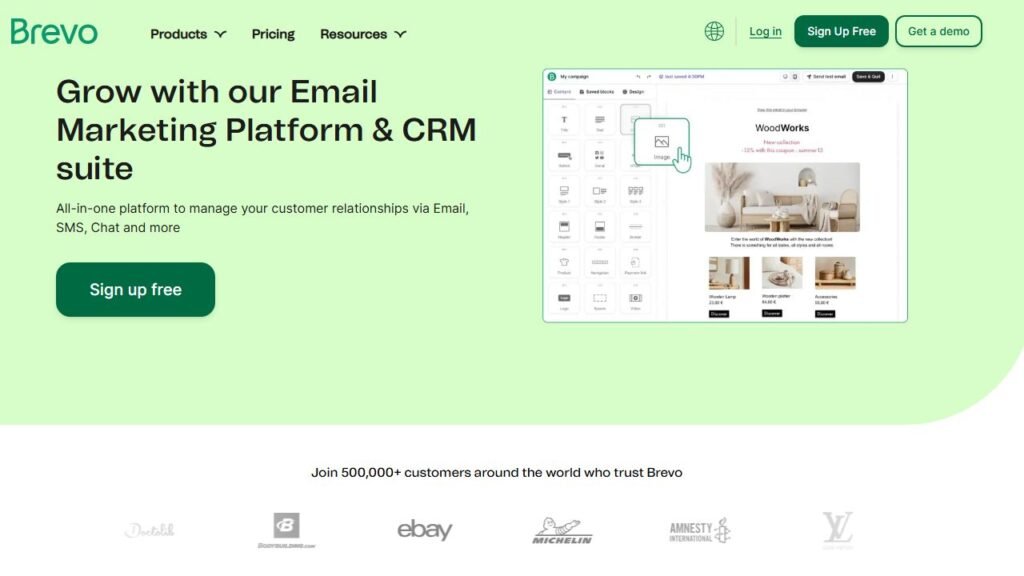
Brevo (formerly Sendinblue) is different from most tools in this best email tools compared guide because it blends email marketing with CRM functionality. It’s not just about sending campaigns — it’s about tracking relationships.
If you run a service business, agency, or B2B company, this combination can simplify your entire marketing stack.
Subscriber-Based Vs Volume-Based Pricing Model
Most email platforms charge you based on how many subscribers you have. Brevo charges based on how many emails you send.
That’s a huge difference.
Here’s what that means in real life:
You have 20,000 subscribers. But you only send 4 newsletters per month. With subscriber-based tools, you pay for all 20,000 contacts.
With Brevo, you pay for email volume instead.
Approximate pricing (annual billing):
| Plan | Monthly Price | Email Sending Limit |
| Free | $0 | 300 emails/day |
| Starter | ~$25 | 20,000 emails/month |
| Business | ~$65 | Higher limits + automation |
If your list is large but not highly active, Brevo can dramatically reduce cost.
However:
If you email daily, volume pricing can get expensive quickly. So the key question becomes:
Are you high-frequency or low-frequency?
Built-In CRM And Sales Pipeline Tools
Brevo includes a built-in CRM (Customer Relationship Management system).
In simple terms: It tracks conversations, deals, and customer stages.
You can:
- Create sales pipelines
- Track deal stages (Lead → Qualified → Proposal → Closed)
- Assign tasks to team members
- Store contact notes
This is powerful for:
- Agencies
- Consultants
- Local service businesses
- B2B companies
Instead of using:
- Email platform
- Separate CRM like Pipedrive
- Manual spreadsheets
You centralize everything.
Here’s a practical scenario:
You run a marketing agency.
- Lead fills out contact form →
- Brevo tags them →
- Sales rep assigned automatically →
- Follow-up email triggered →
- Pipeline updated when call booked
That’s automation beyond newsletters.
And for many service businesses, this operational automation matters more than fancy email templates.
Multi-Channel Automation And SMS Features
Brevo supports:
- SMS
- WhatsApp campaigns
- Live chat integration
You can build workflows that combine channels.
Example:
- Lead downloads proposal guide →
- Email sent immediately →
- If no reply in 48 hours → SMS follow-up →
- If link clicked → Assign to sales rep
This is especially useful in B2B where deals require nurturing.
Brevo’s automation builder supports conditional logic, though it’s not as visually advanced as GetResponse.
Still, for CRM-driven businesses, it’s strong enough.
B2B And Service Business Advantages
Brevo shines when:
- Sales cycles are longer
- You track deal stages
- Revenue doesn’t depend on product catalogs
- You need contact management + email
If you’re a freelancer closing $3,000 projects, you care more about tracking conversations than abandoned cart sequences.
In that context, Brevo feels more practical than ecommerce-focused platforms like Omnisend.
It also offers transactional email services for:
- Invoices
- Account notifications
- Booking confirmations
So it works well for SaaS or service-based apps too.
When Brevo Becomes The Smart Choice
Brevo makes sense when:
- You need CRM + email in one system
- You send moderate email volume
- You operate B2B or service-based business
- You want automation tied to sales pipelines
It’s less ideal for:
- Heavy ecommerce stores
- Creator-first monetization
- Advanced webinar funnels
In this best email tools compared guide, Brevo wins on operational integration — not flashy marketing funnels.
Pricing Comparison Table Across All 7 Tools
Pricing is often where decisions are actually made. Features matter. But monthly cost compounds over time.
Let’s break it down clearly.
Entry-Level Pricing For 500–1,000 Subscribers
Here’s how the platforms compare at early-stage growth:
| Tool | Free Plan | ~1,000 Subscribers | Notes |
| MailerLite | Yes (500) | ~$9 | Strong value |
| AWeber | Yes (500) | ~$20 | Higher than peers |
| Omnisend | Yes | ~$11 | Ecommerce focus |
| GetResponse | Limited | ~€13 | Starter plan |
| Moosend | No free | ~$9 | Budget automation |
| Kit | Yes (limited features) | ~$33 | Premium |
| Brevo | Yes (Volume-based) | ~$25 (20K emails) | Send-based pricing |
If you’re just starting, MailerLite and Moosend are usually the most cost-efficient.
Kit is clearly premium even at low subscriber counts.
Mid-Tier Pricing At 5,000 Subscribers
This is where costs start diverging significantly.
| Tool | Approx Monthly Cost (5K) | Positioning |
| MailerLite | ~$25–30 | Budget-friendly |
| AWeber | ~$50+ | Less competitive |
| Omnisend | ~$65 | Ecommerce revenue-aligned |
| GetResponse | ~$44–60 | Advanced features |
| Moosend | ~$30 | Strong value |
| Kit | ~$79 | Creator-focused |
| Brevo | Volume dependent | Depends on send frequency |
At this stage, your revenue model should justify your platform.
If your email generates $2,000/month, a $50 tool is reasonable.
If you’re still testing monetization, cost pressure builds fast.
High-Volume Cost Considerations
At 10,000–25,000+ subscribers, pricing compounds.
Important factors:
- Do you pay per subscriber?
- Do you pay per email send?
- Are automation features locked behind higher tiers?
- Is SMS billed separately?
For example:
Omnisend scales quickly but aligns with ecommerce revenue.
Kit remains premium but designed for monetization-focused creators.
Brevo becomes cost-efficient if send frequency remains moderate.
This is where migration fear kicks in.
Switching tools at 20,000 subscribers is painful.
So choose with future growth in mind.
Annual Billing Discounts Compared
Most platforms offer 10–30% discounts for annual billing.
General patterns:
- MailerLite: ~15–30% savings
- GetResponse: Significant annual discounts
- Kit: Lower but still meaningful annual savings
- Omnisend: Discounts available
- Moosend: Competitive annual pricing
- Brevo: Depends on plan
- AWeber: Modest savings
If cash flow allows, annual billing reduces long-term cost.
But don’t commit annually if you’re still testing product-market fit.
Hidden Costs And Upgrade Triggers
Here’s where many comparisons fall short.
Hidden upgrade triggers include:
- Advanced automation locked behind higher tiers
- Removing branding
- SMS charged separately
- Transactional emails billed independently
- Subscriber overage penalties
Example:
You hit 1,001 subscribers.
Boom. Automatic tier jump.
Or:
You want advanced segmentation.
Upgrade required.
When evaluating the best email tools compared, don’t just look at entry price.
Look at:
- Your growth projection
- Your monetization model
- Your email frequency
- Your automation complexity
The best platform is the one that matches your current stage — and won’t punish you when you grow.
And that’s the real strategy behind choosing an email marketing platform.
Feature Comparison: What Actually Impacts Conversions
At this point in our best email tools compared breakdown, the real question isn’t price.
It’s this:
Which features actually move revenue — and which are just dashboard decoration?
Let’s strip this down to what genuinely impacts open rates, click-through rates, and sales.
Automation Flexibility Across Platforms
Automation is where conversion happens.
Not newsletters. Not pretty templates.
Automated, behavior-based sequences.
Here’s how the platforms compare:
| Tool | Automation Depth | Conditional Logic | Visual Builder | Best For |
| MailerLite | Moderate | Basic If/Else | Yes | Lean creators |
| AWeber | Basic | Limited | Partial | Simple funnels |
| Omnisend | Advanced (Ecommerce) | Strong | Yes | Online stores |
| GetResponse | Advanced | Multi-branch | Yes | Scaling brands |
| Moosend | Strong | Yes | Yes | Budget automation |
| Kit | Moderate | Tag-driven | Yes | Creators |
| Brevo | Moderate | CRM-based | Yes | B2B/service |
Here’s what I’ve learned:
If you’re under 5,000 subscribers, you probably won’t use ultra-complex automation.
But once you scale?
Conditional logic becomes critical.
Example:
If subscriber clicks pricing page → Send objection-handling sequence.
If subscriber doesn’t open → Change subject line and resend.
That’s how you increase conversion without increasing traffic.
If automation is your priority, GetResponse and Omnisend lead.
If you want solid without overwhelm, MailerLite or Moosend are strong.
Segmentation And Tagging Differences
Segmentation is just a fancy word for sending the right message to the right person.
But the way platforms handle it differs dramatically.
- Kit: Tag-based system. One master list. Clean targeting.
- MailerLite: Groups + segments. Flexible but simple.
- AWeber: Tag support, but more list-legacy structure.
- Omnisend: Behavior-driven segments tied to ecommerce data.
- GetResponse: Advanced condition-based filters.
- Moosend: Strong segmentation with custom fields.
- Brevo: CRM-driven segmentation tied to deal stages.
Here’s a practical scenario:
You run a course launch.
- Segment A: Clicked sales page.
- Segment B: Didn’t open emails.
- Segment C: Purchased.
If your platform can’t easily separate those groups, you’re leaving money on the table.
Kit shines here for creators.
Omnisend dominates for ecommerce segmentation tied to purchase behavior.
Poor segmentation = generic messaging = lower conversions.
Deliverability And Inbox Placement Factors
This is the quiet killer.
You can have perfect automation, but if emails land in spam? Game over.
All major platforms support:
- SPF & DKIM authentication (Email verification standards that prove you’re legitimate)
- Custom sending domains
- Suppression lists
- Bounce management
Industry tests (EmailToolTester and similar independent benchmarks) typically show:
- MailerLite, Kit, and GetResponse scoring strong inbox placement rates
- AWeber stable but not leading
- Omnisend solid in ecommerce contexts
But here’s the uncomfortable truth:
Deliverability depends more on your list quality than your tool.
If you buy lists or ignore engagement, no platform will save you.
My advice:
Prioritize:
- Clean list hygiene
- Regular engagement
- Smart segmentation
The best software can’t fix bad strategy.
Ecommerce-Specific Conversion Tools
If you sell products, this section matters most.
| Tool | Abandoned Cart | Product Recommendations | SMS | Revenue Tracking |
| Omnisend | Yes | Dynamic | Yes | Strong |
| GetResponse | Yes (Higher tiers) | Moderate | Limited | Good |
| MailerLite | Basic | Limited | No | Basic |
| Moosend | Yes | Basic | No | Moderate |
| Kit | No strong ecommerce focus | Limited | No | Basic |
| Brevo | Basic | Limited | Yes | Moderate |
Omnisend clearly leads for ecommerce.
Its product blocks automatically pull from your store catalog.
That saves hours of manual setup.
If abandoned cart recovery is responsible for 20–30% of your store’s email revenue — and for many stores it is — you want a platform built for that.
Using a generic newsletter tool for ecommerce is like using a bicycle in a Formula 1 race.
Creator Monetization Capabilities
If you monetize through content — not physical products — different features matter.
| Tool | Digital Product Sales | Paid Newsletter | Creator Workflow |
| Kit | Yes | Yes | Excellent |
| GetResponse | Yes | No native paid newsletter | Strong |
| MailerLite | Yes (Basic) | No | Good |
| Moosend | Limited | No | Moderate |
| Brevo | No direct creator focus | No | Weak |
| Omnisend | Not built for creators | No | Limited |
Kit was built for this.
Tag-based segmentation + native digital sales makes it powerful for:
- Newsletter businesses
- Online educators
- Personal brands
If your income depends directly on your audience relationship, Kit is designed for that.
Final Verdict: Which Email Tool Converts For You
After walking through this entire best email tools compared breakdown, here’s the honest truth:
There isn’t one universal winner.nThere’s a right fit for your business model.
Let me break it down clearly.
Best For Bloggers And Content Sites
If you’re building a blog, niche site, or affiliate content platform:
Top Picks:
Why?
Low cost. Clean automation. Strong deliverability.
You don’t need enterprise funnels. You need lean execution.
If budget is tight, start lean. Scale later.
Best For Ecommerce Brands
If you run Shopify or WooCommerce:
Top Pick: Omnisend
Abandoned cart flows.
Product recommendations.
Multi-channel SMS + email.
If email is driving revenue directly, Omnisend earns its cost.
GetResponse works too — but Omnisend feels purpose-built.
Best For Course Creators And Coaches
If you sell:
- Online courses
- Coaching programs
- Webinars
Top Pick: GetResponse
Built-in funnel builder + webinar hosting reduces tool stacking.
If your launch strategy includes live webinars, this matters.
Kit is also strong — especially if your business revolves around your personal brand.
Best Budget Option For Startups
If you’re early-stage and testing monetization:
Top Picks:
- MailerLite
- Moosend
Low overhead.
Real automation.
Scalable pricing curve.
Don’t overpay for features you won’t use.
Best Long-Term Scaling Platform
If you’re thinking long-term and want room to grow:
- Ecommerce scaling → Omnisend
- Creator scaling → Kit
- Funnel-heavy scaling → GetResponse
- CRM + service scaling → Brevo
The biggest mistake I see?
Choosing based on hype instead of business model.
Migration at 20,000 subscribers is painful.
Switching tools mid-launch is worse.
So choose based on:
- How you make money
- How often you email
- How complex your funnels are
- How fast you plan to grow
The best platform is the one aligned with your revenue engine.
And once that alignment is clear, the decision becomes surprisingly simple.
FAQ
What Are The Best Email Tools Compared For Beginners?
The best email tools compared for beginners are MailerLite and Moosend. They offer low starting costs, simple automation builders, and strong deliverability without overwhelming features. If you’re under 5,000 subscribers and testing monetization, these tools give you the best balance of price and functionality.
Which Email Marketing Tool Converts Best For Ecommerce?
For ecommerce, Omnisend converts best because it includes abandoned cart automation, product recommendations, and SMS workflows. These ecommerce-specific features directly increase revenue per subscriber, especially for Shopify and WooCommerce stores.
What Is The Best Email Tool For Creators And Course Sellers?
For creators and digital product sellers, Kit and GetResponse are the strongest options. Kit excels with its tag-based subscriber system and built-in monetization tools. GetResponse is ideal if you need advanced funnels and webinar integration for course launches.

Juxhin B is a digital marketing researcher and founder of JAK Digital Hub, specializing in email marketing software, marketing automation platforms, and digital growth tools. His work focuses on software testing, platform comparisons, and real-world performance analysis to help businesses choose the right marketing technology.