Table of Contents
Some links on JAK Digital Hub are affiliate links, meaning we may earn a small commission at no extra cost to you. Read full disclaimer.
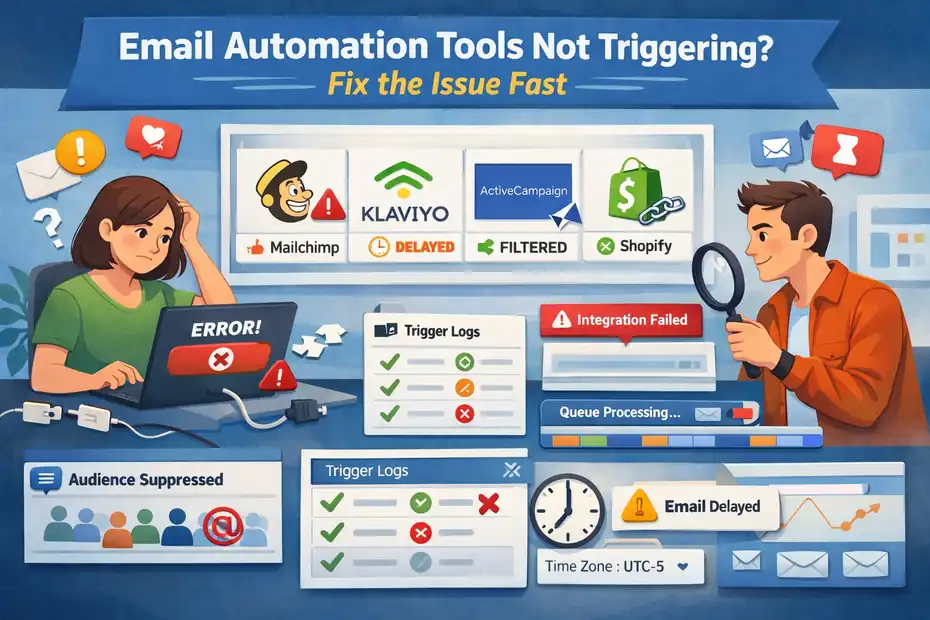
Email automation tools not triggering can feel like a silent revenue leak — especially when you’re expecting welcome emails, abandoned cart reminders, or onboarding sequences to fire automatically and nothing happens.
I’ve seen this happen to bloggers, ecommerce founders, and freelancers right when traffic starts picking up — and instead of scaling, they start losing leads.
The good news? In most cases, this isn’t a platform failure. It’s a setup, logic, or integration issue you can fix fast once you know where to look.
Check Trigger Conditions And Entry Rules First
When email automation tools are not triggering, this is usually the first place I look. Most platforms only fire a workflow when the exact trigger conditions are met, and even tiny mismatches can stop everything.
Verify Trigger Event Matches Real User Action
One of the most common reasons automations don’t fire is that the trigger doesn’t match what users are actually doing. For example, in ActiveCampaign, a “Form Submitted” trigger won’t activate if the user entered their email somewhere else—like a pop-up from another tool.
In my experience, you want to double-check:
- Is the trigger event exactly the one happening? (e.g., “joins list,” “gets tag,” “completes checkout”)
- Does the platform even receive the event? You can usually check this in the contact’s activity timeline.
A quick scenario: A client once set up a welcome sequence that should start “when tag: lead-magnet is added.” But their form was adding “lead_magnet” instead. One underscore froze their entire funnel for weeks. Matching naming conventions matters more than people think.
Confirm Audience Filters Are Not Blocking Contacts
Filters can silently kill automations. If your workflow says “start when someone joins the list and is from the US and has tag customer,” you’ve created a very narrow path—usually narrower than intended.
Most platforms including Mailchimp, Brevo, and Klaviyo allow stacked filters. It’s easy to add one during testing and forget it exists.
What I usually do: temporarily remove all filters and test again. If the automation fires immediately, you’ve found your culprit.
Inspect List, Tag, And Segment Logic Conflicts
Tags and segments are amazing… until they start fighting each other.
For instance, in Kit, segments update in real time based on tag logic. If someone is removed from a tag too quickly—maybe because they bought a product—you might accidentally block them from entering a nurture sequence.
Common conflict patterns I’ve seen:
- “Customer” tag being applied earlier than expected.
- Users entering one segment but being removed before the workflow starts.
- Double tagging from multiple apps creating looping behavior.
If something feels off, check the contact’s timeline and look for tag-add, tag-remove, tag-add loops. Automations love consistency—chaotic tagging is their worst enemy.
Test With A Fresh Contact Instead Of Existing Ones
Most email automation tools only allow a contact to enter a workflow once. So if you’ve already tested it with your own email—or the client’s—you’re not going to see it fire again unless you duplicate or reset the workflow.
Here’s how I personally test:
- Open an incognito window.
- Use a completely new email address (I usually do firstname+test@gmail.com).
- Perform the trigger action slowly, like a real user.
- Watch the automation timeline.
I can’t tell you how many times workflow issues magically “fixed themselves” as soon as a brand-new contact tried entering.
Review Time Delay And Wait Step Configurations
Sometimes the automation is triggering—but you simply haven’t waited long enough. Platforms like Klaviyo, ActiveCampaign, and Mailchimp queue emails with built-in processing windows, especially on lower-tier plans.
What to check:
- Is there a hidden delay step? (Example: “Wait 24 hours.”)
- Is the workflow set to send “only on weekdays”?
- Is the account’s time zone wrong?
A fun one I saw recently: A workflow set to “send at 9 AM” was stuck because the account was accidentally set to the wrong country. Always check the time zone.
Fix Integration Failures Breaking Automations
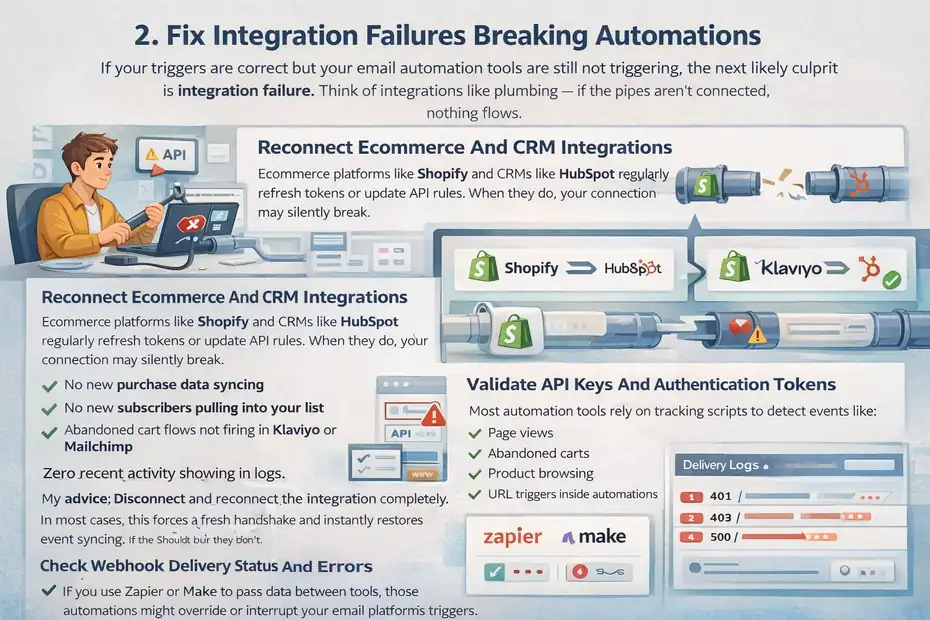
If your triggers are correct but your email automation tools are still not triggering, the next likely culprit is integration failure. Think of integrations like plumbing — if the pipes aren’t connected, nothing flows.
Reconnect Ecommerce And CRM Integrations
Ecommerce platforms like Shopify and CRMs like HubSpot regularly refresh tokens or update API rules. When they do, your connection may silently break.
Symptoms of a broken integration include:
- No new purchase data syncing
- No new subscribers pulling into your list
- Abandoned cart flows not firing in Klaviyo or Mailchimp
- Zero recent activity showing in logs
My advice: Disconnect and reconnect the integration completely. In most cases, this forces a fresh handshake and instantly restores event syncing.
Validate API Keys And Authentication Tokens
API keys expire, regenerate, or get revoked accidentally—especially if you or a teammate cleaned up old keys in Shopify, Brevo, or a CRM dashboard.
A few things to look for:
- Check whether the API key you’re using still exists.
- Confirm the key permissions (read/write) match what the automation requires.
- Make sure no one added IP whitelisting or usage restrictions.
If an automation depends on data from another app—and the API key isn’t valid—it won’t trigger, and most email platforms won’t show a loud error. They should, but they don’t.
Confirm Tracking Scripts Are Installed Properly
Most automation tools rely on tracking scripts to detect events like:
- Page views
- Abandoned carts
- Product browsing
- URL triggers inside automations
If the script is missing, duplicated, or incorrectly placed, events simply won’t fire.
For example:
- Klaviyo scripts must be placed before the closing </head> tag.
- Mailchimp’s site tracking requires explicit user consent on some regions.
- ActiveCampaign’s tracking script needs domain verification.
If I suspect a script issue, I open Developer Tools → Network → search “collect” or “track” to confirm events are being sent.
Check Webhook Delivery Status And Errors
Webhooks are like little messengers carrying data from one system to another. But if they fail even once, the receiving app may pause the automation.
Common webhook errors include:
- 401 Unauthorized (invalid credentials)
- 404 Not Found (endpoint changed)
- 429 Rate Limited (too many requests)
- 500 Server Error (temporary platform issue)
In platforms like ActiveCampaign, Brevo, and Kit, you can view webhook logs directly inside the account. If you see repeated failures, that’s your smoking gun.
Resolve Zapier And Make Automation Conflicts
If you use Zapier or Make to pass data between tools, those automations might override or interrupt your email platform’s triggers.
I’ve personally fixed issues where:
- Two Zaps were both tagging contacts, causing tag-removal loops.
- A Make scenario was overwriting a field that controlled automation entry.
- A Zap delay step pushed users past the allowed trigger window.
One rule I follow religiously: If an email platform can do something internally, don’t offload it to Zapier unless you absolutely must. The fewer moving parts, the more reliable your automations stay.
Resolve Platform-Specific Trigger Problems Fast
When email automation tools are not triggering, sometimes the issue isn’t your setup at all — it’s the platform’s internal logic.
Each tool behaves a little differently, and I’ve learned (sometimes the hard way) that knowing these quirks saves hours of guesswork.
Fix Automation Delays Inside Kit (Formerly ConvertKit)
Kit is powerful, but its event-based system can be surprisingly literal. If your automation doesn’t fire, it often comes down to the platform not seeing the trigger clearly enough.
A few things I check right away:
- Event vs. Condition mismatch: Kit only triggers when an event happens, not when something already exists.
- Tag timing: Tags applied too quickly in funnels can cause Kit to skip steps because it thinks the user “already passed” that point.
- Rule conflicts: Kit’s Rules and Visual Automations can overlap and override each other.
A real scenario from last month: A creator’s welcome series wasn’t firing because the form was set to deliver an incentive email, and that email was applying a tag before the automation entry point. Kit interpreted this as “already completed,” so it refused to start the flow.
My quick fix: Delay the tag application by 1 minute. Automation immediately worked.
Repair Trigger Logic In ActiveCampaign
ActiveCampaign gives you incredible flexibility — which also means it’s easy to break automations without realizing it.
Here’s what I double-check in almost every case:
- Start trigger settings: Many automations default to “Runs once,” and users forget to change it.
- List-based triggers: If a contact is added manually, AC may skip the automation unless you specify “All methods.”
- Goal steps: Goals can pull people past actions, skipping entire segments of your workflow.
A client’s onboarding sequence once skipped 80% of subscribers. The culprit? A goal step with a condition that was too broad (“has tag subscriber”). Everyone met the goal instantly, so ActiveCampaign jumped them to the end.
If your automation feels like it’s teleporting people around, it’s almost always a Goal issue.
Troubleshoot Workflow Entry Issues In Brevo
Brevo (formerly Sendinblue) has some of the strictest workflow entry rules in the industry — part of its European compliance foundation.
Common reasons automations don’t trigger:
- Workflow type mismatch: Brevo separates “Marketing Automation” from “Transactional,” and the triggers are not interchangeable.
- Segment-based delays: Brevo updates segments in batches, not instantly, which can delay workflow entry by minutes.
- Email attribution: If contacts come through an API call without proper consent flags, they may be blocked at the entry point.
One pattern I’ve seen a lot: Brevo contacts imported via CSV don’t trigger workflows unless you explicitly check the box that says “Add to automation workflows.” It’s easy to miss.
Correct Automation Triggers In Mailchimp
Mailchimp is great for beginners, but its Customer Journey builder has a few quirks that can stop triggers from firing.
The big three:
- Audience selection: Mailchimp will not trigger across multiple audiences.
- Tag updates: Tag-based triggers only fire when the tag is newly applied — not if it already exists.
- Ecommerce sync delays: Mailchimp’s integration with Shopify and WooCommerce runs on a polling system, so events don’t show up instantly.
If Mailchimp automations feel slow or unresponsive, it’s usually sync timing — not your settings.
An example: An abandoned cart flow wasn’t firing for a client, and the reason was simply that the store connection had paused during a plugin update. Re-authenticating fixed it in under two minutes.
Debug Customer Journey Triggers In Klaviyo
Klaviyo is the gold standard for ecommerce automation, but it relies heavily on tracking data. When that data is missing or malformed, triggers stop dead.
I recommend checking:
- “Placed Order” vs. “Ordered Product”: These sound similar but behave completely differently.
- Profile merging: If Klaviyo merges customer profiles incorrectly, event history can disappear.
- Inconsistent cookie tracking: If someone browses in private mode, your browse triggers won’t fire.
One memorable case: A client’s product-view flow wasn’t firing because the theme developer renamed a CSS class that Klaviyo’s script relied on. A one-line fix in the theme restored everything instantly.
The takeaway: If Klaviyo isn’t triggering, it’s almost always a tracking or event-schema issue.
Identify Hidden Contact Status Restrictions
Sometimes your automations are perfect — but the contact isn’t eligible to receive emails. These hidden blocks are some of the most frustrating reasons email automation tools are not triggering.
Remove Double Opt-In Blocks Preventing Entry
Double opt-in is great for deliverability, but brutal for automations if someone doesn’t confirm their email. Many platforms — especially Brevo, Mailchimp, and Kit — will not start any automation until the confirmation step is completed.
If you notice a ton of “pending confirmation” contacts, that’s your problem right there.
One tip I’ve used: Send a separate reminder email (transactional, not marketing) encouraging the subscriber to click the confirmation link.
Check Suppression Lists And Unsubscribed Flags
Suppression lists are behind more broken automations than people realize.
Look for these patterns:
- Contact unsubscribed from any list, not just yours.
- A third-party tool synced a “Do Not Email” flag.
- A previous campaign auto-suppressed contacts due to inactivity.
Platforms like Klaviyo, ActiveCampaign, and Mailchimp all enforce suppression at the account level — not workflow level — which means one unsubscribe can block every automation.
If you see “suppressed,” “archived,” or “inactive,” that contact will never enter a sequence again unless manually reactivated.
Review GDPR And Consent-Based Restrictions
If someone lives in the EU, Canada, Australia, or Brazil, email platforms often require explicit marketing consent. Without it, automations won’t fire.
Common blockers include:
- Contacts added through checkout without permission
- Contacts added through API without consent fields
- Imported lists missing “opt-in method”
Brevo is especially strict here. If consent isn’t properly set, the automation will simply skip the contact with no visible error.
Confirm Email Verification Tools Are Not Blocking Contacts
Tools like ZeroBounce, NeverBounce, or built-in platform verification scanners sometimes mark contacts as risky or invalid. When that happens, the automation won’t fire — even if the email is actually deliverable.
A client once imported a large list, and 18% were flagged as “unknown.” Mailchimp sidelined every single one, and zero automations triggered.
You can usually override these flags manually, but do it carefully to protect deliverability.
Ensure Contacts Are Not Marked As Cleaned Or Bounced
Cleaned or bounced contacts are permanently blocked from automation entry. The tricky part? Bounce status can come from:
- Previous campaigns
- Soft bounces turning into hard ones
- Typos (gmial.com instead of gmail.com)
- Domain issues on the subscriber side
If a contact is marked as bounced, no automation will ever trigger for them — even if they correct their email later. You need to add them as a new contact.
Fix Ecommerce Automation Triggers That Fail
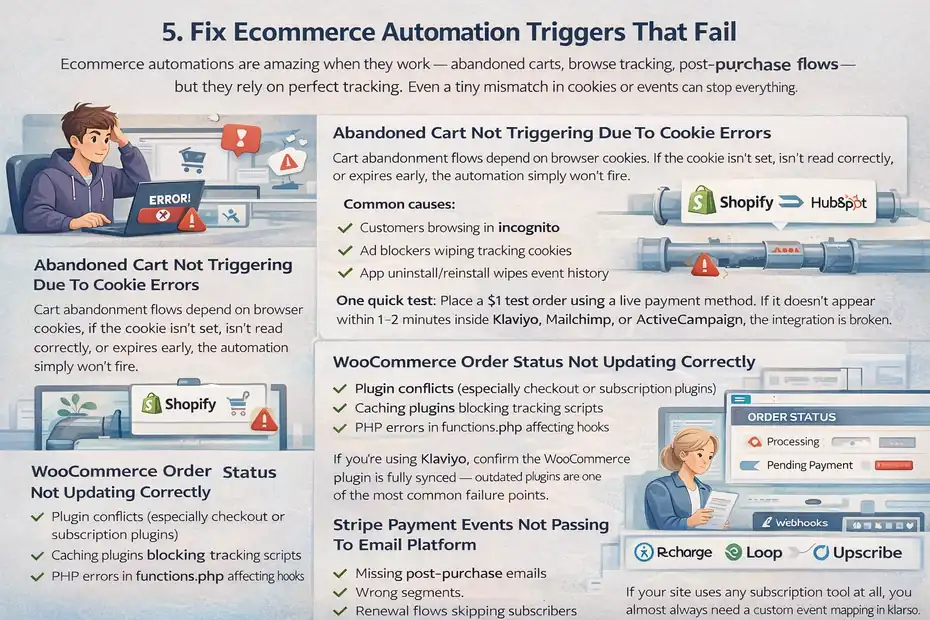
Ecommerce automations are amazing when they work — abandoned carts, browse tracking, post-purchase flows — but they rely on perfect tracking.
Even a tiny mismatch in cookies or events can stop everything.
Abandoned Cart Not Triggering Due To Cookie Errors
Cart abandonment flows depend on browser cookies. If the cookie isn’t set, isn’t read correctly, or expires early, the automation simply won’t fire.
Common causes:
- Customers browsing in incognito
- Ad blockers wiping tracking cookies
- Incorrect placement of the cart tracking script
- Theme developers customizing checkout in ways that break events
Klaviyo cart tracking is especially sensitive to theme edits, so if you recently redesigned your store, check this first.
Purchase Events Not Syncing From Shopify
Shopify → email platform sync issues are incredibly common. If a purchase event doesn’t sync, your entire post-purchase workflow breaks.
What I look for:
- App permissions reset after store updates
- Shopify “Order Created” vs. “Order Paid” mismatch
- App uninstall/reinstall wipes event history
- Multi-currency orders failing schema validation
One quick test: Place a $1 test order using a live payment method. If it doesn’t appear within 1–2 minutes inside Klaviyo, Mailchimp, or ActiveCampaign, the integration is broken.
WooCommerce Order Status Not Updating Correctly
WooCommerce isn’t always consistent about order statuses. A workflow expecting “Completed” may never fire if the site sets orders to “Processing” or “Pending Payment.”
You also want to check:
- Plugin conflicts (especially checkout or subscription plugins)
- Caching plugins blocking tracking scripts
- PHP errors in functions.php affecting hooks
If you’re using Klaviyo, confirm the WooCommerce plugin is fully synced — outdated plugins are one of the most common failure points.
Stripe Payment Events Not Passing To Email Platform
Stripe sends events through webhooks, and if those webhooks fail even once, future events can get stuck.
Look for:
- Webhook signing secret changed
- Stripe dashboard shows “failed” delivery attempts
- Subscription renewals not syncing
- Payment_intent vs. charge.succeeded mismatches
If your Stripe → automation tool flow is breaking, the webhook log is the first place I go.
Subscription Tools Blocking Post-Purchase Sequences
Apps like Recharge, Loop Subscriptions, or Upscribe sometimes override standard purchase events. Instead of firing a clean “order placed,” they may send a custom event your email platform doesn’t recognize.
This leads to:
- Missing post-purchase emails
- Wrong segments
- Welcome flows skipping subscribers
- Renewal reminders not triggering
If your site uses any subscription tool at all, you almost always need a custom event mapping in Klaviyo or ActiveCampaign.
Diagnose Timing And Queue Processing Delays
Sometimes your setup is perfect, but the automation still feels “stuck.” When email automation tools are not triggering, timing delays and background queues are often the hidden culprit.
Every platform has its own processing rhythm, and understanding that rhythm can save you from hours of unnecessary troubleshooting.
Understand Platform Automation Processing Windows
Every platform processes automations in batches — kind of like a supermarket checkout line. Even if your trigger fires instantly, the workflow might sit in a queue for a few minutes.
From what I’ve seen:
- Mailchimp processes automations every few minutes, not instantly.
- Klaviyo is faster but can still delay events during peak sending hours.
- ActiveCampaign queues events differently based on plan tier.
A creator I worked with thought her welcome sequence was “broken” because she didn’t receive the first email instantly during testing. Turns out her workflow had a quiet processing window of ~5 minutes. Once she waited, everything worked perfectly.
Sometimes the fix is literally patience — but only after confirming your workflow doesn’t contain hidden wait steps.
Check Sending Limits And Throttling Rules
Sending limits are invisible brakes that can stop automations mid-run. Platforms throttle emails when:
- You exceed hourly/daily send limits.
- Your account is warming up after a large import.
- The system detects potential spam behavior.
For example, Klaviyo temporarily throttles accounts with elevated bounce or complaint rates. Brevo and Mailchimp do the same when deliverability dips.
Here’s the tricky part: Most platforms don’t show a big red warning. They just quietly slow down your automations.
If your emails are stuck in “scheduled” or “processing,” throttling is your first suspect.
Review Account Compliance Or Risk Flags
Every major platform runs automated compliance checks. If something looks suspicious — like a sudden spike in opt-ins or imported contacts — they may review your account.
Signs you’re under review:
- Automations suddenly stop triggering.
- Only some emails send, especially to new contacts.
- Support asks for opt-in proof or list origin details.
I’ve seen this happen most often in Mailchimp and ActiveCampaign, especially right after large CSV uploads. Once you verify your list source, automations usually resume within 24–48 hours.
Confirm Server Time Zone And Workflow Settings
Time zones cause more automation issues than any other single setting.
If your workflow says “send at 9 AM,” but your account is set to Pacific Time while you’re testing in Eastern Time, you won’t see anything for hours.
I always check:
- Account time zone
- Workflow-specific time settings
- User-level time zone overrides (in some platforms)
One client accidentally set her entire account to Australian Eastern Time because she was traveling. Every email went out 14 hours late — and yes, her automations looked broken.
Identify Delays Caused By Bulk Imports
Bulk imports create a unique kind of lag. If you import thousands of contacts at once, automation checks can take several minutes (or longer) to evaluate each profile.
Here’s what I tend to see:
- Klaviyo and ActiveCampaign queue imported contacts before allowing workflow entry.
- Mailchimp may delay automated sends for up to an hour after a bulk import.
- Brevo requires import approval for new accounts, pausing automations entirely.
If your email automation tools are not triggering immediately after an import, odds are the system hasn’t finished indexing your contacts yet.
Test Email Automation Tools Not Triggering Properly
When something still doesn’t add up, it’s time to run controlled tests. Testing removes guesswork, and honestly, it’s saved me more times than I can count.
Build A Controlled Test Workflow For Debugging
I’ve learned not to test inside a giant, complicated workflow. Instead, I create a simple three-step test:
- Trigger: Add a tag (e.g., test-trigger).
- Action: Send a plain text email.
- End: Apply a second tag (e.g., test-confirmed).
This isolates the problem. If the simple test works, the issue is inside your original workflow — not the entire platform.
If it doesn’t work, you know the problem is deeper (integration, tracking, suppression, or platform-level).
Use Test Emails With Unique Identifiers
Most email platforms will not re-enter a contact into a workflow. That’s why repeated testing with your own email rarely gives accurate results.
I use:
- firstname+test1@gmail.com
- firstname+test2@gmail.com
- firstname+test3@gmail.com
Using unique test emails ensures each trigger event is fresh and valid, so you’re not misled by platform rules meant to avoid duplicates.
Monitor Automation Logs And Activity Feeds
Every major email platform has hidden gold: automation logs.
Inside these logs, you can see:
- Whether the trigger fired
- Whether the contact was eligible
- Whether any steps failed
- Whether the email was queued or skipped
In Klaviyo, it’s the “Activity Feed.”
In ActiveCampaign, it’s the “Automation Log.”
In Mailchimp, it’s “Customer Journey History.”
These logs often reveal the exact line where things broke.
Compare Trigger Reports Against Contact Profiles
Sometimes a trigger report says the event fired — but the contact profile never shows the event. That mismatch is your clue.
Example: If Shopify shows a purchase but Klaviyo doesn’t show a “Placed Order” event, the integration is broken, not the automation.
I always cross-check:
- Event timestamp
- Source of event
- Whether the event matches the workflow trigger type
This little step alone has caught dozens of “invisible errors” for me.
Simulate Real Customer Behavior Across Devices
Testing on desktop only tells half the story. Customers browse:
- Mobile Safari
- Chrome on Android
- Tablets
- Private mode
- Apps with tracking blockers
I’ve seen abandoned cart flows fail only on iPhones due to cookie restrictions.
A simple device test can reveal issues you would never see otherwise.
Prevent Email Automation Trigger Failures Long Term
Once everything is working again, the real goal is prevention. Because nothing feels worse than discovering your automations broke weeks ago and you didn’t notice.
Create A Pre-Launch Automation Checklist
I use a simple checklist before launching any new automation:
- Is the trigger correct?
- Are tags consistent?
- Are filters too restrictive?
- Is tracking active?
- Did I test with a fresh email?
This alone prevents 80% of the “why are my email automation tools not triggering?” messages I get from clients.
Standardize Naming Conventions For Tags And Lists
If tags are messy, automations become unpredictable.
I recommend:
- Prefix tags (ex: optin-leadmagnet, event-webinar)
- Avoid duplicates or similar spellings
- Use lowercase with hyphens for consistency
A clean tagging system makes debugging 10x faster.
Map Full Customer Journey Before Building Workflows
Before building any automation, I sketch the entire journey:
- How they sign up
- What tags they get
- Where they move next
- What qualifies them for a sales sequence
This helps spot conflicts early. I’ve prevented hundreds of automation errors simply by mapping journeys before touching the builder.
Audit Integrations Quarterly To Avoid Silent Breaks
Integrations break silently all the time — Shopify updates, CRM token resets, plugin changes, you name it.
I do a quarterly audit:
- Reconnect integrations
- Revalidate API keys
- Test tracking scripts
- Clear outdated webhooks
This proactive step keeps your system stable even as tools evolve.
Implement Backup Notifications For Failed Triggers
Many platforms allow internal notifications. I set up:
- A Slack alert when a webhook fails
- An email alert when an automation error occurs
- A daily summary of important events (like purchases or signups)
If anything unusual happens, I know fast — not weeks later.
FAQ
Why are my email automation tools not triggering?
Email automation tools often fail to trigger because the event doesn’t match the actual user action, integrations are disconnected, or the contact is suppressed (unsubscribed, bounced, or pending confirmation). Checking triggers, tags, and platform logs usually reveals the issue fast.
How do I fix email automation tools not triggering in my platform?
Start by testing with a fresh contact, verifying trigger settings, and confirming integrations like Shopify, Stripe, or CRMs are connected. Then check for delays, throttling, or workflow filters that may be blocking entry.
Why are my automations delayed instead of sending instantly?
Most platforms use processing queues, meaning workflows don’t fire in real time. Time zone mismatches, sending limits, and bulk imports can also delay emails, even when triggers are correct.

Juxhin B is a digital marketing researcher and founder of JAK Digital Hub, specializing in email marketing software, marketing automation platforms, and digital growth tools. His work focuses on software testing, platform comparisons, and real-world performance analysis to help businesses choose the right marketing technology.
Related posts:
 Email Automation Tools Migration Checklist for a Smooth Switch
 Is There Better Email Automation Software For Ecommerce?
 Email Automation Systems That Drive Revenue
 Email Automation Tools for New Ecommerce Store: What to Start With
 Email Automation Tools for 100k Subscribers: Best Value Picks
 Cheaper Email Automation System For Growing List Fast